What is Avalonia?
Avalonia is a powerful framework that enables developers to create cross-platform applications using. NET. It uses its own rendering engine to draw UI controls, ensuring a consistent look and behavior across different platforms such as Windows, macOS, Linux, Android, iOS and WebAssembly. This means developers can share their UI code and maintain a uniform look and feel across different target platforms.
The leniency and convenience of the MIT protocol
The MIT License is a concise and loose open source software licensing agreement. It allows users to freely use, copy, modify, merge, publish, distribute, sublicense and/or sell copies of software. Users must include copyright and license notices in the software and all copies of the software. The MIT protocol has few restrictions on users and basically gives users great freedom. It is suitable for various open source projects, encourages the sharing and reuse of code, and promotes the rapid development of software technology.
Dotnet and Avalonia are both MIT protocols, and the relevant code addresses are:
- Dotnet:https://github.com/microsoft/dotnet
- Avalonia:https://github.com/AvaloniaUI/Avalonia
Semi.Avalonia and Ursa.Avalonia
(1) Semi.Avalonia -Realization of the Charm of Thematic Style
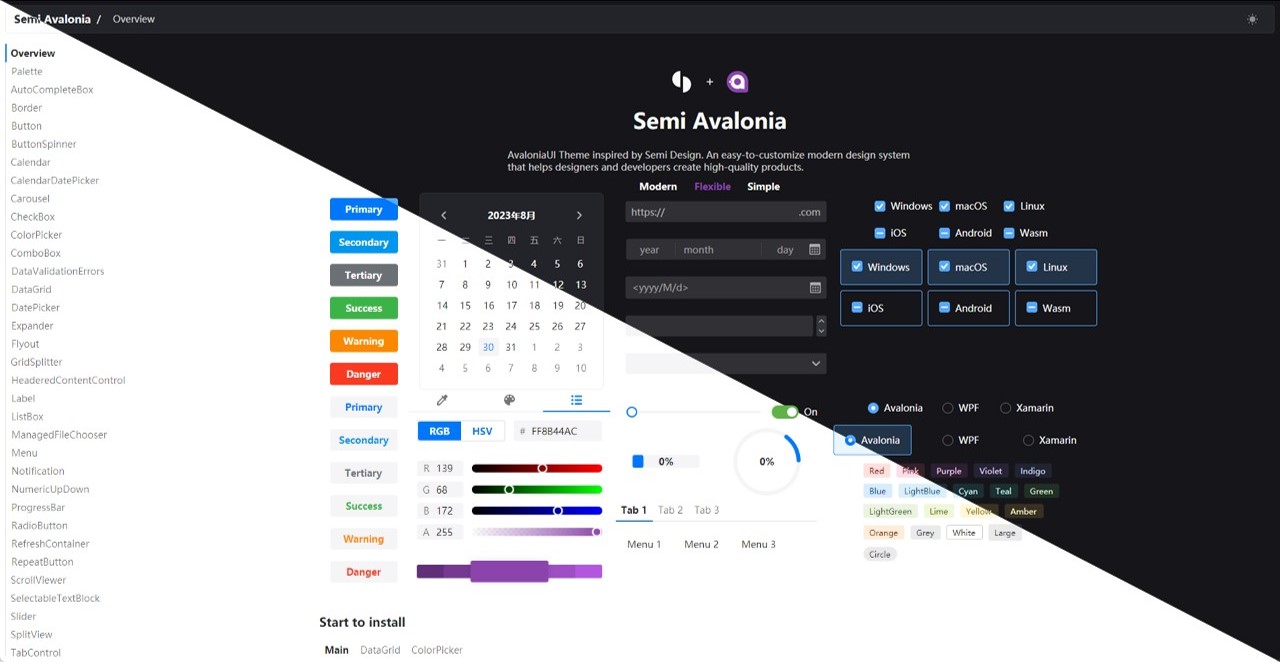
Semi.Avalonia, this is a subtle presentation of the Semi Design theme style under the Avalonia UI framework open source under the MIT protocol. It brings a unique visual style to the application, like a beautiful picture, adding rich color and texture to the user interface.

Its warehouse address is: github.com/irihitech/Semi.Avalonia
(2) Ursa.Avalonia -The innovative power of custom controls
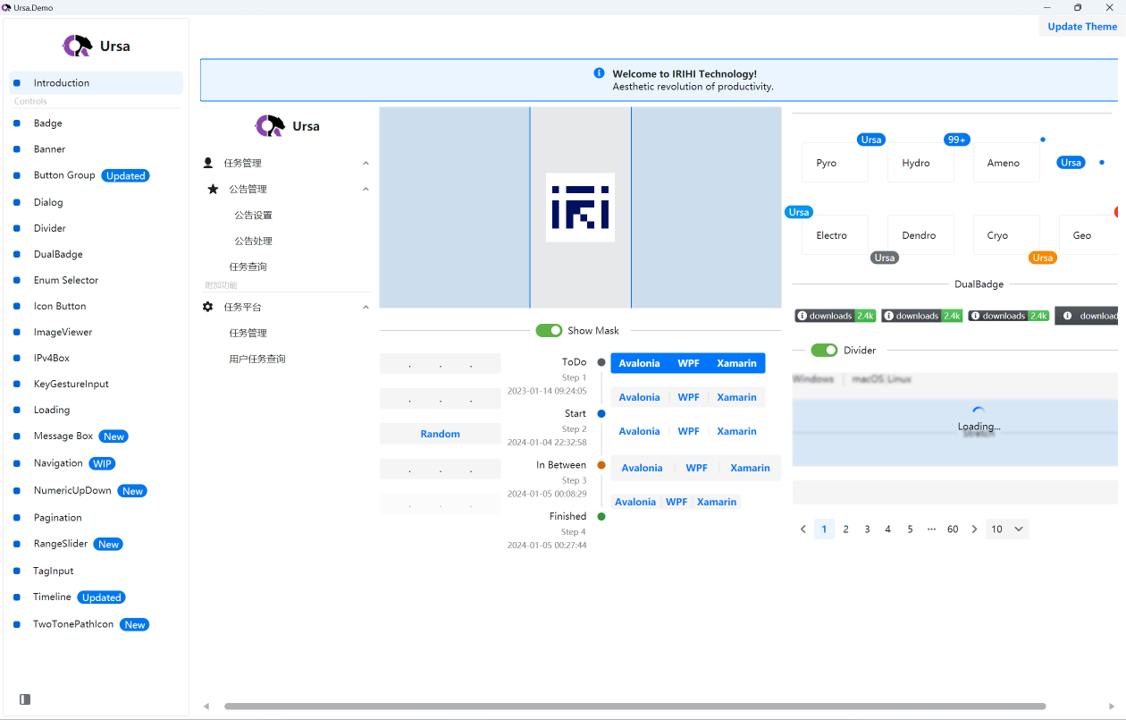
Coupled with the Ursa.Avalonia custom control library, which also follows the MIT protocol, it is even more powerful. Together, they create a new visual and functional experience for developers, as if opening a door to infinite possibilities on the development journey.

Warehouse address: github.com/irihitech/Ursa.Avalonia
Performance in the field of Xinchuang and domestic operating systems
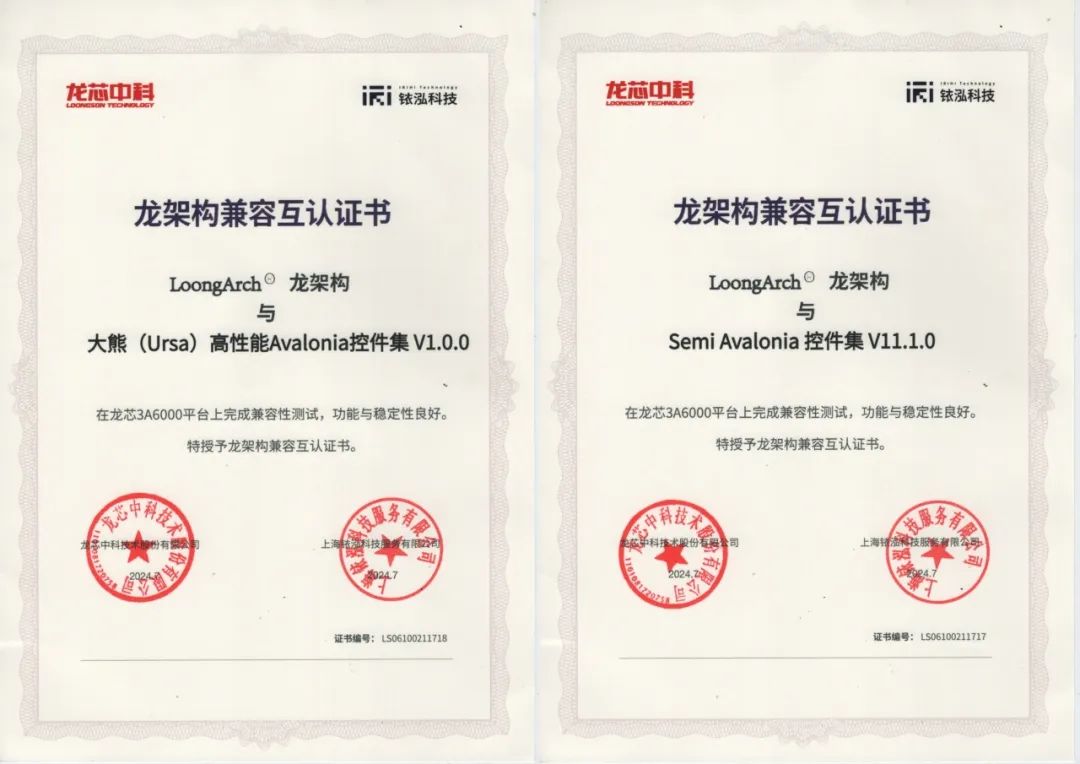
It is worth mentioning that these two libraries have performed well in the fields of Xinchuang and domestic operating systems, and have completed compatibility and mutual certification with Loongson 3A6000 and LoongArch™. This is an important achievement in the advancement of autonomous controllability and localized technologies.
下面信息引用来自微信公众号【铱泓科技】8月2号的文章 《Ursa与Semi正式完成龙架构兼容互认证》:
The two major Avalonia control sets, Ursa and Semi, have completed compatibility and mutual certification with Loongson 3A6000 and LoongArch™. This important milestone marks new progress in promoting independently controllable and domestically produced technologies.

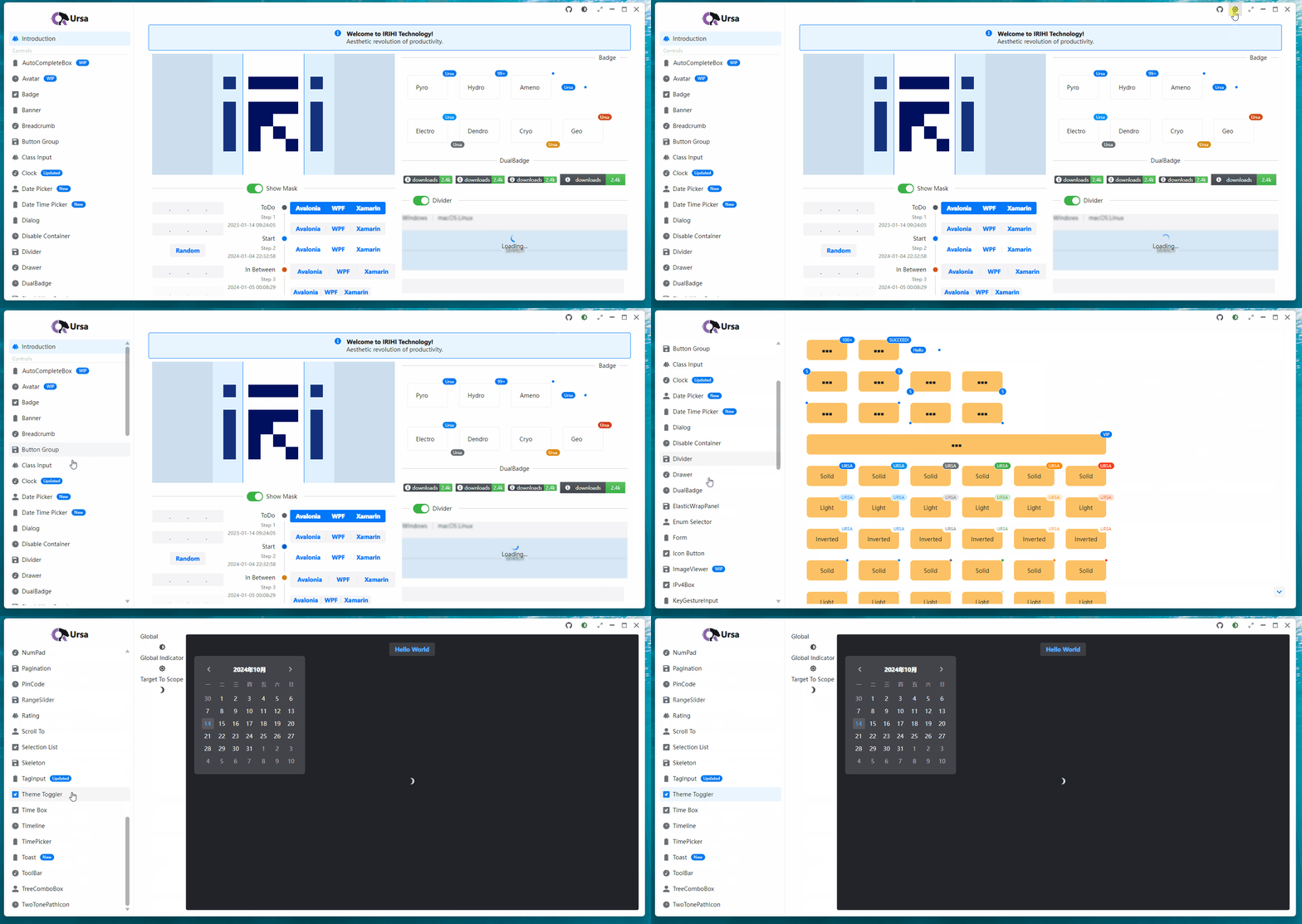
Control partial screenshots
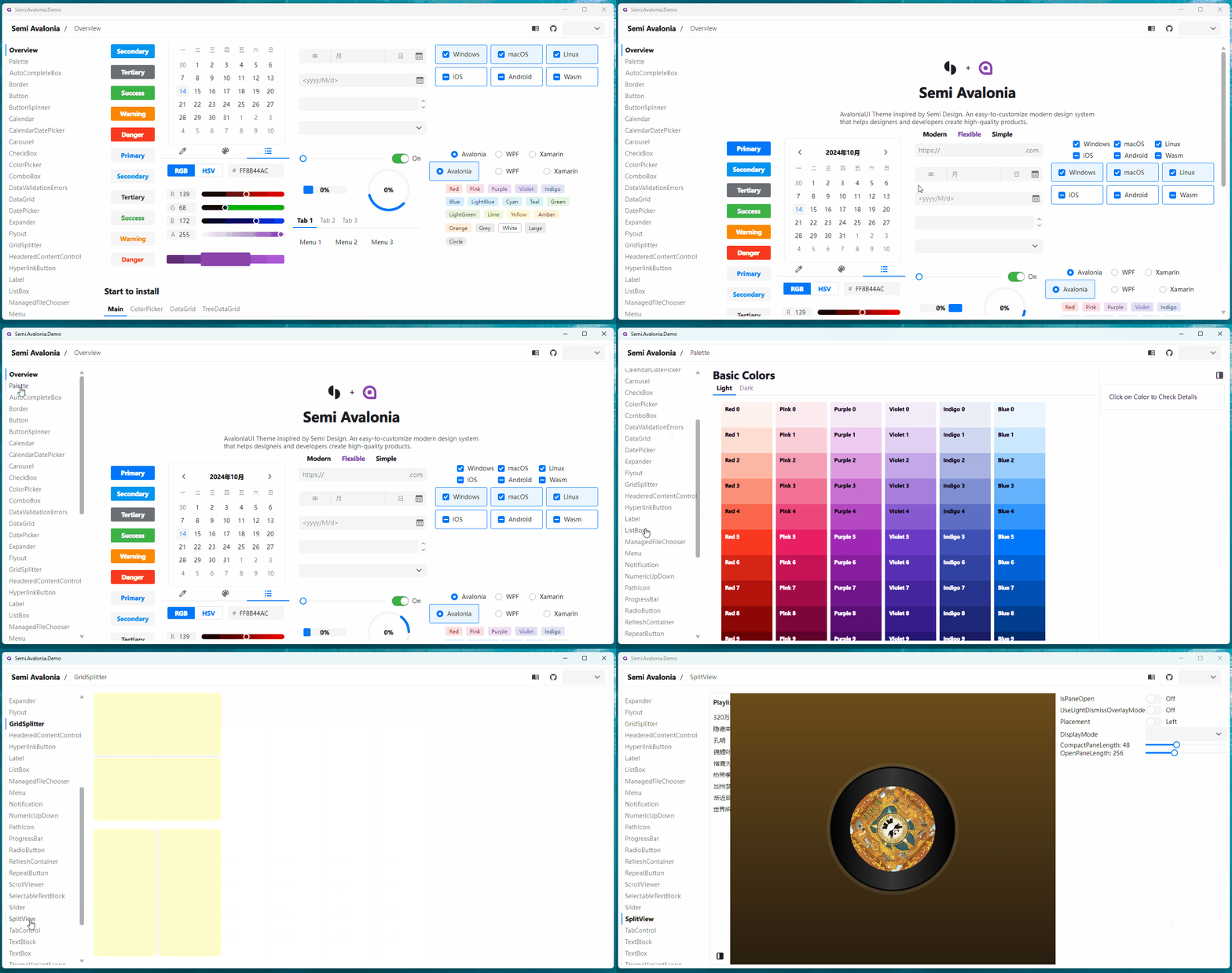
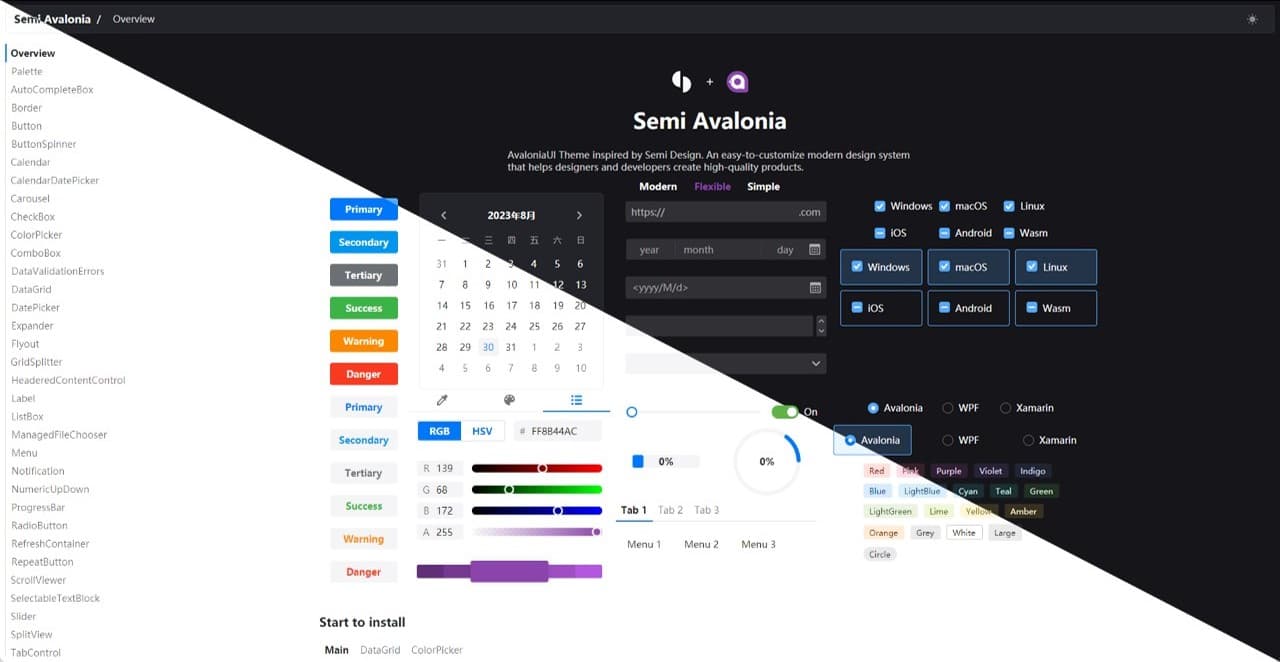
Although the controls have their own characteristics, they all show their unique charm. Simply take a few pictures to give you a glimpse of it:
Semi.Avalonia Theme Library Overview:

Ursa.Avalonia Custom Control Library Overview:

Practical case sharing
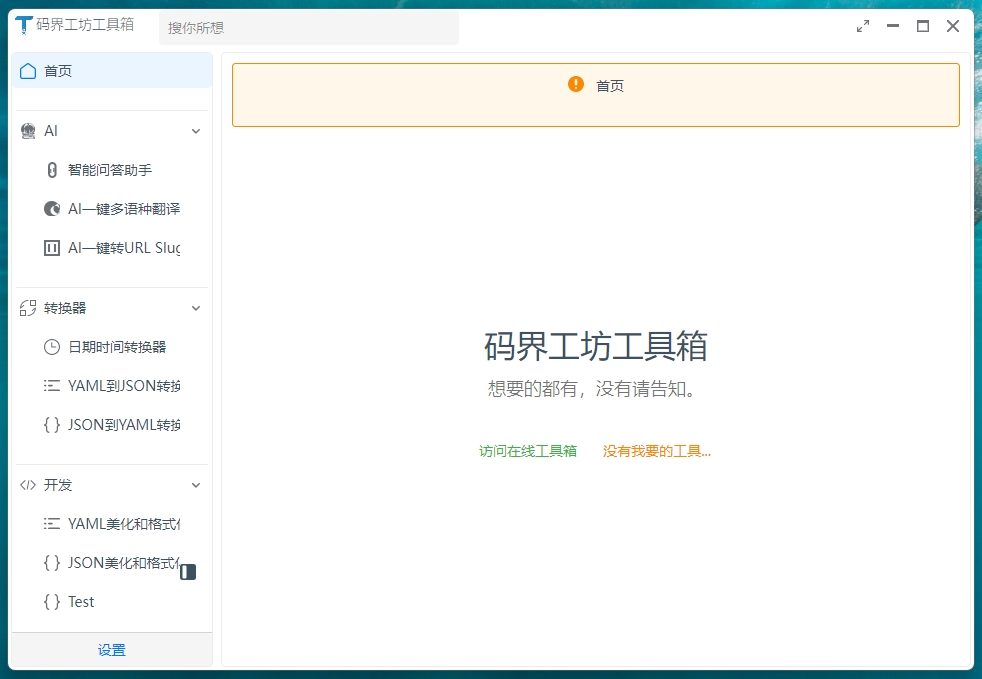
This control is used in the webmaster company project. Although it is inconvenient to take screenshots, you can refer to the tool CodeWF.Toolbox written by the webmaster using the Avalonia UI with this theme and control library:
Warehouse: github.com/dotnet9/CodeWF.Toolbox
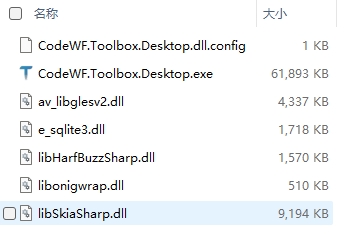
This gadget is developed using Avalonia+Prism 8 modularly. The file organization structure after AOT is released:

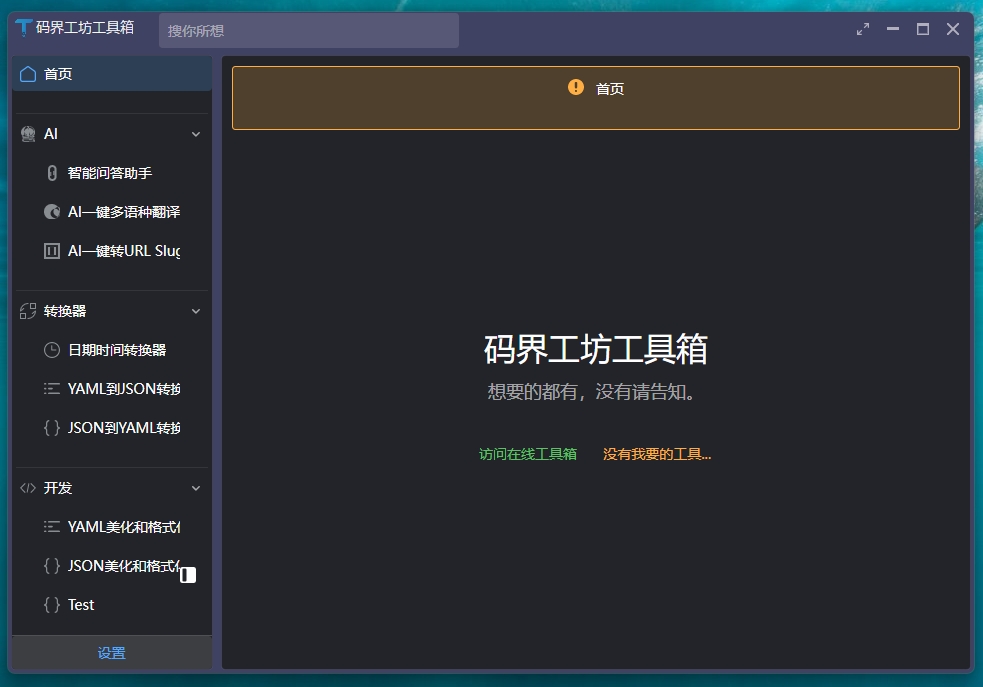
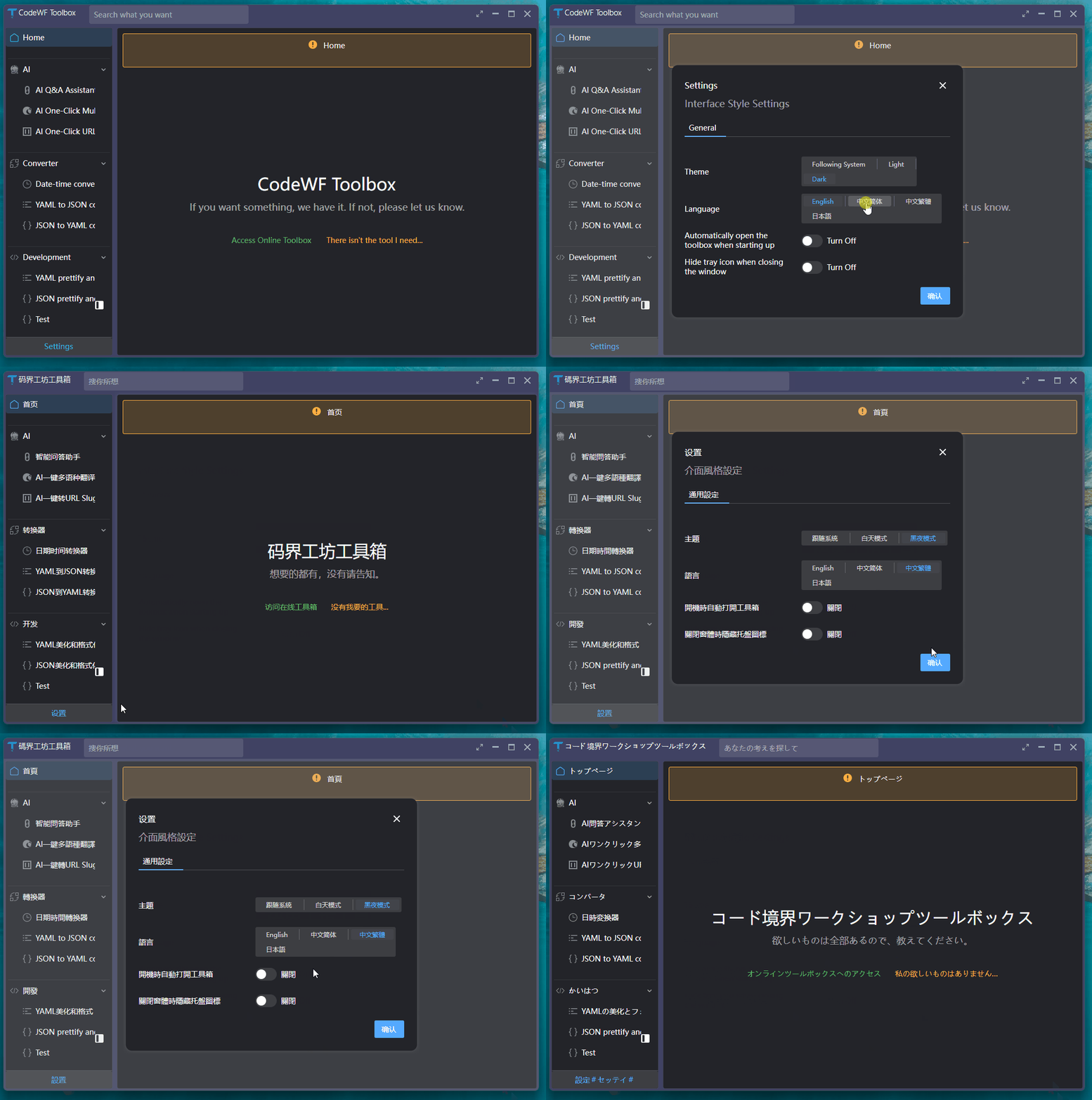
It has a black and white theme to create a different visual atmosphere:
![]() |
![]() |
It also implements international functions to provide a convenient experience for users around the world:

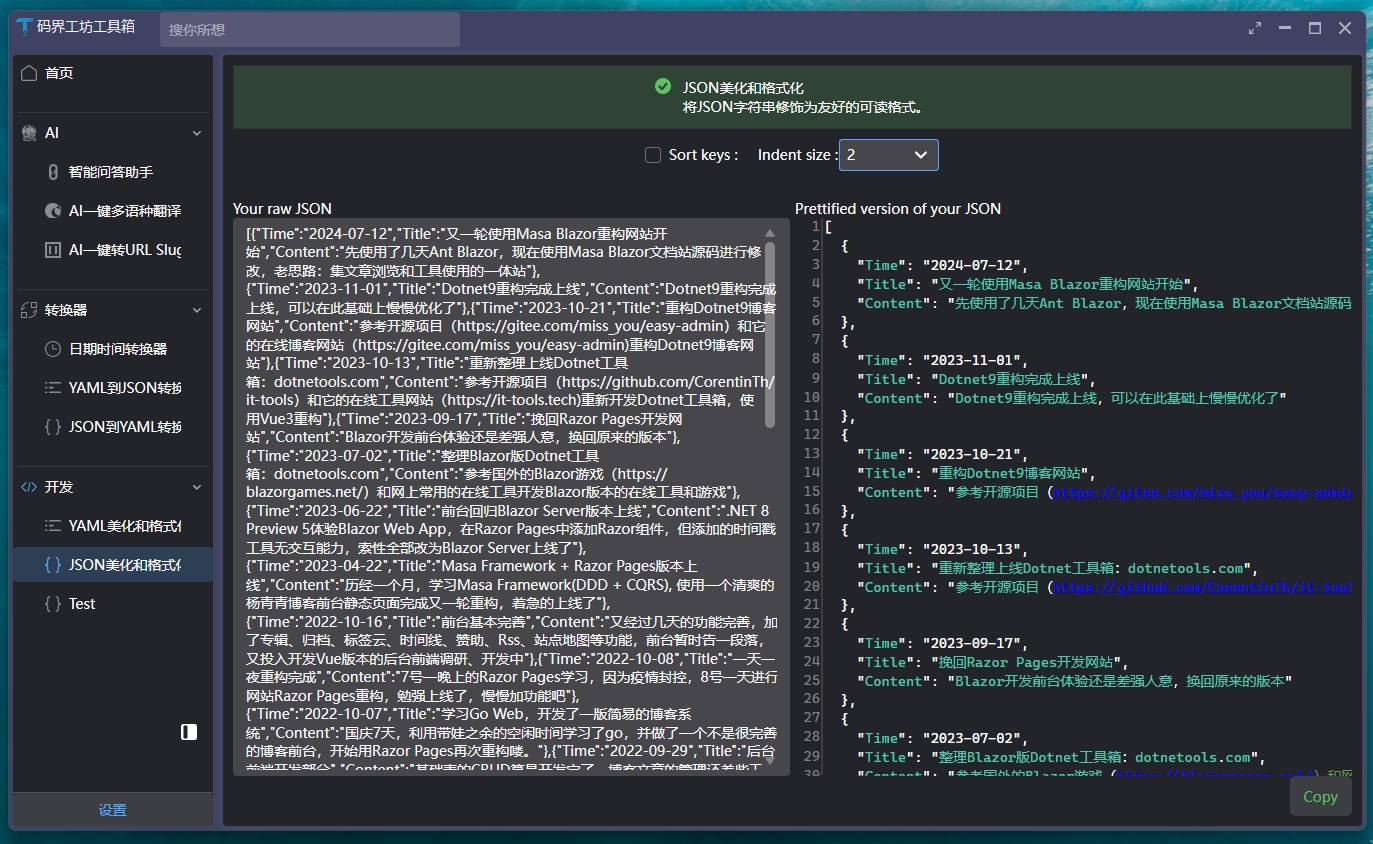
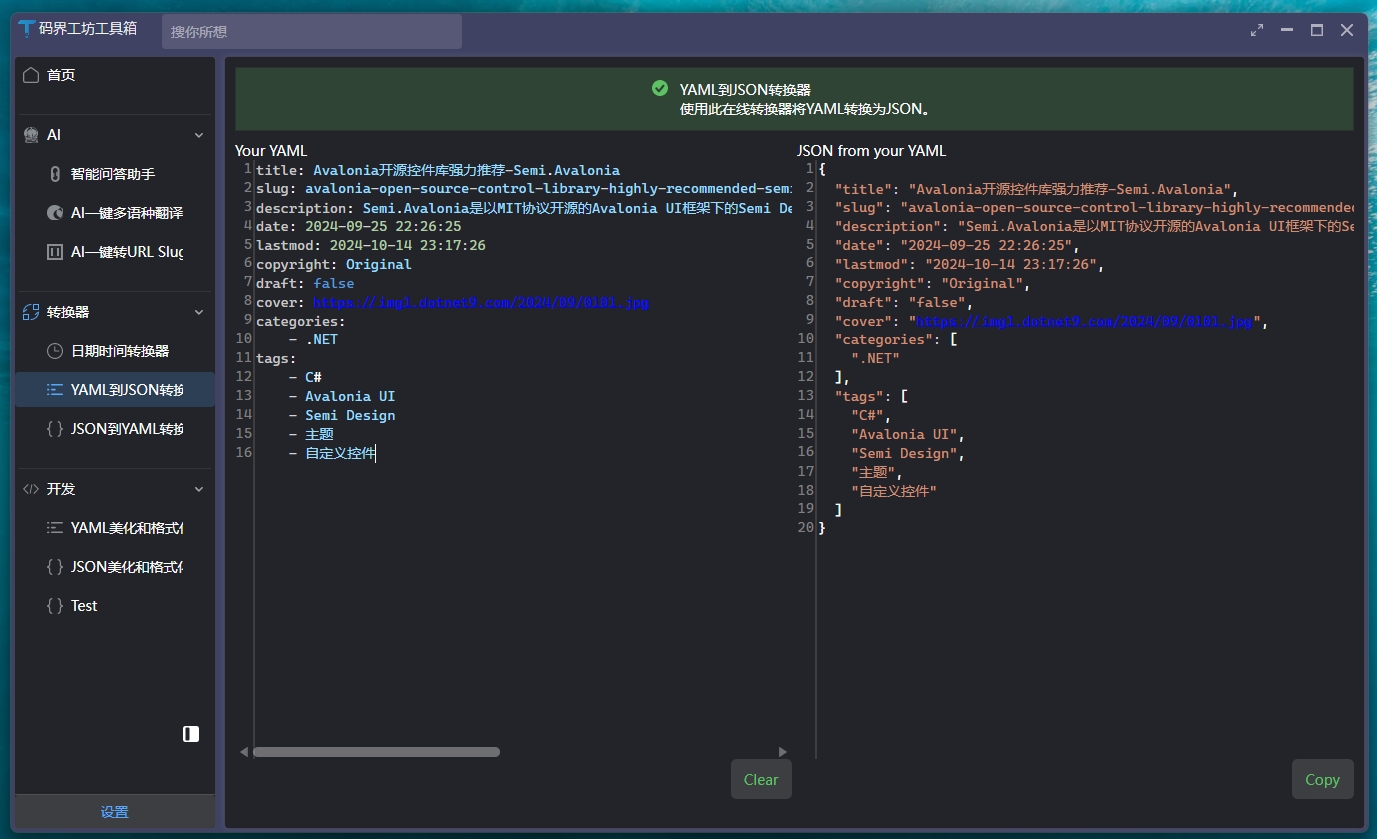
At the same time, it includes practical Json beautification tools and YAML to Json tools, as shown in the following figure:
**Json beautification tool **

**YAML to Json tool **

Sharing of experience
- official documentation
- Semi documentation: docs.irihi.tech/semi
- Ursa documentation: docs.irihi.tech/ursa/
- Source code reading
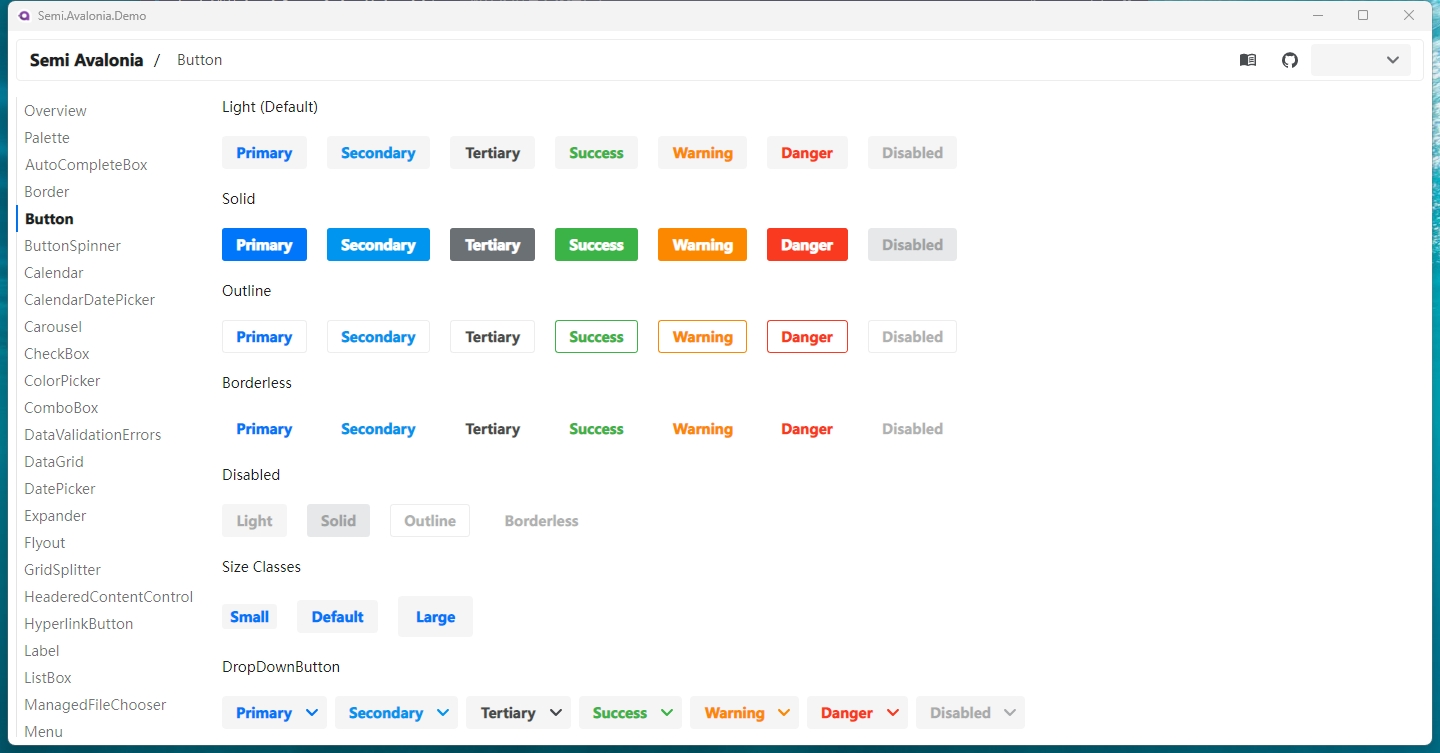
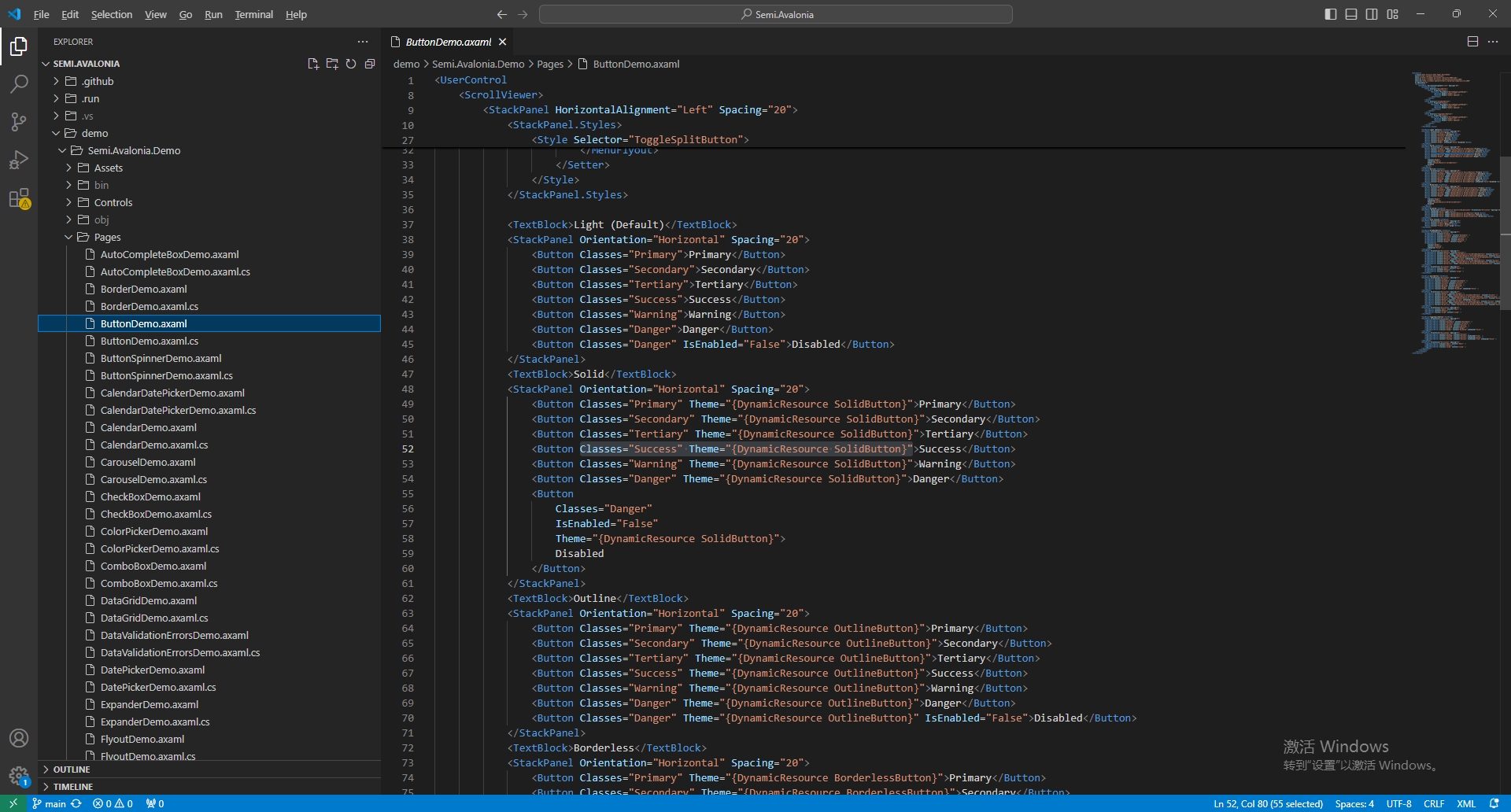
First, clone the control warehouse (the address is given above) and search it according to the running effects of Readme and Demo. For example, if you think Button's Warning effect is excellent:

You can use VS Code or VS to open the repository:

- Expand Semi.Avalonia.Demo
- Find the Pages directory and open ButtonDemon.axaml
- Find the required style according to the interface keywords Solid and Waring
In this way, you can easily control these excellent controls, adding efficiency and charm to development work. I hope this article can provide useful guidance and inspiration for you on your exploration of the Avalonia open source control library, allowing you to create more exciting applications on the development road.