

分享一下之前学习的一个登录小案例,代码有不足之处欢迎指正!!!
工具:采用 VS Code 及其插件开发,轻量化的同时减少命令行的敲写,使用 VS 没有冲突哈
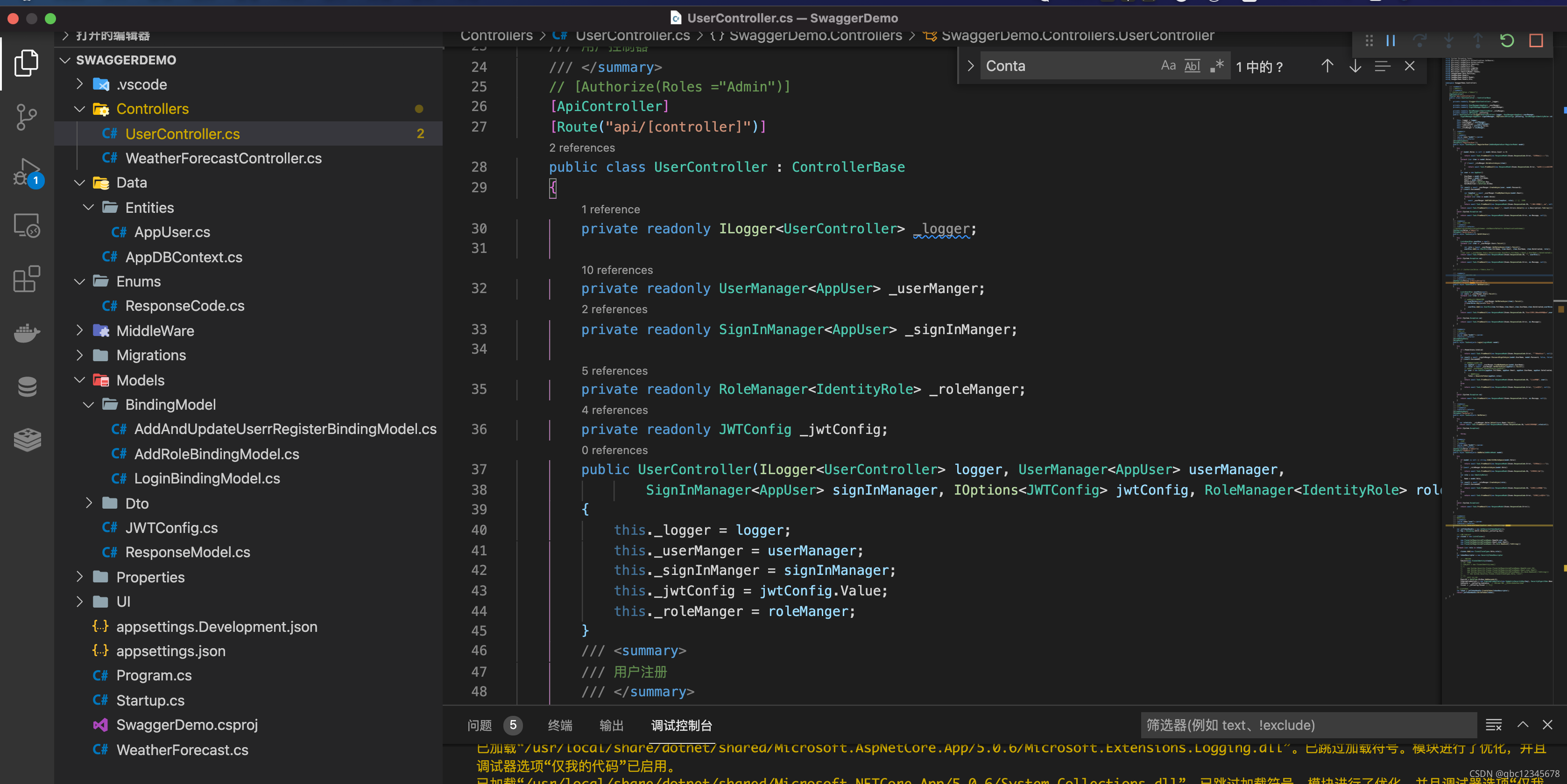
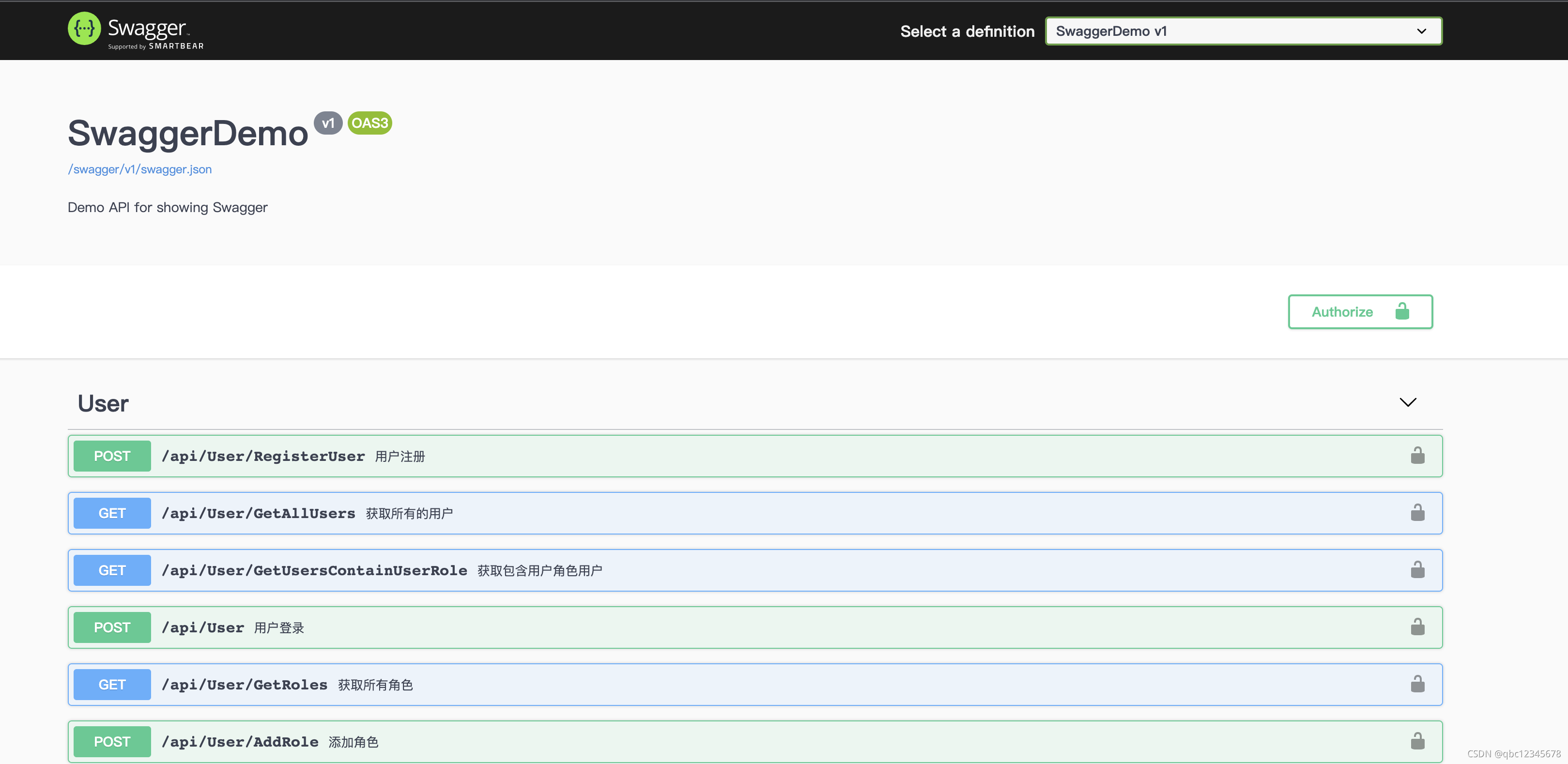
一、通过插件创建 WebApi 项目
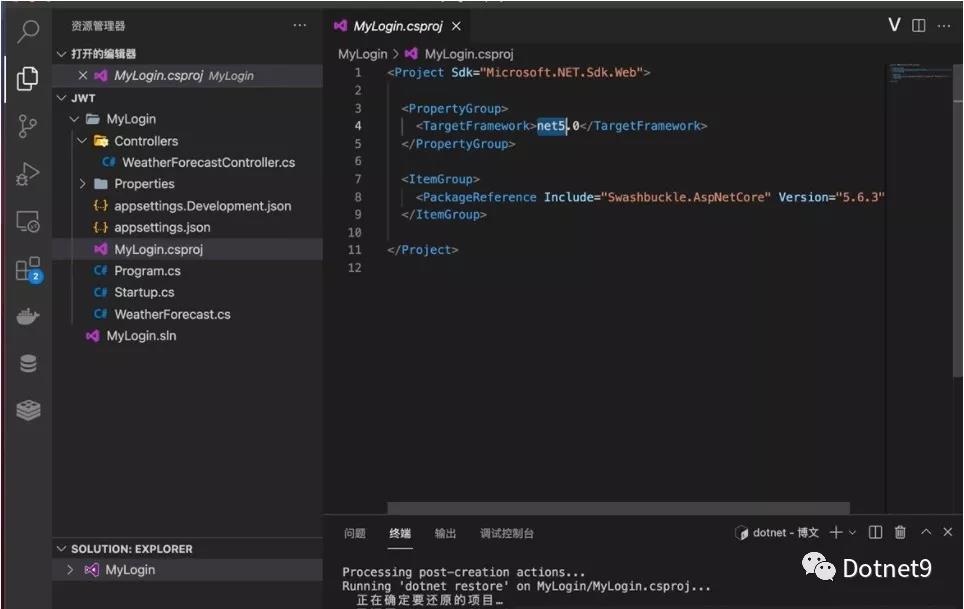
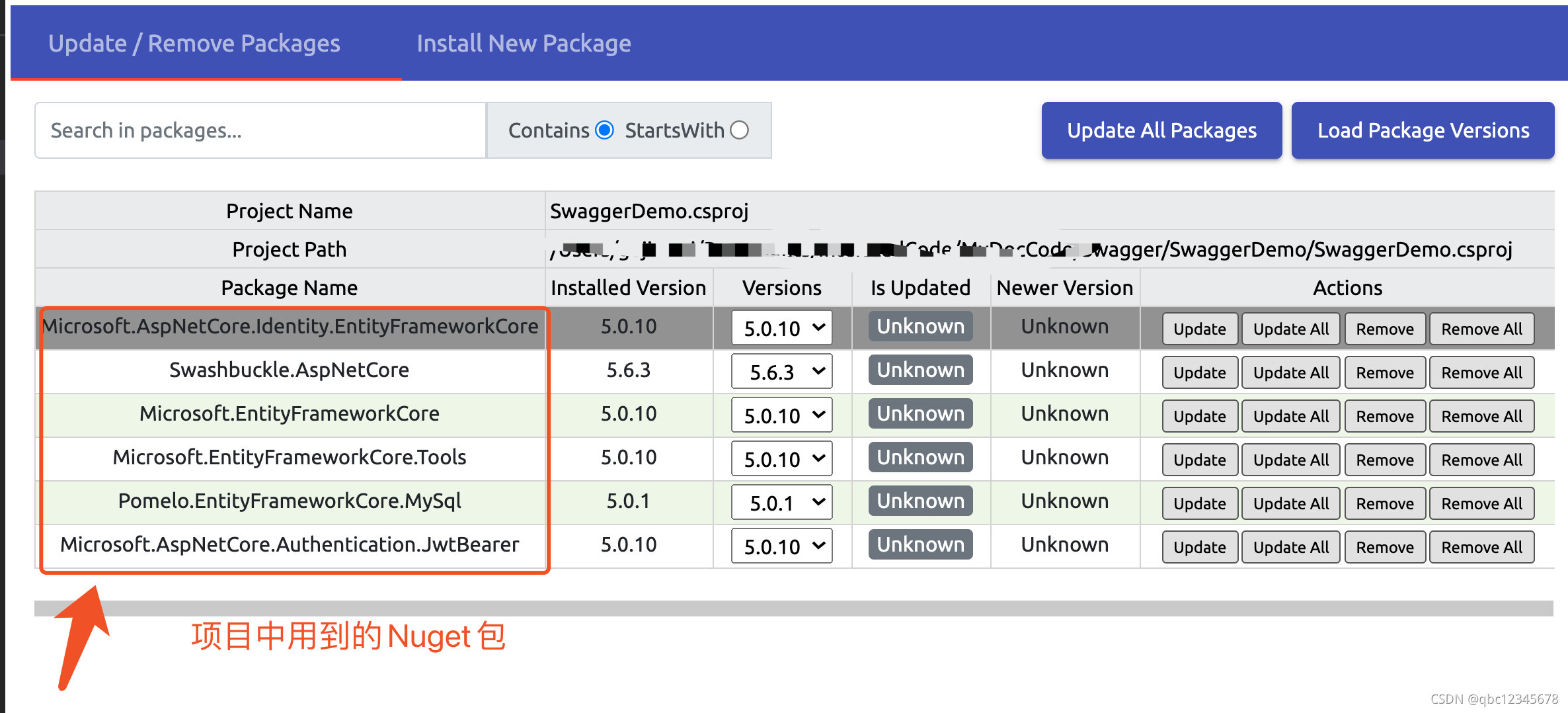
二、利用插件下载项目所需要的 NuGet 包
三、代码编写
① 新建 User 实体
/// <summary>
/// 登录用户实体类  继承Identiy框架提供的 IdentityUser类
/// </summary>
public class AppUser:IdentityUser
{
    // 自己再扩充三个字段
    public DateTime DateCreated { get; set; }
    public DateTime DateModified { get; set; }

    public string FullName { get; set; }
}
② 新建一个上下文类
public class AppDBContext : IdentityDbContext<AppUser, IdentityRole, string>
{
    public AppDBContext(DbContextOptions options) : base(options)
    {
    }
}
③ 在 Startup 依赖注入上下文类
services.AddDbContext<AppDBContext>(options =>
{
    options.UseMySql(Configuration.GetConnectionString("DefaultConnection"), MySqlServerVersion.LatestSupportedServerVersion);
});
// AddEntityFrameworkStores 用来创建 用户和密码之间的服务
services.AddIdentity<AppUser, IdentityRole>(opt => { }).AddEntityFrameworkStores<AppDBContext>();
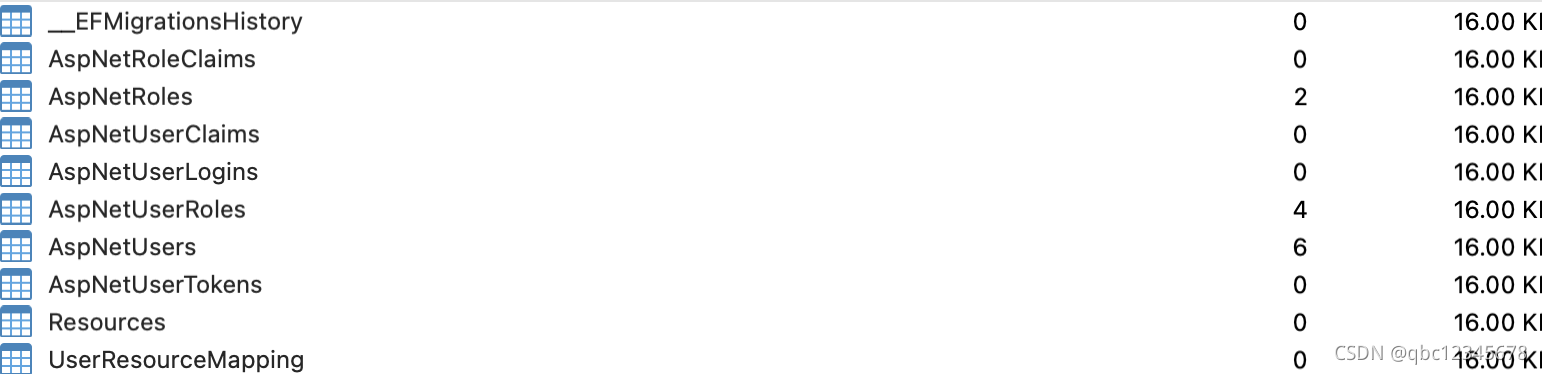
④ 在终端 codefirst 生成数据表
dotnet ef migrations add init
dotnet ef  database update
⑤ 配置 JWT
ConfigureServices 方法里面配置服务
services.AddAuthentication(x =>
{
    x.DefaultAuthenticateScheme = JwtBearerDefaults.AuthenticationScheme;
    x.DefaultChallengeScheme = JwtBearerDefaults.AuthenticationScheme;
})
    .AddJwtBearer(options =>
    {
        // jwt的 key 需要设置复杂点
        var key = Encoding.ASCII.GetBytes(Configuration["JWTConfig:Key"]);
        var issure = Configuration["JWTConfig:Issuer"];   // 发行人
        var audience = Configuration["JWTConfig:Audience"];  // 受众
        options.TokenValidationParameters = new TokenValidationParameters()
        {
            ValidateIssuerSigningKey = true,
            IssuerSigningKey = new SymmetricSecurityKey(key),
            ValidateIssuer = true, // 设置为True时 ValidIssure 属性设置下 不然jwt验证不会通过
            ValidateAudience = true, // 同上 ValidAudience 属性设置下
            RequireExpirationTime = true,
            ValidateLifetime=true,   //  token失效缓冲时间 默认是五分钟 失效时间需要加上这五分钟缓冲
            //  如果 上面 ValidateIssuer  配置为false 则不需要下面两个属性
            ValidIssuer = issure,
            ValidAudience = audience,

        };
    });
// 多角色时 可以这样配置  [Authorize(Policy ="PolicyGroup")] 动作方法上可以简写
services.AddAuthorization(options =>
{
    options.AddPolicy("PolicyGroup", policy => policy.RequireRole("Admin", "User"));
});
Configure 方法里面使用服务
public void Configure(IApplicationBuilder app, IWebHostEnvironment env)
{
    if (env.IsDevelopment())
    {
        app.UseDeveloperExceptionPage();
        app.UseSwagger();
        app.UseSwaggerUI(c => c.SwaggerEndpoint("/swagger/v1/swagger.json", "SwaggerDemo v1"));
    }

    app.UseHttpsRedirection();
    app.UseCors("any");
    app.UseRouting();
    // 注意顺序
    app.UseAuthentication();
    app.UseAuthorization();

    app.UseEndpoints(endpoints =>
    {
        endpoints.MapControllers();
    });
}
⑥swagger 配置
ConfigureServices 方法里面配置服务
services.AddSwaggerGen(c =>
{
    c.SwaggerDoc("v1", new OpenApiInfo { Title = "SwaggerDemo", Version = "v1", Description = "Demo API for showing Swagger" });

    // 下面两步配置 实现 swagger 上面 “锁”
    c.AddSecurityDefinition("Bearer", new OpenApiSecurityScheme
    {
        In = ParameterLocation.Header,  // 位于Header
        Description = "请于此处直接填写token 无需 Bearer然后再加空格的形式",
        Name = "Authorization",
        Type = SecuritySchemeType.Http,
        BearerFormat = "JWT",
        Scheme = "bearer"
    });
    c.AddSecurityRequirement(new OpenApiSecurityRequirement{
        {
            new OpenApiSecurityScheme{
                Reference=new OpenApiReference{
                    Type=ReferenceType.SecurityScheme,
                    Id="Bearer"
                }
            },Array.Empty<string>()
        }
    });

    // swagger接口注释显示
    // 注意 vscode 用户需要在项目的csproj文件里面手动配置生成注释文档的属性
    // 具体参见项目文件里的PropertyGroup
    var fileName = $"{Assembly.GetExecutingAssembly().GetName().Name}.xml";
    var filePath = Path.Combine(AppContext.BaseDirectory, fileName);
    c.IncludeXmlComments(filePath);
});
Configure 方法里面使用服务
public void Configure(IApplicationBuilder app, IWebHostEnvironment env)
{
    if (env.IsDevelopment())
    {
        app.UseDeveloperExceptionPage();
        // swagger 中间件使用
        app.UseSwagger();
        // 此处的 v1 必须与上面c.SwaggerDoc("v1") 里的一致
        app.UseSwaggerUI(c => c.SwaggerEndpoint("/swagger/v1/swagger.json", "SwaggerDemo v1"));
    }

    app.UseHttpsRedirection();
    app.UseCors("any");
    app.UseRouting();
    // 注意顺序
    app.UseAuthentication();
    app.UseAuthorization();

    app.UseEndpoints(endpoints =>
    {
        endpoints.MapControllers();
    });
}
⑦ 创建 UserController,并通过构造函数注入登录服务
private readonly UserManager<AppUser> _userManger;  // 用户服务
private readonly SignInManager<AppUser> _signInManger;  // 登录服务

private readonly RoleManager<IdentityRole> _roleManger; // 角色服务
private readonly JWTConfig _jwtConfig;  // 配置框架将配置文件注入实体类
public UserController(ILogger<UserController> logger, UserManager<AppUser> userManager,
        SignInManager<AppUser> signInManager, IOptions<JWTConfig> jwtConfig, RoleManager<IdentityRole> roleManger)
{
    this._logger = logger;
    this._userManger = userManager;
    this._signInManger = signInManager;
    this._jwtConfig = jwtConfig.Value;
    this._roleManger = roleManger;
}
注册用户
/// <summary>
/// 用户注册
/// AddAndUpdateUserrRegisterModel 是一个Dto 接受对象
/// AllowAnonymous 不需要权限验证
/// 作者 xxxx
/// </summary>
/// <param name="model"></param>
/// <returns></returns>
[AllowAnonymous]
[HttpPost("RegisterUser")]
public async Task<Object> RegisterUser(AddAndUpdateUserrRegisterModel model)
{
    try
    {
        // check  注册的时候是否包含角色
        if (model.Roles is null || model.Roles.Count <= 0)
        {
            return await Task.FromResult(new ResponseModel(Enums.ResponseCode.Error, "角色不能为空"));
        }
        // 循环判断用户所注册的角色时候存在 创建角色的方法  AddRole()
        foreach (var item in model.Roles)
        {
            if (!await _roleManger.RoleExistsAsync(item))
            {
                return await Task.FromResult(new ResponseModel(Enums.ResponseCode.Error, "不存在创建的角色"));
            }
        }
        // 生成一个用户类
        var user = new AppUser()
        {
            UserName = model.Email,
            FullName = model.FullName,
            Email = model.Email,
            DateCreated = DateTime.Now,
            DateModified = DateTime.UtcNow
        };
        // 注册用户
        var result = await _userManger.CreateAsync(user, model.Password);
        if (result.Succeeded)
        {
            // 注册成功后 获取临时刚刚创建的用户
            var tempUser = await _userManger.FindByEmailAsync(model.Email);
            // 循环给创建的用户添加角色
            foreach (var role in model.Roles)
            {
                await _userManger.AddToRoleAsync(tempUser, role); // 添加角色
            }
            return await Task.FromResult(new ResponseModel(Enums.ResponseCode.Ok, "用户被成功注册!", null));
        }
        // 创建用户失败返回
        return await Task.FromResult(string.Join(",", result.Errors.Select(x => x.Description).ToArray()));
    }
    catch (System.Exception ex)
    {
        // 异常返回
        return await Task.FromResult(new ResponseModel(Enums.ResponseCode.Error, ex.Message, null));
    }
}
登录
/// <summary>
/// 生成Token
/// 作者 xxxx
/// </summary>
/// <param name="user"></param>
/// <returns></returns>
private string GenarateToken(AppUser user, List<string> roles)
{
    var jwtTokenHandle = new JwtSecurityTokenHandler();
    var key = Encoding.ASCII.GetBytes(_jwtConfig.Key);

    // 配置 Subject
    var claims = new List<Claim>()
    {
        new Claim(JwtRegisteredClaimNames.NameId,user.Id),
        new Claim(JwtRegisteredClaimNames.Email,user.Email),
        new Claim(JwtRegisteredClaimNames.Jti,Guid.NewGuid().ToString())
    };
    foreach (var role in roles)
    {
        claims.Add(new Claim(ClaimTypes.Role,role));
    }
    var tokenDescriptor = new SecurityTokenDescriptor
    {
        // 多重角色
        Subject=new ClaimsIdentity(claims),

        // 单一角色
        // Subject = new ClaimsIdentity(new[]
        // {
        //     new System.Security.Claims.Claim(JwtRegisteredClaimNames.NameId,user.Id),
        //     new System.Security.Claims.Claim(JwtRegisteredClaimNames.Email,user.Email),
        //     new System.Security.Claims.Claim(JwtRegisteredClaimNames.Jti,Guid.NewGuid().ToString())
        //     // new System.Security.Claims.Claim(ClaimTypes.Role,"role")
        // }),

        // 过期时间 12小时
        Expires = DateTime.UtcNow.AddSeconds(6),
        SigningCredentials = new SigningCredentials(new SymmetricSecurityKey(key), SecurityAlgorithms.HmacSha256Signature),
        Audience = _jwtConfig.Audience,  // 这里不配置 也会返回UnAuthorized
        Issuer = _jwtConfig.Issuer // 同上
    };
    // 创建token
    var token = jwtTokenHandle.CreateToken(tokenDescriptor);
    return jwtTokenHandle.WriteToken(token);
}
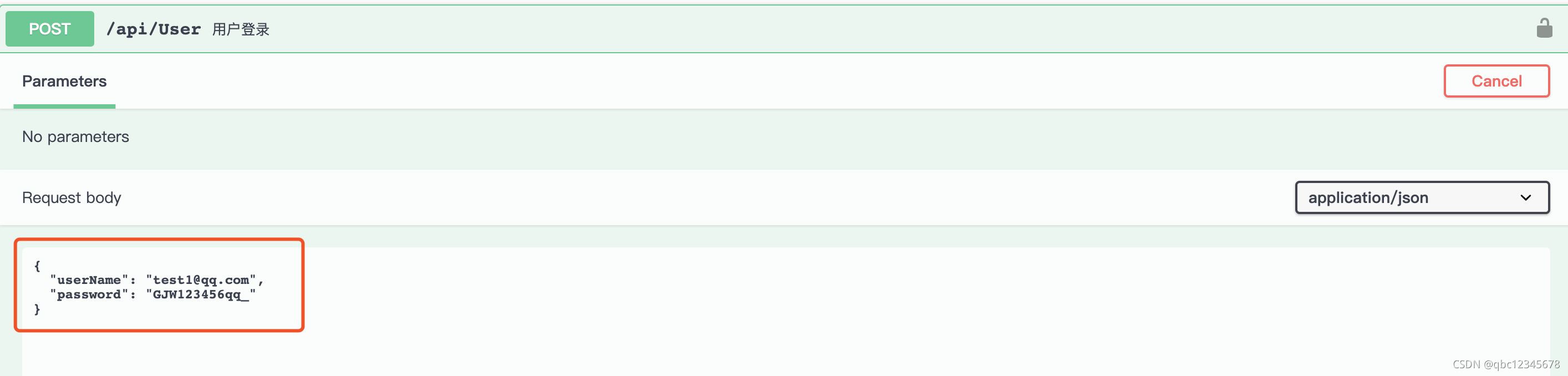
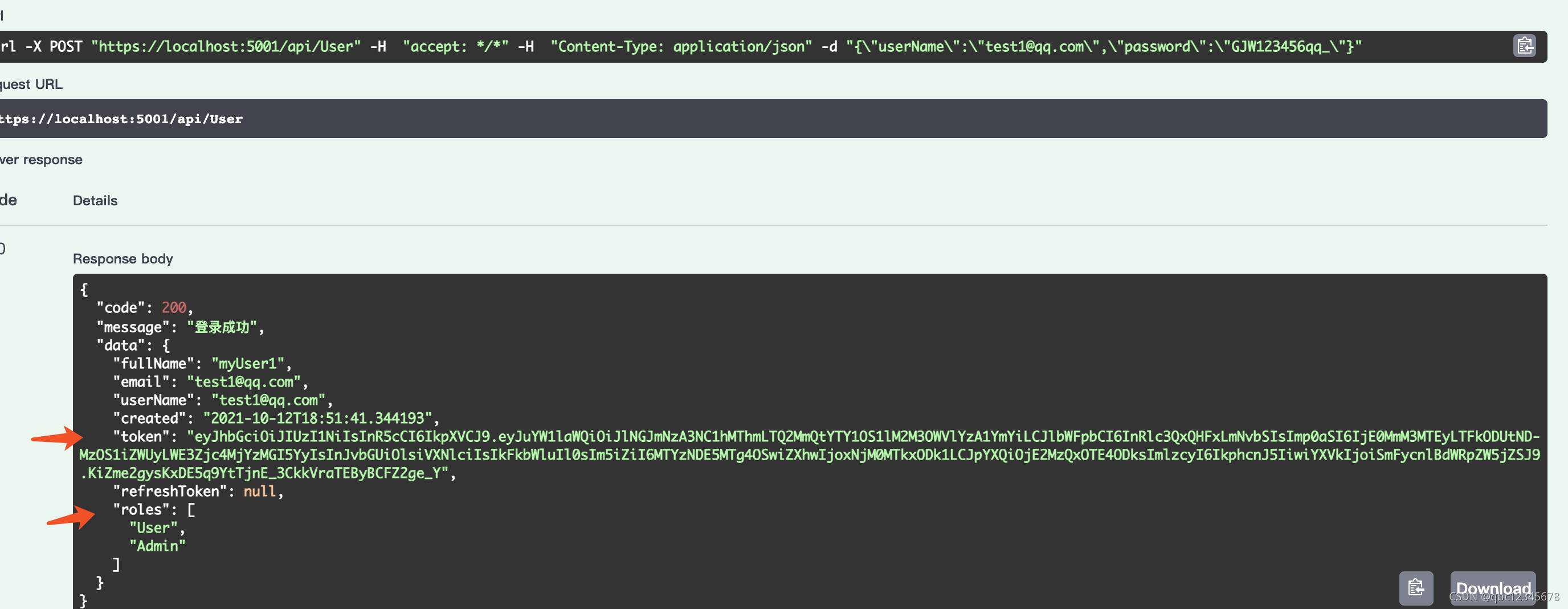
/// <summary>
/// 用户登录
/// LoginModel 登录Dto接收
/// 作者 xxxx
/// </summary>
/// <param name="model"></param>
/// <returns></returns>
[AllowAnonymous]
[HttpPost]
public async Task<object> Login(LoginModel model)
{
    try
    {
        if (!ModelState.IsValid)
        {
            return await Task.FromResult(new ResponseModel(Enums.ResponseCode.Error, "参数不合法!", null));
        }
        var result = await _signInManger.PasswordSignInAsync(model.UserName, model.Password, false, false);
        if (result.Succeeded)
        {
            // 成功的话获取用户
            var appUser = await _userManger.FindByNameAsync(model.UserName);
            var roles = (await _userManger.GetRolesAsync(appUser)).ToList();
            // await _userManger.GetRolesAsync(appUser);
            var user = new UserDto(appUser.FullName, appUser.Email, appUser.UserName, appUser.DateCreated, roles)
            {
                // 生成Token
                Token = GenarateToken(appUser,roles)
            };
            return await Task.FromResult(new ResponseModel(Enums.ResponseCode.Ok, "登录成功", user));
        }
        else
        {
            return await Task.FromResult(new ResponseModel(Enums.ResponseCode.Error, "登录失败", null));
        }

    }
    catch (System.Exception ex)
    {
        return await Task.FromResult(new ResponseModel(Enums.ResponseCode.Error, ex.Message, null));
    }
}
添加角色
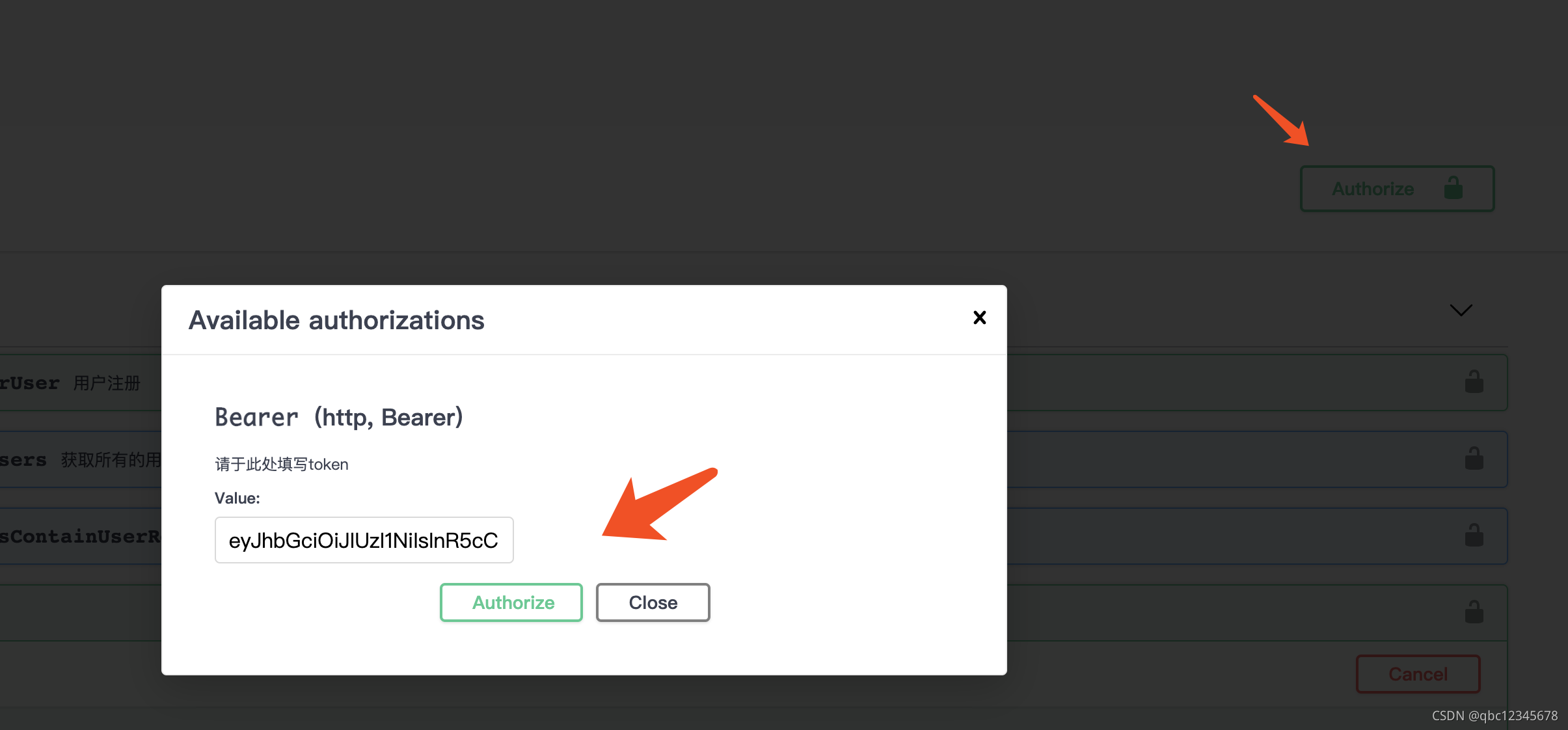
先将上文用户登录产生的 token 设置到 swagger 里面,然后访问只有 Admin 角色可以访问的接口
/// <summary>
/// 添加角色
/// [Authorize(Roles ="Admin")]  只有Admin角色的用户可以访问
/// 作者 xxx
/// </summary>
/// <param name="model"></param>
/// <returns></returns>
[Authorize(Roles ="Admin")]
[HttpPost("AddRole")]
public async Task<object> AddRole(AddRoleModel model)
{
    try
    {
        if (model is null || string.IsNullOrWhiteSpace(model.Role))
        {
            return await Task.FromResult(new ResponseModel(Enums.ResponseCode.Error, "角色不能为空"));
        }
        // 判断【AspNetRoles】 表里  角色是否存在
        if (await _roleManger.RoleExistsAsync(model.Role))
        {
            return await Task.FromResult(new ResponseModel(Enums.ResponseCode.Ok, "角色存在了"));
        }
        var role = new IdentityRole()
        {
            Name = model.Role,
        };
        // 创建角色
        var result = await _roleManger.CreateAsync(role);
        if (result.Succeeded)
        {
            return await Task.FromResult(new ResponseModel(Enums.ResponseCode.Ok, "角色创建成功!"));
        }
        else
        {
            return await Task.FromResult(new ResponseModel(Enums.ResponseCode.Error, "角色创建失败!"));
        }

    }
    catch (System.Exception)
    {
        return await Task.FromResult(new ResponseModel(Enums.ResponseCode.Error));
    }

}
关于我们 token 权限在校验时出现失败怎么办? 这里 ASP.NET Core 5.0 新增一个接口【IAuthorizationMiddlewareResultHandler】可以处理权限验证 看下文代码展示!
/// <summary>
/// 这个是ASP.NET Core 5 新增的授权处理失败  可以直接暴露出请求上下文 省事很多啦!!!
/// 作者 xxx
/// </summary>
public class AuthorizationHandleMiddleWare : IAuthorizationMiddlewareResultHandler
{
    private readonly AuthorizationMiddlewareResultHandler authorizationHandleMiddleWare =new();
    public async Task HandleAsync(RequestDelegate next, HttpContext context, AuthorizationPolicy policy, PolicyAuthorizationResult authorizeResult)
    {
        // 当 token失效或者token不存在的时候 authorizeResult.Challenged 为True
        if(authorizeResult.Challenged)
        {
            // todo 拿到上下文user对象后 此处可以check token  区分token是否是过期了
            var a=context.Request.Headers["Authorization"];
            context.Response.StatusCode=(int)HttpStatusCode.OK;
            await context.Response.WriteAsJsonAsync(new ResponseModel(Enums.ResponseCode.UnAuthorized,"您未授权,请检查Token是否有效!"));
            return ;
        }
        // 此时token 校验通过  但是访问的资源的没权限的话 authorizeResult.Forbidden 为true
        if(authorizeResult.Forbidden)
        {
            context.Response.StatusCode=(int)HttpStatusCode.OK;
            await context.Response.WriteAsJsonAsync(new ResponseModel(Enums.ResponseCode.ForBidden,"您无此权限访问哦!"));
            return ;
        }
        await authorizationHandleMiddleWare.HandleAsync(next,context,policy,authorizeResult);
    }
}
另外还需要在 ConfigureService 里面注册下服务
// .net 5 新增的权限验证中间件  在此处依赖注入一下  详见 AuthorizationHandleMiddleWare.cs 文件
services.AddSingleton<IAuthorizationMiddlewareResultHandler,AuthorizationHandleMiddleWare>();
以上就是一个登录的简单 demo,详细代码请访问码云:https://gitee.com/holyace/together/tree/JarryGu_develop/framework/JwtLoginDemo