
这两天继续打磨 CodeWF.Markdown 和 Vex 的 Markdown 发布链路,集中解决了三个看起来很小、实际很影响写作体验的问题:
- Markdown 导出 PDF / Word 后,图片要能跟着文件走,发给别人离线打开也能看。
- 从 Vex 复制到微信公众号、知乎、稀土掘金时,粘贴出来应该是带排版样式的富文本,而不是一段明晃晃的 HTML 源码。
- 从网页复制资料回到 Vex 中间编辑器时,应该自动把剪贴板 HTML 转成 Markdown,而不是丢掉标题、链接、列表和表格结构。
这篇文章不做完整产品介绍,专门聊这轮背后的技术实现。
相关仓库:
- CodeWF.Markdown:https://github.com/dotnet9/CodeWF.Markdown
- Vex:https://github.com/dotnet9/Vex
1. 问题一:Markdown 图片不是文件里的图片
Markdown 里的图片写法很轻:


但导出 PDF、Word 时,这些字符串本身还不是“文件里的图片”。它们只是图片来源。
如果导出逻辑只把 Markdown 转成 HTML,再把图片地址原样放进去,就会遇到几个问题:
- 相对路径图片离开原 Markdown 目录后找不到。
data:image可以预览,但 Word 里需要转成真正的 media part。- SVG、GIF、WebP 在不同导出目标里的支持情况不一致。
- 远程图片在别人离线打开导出文件时可能加载失败。
- PDF/Word/PNG 各自实现一遍图片读取,很容易行为不一致。
所以这轮把图片处理能力下沉到了 CodeWF.Markdown,让预览控件和宿主应用导出链路可以共用。
1.1 图片加载:先把来源统一成字节
CodeWF.Markdown 新增了一个公共加载入口:MarkdownImageSourceLoader。
它解决的是“这个 Markdown 图片到底从哪里来”的问题:
data:image/...;base64,...- 本地绝对路径
- 相对路径
file://URI- HTTP(S) 图片
- URL 编码后的本地文件名
相对路径会结合当前 Markdown 文件路径,也就是 Vex 传进来的 document.FilePath 或 MarkdownViewer.ImageBasePath 解析。这样下面这种常见结构就能正常工作:
文章.md
images/
  cover.png
  flow.svg
Markdown 中写:


导出服务拿到的不是 images/cover.png 这个字符串,而是一个结构化结果:
var imageSource = MarkdownImageSourceLoader.Load(image.Url, documentPath);
这个结果里包含:
- 图片字节
- 原始来源
- 是否 SVG
- 是否 GIF
- 本地路径信息
后续 PDF、PNG、Word 都不需要重新猜一遍图片路径。
1.2 图片栅格化:导出目标更喜欢 PNG
加载到字节以后,还有一个问题:不同格式不能原样塞给所有导出目标。
比如 SVG 很适合网页和 Avalonia 预览,但写入 Word 或渲染成 PNG/PDF 页面时,最好先栅格化。GIF 是动态图,Word 里可以放,但当前导出更需要稳定的静态首帧。WebP 也不是每个消费端都稳定。
所以 CodeWF.Markdown 又提供了 MarkdownImageRasterizer:
var pngBytes = MarkdownImageRasterizer.RenderToPngBytes(imageSource);
当前策略比较朴素,但实用:
- SVG 通过
Svg.Skia渲染为 PNG。 - GIF 取静态帧转 PNG。
- 其他 Avalonia/Skia 能解码的位图统一转 PNG。
对 Vex 和其他宿主应用来说,收益很直接:PDF、PNG、Word 导出不再各自写一套“如果是 SVG 怎么办、如果是 GIF 怎么办”的分支,而是复用公共能力。
1.3 Word 导出:写进 docx 的 media 目录
Word .docx 本质上是一个 OpenXML 压缩包。图片不能只写一个路径字符串,需要放进包里的 word/media/,再在文档关系里建立引用。
CodeWF.Markdown 的 Word 导出现在大致是这条链路:
var imageSource = MarkdownImageSourceLoader.Load(image.Url, documentPath);
var bytes = MarkdownImageRasterizer.RenderToPngBytes(imageSource);
var relationshipId = $"rId{ImageParts.Count + 1}";
var target = $"media/image{ImageParts.Count + 1}.png";
ImageParts.Add(new DocxImagePart(relationshipId, target, bytes));
然后在 document.xml.rels 里写关系:
<Relationship
  Id="rId1"
  Type="http://schemas.openxmlformats.org/officeDocument/2006/relationships/image"
  Target="media/image1.png" />
正文里再通过 DrawingML 引用这个 rId1。
这样导出的 .docx 发给别人以后,不需要原 Markdown 目录、不需要本地图片文件、不需要网络图片还能访问。图片已经在 Word 文件内部。
1.4 PDF 导出:文本可选择,图片仍跟着文件走
CodeWF.Markdown 12.0.3.14 已经把 PDF 导出从整页位图切片推进到可选择文本输出。正文段落、标题、列表等内容会按页面布局写入 PDF 文本,并带上 Unicode 文本映射;别人打开 PDF 时,可以像普通 PDF 一样选择、复制正文。
图片链路仍然复用前面的公共加载和栅格化能力。导出前先把本地、相对、data:image、HTTP(S)、SVG/GIF/WebP 这些来源解析成稳定字节,需要时转成 PNG,再把图片作为 PDF 图片内容嵌入:
var imageSource = MarkdownImageSourceLoader.Load(image.Url, documentPath);
var pngBytes = MarkdownImageRasterizer.RenderToPngBytes(imageSource);
这样导出的 PDF 不再只是整页截图。正文能复制,图片也不会因为离开原 Markdown 目录或网络不可用而丢失。
2. 问题二:复制到公众号为什么会显示 HTML 源码
另一个问题出在剪贴板。
从 Vex 点击“复制到公众号”时,我们期望粘贴到微信公众号后台后是这样:
- 标题是标题
- 段落有间距
- 链接有颜色
- 引用有边线
- 代码块有背景
- 表格有边框
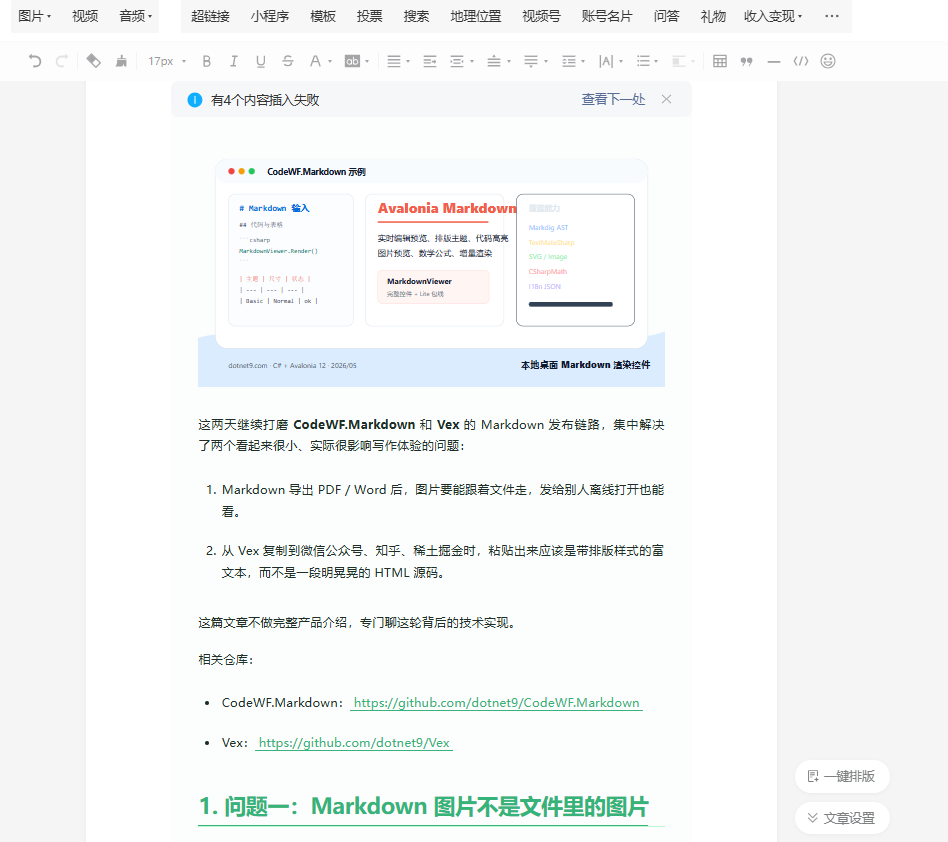
但如果剪贴板只写普通文本,哪怕文本内容是:
<section id="vex" style="font-size:16px">
  <h2>标题</h2>
  <p>正文</p>
</section>
浏览器编辑器也可能把它当普通文本粘进去,结果用户看到的是 HTML 源码。
这不是 HTML 生成的问题,而是剪贴板格式的问题。
2.1 富 HTML 剪贴板:不能只写字符串
这轮 CodeWF.Markdown 新增了 MarkdownHtmlClipboard、MarkdownHtmlClipboardExtensions 和自媒体复制 profile,专门给宿主应用写富 HTML 剪贴板。
Vex 现在复制到公众号、知乎、稀土掘金时调用的是:
await clipboard.TrySetMarkdownHtmlAsync(
    markdown,
    typographyTheme,
    "wechat",
    typographySize);
内部会同时写入几种格式:
text/plain:纯文本兜底。text/html:通用 HTML MIME。public.html:macOS 常用 HTML 剪贴板格式。HTML Format:Windows 原生 CF_HTML 格式。
真正关键的是 Windows 的 HTML Format。微信公众号、知乎、稀土掘金这些编辑器大多跑在 Chromium 系浏览器里,Windows 下它们更认 CF_HTML。
2.2 CF_HTML:偏移必须按 UTF-8 字节算
CF_HTML 的内容不是简单的 HTML 字符串,而是一个带头部的载荷:
Version:1.0
StartHTML:0000000105
EndHTML:0000000860
StartFragment:0000000200
EndFragment:0000000740
<!doctype html>
<html>
<body>
<!--StartFragment-->
...
<!--EndFragment-->
</body>
</html>
这里最容易错的是偏移。
StartHTML、EndHTML、StartFragment、EndFragment 不是字符位置,而是从整个载荷开头算起的 字节偏移。中文内容、emoji、全角符号都会让“字符数”和“字节数”不一致。
所以 MarkdownHtmlClipboard 用 UTF-8 计算:
var startHtml = Encoding.UTF8.GetByteCount(blankHeader);
var endHtml = startHtml + Encoding.UTF8.GetByteCount(clipboardHtml);
var startFragment = startHtml + Encoding.UTF8.GetByteCount(
    clipboardHtml[..(startMarkerIndex + StartFragmentMarker.Length)]);
var endFragment = startHtml + Encoding.UTF8.GetByteCount(
    clipboardHtml[..endMarkerIndex]);
同时 Windows HTML Format 在 Avalonia 里按 DataFormat<byte[]> 写入:
public static readonly DataFormat<byte[]> WindowsHtmlFormat =
    DataFormat.CreateBytesPlatformFormat("HTML Format");
这一点也很重要。它不是 UTF-16 字符串格式,而是原生剪贴板字节载荷。
2.3 Fragment 标记:告诉编辑器粘哪一段
网页编辑器不一定需要整份 HTML 文档,它更关心要粘贴的片段。
所以 HTML 里要有:
<!--StartFragment-->
<section id="vex">
  ...
</section>
<!--EndFragment-->
MarkdownHtmlClipboard 会检查传入 HTML 是否已经有合法片段标记:
- 有就沿用。
- 没有但有
<body>,就插入到 body 内。 - 连完整文档都不是,就包一层最小 HTML 文档。
这样宿主应用可以只关心生成内容,不必每个项目都重新实现一遍 CF_HTML 规范。
2.4 样式为什么要 inline
剪贴板格式正确以后,还有一个现实问题:公众号、知乎、掘金不会帮你加载外部 CSS。
复制进去的内容如果依赖:
<link rel="stylesheet" href="theme.css">
或者依赖一堆 class:
<p class="markdown-body paragraph">正文</p>
粘贴后大概率样式就没了。
所以 CodeWF.Markdown 的自媒体复制渲染器会把当前排版主题转换成 inline style:
<section
  id="vex"
  data-tool="{localized tool name}"
  data-website="https://codewf.com"
  style="font-size: 15px; color: #333333; line-height: 1.75;">
  <h2 style="font-size: 26px; color: #333333; border-bottom: 2px solid #dfe2e5;">
    标题
  </h2>
  <p style="font-size: 15px; line-height: 26.25px; color: #333333;">
    正文
  </p>
</section>
这部分现在也下沉到了 CodeWF.Markdown:微信公众号、知乎、稀土掘金由内置 CopyKind 和 MarkdownSocialCopyProfile 描述,Vex 只负责选择目标平台并传入当前 Markdown、排版主题和紧凑布局。后续如果要支持新的发布平台,可以继续扩展 profile,而不需要每个应用重写 CF_HTML 和基础渲染。
2.5 三个平台不是三套固定颜色
之前最容易偷懒的做法,是给公众号、知乎、掘金各放一套固定模板色。
这次顺手把这点也修掉了。自媒体复制现在会读取当前 MarkdownExportStyle。简单调用路径会用 MarkdownExportStyle.Resolve(themeName, typographySize) 解析内置主题名和紧凑布局:
var exportStyle = MarkdownExportStyle.Resolve(
    currentTypographyTheme,
    currentTypographySize);
如果应用注册了自己的 XAML 排版资源,也可以自行创建 MarkdownExportStyle,例如继续用 MarkdownThemes.CreateExportStyle("MyCompanyBlue"),再传给导出或复制 API。
这样当前预览主题、导出主题、自媒体复制主题会尽量来自同一套资源:
- 根容器文字色、背景、字体、行高。
- 标题字号和标题色。
- 段落字号、行高、正文色。
- 链接色和下划线。
- 引用边框和背景。
- 代码块背景。
- 表格边框和表头背景。
- 分割线颜色。
- 掘金尾注的正文色和链接色。
也就是说,用户在 Vex 里切换排版主题后,不只是预览区变了,HTML/打印导出、PNG/PDF/Word 导出,以及“复制到公众号 / 知乎 / 稀土掘金”也应该尽量保持同一套视觉映射。
3. API 与扩展:导出 API 再收一层
最开始迁移导出能力时,CodeWF.Markdown 已经提供了:
MarkdownDocumentExporter.ExportPng(document, path, style);
MarkdownDocumentExporter.ExportPdf(document, path, style);
MarkdownDocumentExporter.ExportWord(document, path, style);
但对应用开发者来说,还可以再少写一点。
所以这轮继续补了 ExportKind:
public enum ExportKind
{
    Png,
    Pdf,
    Word
}
宿主应用现在可以按导出类型统一调用:
MarkdownDocumentExporter.ExportMarkdown(
    markdown,
    ExportKind.Pdf,
    MarkdownTypographyThemes.Simple,
    "article.pdf");

MarkdownDocumentExporter.ExportFile(
    @"C:\docs\article.md",
    ExportKind.Word,
    MarkdownTypographyThemes.Simple,
    "article.docx");

var document = new MarkdownExportDocument(markdown, filePath, fileName);
MarkdownDocumentExporter.Export(document, ExportKind.Png, "article.png");
这里没有把 Markdown 字符串和 Markdown 文件路径都做成同名 Export(string, ...),因为 C# 无法只靠参数名区分这两种 string。所以 API 明确拆成 ExportMarkdown 和 ExportFile,完整上下文仍然用 MarkdownExportDocument。
自媒体复制也收成了类似的一层。平台目标先用 enum 表达内置能力:
public enum CopyKind
{
    Wechat,
    Zhihu,
    Juejin
}
宿主应用最常用的是 Avalonia 剪贴板扩展方法:
await clipboard.TrySetMarkdownHtmlAsync(
    markdown,
    MarkdownTypographyThemes.Simple,
    "wechat",
    MarkdownTypographySizes.Small);

await clipboard.SetMarkdownHtmlAsync(
    markdown,
    exportStyle,
    CopyKind.Juejin);
这样 Vex 端不用再维护一堆平台 HTML 生成代码。它能拿到 Markdown 字符串、当前排版主题和菜单目标,就可以完成复制。
如果传入的是 Markdown 字符串,自媒体复制里的相对图片会按当前工作目录解析;如果用文件路径创建复制内容,图片则可以按 Markdown 文件所在目录解析。这样 API 保持简单,同时仍然覆盖常见的本地图片场景。
这次还补了反向粘贴 API:
var markdown = MarkdownHtmlClipboard.Html2Markdown(htmlContent);
宿主编辑器可以先读取剪贴板里的 text/html、macOS public.html 或 Windows HTML Format,再把 HTML 交给 Html2Markdown(htmlContent) 转成 Markdown 后插入编辑区。这个转换覆盖常见文章结构:标题、段落、链接、图片、列表、引用、代码块和表格。Vex 中间编辑器现在的粘贴路径就是这样处理网页复制内容;没有 HTML 或转换失败时,再回落到普通文本粘贴。
3.1 应用如何扩展个性化排版主题
这次也顺手整理了排版主题扩展方式。
MarkdownTypographyThemes 继续保持字符串常量,而不是改成 enum。原因很简单:内置主题适合常量,应用主题适合字符串 Key。否则第三方应用想加 MyCompanyBlue、ProductLaunch 这种主题时,enum 反而会挡住扩展。
新的扩展入口是 MarkdownTypographyThemeRegistry:
MarkdownTypographyThemeRegistry.Register(
    "MyCompanyBlue",
    () => new ResourceDictionary
    {
        [MarkdownStyleKeys.TextBrushResource] =
            new SolidColorBrush(Color.Parse("#1F2937")),
        [MarkdownStyleKeys.MutedTextBrushResource] =
            new SolidColorBrush(Color.Parse("#64748B")),
        [MarkdownStyleKeys.AccentBrushResource] =
            new SolidColorBrush(Color.Parse("#0E88EB")),
        [MarkdownStyleKeys.BorderBrushResource] =
            new SolidColorBrush(Color.Parse("#BFDBFE")),
        [MarkdownStyleKeys.ParagraphFontSizeResource] = 16d,
        [MarkdownStyleKeys.ParagraphLineHeightResource] = 28d,
        [MarkdownStyleKeys.Heading1FontSizeResource] = 32d,
        [MarkdownStyleKeys.CodeBlockFontSizeResource] = 13d
    });
注册后,预览区可以直接使用这个主题:
MarkdownThemes.OverrideTypographyResources(
    Application.Current!,
    "MyCompanyBlue",
    MarkdownTypographySizes.Normal);
导出和复制也能复用同一套资源:
var style = MarkdownThemes.CreateExportStyle("MyCompanyBlue");
MarkdownDocumentExporter.ExportMarkdown(
    markdown,
    ExportKind.Pdf,
    style,
    "article.pdf");
await clipboard.SetMarkdownHtmlAsync(markdown, style, CopyKind.Wechat);
如果应用已有 XAML 资源字典,也可以注册工厂:
MarkdownTypographyThemeRegistry.Register(
    "MyCompanyBlue",
    () => new MyCompanyMarkdownResources());
这样应用侧只维护一套排版资源,预览、PNG/PDF/Word 导出、自媒体复制 inline style 都能尽量从同一套资源里取值。对个性化主题比较多的产品来说,这比在应用端再维护一份 MarkdownExportStyle 映射更稳。
4. 架构边界:为什么放在 CodeWF.Markdown,而不是只写在 Vex 里
这轮有一个原则:公共问题进公共库,业务差异留在应用层。
图片加载和栅格化不是 Vex 独有的。任何 Avalonia Markdown 宿主应用,只要要导出 PDF、Word、PNG,都会遇到同样问题。所以放在 CodeWF.Markdown 更合适。
CF_HTML 也不是 Vex 独有的。任何项目只要想把 HTML 粘贴到 Chromium 系网页编辑器,都可能踩到同一个坑。所以 MarkdownHtmlClipboard 也应该是公共能力。
网页复制回 Markdown 编辑器同样不是 Vex 独有的。浏览器通常会同时提供纯文本和 HTML,如果只取纯文本,标题层级、链接 URL、图片、表格、引用和代码块很容易丢结构。MarkdownHtmlClipboard.Html2Markdown(htmlContent) 把这条反向转换也放进公共库,宿主应用只负责决定粘贴优先级和失败兜底。
公众号、知乎、掘金的 HTML 结构、尾注和兼容习惯也属于可复用的发布 profile,这次已经下沉到 CodeWF.Markdown。Vex 仍然保留的是应用体验层:读取当前文档、当前主题、当前菜单目标,然后调用公共 API。
现在的边界大概是:
CodeWF.Markdown
  - ExportKind
  - MarkdownImageSourceLoader
  - MarkdownImageRasterizer
  - MarkdownHtmlClipboard
  - MarkdownHtmlClipboardExtensions
  - MarkdownHtmlConverter
  - CopyKind
  - MarkdownSocialCopyRenderer
  - MarkdownSocialCopyProfiles
  - MarkdownDocumentExporter
  - MarkdownExportDocument
  - MarkdownExportStyle
  - MarkdownTypographyThemeRegistry

Vex
  - 读取当前文档和当前排版主题
  - 选择发布目标
  - 读取剪贴板 HTML 并决定粘贴兜底
  - 调用公共剪贴板能力
  - 调用公共 HTML 转 Markdown 能力
  - 调用公共 PNG / PDF / Word 导出能力
这个边界会比“Vex 里全写死一遍”更稳。
5. 测试补了哪些
这轮 CodeWF.Markdown 补了几类测试:
data:image识别。- URL 编码相对路径按
ImageBasePath回退。 - SVG 栅格化为 PNG。
- GIF 转静态 PNG。
- HTML fragment 标记规范化。
- CF_HTML 的 UTF-8 字节偏移。
- Windows
HTML Format使用字节格式。 ExportKind统一导出入口。CopyKind/profile 自媒体复制渲染。- 本地图片在自媒体复制 HTML 中嵌入。
- 自定义排版主题注册后可生成
MarkdownExportStyle。 - 普通 HTML、表格/图片、CF_HTML 片段标记和 Windows 剪贴板 UTF-8 偏移的 HTML 转 Markdown 回归测试。
目前 CodeWF.Markdown.Tests 里 48 个测试通过。
Vex 侧也确认了本地包引用方式:先在 CodeWF.Markdown 本地打包 12.0.3.14,再让 Vex 通过本地 NuGet 包源引用,而不是跨仓库 ProjectReference。这样更接近真实发布包的使用方式,也能提前发现 NuGet content files、版本号、依赖还原这类问题。
6. 实际效果
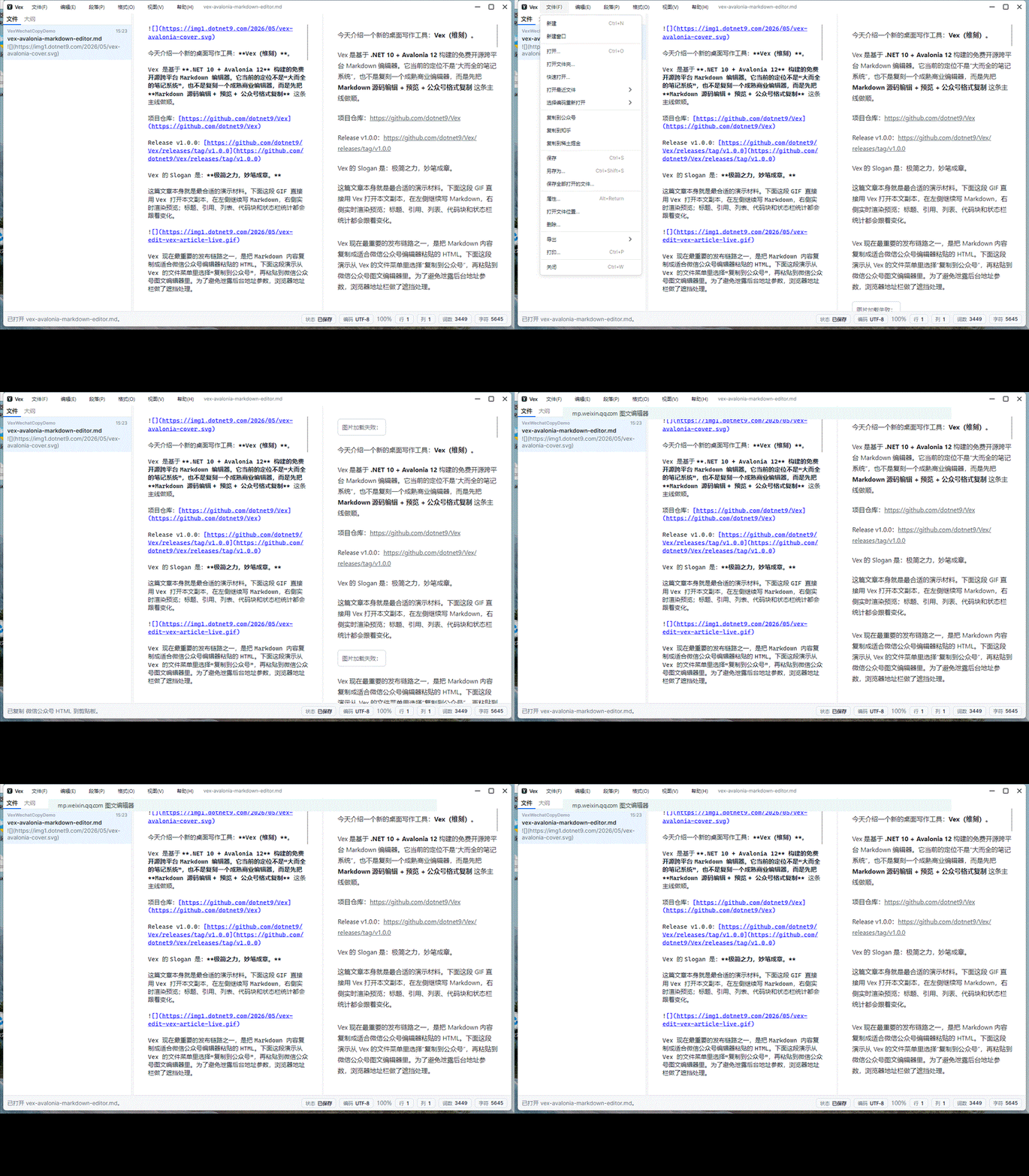
对用户来说,这轮改动最后应该体现成三件事:
第一,导出更安心。
本地相对图片、data:image、HTTP(S) 图片、SVG、GIF、WebP 这些常见来源,导出 PDF 和 Word 时会尽量被处理进结果里。PDF 正文可以选择复制,图片会进入 PDF 文件;Word .docx 里的图片会进入 word/media/,离开原始 Markdown 目录后仍然能看。
第二,复制更像发布工具。
点击“复制到公众号 / 知乎 / 稀土掘金”,剪贴板里不再只是普通文本,而是网页编辑器能识别的富 HTML。粘贴后应该直接显示排版结果,而不是 <section>...</section> 这种源码文本。
第三,网页资料回到 Markdown 编辑器时少一步整理。
从浏览器复制一段文章、表格或链接列表后,直接粘贴到 Vex 中间编辑器,会优先读取剪贴板 HTML 并转成 Markdown。粘贴出来保留 Markdown 标题、链接、图片、列表、引用、代码块和表格结构,后续继续编辑会自然很多。
7. 小结
Markdown 编辑器的很多体验问题,都藏在“最后一公里”。
预览时能看到图片,不代表导出后图片还在;能生成 HTML,不代表粘贴到公众号就是富文本;浏览器能复制网页内容,不代表粘进 Markdown 编辑器后结构还在;主题能在应用里切换,不代表复制出去还能保留样式。
这轮把图片加载、图片栅格化、文档导出、富 HTML 剪贴板、HTML 转 Markdown 和排版主题扩展这几块公共能力补到 CodeWF.Markdown,再让 Vex 的 PDF、Word、自媒体复制和网页粘贴链路复用它们。结果不是新增一个特别显眼的大按钮,而是让写完文章以后“导出去、粘出去、发出去”,以及整理外部资料这几步少掉一些奇怪的断点。
后面还会继续打磨两块:
- PDF 继续补齐复杂块级元素、分页断点和排版主题细节。
- 自媒体复制继续按公众号、知乎、掘金的真实编辑器行为补兼容细节。
- 网页 HTML 转 Markdown 继续补更多真实页面里的边界标签和样式降级规则。
但这次最核心的坑已经填上了:图片不该只活在本机路径里,HTML 也不该只作为明文躺在剪贴板里,更不该在从网页回到 Markdown 编辑器时把结构全部丢掉。
- Markdown控件仓库:https://github.com/dotnet9/CodeWF.Markdown
- Vex应用仓库:https://github.com/dotnet9/Vex