

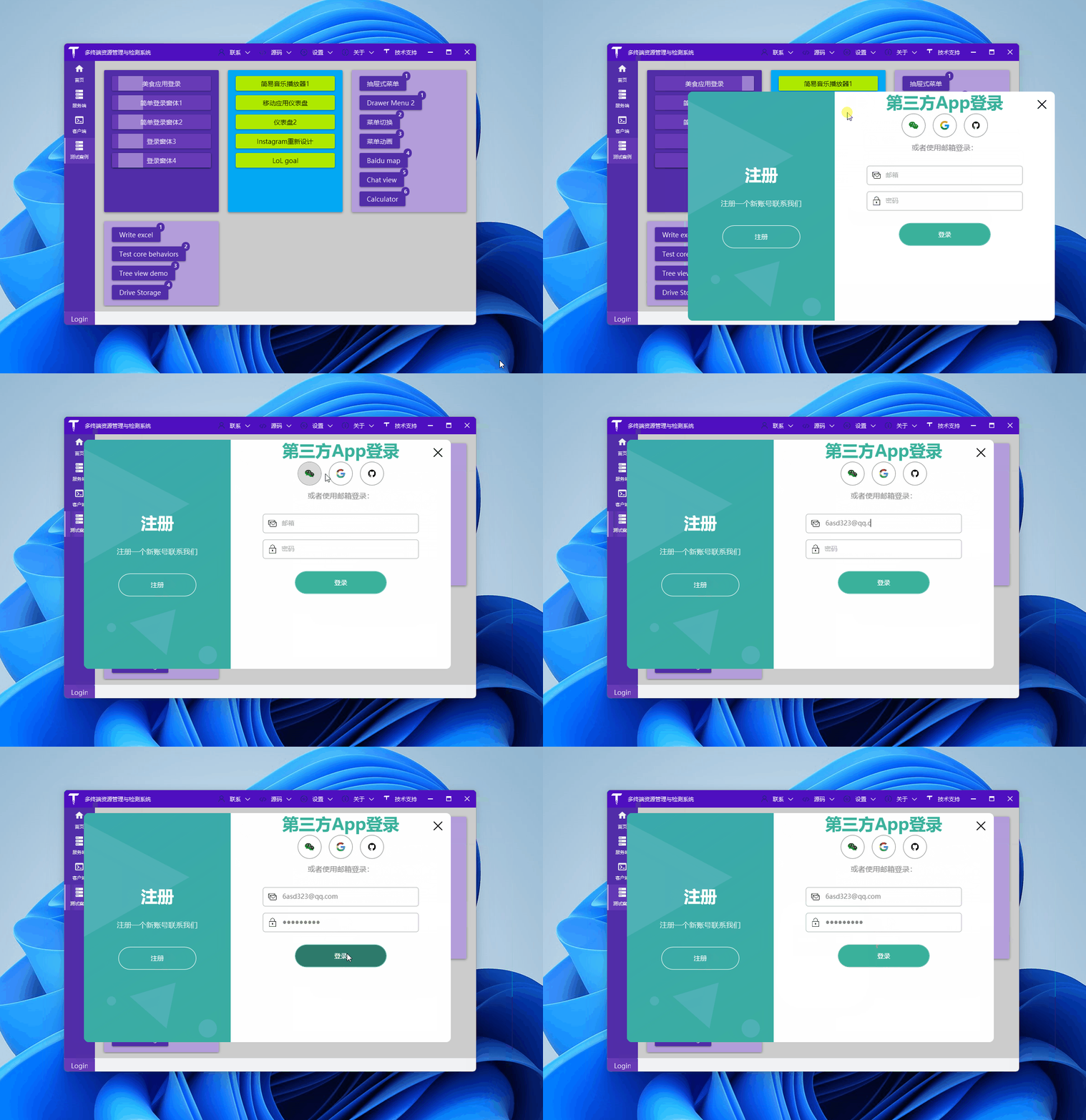
分享一个登录界面,先看效果图:
准备
文中使用到了一些图标:
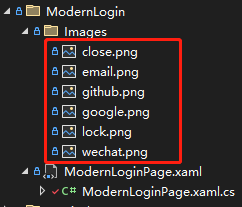
我们可以从 iconfont免费下载:

代码简单说明
请随手创建一个 WPF 项目(.NET Framework、.NET 5\6\7 皆可),使用tree /f命令看看最终的文件结构,和上面的截图一致:
C:.
│  ModernLoginPage.xaml
│  ModernLoginPage.xaml.cs
│
└─Images
        close.png
        email.png
        github.png
        google.png
        lock.png
        wechat.png
简单吧,一个图片目录存放前面下载的图标,一个xaml文件做登录界面设计,xaml.cs做界面按钮响应事件处理(实际项目建议使用 Mvvm)。
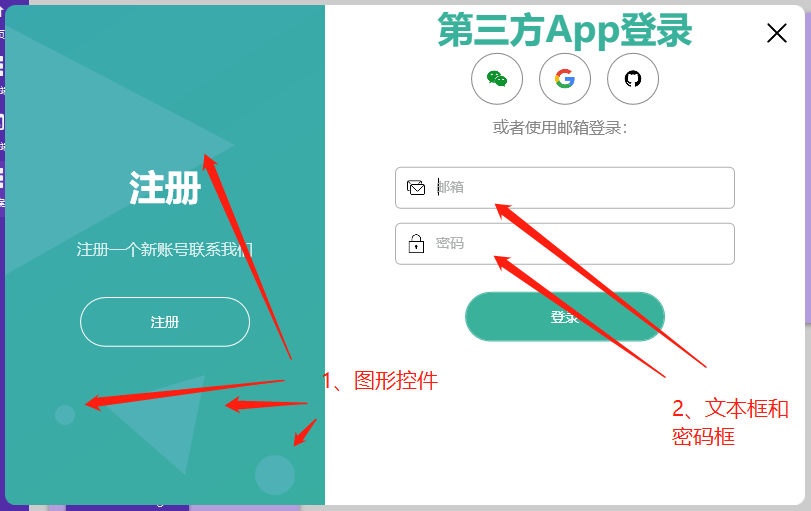
看上面的截图,重点说说这两处:
- 左侧的图形控件
公司有设计师,做这种图片是很简单的,没有的时候,可以使用Polygon、Ellipse等实现一些简单的效果,让界面不要那么单调:
<Canvas>
    <Polygon Points="0, 20 230,140 0,270" Fill="#4EB1B6" />
    <Polygon Points="100, 400 200,370 180,470" Fill="#4EB1B6" />
    <Ellipse Margin="250 450 0 0" Width="40" Height="40" Fill="#4EB1B6" />
    <Ellipse Margin="50 400 0 0" Width="20" Height="20" Fill="#4EB1B6" />
</Canvas>
- 右侧的账号文本框和密码框
作者为了演示效果,账号文本框使用的 一张图片 + 一个标签控件 + 一个文本框 控件组合实现:
<Border Padding="10" BorderThickness="1" BorderBrush="#acb0af" Margin="70 7" CornerRadius="5">
    <Grid>
        <Grid.ColumnDefinitions>
            <ColumnDefinition Width="auto" />
            <ColumnDefinition Width="*" />
        </Grid.ColumnDefinitions>

        <Image Source="/TerminalMACS.TestDemo;component/Views/ModernLogin/Images/email.png" Height="20" />
        <TextBlock x:Name="textEmail" MouseDown="textEmail_MouseDown" Text="邮箱"
                    Style="{StaticResource textHint}" />
        <TextBox x:Name="txtEmail" TextChanged="txtEmail_TextChanged" Style="{StaticResource textBox}" />
    </Grid>
</Border>
private void textEmail_MouseDown(object sender, MouseButtonEventArgs e)
{
    txtEmail.Focus();
}

private void txtEmail_TextChanged(object sender, TextChangedEventArgs e)
{
    if (!string.IsNullOrEmpty(txtEmail.Text) && txtEmail.Text.Length > 0)
    {
        textEmail.Visibility = Visibility.Collapsed;
    }
    else
    {
        textEmail.Visibility = Visibility.Visible;
    }
}
代码比较简单,.cs 文件代码:
- 鼠标点击标签时,将账号文本框设置为焦点控件,提高用户体验
- 文本框中输入账号信息时 显示|隐藏 标签
密码框逻辑同账号文本框:
<Border Padding="10" BorderThickness="1" BorderBrush="#acb0af" Margin="70 7" CornerRadius="5">
    <Grid>
        <Grid.ColumnDefinitions>
            <ColumnDefinition Width="auto" />
            <ColumnDefinition Width="*" />
        </Grid.ColumnDefinitions>

        <Image Source="/TerminalMACS.TestDemo;component/Views/ModernLogin/Images/lock.png" Height="20" />
        <TextBlock x:Name="textPassword" MouseDown="textPassword_MouseDown" Text="密码"
                    Style="{StaticResource textHint}" />
        <PasswordBox x:Name="txtPassword" PasswordChanged="txtPassword_TextChanged"
                        Style="{StaticResource textBox}" />
    </Grid>
</Border>
private void textPassword_MouseDown(object sender, MouseButtonEventArgs e)
{
    txtPassword.Focus();
}

private void txtPassword_TextChanged(object sender, RoutedEventArgs e)
{
    if (!string.IsNullOrEmpty(txtPassword.Password) && txtPassword.Password.Length > 0)
    {
        textPassword.Visibility = Visibility.Collapsed;
    }
    else
    {
        textPassword.Visibility = Visibility.Visible;
    }
}