
原文作者:tim_deschryver
翻译:沙漠尽头的狼(谷歌翻译加持)
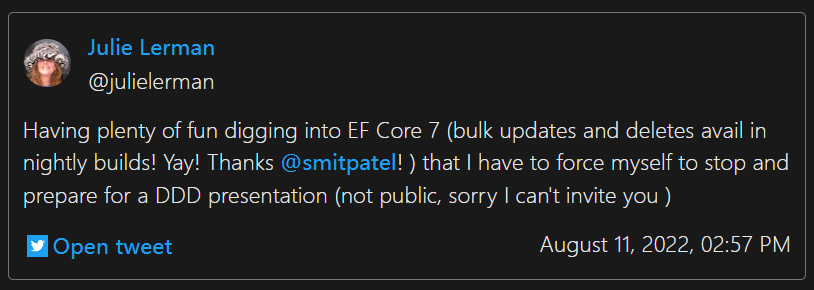
Entity Framework 7 包括一些已被要求的流行功能,其中之一是批量操作。Julie Lerman 的一条推文引起了我的注意,我不得不亲自尝试一下。
推文地址:https://twitter.com/julielerman/status/1557743067691569156
为什么?
那么,如果我们已经可以更新和删除实体,为什么还需要这个功能呢?这里的关键词是性能。这是一个在 EF 新版本中一直位居榜首的主题,这次也不例外。
添加的方法以多种方式提高了性能。而不是首先检索实体并将所有实体存储在内存中,然后我们才能对它们执行操作,最后将它们提交给 SQL。我们现在只需一个操作就可以做到这一点,这会产生一个 SQL 命令。
让我们看看它在代码中的样子。
设置场景
在我们深入示例之前,让我们首先配置我们的 SQL 数据库并填充 3 个表:
- Persons: 人
- Addresses: 地址( 一个人有一个地址)
- Pets: 宠物(一个人可以养很多宠物)
using Microsoft.EntityFrameworkCore;

using (var context = new NewInEFContext())
{
    SetupAndPopulate(context);
}

static void SetupAndPopulate(NewInEFContext context)
{
    context.Database.EnsureDeleted();
    context.Database.EnsureCreated();
    context.Persons.AddRange(Enumerable.Range(1, 1_000).Select(i =>
    {
        return new Person
        {
            FirstName = $"{nameof(Person.FirstName)}-{i}",
            LastName = $"{nameof(Person.LastName)}-{i}",
            Address = new Address
            {
                Street = $"{nameof(Address.Street)}-{i}",
            },
            Pets = Enumerable.Range(1, 3).Select(i2 =>
            {
                return new Pet
                {
                    Breed = $"{nameof(Pet.Breed)}-{i}-{i2}",
                    Name = $"{nameof(Pet.Name)}-{i}-{i2}",
                };
            }).ToList()
        };
    }));

    context.SaveChanges();
}

public class NewInEFContext : DbContext
{
    public DbSet<Person> Persons { get; set; }
    public DbSet<Pet> Pets { get; set; }
    public DbSet<Address> Addresses { get; set; }

    protected override void OnConfiguring(DbContextOptionsBuilder options)
        => options
            .UseSqlServer("Connectionstring");

    protected override void OnModelCreating(ModelBuilder modelBuilder)
    {
        modelBuilder.Entity<Address>()
           .Property<long>("PersonId");

        modelBuilder.Entity<Pet>()
            .Property<long>("PersonId");
    }
}

public class Person
{
    public long PersonId { get; set; }
    public string FirstName { get; set; } = "";
    public string LastName { get; set; } = "";
    public Address? Address { get; set; }
    public List<Pet> Pets { get; set; } = new List<Pet>();
}

public class Address
{
    public long AddressId { get; set; }
    public string Street { get; set; } = "";
}

public class Pet
{
    public long PetId { get; set; }
    public string Breed { get; set; } = "";
    public string Name { get; set; } = "";
}
ExecuteDelete 和 ExecuteDeleteAsync
既然我们已经解决了这个问题,让我们深入研究ExecuteDelete 和 ExecuteDeleteAsync。
要批量删除一组实体,请使用Where方法过滤掉要删除的实体(与之前类似)。然后,调用ExecuteDelete方法删除实体集合。
using (var context = new NewInEFContext())
{
    SetupAndPopulate(context);

    context.Pets
           .Where(p => p.Name.Contains("1"))
           .ExecuteDelete();
}
让我们也看看它生成的 SQL 语句:
DELETE FROM [p]
FROM [Pets] AS [p]
WHERE [p].[Name] LIKE N'%1%'
如您所见,它只是生成一条 SQL 语句来删除符合条件的实体。这些实体也不再保存在内存中。不错,简单,高效!
级联删除
让我们看另一个例子,让我们删除一些持有地址和宠物引用的人。通过删除人员,我们也删除了地址和宠物,因为删除语句级联到外部表。
using (var context = new NewInEFContext())
{
    SetupAndPopulate(context);

    context.Persons
           .Where(p => p.PersonId <= 500)
           .ExecuteDelete();
}
与之前类似,这会产生以下 SQL 语句:
DELETE FROM [p]
FROM [Persons] AS [p]
WHERE [p].[PersonId] <= CAST(500 AS bigint)
受影响的行数
还可以查看删除操作影响了多少行,ExecuteDelete返回受影响的行数。
using (var context = new NewInEFContext())
{
    SetupAndPopulate(context);

    var personsDeleted =
        context.Persons
           .Where(p => p.PersonId <= 100)
           .ExecuteDelete();
}
在上面的表达式中,personsDeleted变量等于 100。
ExecuteUpdate 和 ExecuteUpdateAsync
现在我们已经了解了如何删除实体,让我们探索如何更新它们。就像ExecuteDelete,我们首先必须过滤我们想要更新的实体,然后调用ExecuteUpdate.
要更新实体,我们需要使用新SetProperty方法。SetProperty的第一个参数是通过 lambda 选择需要更新的属性,第二个参数也使用 lambda 选择该属性的新值,。
例如,让我们将人员的姓氏设置为“Updated”。
using (var context = new NewInEFContext())
{
    SetupAndPopulate(context);

    context.Persons
           .Where(p => p.PersonId <= 1_000)
           .ExecuteUpdate(p => p.SetProperty(x => x.LastName, x => "Updated"));
}
这会生成相应的 SQL 语句:
UPDATE [p]
    SET [p].[LastName] = N'Updated'
FROM [Persons] AS [p]
WHERE [p].[PersonId] <= CAST(1000 AS bigint)
我们还可以访问实体的值并使用它来创建新值。
using (var context = new NewInEFContext())
{
    SetupAndPopulate(context);

    context.Persons
           .Where(p => p.PersonId <= 1_000)
           .ExecuteUpdate(p => p.SetProperty(x => x.LastName, x => "Updated" + x.LastName));
}
产生以下 SQL 语句:
UPDATE [p]
    SET [p].[LastName] = N'Updated' + [p].[LastName]
FROM [Persons] AS [p]
WHERE [p].[PersonId] <= CAST(1000 AS bigint)
一次更新多个值
我们甚至可以通过多次调用SetProperty来一次更新多个属性。
using (var context = new NewInEFContext())
{
    SetupAndPopulate(context);

    context.Persons
           .Where(p => p.PersonId <= 1_000)
           .ExecuteUpdate(p =>
                p.SetProperty(x => x.LastName, x => "Updated" + x.LastName)
                 .SetProperty(x => x.FirstName, x => "Updated" + x.FirstName));
}
再一次,对应的 SQL 语句:
UPDATE [p]
    SET [p].[FirstName] = N'Updated' + [p].[FirstName],
    [p].[LastName] = N'Updated' + [p].[LastName]
FROM [Persons] AS [p]
WHERE [p].[PersonId] <= CAST(1000 AS bigint)
受影响的行数
就像ExecuteDelete,ExecuteUpdate也返回受影响的行数。
using (var context = new NewInEFContext())
{
    SetupAndPopulate(context);

    var personsUpdated =
        context.Persons
           .Where(p => p.PersonId <= 1_000)
           .ExecuteUpdate(p => p.SetProperty(x => x.LastName, x => "Updated"));
}
请注意,不支持更新嵌套实体。
Entity Framework 7 中的更多更新
有关新功能的完整列表,请参阅EF 7 计划。