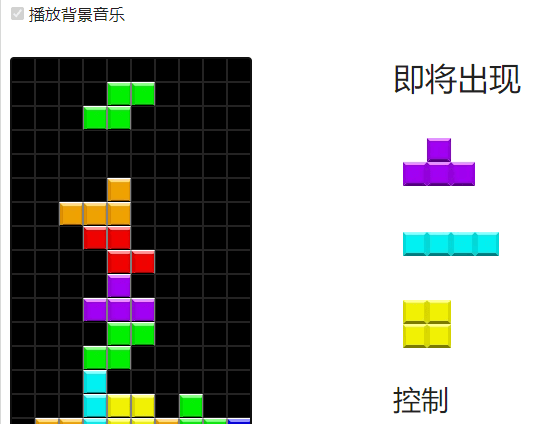
Blazor version of Tetris game was successfully deployed

Blazor version of Tetris game was successfully deployed

The Blazor version of the Tetris game has been launched, and online tools and online game components have been extracted into the Razor shared library, which can be reused by the Dotnet9 website and the Dotnet toolbox website.

最后更新 6/27/2023 11:40 PM
沙漠尽头的狼
预计阅读 8 分钟
分类
Blazor
标签
.NET C# Blazor Blazor WebAssembly Client

Hello everyone, I am a wolf at the end of the desert.

抄了国外大佬的一个俄罗斯方块游戏,也将在线工具和在线游戏组件提取到Razor共享库,可以被 Dotnet9 网站和 Dotnet工具箱 网站复用,这篇分享游戏的搬运及Razor共享库的迁移过程,和这几天开发、部署遇到的一些问题与解决方案记录分享下。

Text catalog:

  1. Add Tetris games
  2. component reuse
  3. Problems encountered and solutions
  4. summary

1. Add Tetris games

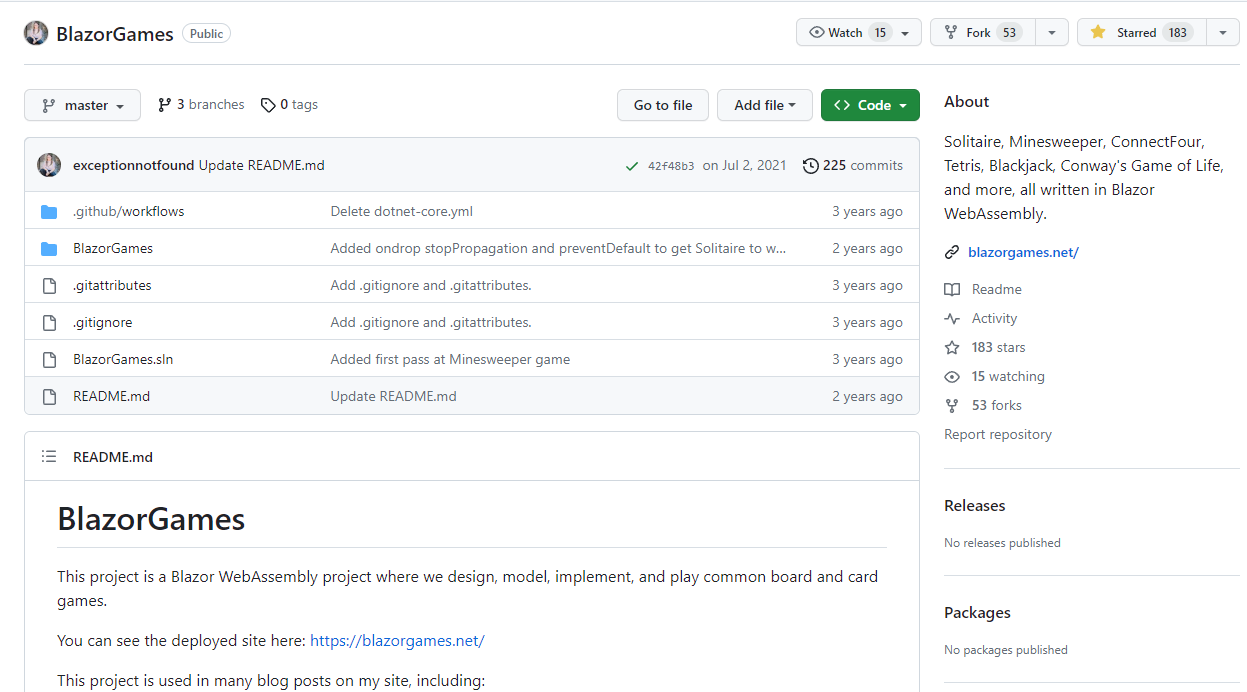
1.1. Game reference:BlazorGames

**BlazorGames Project Information **

  • GitHub:https://github.com/exceptionnotfound/BlazorGames
  • Online access address: blazorgames.net/

The screenshot of the warehouse is as follows:

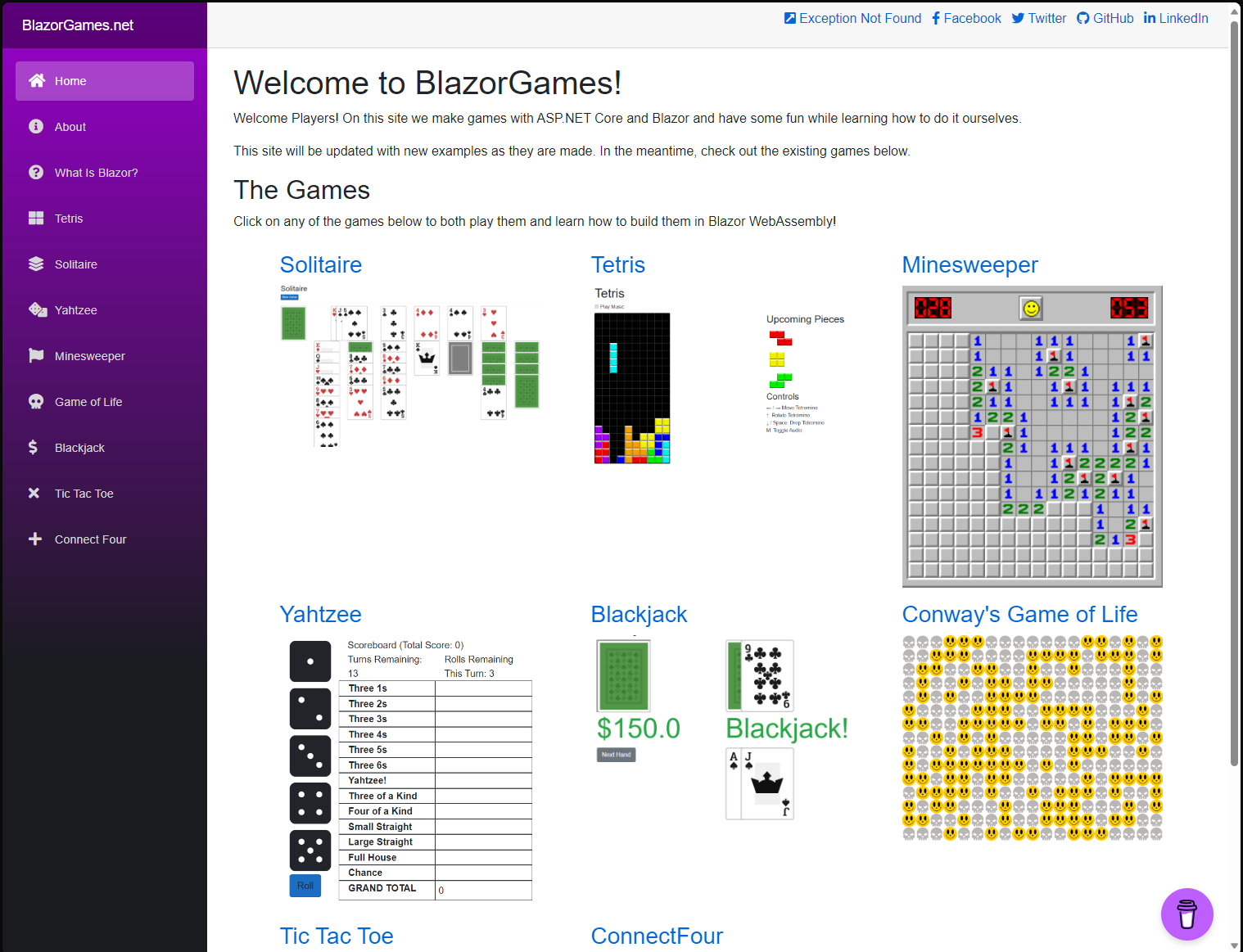
Screenshot:

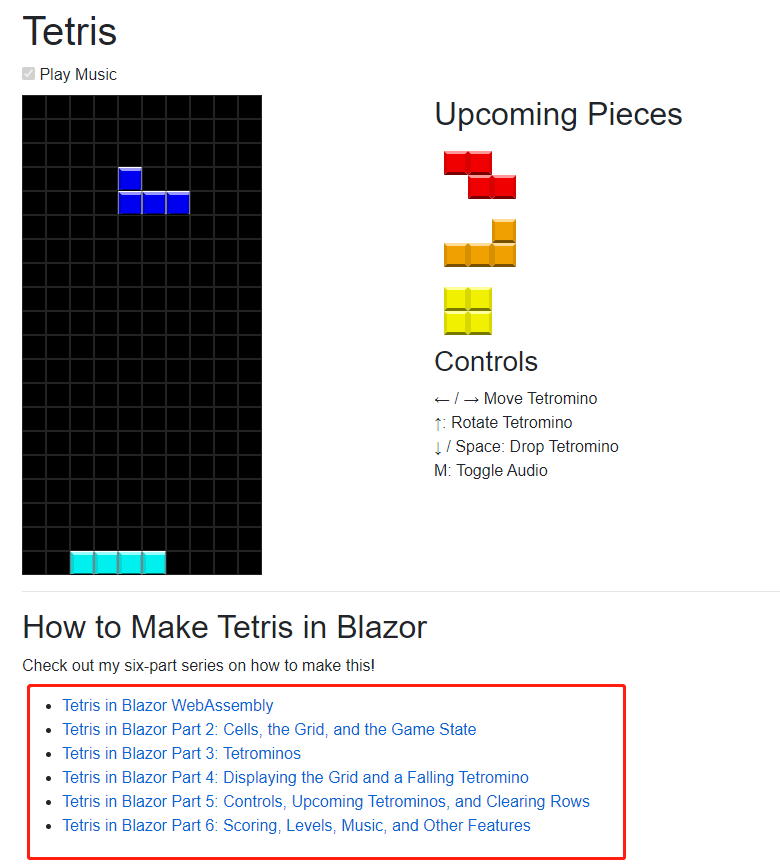
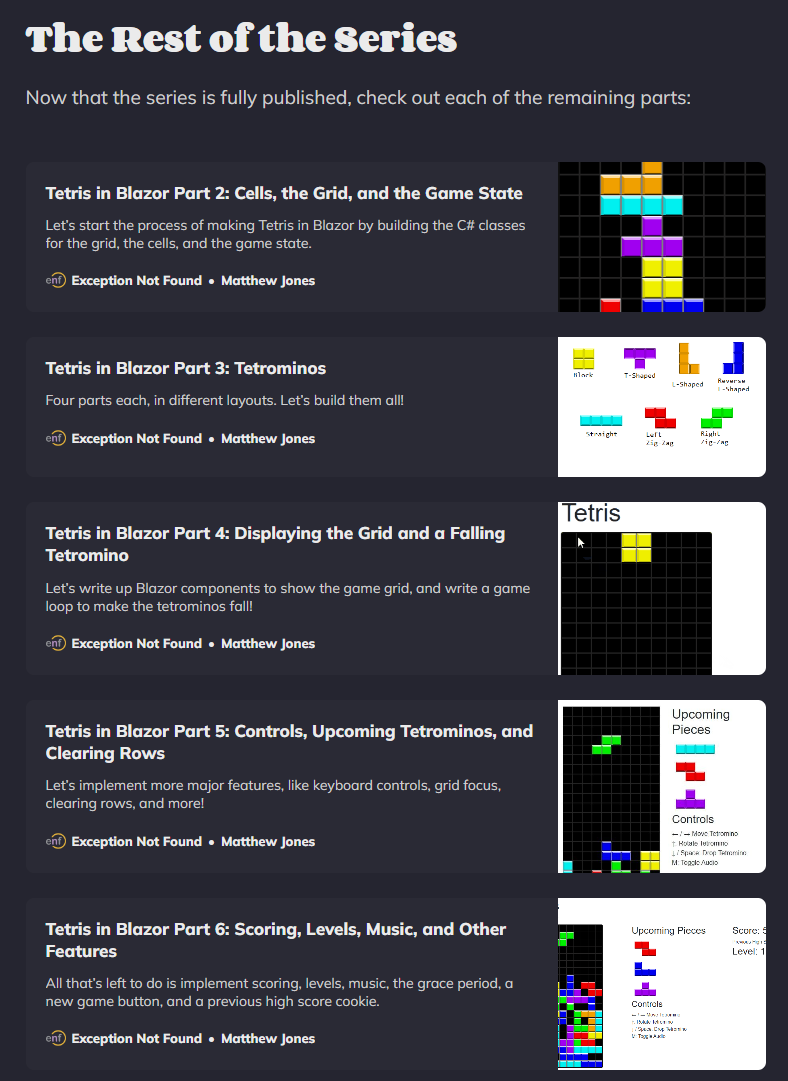
This website has a series of articles that teach you how to use Blazor to develop 7 or 8 online Mini games. The course calculation is more detailed. As shown in the picture above, games include Solitaire, Tetris, Minesweeper, etc. Among them, the screenshots of the Tetris series are as follows:

Course list address: blazorgames.net/tetris

1.2. Add to your own project

First, please clone the warehouse: github.com/exceptionnotfound/BlazorGames

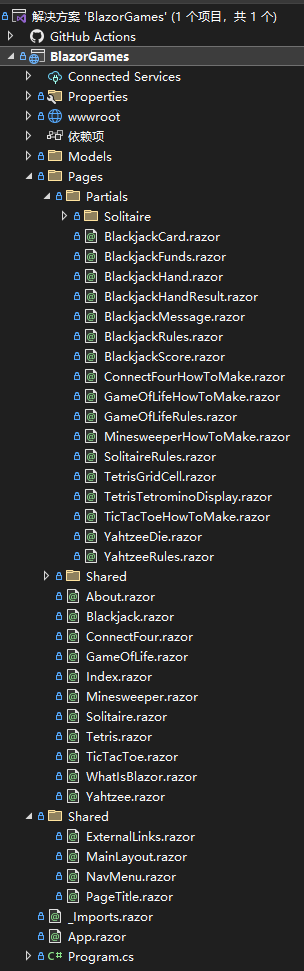
The author's code organization structure is very clear. Understand the code structure first:

  • 1.2.1. /Pages下的razor文件

为各个游戏页面,比如Tetris.razor,这个文件我们可以直接复制到自己的项目,去掉页面下方的文章链接即可。

  • 1.2.2. /Pages/Partials下的razor文件

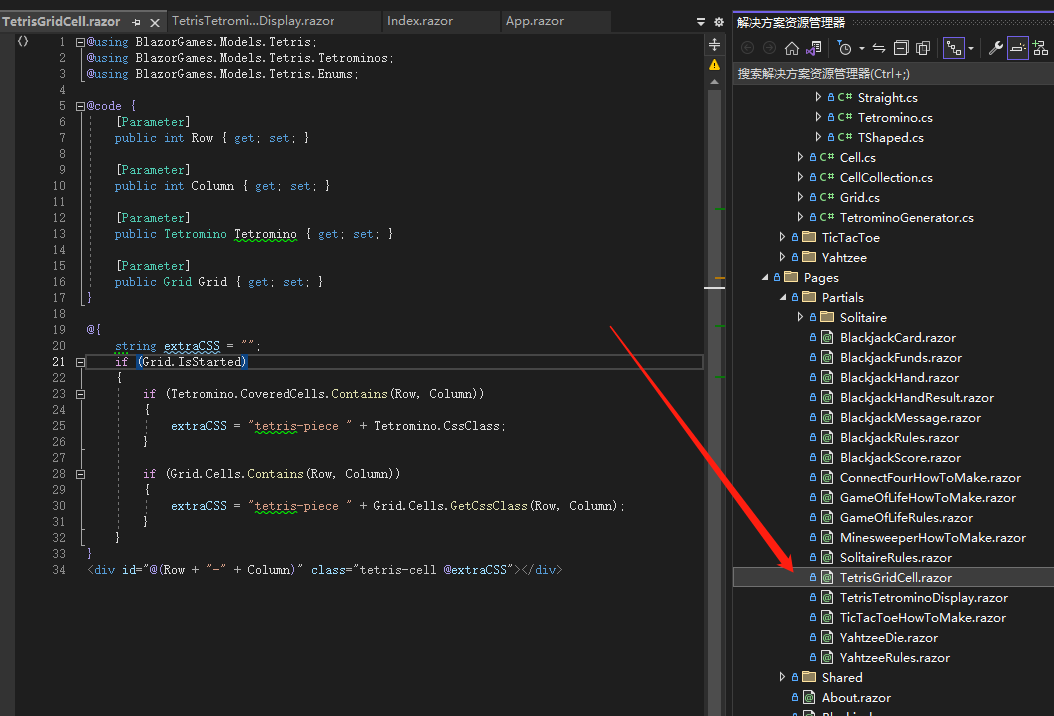
为各个游戏的子组件,如/Pages/Partials/TetrisGridCell.razor为俄罗斯方块背景的单元格组件。

  • 1.2.3. /Models为各个游戏使用的Model类

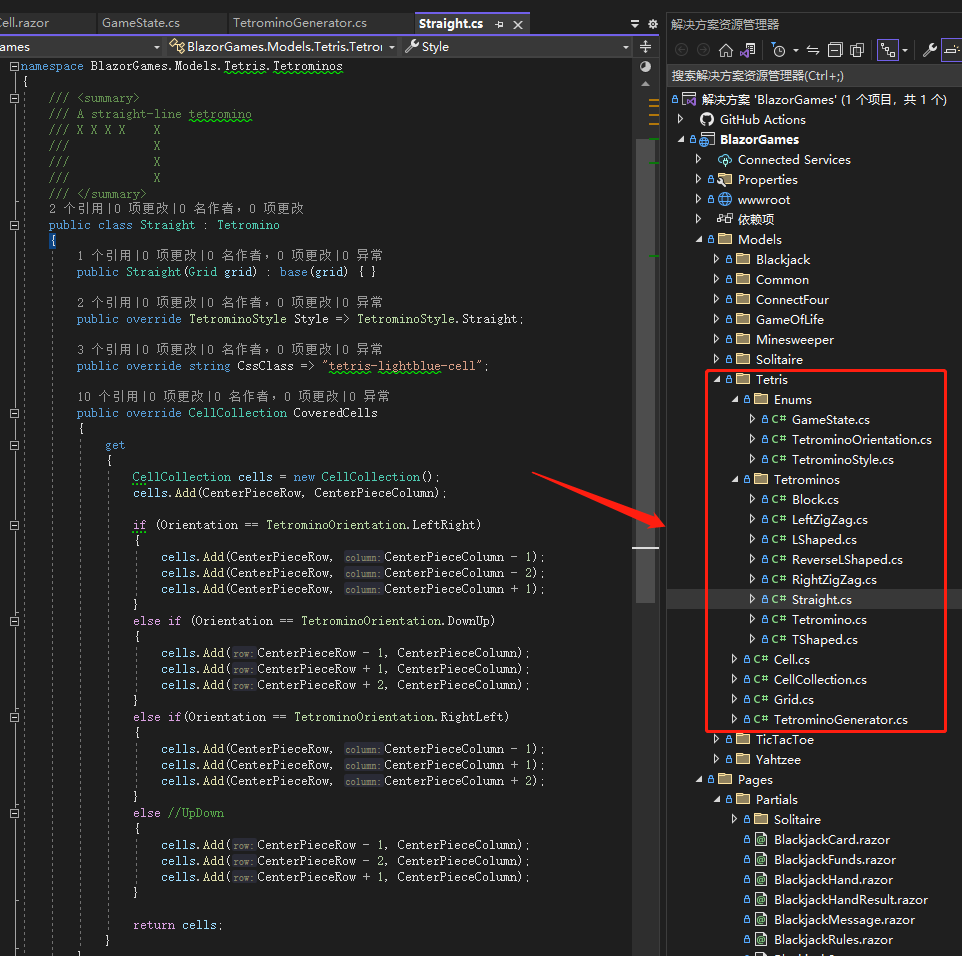
/Models/Tetris/下有俄罗斯方块的背景表格(Grid.cs)、单元格(Cell.cs)、方块(Block.cs)等定义类。

  • 1.2.4. wwwroot目录为项目资源目录

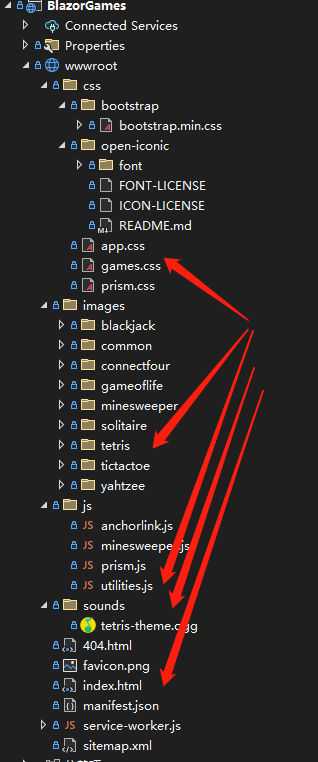
The Js libraries, Css styles, pictures, sound files, etc. used are all here. By debugging the program and reading the code, I know that these files are needed if I want to run Russian games normally in my project:

应用样式(css/app.cs)、游戏部分样式(css/games.css)、俄罗斯方块图片(images/tetrix)、游戏音乐播放和游戏分数的Cookie读写Js库(js/utilities.js)、游戏背景音乐文件(sounds/tetris-theme.ogg)等。

After you are familiar with the above files, you can copy them to your own project and debug them. The following are some screenshots of the above-mentioned files

Cell components with the background of Tetris:

Definition of Model class of Tetris:

Screenshots of resource files:

2. component reuse

Originally, the online tools and online game codes of the Dotnet9 website and the Dotnet Toolkit website were copied in two copies and maintained separately, but 90% of the codes were the same, which was intolerable code redundancy.

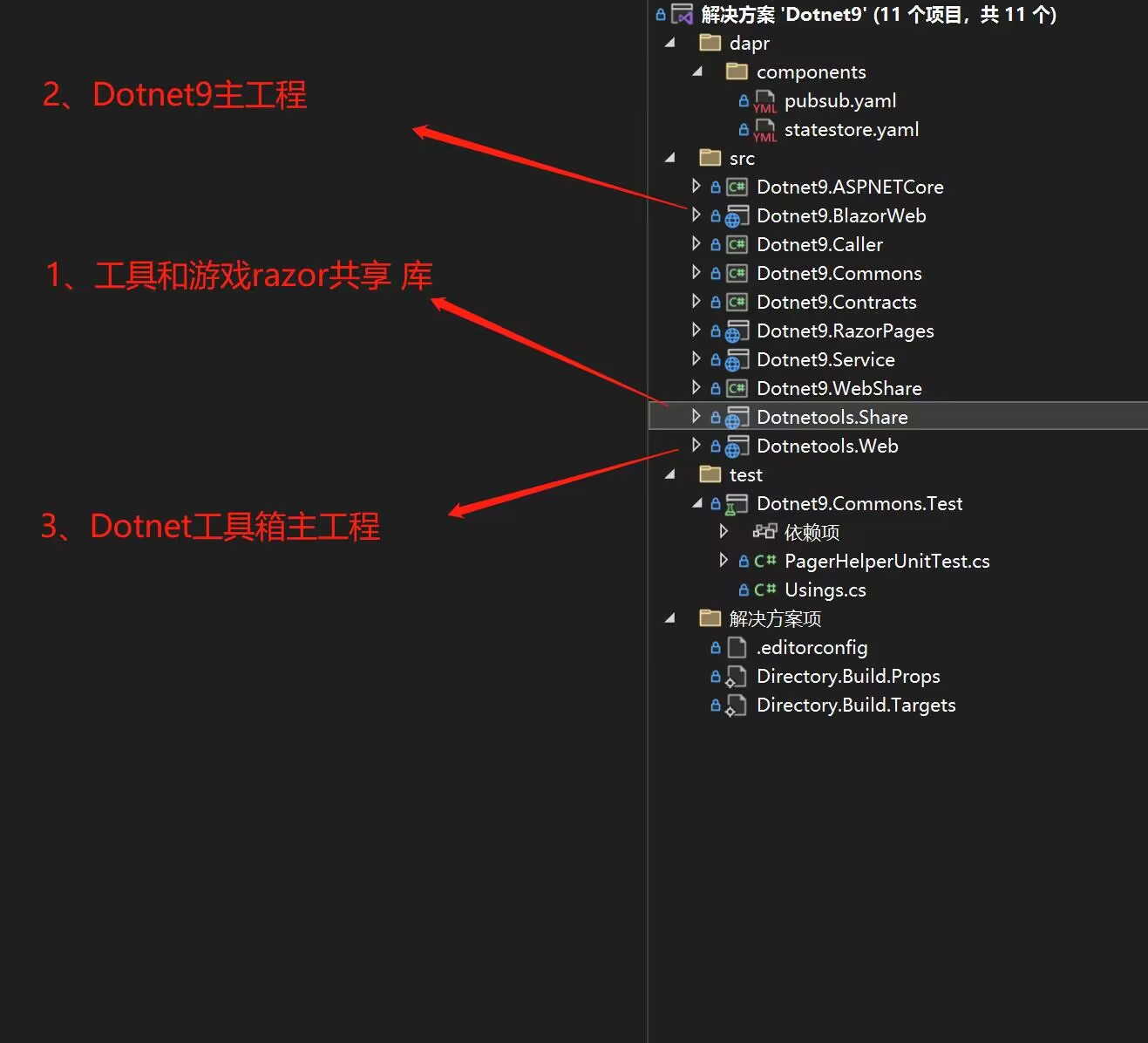
The webmaster considered deleting the original Dotnet toolbox warehouse, merging the code into the Dotnet9 warehouse, and extracting the shared components into the Razor shared library. Now the modified shared library directory structure:

There are 3 main projects: 1 is the Razor shared library, 2 is the main project of the Dotnet9 website, and 3 is the main project of the Dotnet toolbox. Both 2 and 3 add 1 as a project reference.

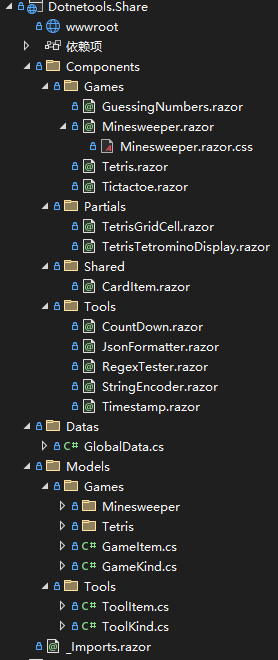
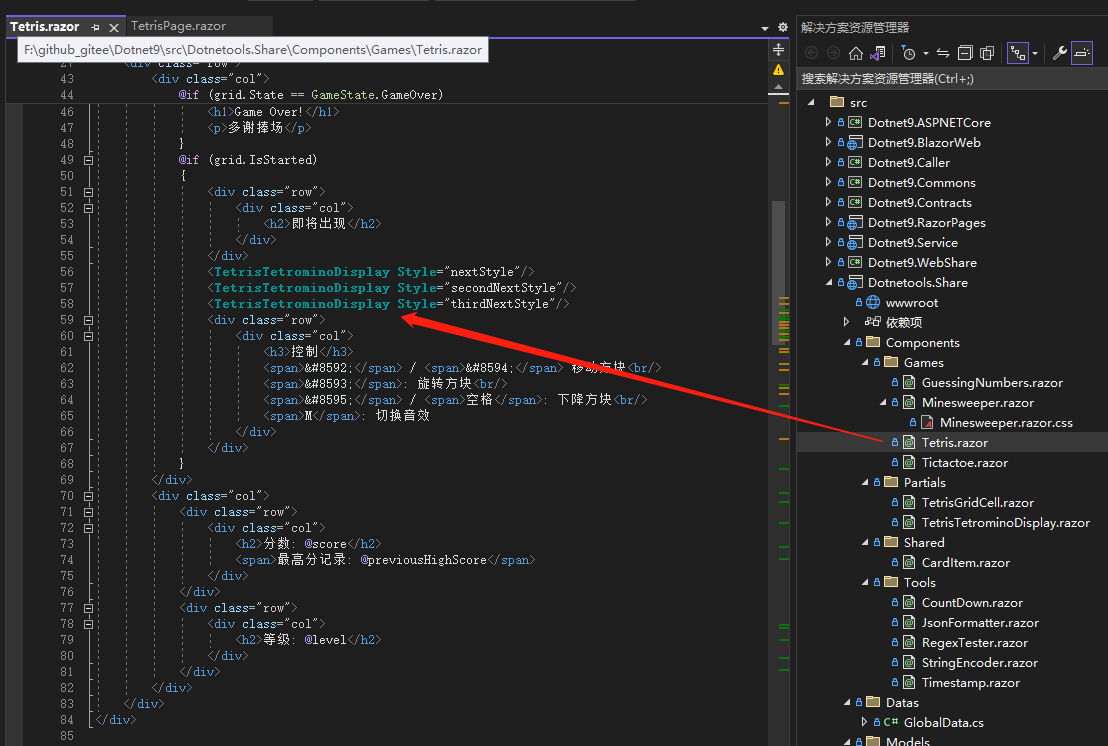
Razor shares the library code organization structure, currently available online tools and online game components:

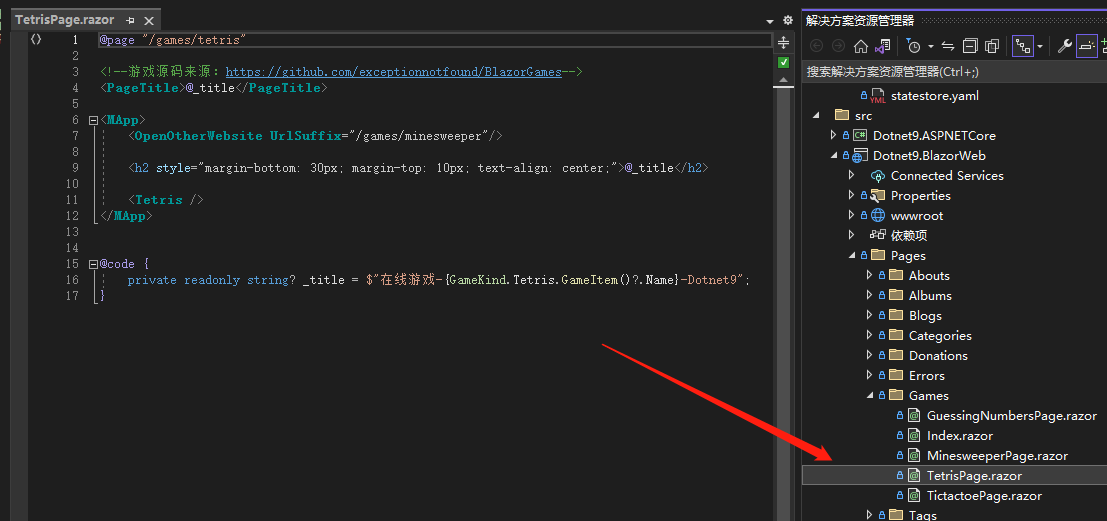
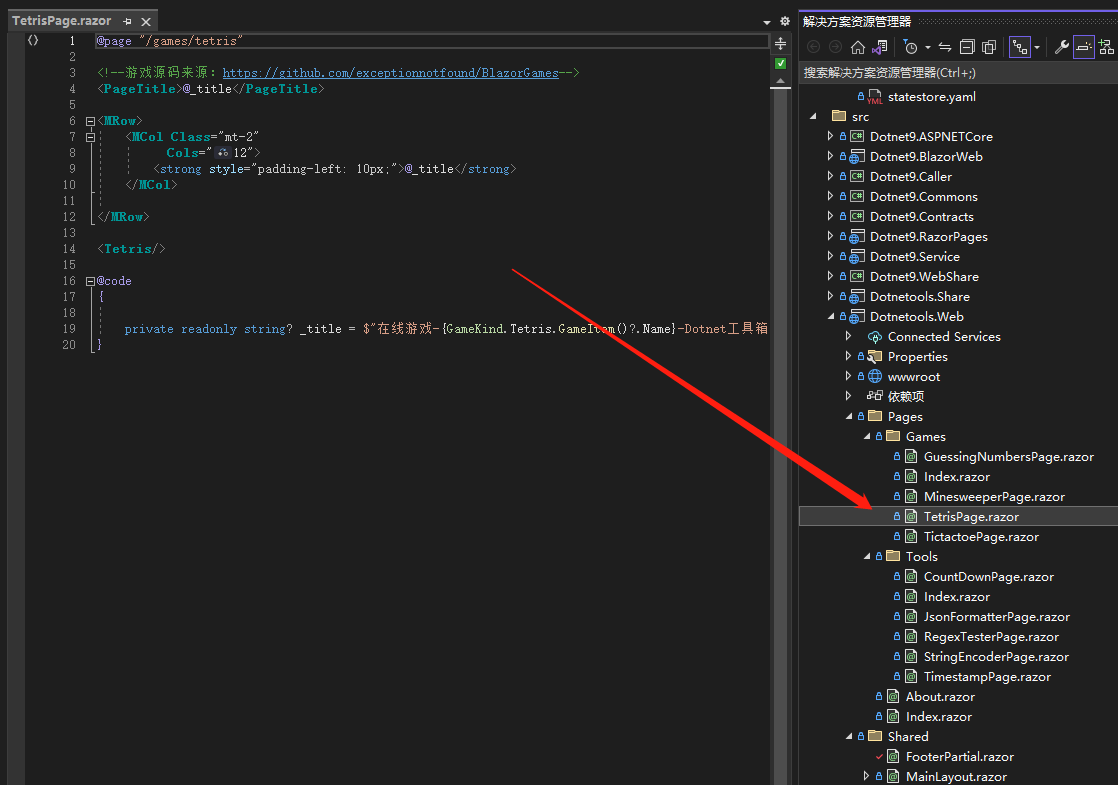
The component codes have been posted in previous articles and are skipped here, but the routing of the game pages is mentioned here: The page layouts of the Dotnet9 website and the Dotnet toolbox are different, and the same is the content inside, so each tool and game have added corresponding page routes in both projects, such as the following location of the Tetris page in the two projects:

Tetris page in Dotnet9:

Dotnet toolbox's Tetris page:

The content of the two pages is almost identical. The difference may be the page title. I believe it can be further optimized.

优化不好几百字说清楚,有兴趣的看 Dotnet9源码 吧。

3. Problems encountered and solutions

During the process of developing the Dotnet9 website and the Dotnet toolbox, some problems were encountered, including deployment. Almost all of them were solved by consulting information and asking some big shots in the technical group. Here are some problems that everyone may encounter, and share and summarize them.

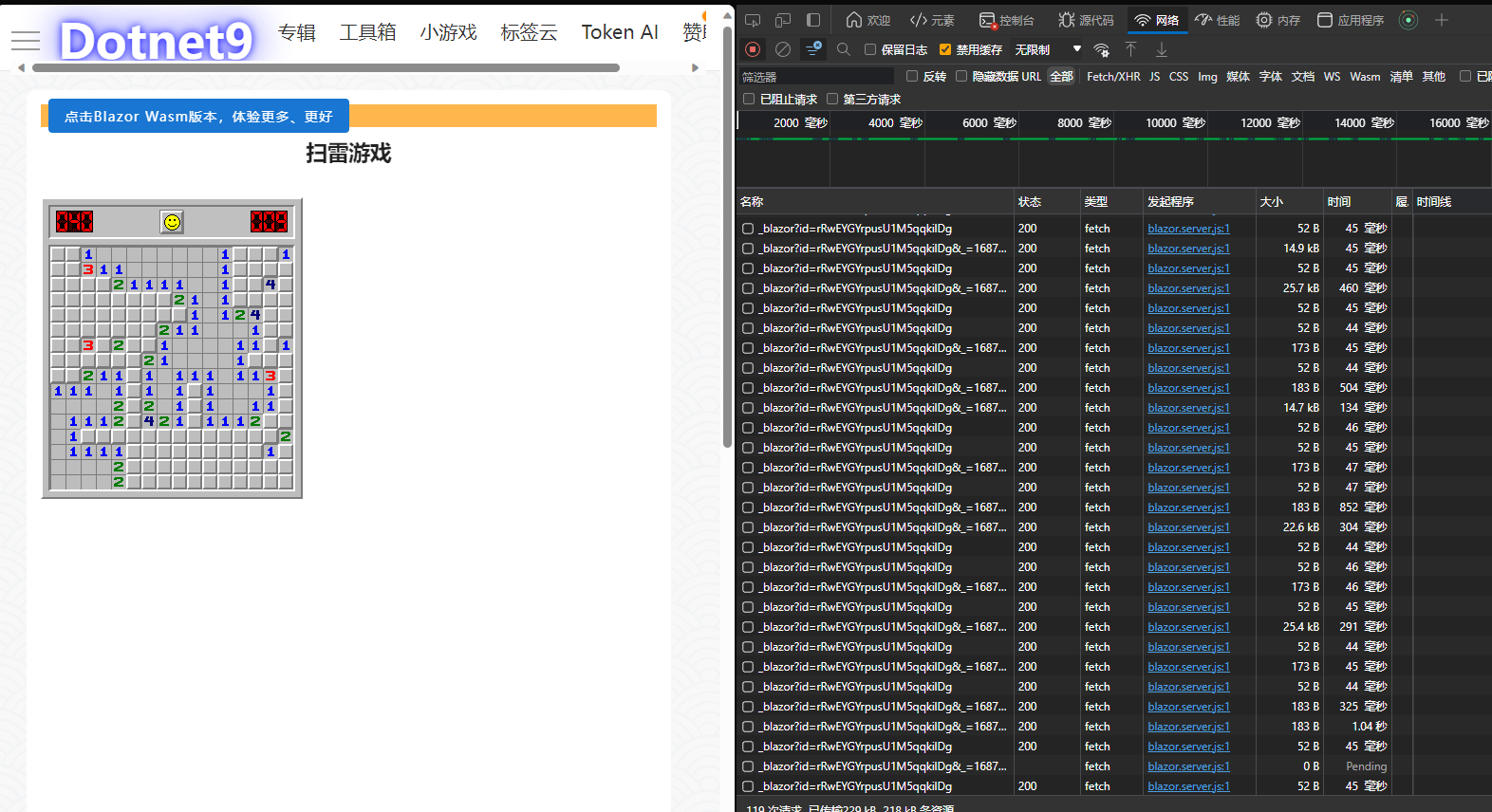
In the previous article, the webmaster took a screenshot of too many access links to the Server. He thought it was a problem with the Server. The technical group immediately refuted that it was the webmaster's nginx configuration problem and the frequent connections were caused by the lack of effective configuration of Socket. The original screenshot is as follows:

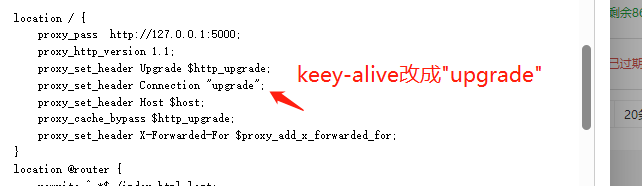
The reference configuration for solving Nginx is as follows:

主要关注的节点配置是proxy_http_version 1.1,但站长原来是配置过的,昨晚只把proxy_set_header Connection keep-alive改为了proxy_set_header Connection "upgrade",请群友验证,目前上面截图的问题貌似解决了,大家也可以打开Dotnet9网站验证下。

3.2. Wasm opens subpage 404 directly

It is normal to visit other sub-pages through the home page of the Dotnet Toolkit website. However, if you open the browser address bar and directly paste the sub-page to access it, the website will respond to 404. The solution is also to modify the nginx configuration:

location / {
    try_files $uri $uri/ @router;
    index  index.html index.htm;
}
location @router {
        rewrite ^.*$ /index.html last;
}

主要是其中的try_files,至于什么意思请百度。

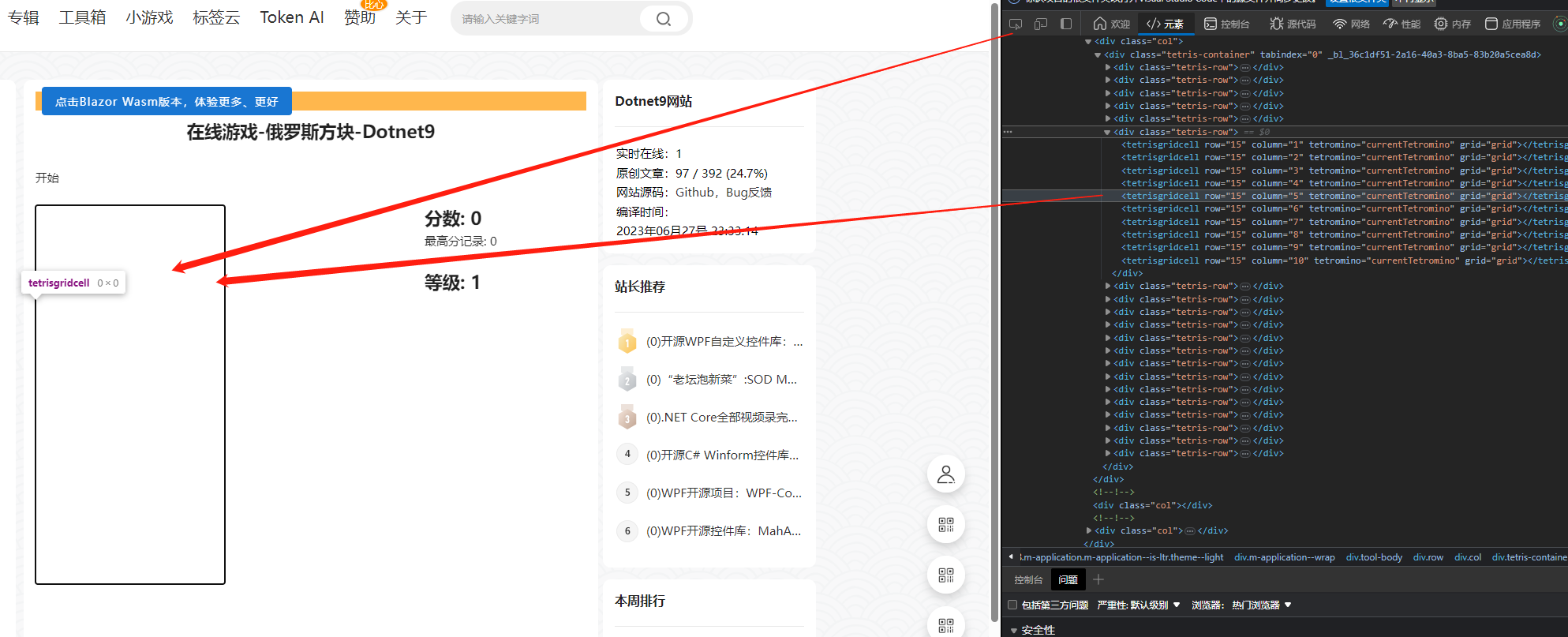
3.3. The project compiles normally, and the interface displays black blocks

本来昨天站长已经发布了Dotnet工具箱关于俄罗斯方块的功能,但游戏的背景界面(黑色背景)老是显示不出来,搞了半天是组件内的组件没有正常加载,即没有将子组件命名空间加上@using Dotnetools.Share.Components.Partials

The original code is as follows:

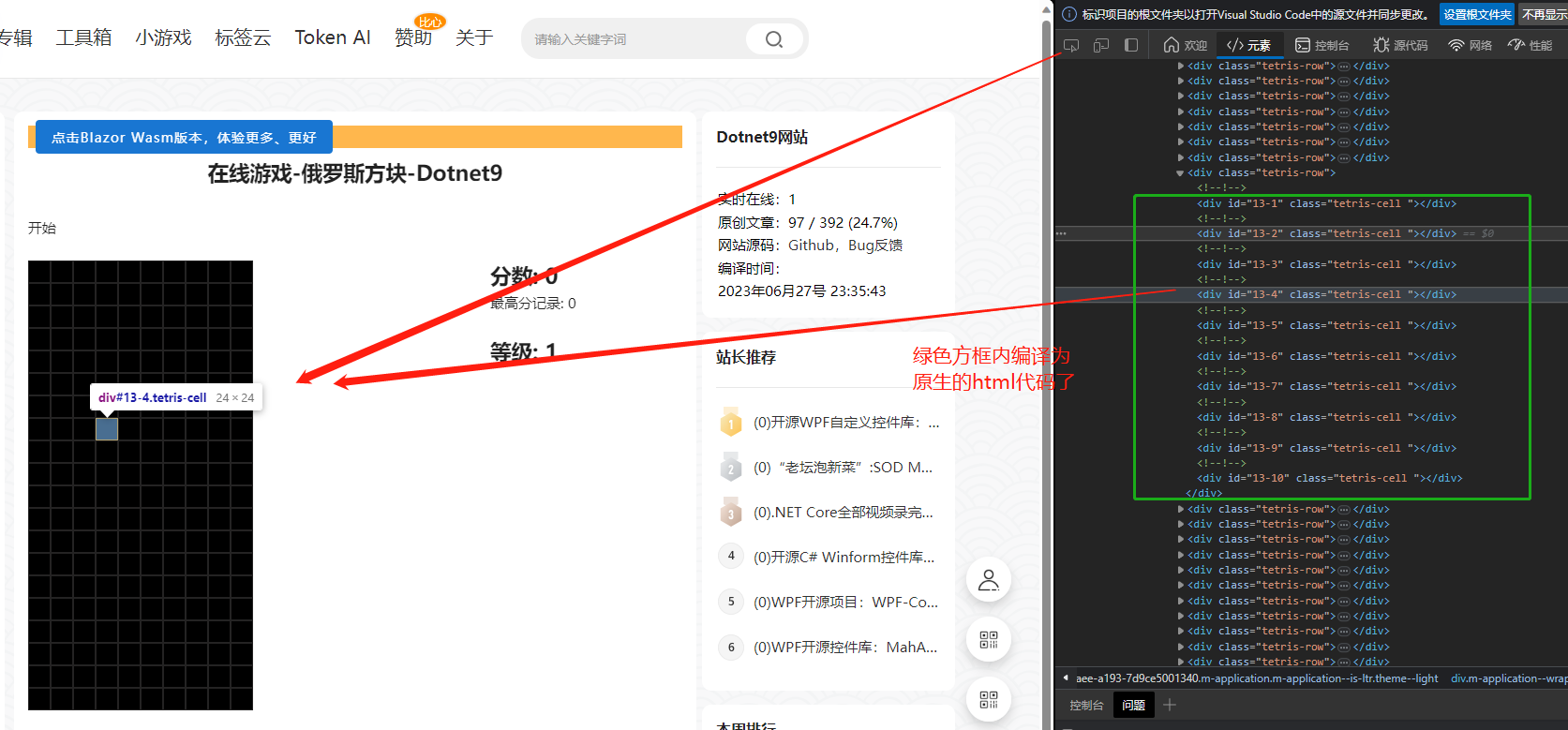
The problem was discovered through F12 debugging of the web page source code. It was found that the html code corresponding to the sub-component was not compiled into html native code, or the component code was directly compiled into a string, which is displayed as follows:

After adding the namespace reference, the source code appears normal, and the black background is also displayed:

This problem is careless. After extracting the shared library, we did not check whether the reference to the razor component in html was normal. VS will not give an exception prompt for this problem.

4. summary

Today, I have shared it here. If you have any tool needs, please leave a message on the issue link below. Thank you very much for reading.

  • Website address: Blazor Server version website =》https://dotonet9.com/, Blazor Wasm version website =》dotnetools.com/
  • Website source code: https://github.com/dotnet9/Dotnet9, Issue=》https://github.com/dotnet9/Dotnet9/issues
  • .NET版本: .NET 8.0.0-preview.5.23280.8
  • WeChat technology group: To add webmaster WeChat (codewf), you must note the two words "join the group"
  • QQ technology group: 771992300
Keep Exploring

延伸阅读

更多文章
同分类 / 同标签 11/6/2024

Why is my blog site back in Blazor?

The blog website has gone through hardships in development. It has tried nearly 10 versions such as MVC, Vue, and Go. Now it has returned to Blazor and adopts static SSR. The speed has skyrocketed and it has been successfully launched.

继续阅读
同分类 / 同标签 2/29/2024

Data display can also be done in Winform

In the process of developing winform, data display functions are often needed. I have been using the gridcontrol before. Today, I want to use an example to introduce to you how to use the table component in ant design blazor hybrid to display data.

继续阅读
同分类 / 同标签 2/29/2024

Can Winform's interface become better?

A few days ago, I introduced to you the use of blazor hybrid in winform, and I also said that with blazor's ui, our winform program design can be more beautiful. Next, I want to use an example of drawing in winform blazor hybrid to illustrate it, hoping to be helpful to you.

继续阅读