This article was submitted by netizens, and more friends are welcome to share.
Author: Diego
Warehouse address: gitee.com/diego2098/ThingsGateway
Original link: www.cnblogs.com/ThingsGateway/articles/17557709.html
Gitee source code warehouse: gitee.com/diego2098/ThingsGateway
GitHub source code warehouse: github.com/kimdiego2098/ThingsGateway
Usage document: diego2098.gitee.io/thingsgateway-docs/
I. preface
ThingsGateway is a new domestic open source project belonging to the Industrial Data Collection Gateway. After nearly four months of baptism, it has stabilized.
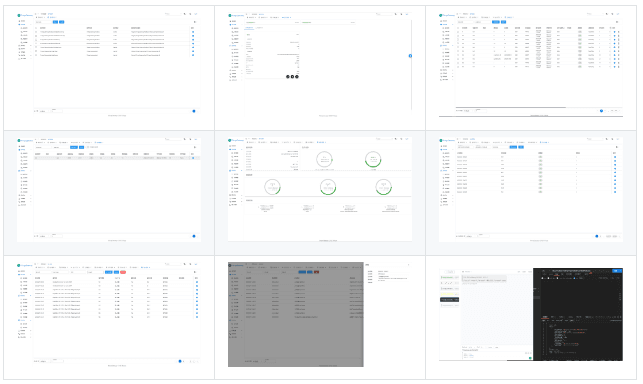
This article will test the ModbusTcp protocol equipment collected by ThingsGateway, and demonstrate it through animation to make it easy to understand.
II. Prepare the test environment
2、ModbusSalve
运行ThingsGateway的方法请查看源文档。
III. communication test
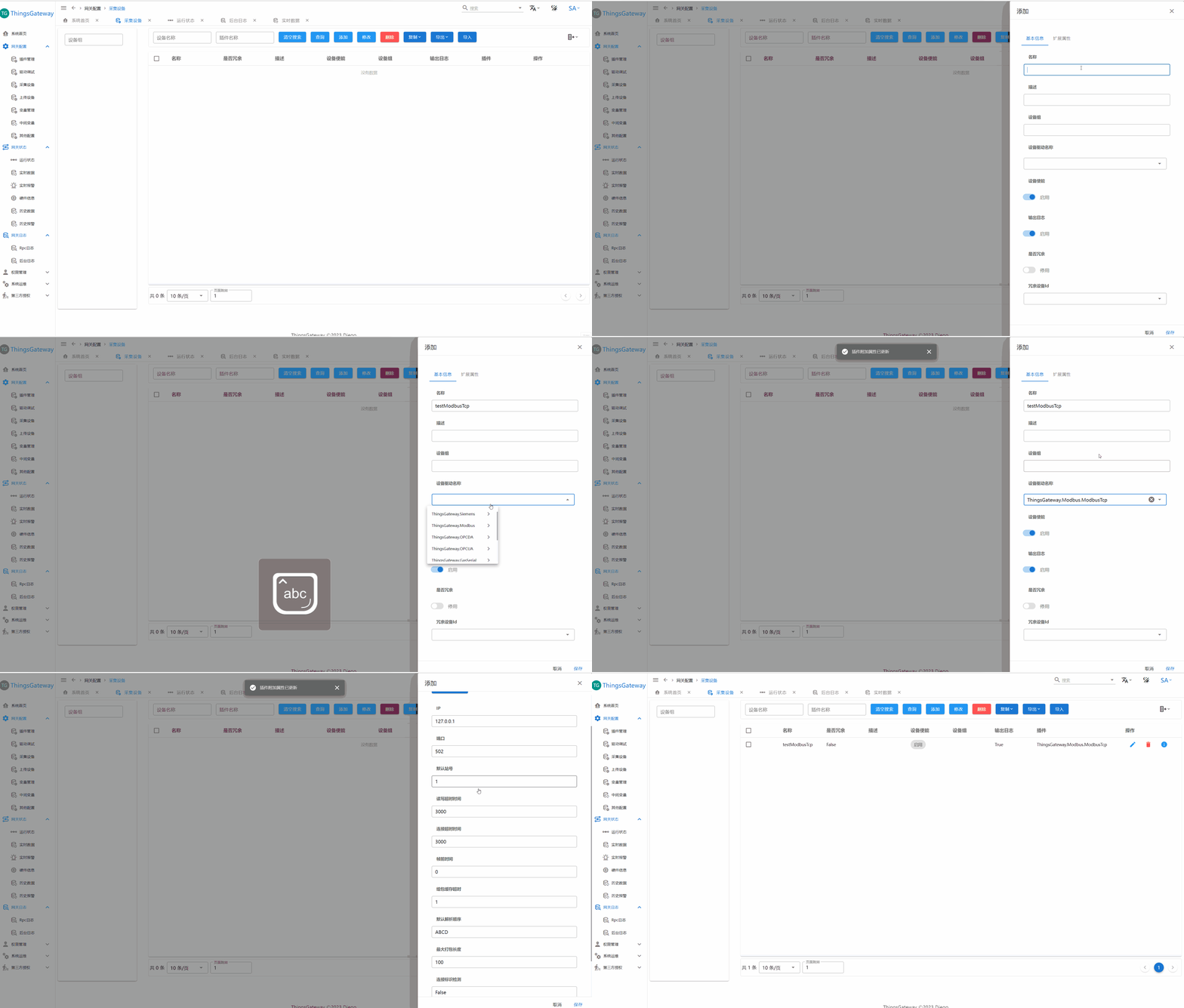
3.1. Establish collection equipment

Create a collection device, select the ModbusTcp plug-in, view the device extended properties, and you can see the configurable items of ModbusTcp.
Currently, we are using port 502 of the local machine for testing, so we will not modify it by default.
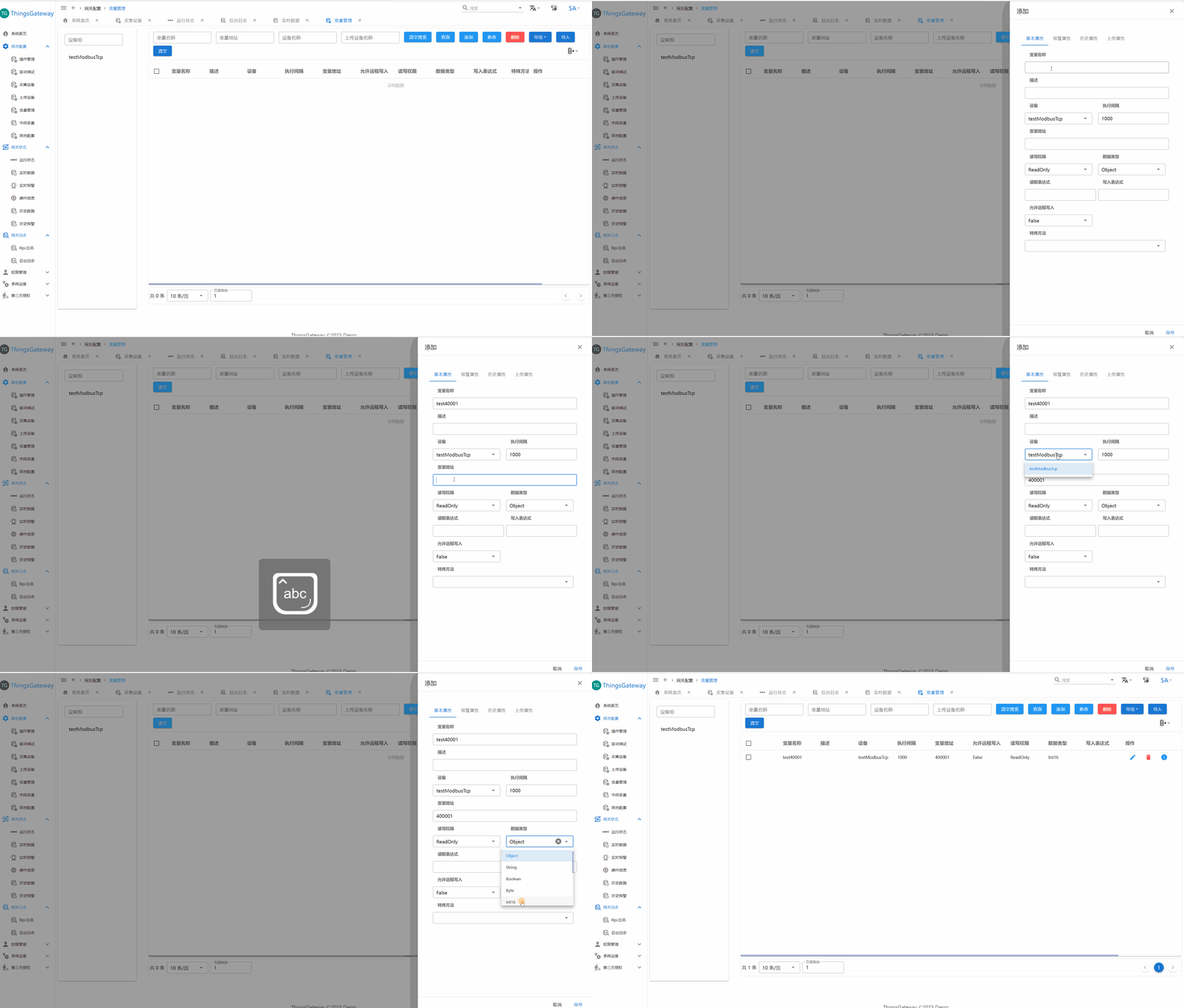
3.2 Establish variables

Create a variable and fill in the variable name, variable address, and data type.
The variable address is 40001, which is the holding register 0 in the Modbus protocol. For detailed address rules, please refer to the source document.
3.3. Restart the collection thread

Restart all threads through the running status-buoy in the upper right corner. After the restart is completed, you can see the device information.
The picture shows that the device is offline and prompts the last error message. Obviously, I have not started ModbusSlave for testing.
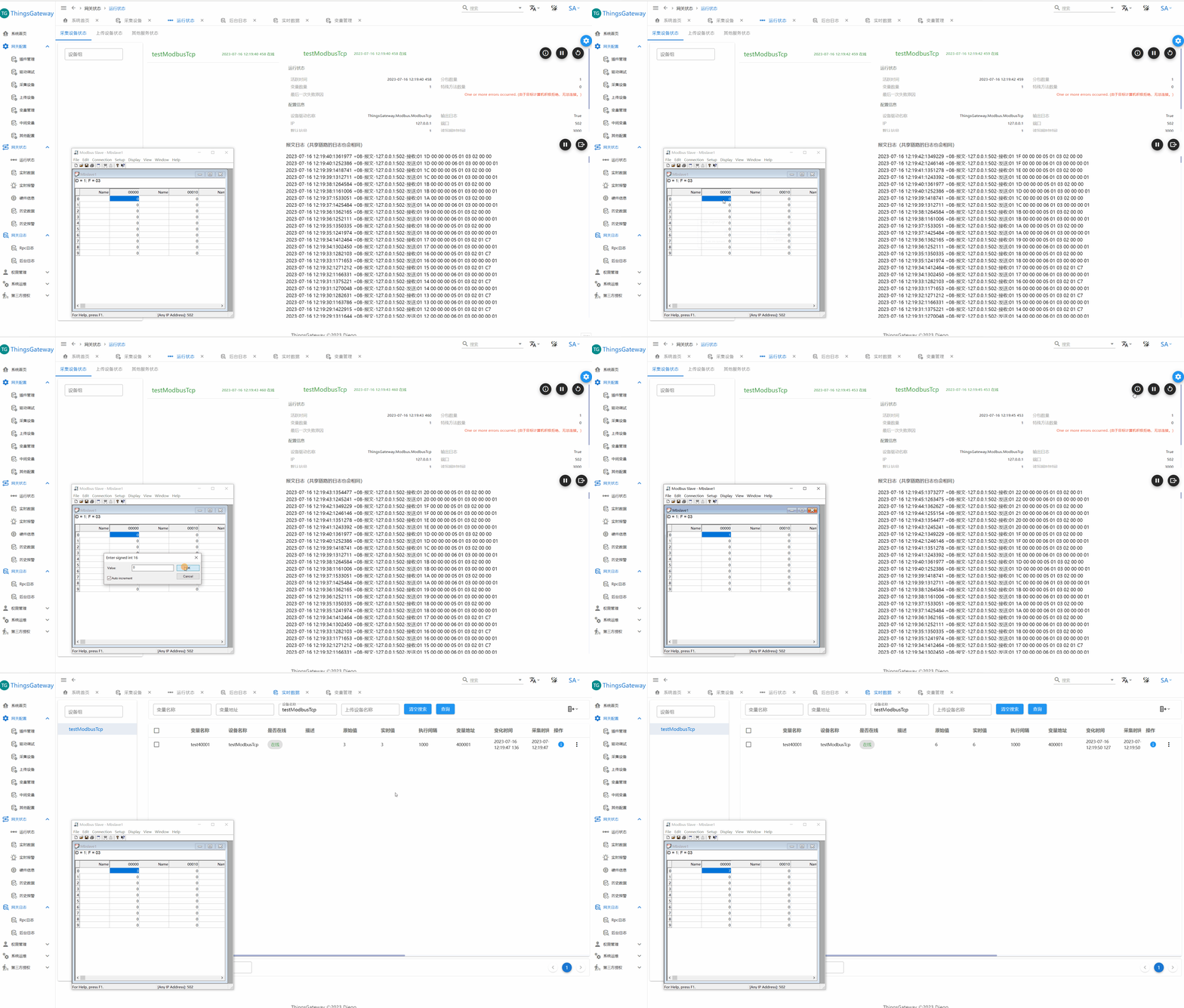
3.4. Launch Modbus server

Start ModbusSlave and select ModbusTcp protocol and port 502.
After startup, you can see that the gateway display device is online and display read and write messages in reverse order.
3.5. view real-time data

You can view the real-time data of relevant variables by jumping to running status-collection equipment-related variables, or directly clicking on the real-time data page of the menu.
Through ModbusSlave's self-increasing simulation function, you can see the change effect of the data collected by the gateway (the gateway display page has a refresh rate of 1s).
** At this point, the simple communication test has ended. **
IV. Advanced gameplay
4.1. data conversion
Imagine an application scenario. When the gas meter communication value is specified as the actual value *100 or other complex conversion, the complex expression conversion will be perfectly solved through the gateway.

The read expression for editing variables is raw/100.0, and you can see the difference between the real-time value and the original value after restarting the thread.
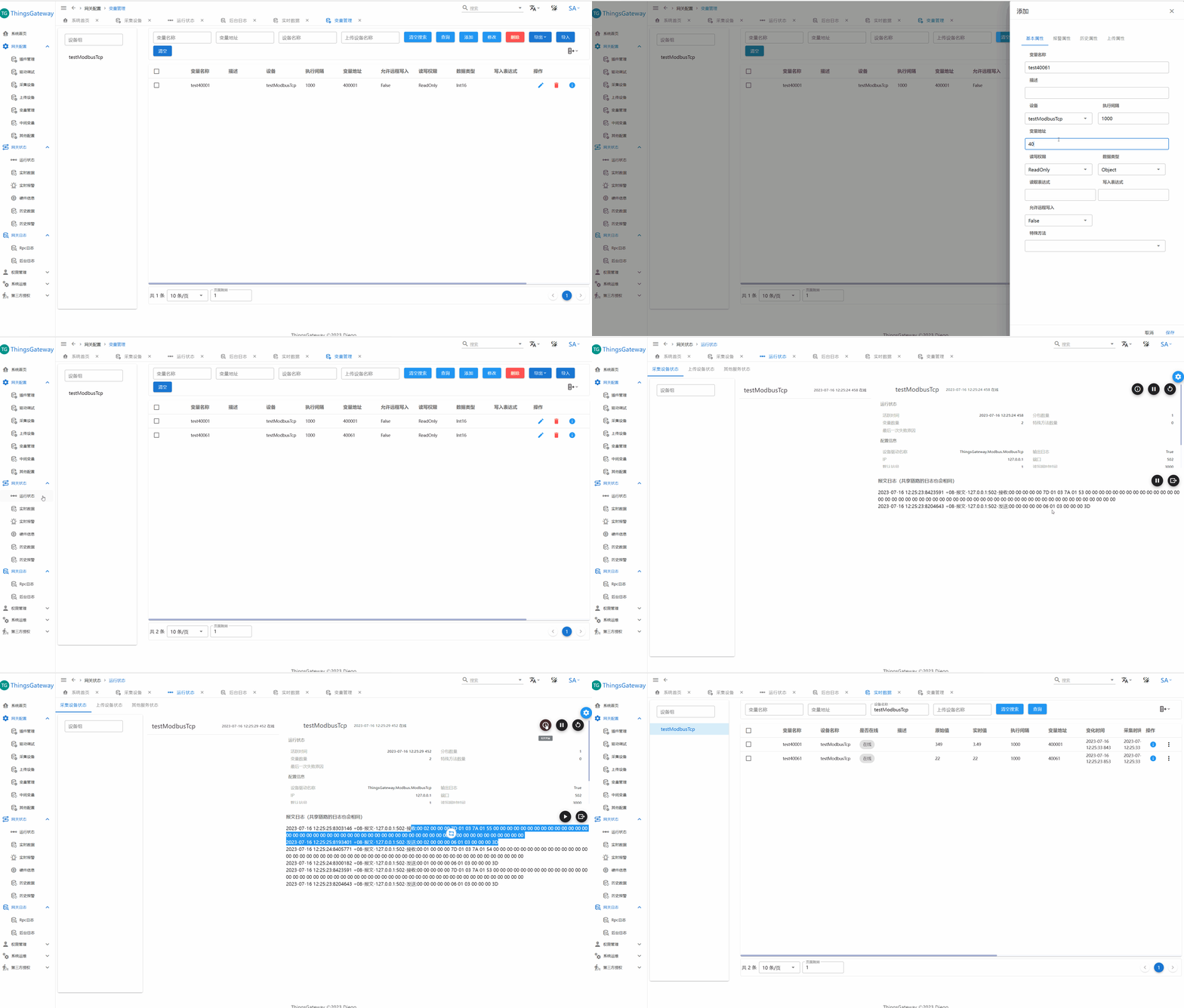
4.2. Subpackage analysis of multiple variables
When a ModbusTcp has tens of thousands of variables, the efficiency of reading them one by one is too low, and the problem will be solved very easily through the subcontracting restrictions of the gateway.

For example, the ModbusTcp plug-in currently being tested only needs to modify the maximum packaging length (default is 100), or directly default.
You can see the actual communication message, and only need to send the request once when reading it.
4.3. acquisition redundancy

Everyone should be familiar with the concept of redundancy, as should the acquisition redundancy of the gateway.
After configuring redundant equipment, when the acquisition equipment goes offline more than 3 times, it will be switched to the standby equipment.
v. About. NET
The following picture is taken from the official website of. NET: https://dotnet.microsoft.com/zh-cn/. The core idea: . NET is free, open source, fast and cross-platform, new and efficient:

5.1. . NET free and open source
NET is a free open source project developed and maintained on GitHub, which is home to millions of developers who want to create great content together.
5.2. . NET fast and cross-platform
According to TechEmpower,. NET executes faster than any other commonly used framework. Can be written, run and built on multiple platforms, including Windows, Linux and macOS.
5.3. . NET is new and efficient
NET helps you build applications for the Web, mobile, desktop, cloud, and more. NET has a strong support ecosystem and powerful tools, making it the most efficient platform for developers.