** Screen Toolbox **
- Do you have trouble opening WeChat or QQ screenshots every time you want to take a screenshot?
- Are you often upset that a certain library cannot copy text?
- Are you looking everywhere for tools when you need to get a certain color on the screen?
- Do you want to share the animation generated by screen operations with others ~~~
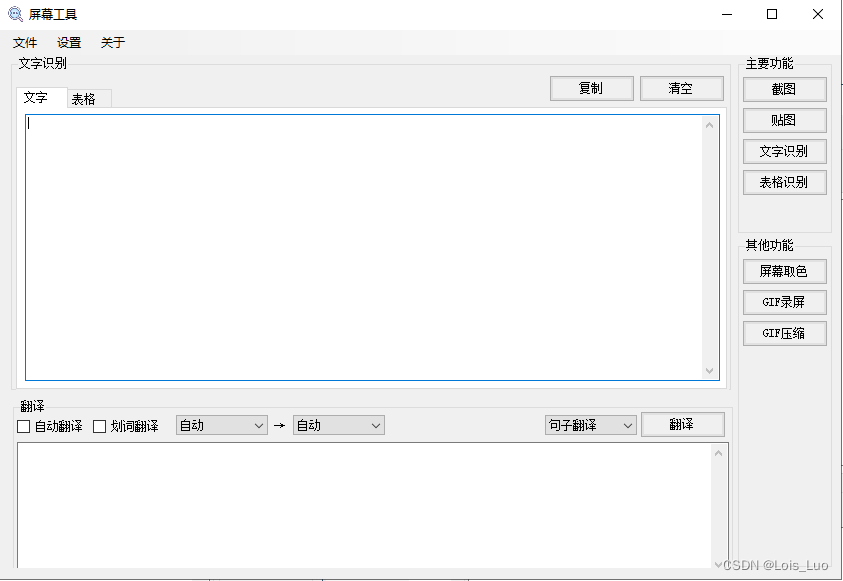
Recently, I searched for a long time but couldn't find a suitable and convenient tool when encountering the above needs, so I wrote a Windows screen tool myself. The functions include: screenshot, texture, screen color, screenshot text, form recognition (you need to apply for Baidu OCR service), screenshot translation, and word translation.
** Function preview **
** Main interface **

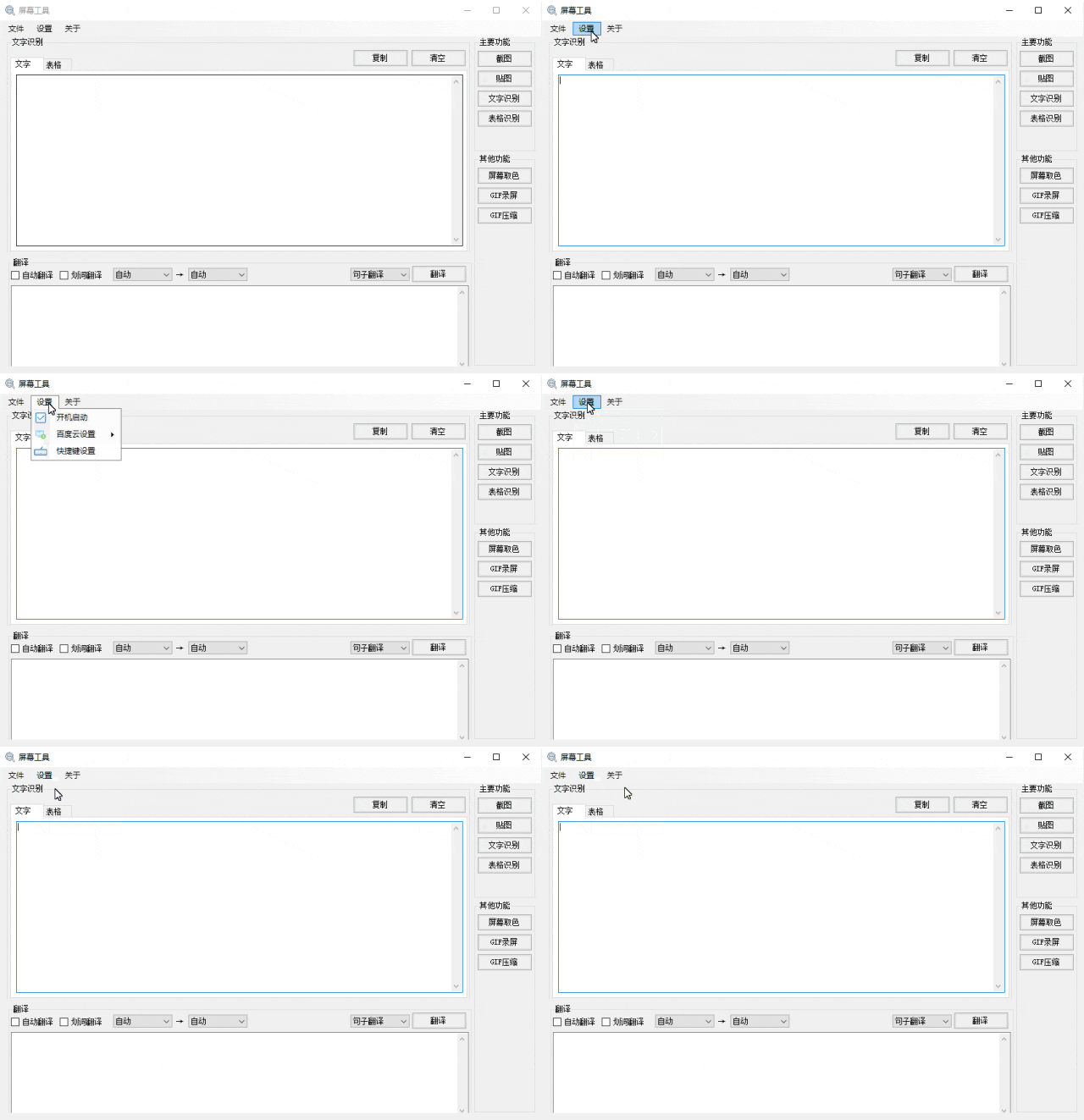
** Boot settings **
After setting and booting, you don't have to open it manually every time. You can use it directly every time you need screenshots or Optical Character Recognition.

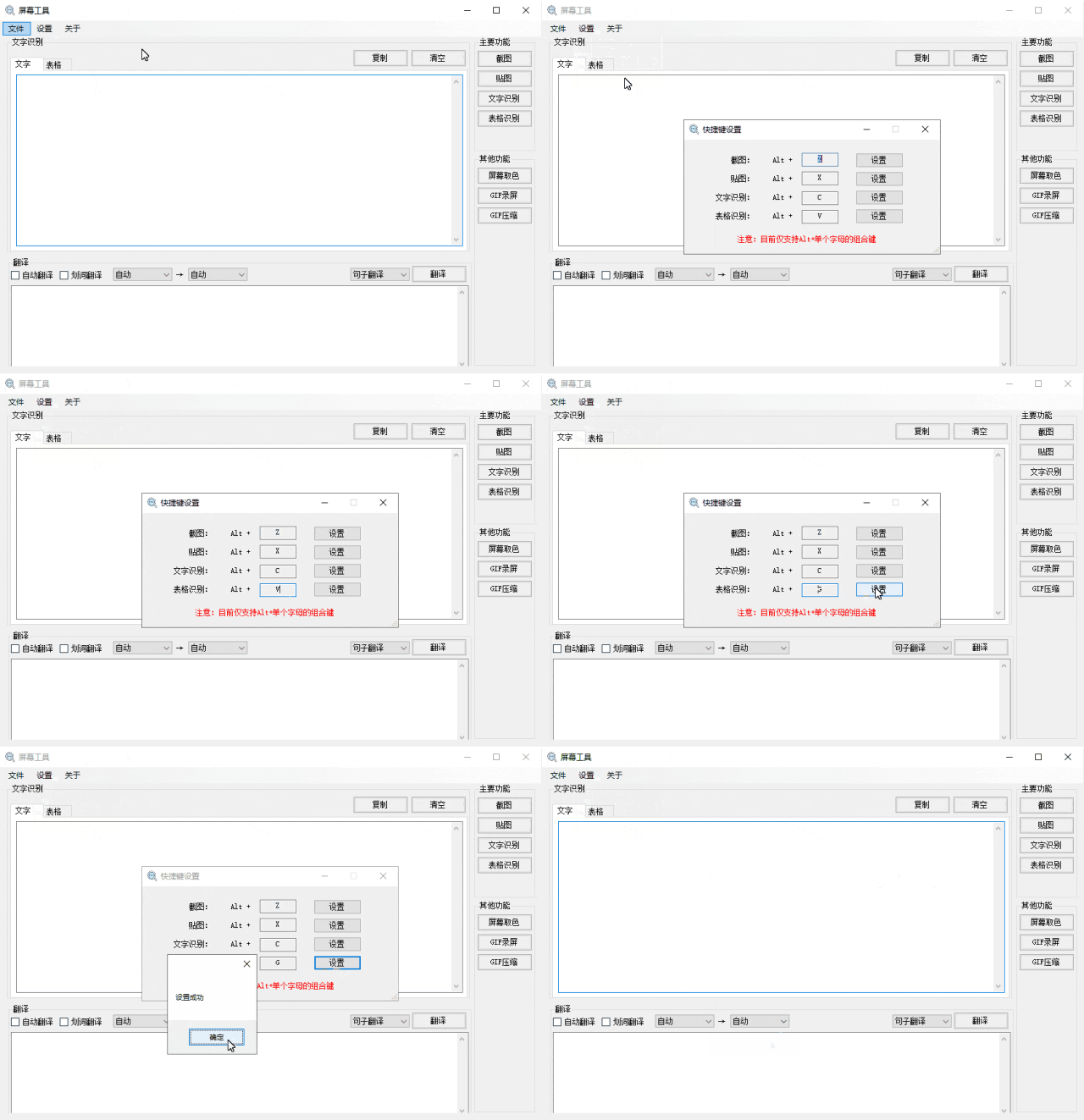
** Shortcut key settings **
You can quickly call screenshots, mapping, Optical Character Recognition, table recognition and other functions through shortcut key settings.

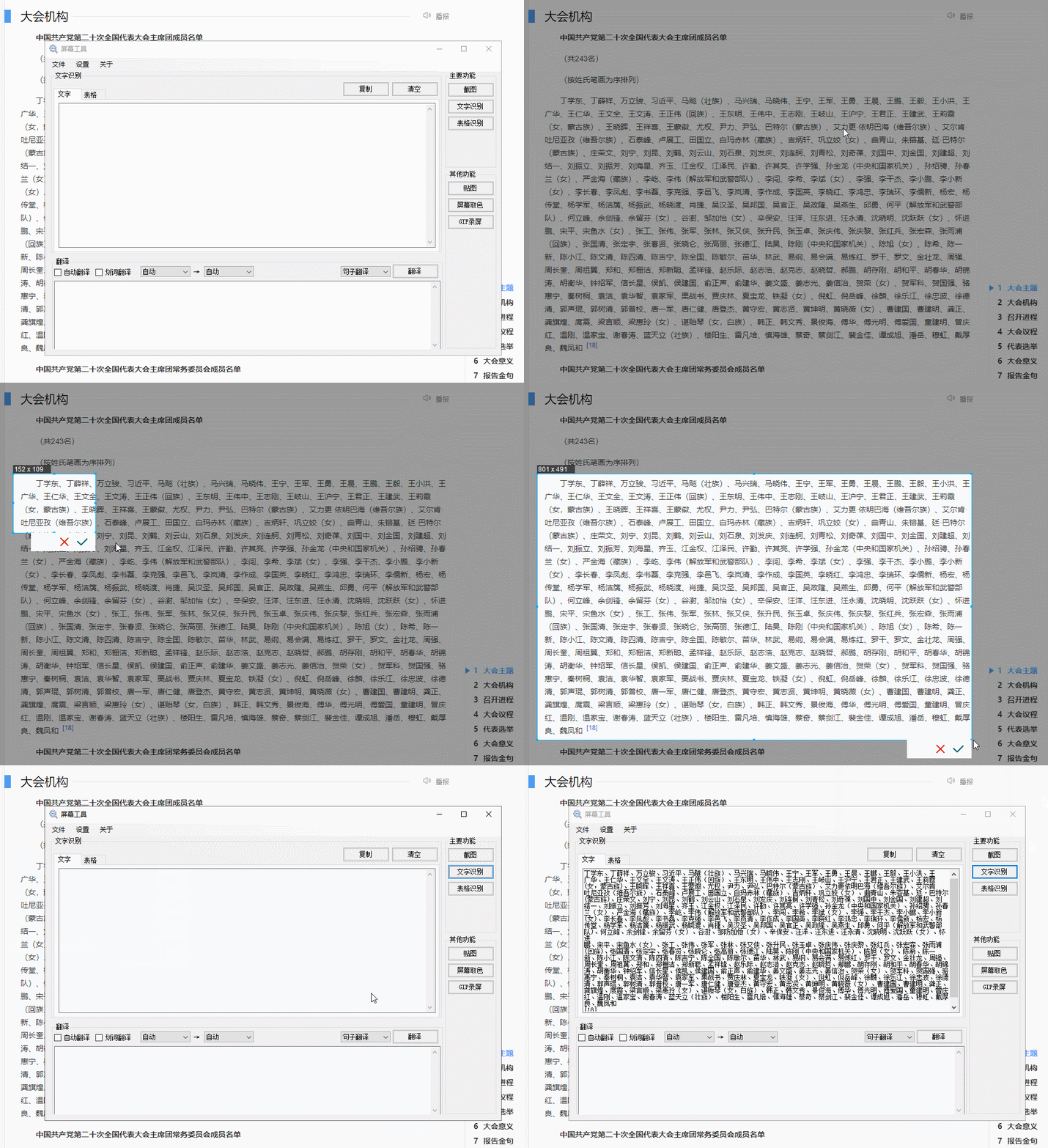
** Screenshot Optical Character Recognition **
By intercepting the text area on the screen, extracting the text in that area, and automatically copying it to the clipboard, you can directly paste it where you need it.

** Screen color picker **
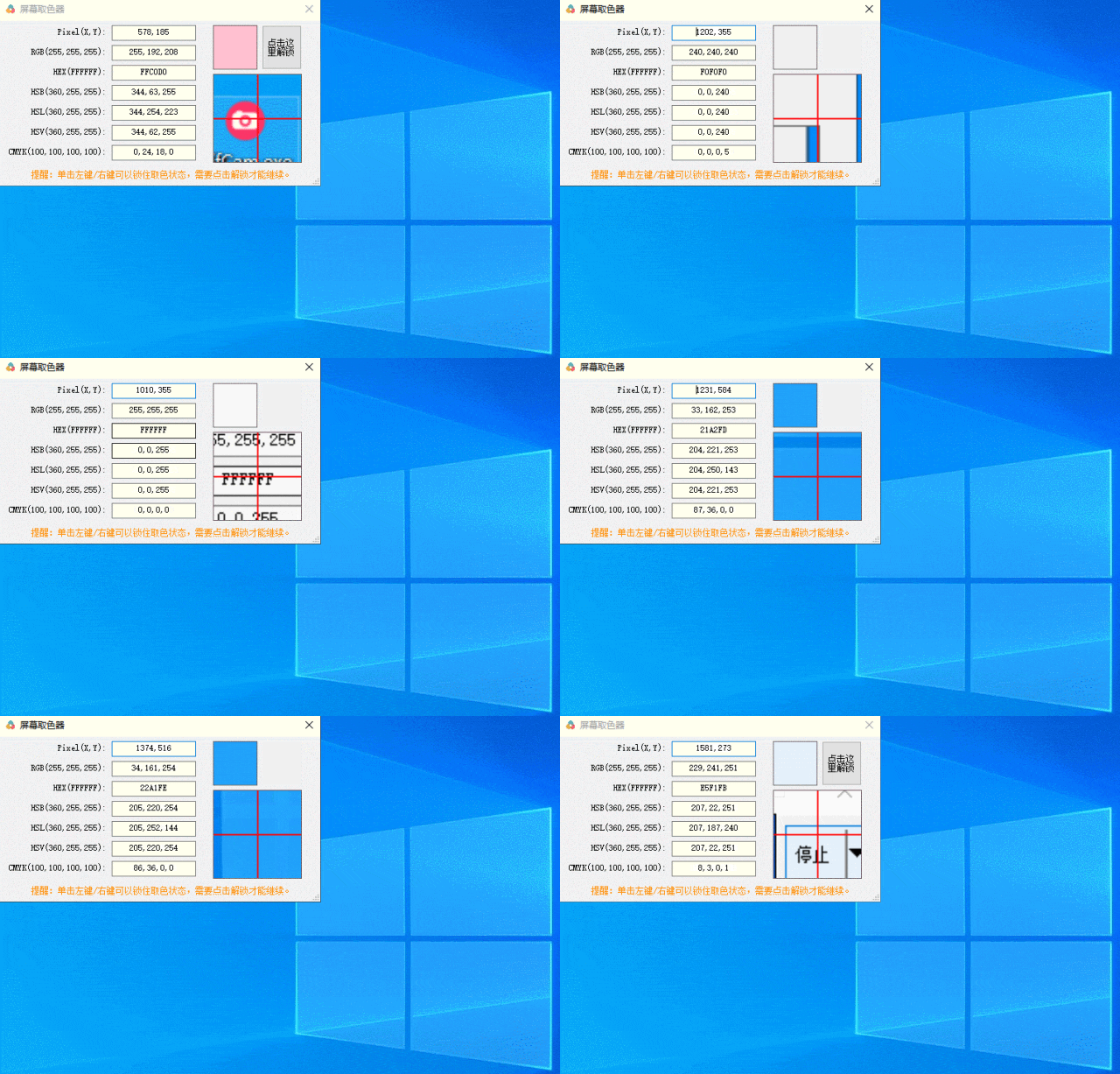
The screen color extractor extracts color values such as RGB, HSB, HSL, HSV, CMYK, etc. of a certain pixel.

**GIF recording screen **
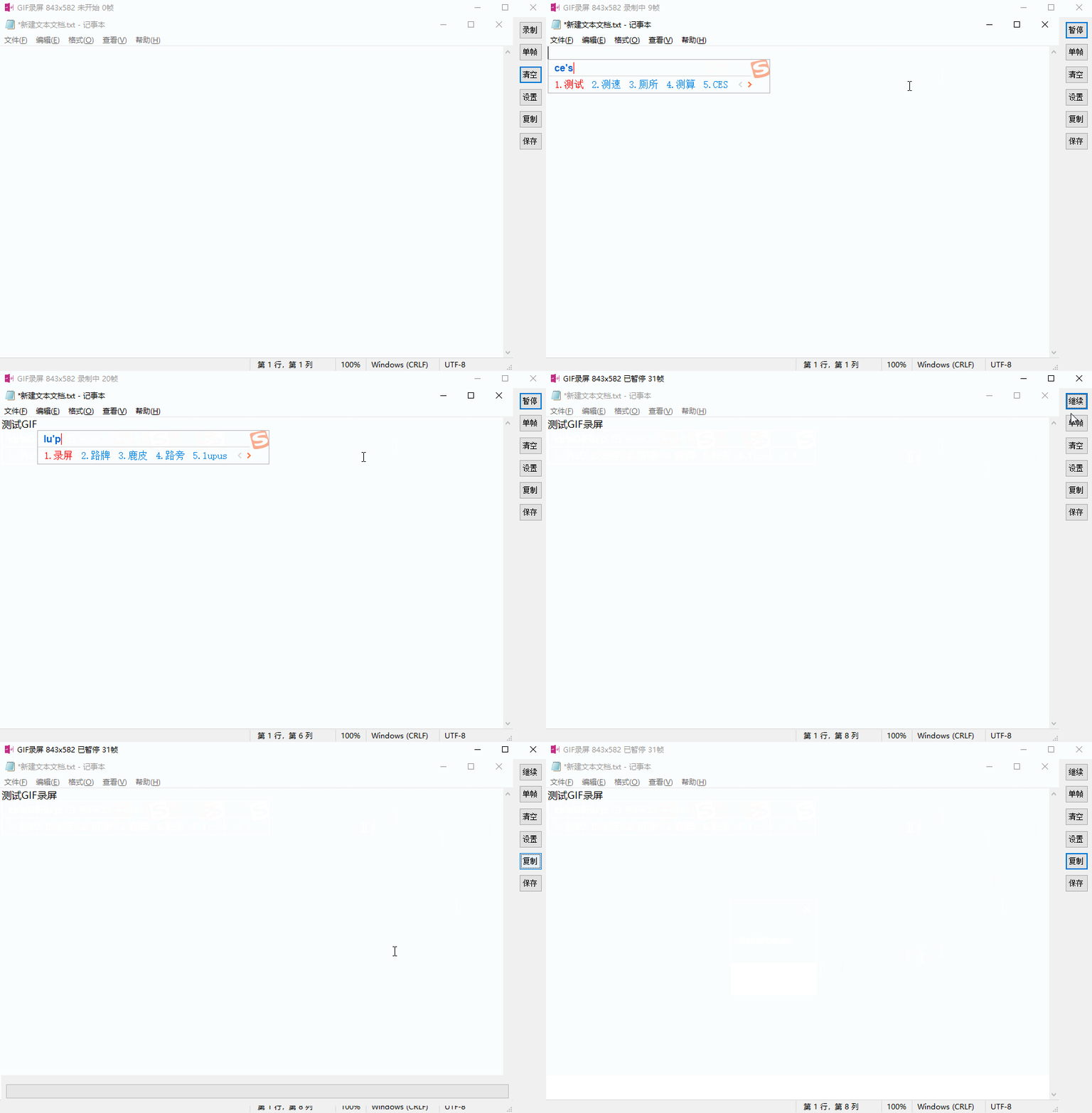
Record screen operations into GIF animations, including full-screen recording, custom area recording, mouse capture, save files or copy to clipboard and other functions.

Project address: