
本文由网友投稿
作者:且听风吟
原文标题:基于 FlaUI 自动化+chatGPT 实现微信自动回复
原文链接:https://blog.csdn.net/ftfmatlab/article/details/132589169
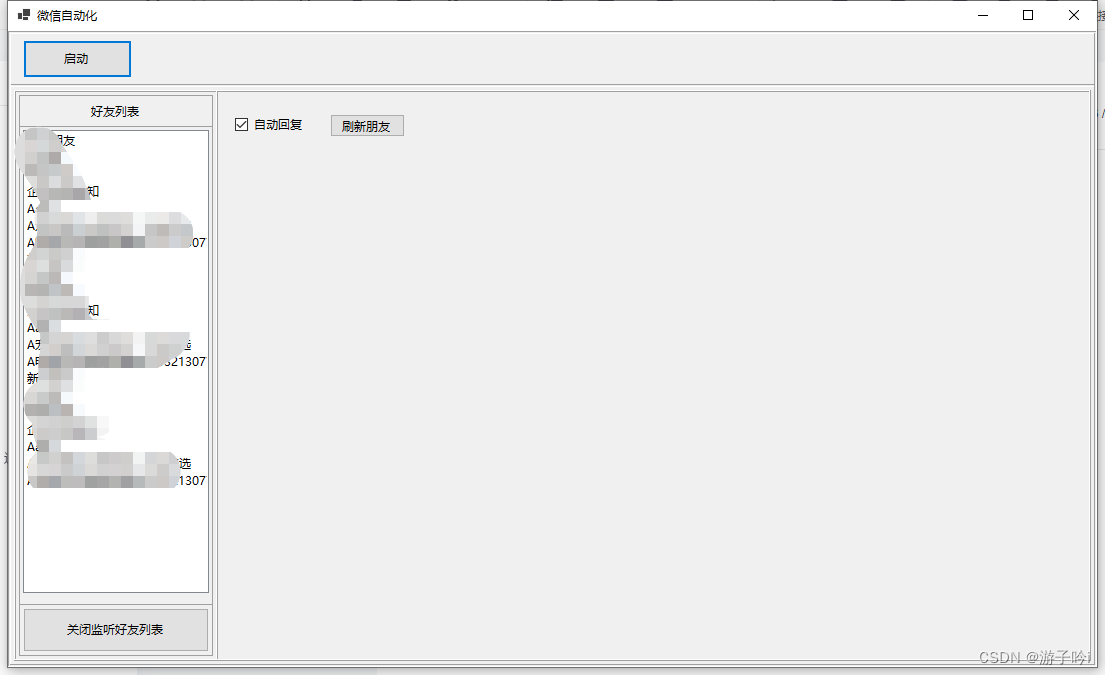
1. 先看效果图
获取微信好友列表
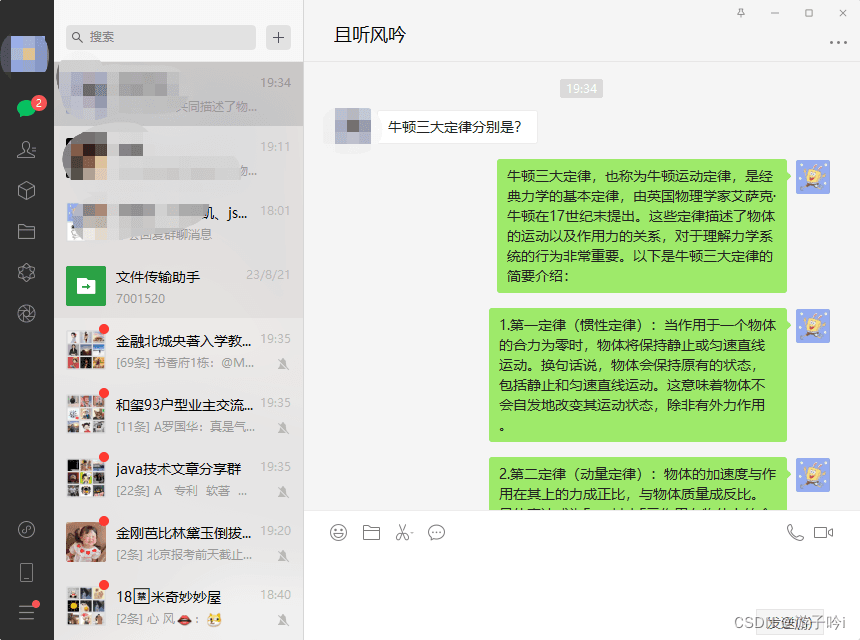
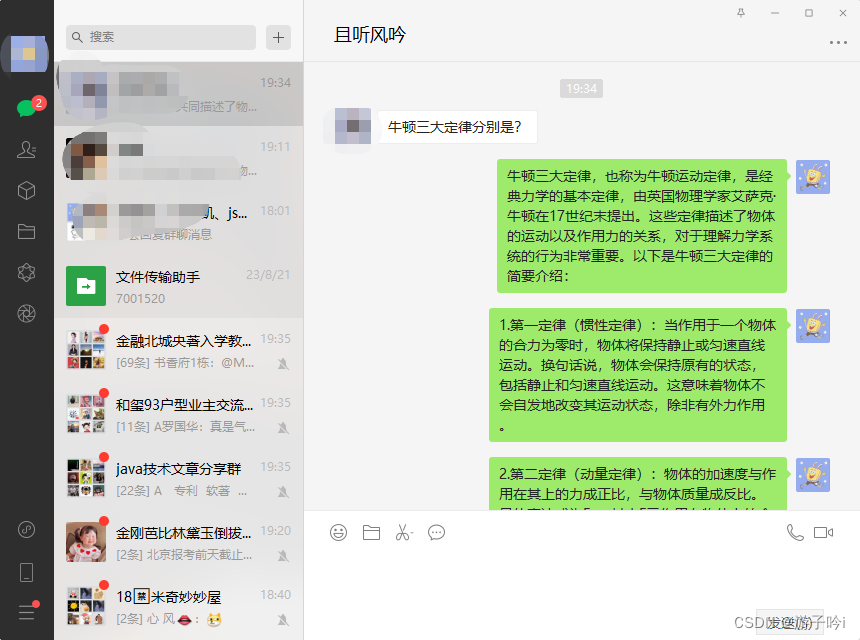
自动问答效果
2. 本文实现功能
本次主要介绍如何实现自动回复:
将文件传输助手置顶,模拟鼠标点击文件传输助手;
一直刷新会话列表,有新的消息就需要回复内容;
当刷新到新的消息时,模拟鼠标点击到对应的会话人,此时判断是群聊还是人,如果是群聊则不回复。
获取消息后转发给 chatGPT,同时等待 chatGPT 回复内容。
获取 chatGPT 的内容后将内容输入到微信聊天框,并模拟鼠标点击发送按钮。
模拟鼠标点击文件传输助手,等待其他消息。。。。
3. 功能代码
3.1. 获取聊天消息并发送
void GetChatInfo()
{
     if (!IsInit)
     {
          return;
     }
     if (wxWindow == null)
     {
          return;
     }

     //wxWindow.FindAllDescendants(x => x.ByControlType(FlaUI.Core.Definitions.ControlType.Button)).AsParallel().FirstOrDefault(s =>s!=null && s.Name == "聊天")?.Click(false);
     wxWindow.FindFirstDescendant(cf => cf.ByName("聊天"))?.Click(false);
     Task.Run(() =>
     {
          AutomationElement? assFirst = null;
          object obj = new object();
          while (true)
          {
          if (ChatListCancellationToken.IsCancellationRequested)
          {
               break;
          }

          try
          {
               DateTime dateTime3 = DateTime.Now;
               var searchTextBox = wxWindow.FindFirstDescendant(cf => cf.ByName("会话")).AsListBoxItem();

               if (searchTextBox != null)
               {
                    var list = searchTextBox.FindAllChildren();
                    if (assFirst == null)
                    {
                         assFirst = list.AsParallel().FirstOrDefault(t => t != null && "文件传输助手".Equals(t.Name));// 并行查询---需要将文件传输助手置顶
                         assFirst?.Click();
                         continue;
                    }

                    Parallel.ForEach(list, item =>
                    {
                         if (item != null && !string.IsNullOrEmpty(item.Name) && !"折叠置顶聊天".Equals(item.Name)
                              && !"腾讯新闻".Equals(item.Name) && !"群聊".Contains(item.Name))
                         {
                              DateTime t1= DateTime.Now;
                              var allText = item.FindAllByXPath(".//Text");//   定位元素的局部搜索: .//Text;   全局搜索: //*/Text
                              DateTime t2 = DateTime.Now;
                              Trace.WriteLine($"allText用时:{(t2 - t1).TotalMilliseconds}ms");
                              // 回复消息列表还未回复的
                              if (allText != null && allText.Length >= 4)
                              {
                              if (int.TryParse(allText[3].Name, out var count) && count > 0)
                              {
                                   lock (obj)
                                   {
                                        var name = allText[0].Name;
                                        var time = allText[1].Name;
                                        var content = allText[2].Name;
                                        if (wxWindow.Patterns.Window.PatternOrDefault != null)
                                        {
                                             //将微信窗体设置为默认焦点状态
                                             wxWindow.Patterns.Window.Pattern.SetWindowVisualState(FlaUI.Core.Definitions.WindowVisualState.Normal);
                                        }

                                        item.Click();
                                        DateTime t7= DateTime.Now;
                                        var itemFirst = wxWindow.FindAllDescendants(x => x.ByControlType(FlaUI.Core.Definitions.ControlType.Text)).AsParallel()
                                        .FirstOrDefault(t =>t!=null && t.Parent.ControlType == ControlType.Pane && !t.IsOffscreen && t.Name.Trim().IsSpecificNumbers());
                                        DateTime t8= DateTime.Now;
                                        Trace.WriteLine($"itemFirst:{(t8 - t7).TotalMilliseconds}ms");
                                        // 判断是否为群聊
                                        if (itemFirst == null)
                                        {
                                             AutoGetMesg(content);
                                        }
                                        assFirst?.Click();
                                   }
                              }
                              }
                         }
                    });

                    DateTime dateTime4 = DateTime.Now;
                    Trace.WriteLine($"任务888耗时:{(dateTime4 - dateTime3).TotalMilliseconds}ms");
               }
               else
               {
                    Thread.Sleep(10);
                    continue;
               }

               //ScrollEvent(-700);

          }
          catch (Exception ex)
          {
               continue;
          }
          finally
          {
               //await Task.Delay(1);
          }
          }
     }, ChatListCancellationToken);
}
3.2. 自动回复
IChat _chat;
private void AutoGetMesg(string txt)
{
     if (_chat == null)
     {
          _chat = new ChatAchieve();
          _chat.RequestContent = GetMessage;
     }
     Trace.WriteLine($"发送消息:{txt}");
     _chat.RequestGPT(txt);
}

private FlaUI.Core.AutomationElements.TextBox _mesText;
public FlaUI.Core.AutomationElements.TextBox MesText
{
     get
     {
          if (_mesText == null)
          _mesText = wxWindow.FindFirstDescendant(x => x.ByControlType(FlaUI.Core.Definitions.ControlType.Text)).AsTextBox();

          return _mesText;
     }
}
private AutomationElement? _btnSend;
public AutomationElement? btnSend
{
     get
     {
          if (_btnSend == null)
          {
          _btnSend = wxWindow.FindFirstDescendant(cf => cf.ByName("sendBtn"));
          //_btnSend = wxWindow.FindAllDescendants(x => x.ByControlType(FlaUI.Core.Definitions.ControlType.Button)).FirstOrDefault(s => s.Name == "发送(S)");
          }

          return _btnSend;
     }
}
const int _offSize = 300;
private void GetMessage(string mes)
{
     SendMes(mes);
     Trace.WriteLine($"回复:{mes}");
}
private void SendMes(string mes)
{
     if (wxWindow.Patterns.Window.PatternOrDefault != null)
     {
          //将微信窗体设置为默认焦点状态
          wxWindow.Patterns.Window.Pattern.SetWindowVisualState(FlaUI.Core.Definitions.WindowVisualState.Normal);
     }
     int tempLen = 0;
     string txt = string.Empty;
     try
     {
          if (!string.IsNullOrWhiteSpace(mes))
          {
          string[] lines = mes.Split(Environment.NewLine);

          foreach (string line in lines)
          {
               tempLen += line.Length;
               txt += line + Environment.NewLine;
               if (tempLen > _offSize)
               {
                    MesText.Text = txt;
                    btnSend?.Click();
                    tempLen = 0;
                    txt = string.Empty;
               }
          }
          if (!string.IsNullOrWhiteSpace(txt))
          {
               MesText.Text = txt;
               Thread.Sleep(3);
               btnSend?.Click();
          }
          }
     }
     catch (Exception ex)
     {
          Trace.WriteLine(ex.Message);
          MesText.Text = txt;
          btnSend?.Click();
     }
}
3.3. 其他代码
/// <summary>
/// 启动
/// </summary>
/// <param name="sender"></param>
/// <param name="e"></param>
private void btnStart_Click(object sender, EventArgs e)
{
     InitWechat();
}

private void FrmMain_Load(object sender, EventArgs e)
{

}

private void FrmMain_FormClosing(object sender, FormClosingEventArgs e)
{
     this.Dispose();
     GC.Collect();
}
private CancellationToken FriendCancellationToken { get; set; }
private CancellationTokenSource FriendTokenSource { get; set; }
private CancellationToken ChatListCancellationToken { get; set; }
private CancellationTokenSource ChatListTokenSource { get; set; }
private CancellationToken GetFriendCancellationToken { get; set; }
private CancellationTokenSource GetFriendTokenSource { get; set; }
/// <summary>
/// 微信的进程ID
/// </summary>
private int ProcessId { get; set; }
/// <summary>
/// 微信窗体
/// </summary>
private Window wxWindow { get; set; }
private bool IsInit { get; set; }
/// <summary>
/// 获取
/// </summary>
void GetWxHandle()
{
     var process = Process.GetProcessesByName("Wechat").FirstOrDefault();
     if (process != null)
     {
          ProcessId = process.Id;
     }
}
/// <summary>
/// 加载微信
/// </summary>
void InitWechat()
{
     IsInit = true;
     GetWxHandle();
     GetFriendTokenSource = new CancellationTokenSource();
     GetFriendCancellationToken = GetFriendTokenSource.Token;
     ChatListTokenSource = new CancellationTokenSource();
     ChatListCancellationToken = ChatListTokenSource.Token;
     FriendTokenSource = new CancellationTokenSource();
     FriendCancellationToken = FriendTokenSource.Token;
     //根据微信进程ID绑定FLAUI
     try
     {
          var application = FlaUI.Core.Application.Attach(ProcessId);
          var automation = new UIA3Automation();
          //获取微信window自动化操作对象
          wxWindow = application.GetMainWindow(automation);
     }
     catch (Exception ex)
     {
          if (MessageBox.Show(ex.Message, "异常", MessageBoxButtons.OK, MessageBoxIcon.Error) == DialogResult.OK)
          this.Close();
     }


     // 加载好友
     IsListenCronyList = true;
     // 加载聊天信息
     GetChatInfo();
}
/// <summary>
/// 获取好友列表
/// </summary>
void GetFriends()
{
     if (!IsInit)
     {
          return;
     }
     if (wxWindow == null)
     {
          return;
     }

     if (wxWindow.Patterns.Window.PatternOrDefault != null)
     {
          //将微信窗体设置为默认焦点状态
          wxWindow.Patterns.Window.Pattern.SetWindowVisualState(FlaUI.Core.Definitions.WindowVisualState.Normal);
     }

     wxWindow.FindAllDescendants(x => x.ByControlType(FlaUI.Core.Definitions.ControlType.Button)).AsParallel()
          .FirstOrDefault(item => item != null && item.Name == "通讯录")?.Click(false);

     string lastName = string.Empty;
     var list = new List<AutomationElement>();
     var sync = SynchronizationContext.Current;
     Task.Run(async () =>
     {
          while (true)
          {
          if (GetFriendCancellationToken.IsCancellationRequested)
               break;
          var all = wxWindow.FindAllDescendants(x => x.ByControlType(FlaUI.Core.Definitions.ControlType.ListItem));
          var allItem = all.AsParallel().Where(s => s != null && s.Parent != null && "联系人".Equals(s.Parent?.Name)).ToList();
          foreach (var item in allItem)
          {
               if (!string.IsNullOrWhiteSpace(item.Name) && !listBox1.Items.Contains(item.Name.ToString()))
               {
                    sync.Post(s =>
                    {
                         listBox1.Items.Add(s);
                    }, item.Name.ToString());
               }

          }
          //ScrollEvent(-700);

          await Task.Delay(1);
          }
     }, GetFriendCancellationToken);
}
/// <summary>
/// 监听好友列表
/// </summary>
/// <param name="sender"></param>
/// <param name="e"></param>
private void btnListenCronyList_Click(object sender, EventArgs e)
{
     IsListenCronyList = !IsListenCronyList;
}
private bool _isListenCronyList = false;
public bool IsListenCronyList
{
     set
     {
          if (_isListenCronyList == value)
          return;

          _isListenCronyList = value;
          string txt = string.Empty;
          if (value)
          {
          txt = "关闭监听好友列表";
          GetFriends();
          }
          else
          {
          txt = "开启监听好友列表";
          GetFriendTokenSource.Cancel();
          }
          btnListenCronyList.ExecBeginInvoke(() =>
          {
          btnListenCronyList.Text = txt;
          });
     }
     get => this._isListenCronyList;
}
3.4. 扩展方法
internal static class SystemEx
{
     /// <summary>
     /// 跨线程操作控件
     /// </summary>
     /// <param name="con"></param>
     /// <param name="action"></param>
     public static void ExecBeginInvoke(this Control con, Action action)
     {
          if (action == null) return;
          if (con.InvokeRequired)
          {
               con.BeginInvoke(new Action(action));
          }
          else
          {
               action();
          }
     }
     public static void ExecInvoke(this Control con, Action action)
     {
          if (action == null) return;
          if (con.InvokeRequired)
          {
               con.Invoke(new Action(action));
          }
          else
          {
               action();
          }
     }
     const string PARRERN = @"^\(\d+\)$";
     public static bool IsSpecificNumbers(this string txt)
     {
          return Regex.IsMatch(txt, PARRERN);
     }
}
注:ChatAchieve 是 IChat 的实现,是对 chatGPT 的实现
public interface IChat
{
     Action<string> RequestContent { get; set; }
     void RequestGPT(string content);
}
作者懒,不愿意将代码放仓库,源码直接丢站长了,大家需要直接点击下载:https://img1.dotnet9.com/2023/08/WeChat.Automation.zip
技术交流添加 QQ 群:771992300
或扫站长微信(codewf,备注“加群”)加入微信技术交流群: