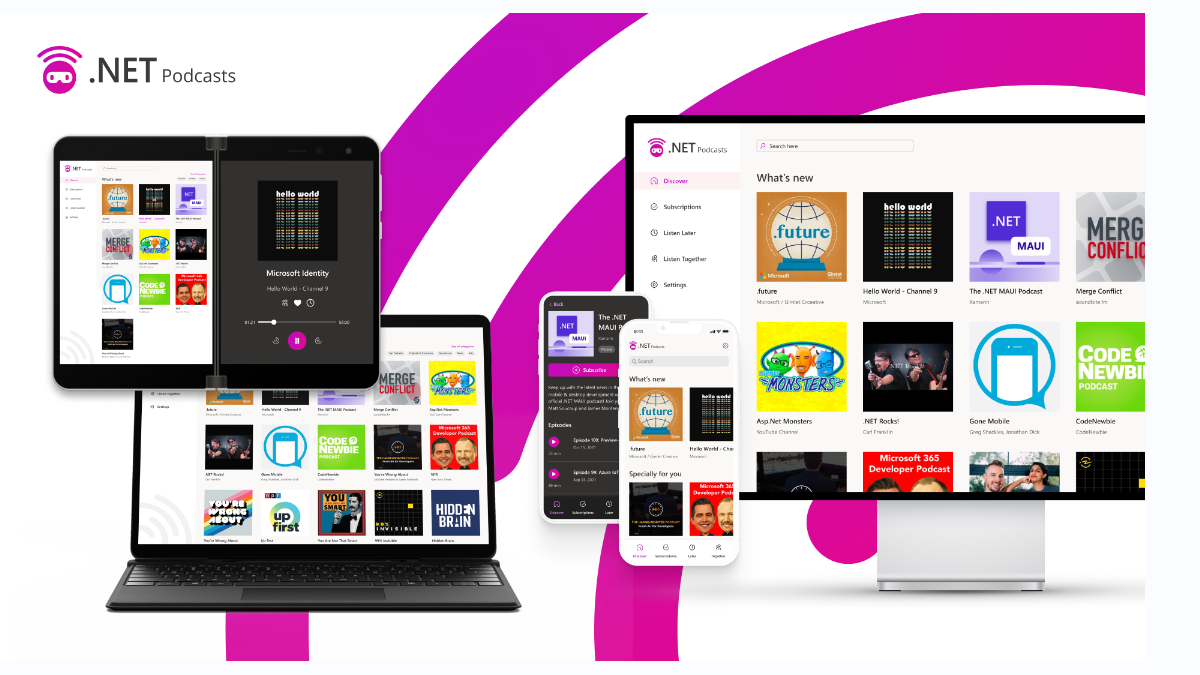
介紹
在.NET Conf 2021 大會上,微軟展示了基於.NET6 跨平台應用程式,具有 ASP.NET Core、Blazor、.NET MAUI、微服務等功能。 瀏覽由 ASP.NET Core 和 Blazor 提供支援的 .NET Podcasts 應用的即時運作版本:https://dotnetpodcasts.azurewebsites.net/。
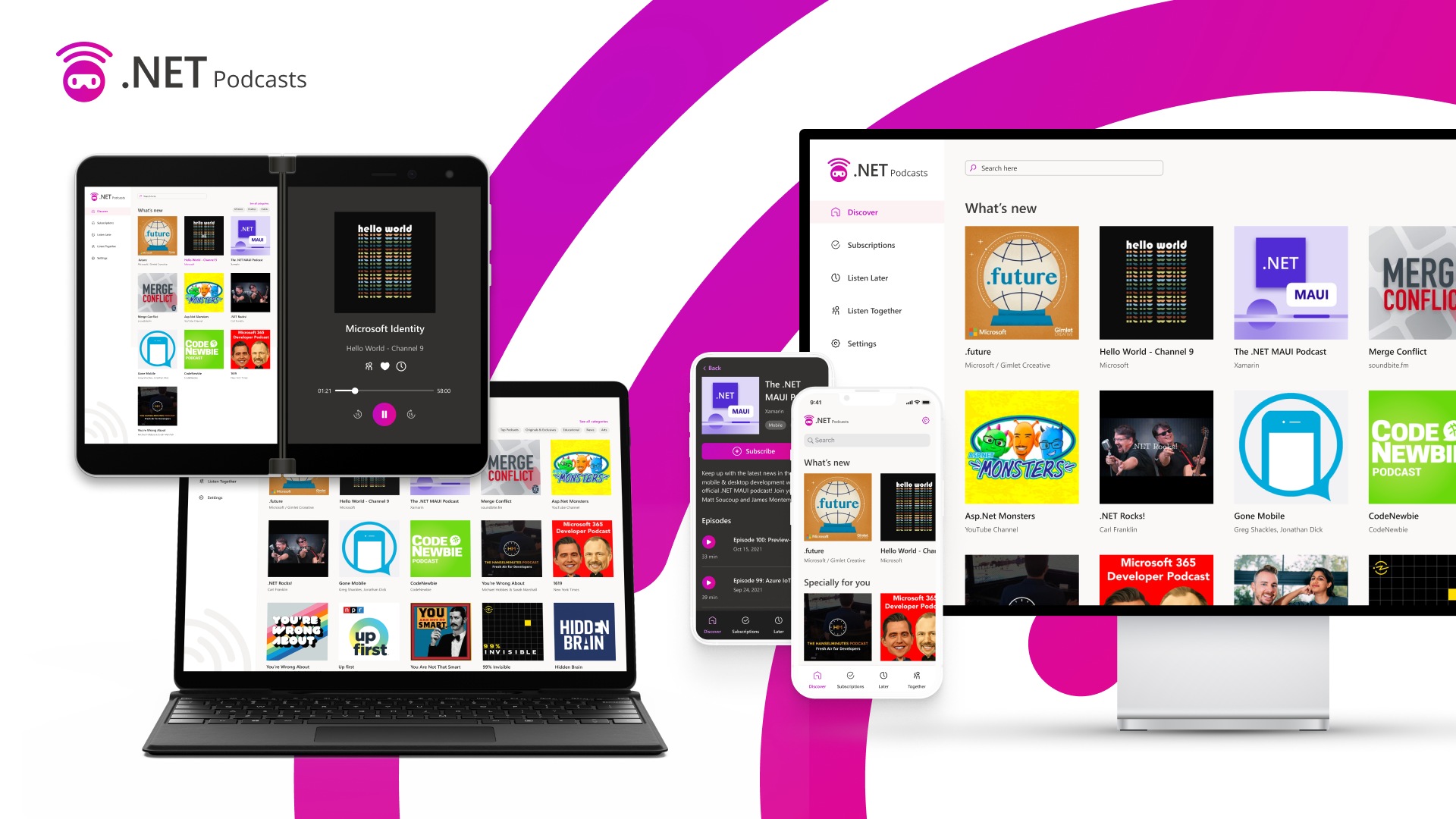
專案體系
行動端和桌面:適用於 iOS、Android、macOS 和 Windows 的原生 .NET MAUI 應用程式
- Web:Blazor WebAssembly 應用程式和 ASP.NET Core Blazor 網站
- API:ASP.NET Core Web API、injestion worker 和 podcast update worker
- Blazor 混合應用程式:.NET MAUI 與 Blazor 的混合應用程式範例。
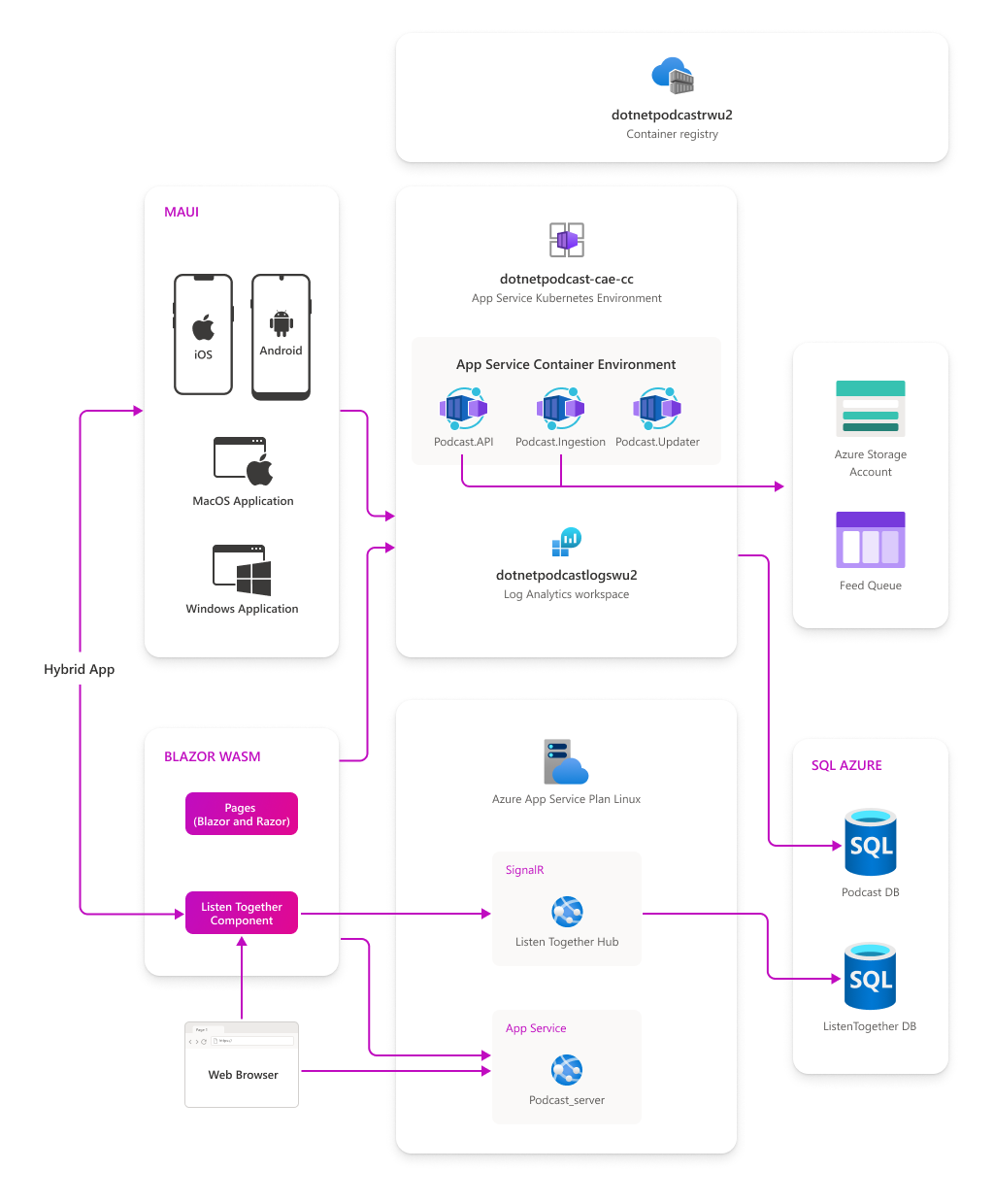
MAUI 專案
單一程式碼庫的跨平台專案解決方案,適用於 Android、iOS、macOS 以及 Windows 的原生.NET 應用程式,解決方案如下:
特徵介紹
- Global Usings
全域參考,只需要在任何 using 陳述式之前添加 Global 關鍵字,即可使該參考成為全域
global using Microsoft.Maui;
- 內建主題
透過 UserAppTheme 修改基於不同平台的主題設定,Light/Dark
switch (Settings.Theme)
{
    default:
    case OSAppTheme.Light:
        App.Current.UserAppTheme = OSAppTheme.Light;
        break;
    case OSAppTheme.Dark:
        App.Current.UserAppTheme = OSAppTheme.Dark;
        break;
}
- 訊息中心
使用過類似 mvvmlight 中的 Messenger 類似,可以透過 Subscribe/Send/Unsubscribe 來完成訂閱、發佈、取消訂閱等功能。
//訂閱
MessagingCenter.Instance.Subscribe<string>("","",async (sender) =>
				{
		                    //...
				});

//取消訂閱
MessagingCenter.Instance.Unsubscribe<string>("", "");

//發佈
MessagingCenter.Instance.Send<string>("", "");
- 內建容器
MAUI 中提供的統一註冊以及容器服務,透過 MauiAppBuilder 添加自訂服務以及透過 MauiWinUIApplication 取得對應服務。
//註冊服務
public static MauiAppBuilder ConfigureServices(this MauiAppBuilder builder)
{
    builder.Services.TryAddSingleton<PlayerService>();
}

//呼叫平台的容器服務
public static class ServicesProvider
{
    public static TService GetService<TService>()
        => Current.GetService<TService>();

    public static IServiceProvider Current
        =>
#if WINDOWS10_0_17763_0_OR_GREATER
        MauiWinUIApplication.Current.Services;
#elif ANDROID
        MauiApplication.Current.Services;
#elif IOS || MACCATALYST
        MauiUIApplicationDelegate.Current.Services;
#else
        null;
#endif
}
統一資源管理
MAUI 中統一了資源的管理以及存取,例如:字型、圖示、樣式、本機資源檔等。
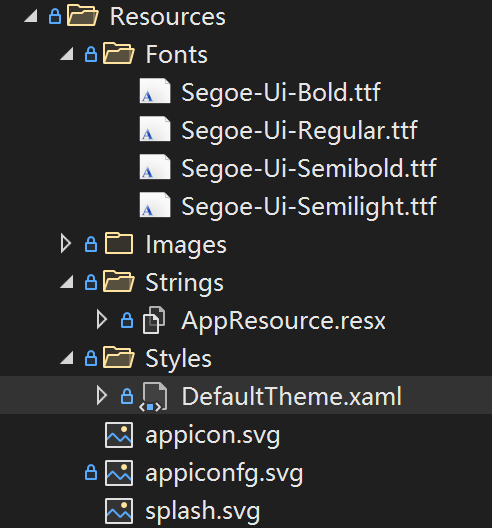
存取字型
<Setter Property="FontFamily" Value="SegoeUiSemibold" />
存取圖片資源
<image Source="xxx.png" />
在地化資源
xmlns:res="clr-namespace:Microsoft.NetConf2021.Maui.Resources.Strings"

<label Text="{x:Static res:AppResource.Categories}" />
平台化
在 XAML 以及程式碼中,你可以透過平台化處理不同的 UI 以及商業邏輯,可以透過 OnPlatform 以及 OnIdiom 來區分平台及類型。
不同平台下的字型設定
<label FontSize="{OnPlatform UWP=24, macOS=24, Android=14,iOS=14}" />
不同裝置的設定
<GridItemsLayout Span="{OnIdiom Phone=2, Tablet=3, Desktop=3}" />
Essentials
內建的 Essentials 提供存取本機網路 WIFI、藍牙等等。
//驗證是否連線
var current = Connectivity.NetworkAccess;
if (current != NetworkAccess.Internet)
{
    //...
}

//驗證是否存在WIFI連線
var profiles = Connectivity.ConnectionProfiles;
var hasWifi = profiles.Contains(ConnectionProfile.WiFi);

if (hasWifi)
{
    //...
}
混合模式
在 XAML 當中,使用 BlazorWebView
xmlns:b="clr-namespace:Microsoft.AspNetCore.Components.WebView.Maui;assembly=Microsoft.AspNetCore.Components.WebView.Maui"

<b:BlazorWebView
  x:Name="MyWebView"
  Margin="10,0"
  HostPage="wwwroot/index.html"
  BackgroundColor="{AppThemeBinding Light={StaticResource Grey1}, Dark={StaticResource Grey9}}"
>
  <b:BlazorWebView.RootComponents>
    <b:RootComponent
      Selector="app"
      ComponentType="{x:Type pages:ListenTogetherComponent}"
    />
  </b:BlazorWebView.RootComponents>
</b:BlazorWebView>
總結
專案已在 GitHub 發佈,https://github.com/microsoft/dotnet-podcasts,更多特性探索原始碼。