
NuGet Next 是一款基於 BaGet 的私有化 NuGet 管理平台,我們對 BaGet 進行了擴充,並提供了更多功能。
NuGet 最新版開源私有化套件管理,我們在 BaGet 的基礎上增加了更多功能,並對中國市場做了更多相容,例如本土化支援。
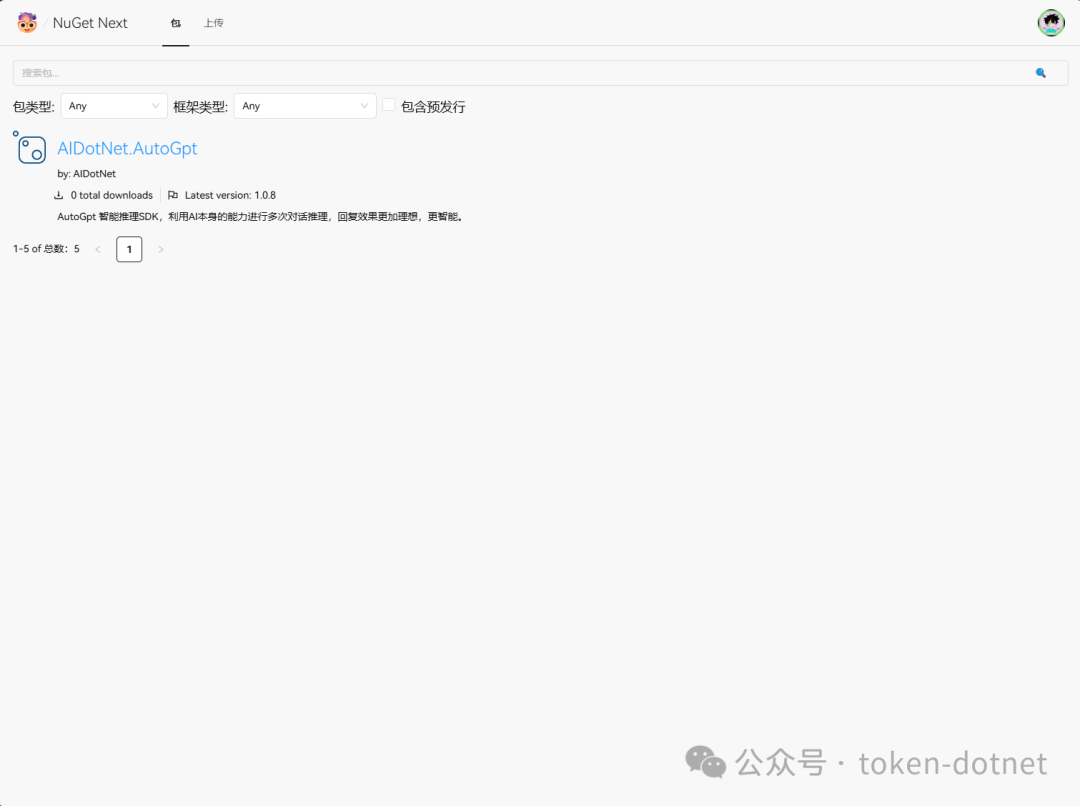
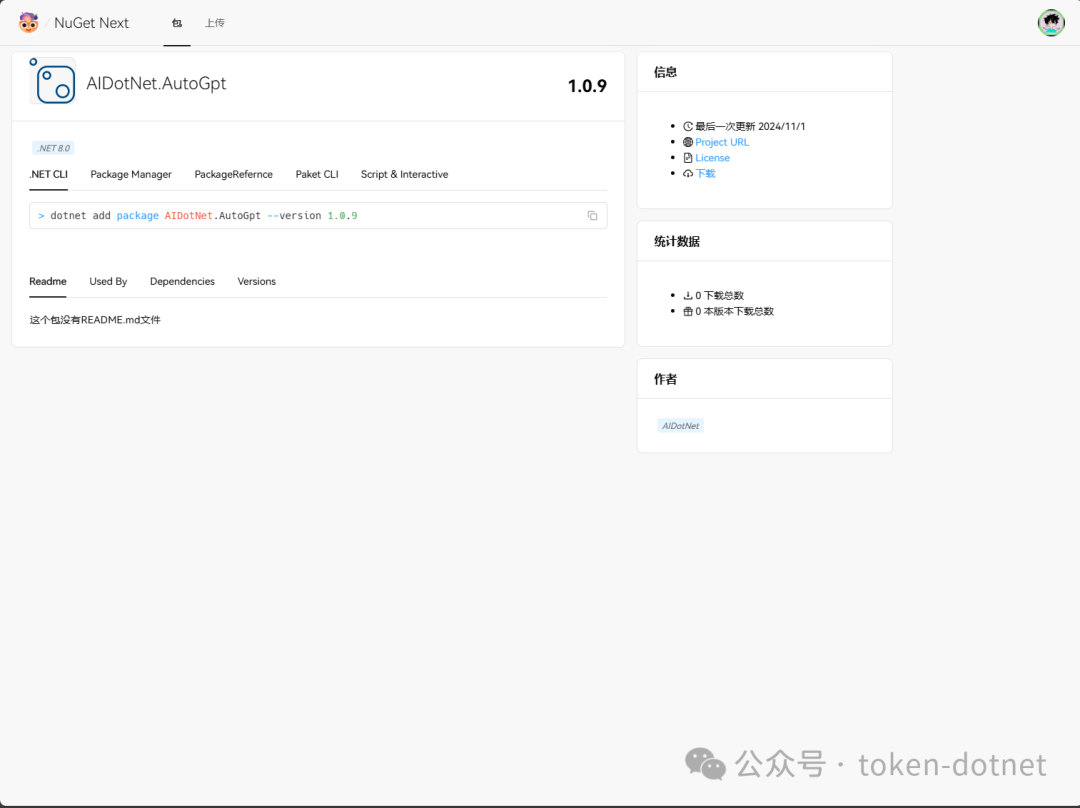
功能介紹
- 支援使用者管理
- 支援套件管理溯源
- 支援套件管理
- 使用者支援自訂 Key
- 支援 SqlServer 資料庫
- 支援 PostgreSql 資料庫
- 支援 MySql 資料庫
- 支援 DM(達夢)資料庫
快速部署
使用 docker compose 快速部署
version: '3.8'
services:
  nuget.next:
    image: registry.token-ai.cn/ai-dotnet/nuget-next
    build:
      context: .
      dockerfile: src/NuGet.Next/Dockerfile
    container_name: nuget-next
    ports:
      - "5000:8080"
    volumes:
      - ./nuget:/app/data # 請注意手動建立 data 目錄,否則在 Linux 下可能因權限問題導致無法寫入
    environment:
      - Database:Type=SqLite
      - Database:ConnectionString=Data Source=/app/data/nuget.db # 資料庫連線字串
      - Mirror:Enabled=true # 是否啟用鏡像來源
      - Mirror:PackageSource=https://api.nuget.org/v3/index.json # 鏡像來源,若本地沒有會自動從鏡像來源拉取
      - RunMigrationsAtStartup:true # 是否在啟動時執行遷移,若是首次啟動請設為 true
docker-compose up -d
本土化支援
version: '3.8'
services:
  nuget.next:
    image: registry.token-ai.cn/ai-dotnet/nuget-next
    build:
      context: .
      dockerfile: src/NuGet.Next/Dockerfile
    container_name: nuget-next
    ports:
      - "5000:8080"
    volumes:
      - ./nuget:/app/data # 請注意手動建立 data 目錄,否則在 Linux 下可能因權限問題導致無法寫入
    environment:
      - Database:Type=DM # 達夢資料庫
      - Database:ConnectionString=Server=localhost;User id=SYSDBA;PWD=SYSDBA;DATABASE=NUGET # 資料庫連線字串
      - Mirror:Enabled=true # 是否啟用鏡像來源
      - Mirror:PackageSource=https://api.nuget.org/v3/index.json # 鏡像來源,若本地沒有會自動從鏡像來源拉取
      - RunMigrationsAtStartup:true # 是否在啟動時執行遷移,若是首次啟動請設為 true
docker-compose up -d
PostgreSql 資料庫
version: '3.8'
services:
  nuget.next:
    image: registry.token-ai.cn/ai-dotnet/nuget-next
    build:
      context: .
      dockerfile: src/NuGet.Next/Dockerfile
    container_name: nuget-next
    ports:
      - "5000:8080"
    volumes:
      - ./nuget:/app/data # 請注意手動建立 data 目錄,否則在 Linux 下可能因權限問題導致無法寫入
    environment:
      - Database:Type=PostgreSql
      - Database:ConnectionString=Host=postgres;Port=5432;Database=nuget-next;Username=token;Password=dd666666;
      - Mirror:Enabled=true # 是否啟用鏡像來源
      - Mirror:PackageSource=https://api.nuget.org/v3/index.json # 鏡像來源,若本地沒有會自動從鏡像來源拉取
      - RunMigrationsAtStartup:true # 是否在啟動時執行遷移,若是首次啟動請設為 true
docker-compose up -d
MySql 資料庫
version: '3.8'
services:
  nuget.next:
    image: registry.token-ai.cn/ai-dotnet/nuget-next
    build:
      context: .
      dockerfile: src/NuGet.Next/Dockerfile
    container_name: nuget-next
    ports:
      - "5000:8080"
    volumes:
      - ./nuget:/app/data # 請注意手動建立 data 目錄,否則在 Linux 下可能因權限問題導致無法寫入
    environment:
      - Database:Type=MySql
      - Database:ConnectionString=Server=mysql;Port=3306;Database=nuget-next;Uid=root;Pwd=dd666666;
      - Mirror:Enabled=true # 是否啟用鏡像來源
      - Mirror:PackageSource=https://api.nuget.org/v3/index.json # 鏡像來源,若本地沒有會自動從鏡像來源拉取
      - RunMigrationsAtStartup:true # 是否在啟動時執行遷移,若是首次啟動請設為 true
docker-compose up -d
SqlServer 資料庫
version: '3.8'
services:
  nuget.next:
    image: registry.token-ai.cn/ai-dotnet/nuget-next
    build:
      context: .
      dockerfile: src/NuGet.Next/Dockerfile
    container_name: nuget-next
    ports:
      - "5000:8080"
    volumes:
      - ./nuget:/app/data # 請注意手動建立 data 目錄,否則在 Linux 下可能因權限問題導致無法寫入
    environment:
      - Database:Type=SqlServer
      - Database:ConnectionString=Server=sqlserver;Database=nuget-next;User Id=sa;Password=dd666666;
      - Mirror:Enabled=true # 是否啟用鏡像來源
      - Mirror:PackageSource=https://api.nuget.org/v3/index.json # 鏡像來源,若本地沒有會自動從鏡像來源拉取
      - RunMigrationsAtStartup:true # 是否在啟動時執行遷移,若是首次啟動請設為 true
docker-compose up -d
使用說明
- 預設使用者名稱:admin
- 預設密碼:Aa123456.
聯絡我們
- 官方網站
- GitHub
- Gitee
- 信箱
- QQ 群
GitHub: https://github.com/AIDotNet/NuGet.Next
Gitee: https://gitee.com/aidotnet/NuGet.Next
範例網站: https://nuget.token-ai.cn/
