WPF open source control library- HandyControl

WPF open source control library- HandyControl

A WPF open source control project that many people have contributed to

最后更新 12/9/2019 1:45 PM
沙漠尽头的狼
预计阅读 22 分钟
分类
WPF
专题
WPF control library WPF Open Source Project
标签
.NET WPF control library WPF Open Source Project open source

preface

After 3 days and 2 nights (until 2 a.m.), the Dotnet 9 editor finally completed the compilation of this article after repeated revisions and refinements (this article is slightly long, please consider the traffic). I can only say that it was not easy for me to edit it, not easy.

After completing the writing of this article, I can imagine how the authors and many contributors of the "HandyControl" control library worked day and night to write various research and fault-tolerant scenarios of this control library. How passionate and happy to share, thank you for sharing such an excellent control library to WPF practitioners.

Since this article is slightly long, readers are advised to view the following navigation catalog and click to read according to the reader's personal concerns. You can also hold down the Ctrl + F key combination to search for the names of common controls to search and read. Of course, Xiaobian hopes that readers can read in the order of the articles. Ha ha.

1. The words written at the beginning of the article

As recommended by Blogger Garden Friends@Guo Da Stenson, this article introduces the open source C#WPF control library "HandyControl". I hope everyone can like it. At the same time, we welcome everyone to recommend excellent open source WPF control library to Xiaobian. Xiaobian hereby Thank you for your attention and support for dotnet technology.

Comments are on the 51st floor of this article: "Dotnet 9" series-open source C#WPF control library 2 "Panuon.UI.Silver" strongly recommended "

Talk about the impact of the two previous control library recommendation articles in this article:

After the first two open source C#WPF control libraries (Library 1 and Library 2) were recommended by netizens, Dotnet 9 Xiaobian was greatly encouraged, making Xiaobian feel as if he had seen more than 200 years of vigorous development of dotnet.

Thank you to everyone for your strong recommendations in the Blog Park and the dozens of comments left at the end of the articles, which has strengthened my belief in continuing to write high-quality C#WPF shared articles. The following is a screenshot of recent recommended articles on the front page of the Blog Park: Blog Park.

The single-day IP visits on this site have broken through a new high, reaching 500 visits, reaching a new level. Thank you to all netizens.

In addition, due to the fire of two articles, there was an incident on the personal blog site of Dotnet 9. The following is the latest news on this site:

However, this site will not stop sharing high-quality articles with you because of this episode. The above is the webmaster's statement. Thank you for your continued support for our webmaster Dotnet9.

2. About the control library "HandyControl"

2.1 exchange community

github 地址:https://github.com/HandyOrg/HandyControl

Contributors: NaBian, yanchao 891012, ghost1372, guanguanchuangyu, noctwolf, DingpingZhang, xianyun666, M0n7y5, gitter-badger, afunc233, etc.

Links to C#and WPF learning blogs recommended by the author: Nabian, Lin Dexi, Lu Yi, DinoChan, Playing Night Wolf, etc.

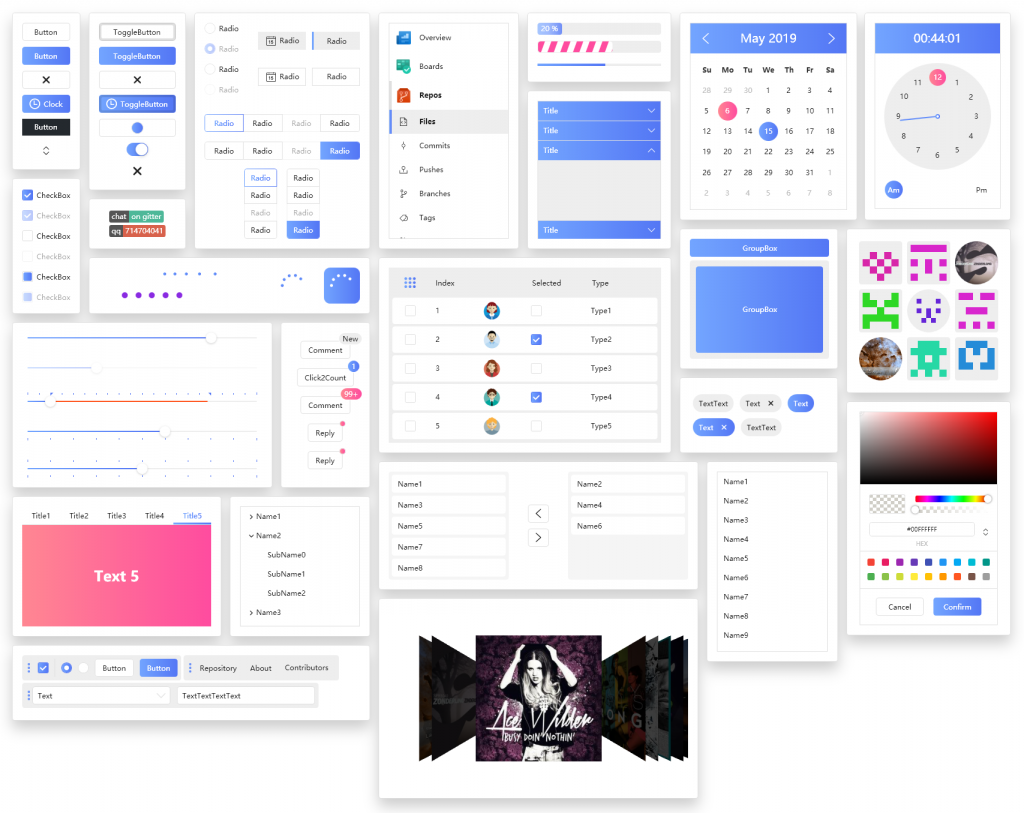
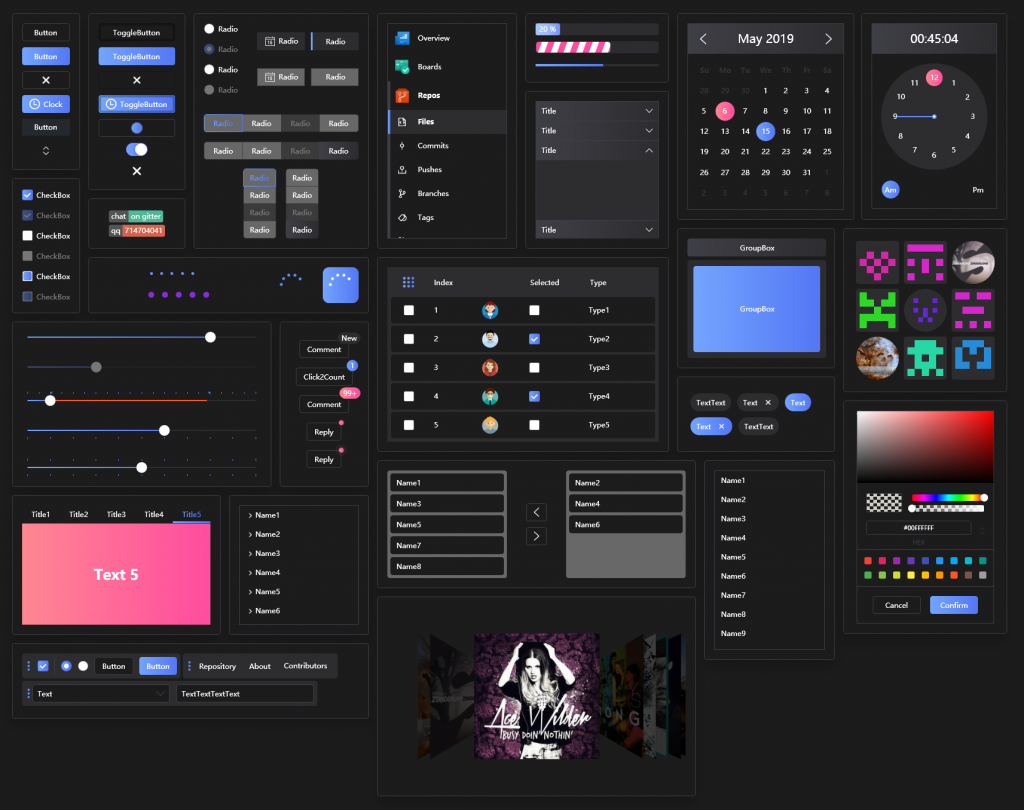
The following is an overview of the two themed control libraries. First, I will give you a general impression, and then I will introduce classic cases of the control library and detailed control introductions. I hope everyone likes my introduction style.

2.2 white theme

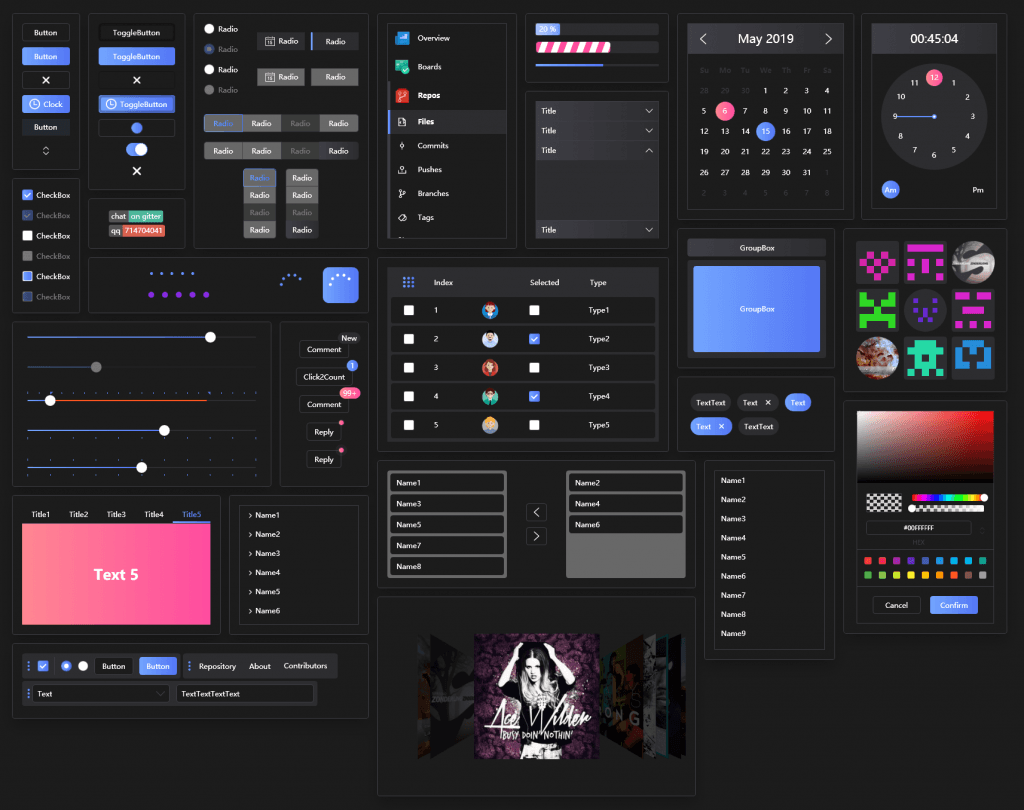
2.3 black theme

3. Classic Case cases derived based on control libraries

An excellent control library must have a group of like-minded friends following me. From the number of people in the two QQ groups established by the control library author, we can see that there are many friends using this control library. Dotnet 9 Xiaobian and the control library author selected a few typical project examples. Readers can see if the "HandyControl" control library is very suitable for you?

3.1 Case Case 1

Software name: phpEnv, browsing address: https://www.example.com.

Software introduction: phpEnv is a completely green PHP integrated environment running on Windows. It integrates Web components such as Apache and Nginx. It supports the coexistence of different PHP versions, supports custom PHP versions, and custom MySQL versions. The main development environment can also be used as a server environment. It has clearing PHP environment obstacles, removing port occupation, supporting switching MySQL versions, modifying MySQL passwords, being compatible with other integrated environments, built-in Redis, MemCache and other services, built-in Composer and powerful CMD command line, TCP port process list and other tools and utilities.

3.2 Case Case 2

Software name: AutomnBox, browsing address: https://www.example.com.

What is AutumnBox? A desktop program that encapsulates the Google Adb Toolkit with a GUI. It is convenient for small people and helps old people.

What can AutumnBox do?

  1. Brush in third-party Recovery for your equipment
  2. Push files to devices
  3. Activate black domain service with one click
  4. Activate the refrigerator with one click
  5. Unlock the system and gain full root control
  6. Functional development ideas centered on expansion modules will support more and more functions in the future

Introducing controls will definitely include screenshots and text descriptions of special controls. When writing this article, Dotnet 9 Xiaobian no longer had to take screenshots and record gif animations by himself. Because the author of the "HandyControl" control library is very good, most of the picture materials in this article come from the control library author github repository. Readers can directly visit this address to view it: https://www.example.com.

When the following Dotnet 9 editor introduces the HC (the author later uses this abbreviation to mean HandyControl) control, he will add his own experience and opinions. If you have different opinions or suggestions, please leave a message at the end of the article and discuss it with the editor, or add the author's QQ exchange group exchanges, and everyone uses technology to meet friends and grow together.

4.1 Various buttons

The first thing that comes to mind in interface development is buttons. Below are several types of buttons designed by HandyControl. Is there any one you like?

4.1.1 Plain button

Ordinary buttons. In general desktop development, the following styles of buttons should be enough. Of course, it can also be extended and modified based on the author's style according to the requirements of your company's designers. It is also extremely convenient.

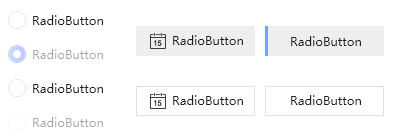
4.1.2 RadioButton

The Radio Button is also very beautiful and is also necessary to beautify the interface.

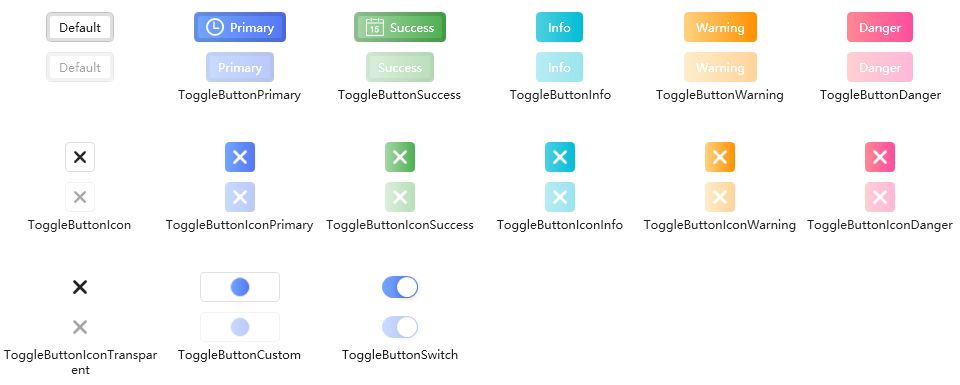
4.1.3 Toggle Button

ToggleButton, HC author has designed several styles, is it convenient to use?

4.1.4 Split Button

Split Button, which can be used in business scenarios by clicking the button to pop up the menu.

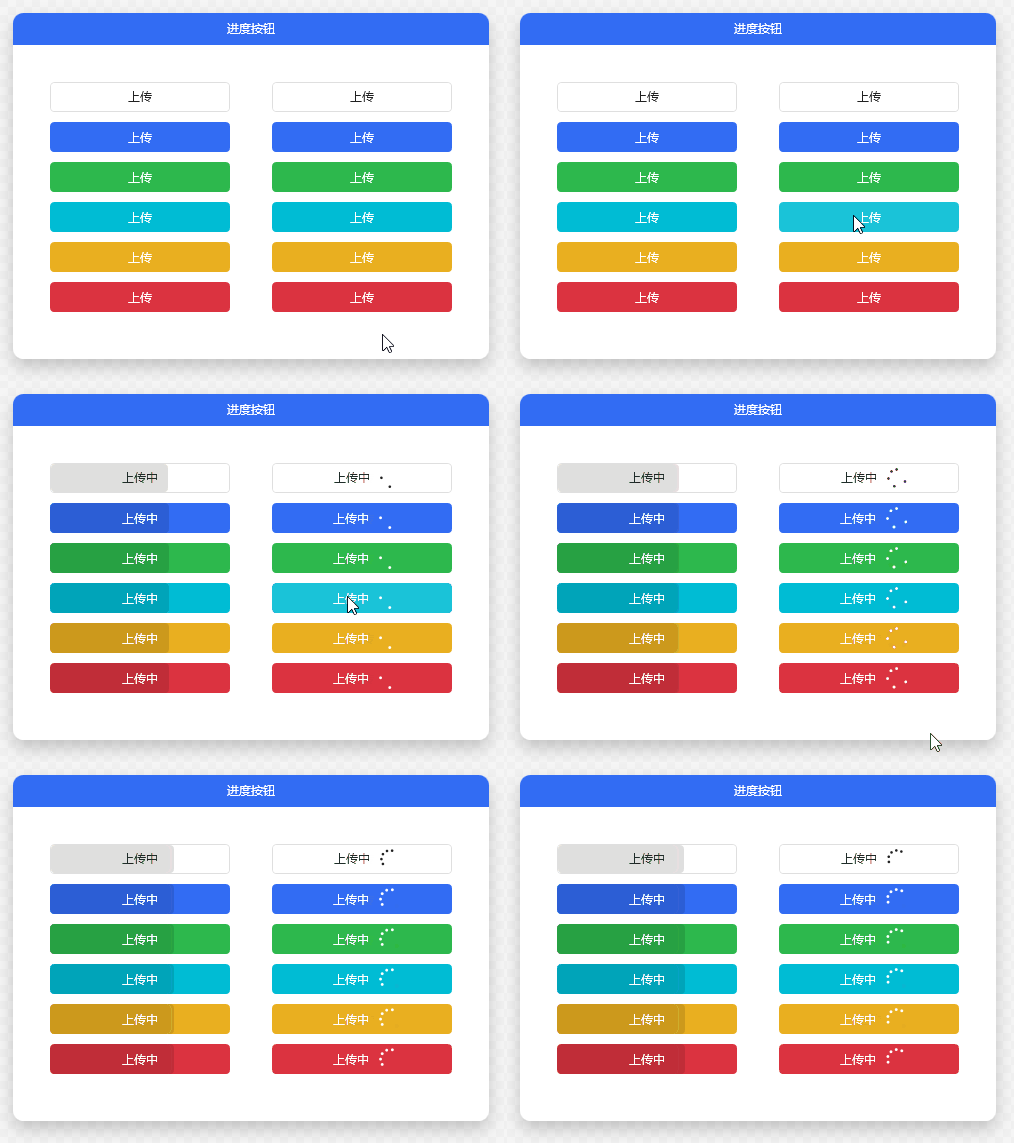
4.1.5 Progress Button

Progress Button. The author has some ideas to display progress on the button. When clicking to upload files, it is very convenient to use when the interface space is relatively tight.

4.1.6 Button grouping (ButtonGroup)

Button Group, which can replace the regular menu, that is, when there is only one level of menu, or the related operations are similar.

4.1.7 Shield

Shield, the Shield tag is intuitive when used to display real-time status statistics.

4.1.8 Pagination

Pagination, tables and other commonly used paging encapsulation controls are very convenient to use big data paging display, and the paging control style is also relatively popular.

4.2 Tag control

There are many label controls provided. Controls similar to or extended to Label are grouped into one category by the Dotnet 9 editor.

4.2.1 Label

Label label, commonly used Label label, beautiful, right? General use is to use Labels with TextBox as a form.

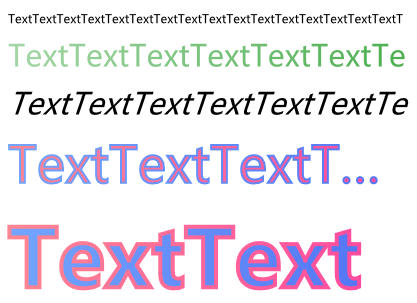
4.2.2 OutlineText

OutlineText outline text. After adding various fonts, Text can look so good.

4.2.3 Tag

Tag tag, used for search. You can use common search conditions as Tag tags to facilitate and quickly filter to get the results you want. This user experience has been greatly improved, and users will praise you.

4.2.4 Badge

Badge badge, this style is commonly used on websites to display library versions and more obvious information displays. Is it eye-catching? Use it quickly in your own projects.

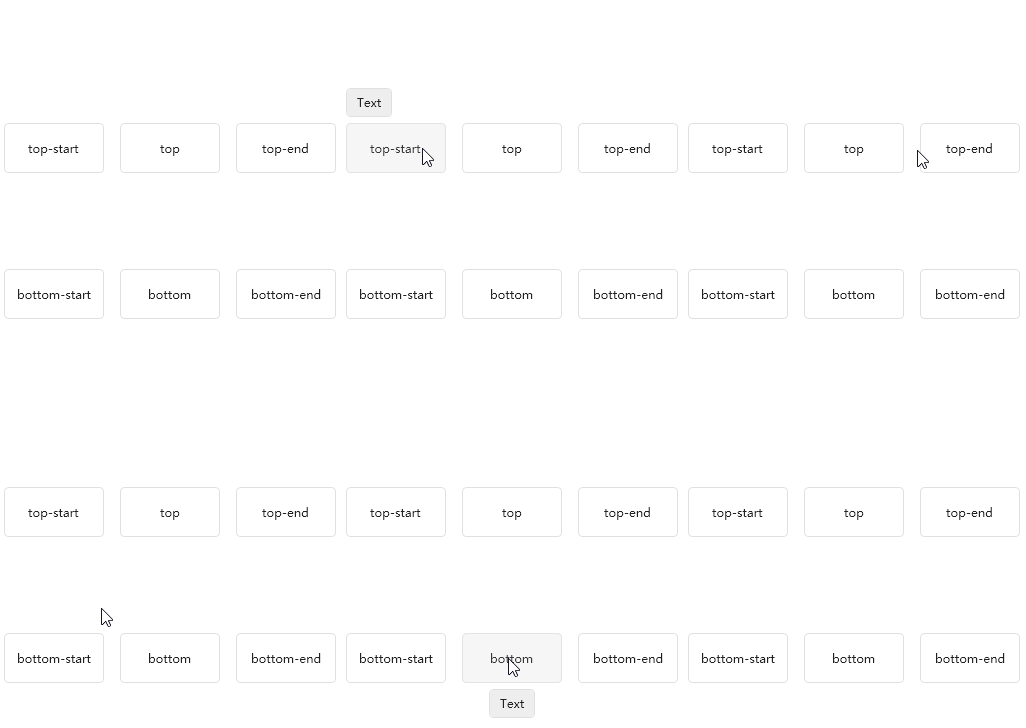
4.2.5 Poptip

Poptip, a bubble tip type control, customized tips are so convenient.

4.3 Various Block Control

Various Block block controls, the common one is TextBlock, which has similar functions to Label tags. The following is a display of various Block block controls:

4.3.1 TextBlock Text Block

TextBlock text block, commonly used text display.

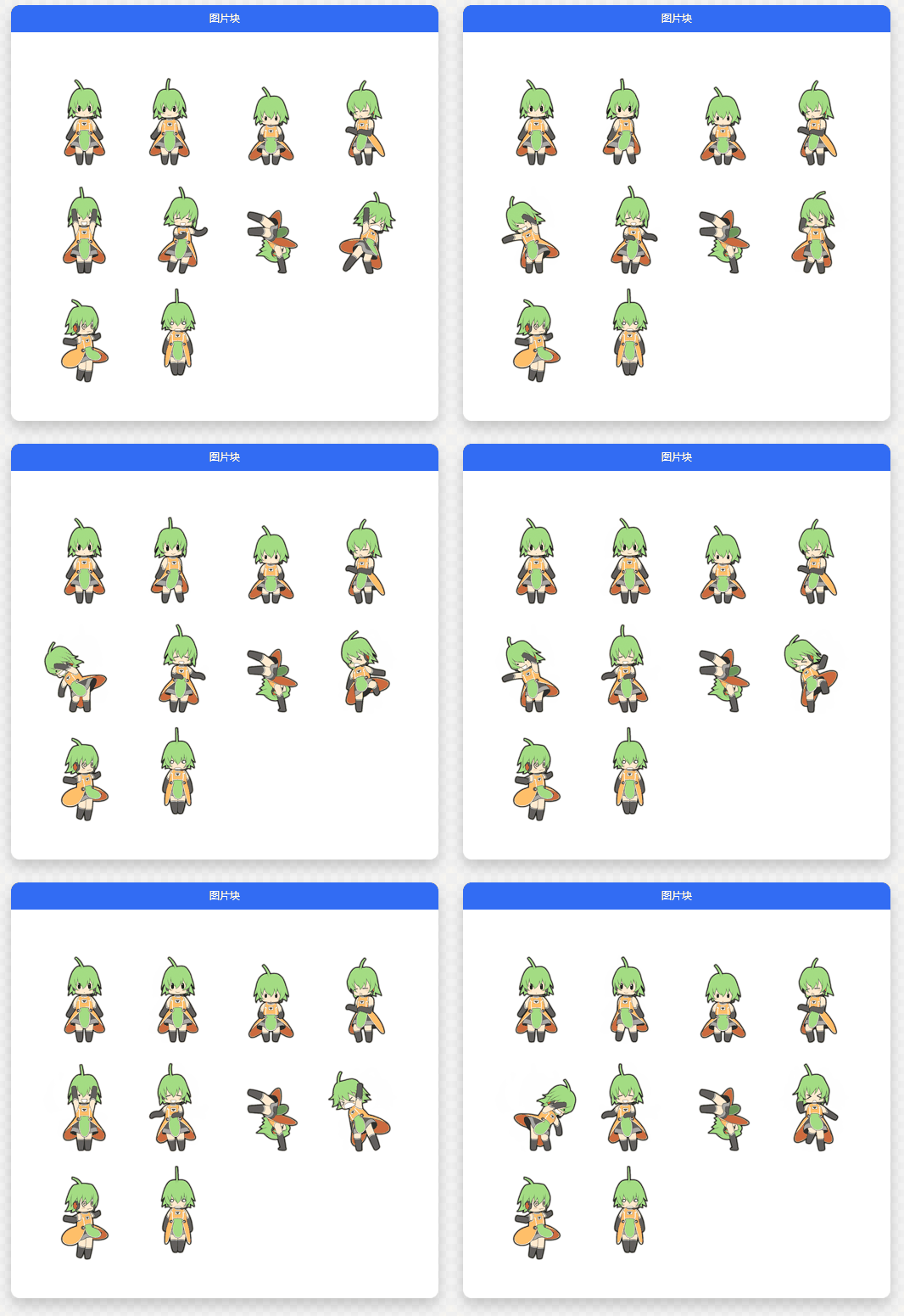
4.3.2ImageBlock

ImageBlock, picture block display.

4.3.3 FloatingBlock

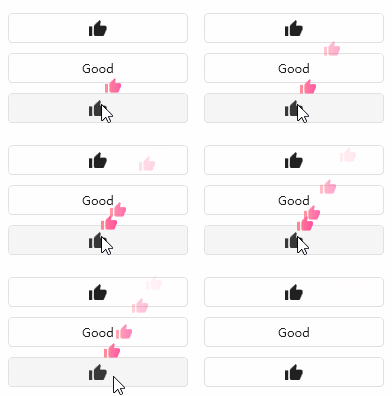
FloatingBlock, what do you think of when you see this control? Do you think of the scene of always praising the anchor and sending flowers while watching the live broadcast?

4.3.4 RunningBlock

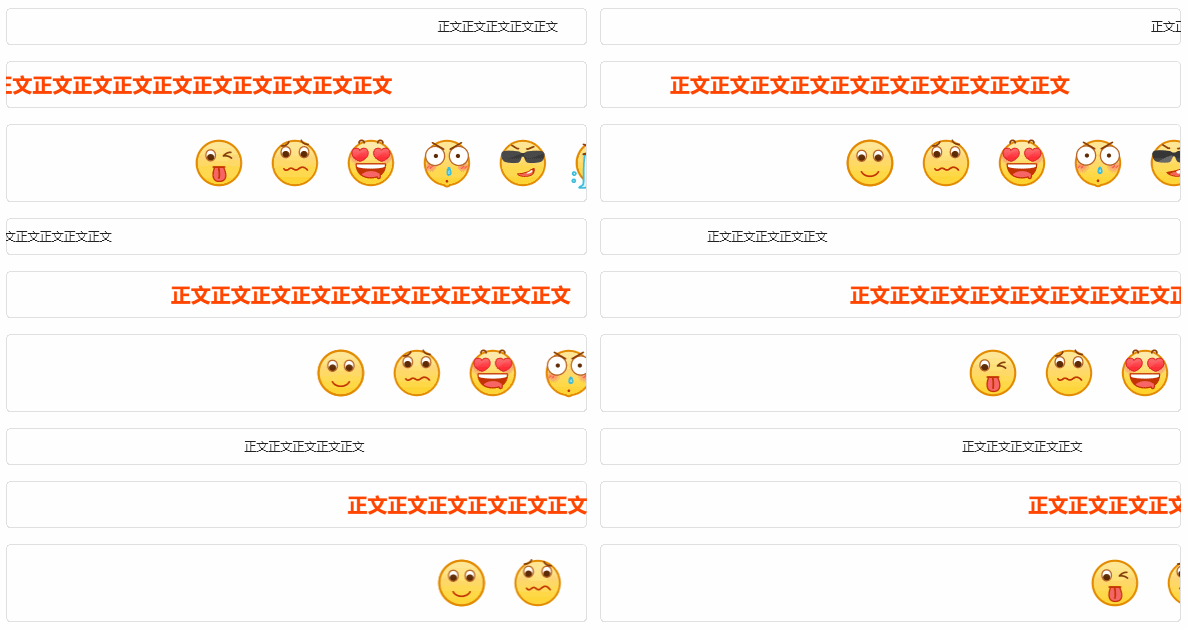
RunningBlock has a ticket-like effect. It is still very good for desktop software to play scrolling ads. If you are making video playback software, it is also very convenient for bullet screens.

4.4 Input editing control

The author also provides many input editing controls, such as text boxes, password boxes, etc.

4.4.1 TextBox

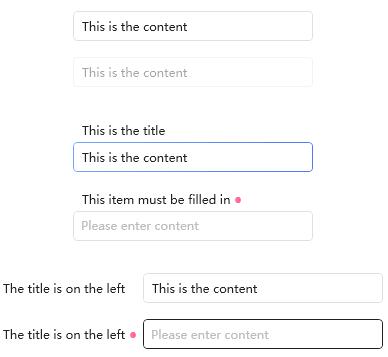
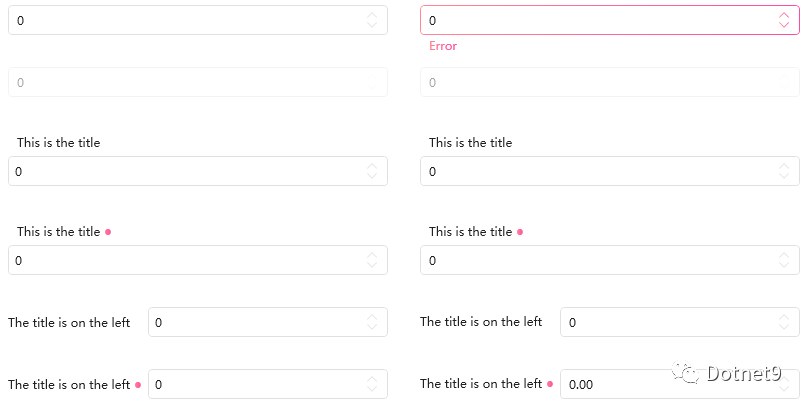
TextBox is a relatively conventional input text box control. The author encapsulates the label and text box into a control "combo box" to facilitate quick use of the layout.

4.4.2 RichTextBox

RichTextBox rich text box control is relatively common.

4.4.3 NumericUpdown

NumericUpdown numerical selection control is convenient for number input or selection verification. This control can also be classified as a selection control.

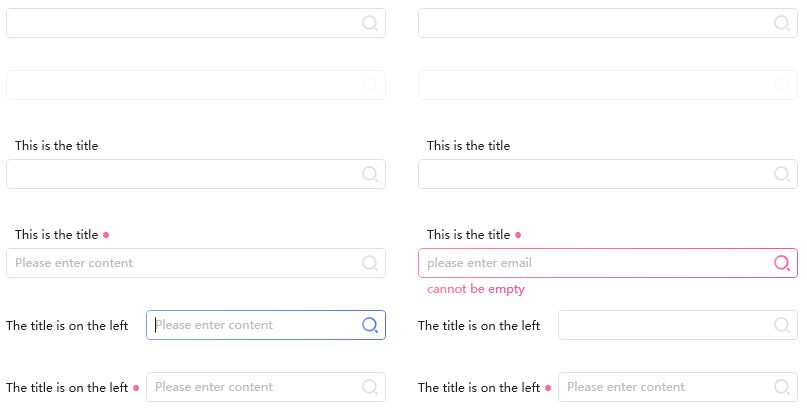
The SearchBar search bar provides several styles to choose from. Do you have this interface design in your daily development? Use it directly to improve your development efficiency.

4.4.5 PasswordBox

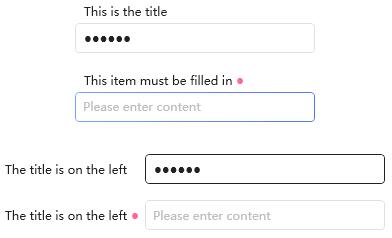
Dotnet 9 is accustomed to classifying PasswordBox password boxes as text boxes. Below is the HC password box.

4.4.6 Gravatar

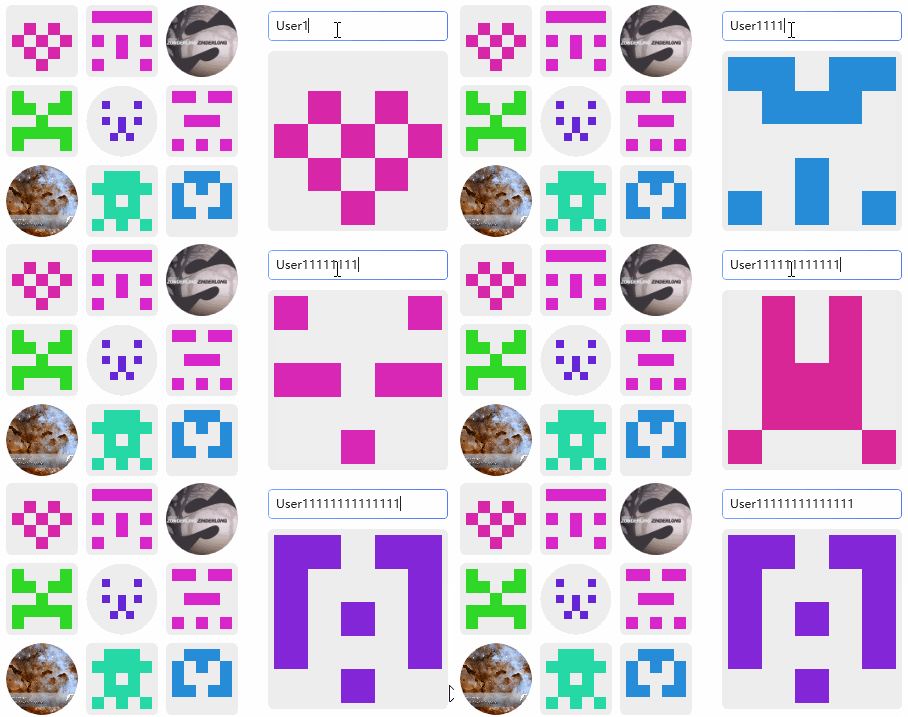
HandyControl "Gravatar. This control is more fun. It dynamically generates avatars. Do you like it? A very interesting control.

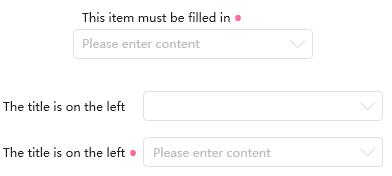
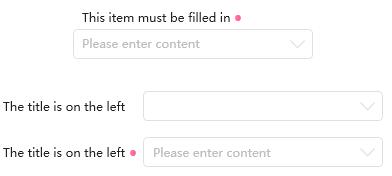
4.4.7 ComboBox

The ComboBox drop-down box is much better than the native drop-down box and very refreshing.

4.5 Select class control

Dotnet 9 Xiaobian uniformly classifies drop-down boxes, checkboxes, radio boxes, etc. into selection controls. See the following figure for each control:

4.5.1 Divider

Divider dividing line control is convenient and practical.

4.5.2 《HandyContronl》ComboBox

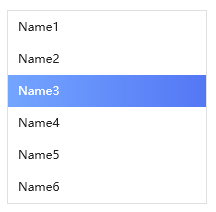
"HandyContronl" ComboBox drop-down box. In fact, Xiaobian has classified this control as an input editing type control, but this control is also a selection type control. This control is composed of a text box and a list control. The specific code has not been carefully compiled yet. Xiaobian speculated that this is the case. I wonder if the author did this?

4.5.3 Rate

Rate, rating control. This control seems familiar. It is often used when rating articles or resources. This is very good and Dotnet 9 editors like it very much.

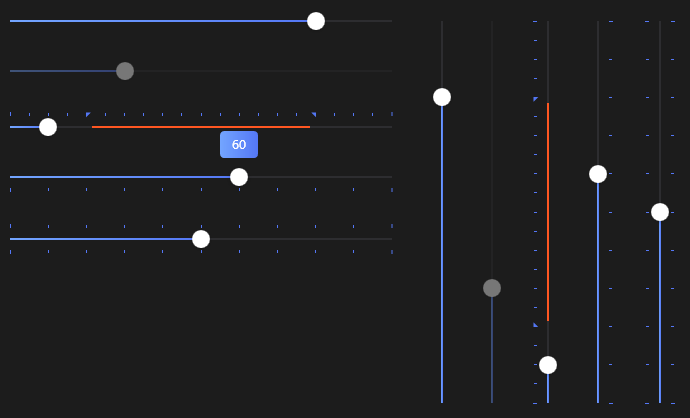
4.5.4 Slider

Slider range slider, color matching black theme display is very nice.

4.5.5 PrevieweSlider

PrevieweSlider previews the slider, and the control, as its name suggests, displays the drag value in real time.

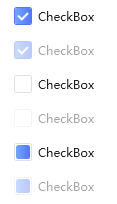
4.5.6 CheckBox

CheckBox check box, the style is quite professional.

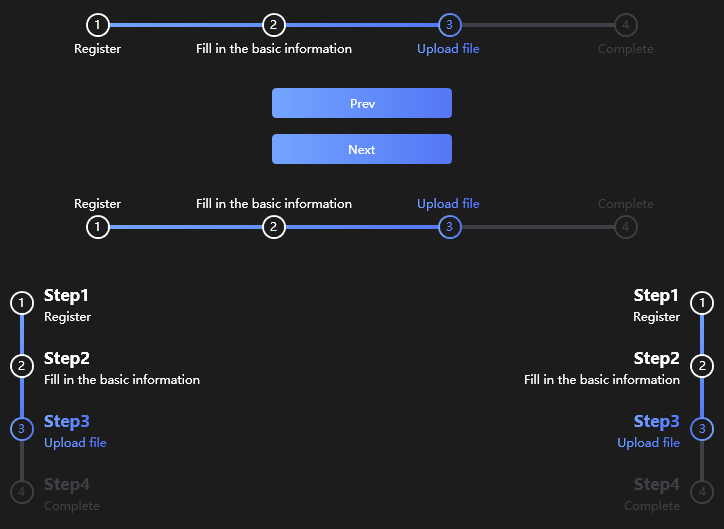
4.5.7 StepBar

StepBar step bar. When there is process-related business, this control is very convenient to use. What we common is to retrieve the password and let you enter and verify it step by step.

4.5.8 ColorPicker

ColorPicker color picker, which is convenient for color selection, is a good thing.

4.6 Time control

Dotnet 9 Xiaobian also classifies time-related controls into one category. The author has implemented many similar controls, which are very excellent and very convenient for everyone to choose and use.

4.6.1 FlipClock

FlipClock page turning clock, is this control cool? Does it look like a calendar? Do you remember basketball games and other scoreboards?

4.6.2 TimeBar

TimeBar time bar can be extended to self-made Gantt charts.

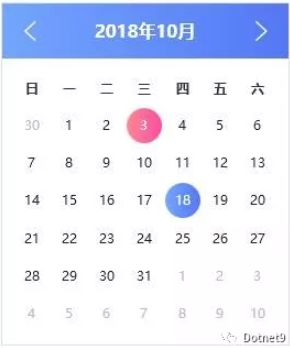
4.6.3 Calendar

Calendar date control is more general.

4.6.4 Clock

Clock clock control is also relatively conventional.

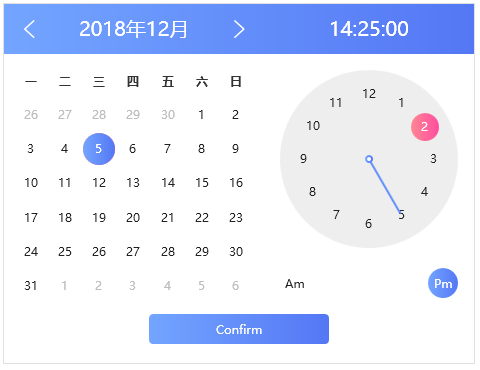
4.6.5 CalendarWithClock

CalendarWithClock date and clock combination control, this is better and easy to use.

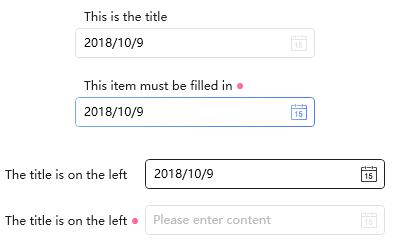
4.6.6 DatePicker

DatePicker date selection control, a more commonly used control.

4.6.7 TimePicker

TimePicker time selection control is also commonly used.

4.6.8 DateTimePicker

DateTimePicker date-time selection control. This combination is a perfect choice. I will definitely try to use this scene in future projects.

Dotnet 9 Xiaobian uniformly classifies menu classes and taskbar classes into menu controls, making it convenient for readers to read and find.

4.7.1 SideMenu

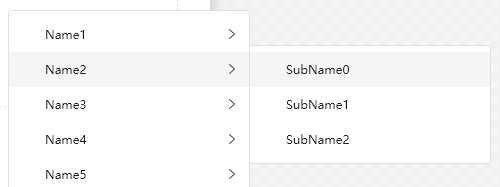
SideMenu, sidebar menu, this menu is also a relatively common type and is very useful.

4.7.2 ContextMenu

ContextMenu context menu, this plain color is commonly used by Dotnet 9 Xiaobian. It is relatively simple and refreshing.

4.7.3 ToolBar

ToolBar, a toolbar is often used with the navigation menu, a classic combination.

4.7.4 CirclePanel

CirclePanel has a circular layout, which Dotnet 9 editors like to call the circular menu. It is used more on mobile phones, but not on the desktop. If you add this control to your project or product, the user experience will be upgraded to a higher level. Of course, it depends on the specific business situation. Ha, you can't add it randomly.

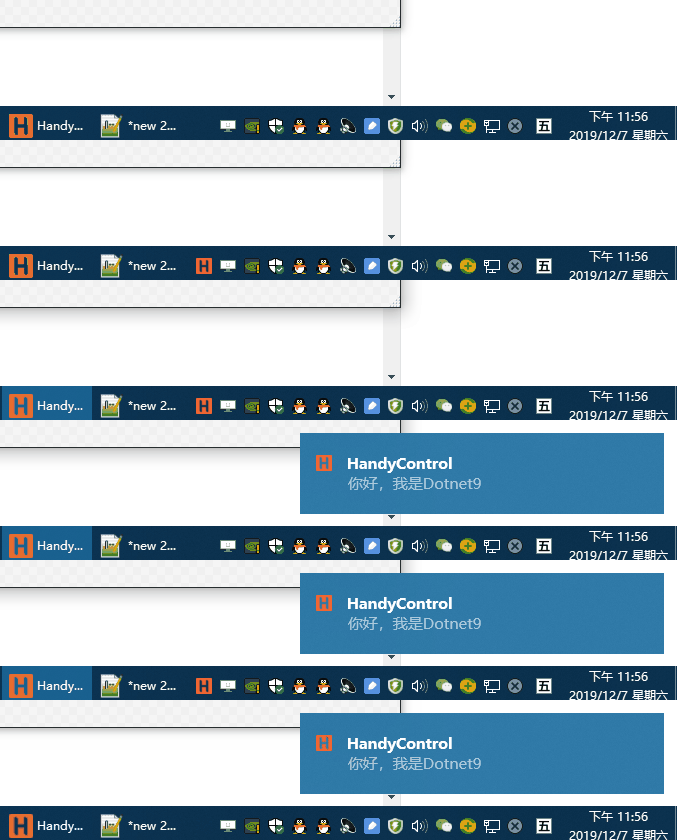
4.7.5 NotifyIcon

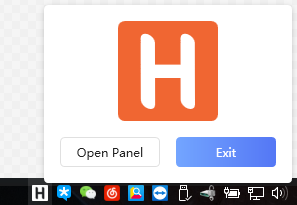
NotifyIcon, an upgraded version of the original Windows system tray icon:

Support tray icon flashing:

This control is easy to expand and can be made into a tray menu similar to 360 Security Guard, which will test readers 'coding skills. The picture below is the system tray menu of 360 Security Guard. Isn't it beautiful? Dotnet 9 Xiaobian has seen many software imitating the 360 design, of course, Xiaobian himself is included. Haha, note that this is not an HC control. It needs to be implemented by readers themselves. In fact, it is not difficult.

4.8 Layout and picture controls

The author has implemented several interesting layout containers, all for the user experience, with good intentions.

Picture-related display controls are similar to layout controls, so Dotnet 9 Xiaobian classifies these controls into one category, of course, to facilitate readers to find and read them.

4.8.1 Border

Border border is very nice when displaying pictures graphically.

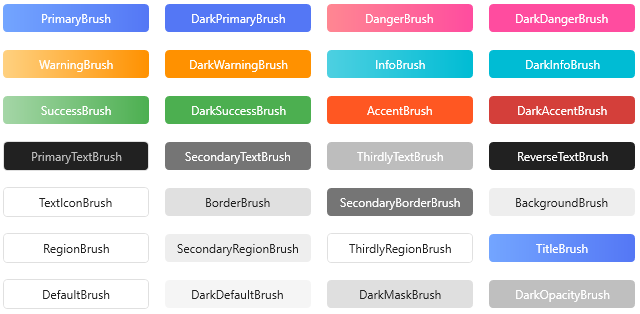
4.8.2 Brush

Brush Brush provides 28 commonly used brushes. The industry has a conscience and is very useful.

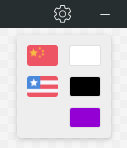
4.8.3 SwitchConfig

SwitchConfig selection configuration is often used to select international language for interfaces. It's convenient.

4.8.4 Expander

Expand, regular control.

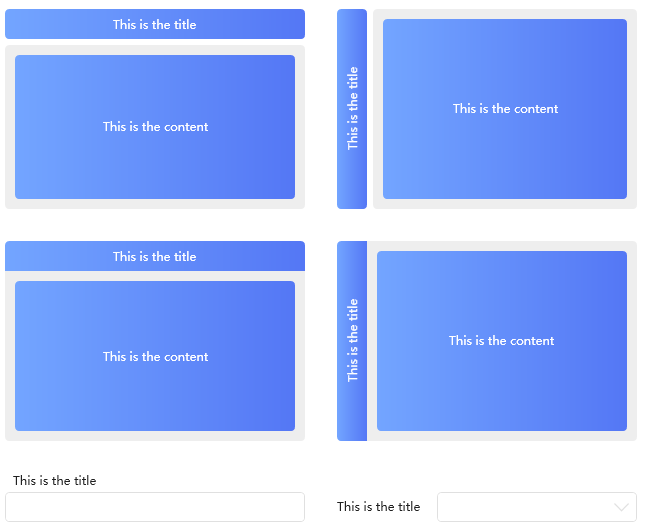
4.8.5GroupBox

GroupBox combo box, regular control.

4.8.6 ScrollViewer

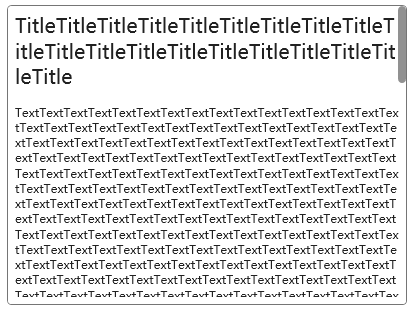
ScrollViewer scrolling view is also more commonly used.

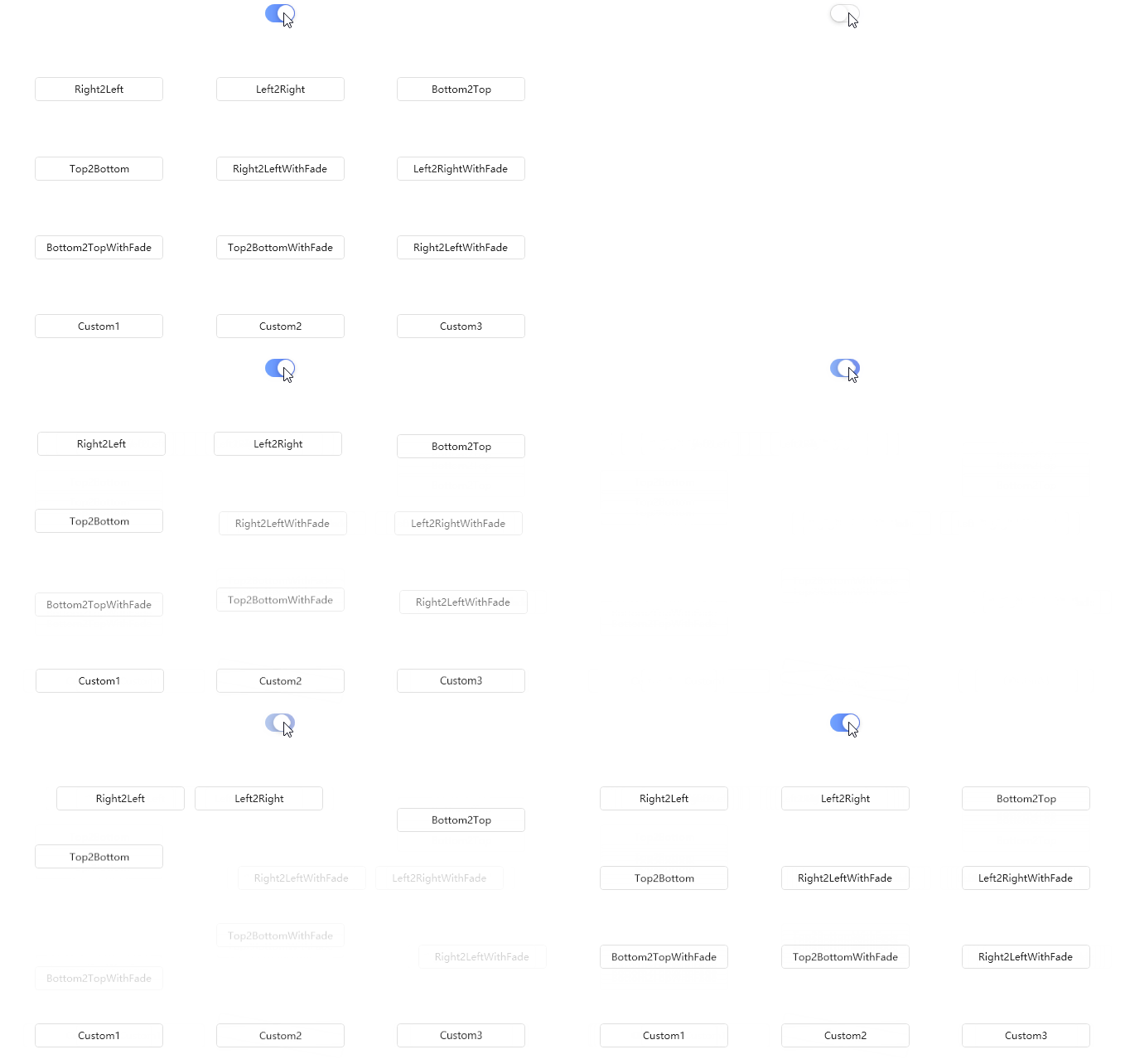
4.8.7 TransitioningContentControl

TransitioningContentControl content transition control, the effect is good.

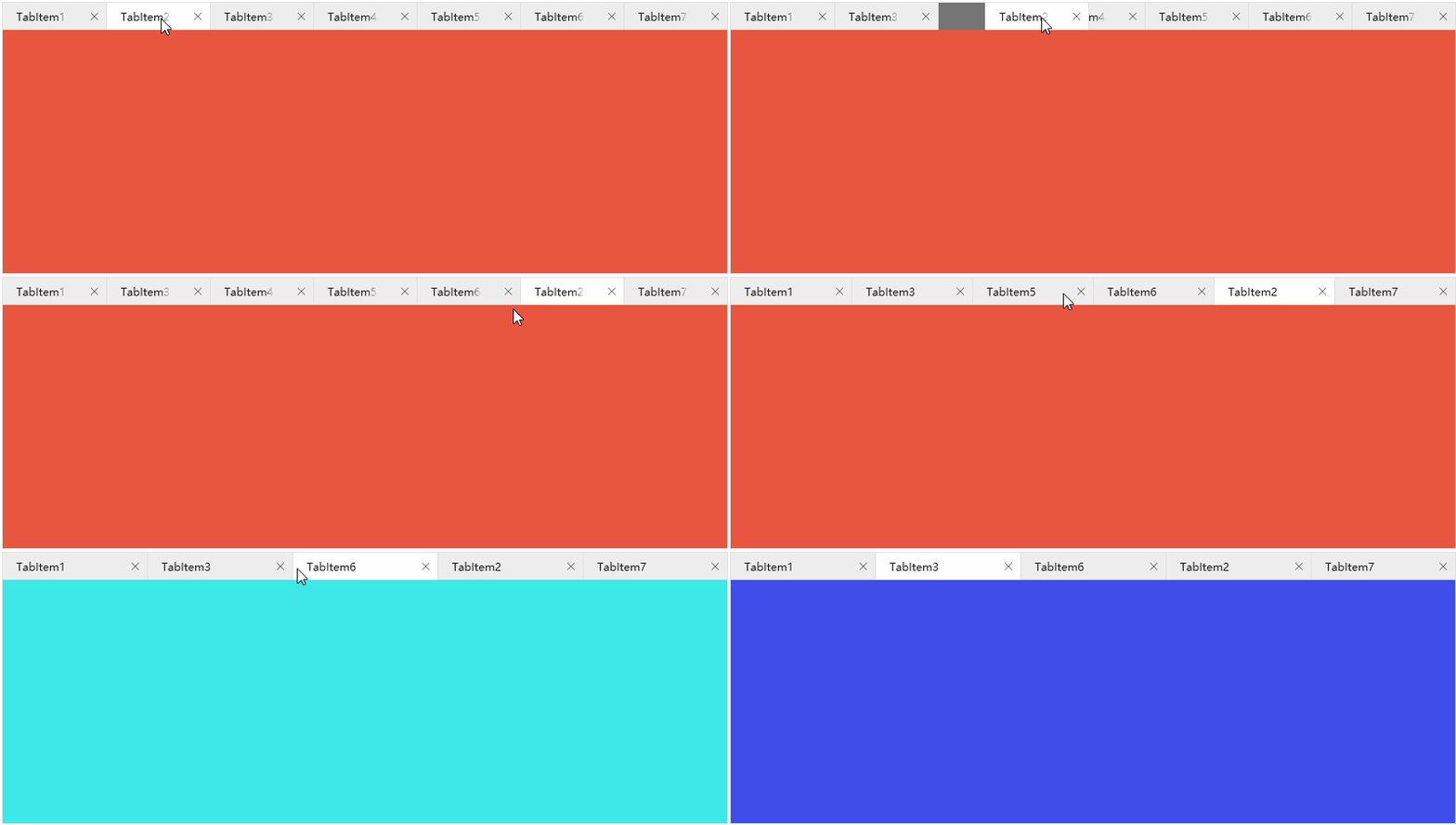
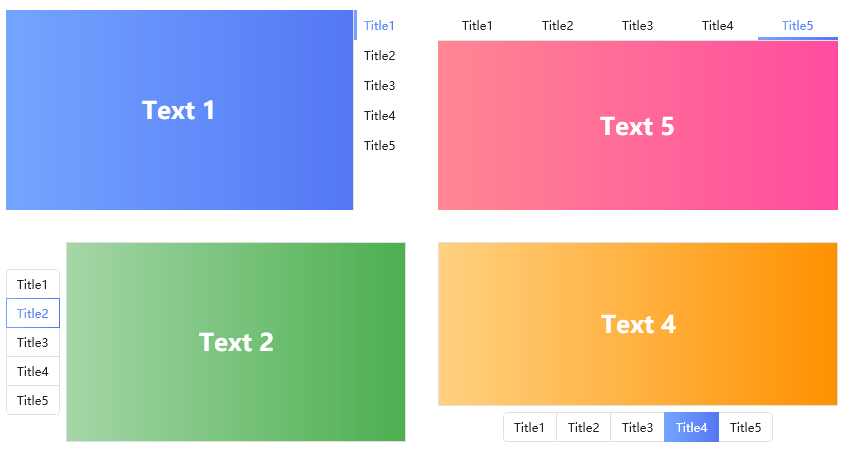
4.8.8 TabControl1

TabControl 1 Tab Control Style 1.

4.8.9 TabControl2

TabControl2 TabControl Style II.

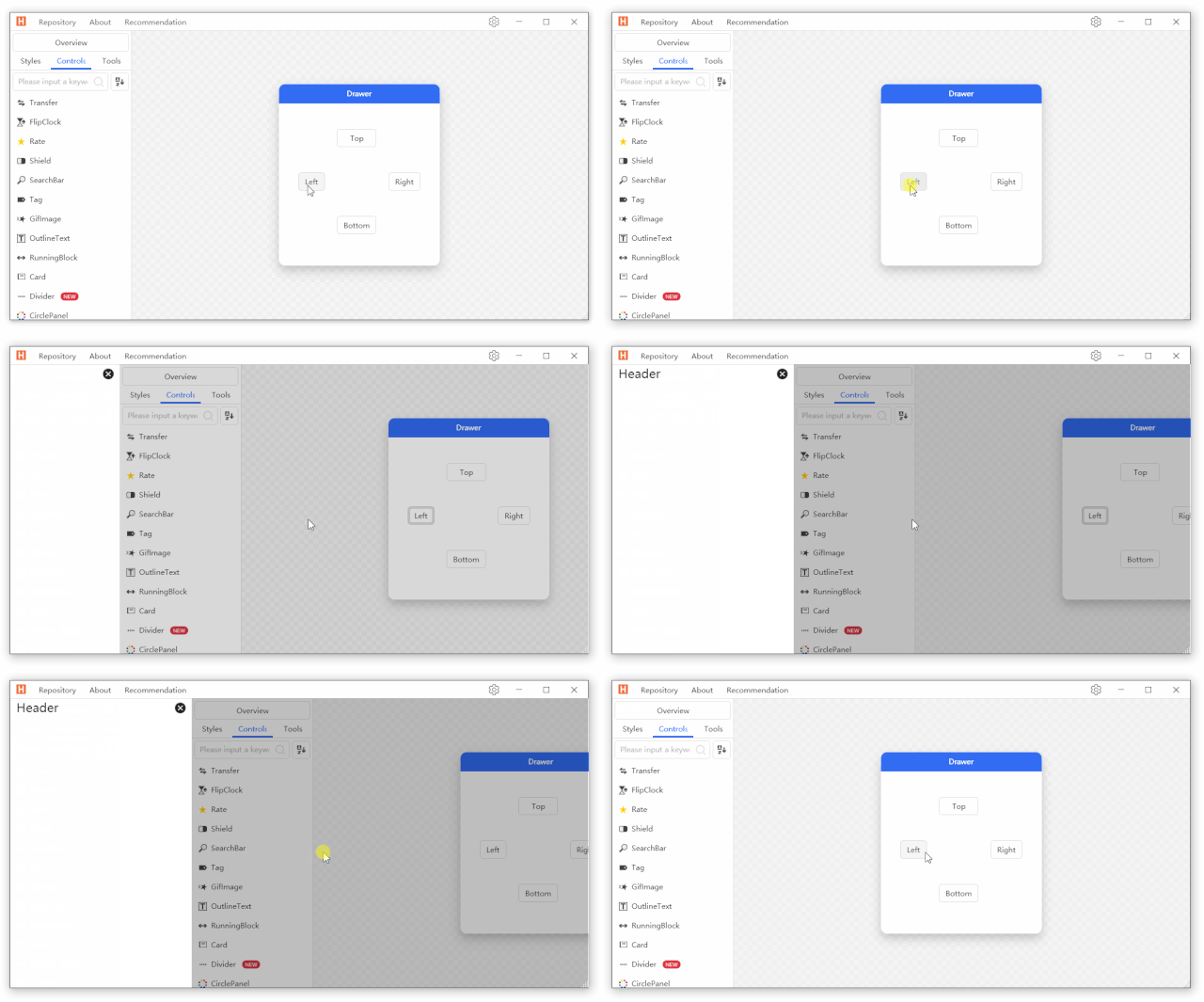
4.8.10 Drawer

Drawer, drawer layout control, useful for business scenarios with space requirements.

4.8.11 HoneycombPanel

HoneycombPanel honeycomb layout, interesting layout controls.

4.8.12 Magnifier

Magnifier magnifying glass controls, Jingdong, Taobao shopping, the mouse moved to the item picture can be enlarged view, very convenient to use the controls.

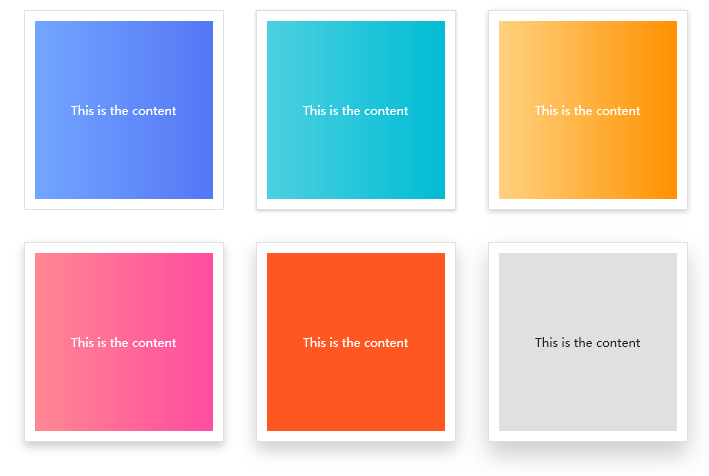
4.8.13 Card

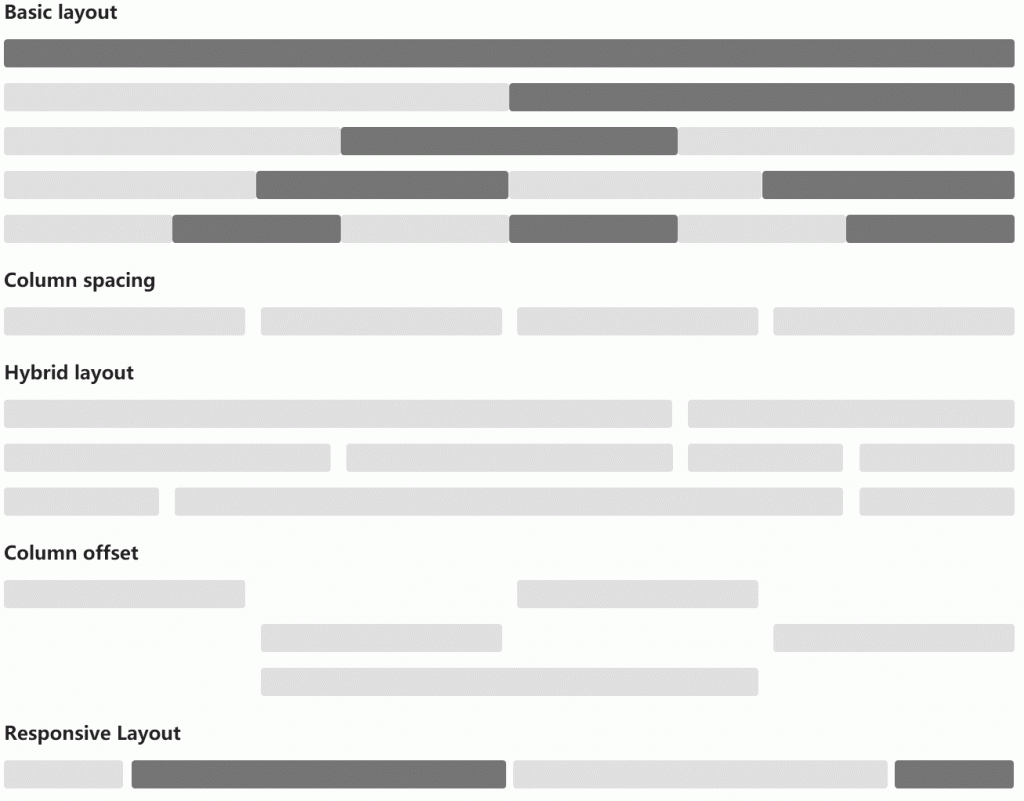
4.8.14 Grid

Grid grid layout.

4.8.15 AnimationPath

AnimationPath animation path is quite cool.

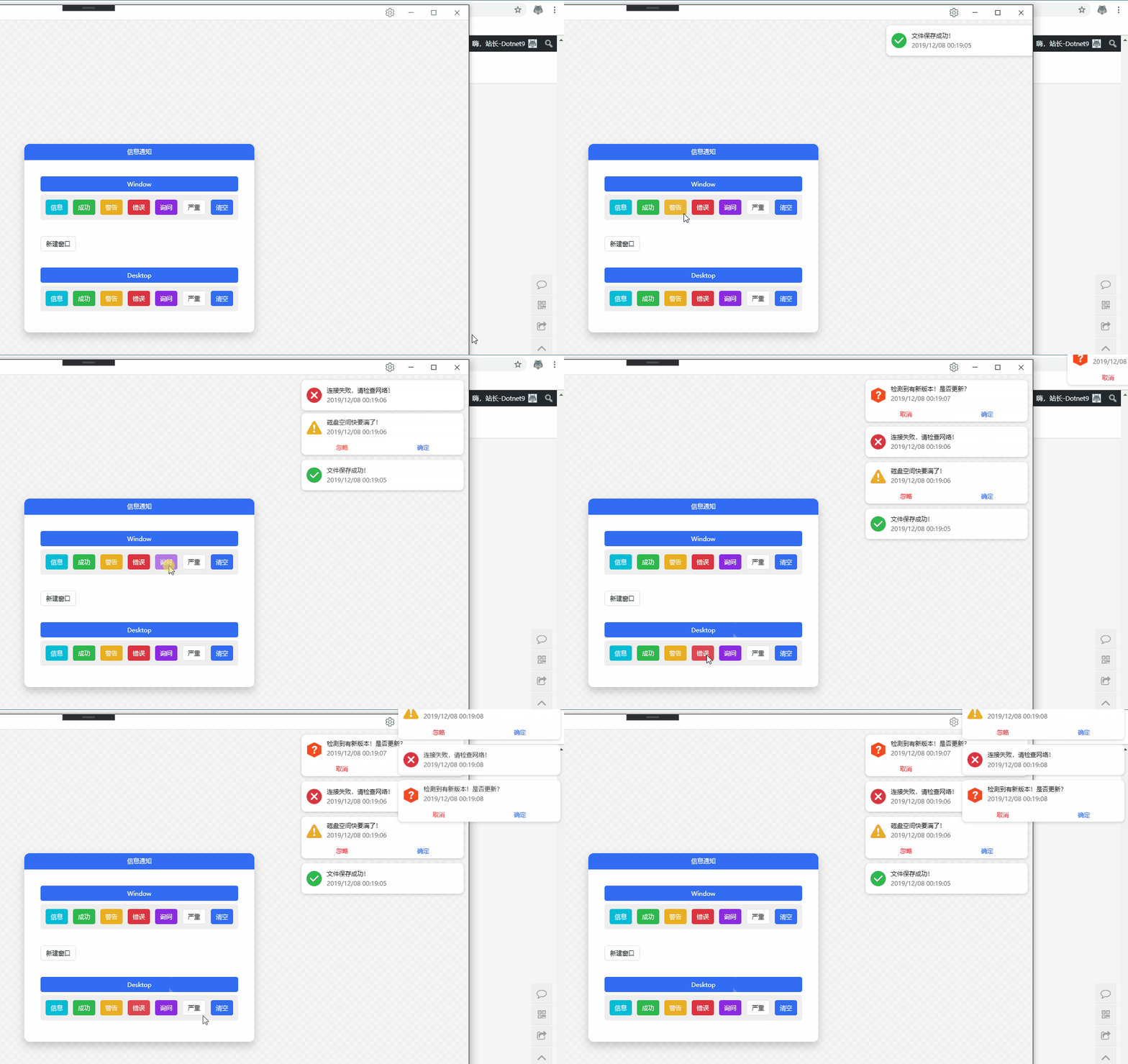
4.8.16 Growl

Growl information notification is a useful reminder control, such as monitoring software. When there is important information alarm, the information notification can be popped up in the software interface, or it can be popped up directly on the operating system desktop when the software is not at the top of the desktop. It is very flexible.

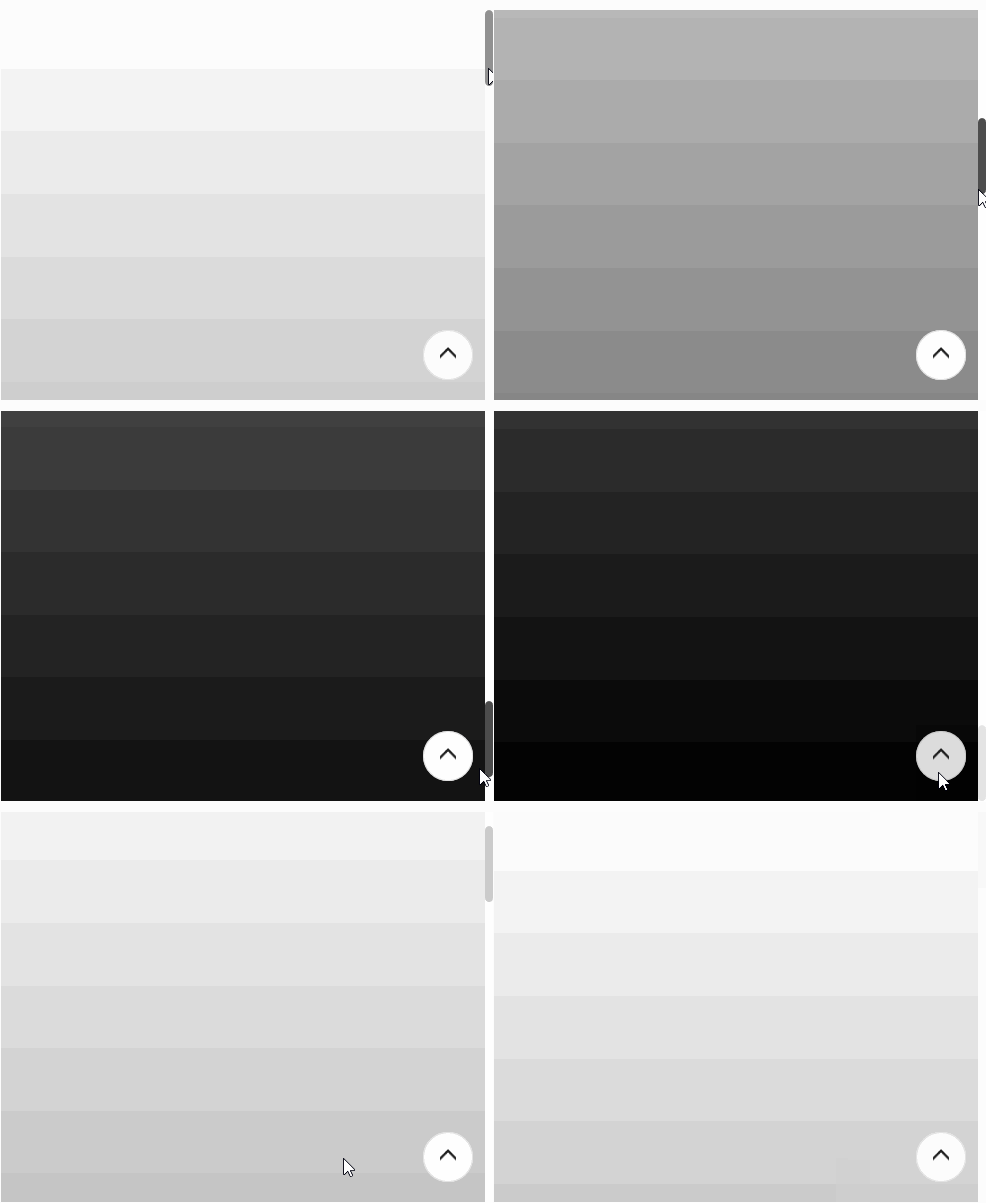
4.8.17 GoToTop

4.8.18 Transfer

Transfer shuttle box, which is really useful when moving multiple list items.

4.8.19 CoverFlow

CoverFlow cover stream, a form of image browsing.

4.8.20 CoverView

CoverView cover view.

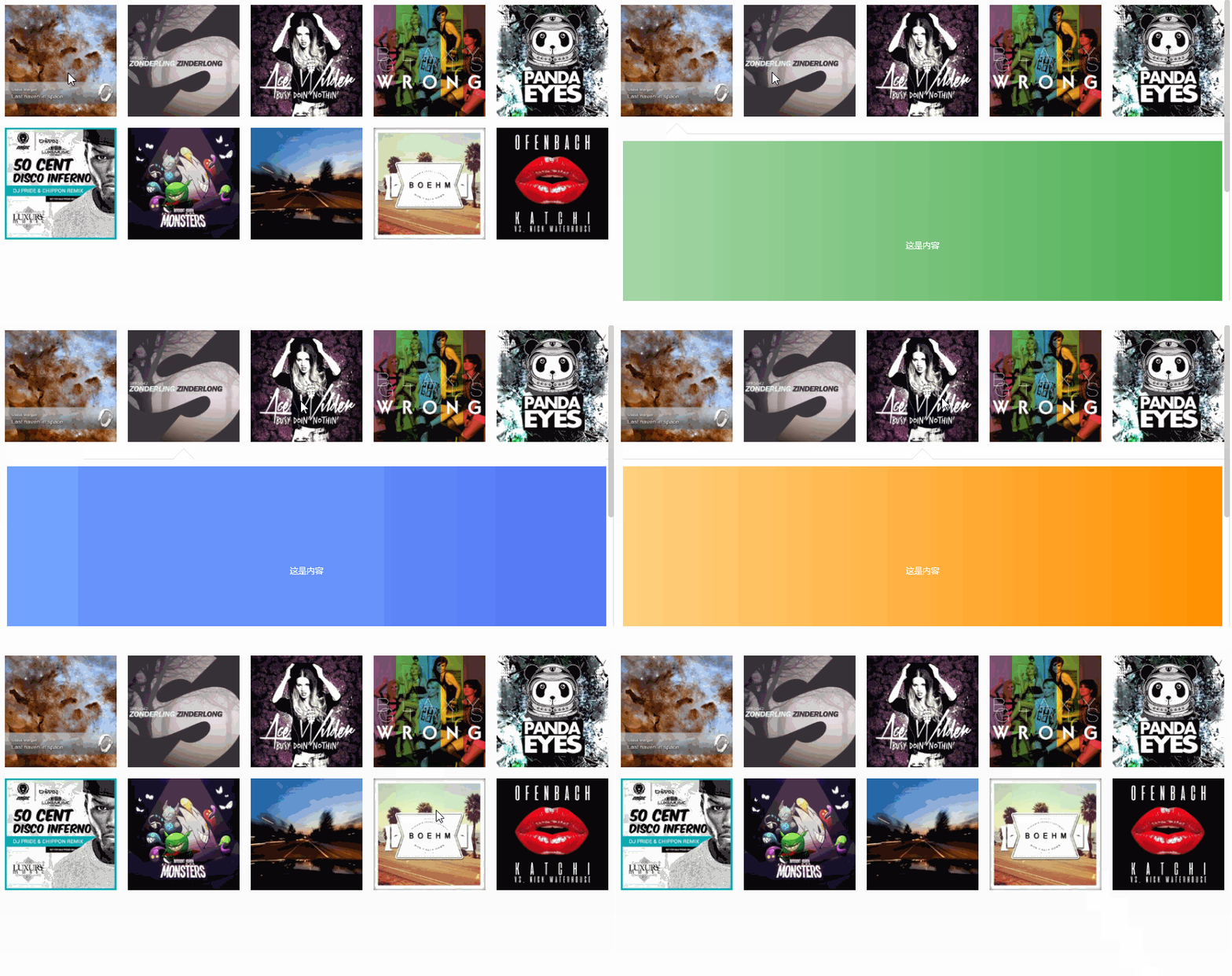
Carousels will be broadcast in rotation, and advertisements will be played automatically.

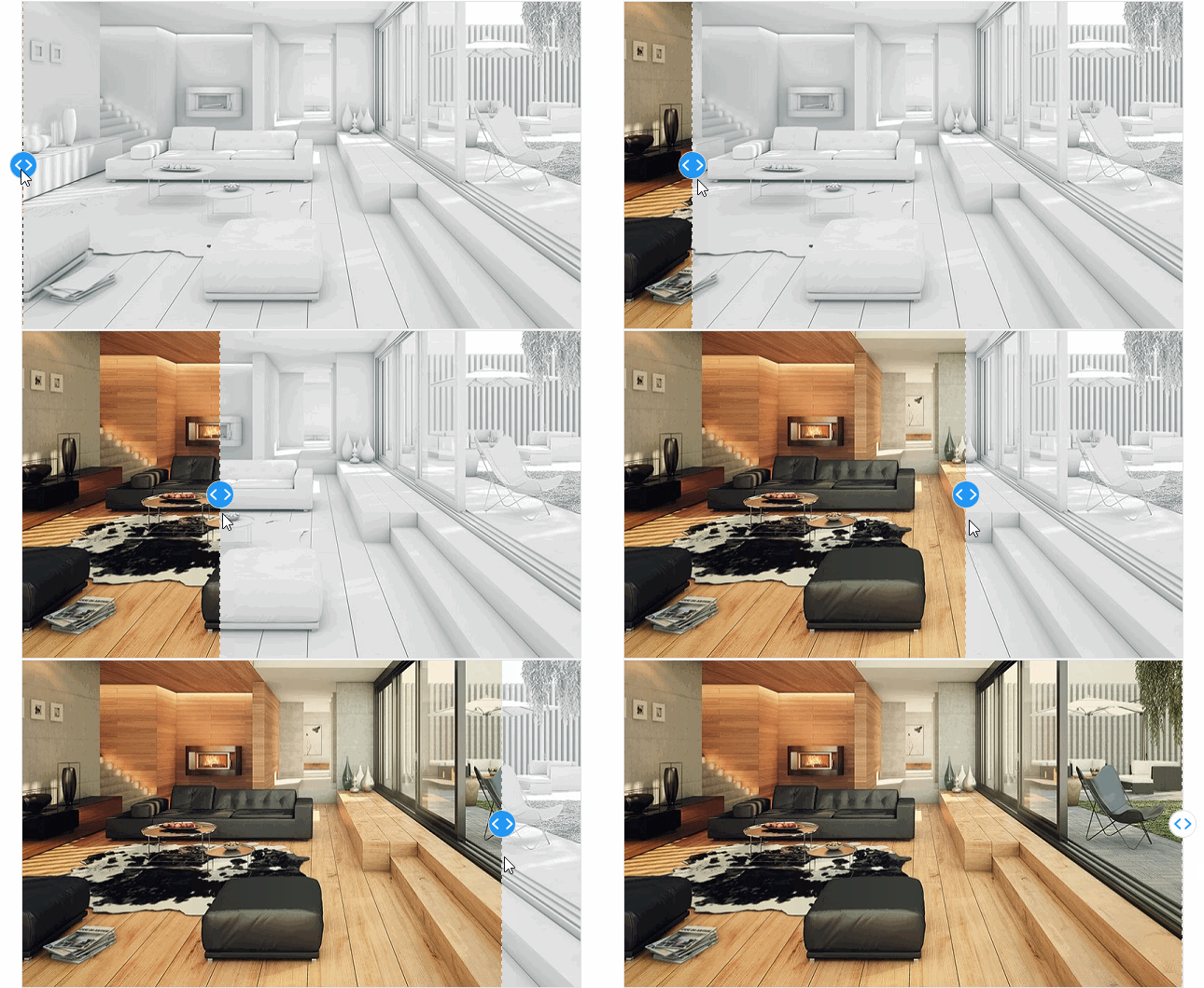
4.8.22 CompareSlider-h

CompareSlider-h horizontal contrast slider.

4.8.23 CompareSlider-v

CompareSlider-v vertical contrast slider.

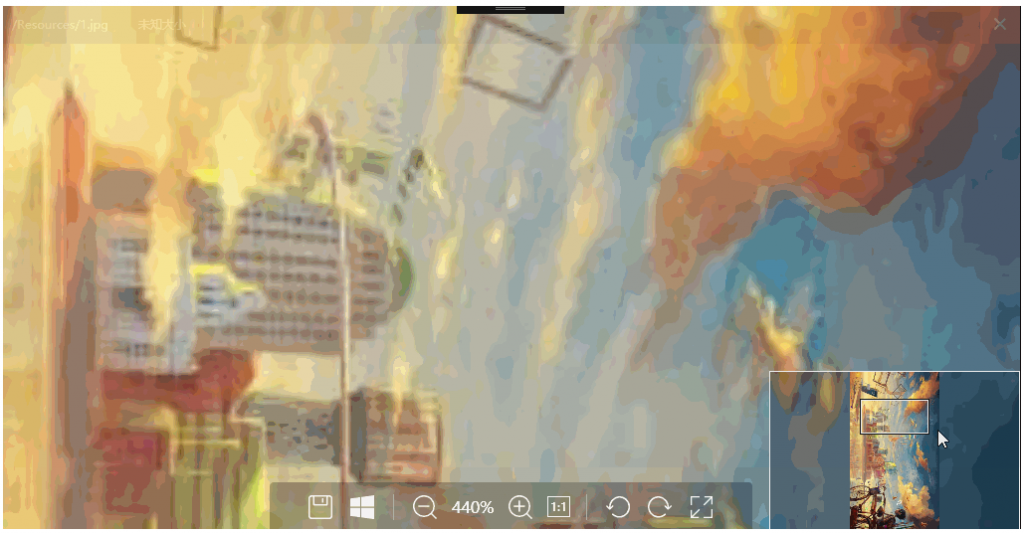
4.8.24 ImageBrowser

ImageBrowser, picture browsing control, this is very powerful. Usually, pictures are displayed in the form of cards to display thumbnails. When users think a picture is more useful, it is very convenient to use this control to view, because the gif recorded by this control is larger than 9MB. Xiaobian will not display animation, so you can download it yourself and experience it.

4.8.25 WaterfallPanel

WaterfallPanel Waterfall Flow Layout.

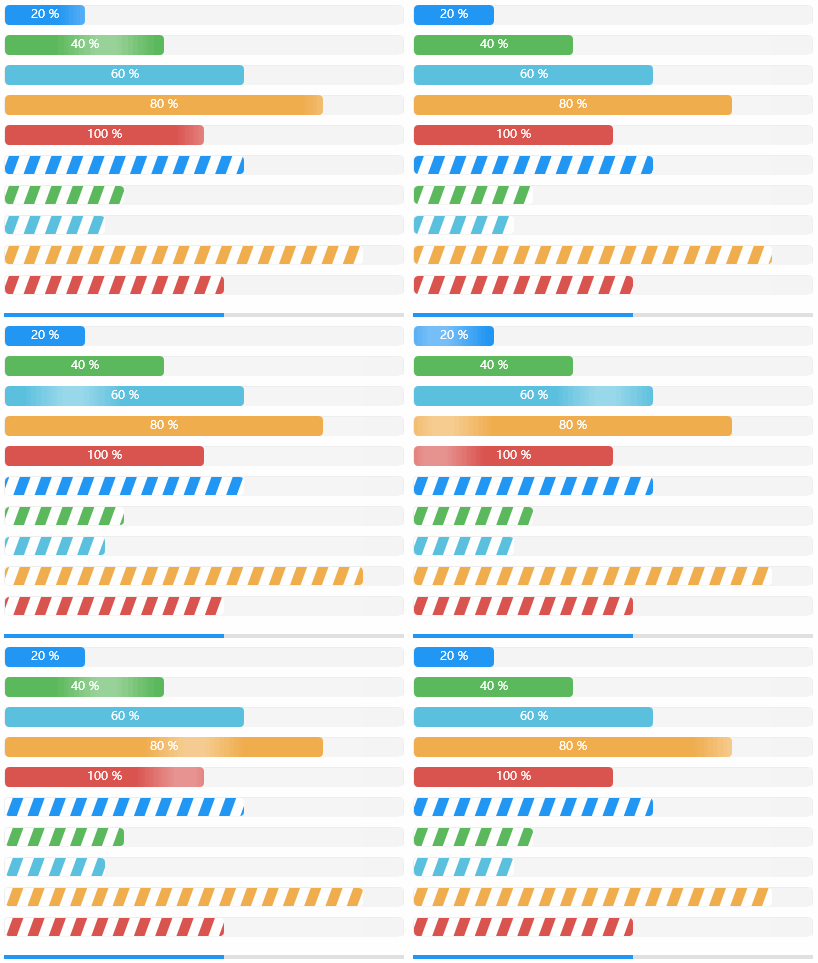
4.9.1 ProgressBar

Progress Bar, the following styles are all very nice and you can choose to use them.

4.9.2 WaveProgressBar

WaveProgress Bar, cool.

4.9.3 CircleProgressBar

CircleProgressBar circular progress bar.

4.9.4 Loading

The Loading Loading Bar is used when the interface responds to data waiting to let the user wait. Why not let him watch a small animation to avoid making people think that the interface is stuck and unresponsive.

4.10 WPF extension control

There are many functions that C#WPF has not been implemented. Compared with the dynamic display of gif images, the default use of the Image control is the first image displayed. This function is well implemented and is worthy of praise.

4.10.1 GeometryAnimation

4.10.2 GifImage

GifImage, gif image playback, Microsoft currently does not have its own implementation of this function. It can only be implemented by the open source community itself. The HC author has implemented it well and has a low memory usage rate.

4.11 Data display control

4.11.1 ListBox

4.11.2 ListView

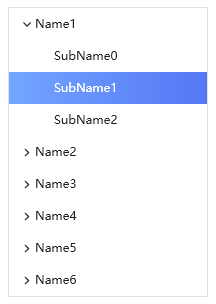
4.11.3 TreeView
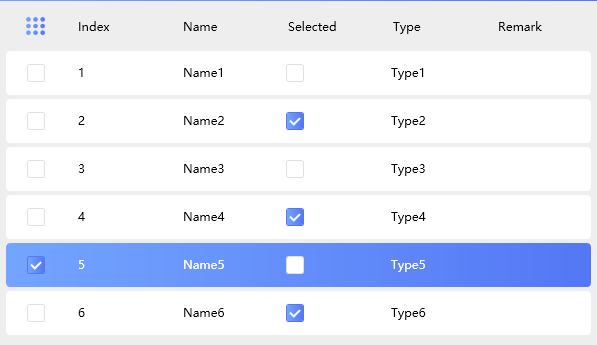
4.11.4 DataGrid
4.11.5 DarkTheme

4.12 Form control

Dotnet9 Xiaobian classifies custom forms, message prompt boxes, etc. into form classes.

4.12.1 BlurWindow

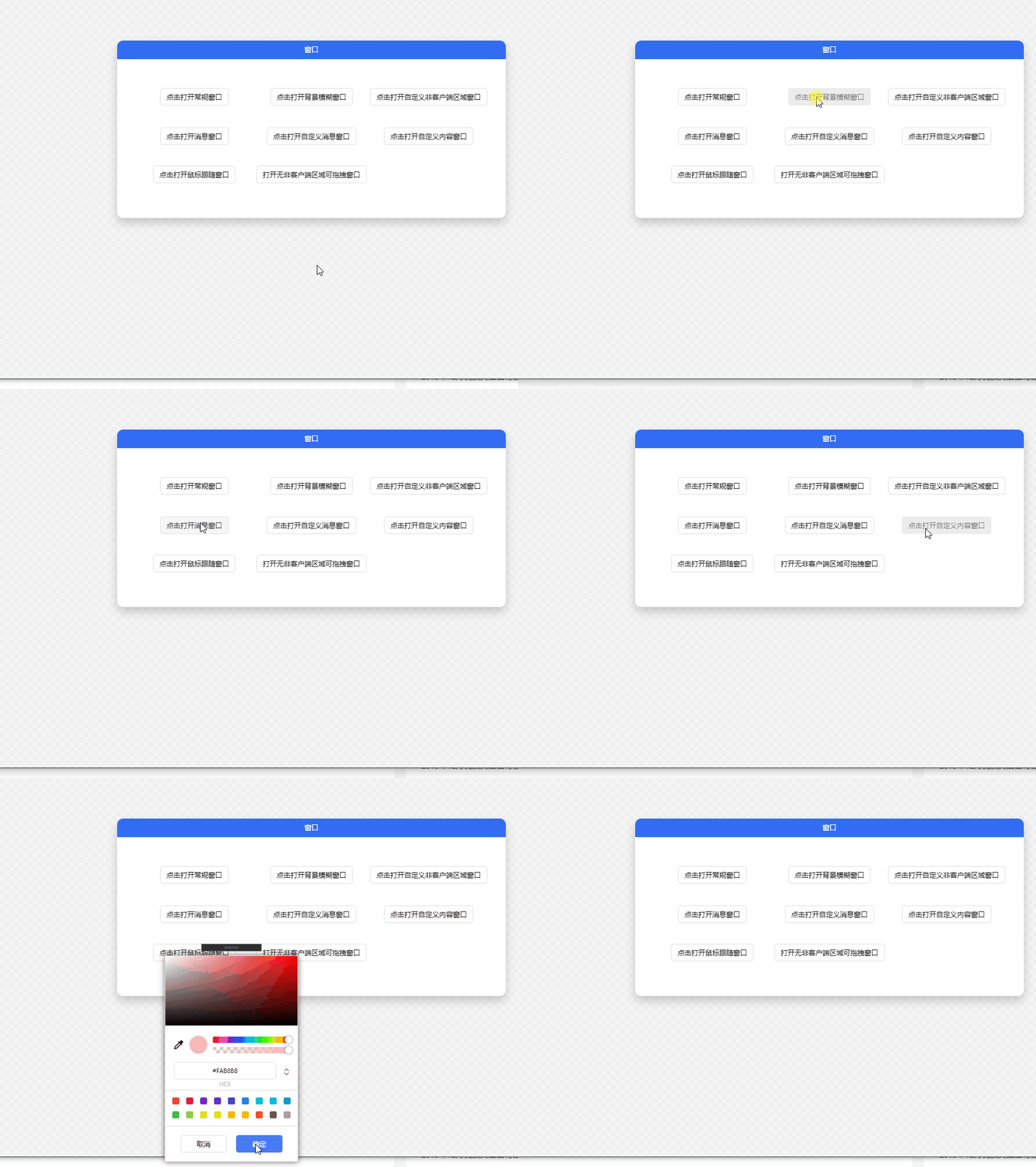
BlurWindow various forms are available for you to choose from.

4.12.2 Dialog

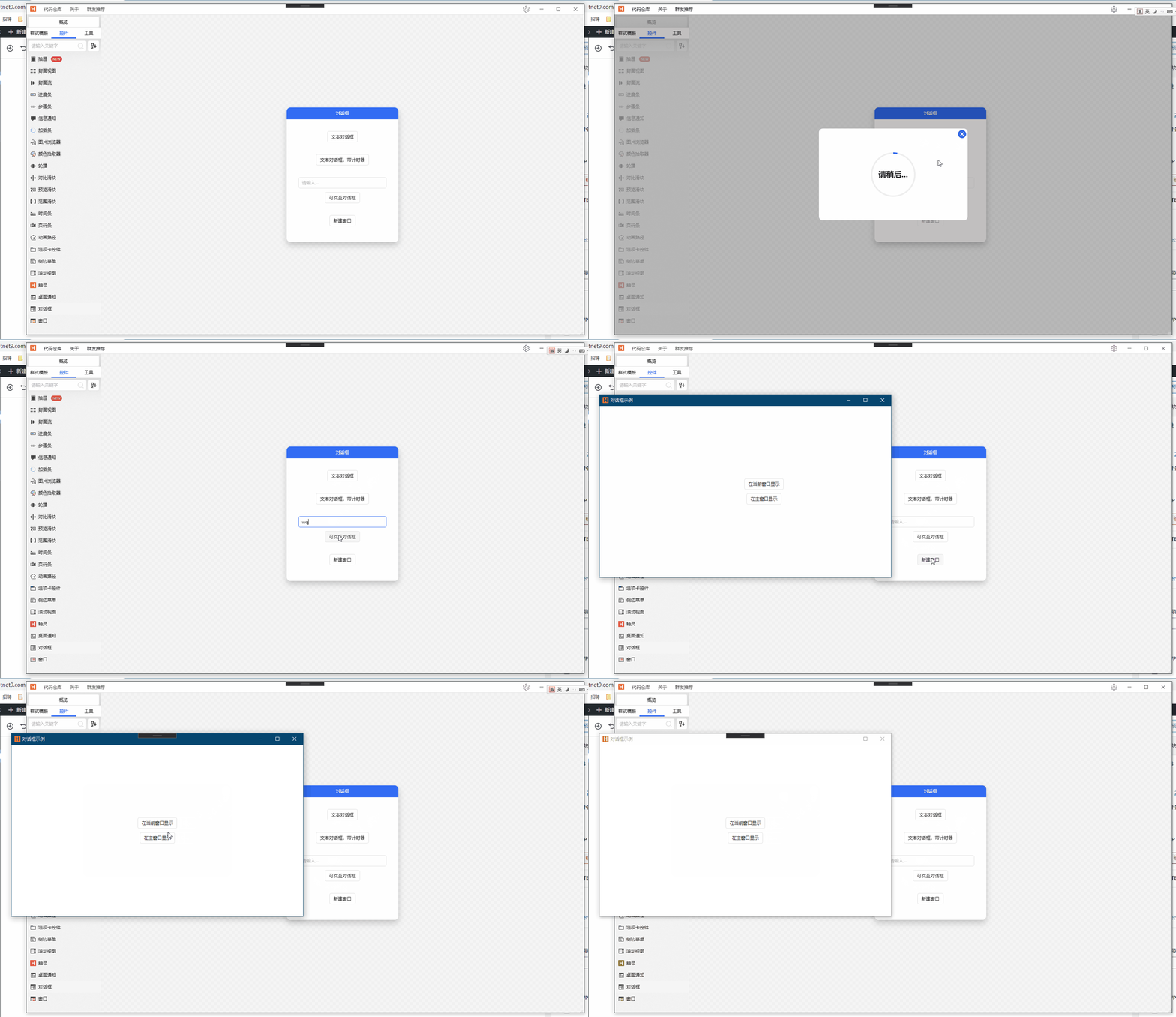
Dialog dialog box, Web-style mask display, can distinguish between parent form mask and application main form mask, can be flexibly controlled.

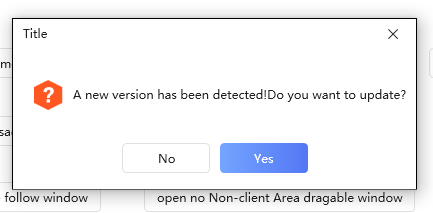
4.12.3 MessageBox

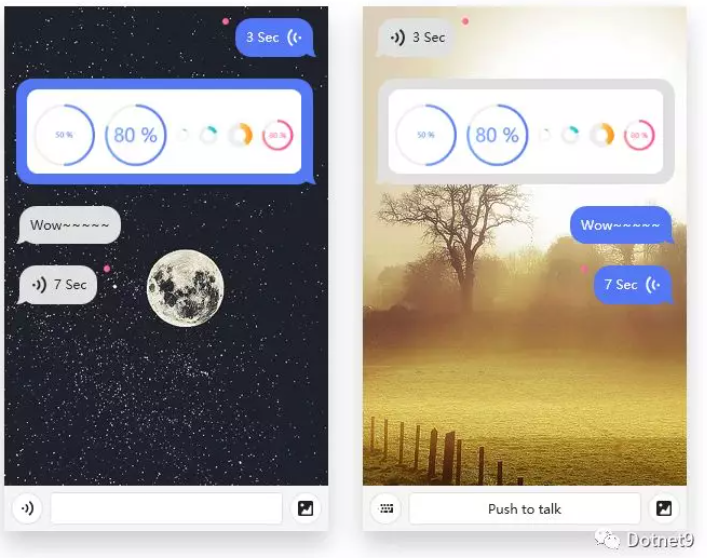
4.12.4 ChatBubble

ChatBubble chat bubble is very practical to make IM software.

The following is a brief greeting between Xiaobian's own simulation and the author of the HC control library:

5. Words written at the end of the article

This is the third article written by Dotnet9 Xiaobian to introduce the C#WPF open source control library. During the process of writing the article, Xiaobian personally downloaded, compiled, and debugged the "HandyControl" control library, and repeatedly tinkered with this control library and understand the classic cases originating from this control library. I believe that you will not be disappointed.

Xiaobian played with the HC control library for several days, and organized and classified about 90 pictures of the control library. He thought he had a good understanding of the control library. This control library contains a very rich variety of controls, and all the controls that should be there are. We have them, and almost all the ones I have seen in my work are included. I recommend them to everyone to use them correctly at work.(There are a total of 97 pictures in this article, which add up to nearly 30MB. Readers of this article on mobile phones have spent a lot of money. I hope you will gain something.)

The above is just an introduction to some of the control samples in "HandyControl". The authors and contributors of the control library are also updating the control library warehouse from time to time, such as adding new controls such as sprites. For more control samples, please move to the github repository. Download research and study: www.example.com. https://github.com/HandyOrg/HandyControl

If you have any questions about the use of the controls in this article, or if you have other suggestions, please leave a message in the comment area of this article, and the editor will definitely reply in time; if you plan to use this control library, you can download the github repository to compile and study yourself. You can also add the QQ communication group created by the author of the HC control library for exchange and discussion. The group number is in the article: 2.1 "HandyControl" Communication Community.

Keep Exploring

延伸阅读

更多文章
同分类 / 同标签 9/13/2025

Migration from WPF to Avalonia series: Why I have to migrate WPF programs to Avalonia

In the past few years, our host computer software has been mainly developed using WPF and WinForm. These technologies are really easy to use on the Windows platform, and they have also accompanied us through the stage of small-scale trial production to today's large-scale delivery. However, with the development of business and changes in customer needs, the single Windows technology stack has gradually become a hurdle that we must overcome.

继续阅读
同分类 / 同标签 1/26/2025

WPF internationalizes with custom XML files

This article describes in detail the methods of using custom XML files to achieve internationalization in WPF programs, including installing the necessary NuGet package, dynamically obtaining language lists, dynamically switching languages, using translation strings in code and xaml interfaces, etc. It also provides source code links to help developers easily internationalize WPF applications.

继续阅读