MASA Blazor is a Blazor UI component library. Just like the well-known Bootstrap and Ant Design for front-end development.
MASA Blazor official website: https://blazor.masastack.com
MASA Blazor GitHub: https://github.com/BlazorComponent/MASA.Blazor
MASA Blazor Pro demo: https://blazor-pro.masastack.com/dashboards/ecommerce
MASA Blazor Pro GitHub: https://github.com/BlazorComponent/MASA.Blazor.Pro
What is Blazor
Before introducing MASA Blazor, it’s necessary to know what Blazor is. If you already know what Blazor is, you can skip ahead and continue reading.
Blazor is a framework for building interactive client-side web UI with .NET. With Blazor, developers can use C# to write code on both the server and client sides to build rich web applications. Sounds great, doesn’t it? Backend developers who are not familiar with front-end languages can also use Blazor for web application development. Take a quick look at the official description.
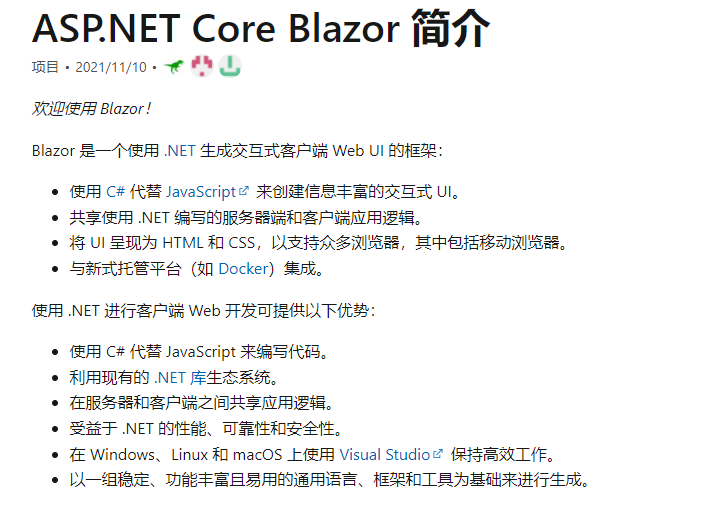
If you want to dive deeper into Blazor, check out this article, which explains in detail what Blazor is and compares it with other front-end technologies. Or you can go straight to the official documentation. I won’t elaborate too much here.
Material Design
After understanding Blazor, let’s briefly look at Material Design. Why Material Design? Because MASA Blazor is designed based on Material Design.
Brief: Material Design, also known as “material design language” or “qualitative design”, is a cross-platform design language introduced by Google. It aims to provide a highly consistent user experience and visual effects across mobile phones, tablets, desktops, and other platforms.
Advantages: Material Design gives suggestions on how to use shadows, animations, and even how many pixels of borders to use in design. It helps us build more reasonable page structures, typography, font sizes, and spacing. It defines elegant and smooth interaction effects that guide users’ visual focus and interaction on the page.
The core of Material Design is simplicity. Big but simple, simple and refined. It brings the experience of the physical world into the screen. It removes impurities and randomness from reality, retains the purest forms, spatial relationships, changes, and transitions, and combines the flexibility of the virtual world to restore the closest to real experience, achieving simplicity and intuitiveness. The advantages are far more than these. Many overseas applications, including a large number of websites, are based on MD design. It is very popular abroad. If you want to learn more about MD, you can check its official website. That’s it for now.
Vuetify
Vuetify is a widely popular Vue UI framework around the world. It is a complete interface framework built on Vue.js, unlike other frameworks. Vuetify has been designed to be easy to learn from the start, with hundreds of carefully designed components from the Material Design specification. Vuetify adopts a mobile-first design, meaning your application works out of the box on mobile phones, tablets, or desktops.
So if you use Vue, you can easily build an application based on Material Design style with Vuetify.
Isn’t that great? After all this talk about front-end stuff, do we have such a UI component library for Blazor? The answer is yes, that is MASA Blazor. Finally, our protagonist appears.
MASA Blazor
As mentioned at the beginning, MASA Blazor is a Blazor UI component library. Blazor frees you from JavaScript for web application development, and MASA Blazor allows you to build beautiful web applications without writing, or writing very little, CSS. MASA Blazor is a UI component library carefully designed strictly according to Material Design specifications. Let’s talk about its advantages.
- Based on Material Design style, inheriting all design advantages of Material Design, excellent multi-device experience, interaction, and operation.
- Deeply integrated with Blazor, allowing backend developers to get started very easily.
- Responsive by nature. In addition to the components that Vuetify has, it also includes many preset components such as Url, breadcrumbs, triple-linked navigation, advanced search, i18n, etc.
- Active community, easy to get started, maintained by a full-time team.
MASA Blazor deeply restores all components of Vuetify, achieving a 1:1 restoration while adding very practical preset components. It encapsulates commonly used components or groups of components to better fit developers’ daily use, greatly reducing development time and increasing efficiency. It also solves the headache of styling for most backend developers. With just a few lines of code, you can quickly build a beautiful page. So let’s see how to introduce it into a Blazor project.
Using MASA Blazor
- Environment: .NET 6.0.0 + Visual Studio 2022
- Create a Blazor Server application
dotnet new blazorserver -o BlazorServerApp
- Add MASA.Blazor package
You can use NuGet package manager to search for MASA.Blazor and add it, or directly:
dotnet add package MASA.Blazor

- Add Masa Blazor related services in Program.cs.
builder.Services.AddMasaBlazor();
Here, .NET 6.0 Minimal API is used, so there is no Startup class. The code is relatively concise. If you are using an earlier .NET version, just add services.AddMasaBlazor(); in Startup.ConfigureServices.
- In Pages/_Layout.cshtml, add styles, fonts, and scripts
Add styles and fonts in the head:
<link href="_content/MASA.Blazor/css/masa-blazor.css" rel="stylesheet" />
<link href="_content/MASA.Blazor/css/masa-extend-blazor.css" rel="stylesheet" />
<link href="https://cdn.jsdelivr.net/npm/@("@mdi")/font@5.x/css/materialdesignicons.min.css" rel="stylesheet">
<link href="https://fonts.googleapis.com/css?family=Material+Icons" rel="stylesheet" />
<link href="https://use.fontawesome.com/releases/v5.0.13/css/all.css" rel="stylesheet" />
Add the js script at the bottom of the body:
<script src="_content/BlazorComponent/js/blazor-component.js"></script>
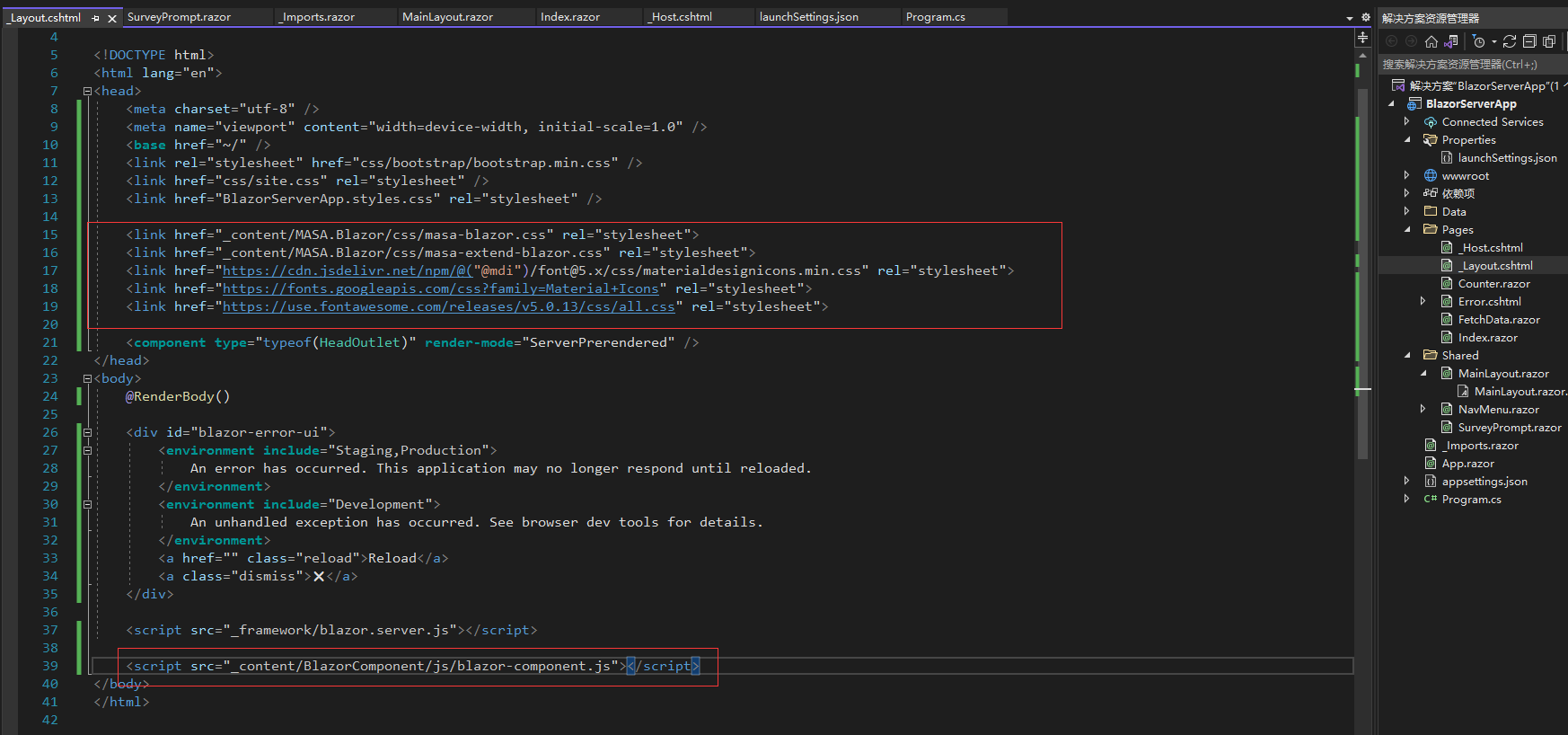
For .NET versions earlier than 6.0, these codes go in Pages/_Host.cshtml (Server).
Reference the MASA.Blazor and BlazorComponent namespaces in _Imports.razor so you don’t have to reference them in every file:
@using MASA.Blazor
@using BlazorComponent
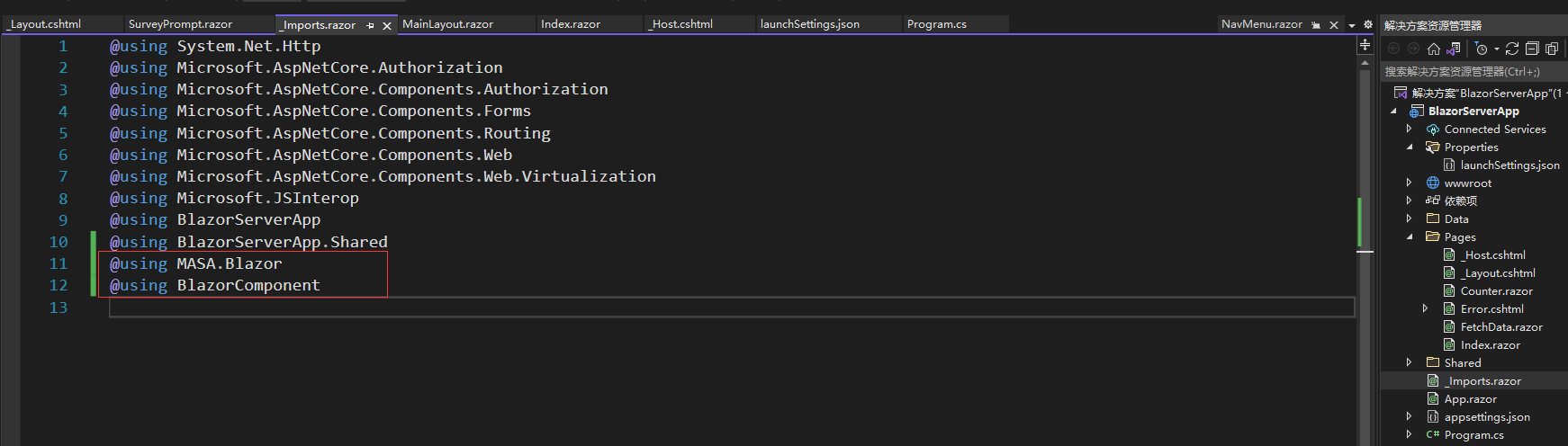
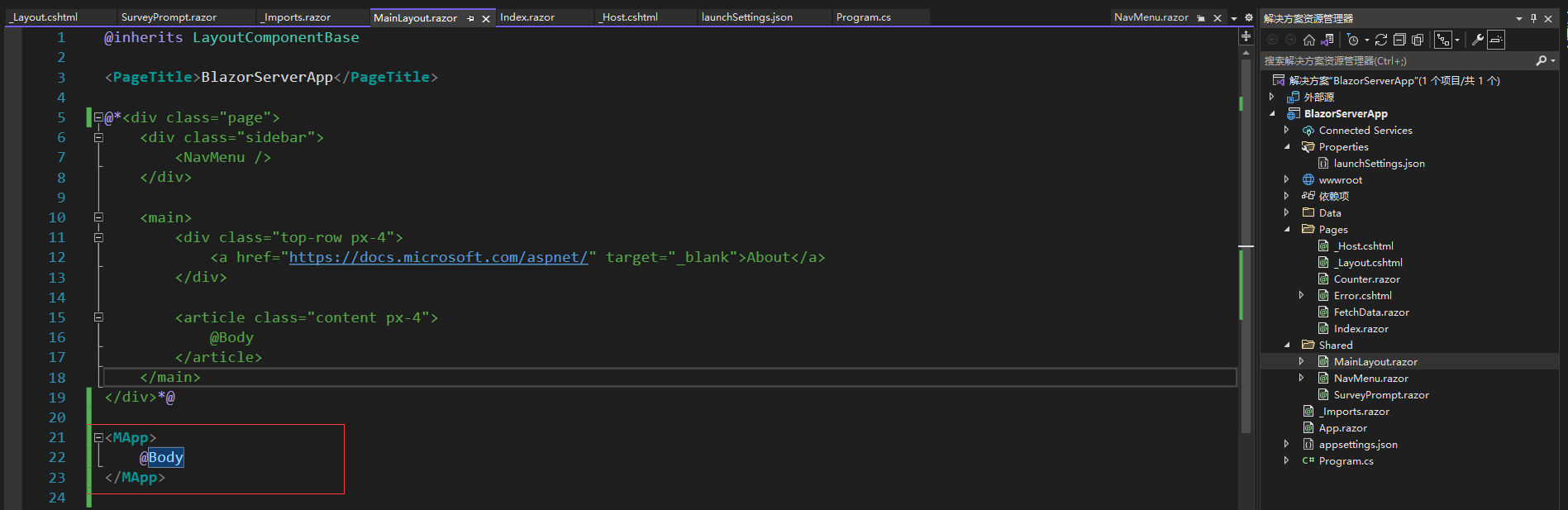
Replace the content in Shared/MainLayout.razor:
<MApp> @Body </MApp>
Quickly create a Blazor project using template
After the steps above, you can start developing with MASA Blazor. But is there a bit too many steps? A bit cumbersome? Of course, MASA Blazor has considered that, so it provides an easier installation method: install via template.
- Install the template via the dotnet command:
dotnet new --install MASA.Template
- Create a Blazor Server project based on the MASA Blazor component library:
dotnet new masab -o BlazorServerApp
Two simple steps and you’re done. The project created this way will have completed the previous steps for you.
Effect demonstration
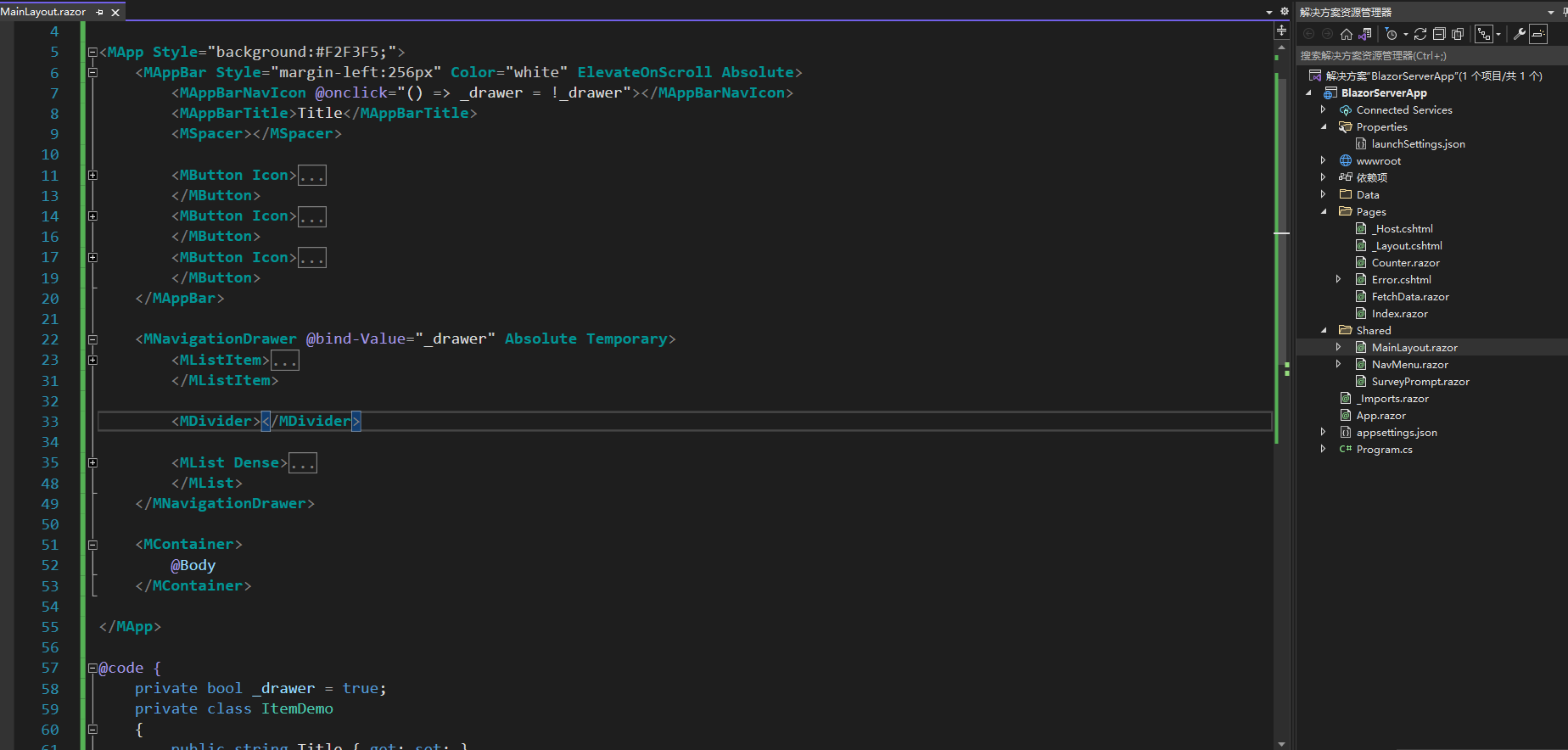
Next, we will replace the original demo components with MASA Blazor’s side navigation and top toolbar. Part of the code screenshot:
Uses two components: MNavigationDrawer and MAppBar.
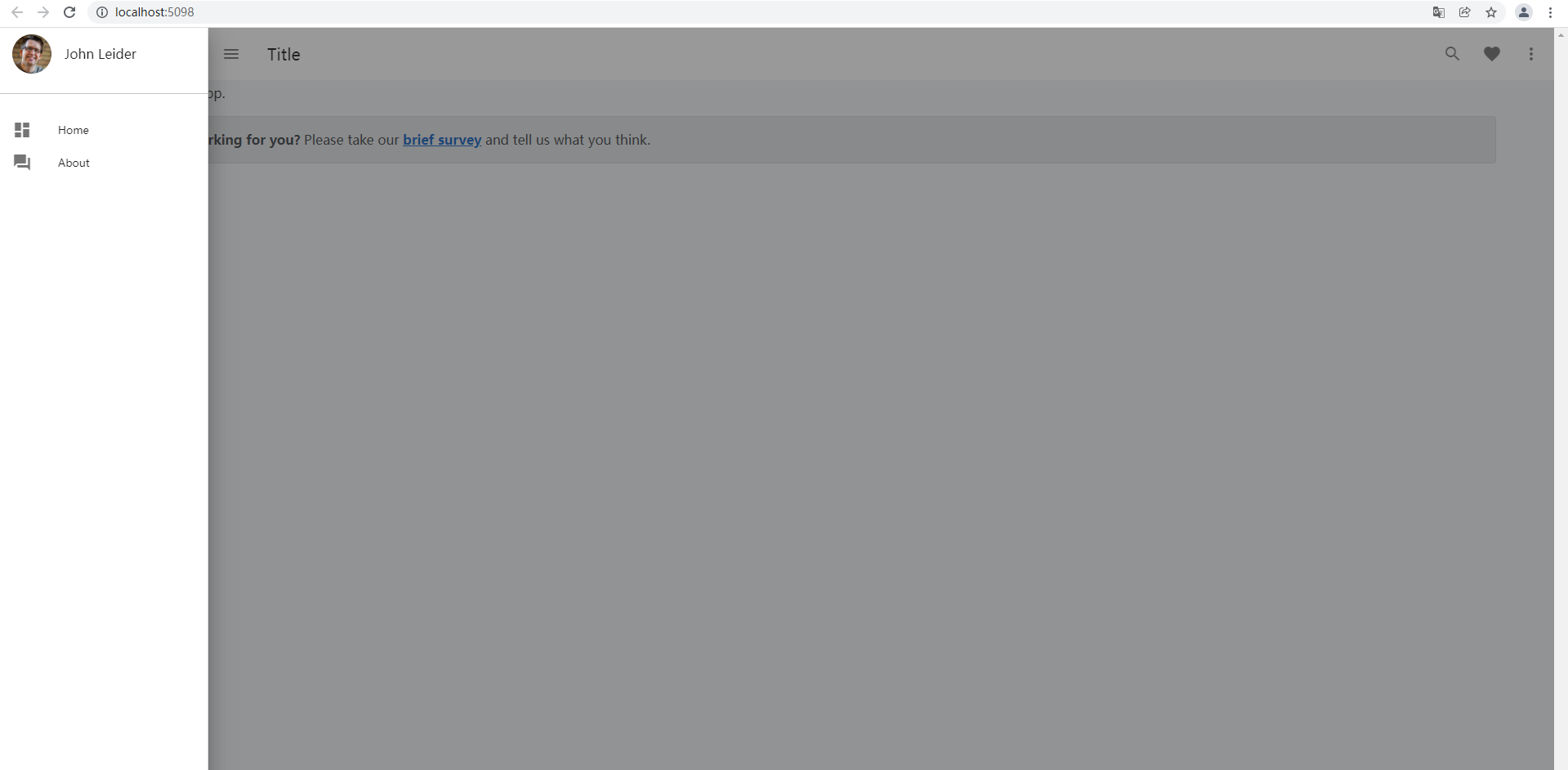
The effect is as follows:
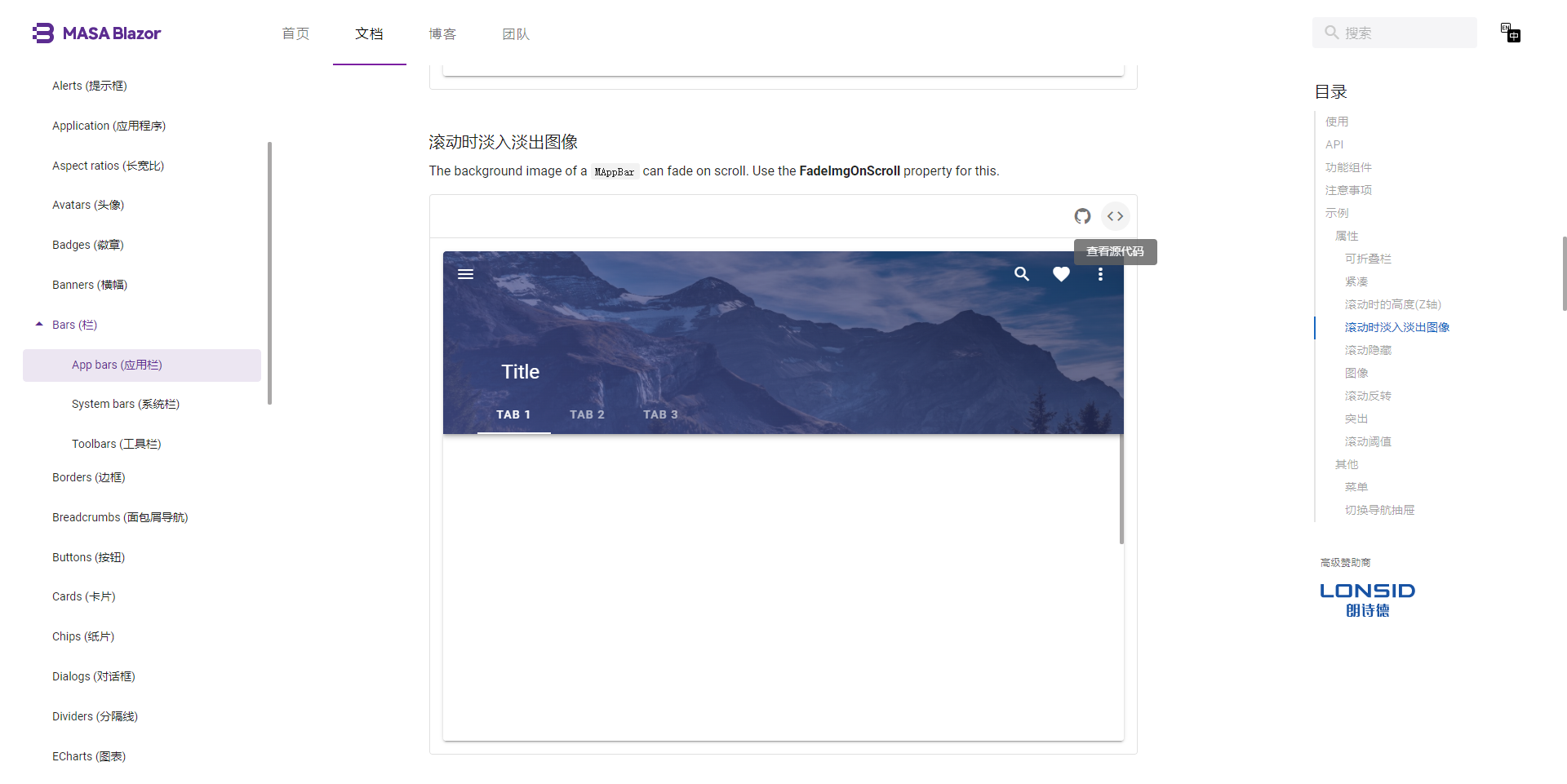
There are many beautiful and interesting components on the official website with examples and code, such as this AppBar:
Click to view the source code, copy the code, and a component is done.
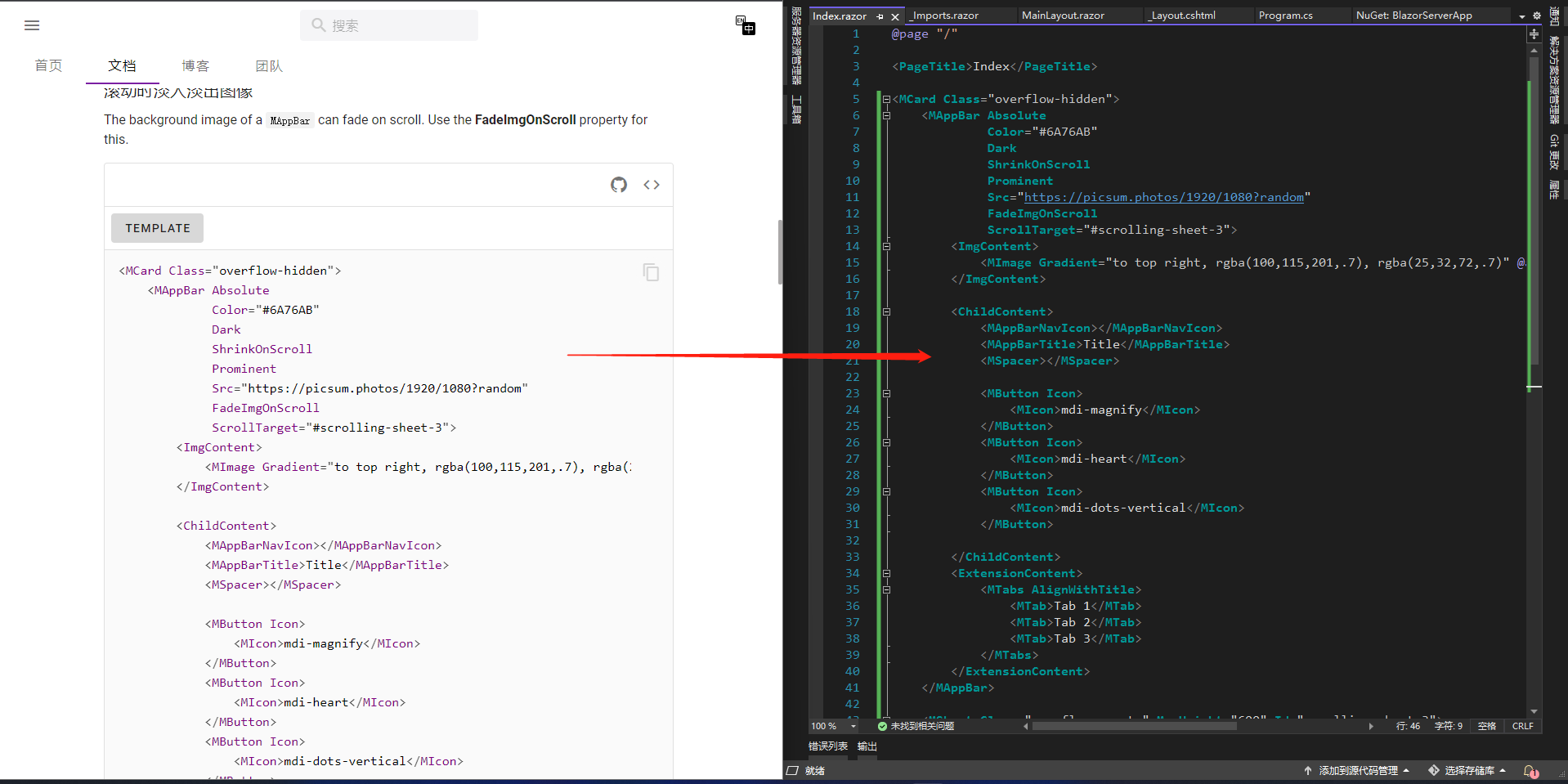
Look at the effect:
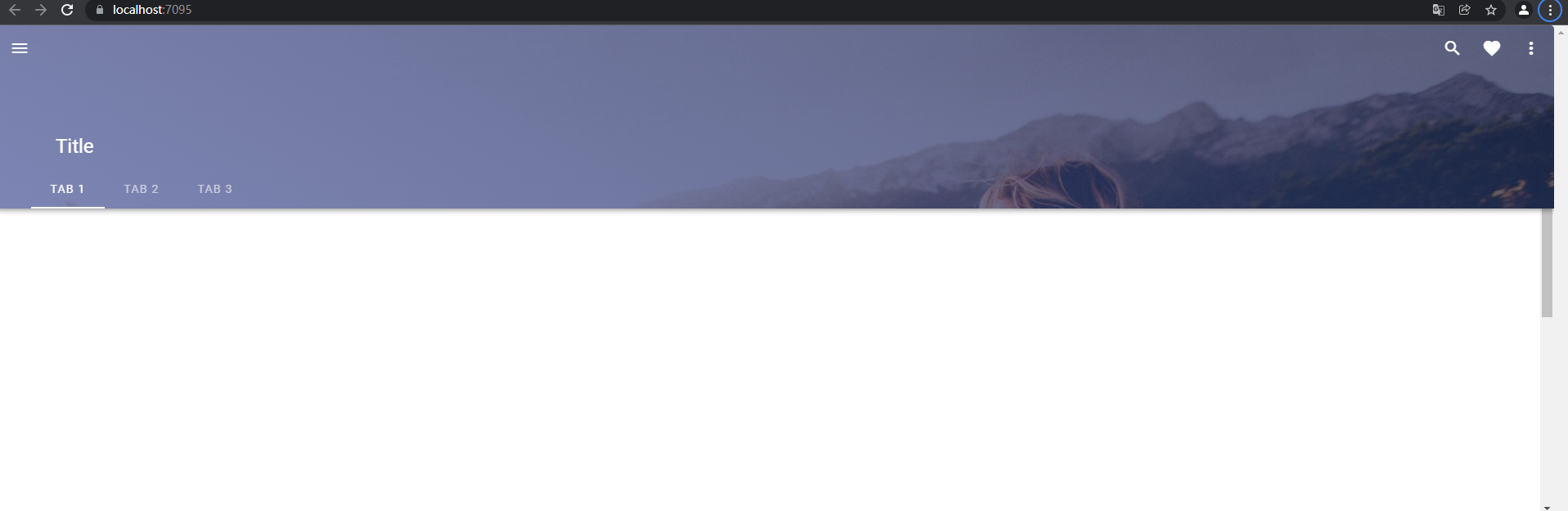
It’s that simple.
Let’s take a look at the official Admin template (MASA Blazor Pro) effect:

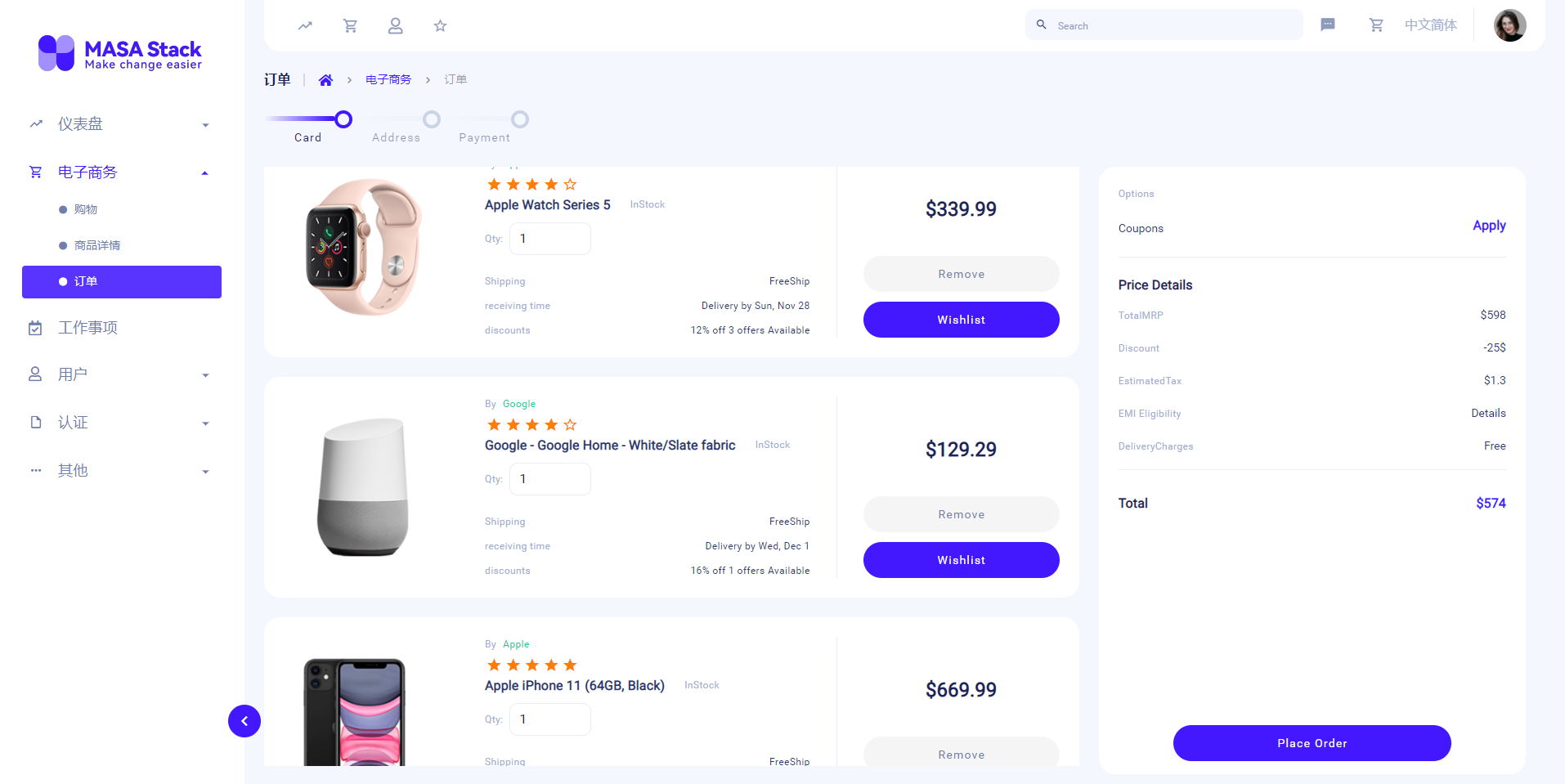
MASA Blazor Pro demonstrates the usage of most MASA Blazor components. It is an out-of-the-box backend front-end admin template. Both are open source and free. If you’re interested, you can go and check it out.
MASA Blazor official website: https://blazor.masastack.com
MASA Blazor GitHub: https://github.com/BlazorComponent/MASA.Blazor
MASA Blazor Pro demo: https://blazor-pro.masastack.com/dashboards/ecommerce
MASA Blazor Pro GitHub: https://github.com/BlazorComponent/MASA.Blazor.Pro
We are in action: new framework, new ecosystem
Our goal is to be free, easy to use, highly flexible, rich in features, and robust.
So we are building a new framework called MASA Framework, inspired by the concept of building blocks. What features does it have?
- Native support for Dapr, but allows replacing Dapr with traditional communication methods.
- Architecture agnostic; supports monolithic applications, SOA, microservices.
- Supports .NET native framework, reducing learning burden. Except for concepts that must be introduced in specific domains, we insist on not reinventing wheels.
- Rich ecosystem support; besides the framework, there are component libraries, permission centers, configuration centers, troubleshooting centers, alert centers, and more.
- Unit test coverage for core code libraries is 90%+.
- Open source, free, community-driven.
- What else? We are waiting for you to discuss together.
After months of production project practice, the POC has been completed. We are now refactoring previous accumulations into new open-source projects.
The source code is already being synchronized to GitHub (documentation site is in planning and will be gradually improved):
Technical communication:
- QQ group: 7424099
- WeChat group: Add the technical operations WeChat (MasaStackTechOps), note your intention, and you’ll be invited to the group.
------ END ------
Author’s bio
- Yan Pengju: Member of MASA technical team.