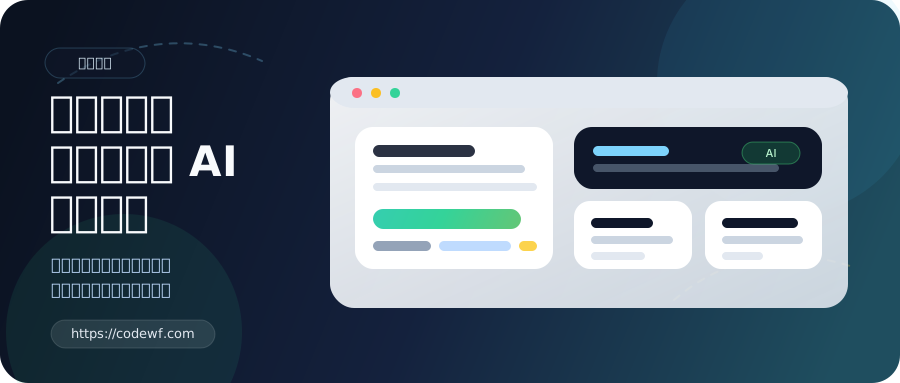
Let me make an announcement.
This website was finally rebuilt by me using AI.
It's not the kind of participation where "letting AI fill in a few lines of code at will".
Instead, AI was deeply involved in everything from page redo, structure sorting, routing compatibility, SEO, load optimization, content access, Markdown cleaning, minimum test set, CI, to the article itself.
The results are straightforward.
-
- The efficiency is really outrageous. **
So in this article, I want to officially record this refactoring and also talk about one thing in the meantime:
-
- Don't resist AI. Let's not talk about whether it will be replaced by it, let's learn how to control it first, and you can really get twice the result with half the effort. **
Look at the results first
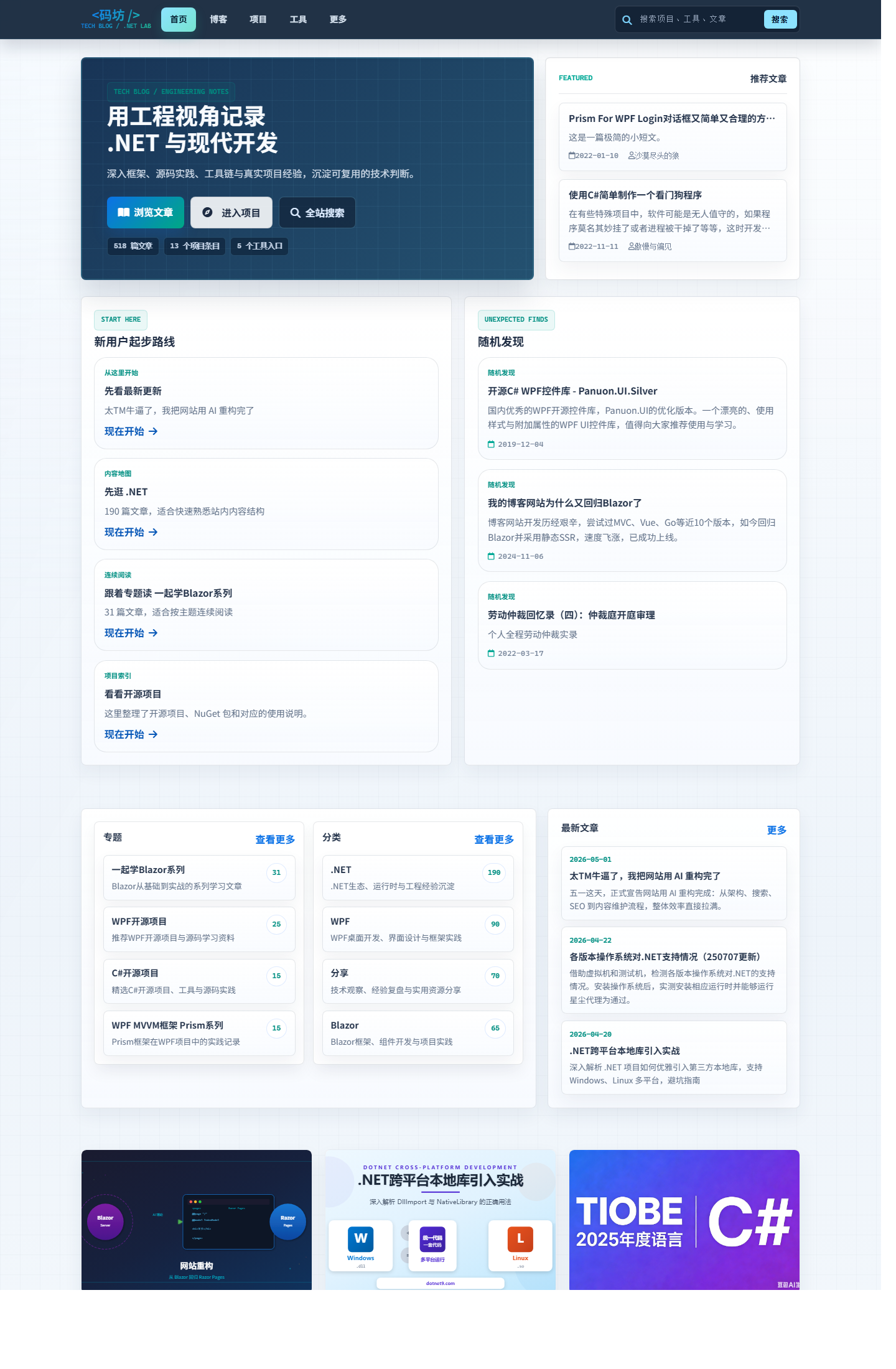
home

This time, the front page is no longer just "stacking content on it."
I have reorganized the information level: the entrance to the latest articles, projects, documents, and tools is clearer, the first screen is more focused, and it is more like a personal technology station under continuous maintenance, rather than a splicing of scattered pages.
It can now do at least two things:
- Users who come in for the first time know what this site mainly writes and does.
- When old readers come back, they can find new content and commonly used entrances faster.
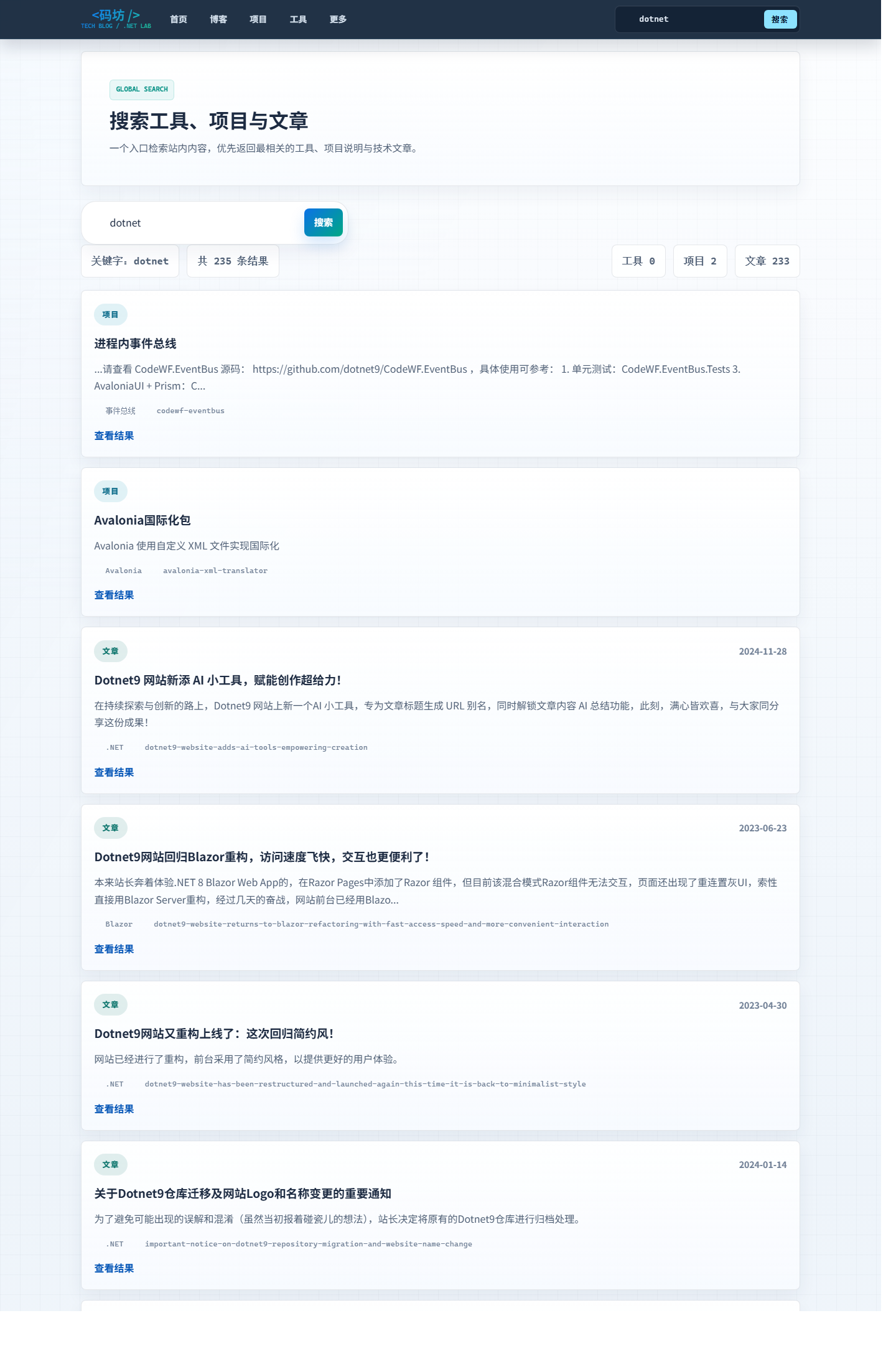
search

Search is something I value very much this time.
In the past, many personal websites only searched for "ability to search", and the experience was actually very average.
This time I redid the search page, search routing, keyword processing, and result display, especially adding in one very practical detail:
-
- Illegal keyword filtering has been added during search. **
This is not for show, it is really useful.
The implementation is not complicated, and the thinking is very direct:
- Standardize user input first.
- 再和
site/blocked-search-keywords.json里的词库做匹配。 - Directly intercept after a hit, preventing dirty words from continuing to enter the search results process.
This has several benefits:
- Reduce the pollution of search pages and logs with strange keywords.
- Avoid pages being hit repeatedly by low-quality search traffic.
- For public websites, it can save a lot of unnecessary dirty work.
This function is not big, but it is very "webmaster's perspective".
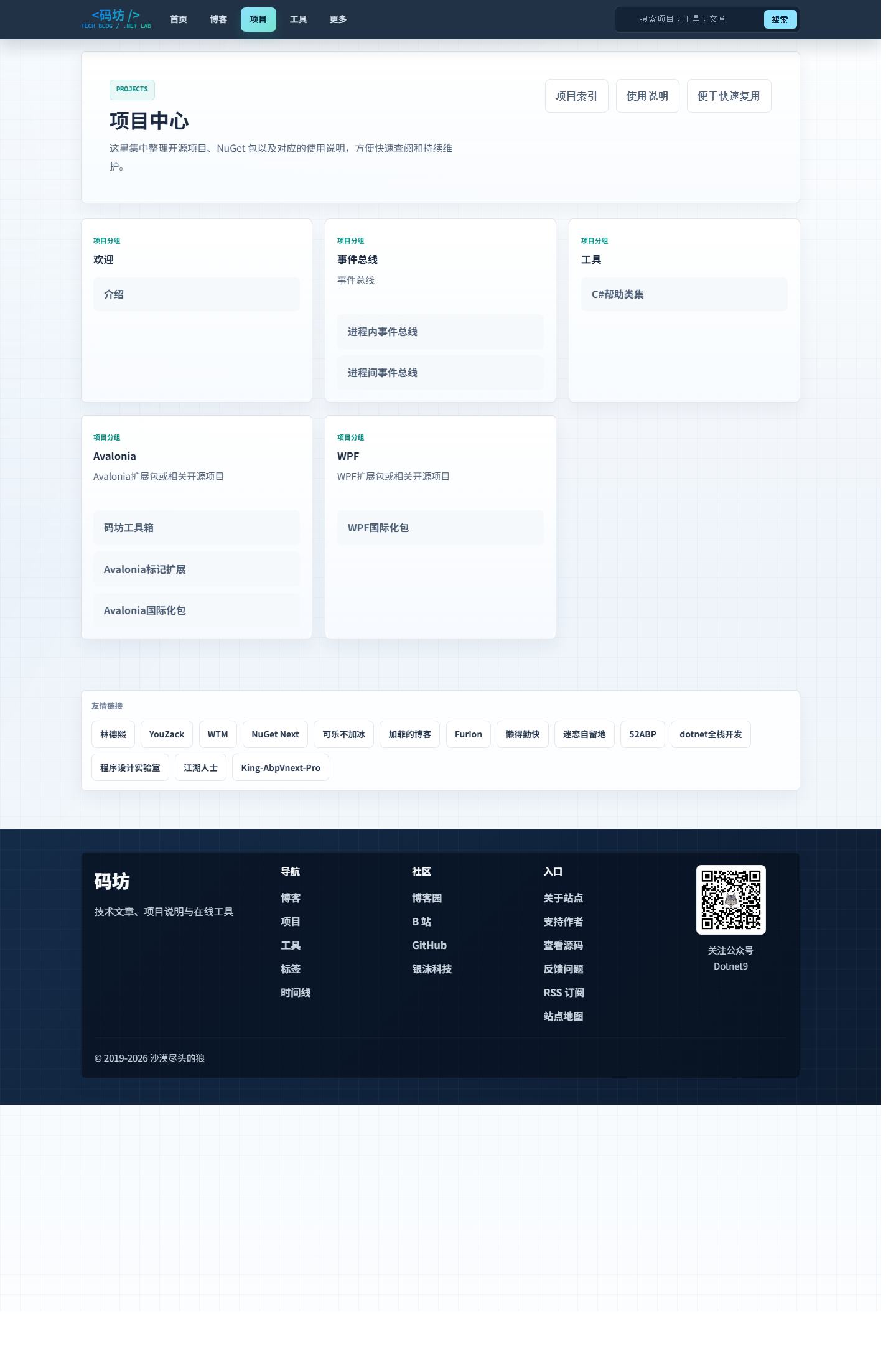
Project Center

I have also rearranged the project center section.
Previously, many projects, components, NuGet packages, and tool entrances were scattered in different articles, making it difficult for readers to form an overall understanding.
This time I gathered them as much as possible into a clearer entrance.
You can see faster:
- What project I'm working on.
- What are open source warehouses?
- Which are tool pages.
- What content is suitable for direct use.
It's important to me, too.
Because the website is not just "for others to see", it is also my own project showcase and ability archive.
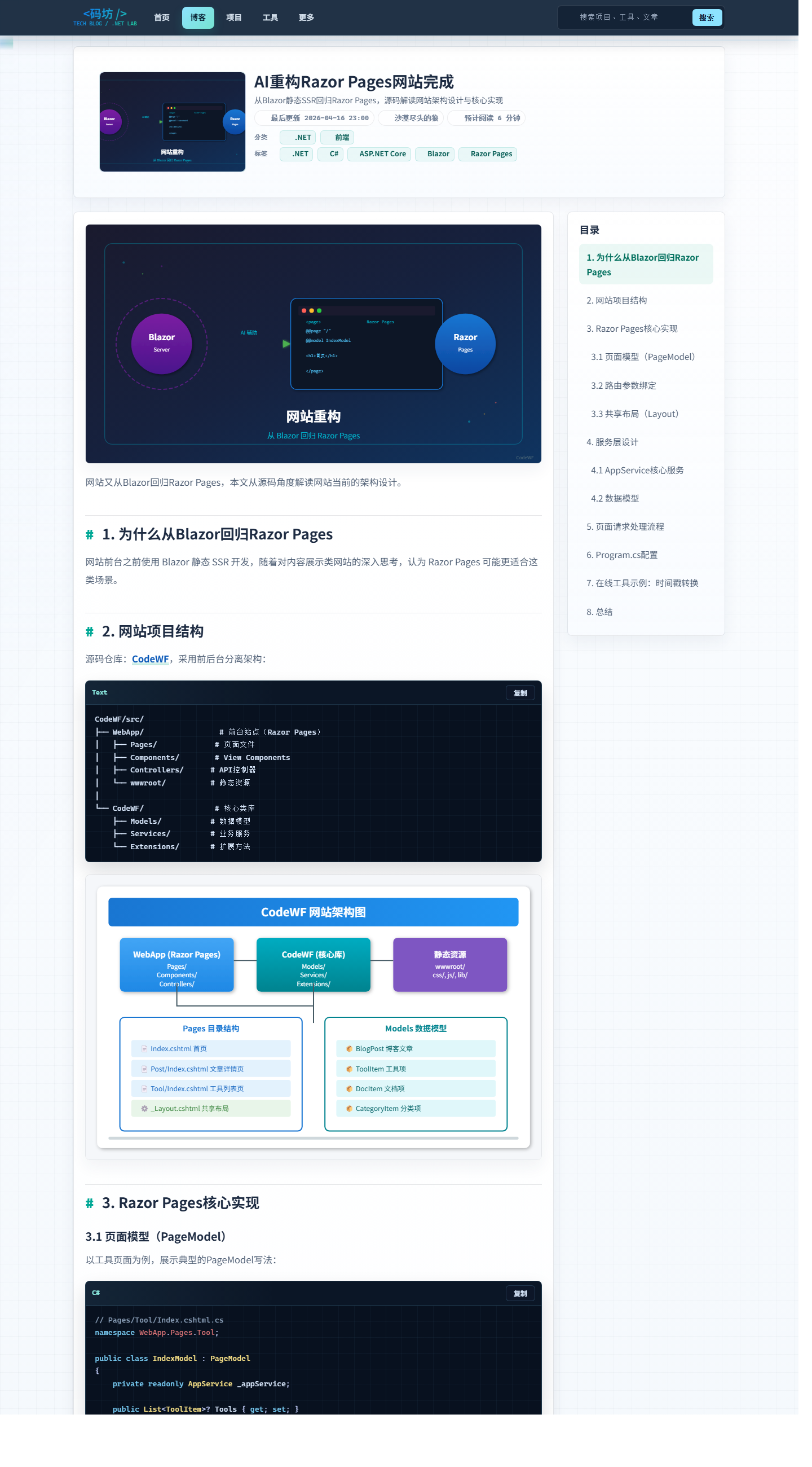
Article details page

I watched the article page the most carefully this time.
Because of whether a technical station will work well or not in the end, many times, we don't look at the front page for more attention, but look at whether the main page is comfortable to read.
This time I mainly focused on a few things:
- Don't have weird problems with Markdown rendering anymore.
- The display of code blocks should be organized.
- The page information structure should be clearer.
- Resource reference methods should be as uniform as possible.
Recently, I also cleared up Markdown structural anomalies in a round of historical articles, such as mixed old-format code fences, stuck back quotes, and missing language tags in old articles.
Such problems are usually inconspicuous, but once they accumulate, front-end rendering will be very uncomfortable.
What exactly was reconstructed this time?
In one word:
-
- It's not a change of skin, but a reorganization of the site into a more "product" status. **
I mainly did the following things this time:
- Page structure is reorganized.
- Routes are compatible and repaired.
- Strengthen basic SEO capabilities.
- Redone the search experience.
- Illegal keyword filtering.
- Resource domain names are independent.
- Load performance optimization.
- Content hot update support.
- README, minimum test set, CI completion.
- Cleanup of historical Markdown structural problems.
If you are a developer, you should understand what this means.
Many times, what really takes time is not "writing a page", but slowly packing up a bunch of scattered things that are heavy with historical burdens and have many corner problems into a warehouse that can be maintained for a long time.
AI has really helped me a lot in this matter.
Talk about some implementation details
1. Separate website warehouse and resource warehouse
This time I continued to maintain the "dual warehouse" idea:
CodeWF/ # 网站仓库
Assets.Dotnet9/ # 资源仓库
CodeWF 负责站点本身的页面、组件、路由、渲染和 SEO。
Assets.Dotnet9 负责文章、配置、图片、导航、工具数据这些“内容资产”。
I like this tearing method more and more.
Because what content stations are most afraid of is: changing an article and mixing the logic of the site; changing a page and tying the content resources together.
After taking it apart, your mind will be much clearer.
The benefits are also straightforward:
- The website code and content resource responsibilities are clear.
- You don't have to mix up the logic of the site when you edit the article.
- More suitable for independent deployment and caching.
- It is more comfortable to synchronize content and accelerate static resources later.
2. Separate website domain names and resource domain names
I will specifically elaborate on this detail.
I deploy website entrances and resource access based on two domain names.
Images, covers, and articles in the resource warehouse are embedded in resources, and this domain name is unified:
So you will see the picture quotes in this article, all of which are absolute addresses:
https://img1.dotnet9.com/2026/05/codewf-homepage.png
This is not to "appear professional", but to avoid trouble later.
When website page and resource access are separated, many things are easier to handle.
For example:
- Static resource caching strategies can be done separately.
- Resource migration and CDN are more flexible.
- The main domain name of the website is less stressful.
- The content of the article is more suitable for independent maintenance and publication.
3. Content support hot updates
I like this feature very much myself.
Now when developing locally, you don't have to restart the site every time after articles, JSON configuration, and some image resources are modified.
背后用了 FileSystemWatcher 去监听资源目录变化。
The monitoring content includes:
- Markdown
- JSON
- png/jpg/webp/svg and other picture resources
This kind of thing is very simple and does not even have a "flash-off sense".
But if you really write your own stations and articles, you will know how much time it saves you.
Because the most annoying thing about writing an article is not writing, but "changing a paragraph, restarting it again, and reading it again."
4. The loading speed is also carefully implemented this time, and we will simply share the details of how to do it.
I didn't chase those particularly fancy indicator words in this area, but my thoughts were simple:
-
- Make up for the areas where performance is most easily wasted first. **
That is, the pressure that should be pressed, the buffer that should be cached, the delay that should be postponed, and the priority that should be given priority.
The first category is compression.
I started this one first because it belongs to the category with few side effects but stable returns.
我在站点里直接开了 ResponseCompression,同时启用了 Brotli 和 Gzip,而且把 image/svg+xml 也一起加进了压缩范围。
Text-based resources such as HTML, CSS, JS, and SVG are already very suitable for compression. If you press it before delivering it, the transmission volume of the first screen will directly decrease.
This optimization is not sexy, but it is worth it. Because it is not "theoretically faster", but the first resource download will really be lighter when a user opens the page for the first time.
The second type is static resource caching.
I also make up for this piece more realistically, and I don't just say "cache it" and just pass it.
像 .css、.js、.png、.jpg、.webp、.svg、字体文件,还有部分 json/txt,现在都会带上:
Cache-Control: public,max-age=604800
That is, one week's cache.
The reason is simple: users should not pull old resources again every time they open a page.
Especially blog this site, a lot of resources are not high frequency changes. After the cache hits, the second visit will be much more comfortable, and the page will not make unnecessary requests repeatedly.
另外我还配了 asp-append-version="true",比如站点里的 site.css、home.css、site.js、bootstrap.min.css 都带版本参数。
This way I can feel comfortable keeping my resources cached longer without worrying that users will still be holding onto old files after style or script updates.
The benefits are straightforward:
- Old resources can be cached with confidence.
- Once a file is updated, the URL changes automatically.
- There is no need to manually clear the cache, and there is no need to worry about users getting old styles.
The third category is image loading.
I didn't slack off and adopt a "one-size-fits-all" approach to the picture area, but divided it into two methods: "list picture" and "first picture".
The article list page, home card, and classification page are non-core images on the first screen, and try to follow them as much as possible:
loading="lazy" decoding="async"
This means that loading later can be done later, and not blocking the main thread if you can decode asynchronously.
但文章详情页顶部封面这种更关键的视觉元素,我就没有硬上懒加载,而是保留正常加载,同时补了 decoding="async" 和 fetchpriority="high",让真正该优先显示的图片优先显示。
I myself don't really like the approach of "lazy" even if all pictures are optimized. On actual pages, different pictures are of different importance at all, and the methods of handling them should not be the same.
The fourth category is sorting out the page rendering path.
To put it bluntly, this part is to minimize one annoying situation:
-
- The content of the page has not been released yet, and miscellaneous resources will be queued first. **
For example, I deferred processing of some non-critical external resources:
- 对
cdnjs做了preconnect。 - Font Awesome 的样式表用了
media="print" onload="this.media='all'"这种方式异步加载。 - The Prism code highlighting style does similar treatment.
- 百度统计脚本不再一进页面就同步加载,而是等
window.load之后,再通过requestIdleCallback或setTimeout延后插入。
These orders are not a big deal when you take them apart, but when you put them together, the page rhythm will be much smoother.
First give users what they really should see first, and then add icons, statistics, and enhance styles. I think this order is more important than anything else.
The fifth category is SEO and access portal organization.
On the surface, this area looks like SEO, but in fact, I prefer to understand it as "straightening out the website entrance."
Because content stations often die not because the page cannot be written, but because:
- Search engines don't know if your page is the main text.
- There are multiple entrances to the same content, and the weights are scattered.
- There is only a bare link when shared, and the card information is incomplete.
- You changed the route yourself, and the history entrance and grab entrance were cut off together.
So this time I made up this part much more seriously than before.
先说最基础的一层:canonical、Open Graph、Twitter Card。
现在页面会统一输出 canonical,文章详情页还会明确把 og:type 设成 article,og:image 直接走文章封面,同时把发布时间、更新时间、作者这些信息也一起带上。
These things may not necessarily be seen directly with the naked eye, but they are important.
Because search engines, social platforms, and aggregation tools must first judge whether this is an article or an ordinary page; whose main link is; and which picture should be used on its cover.
When this basic information is incomplete, you think that "it's fine as long as the page can be opened", but the search and sharing system doesn't think so.
Next, I also filled in the structured data on the article page.
不是只写个标题 description 完事,而是直接输出了 Article 类型的 JSON-LD,把这些信息都带进去:
headlinedescriptionimagedatePublisheddateModifiedauthorpublishermainEntityOfPage
This thing has almost no presence for ordinary readers, but it is very helpful for search engines to understand information such as page type, body identity, and release time.
Let's talk about RSS and sitemap, I'm not putting them out in a shell.
RSS will now automatically output the latest 10 articles, instead of leaving empty links for show.
And sitemap is not just a front page, but also organizes all these entrances:
- home
- blog list
- category page
- special page
- tab
- document page
- tools page
- Details page for each article
而且每个节点都会带 lastmod、changefreq、priority。
This may seem basic, but it is particularly critical for grasping the path. Because you are clearly telling search engines which pages are more important, which pages are updated more frequently, and which content deserves priority.
还有一个我自己比较在意的小细节,是 robots 的控制。
像搜索结果这种页面,本来就不适合被当成核心内容页去收录,所以我会给特定入口加 noindex,follow,避免一些没必要的页面跑去参与索引。
This kind of treatment is much like cleaning. It is usually inconspicuous, but it can reduce a lot of follow-up trouble.
Finally, there are access entrances and compatible routes.
这次我顺手把 /blog、/search、/doc、/sitemap.xml 这些更直觉的入口也保留下来了。
This is not just about "looking better", but about two things:
- It is easier for users and crawlers to understand the website structure.
- Even if the page organization method continues to be adjusted in the future, historical entrances and common access paths will not be completely cut off at once.
So strictly speaking, this part does not exactly equal to "browser rendering faster."
But for a content site, access efficiency is never just about the hundreds of milliseconds on the front end, but also includes how you are discovered, how you are crawled, how you are shared, and how you don't waste your weight.
So I included this whole piece in this optimization.
These things are not exaggerated when viewed individually.
But stacked one by one, the difference in body feeling is actually obvious.
Many times, websites become faster not by relying on a certain "god optimization", but by doing these small things that should be done correctly one by one.
If you want to just run this warehouse
I will also write this part more directly, so that people will not feel that "it seems to be quite good at fighting" after reading it, and there is no entrance when they really want to run.
1. Pull up two warehouses first
git clone https://github.com/dotnet9/CodeWF.git
git clone https://github.com/dotnet9/Assets.Dotnet9.git
The idea is very simple, one puts site code and the other puts content resources.
2. Point the resource directory locally
$env:Site__LocalAssetsDir = "D:\github\owner\Assets.Dotnet9"
dotnet run --project D:\github\owner\CodeWF\src\WebApp
In other words, when the site is launched, it will directly read the articles and configurations in the resource warehouse.
3. Where should I put the article?
The article is placed according to this structure:
YYYY/MM/slug.md
For example:
2026/05/labor-day-ai-rebuilt-my-site.md
4. Where to change site configuration
常见内容都在资源仓库的 site 目录里。
For example:
site/categories.jsonsite/albums.jsonsite/doc/navigation.jsonsite/tools/tools.jsonsite/blocked-search-keywords.json
In other words, this site is not the kind of structure that relies heavily on backend CMS to maintain.
By changing Markdown, JSON, and pictures, you can basically complete most content updates.
What did AI do for me this time?
I want to talk about this part alone.
Because when many people mention AI now, they either over-deify it or instinctively resist it.
My own feelings are:
-
- The most valuable thing about AI is not to think for you, but to help you speed up execution. **
This time it mainly helped me do these things:
- Sort out the ideas for reconstruction.
- Refine page and route adjustments.
- Supplement README, CI, and minimum test set.
- Clean up historical Markdown structural issues.
- Assist in organizing the structure of the article.
- Generate and adjust article covers SVG.
- Help me string the pieces of work into a complete closed loop.
It was not that I couldn't do a lot of work in the past.
It's too broken, too miscellaneous, and too energy-consuming, and I don't want to move if I drag it.
Now with AI, as long as the direction is clear and the acceptance is strict, it can really push forward a lot of work that is "too lazy to do".
I will continue to ask AI to help me make more tools in the future
Let me talk about this in advance as well.
I will continue to make more online tools based on this website in the future.
But I don't want to pursue big and comprehensive things right away.
My idea is simple:
-
- Meet the webmasters 'own real needs first. If you lack any tools, let AI help me develop one first. **
For example:
- Content processing gadget
- Develop assistive widgets
- Picture or text conversion tool
- A practical tool that is closer to daily writing stations, writing codes, and writing articles
This has two benefits.
First, tools are not for making up numbers, but for real use.
Second, only when there are real usage scenarios can tools be more easily polished.
Some people say that it is of little significance to build this kind of website now
I can actually understand this.
If we only look at traffic, monetization, and platform distribution efficiency, many independent technology stations are not necessarily the optimal solution.
So if someone says:
"But now I feel that there is little significance in building this kind of website."
My answer is actually very direct:
-
- Yes, I agree with half. **
What it means to me is not that many people watch it.
Two things are more important:
- Show your article records over the years.
- Satisfy your sense of accomplishment.
If someone is willing to watch, of course he is happy.
No one is watching, and I will continue to do it, haha.
Because it is originally my own content position, project display cabinet, and it is also a place where things can be deposited for a long time.
Welcome to make suggestions and welcome PR
If you use this website or read the warehouse code, I will welcome any feedback.
You can go to these two warehouses:
Welcome feedback includes:
- Page experience issues
- Search experience issues
- Markdown rendering issues
- Resource organization recommendations
- New tool ideas
- Copywriting or typos correction
- Direct PR
Whether it is a website warehouse or a resource warehouse, you are welcome to improve it together.
the last sentence
After this reconstruction, my biggest feeling is not "AI God".
Instead:
-
- People who can use AI will really feel much easier and faster than before. **
Don't rush to resist it.
First learn how to raise requirements, how to dismantle tasks, how to test results, and how to use it as an efficient collaborative assistant.
You will find that many things that were originally too troublesome, didn't want to start, and always wanted to delay, can now really be done.
Finally, I added one sentence.
-
- This article was also completed with AI assistance. I am responsible for direction, fact proofreading and final finalization. **
If you are also messing with personal websites, content sites, and tool sites, welcome to communicate.