
基于 Nacos 来一篇关于微服务的配置中心方案 Demo。
Nacos 是开源的,同时,阿里云也有收费的关于它的服务,公司刚好是依托阿里云的服务体系,所以,使用它作为配置中心的可能性还是很大的,所以,基于它,来了一个示例。
1. 环境如何搭建
它的环境相对还是比较复杂的,需要有 Docker 服务和测试的 Demo 服务,以及它还需要相应的 Mysql 数据库:
- Docker 提供 Nacos 服务
- WebDemo
- Mysql 需要的指定数据库
2. 获取官网的表结构
C#的官方示例地址是:https://github.com/nacos-group/nacos-sdk-csharp
官方提供的地址在这里 :https://github.com/alibaba/nacos.git
SQL 会在 nacos\distribution\conf\nacos-mysql.sql
我这边项目里会提供需要的 sql。
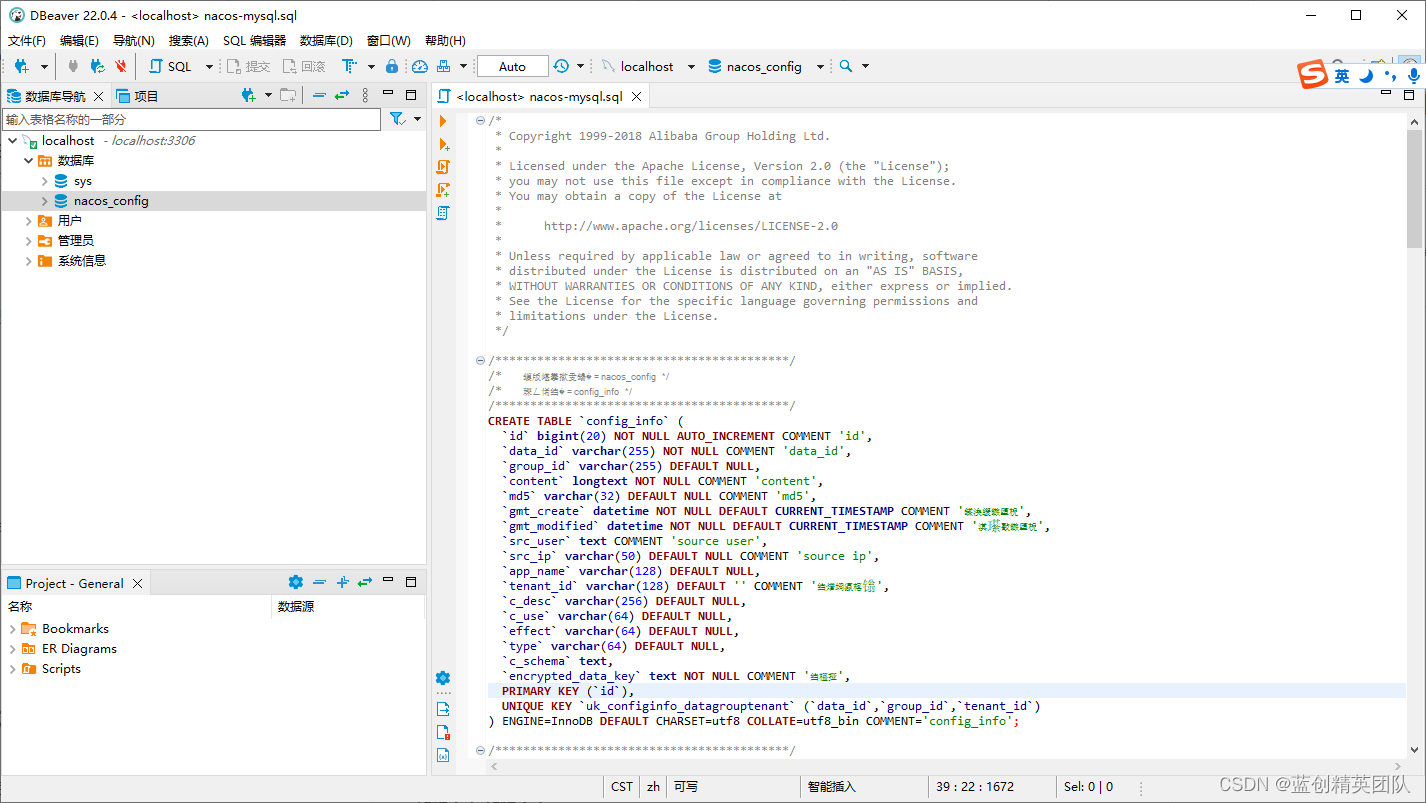
我这边插入指定的脚本,就 OK,前提是你要有这个库。
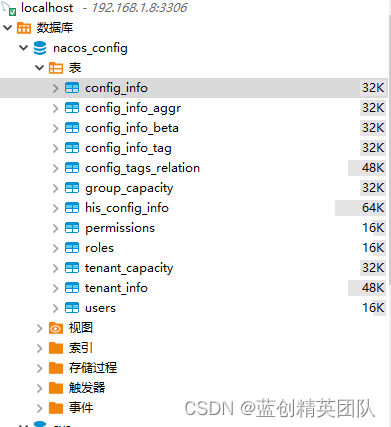
最后看到会有以下这些表
3. 启动 Docker 服务
我这边默认是使用 Docker Desktop,直接输入命令就搞定了。
如果你也使用这种 Docker,那么,你可以参考我之前关于 Docker 相关的文章即可.
docker run --name nacos  -d -p 8848:8848 ^
-e MODE=standalone ^
-e MYSQL_SERVICE_HOST=192.168.1.8 ^
-e MYSQL_SERVICE_DB_NAME=nacos_config ^
-e MYSQL_SERVICE_PORT=3306 ^
-e MYSQL_SERVICE_USER=root ^
-e MYSQL_SERVICE_PASSWORD=123456 ^
nacos/nacos-server
如何判断服务是否 OK
可以游览器访问 http://localhost:8848/nacos/#/login 地址
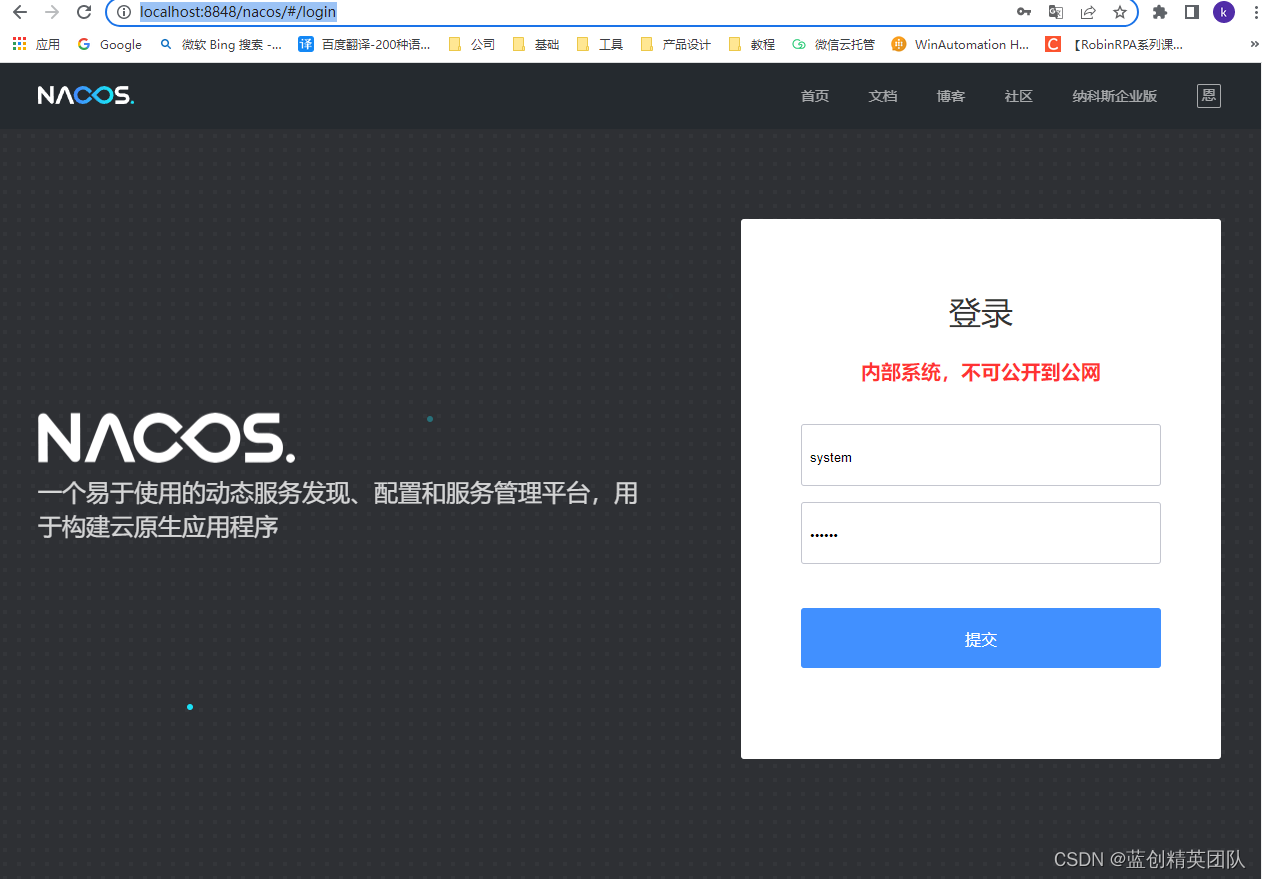
这样的话,我们就可以登录平台上看看有啥子了
初始的用户名和密码都是 nacos
4. 增加相应的配置信息
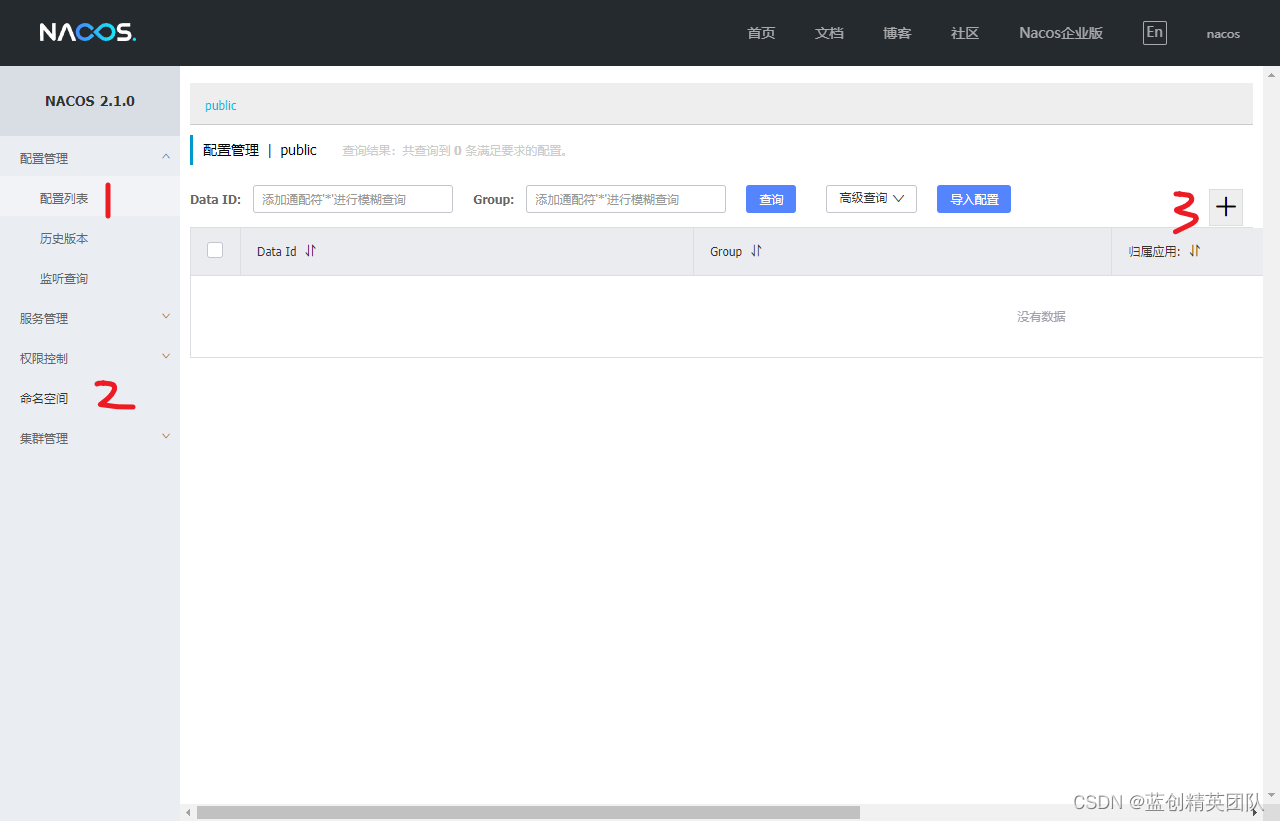
- 第一,就是我们要增加的配置菜单
- 第二,就是相应的命名空间
- 第三,就是需要的具体的配置
其中我新增了一个 Test 的命名空间
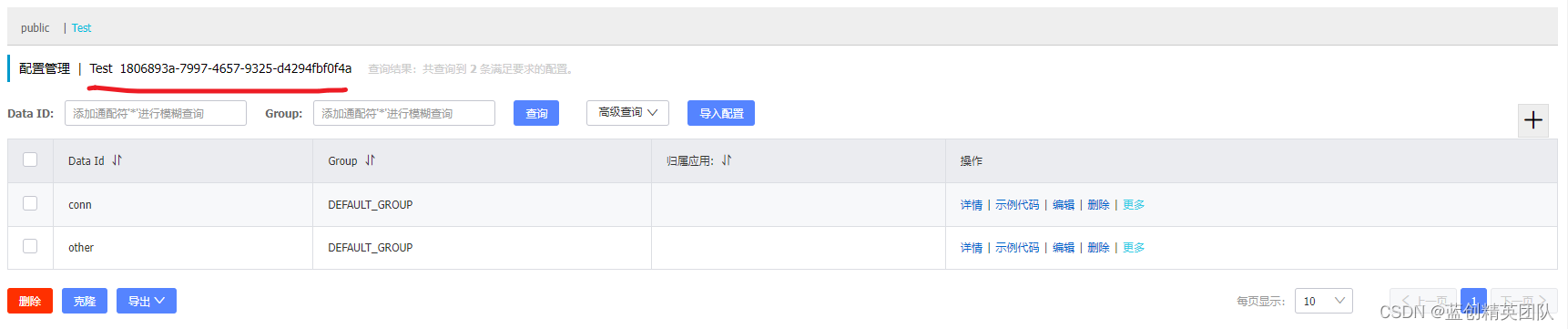
然后,在每个里面增加了两个配置如下
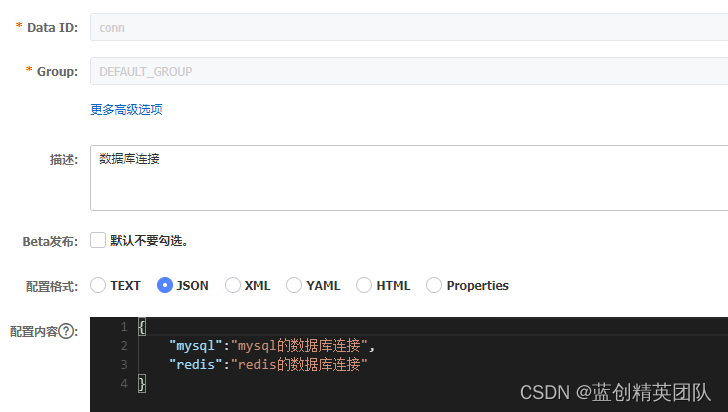
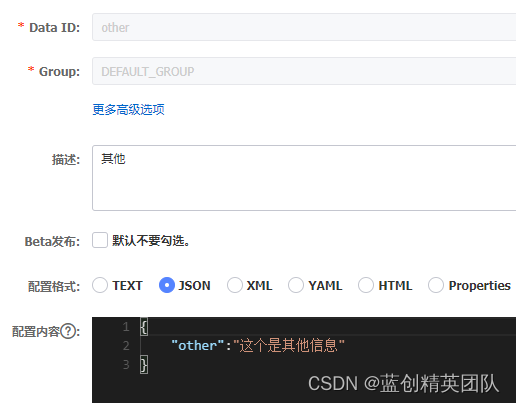
5. 新建一个 WebAPi 项目
新建一个默认的 webapi 项目,然后引入以下 nuget 包即可
nacos-sdk-csharp.AspNetCore
另外需要修改默认 Program 这个地方为以下配置
public static IHostBuilder CreateHostBuilder(string[] args) =>
    Host.CreateDefaultBuilder(args)
        .ConfigureWebHostDefaults(webBuilder =>
        {
            webBuilder.UseStartup<Startup>();
        })
        .ConfigureAppConfiguration((context, builder) =>
        {
            var c = builder.Build();

            // read configuration from config files
            // it will use default json parser to parse the configuration store in nacos server.
            builder.AddNacosV2Configuration(c.GetSection("NacosConfig"));
            // you also can specify ini or yaml parser as well.
            // builder.AddNacosV2Configuration(c.GetSection("NacosConfig"), Nacos.IniParser.IniConfigurationStringParser.Instance);
            // builder.AddNacosV2Configuration(c.GetSection("NacosConfig"), Nacos.YamlParser.YamlConfigurationStringParser.Instance);
        });
还需要注意的就是 最重要的配置文件(appsettings.json)了如下:
{
  "Logging": {
    "LogLevel": {
      "Default": "Information",
      "Microsoft": "Warning",
      "Microsoft.Hosting.Lifetime": "Information"
    }
  },
  "AllowedHosts": "*",
  "NacosConfig": {
    "Listeners": [
      {
        "Optional": false,
        "DataId": "conn",
        "Group": "DEFAULT_GROUP"
      },
      {
        "Optional": false,
        "DataId": "other",
        "Group": "DEFAULT_GROUP"
      }
    ],
    "Tenant": "1806893a-7997-4657-9325-d4294fbf0f4a",
    "ServerAddresses": ["http://192.168.1.8:8848/"],
    "UserName": "nacos",
    "Password": "nacos",
    "ConfigUseRpc": false,
    "NamingUseRpc": false
  }
}
其中 Tenant 为指定配置中心命名空间的 ID,另外就是 Listeners 的是这个命名空间下的配置的 Data Id。
必须要有 ConfigUseRpc 和 NamingUseRpc 这 2 个参数,若用的是 http 协议,则都是 false ,若用 grpc 协议则为 true.(不写会报错)
为了增加演示效果,我这里修改了默认的控制器方法为读取指定的配置
private readonly IConfiguration _configuration;
public HomeController(ILogger<HomeController> logger, IConfiguration configuration)
{
    _logger = logger;
    _configuration = configuration;
}

public IActionResult Index(string key)
{
    if (string.IsNullOrWhiteSpace(key))
    {
        return Content("key is empty!");
    }
    return Content(_configuration[key]);
}
启动后效果
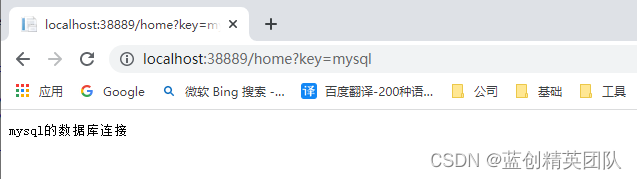
访问 http://localhost:38889/home?key=mysql 地址如下
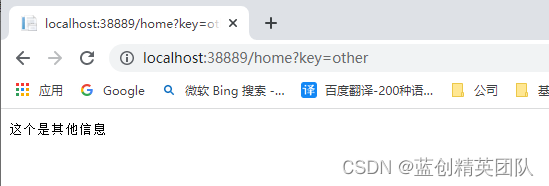
访问 http://localhost:38889/home?key=other 地址如下
访问 http://localhost:38889/home?key=redis 地址如下

可见已经能全部查到相应的配置信息了
这个时候,我动态修改 Nacos 上的配置信息
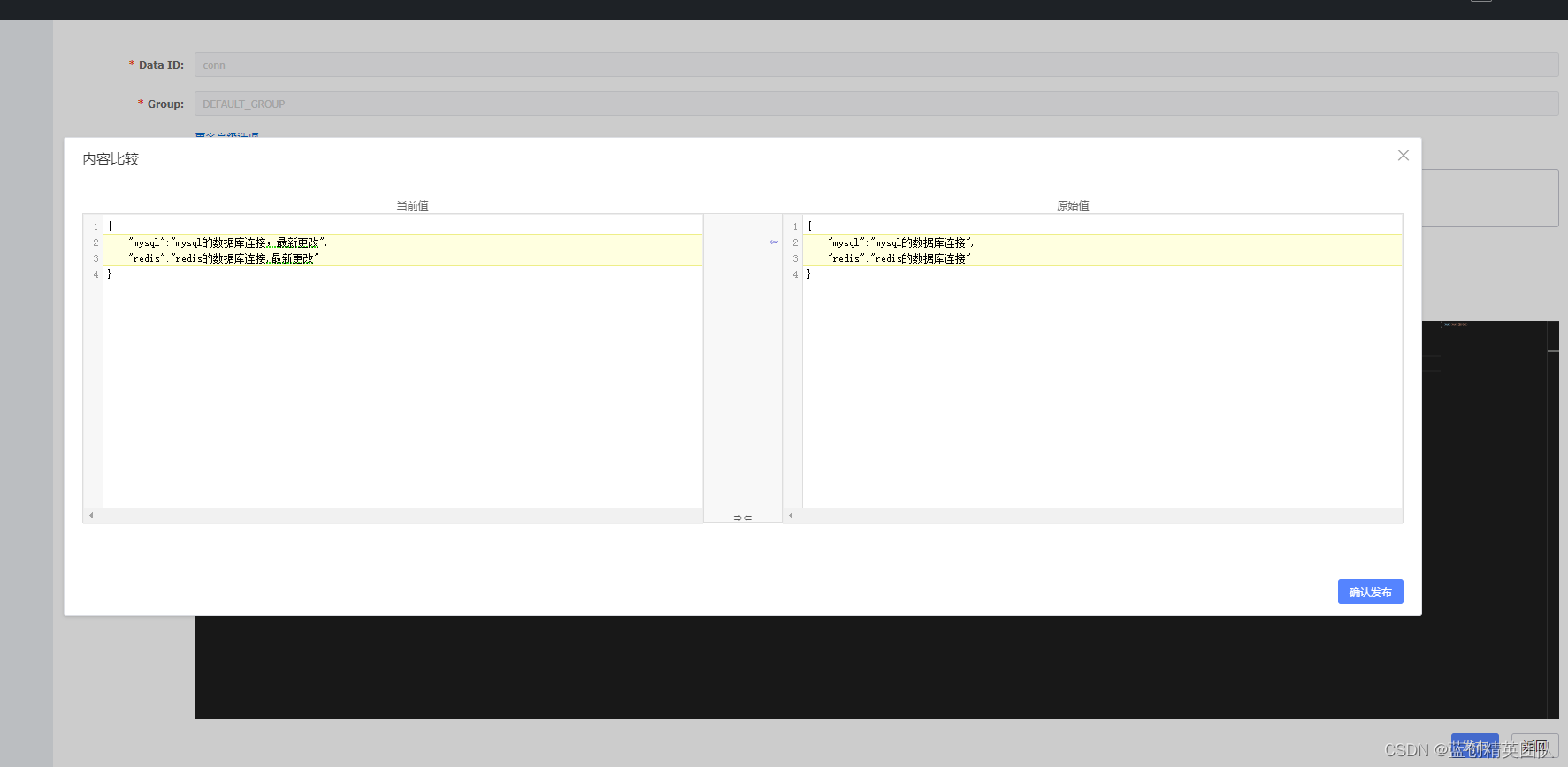
然后,在查询一下看看是不是最新的
发现已经是最新的,并且,控制台也直接更新为最新的配置了

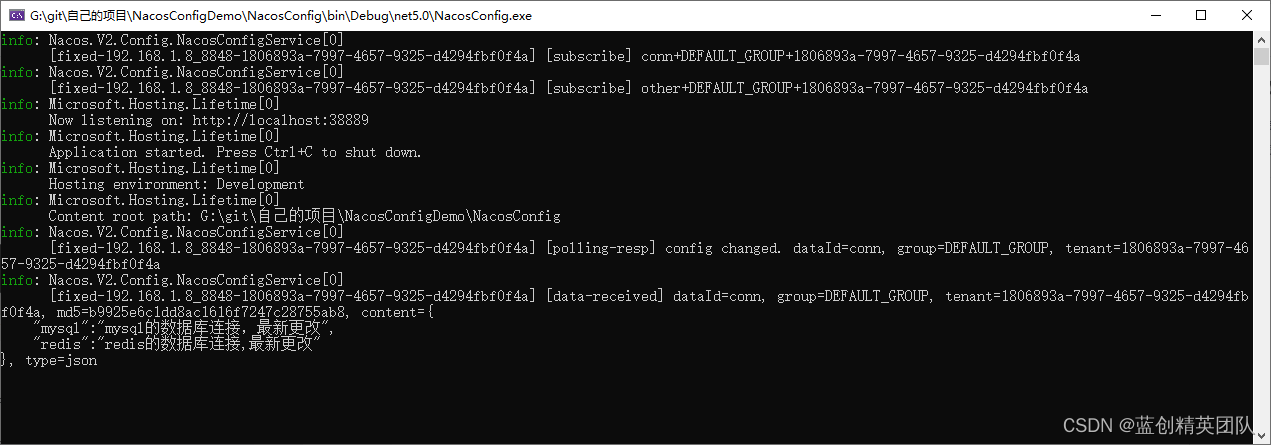
可见这个配置中心也挺好用的
6. 最后奉上 github 地址
- github :https://github.com/kesshei/NacosConfigDemo.git
- gitee : https://gitee.com/kesshei/NacosConfigDemo.git