[Practical Tips] Teach you to convert Markdown to PDF, PNG, and JPEG

[Practical Tips] Teach you to convert Markdown to PDF, PNG, and JPEG

As a very easy-to-master document format, Markdown is being used by more and more people to write documents, resumes, blogs, etc.

最后更新 5/8/2022 7:00 PM
青城 网上冲浪程序员
预计阅读 3 分钟
分类
share
标签
Markdown PDF

** Contents **

  1. preface
  2. Today's protagonist
  3. summary
  4. Webmaster supplement

1. preface

Markdown作为一种非常容易掌握的文档格式,正在被越来越多的人用来写文档,简历,博客等。

但是如果你要发文档的目标用户电脑上没有Markdown编辑器,那就无法看到预览效果。所以一般发给客户或者其他人,基本都是选择把Markdown文件转换成PDF等格式发送。

之前用Typora这个编辑器,自带了很好用的导出功能,但是现在这个编辑器已经是收费软件了。

2. Today's protagonist

现在VS Code已经牛逼的不行了,我们使用 VS Code + Markdown Preview Enhanced 插件就可以很方便的将Markdown文件导出为PDF等文件。

使用VS Code的这款插件甚至还能选择主题哦,使用方式也非常简单,下面介绍使用步骤,带您将一个Markdown文件导出为PDF文件

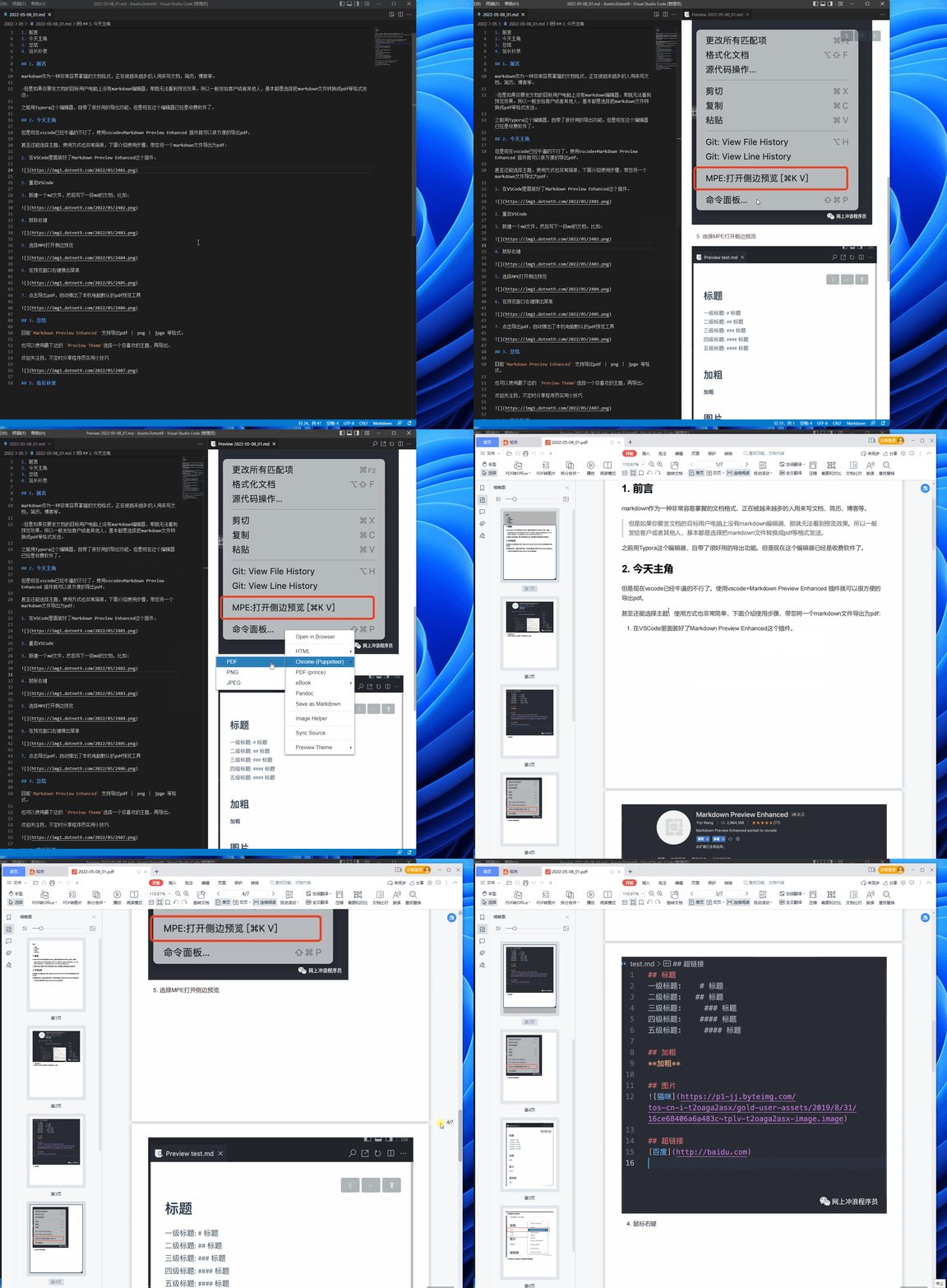
  1. VS Code里面装好了Markdown Preview Enhanced这个插件。
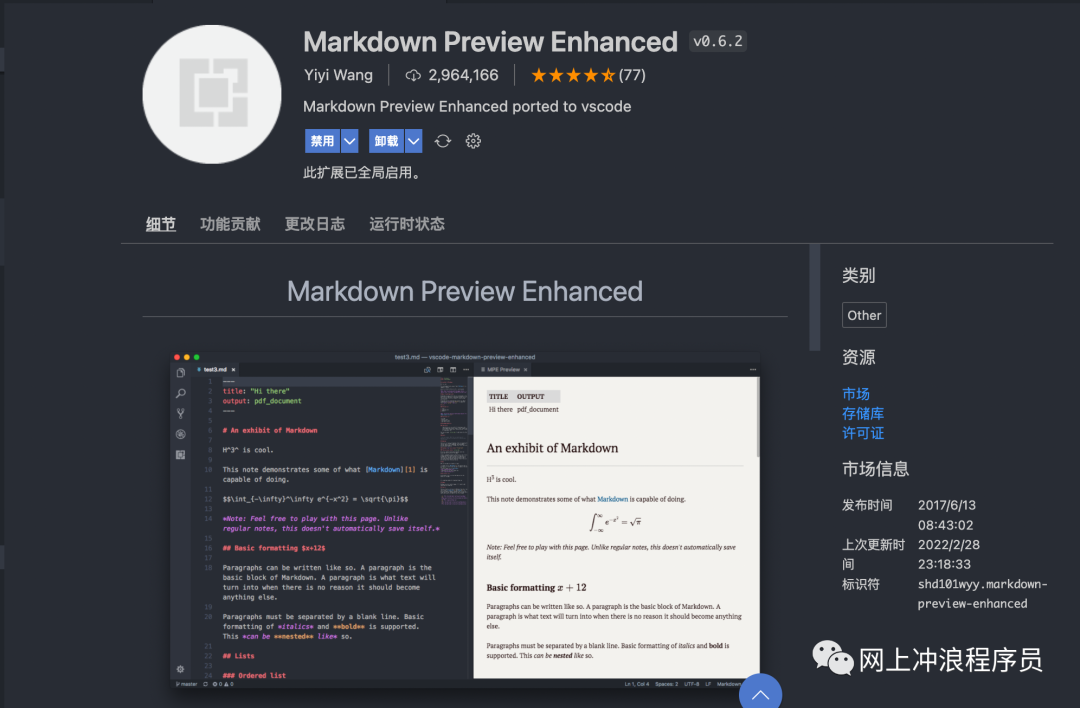
  1. 重启VS Code

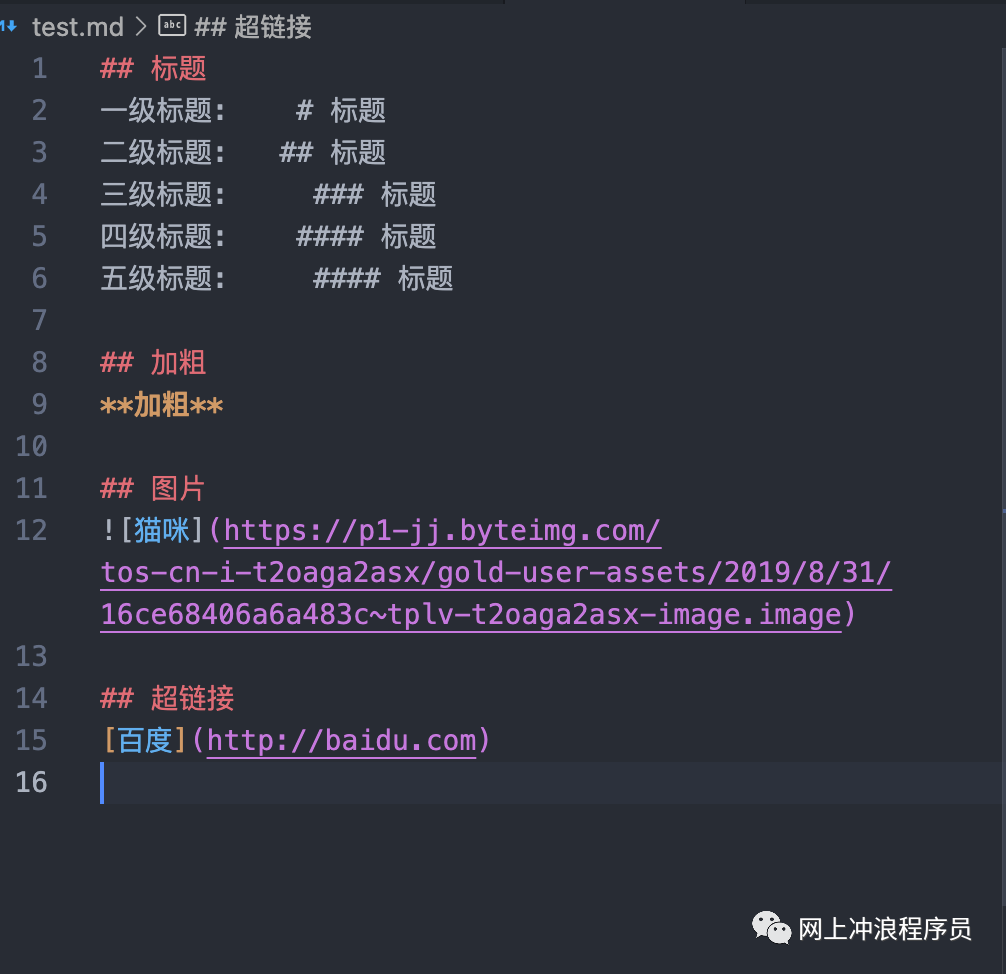
  2. 新建一个Markdown文件,然后写下一段Markdown的文档,比如:

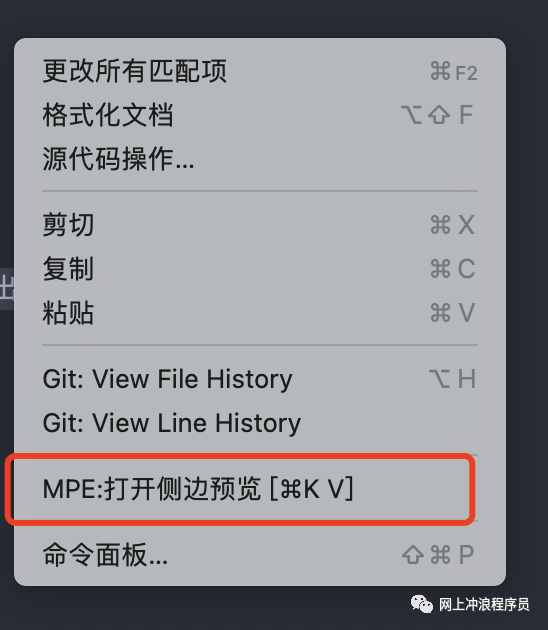
  1. Right-click in the document:

  1. 选择MPE:打开侧边预览,或者使用快捷键:Ctrl + K V(上面的是 Mac 快捷键),即可预览Markdown渲染效果:
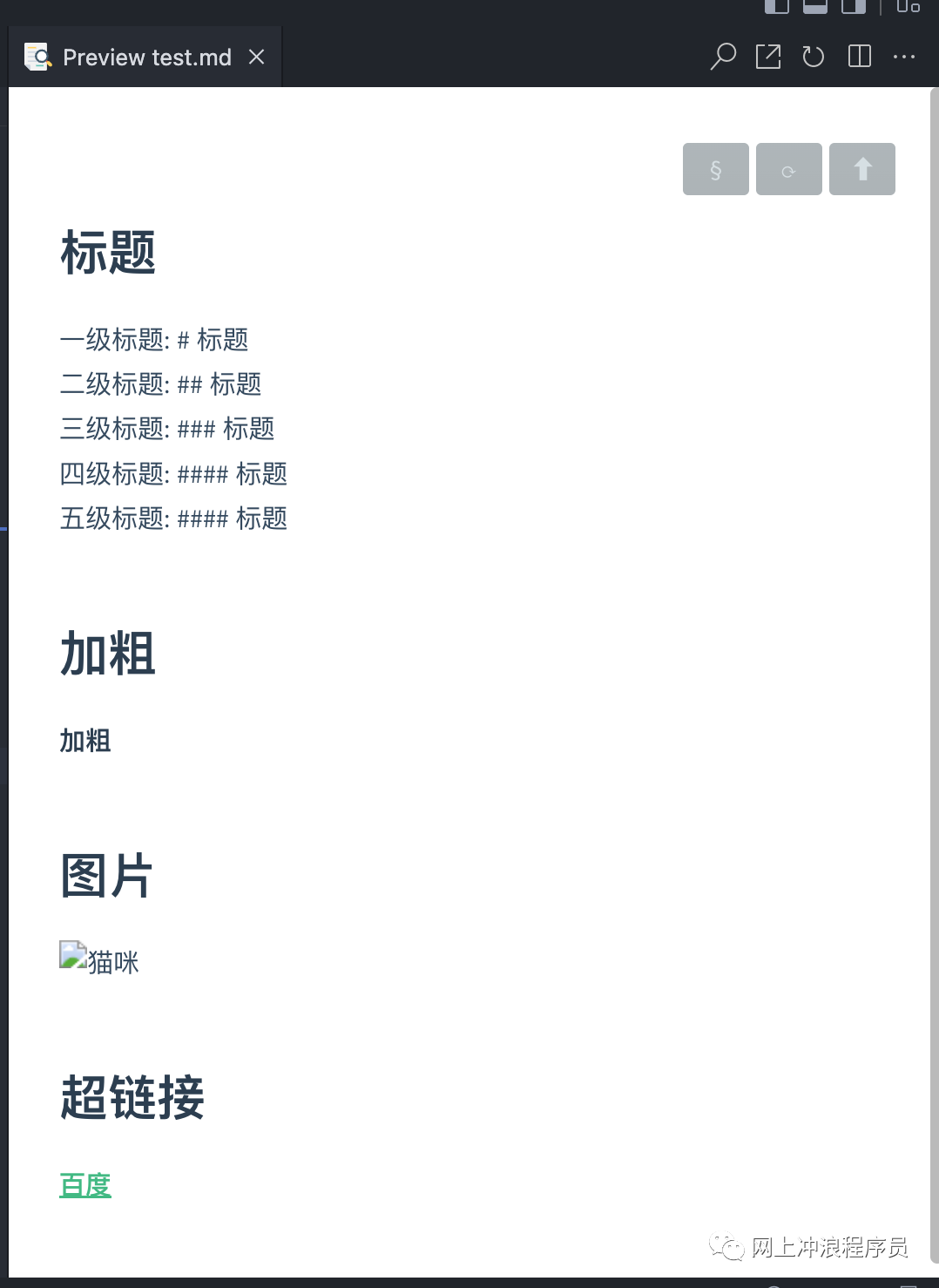
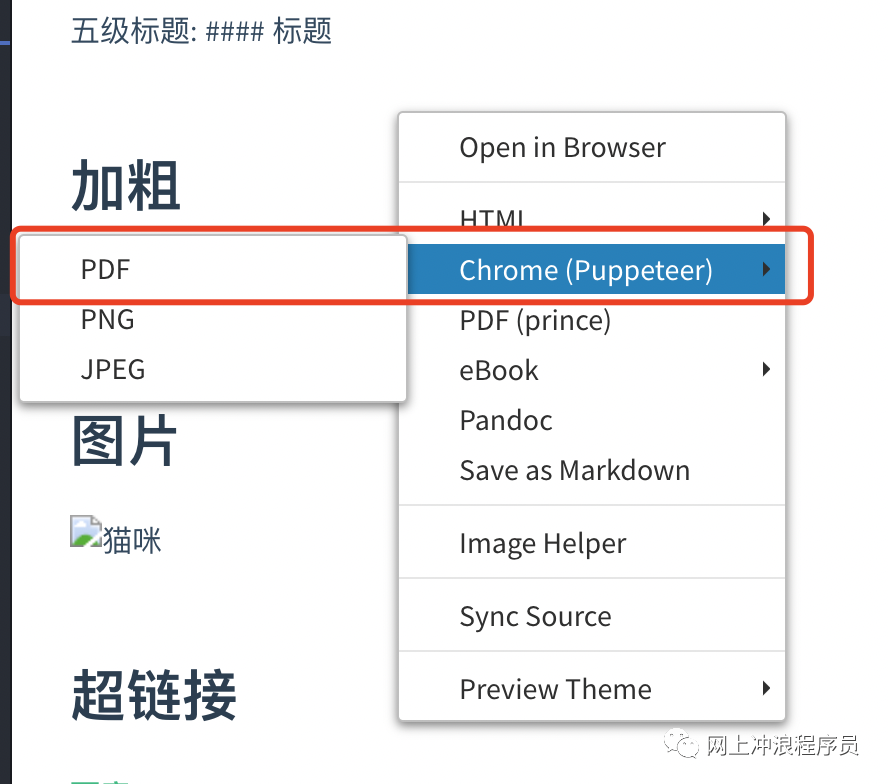
  1. Right-click in the preview window to pop up the menu:

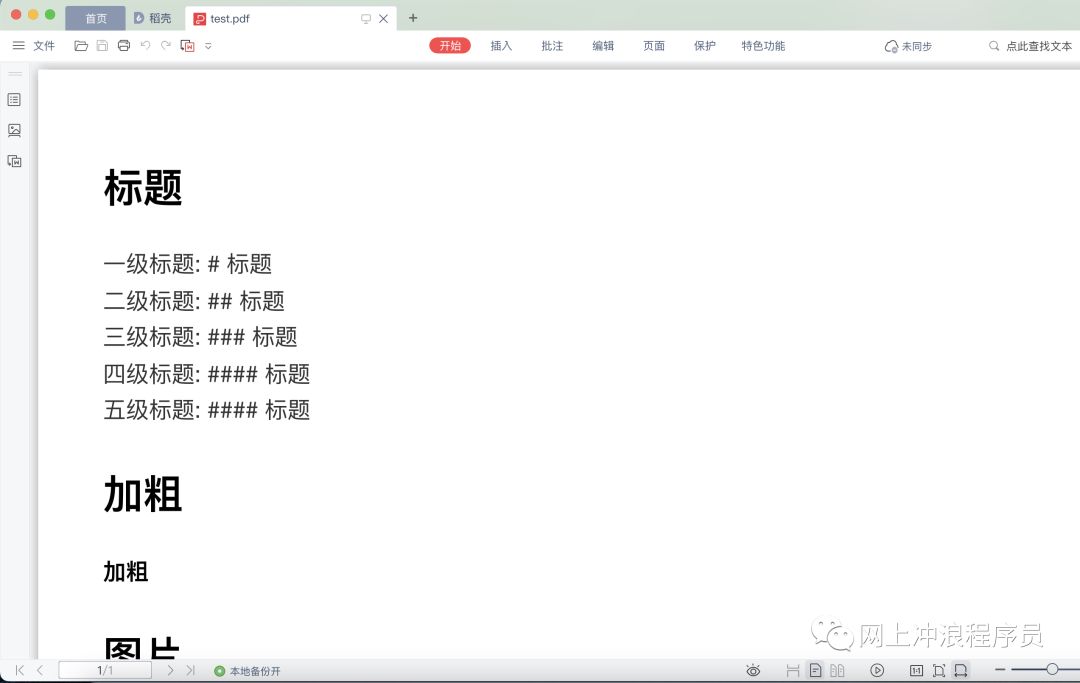
  1. 点击菜单Chrome(Puppeteer)->PDF即可完成将Markdown文件导出为PDF文件,如图自动弹出了本机电脑默认的PDF预览工具:
3. summary

目前Markdown Preview Enhanced 支持导出PDFPNGJPEG等格式。

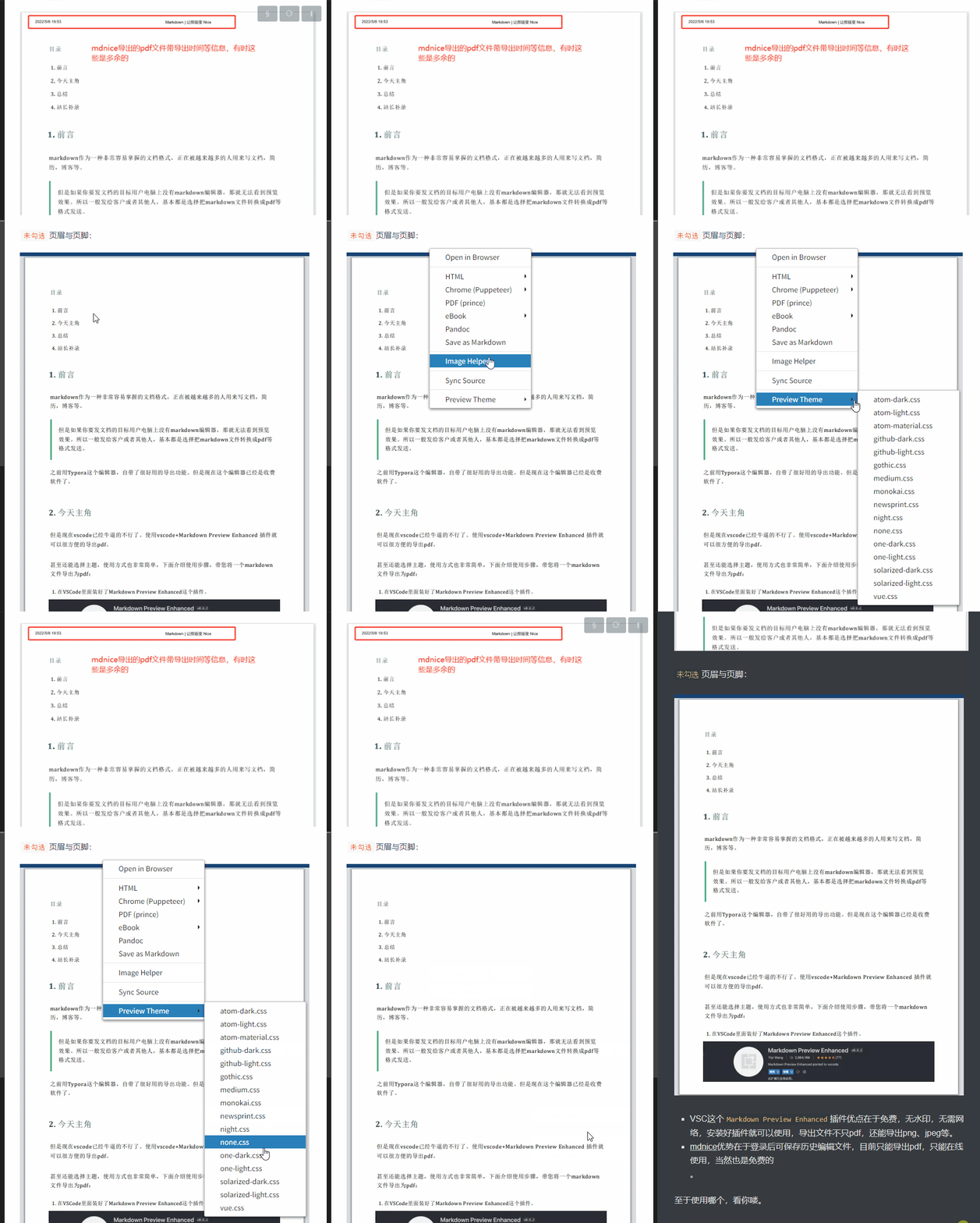
给个小惊喜:可以使用最下边的 Preview Theme菜单选项,选择一个你喜欢的主题,再导出哦。
Of course, this article only introduces a small part of the functions of this plug-in. It is very powerful. I look forward to your try.

4. Webmaster supplement

站长录制一张Markdown Preview Enhanced插件将Markdown文件导出为PDF文件的 Gif 动图,看看效果是不是很棒,默认的导出文件与Markdown原文件在同一目录下:
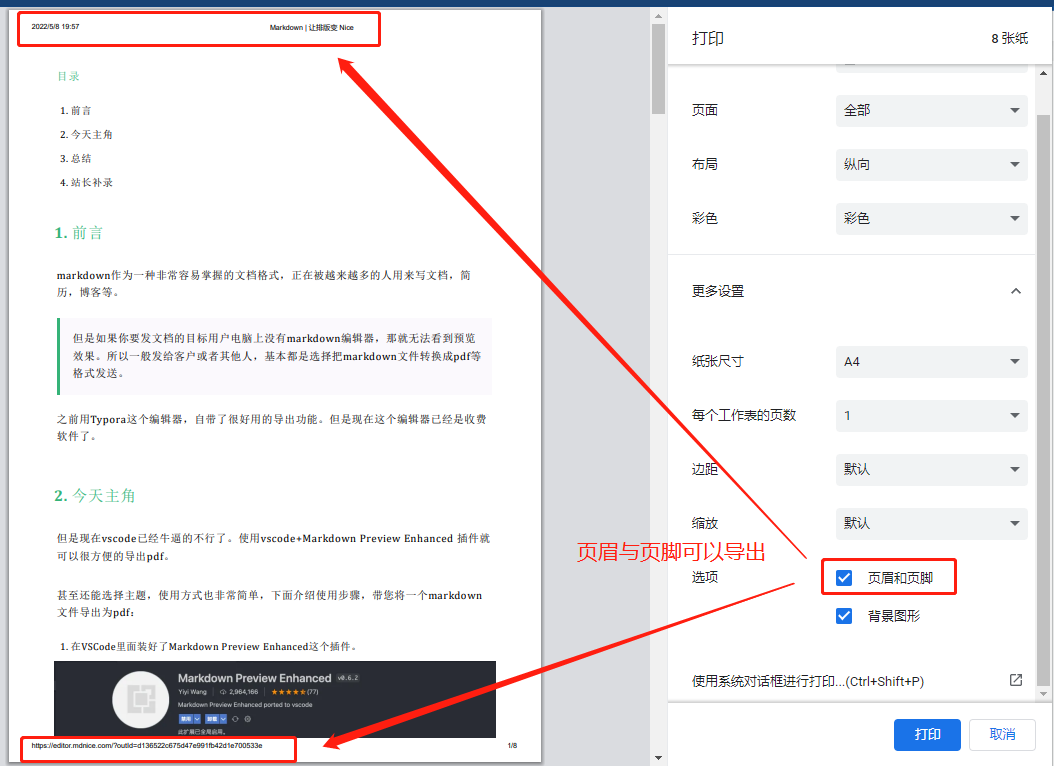
站长平时使用mdnice编辑Markdown文件,它也有PDF文件导出功能:
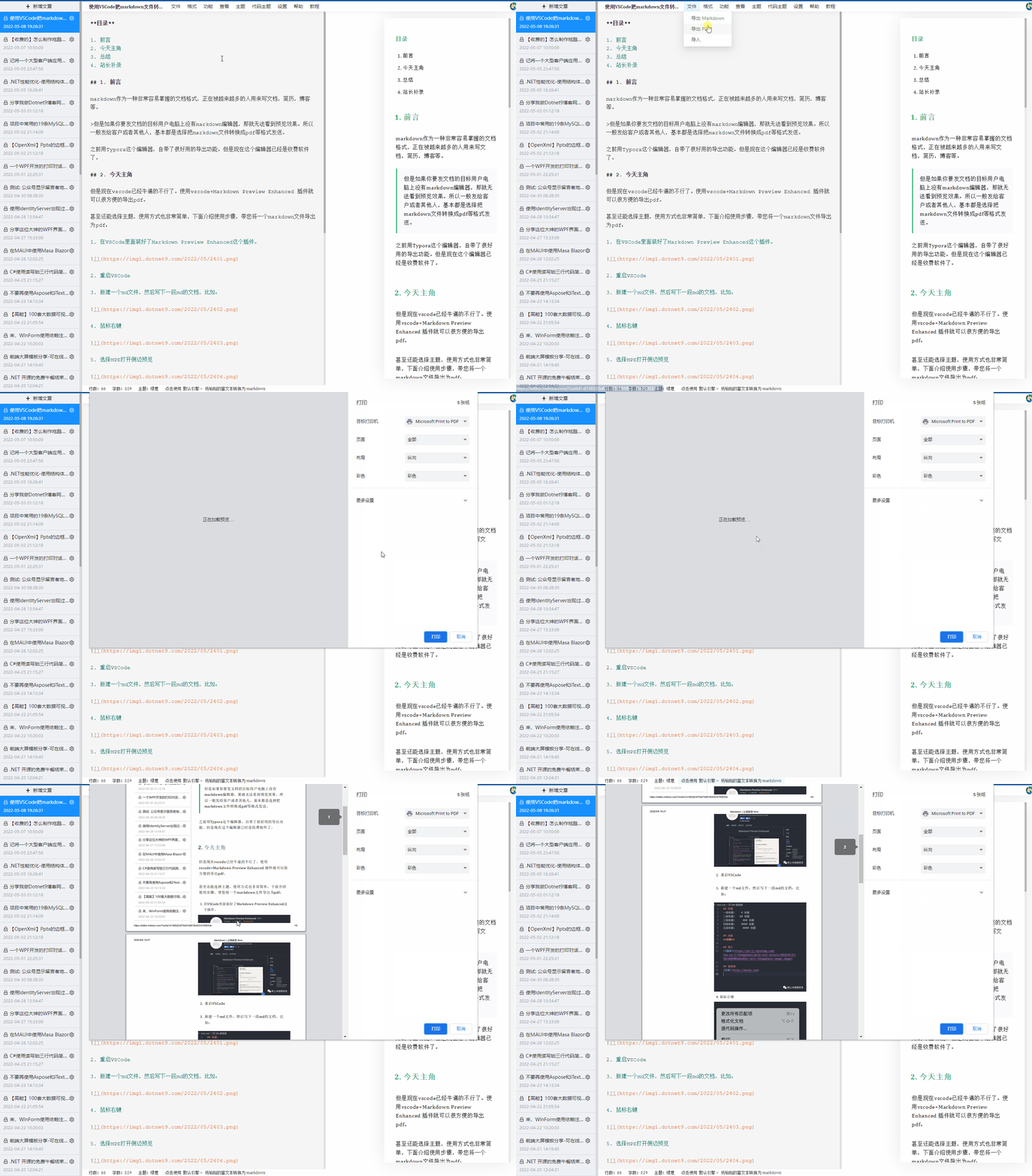
Click on more settings in the picture above to select whether to display file information (file export time, file Url address) in the header and footer. Generally, the check is not checked:

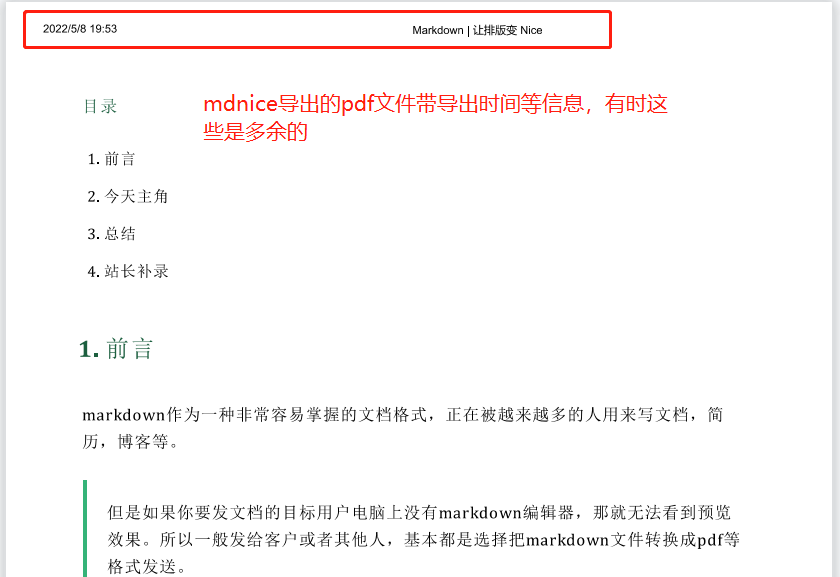
下面是勾选页眉和页脚选项导出的本文PDF文件:

未勾选页眉和页脚时导出的本文PDF文件:
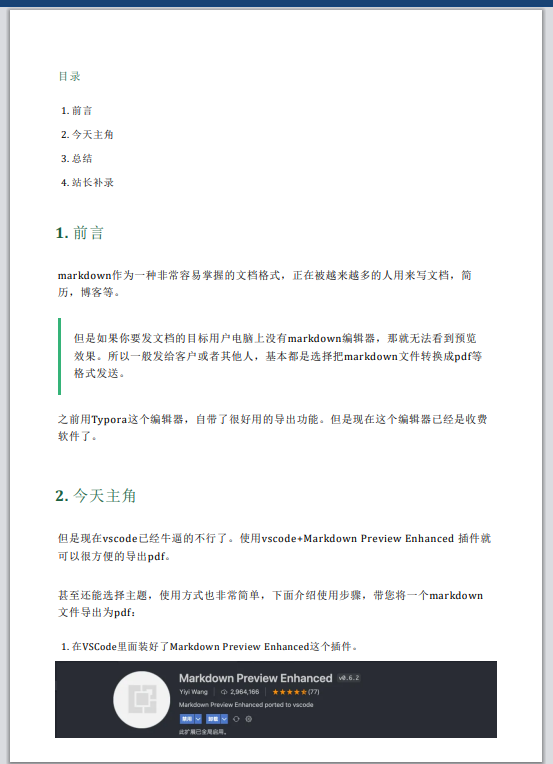
  • VS Code的这款Markdown Preview Enhanced插件优点在于免费,无水印,无需网络,安装好插件就可以使用,导出文件不只PDF,还能导出PNGJPEG等。
  • mdnice优势在于登录后可保存历史编辑文件,目前只能导出PDF文件,且只能在线使用,当然也是免费的。

至于使用哪个,看你喽(个人推荐VS Code这款插件,哈哈)。

Welcome to follow me and share practical tips for programmers from time to time

Keep Exploring

延伸阅读

更多文章
同标签 1/17/2025

Markdown rendering in Avalonia UI

This article will introduce in detail how to use Markdown. AIRRender for Markdown rendering in the Avalonia UI, including installation, style references, example display and various features (such as support for black and white themes, theme colors, etc.). At the same time, it discussed in depth its improving international functions, aiming to help developers better integrate Markdown content into Avalonia applications, provide a better user experience, and enhance the global adaptability of applications. In addition, it also compares relevant Markdown rendering libraries to provide reference for users to choose appropriate tools.

继续阅读