1. 垂直滚动条的缩略图模式
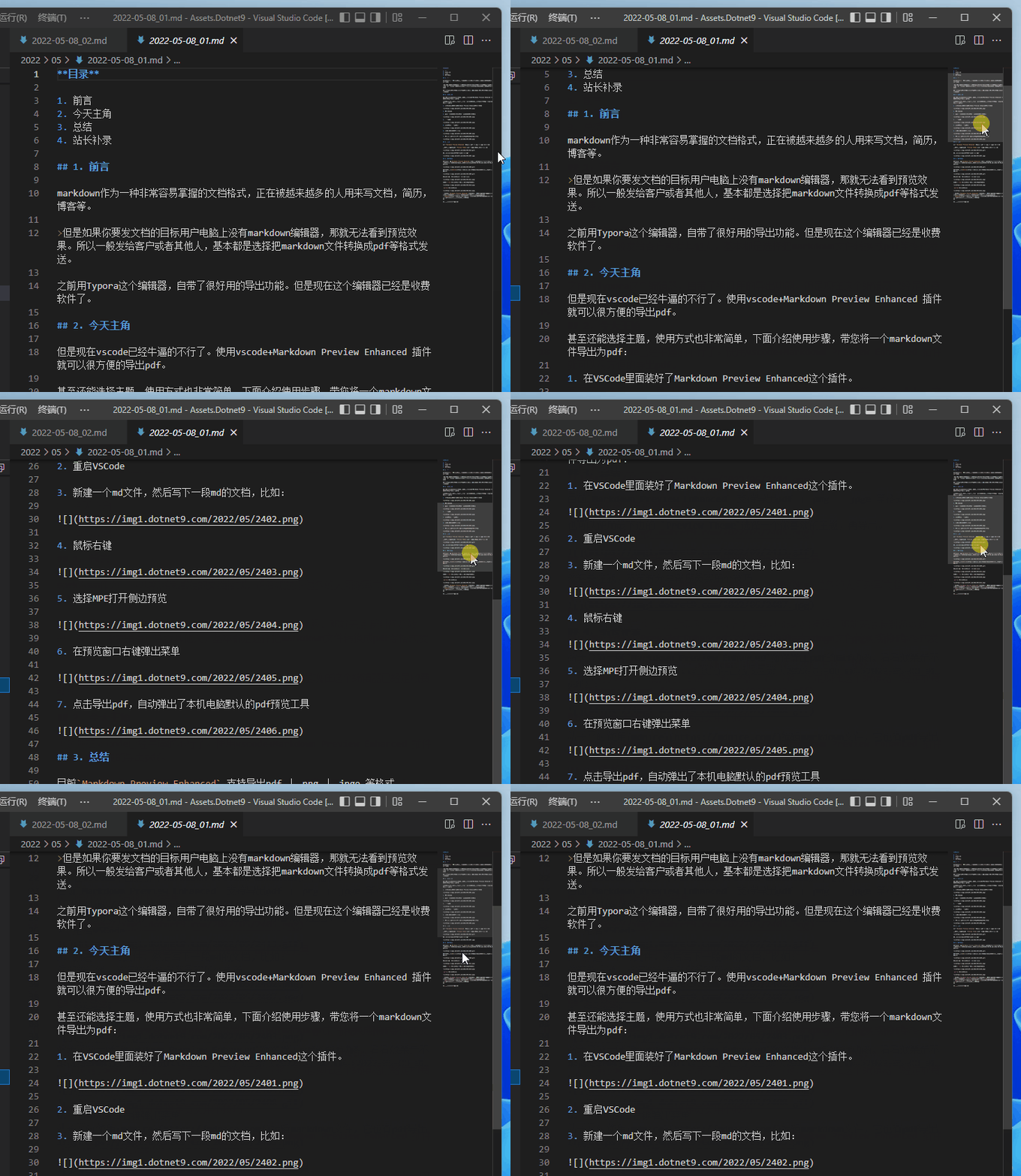
VS Code 默认有这个效果(至少我没专门设置过):
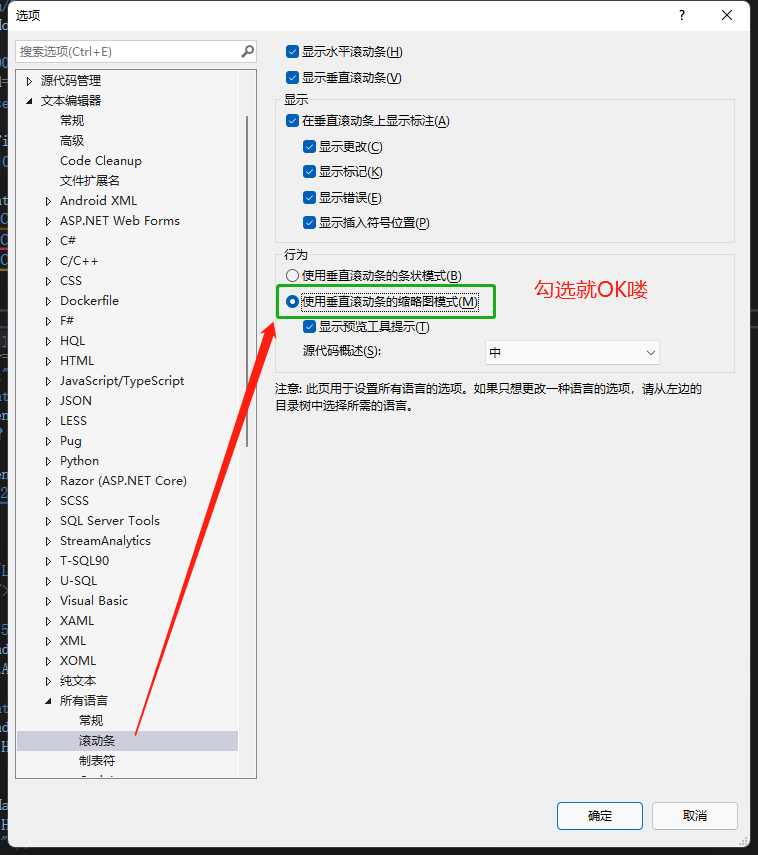
其实 VS 也可以设置的,依次点击:工具-》选项-》文本编辑器-》所有语言-》滚动条,然后勾选 “使用垂直滚动条的缩略图模式(M)”就 OK 啦。
来看看效果吧:

2. 显示与隐藏应用内工具栏
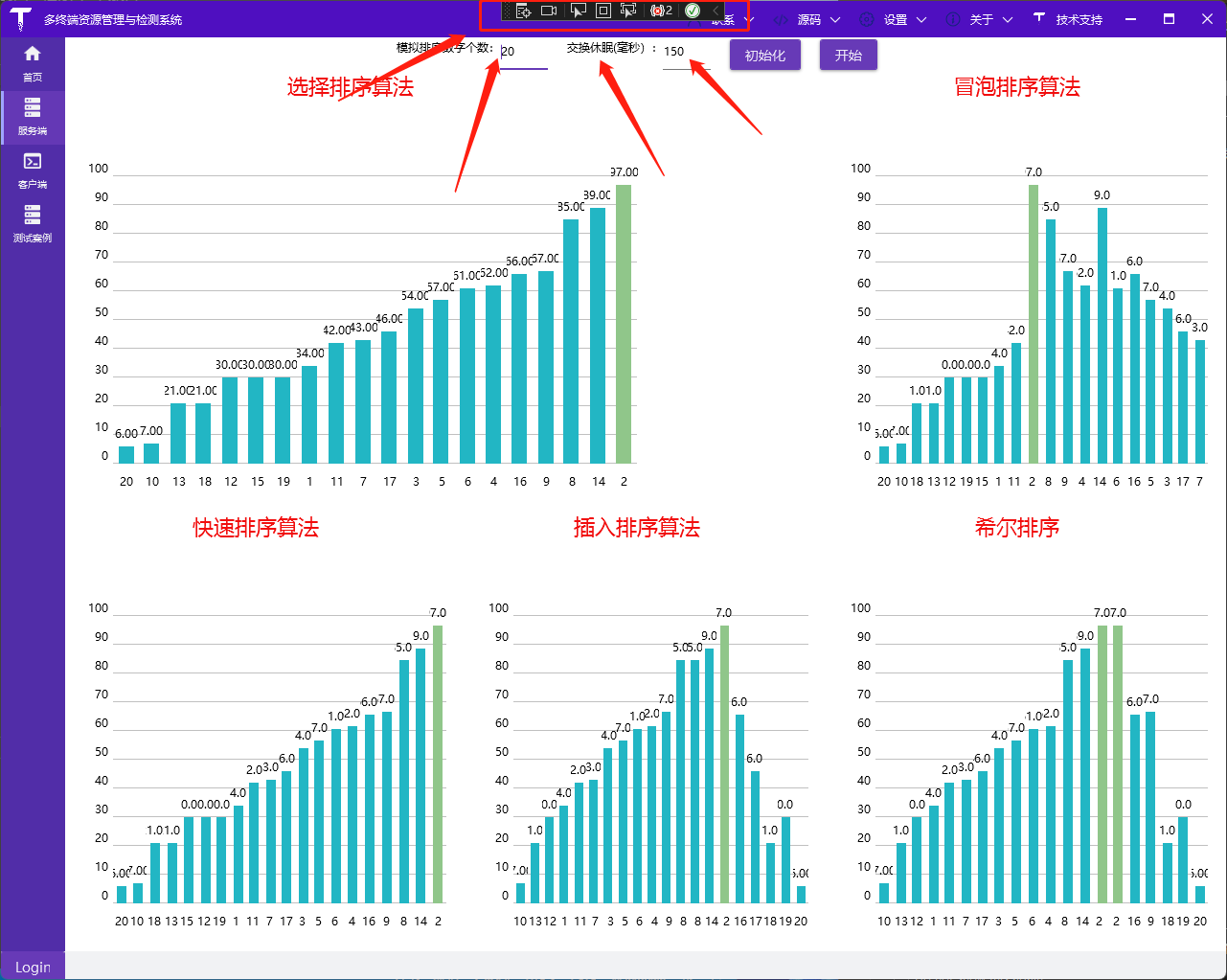
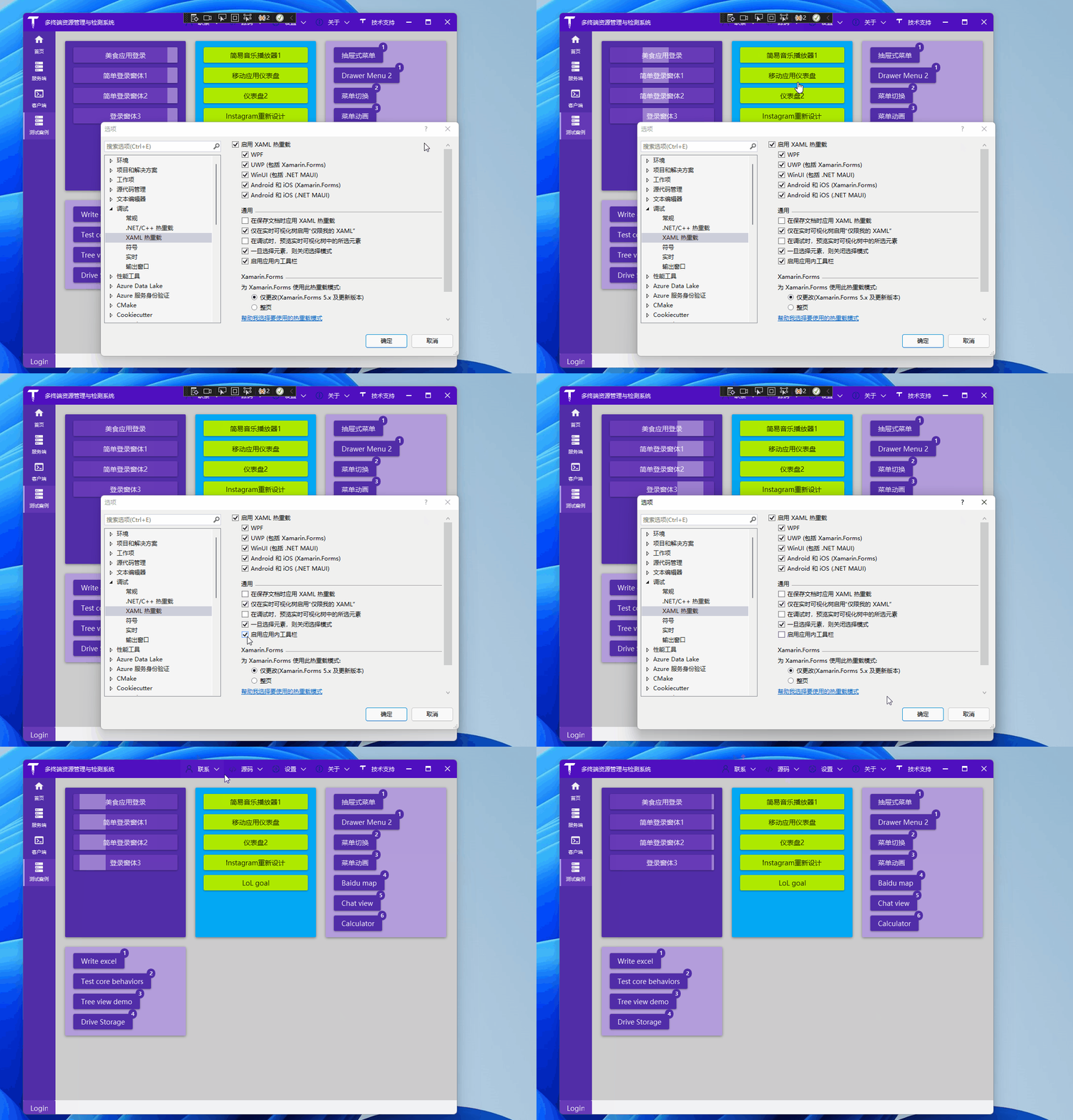
这条是关于 WPF 的,默认在调试时会显示应用内工具栏:
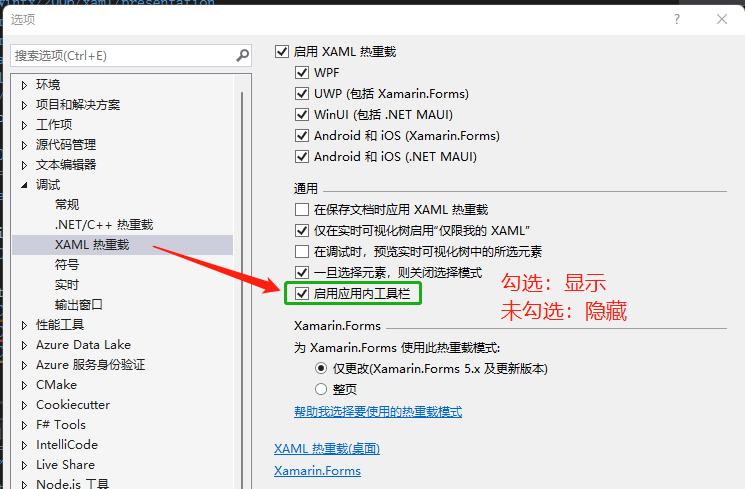
这是可以关闭的,当然一般情况我们都是开启:工具-》选项-》调试-》XAML 热重载
可以动态切换的哟:
参考:
 码坊
码坊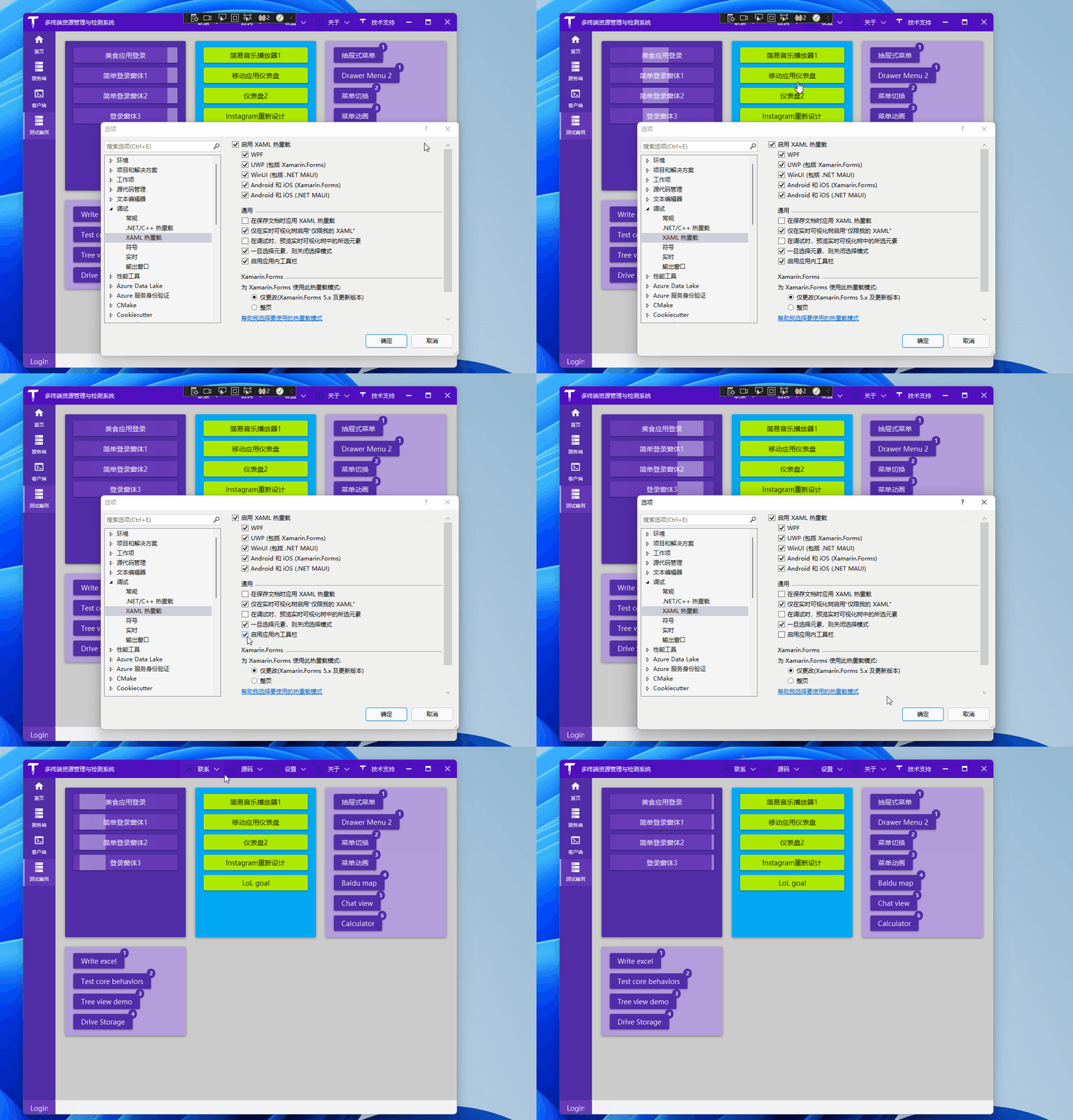
两个应该比较实用的技巧
VS Code 默认有这个效果(至少我没专门设置过):
其实 VS 也可以设置的,依次点击:工具-》选项-》文本编辑器-》所有语言-》滚动条,然后勾选 “使用垂直滚动条的缩略图模式(M)”就 OK 啦。
来看看效果吧:
这条是关于 WPF 的,默认在调试时会显示应用内工具栏:
这是可以关闭的,当然一般情况我们都是开启:工具-》选项-》调试-》XAML 热重载
可以动态切换的哟:
参考: