appetizer
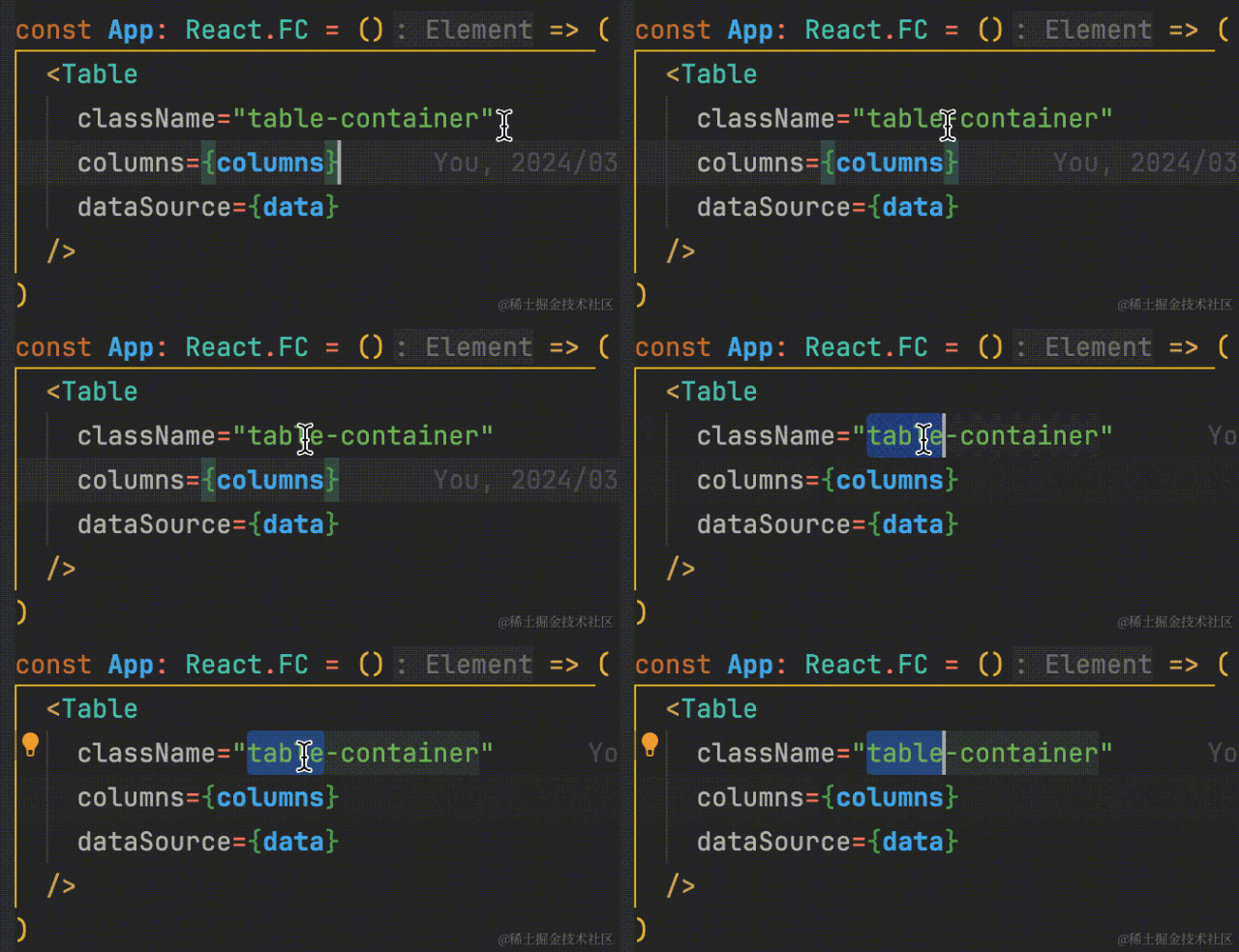
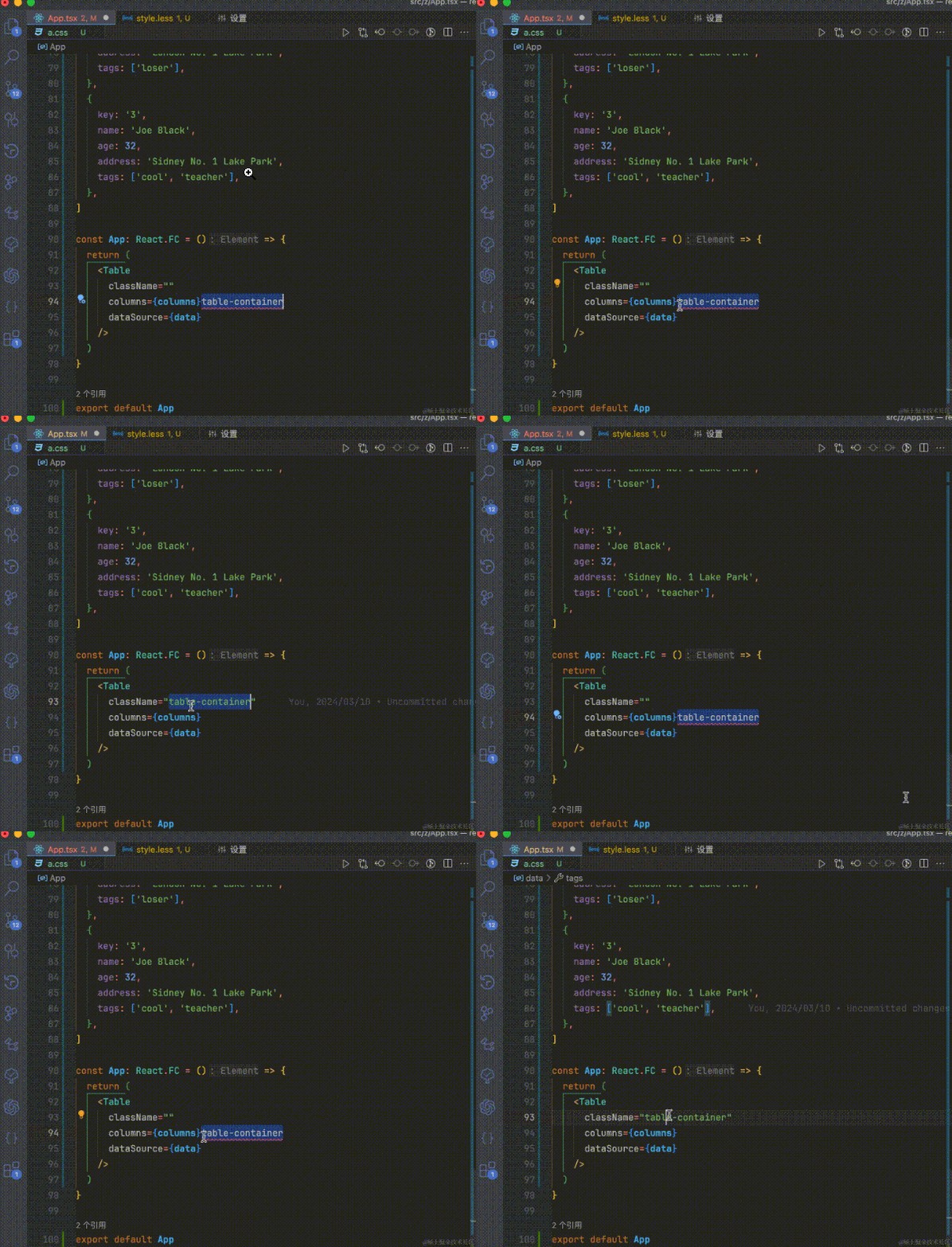
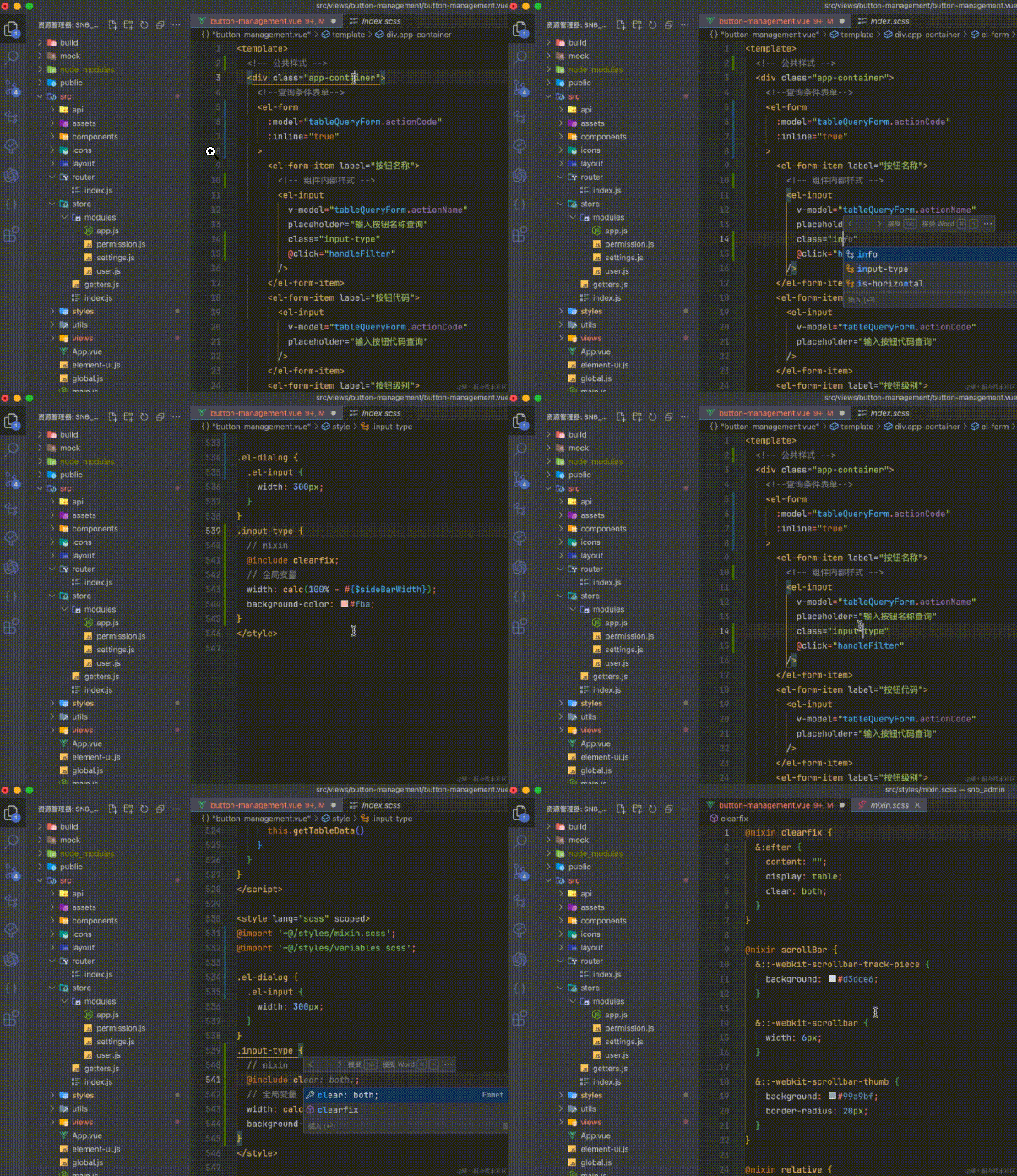
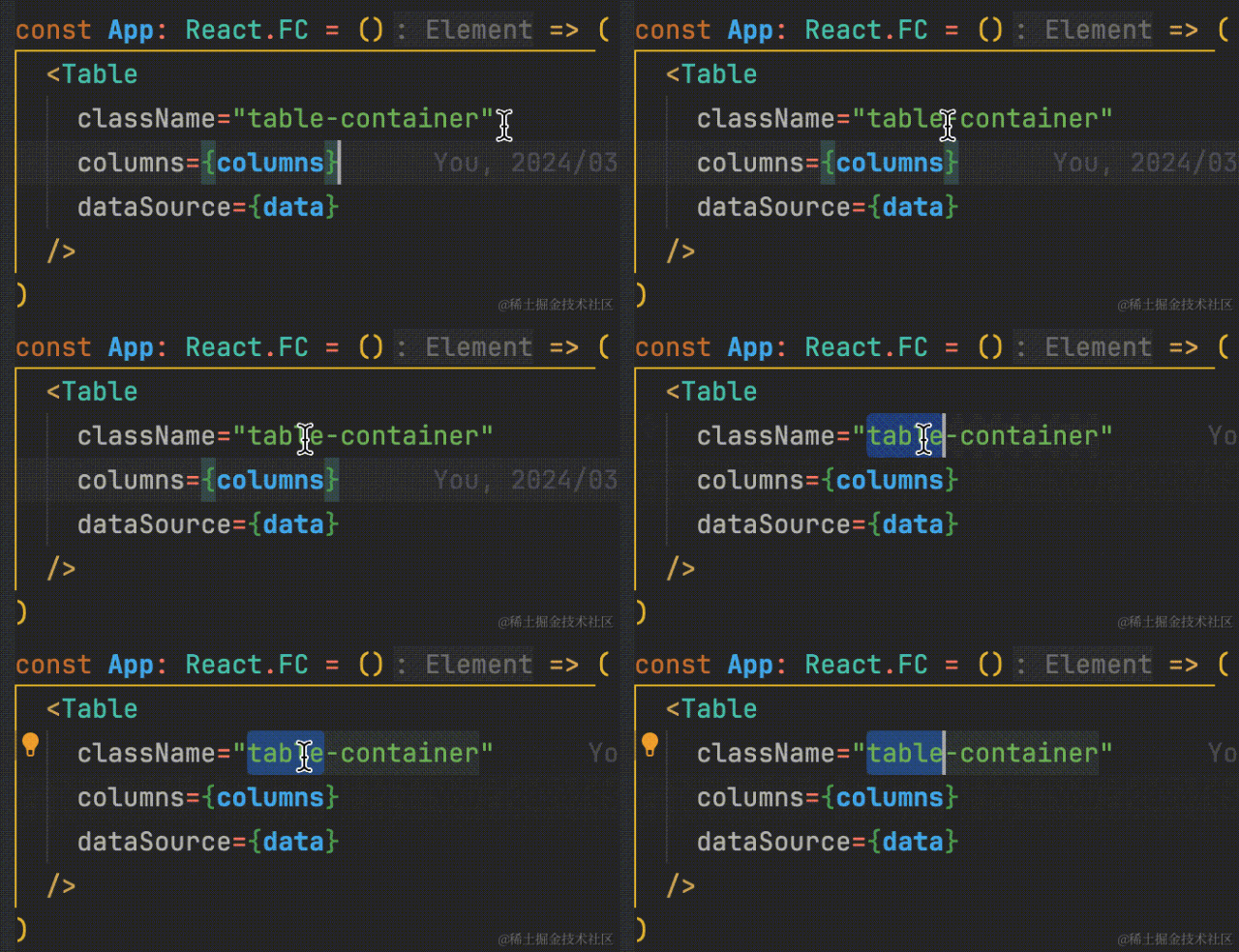
We often need to select text when writing code in vscode, such as the figure below

But in most cases, we want to select the entire class name, as shown in the figure below.

其实这个就牵扯到了 vscode 的分词机制,它认为-应该截断文本
其实不止-,还有其他字符都被 vscode 认为是分隔符
So it provides the following configurations carefully
{
// 如下是被vscode认为是分隔符的字符
// 我们在设置中搜索editor.wordSeparators
// 然后根据自己的需要删除不想要的分隔符即可
// 比如删除@,这样我们就可以直接选中less变量和装饰器如@xxx
"editor.wordSeparators": "`~#!@$%^&*()-=+[{]}\\|;:'\",<>/?."
}
I looked through all webstorm settings and couldn't find a similar configuration. If there is a big shot who knows how to configure it in webstorm, please leave a comment area for advice.
If you think the small configuration above can improve your code writing efficiency and happiness, then continue to read and you will not be disappointed>_<
An unbeautiful encounter with vscode
I started programming through Java. The first editor I came into contact with was eclipse. Later, ideas became more and more popular, and I came into contact with jetbrains 'editor for the first time. When I first started using ideas, I was deeply shocked. It turns out that there are also gaps between editors. Later, it became a front-end by chance. I first came into contact with webstorm, a real front-end editor produced by jb. Since I was very familiar with ideas, I basically switched seamlessly.
Because I have always been very interested in mathematics, I participated in Mathematical Olympiad competitions when I was a child, came into contact with some algorithm problems, and I have experience in java development, so I started typing quickly and was very interested. Because I am good at these two subjects, even if I have mediocre academic qualifications and do not even have a computer-related major, I can still be recognized by interviewers of jz and la and become classmates with them.
I still remember when I first joined jz, because the company provided genuine jetbrains development tools, I found that all the classmates around me were using free vscode, so I was very surprised why they used vscode instead of webstorm. It's definitely better to pay for it! So I was the only one in the group using webstorm. Later, for security reasons, our group had to install a plug-in, but at first there was only vscode version, which meant that we had to use vscode. I tried to use it, but found that it was like a blank piece of paper, which made me very uncomfortable, so I refused to use it and even had a fight with mentor.
Now that I think about it, I guess it was given to the CPU when I first paid for it. In order to convince myself that I wasn't a fool, I was hypnotizing myself. I have to thank the mentor. I should have been confused at the time, but she still refused to leave. She even asked students from the psychology department to provide psychological counseling for me and students from the plug-in development group to explain the relevant configuration of vscode to make development more fun. Here, I would like to say thank you to those I have met in my life who have helped me. This world is not gentle, but some people are really gentle _
Without saying much, let's get to the main topic. Because the front-end development fields are different, I will explain them in categories.
general
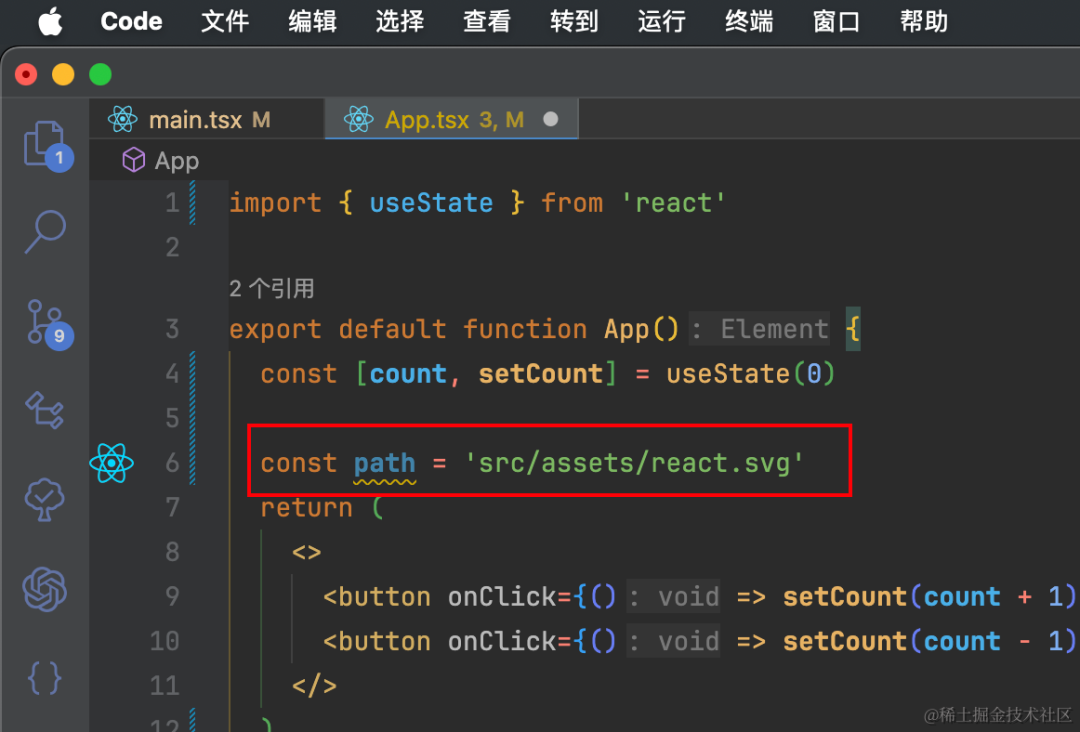
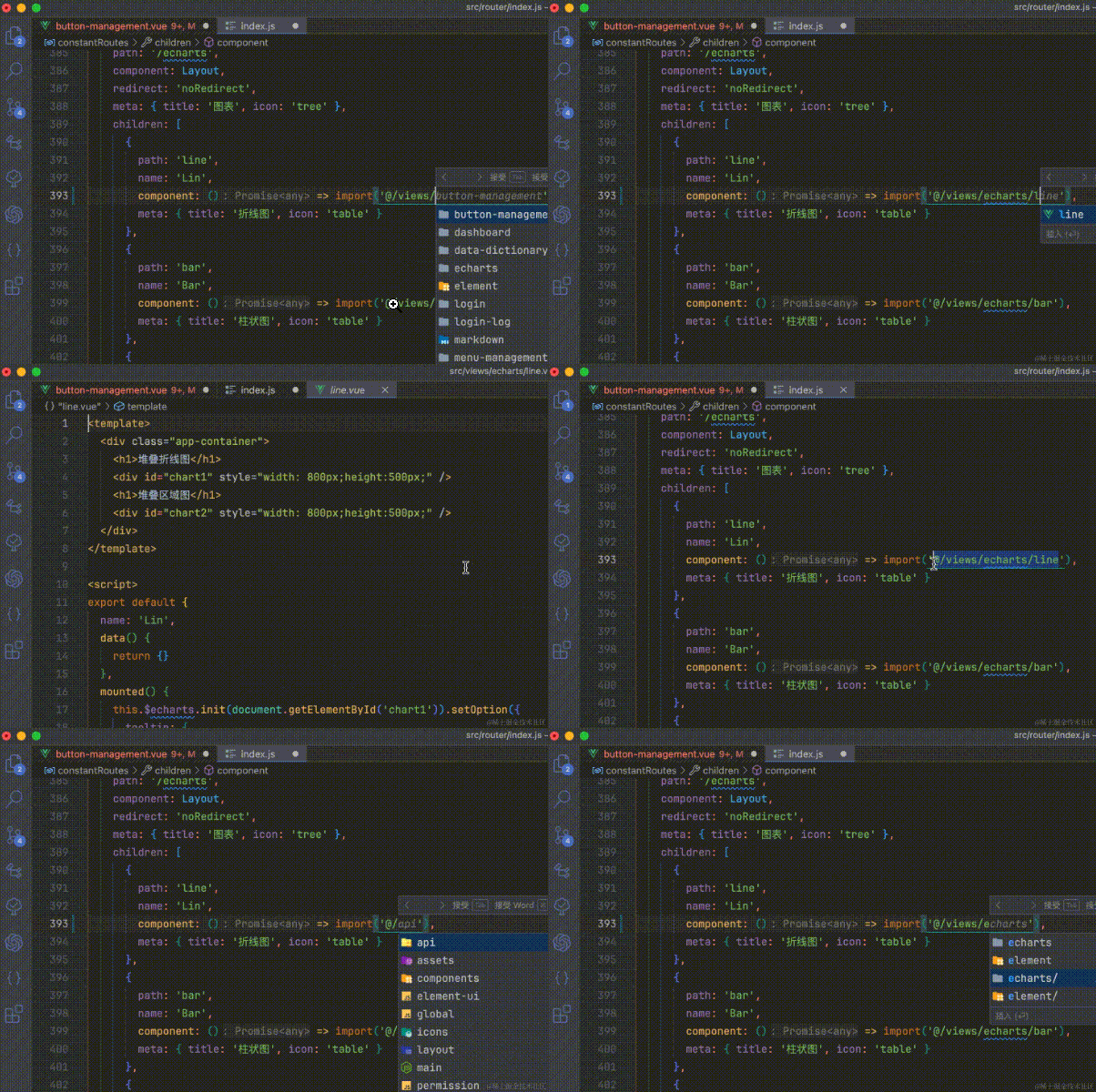
The file path in the string quickly jumps to the corresponding file
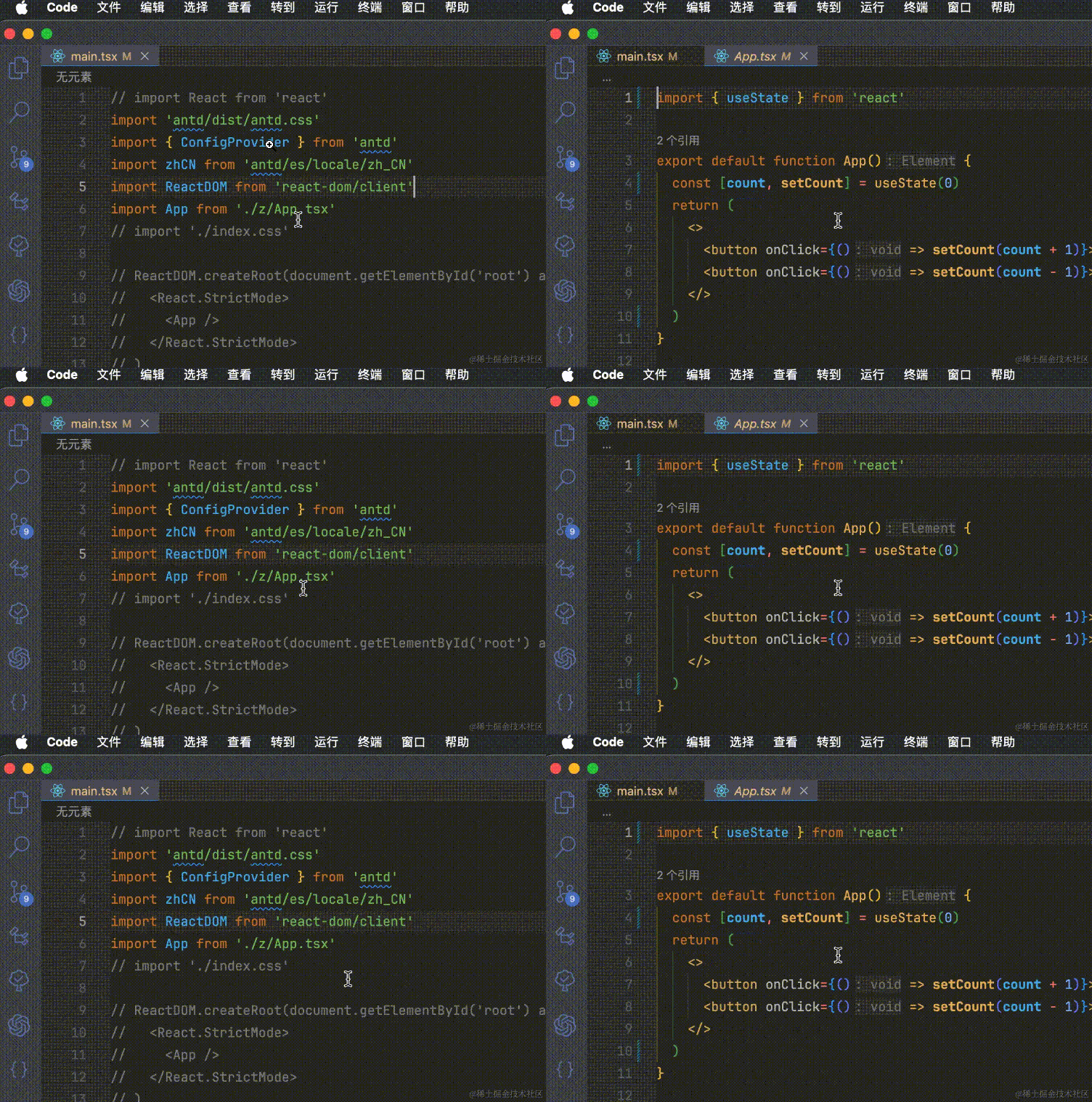
File paths in some strings support cmd+ click to jump. For most import statements, see the figure below

However, most file paths in strings in other locations do not support jumping, as shown below.

mounting insert
https://marketplace.visualstudio.com/items?itemName=duXing.quick-go-to-selected-file-path
Place the mouse cursor on the string containing the file path and use cmd + e (Windows system ctrl + e)
A query for the most matching file will pop up. Judging from my use, the first one is always the most matching one.
If the default behavior does not match, we can manually select the string and it will search accurately for the string we selected
If this shortcut key does not meet your requirements, you can modify it yourself

Faster and clearer printing and debugging
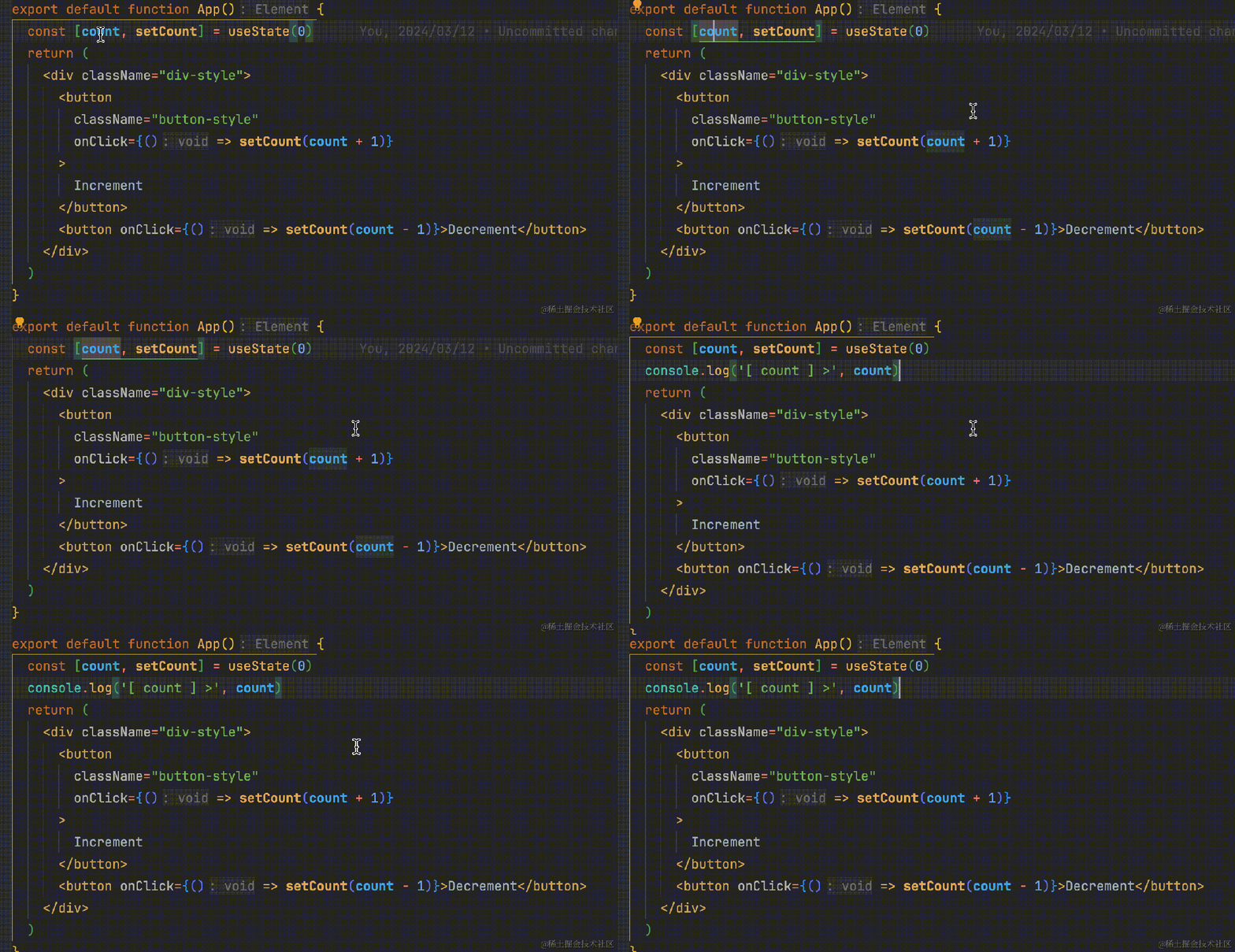
Sometimes we need to print something to troubleshoot problems. In fact, in most cases, this is a template operation
As shown in the following figure, copy the variable to print, and then enter the custom code fragment
"log打印": {
"prefix": "clog",
"body": ["console.log('[ $CLIPBOARD ] >', $CLIPBOARD)$0"],
"description": "log打印",
"scope": "typescript,typescriptreact,javascript,javascriptreact"
},
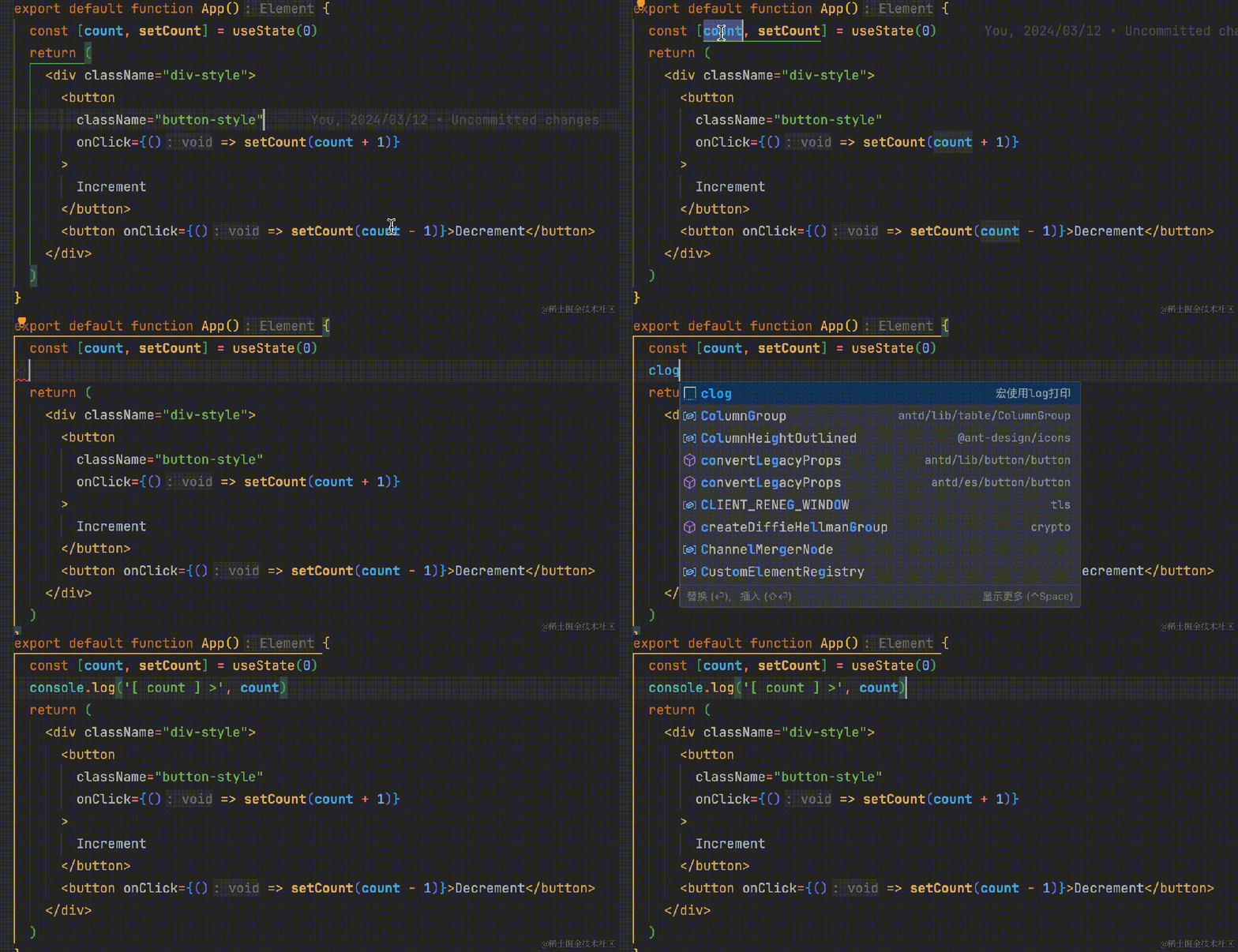
In fact, you can do this in one step by setting up a macro

You can also install plug-ins to implement them. There are many similar plug-ins
Let me give you one. If you are interested, you can search for console keywords yourself.
https://marketplace.visualstudio.com/items?itemName=ChakrounAnas.turbo-console-log
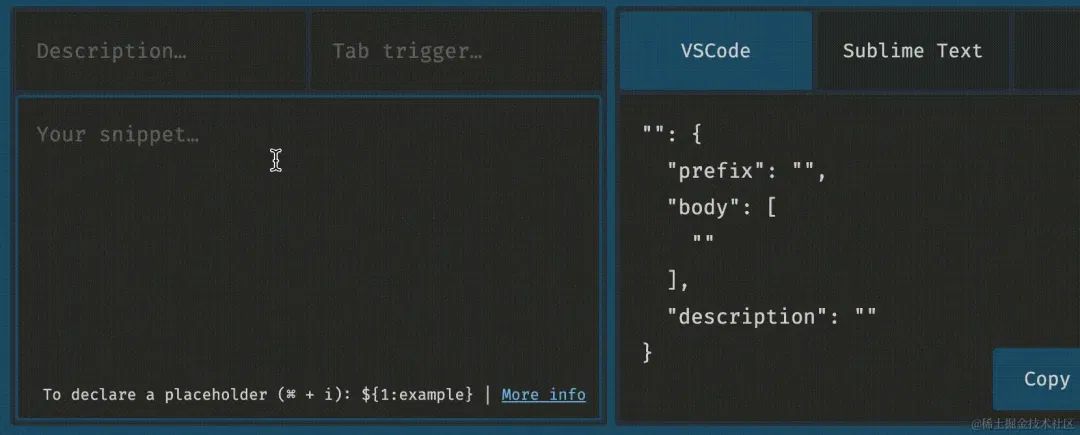
I would also like to recommend a very useful vscode code fragment generation tool
https://snippet-generator.app/?description=&tabtrigger=&snippet=&mode=vscode
For example, transfer your commonly used code snippets or useful code snippets in webstorm

Clear code highlighting
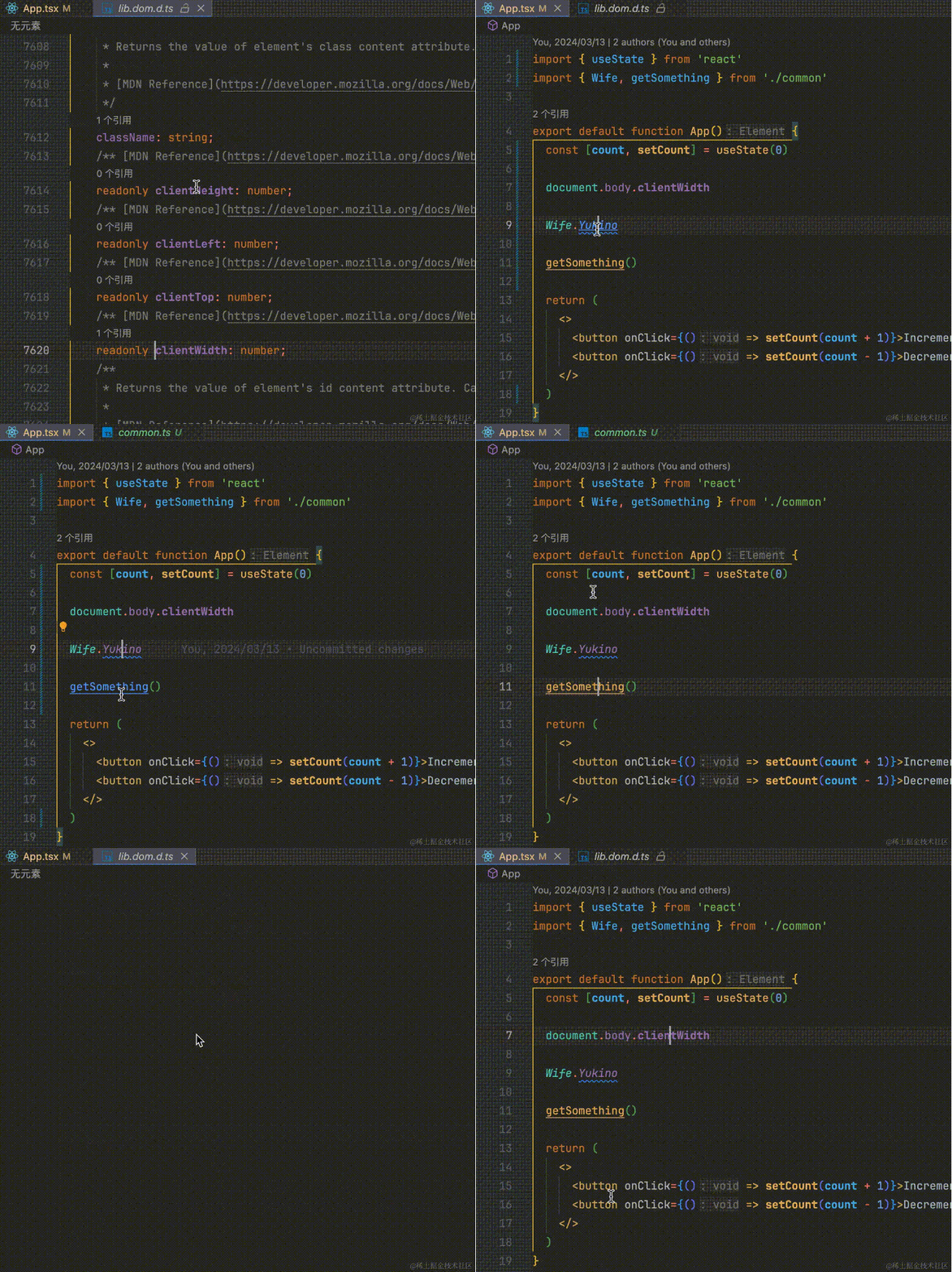
When viewing code, you don't need to enter the corresponding file, or even hovre with the mouse to know what type of code is.
When I saw the bold attribute in purple, I knew it was read-only
When I saw the green italics, I knew it was an enumeration, and the purple italics were the enumeration values.
When I saw the yellow underline, I knew it was a method decorated with async, and I subconsciously considered whether to add an await call. Although eslint and the like can also be detected, it will only provide all warnings across the board. In fact, it is not necessary to add an alert modification. Is it good to warn everything? Useless warnings, or even erroneous warnings, will only affect the mood of writing code. It should express a semantics, and it would be nice to use other colors that I like than variables, attributes and the like

Faster function entrance
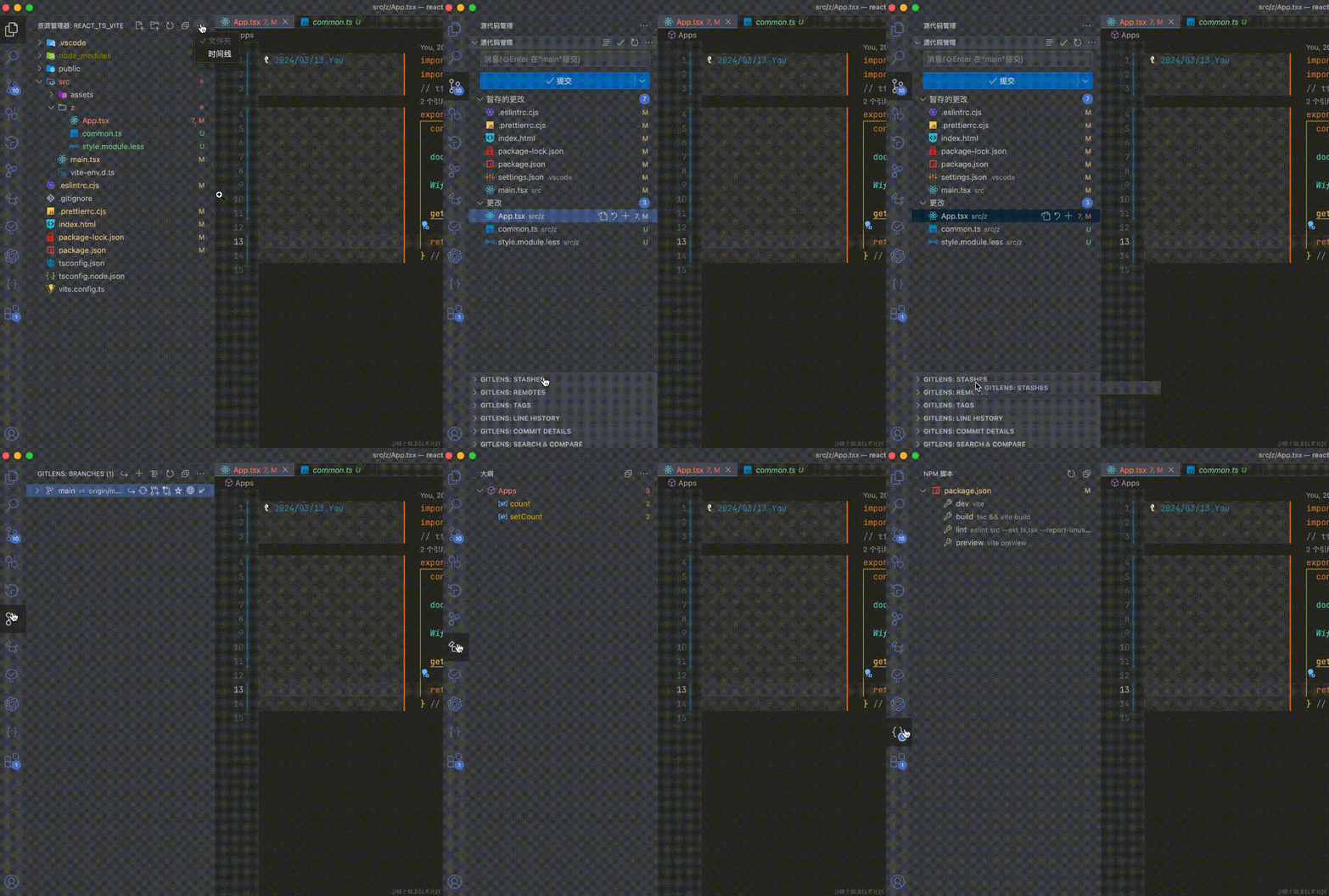
Function tabs in the Resource Manager and Source Control Panel can be dragged or hidden
Hide unwanted tabs to make the resource manager more refreshing
You can also drag out some commonly used gitlens tabs to make the git view space larger and clearer

Make folder levels clearer
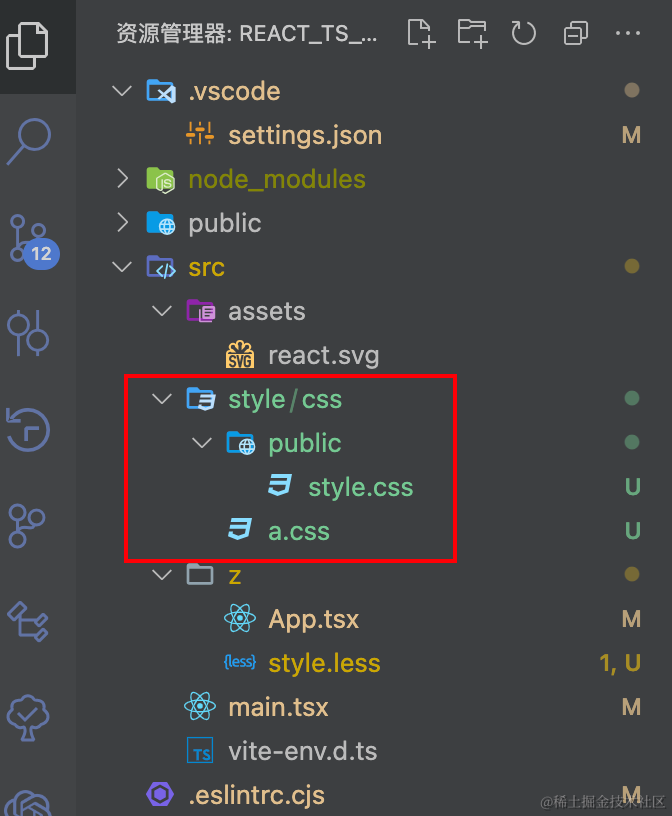
By default, if there is only one folder under a folder, the two folders will be combined
As shown in the figure below, is the lower folder of style public?
No, it's actually css. This kind of inconsistent display will at least confuse me a little

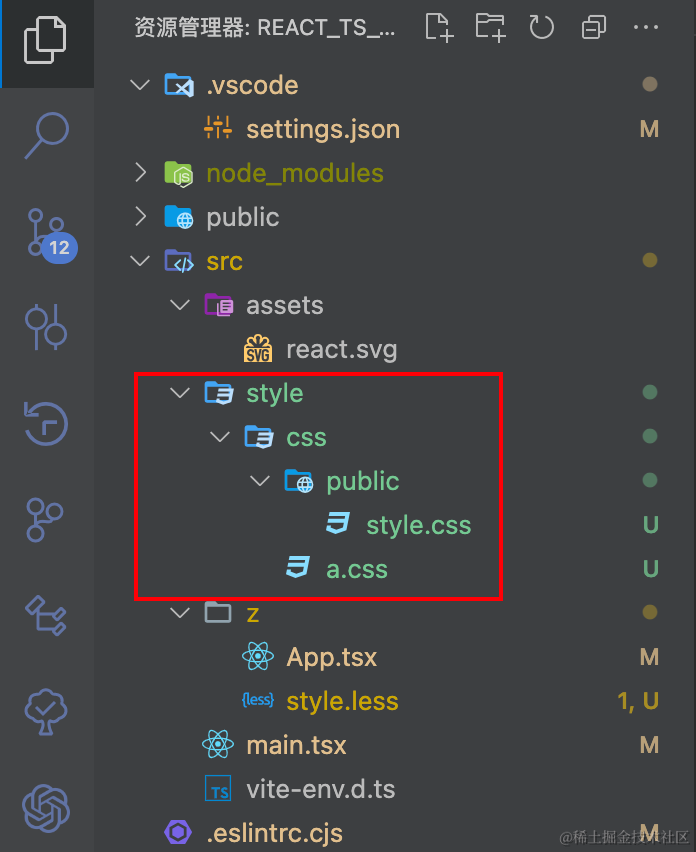
Change the following configuration to display the following picture
"explorer.compactFolders": false

Quickly open and use vscode's own powerful capabilities to modify non-project files
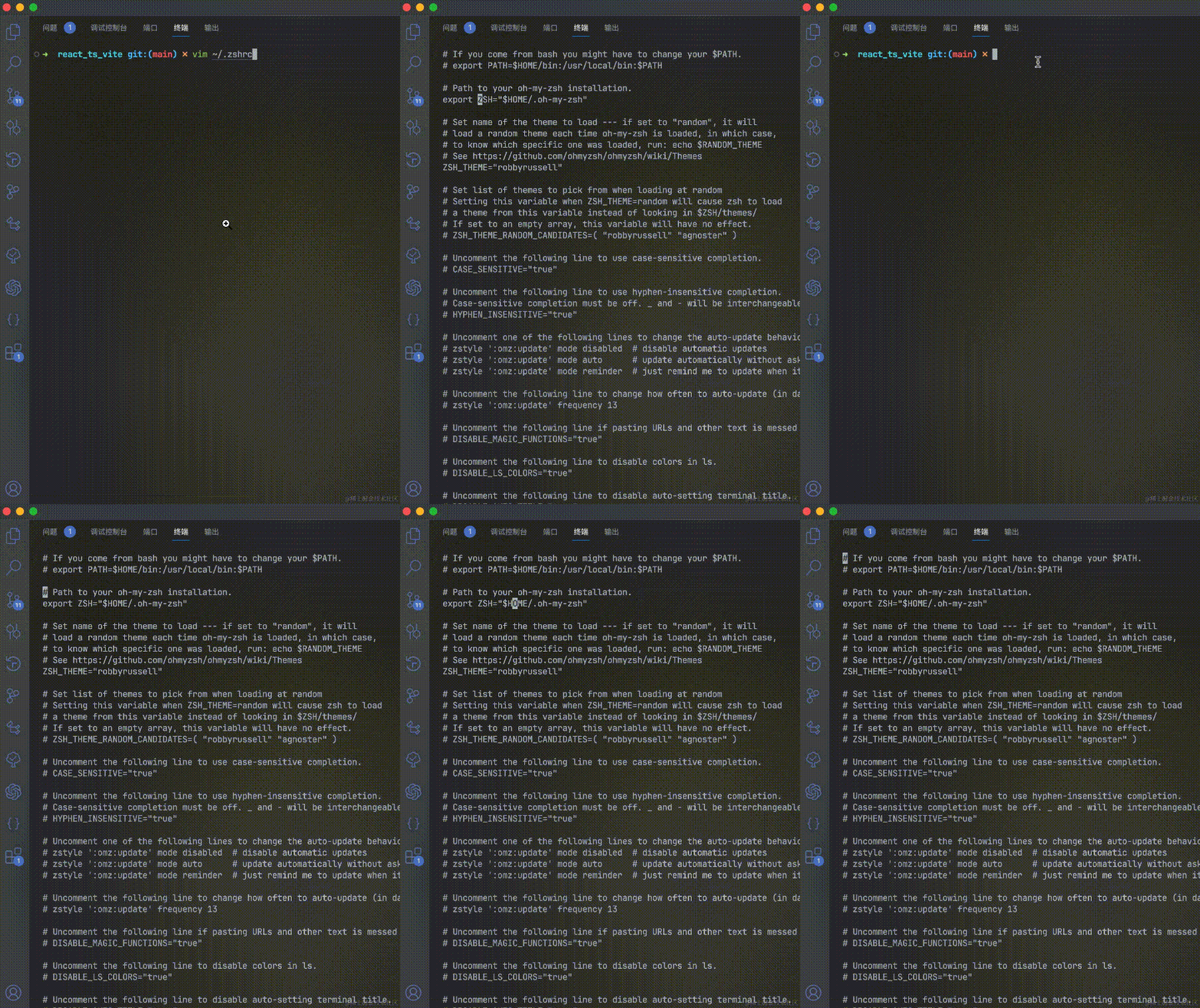
Sometimes we need to modify the configuration file or host file when installing and using some tools. Those articles generally talk about using commands such as vim. To be honest, it is really difficult to use. Not only is it unclear to read, but it is also inconvenient to modify. as shown below

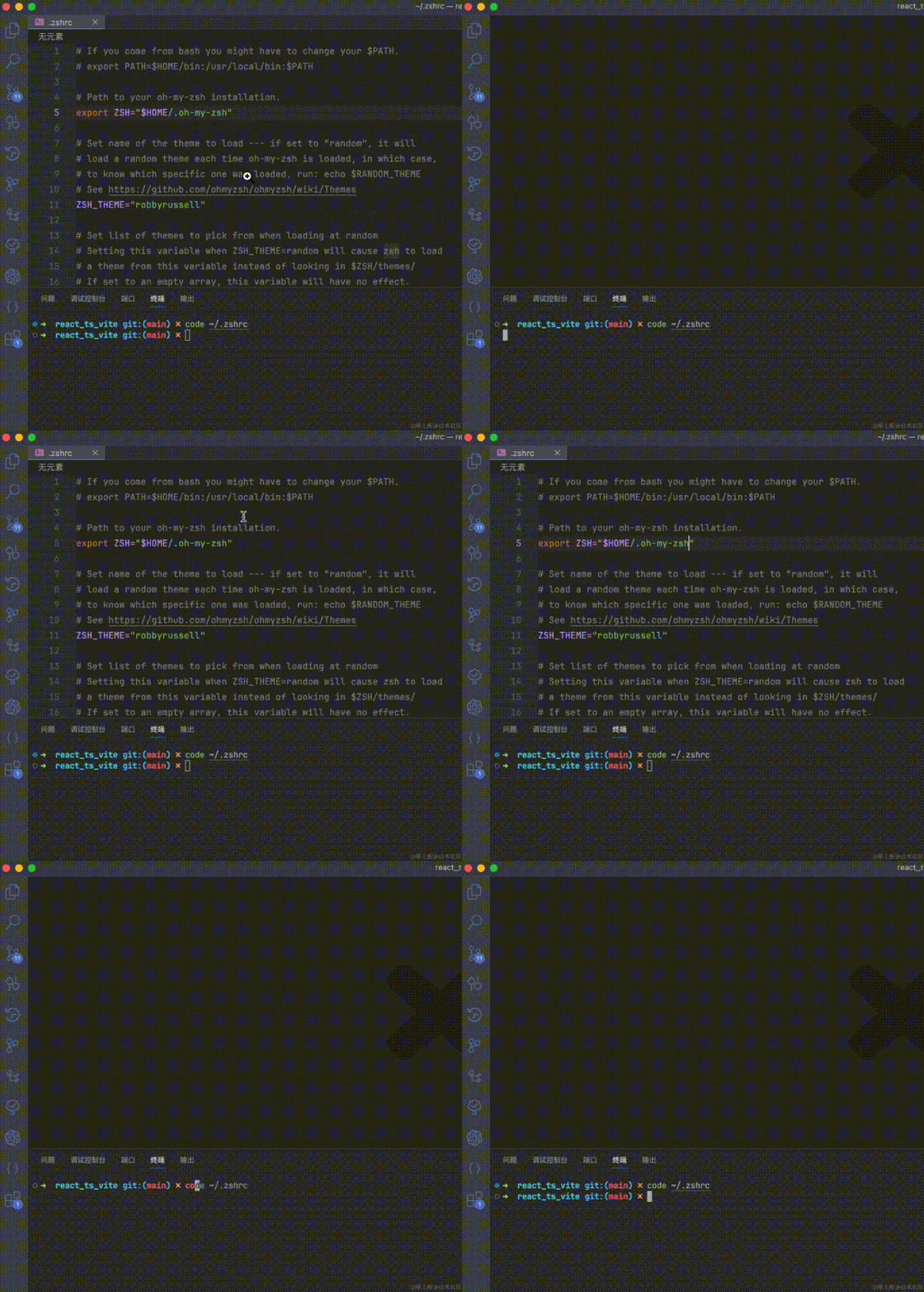
In fact, vscode provides a code command, which can easily open files or folders, and also modify the above files.

Automatically copy selected text in the terminal
Sometimes when we start a project, we will report some errors that need to be resolved through Baidu
At this time, you need to search for some keywords printed by the terminal. If you configure automatic copying, you can save the need for manual copying.
"terminal.integrated.copyOnSelection": true
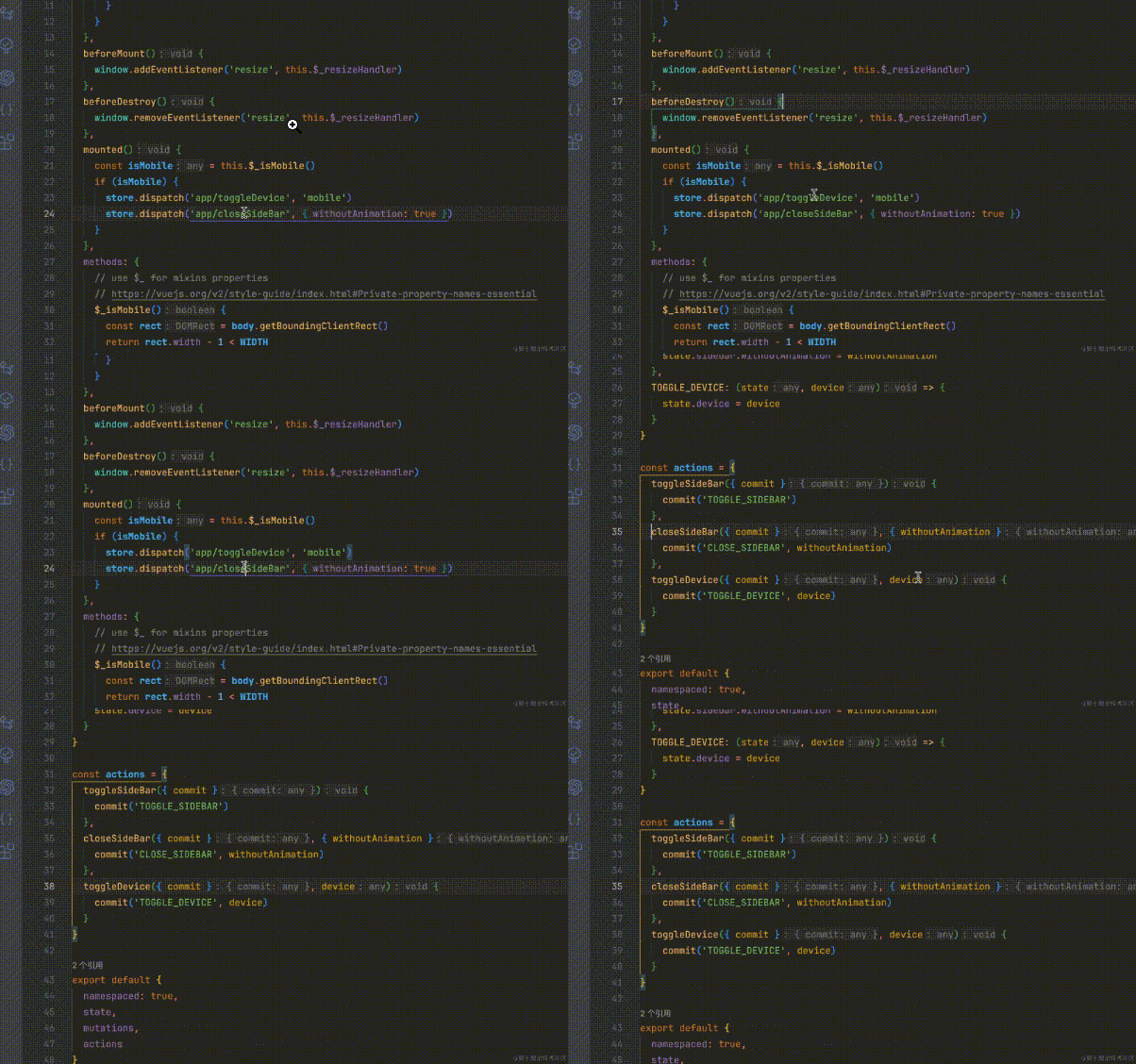
Disable drag-and-drop to move selections
Sometimes some text is selected, but the code is accidentally moved elsewhere due to accidental touching, as follows

This varies from person to person. I don't need this function, but sometimes I am confused by accidental touch. The configuration is as follows
// 改为false即可禁止拖动
"editor.dragAndDrop": false
Code prompts and jumps
package.json
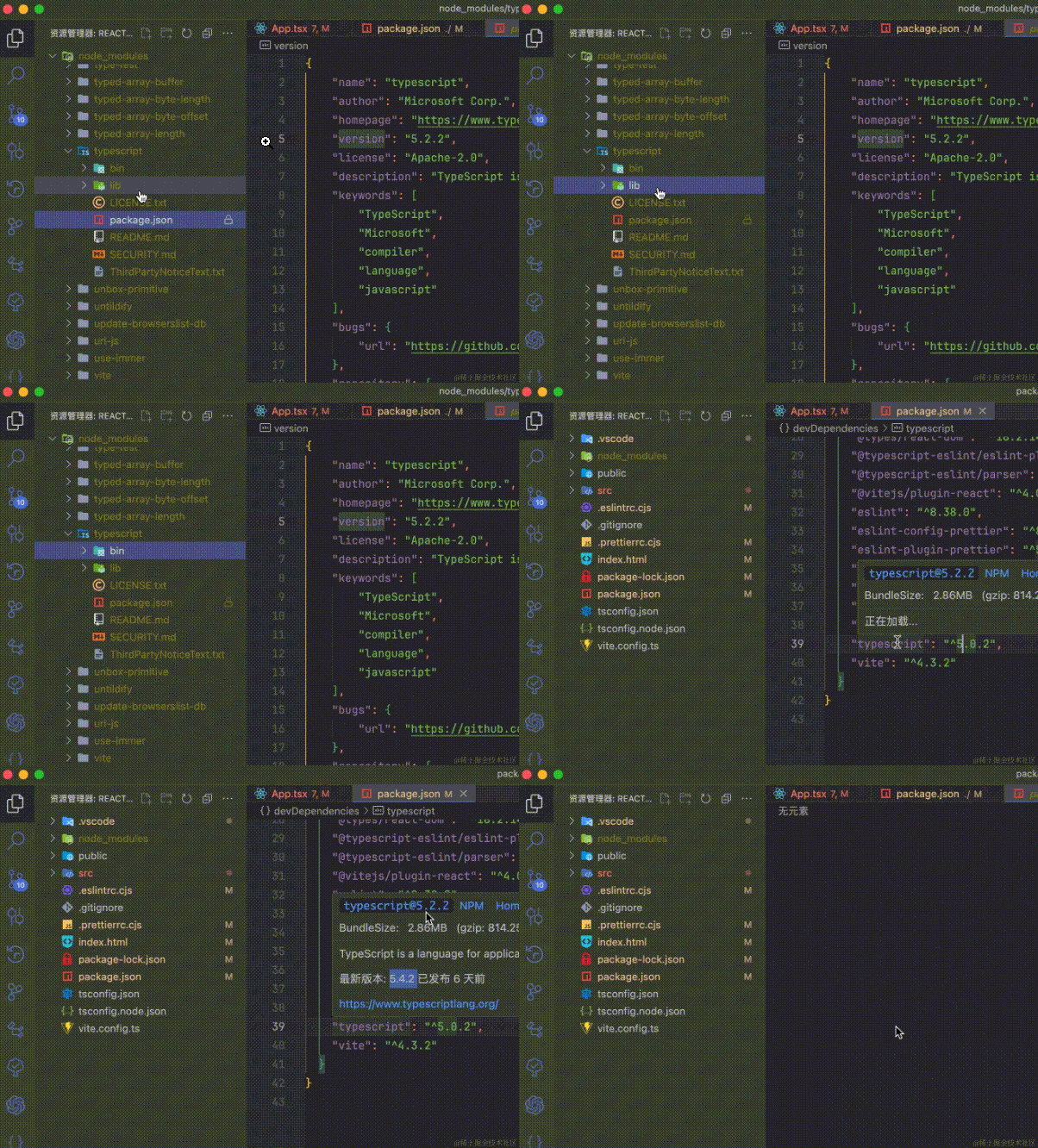
Some package versions are decorated with ^, which causes the version to not be completely locked. Sometimes there may be problems with a small version that needs to be investigated by us.
At this time, we need to know which version we have installed
Through the figure below, we can know the currently installed version, the latest version, or we can directly go to view the details.

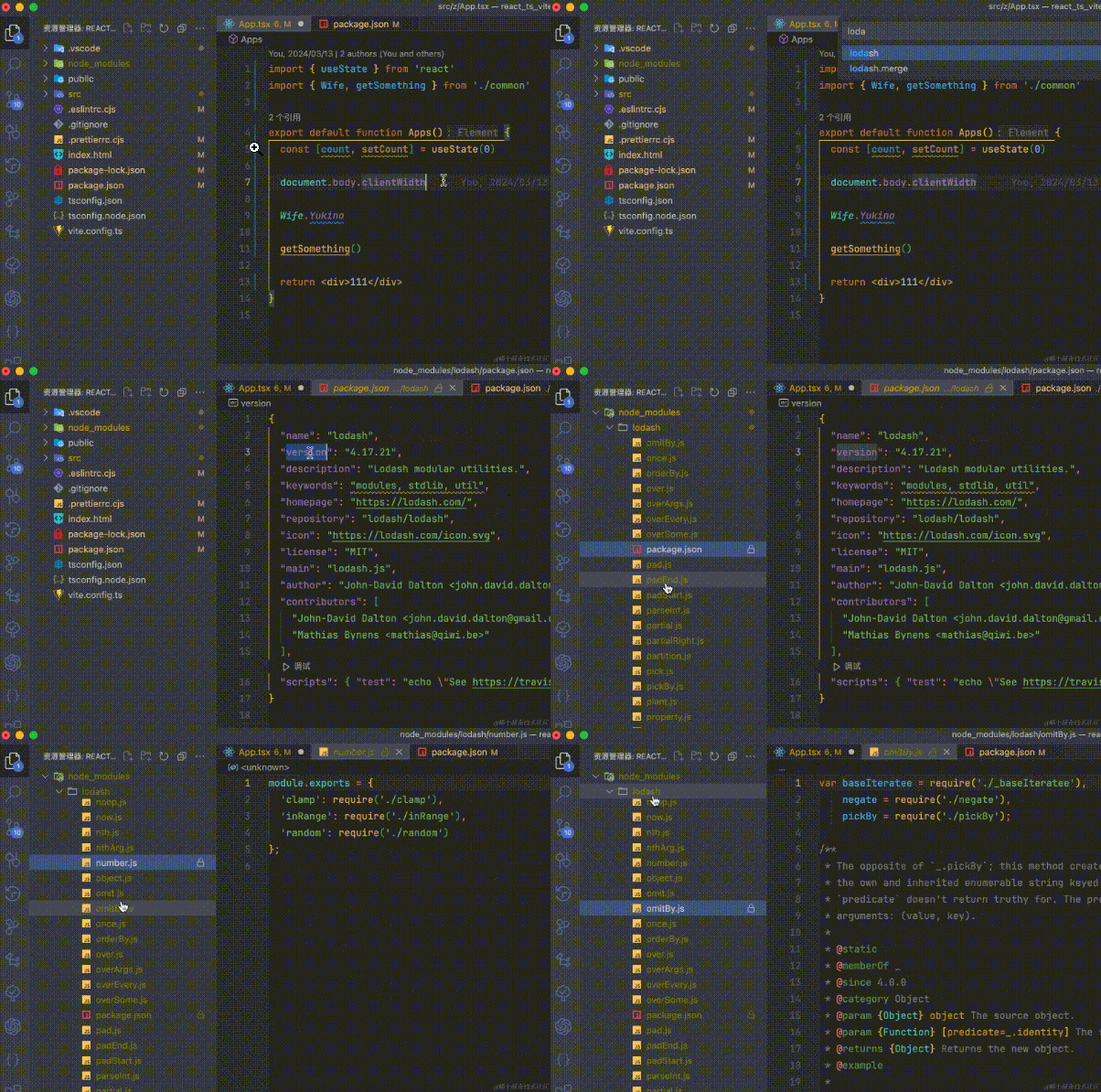
We know that some packages are indirectly dependent and are not listed in package.json. I want to know whether there are any in node_modules that can be searched directly. Take lodash as an example, as shown in the figure below.

Vue
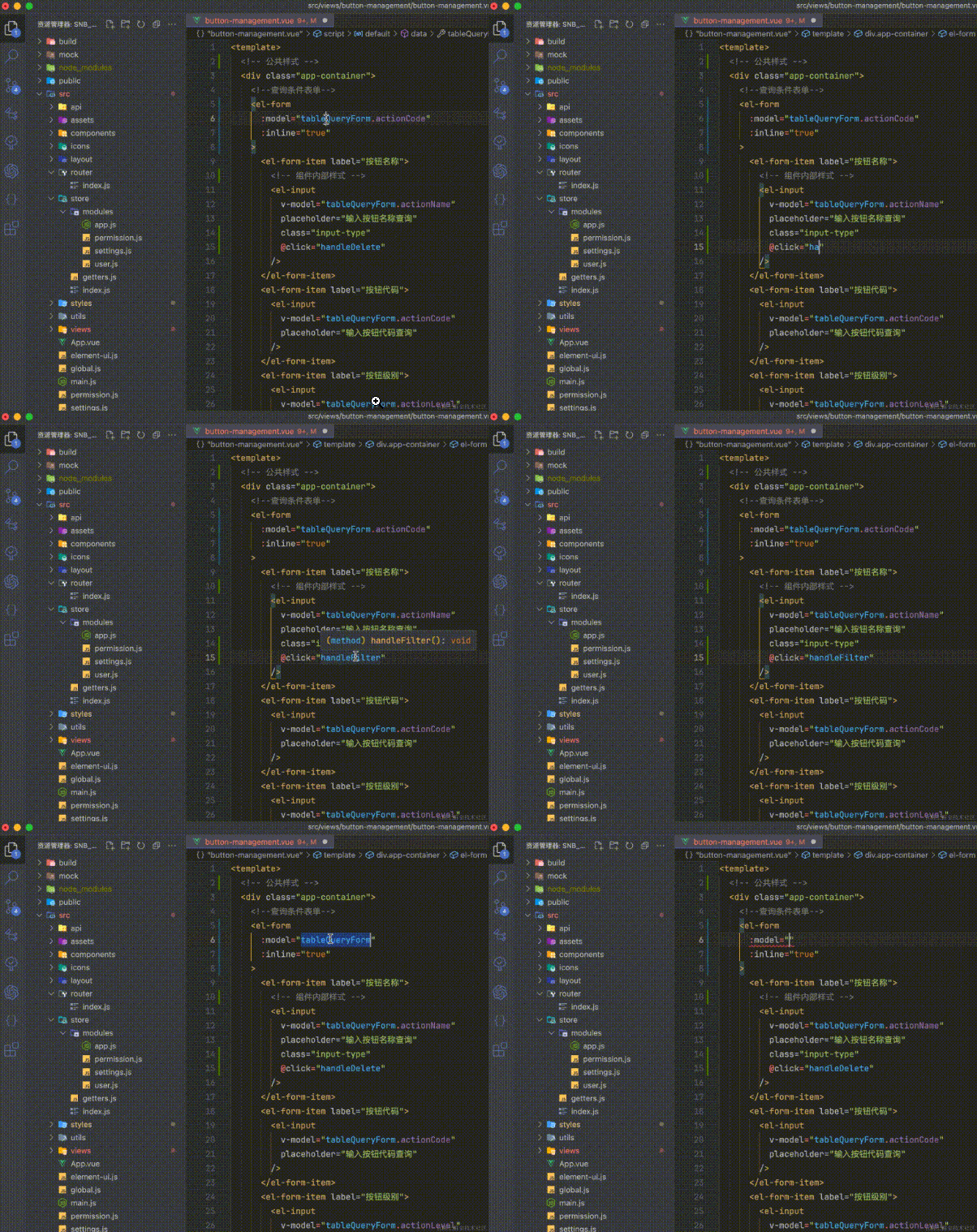
Tips and jumps such as properties and methods

Css class name tips and jumps

vuex Jump

File path prompts and jumps

React
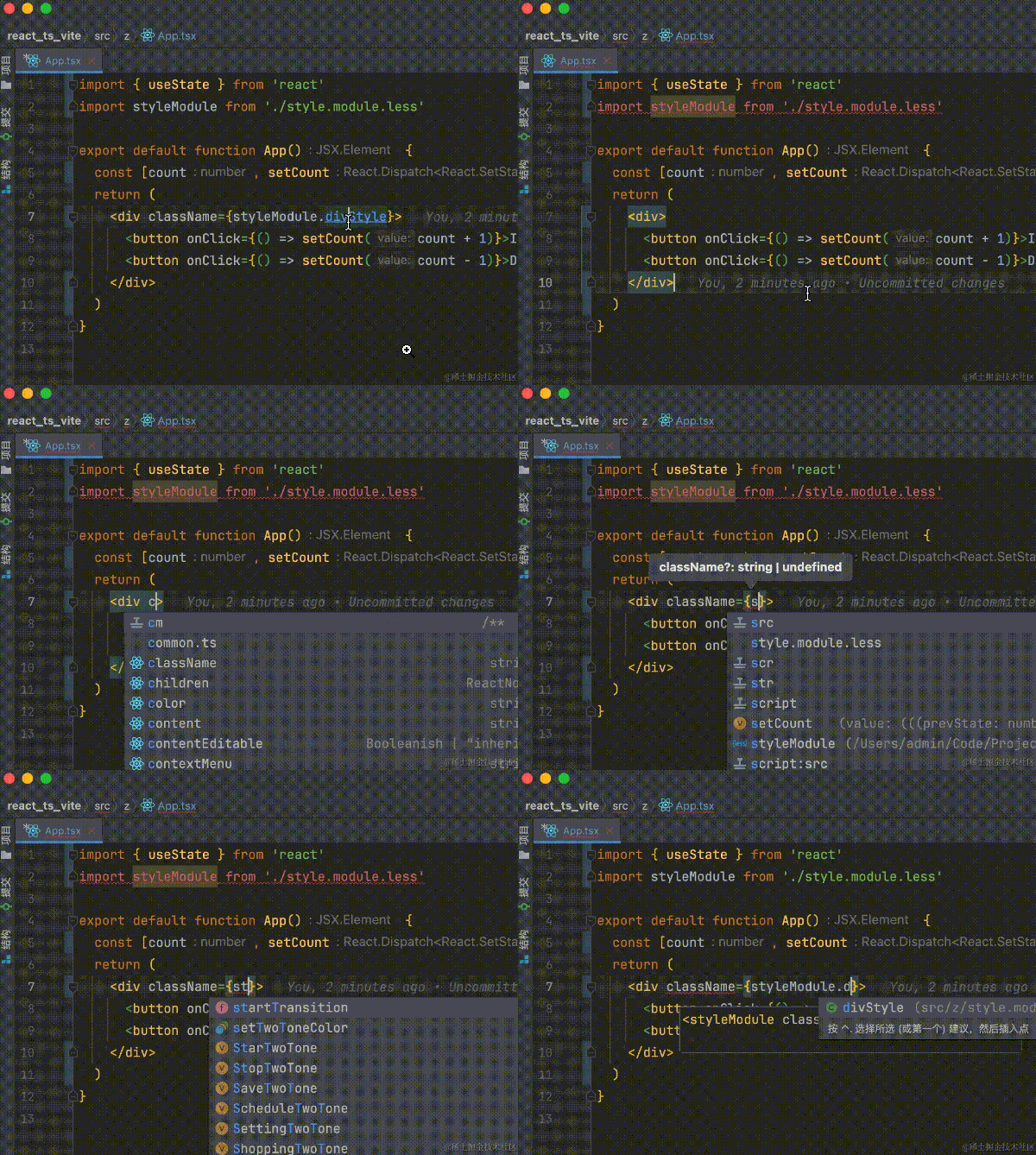
I mainly use react. Personally, I think vscode has better support for react than vue. What vue can do above, react can also do, so I won't go into details.
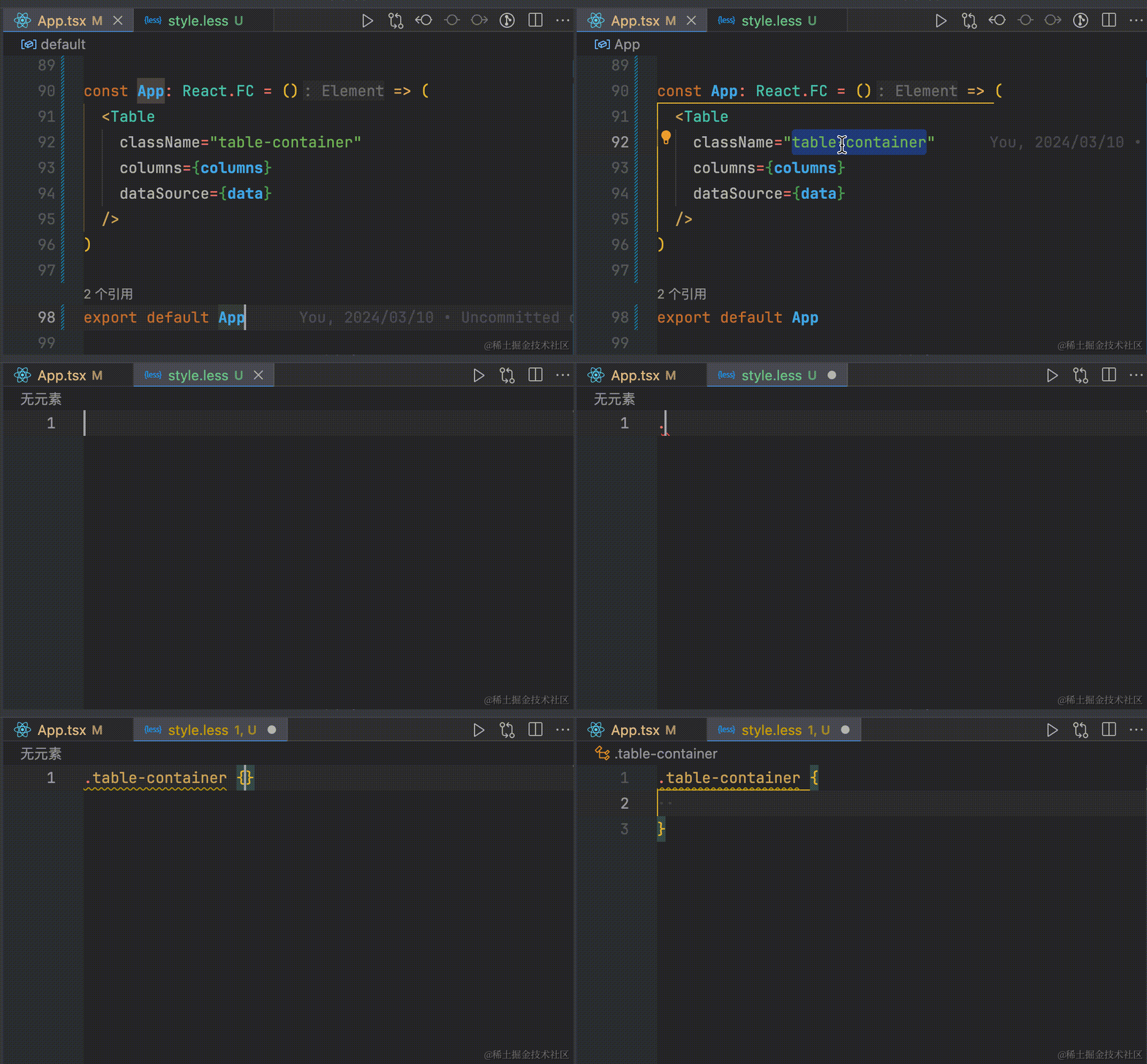
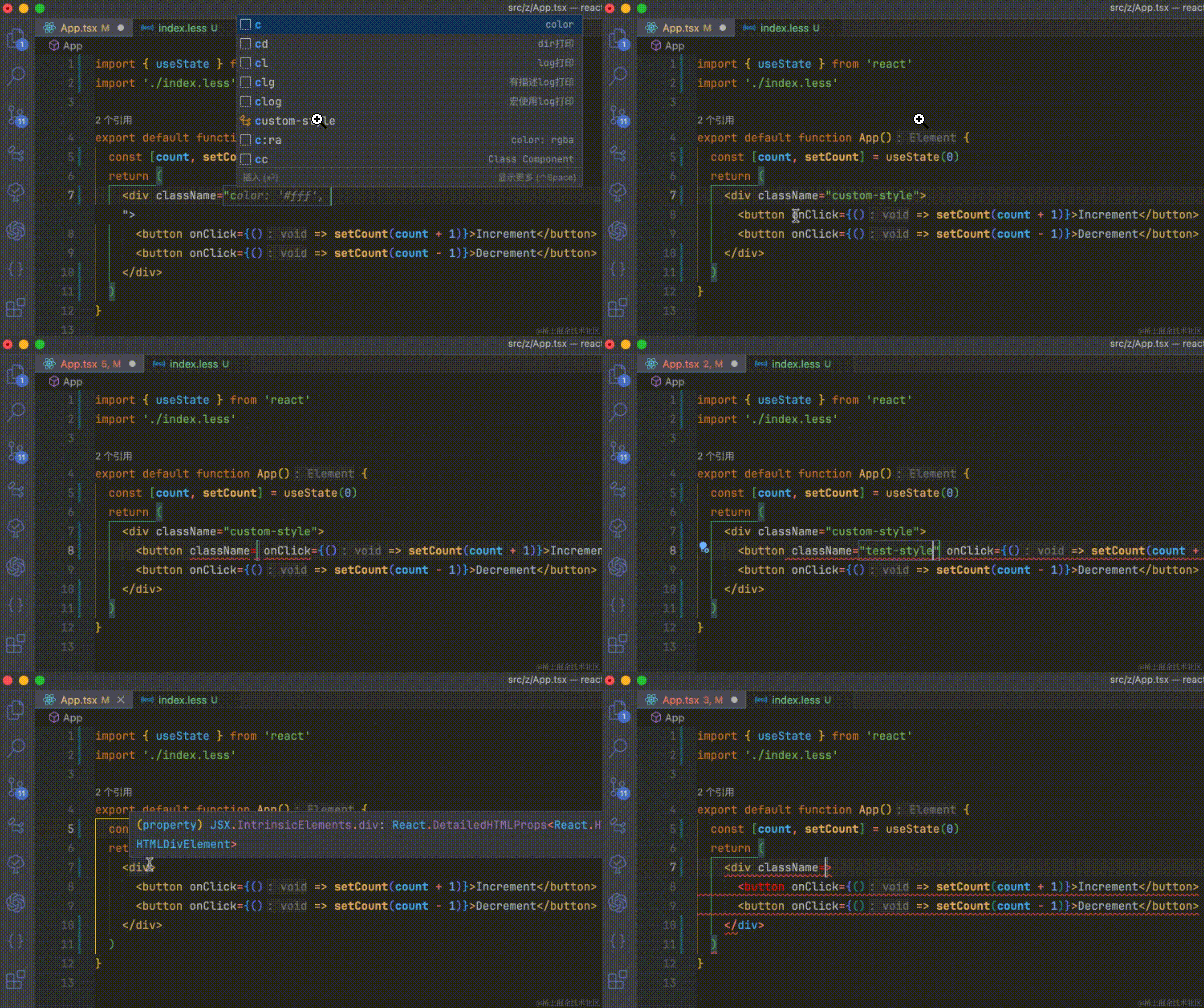
Here is a simple example of css

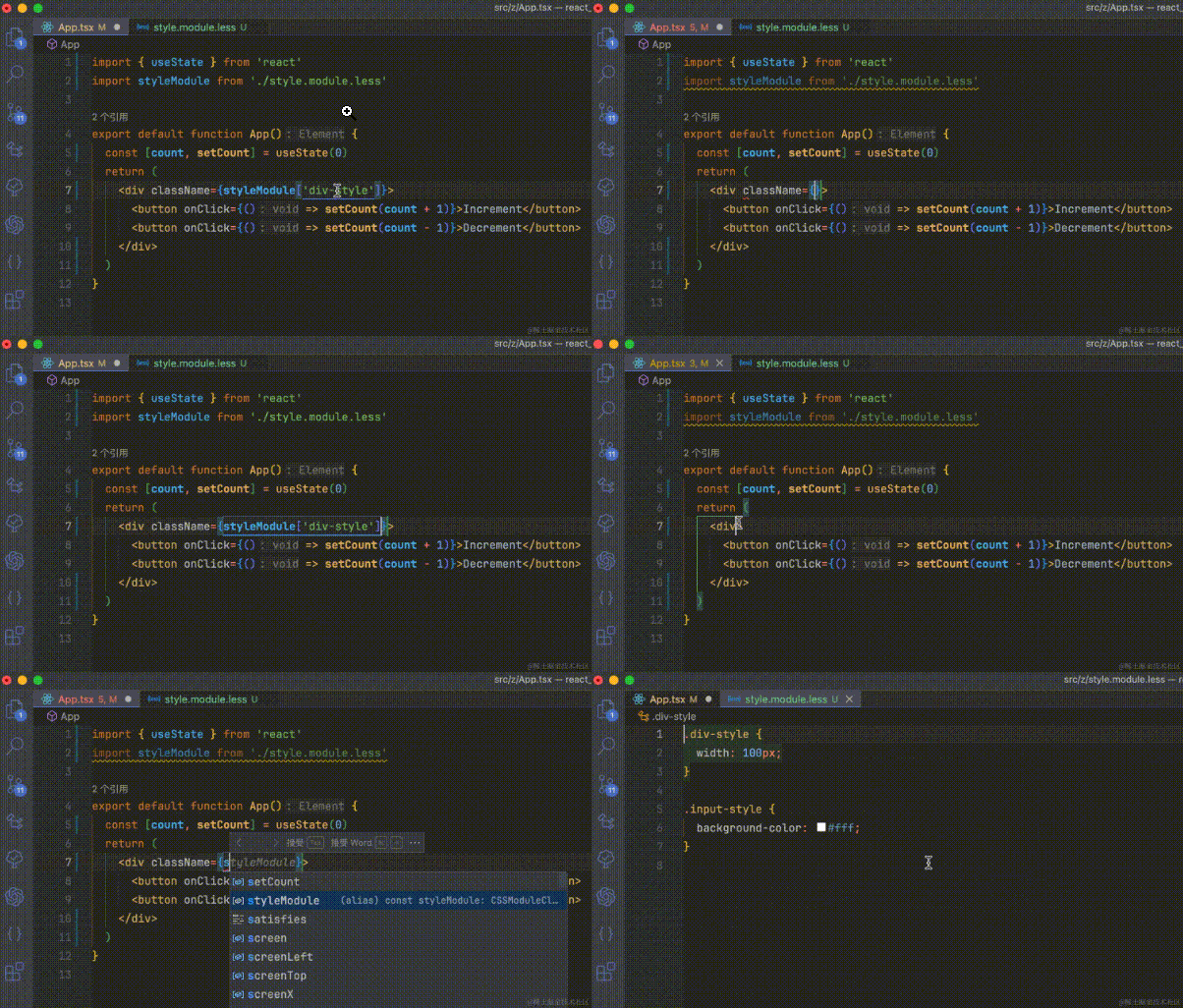
By the way, the value of an attribute, such as whether className is a string or a jsx expression, is automatically inferred by default, which means that className is a string by default.
This leads to a problem. For example, I use cssmodule in my project, but I actually need to enter jsx expressions. Actually, it's better to say that most attribute values, including className, are actually jsx expressions that I want to enter, and can be configured as follows
"javascript.preferences.jsxAttributeCompletionStyle": "braces",
"typescript.preferences.jsxAttributeCompletionStyle": "braces"
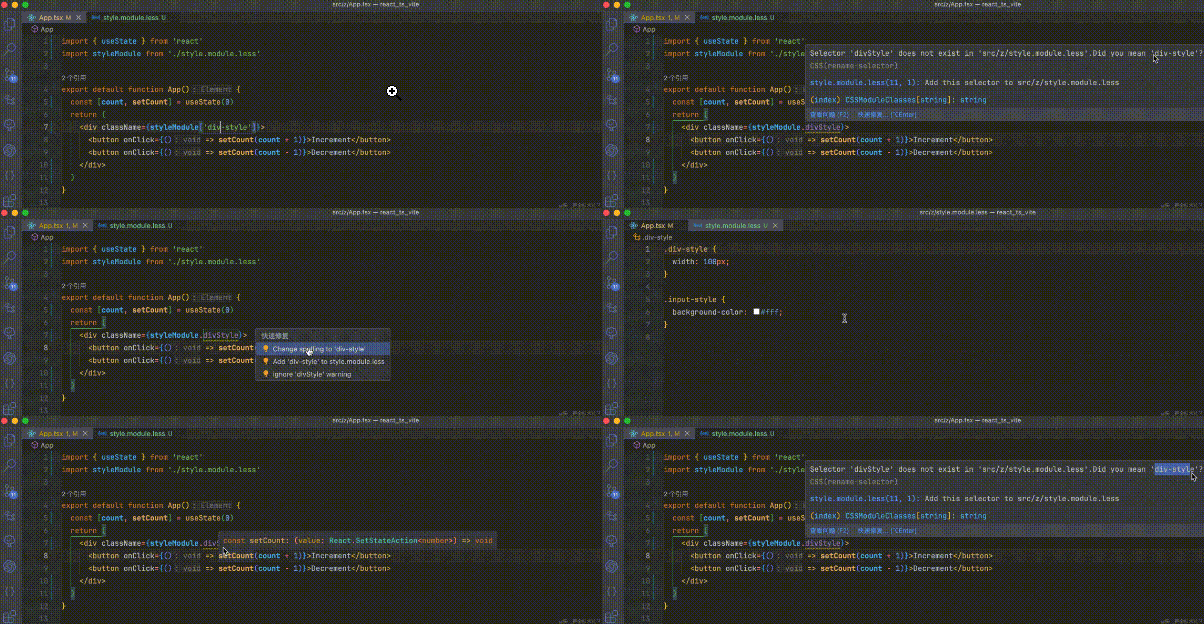
Speaking of webstorm, don't you even know the case and case? Will this work? You still jump to it??? What a *!
Here I have to talk about a major shortcoming of webstorm. It always likes to force reminders, giving people a feeling as if they are very intelligent. So it's very good for performance and easy to get stuck

vscode not only prompts correctly, but also provides a clear explanation of errors and provides solutions

conclusion
As a developer who has used webstorm for far more than two and a half years, vscode has made me more efficient development efficiency through its powerful code hints, search and code jumps in just half a month. No wonder employees of large companies can use it for free. They are unwilling to take a look at webstorm, and basically use vscode.
I have been preparing promotion materials recently, so I am a little busy. And because the configuration is a little too much, I only intercepted some of the functions in order not to delay everyone's reading.
If readers encounter any pain points, they can leave a message in the comment area, and I will solve them one by one. Please believe in my ability! After I get promoted, I basically won't have to write code. I will complete the article and open a special topic on vscode skills.
As the saying goes, if a worker wants to do a good job, he must first sharpen his tools. Having a convenient editor can greatly improve your development efficiency and happiness. After all, the time spent spending with the editor is even longer than the time spent with the object (л).
Webstorm may be easy to use in the eyes of some people, but I would call vscode a universal editor (#.#).
Perhaps, in the world of programmers, charging is not necessarily the best!!!