
今天是我开启Maui学习之路的第二天,我不是很高兴又能水一篇文章,我只能说这文章真好水。
话不多说,我们进入正题,昨天解决了Windows下TitleBar以及窗体大小的问题,今天同样的问题,在Mac上又要解决一遍,这真的是让我又气又恨。
有了昨天的经验,今天做Mac的开发就明智了很多,因为我知道微软肯定不会让我好过,于是我直接打开Apple官网,翻到Xcode开发指南,做好准备。
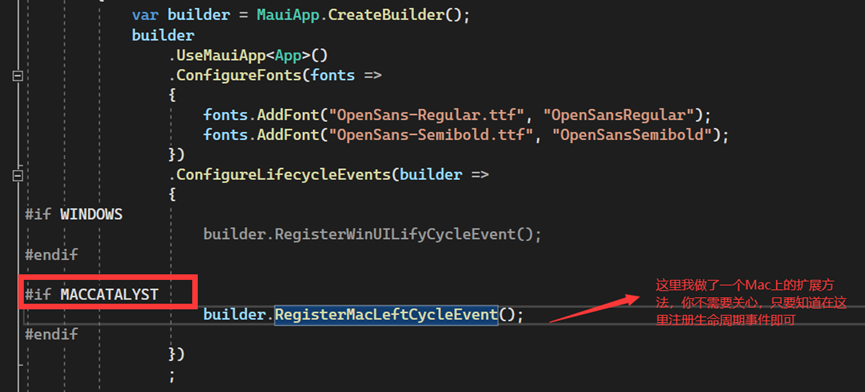
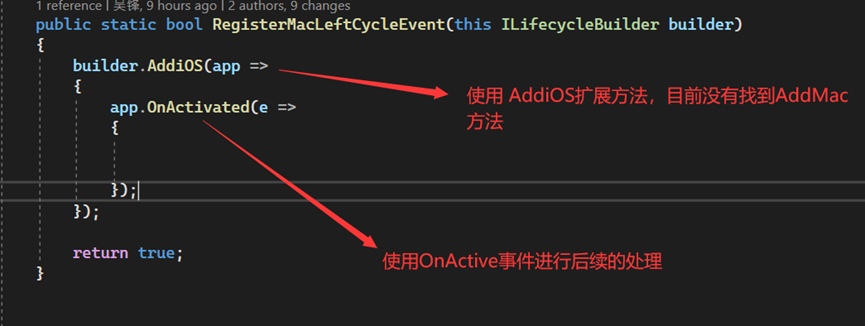
同样在做有关窗体的改动之前,你需要先注册 Mac 上程序的生命周期函数,找了一圈并没有AddMac这个扩展方法,于是我直接使用AddiOS这个扩展方法(我就是这么优秀,直接就能定位到关键),在OnActive回调中进行我需要的操作,
操作如下:
注册生命周期函数(你也可以在重写窗口的 OnCreate 函数)
第一步
需要解决Mac上TitleBar隐藏的问题,在Mac系统上微软选择了UIKit框架进行实现,这不同于Windows,所以我熟练的打开Apple官方文档,在Apple开发者指南首页立马就能定位到目标对象,真的是超级简单,参考文档:从用 Mac Catalyst 构建的 Mac App 中移除标题栏 - 简体中文文档 - Apple Developer

- 实现步骤:
获取
UIApplication下的主窗体隐藏
TitleBar
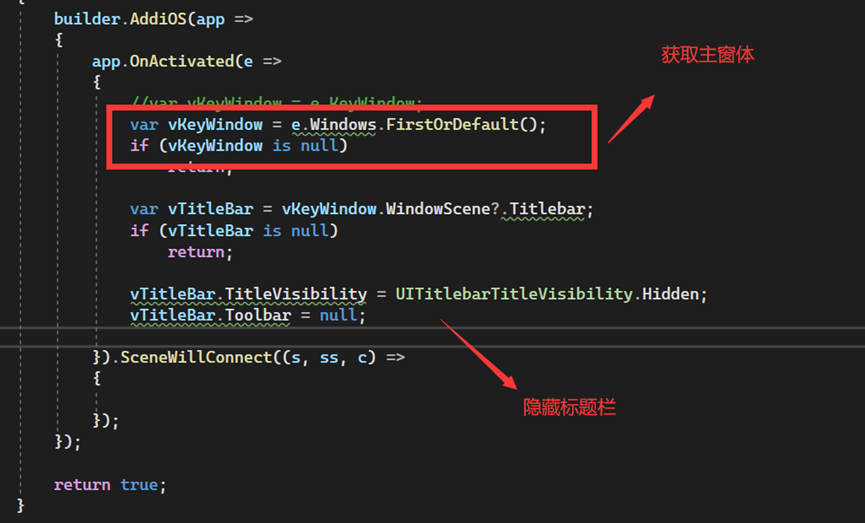
- 代码实现:
builder.AddiOS(app =>
 {
     app.OnActivated(e =>
     {
         //var vKeyWindow = e.KeyWindow;
         var vKeyWindow = e.Windows.FirstOrDefault();
         if (vKeyWindow is null)
             return;

         var vTitleBar = vKeyWindow.WindowScene?.Titlebar;
         if (vTitleBar is null)
             return;

         vTitleBar.TitleVisibility = UITitlebarTitleVisibility.Hidden;
         vTitleBar.Toolbar = null;

     })
 });
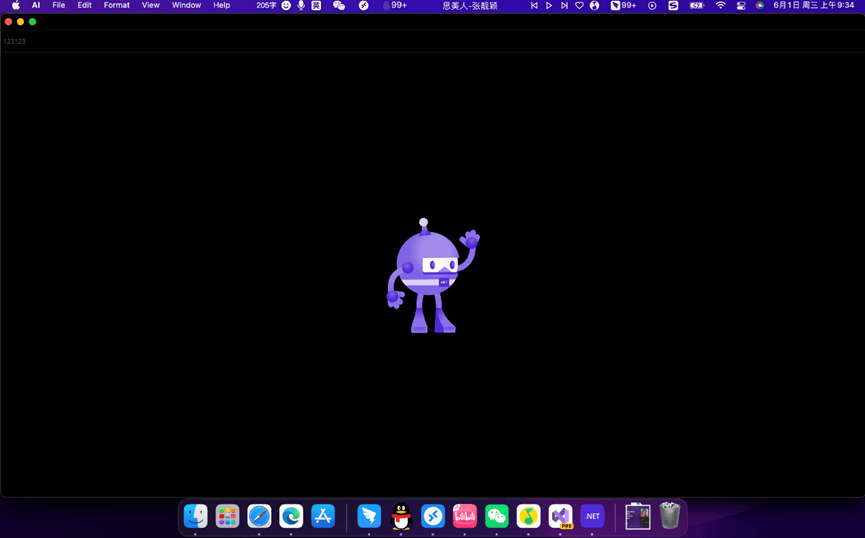
- 效果如下:

第二步
需要修改Mac应用窗体的默认大小,这真是个老大难问题,我翻遍了UIKit相关的所有资料(也许没翻全),都没看到但凡一点有关窗体大小的介绍,唯一的介绍是跟View相关(修改Frame),这对我没有鸟用(这是AppKit框架下的实现),还好我的优点就是眼睛比较好,在文档中看到了这样的信息:
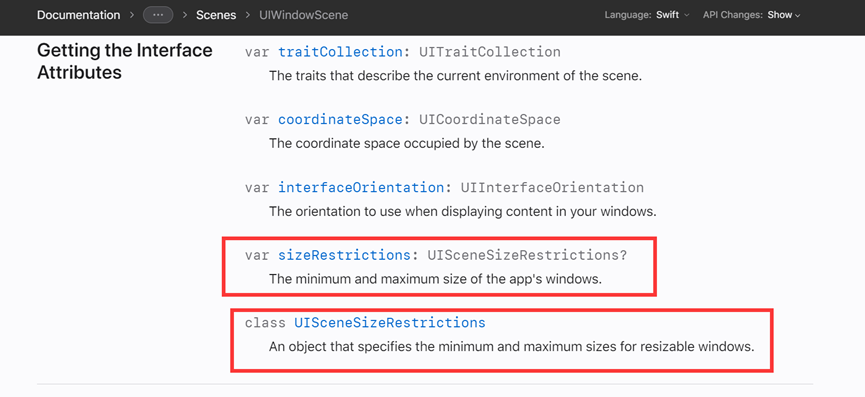
参考资料:UISceneSizeRestrictions | Apple Developer Documentation
或许修改MinimumSize和MaximumSize可以变相实现窗口尺寸变化,于是,我尝试着修改了一下,发现当我修改MinimumSize时窗体确实发生了变化,不过这里发生一个很诡异的事情,窗体的长宽并不符合我设置的值(发现这个问题是因为我获取到屏幕的size后直接设置进去,窗体并未最大化显示),于是我查了一些资料,发现好像这里要乘以1.3才是实际值,为什么是1.3我不太清楚(有知道的小伙伴可以滴滴),因为他也不是dpi的值,总之经过这一番折腾是能解决问题了,最大化窗口就是将屏幕尺寸直接给进去即可。
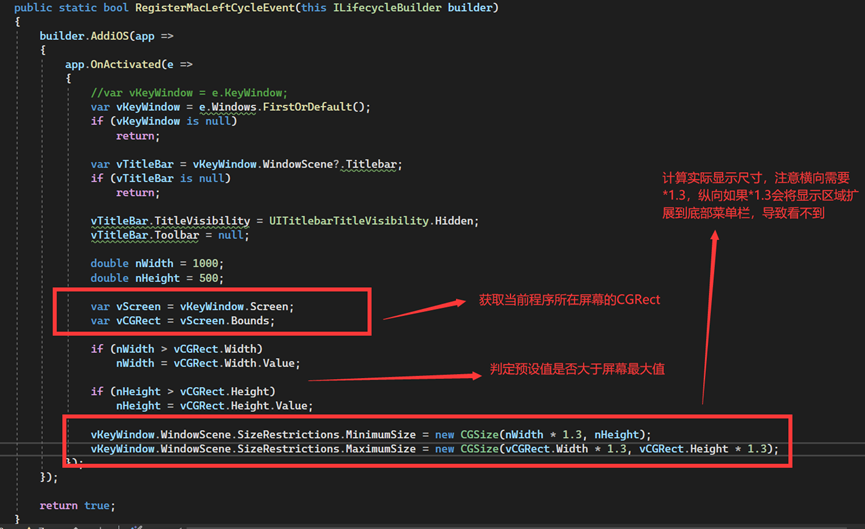
- 代码如下:
builder.AddiOS(app =>
{
    app.OnActivated(e =>
    {
        //var vKeyWindow = e.KeyWindow;
        var vKeyWindow = e.Windows.FirstOrDefault();
        if (vKeyWindow is null)
            return;

        var vTitleBar = vKeyWindow.WindowScene?.Titlebar;
        if (vTitleBar is null)
            return;

        vTitleBar.TitleVisibility = UITitlebarTitleVisibility.Hidden;
        vTitleBar.Toolbar = null;

        double nWidth = 1000;
        double nHeight = 500;

        var vScreen = vKeyWindow.Screen;
        var vCGRect = vScreen.Bounds;

        if (nWidth > vCGRect.Width)
            nWidth = vCGRect.Width.Value;

        if (nHeight > vCGRect.Height)
            nHeight = vCGRect.Height.Value;

        vKeyWindow.WindowScene.SizeRestrictions.MinimumSize = new CGSize(nWidth * 1.3, nHeight);
        vKeyWindow.WindowScene.SizeRestrictions.MaximumSize = new CGSize(vCGRect.Width * 1.3, vCGRect.Height * 1.3);
    });
});
- 效果如下(窗口最大化的演示):
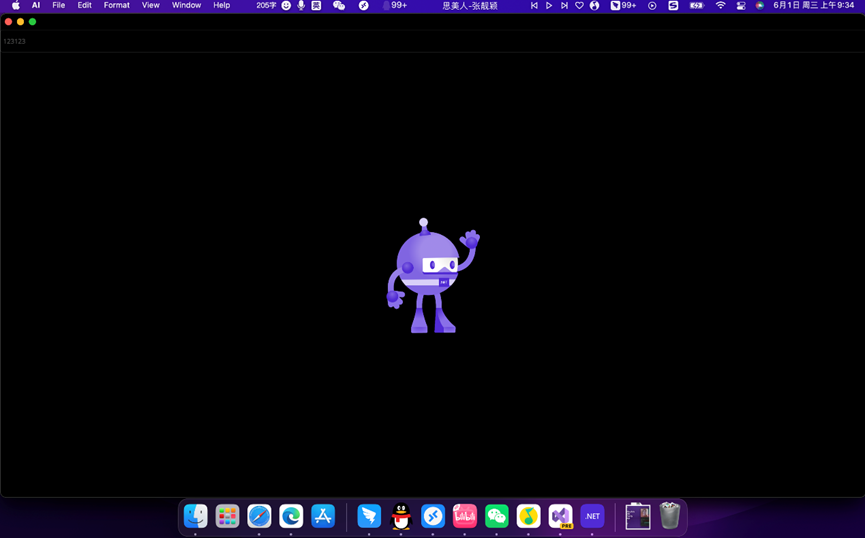
注意:Apple的程序每次运行后会记住上一次启动窗口的大小,所以 当你首次将界面改大后使用上述的方式并不能将他改小,此时你需要将MaximumSize改小才能让窗口变小。
最终我并未找到怎么开启Mac程序的全屏方案,很抱歉(如果有知道 UIKit 怎么全屏的朋友欢迎滴滴)。
另外不得不吐槽一点,Apple 官方文档太能藏了,微软的开发文档如果是第二那么没人敢说第一,如果我要找Windows API 我只需要进到MSDN一搜一大把,但是说真的我都不知道怎么在苹果官方搜MacOS API。
我翻了一下Xamarin.Mac官方文档,当初Xamarin.Mac使用的是Appkit的那套方案实现的,所以好像参考性不是特别大。
不过新奇的我居然发现微软官网的UIKit官方文档居然比Apple提供的还要全面,真是让人欣喜若狂,参考资料:UIKit Namespace | Microsoft Docs
最后还得是我软,巨硬真牛。