As an early adopter of Maui, I have something to say. Microsoft, you really went out of your way to make me a badass programmer. You must think I'm not awesome enough, so you specifically targeted me, trying to piss me off.
Alright, enough rambling. Maui is now officially released, and I kind of want to use it to build a desktop app, preferably supporting Windows and Mac (of course Linux too, but Microsoft won't give it to me). So I started working on it.
Following the official tutorial, I downloaded and installed the latest preview of vs2022 (same for Mac), checked the Maui workload, created the Maui template project, compiled and ran it directly. The whole process was smooth sailing, making me think "this might actually work".
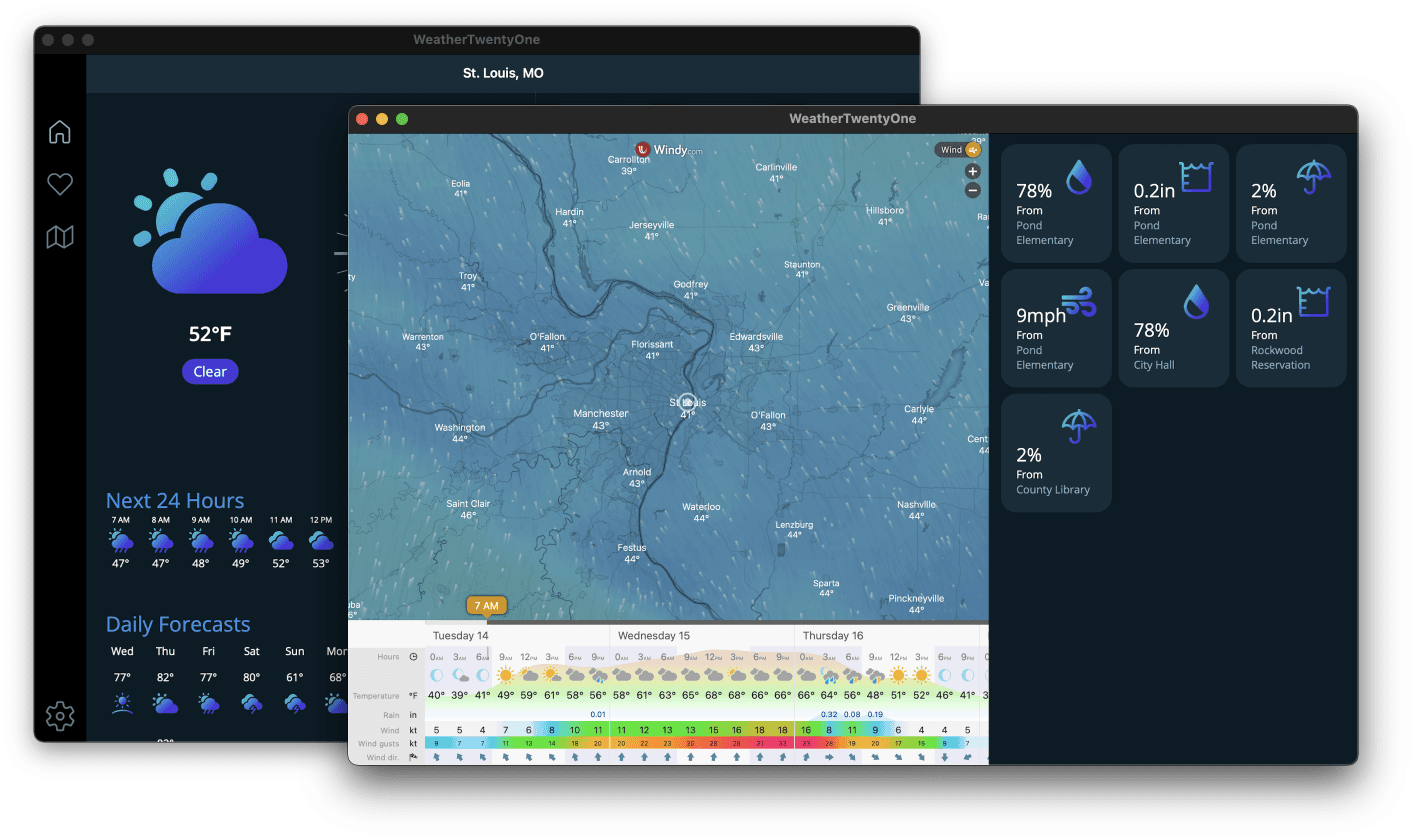
OK, the program runs perfectly, and it's also perfect on Mac. One set of code runs seamlessly on both Windows and Mac. That's nice. I began to feel confident.
As a badass programmer, I have to have my own ideas. For example, I wanted to create a borderless desktop app, which should be easy. I just needed to change WindowStyle to None (I thought). That's how it's always been done. So I went ahead and tried to do that. But after searching for a while, neither the Window class, MauiWinUIWindow, nor UIWindow had such a property.
I must be hallucinating. I need to look more carefully, I told myself. So I spent another half hour searching thoroughly, even glanced at the Maui source code (though I didn't fully understand it). Yes, I wasn't mistaken – it really isn't there. Okay, I was thinking too simply. Cross-platform apps have to consider many platforms, and this isn't easy, I comforted myself.
Alright, that path is a dead end. Let me check the Maui official documentation – it must have it, right? After all, it's the official tutorial, should be comprehensive. So I spent another half hour going through the tutorial. Sorry, still nothing. Well, this is an extremely difficult task; it's cross-platform after all, understandable. Then I'll look at the WinUI official tutorial, since it uses WinUI3.
Action speaks louder than words. I jumped straight to the point. Hard work pays off – finally found the answer in the title bar section. Although there was an answer, I still want to say: Microsoft, you did it again. What's the difference between this crap and MFC? It's just a simple wrapper around native APIs, right? That's you – my Hard as Rock (screaming at the top of my lungs here).
I snorted and wrote down the ultimate guide to modifying the title bar in a Maui Windows desktop app. The guide is densely covered with "pitfalls".
The secrets are as follows:
- You must be patient;
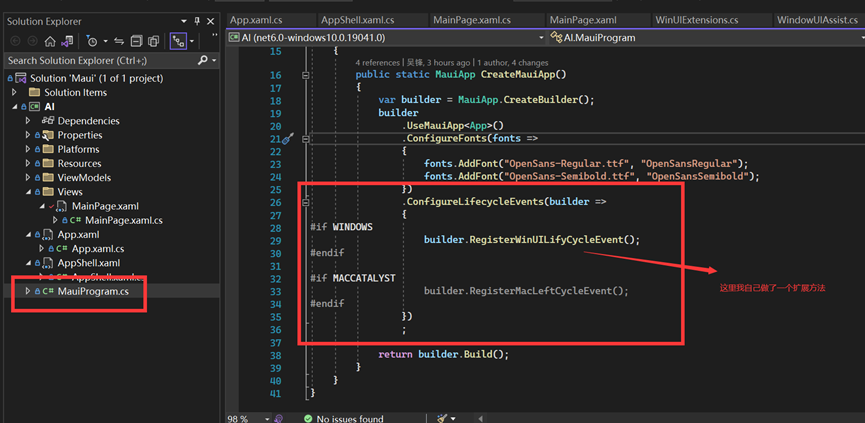
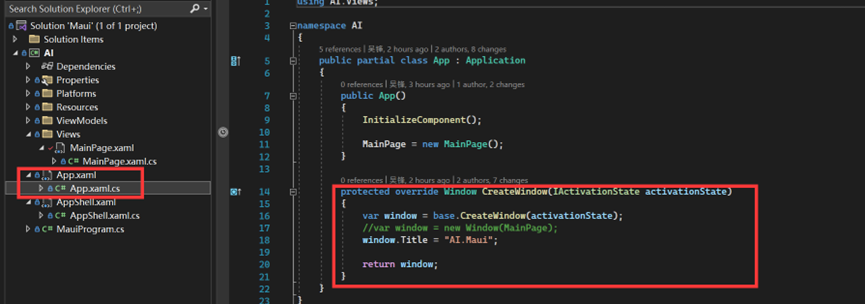
- Before using this approach, you must register the Windows lifecycle event handler. Reference: App lifecycle - .NET MAUI | Microsoft Docs. Alternatively, you can override the
OnCreatemethod inApp, instead of using this method;
- Register lifecycle event handler

- Override
OnCreatemethod


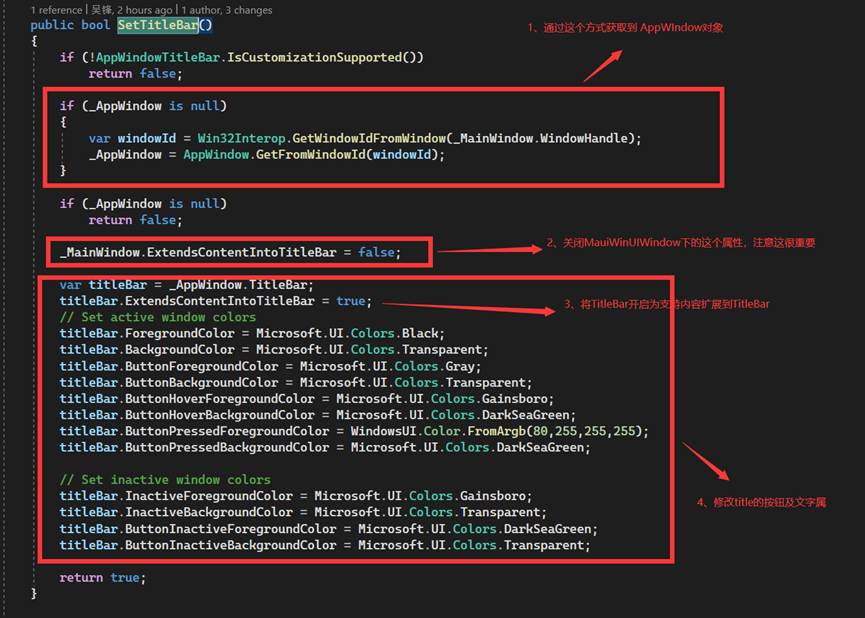
You must set
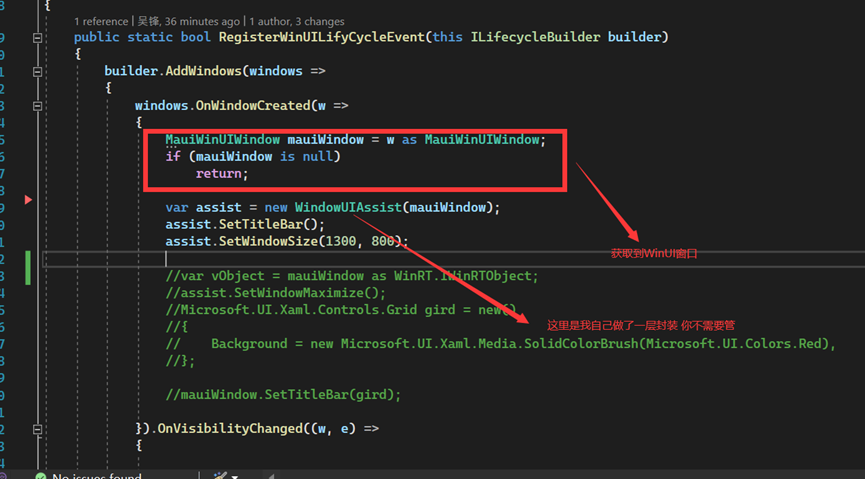
ExtendsContentIntoTitleBarthat comes withMaui Windowstofalse(this is very important. Also, there is aSetTitleBarunder theMaui Windowclass, sorry, it's not what you think. No matter how you change it, it doesn't work. Maybe I'm too dumb to find the right method.)Use the Maui window handle (Windows platform) to get the
AppWindow, and modify the relevant properties ofTitleBarunderAppWindow. Reference: Title bar customization - Windows apps | Microsoft Docs

After completing the above steps, congratulations – you can have a window without a title bar (actually the title bar is still there, but it's merged with the content area below).
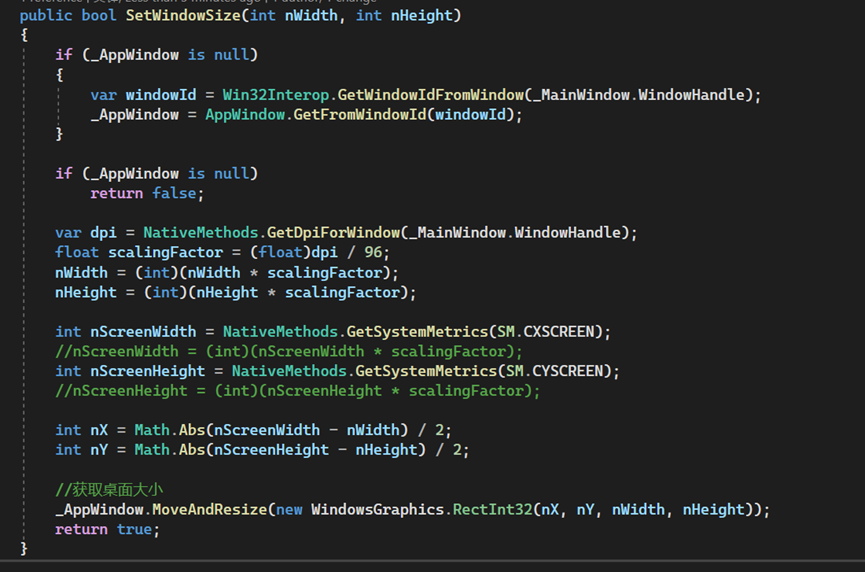
Now that you've done the above, you might also want to arbitrarily control the initial window size and maximize the window. Sorry, this is really difficult. Enough talk, here's the code directly. Reference: AppWindow Class (Microsoft.UI.Windowing) - Windows App SDK | Microsoft Docs
- To maximize the window, you need to call
Win32Apito send a maximize event to the window (I made a simple wrapper; if anyone needs it, you can ask me. There may be other solutions – I'm just too stupid.)

- To change the window size, you need to call
MoveAndResizeofAppWindow. Note that this function does not consider DPI scaling internally; you need to handle it yourself.

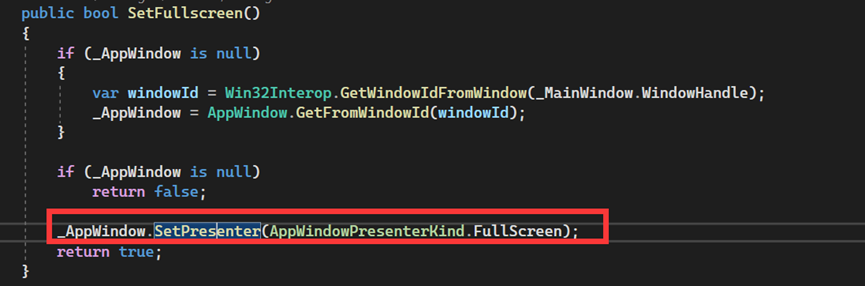
- To enable full screen, you need to use
AppWindowPresenter. Reference: AppWindowPresenter Class (Microsoft.UI.Windowing) - Windows App SDK | Microsoft Docs

Finally, a simple window with specified size, maximizable, and borderless is complete. It's really simple – and full of tears (there are still some issues: dragging the title bar affects button clickability).
In the end, I can only vent my impotent rage: Microsoft, next time, please treat me like an idiot, okay?