
在MAUI最初发布的时候就曾创建过几个模板项目进行体验过,没遇到什么坑。由于最近需要开发针对餐饮行业的收银机(安卓系统)开发一款应用,这种收银机一般配置不咋滴,系统版本和性能也肯定比不上我们自己使用的手机。在做技术选型时首先想到了MAUI,备选Flutter,React Native。都是大厂维护的跨平台应用框架,在使用MAUI框架时遇到新建的模板应用居然启动时直接闪退,最终也是解决了这个闪退问题,遂分享下这一经历。
创建项目
演示创建项目过程,所有流程都是 IDE 默认,不做任何修改。
新建 MAUI 模板项目
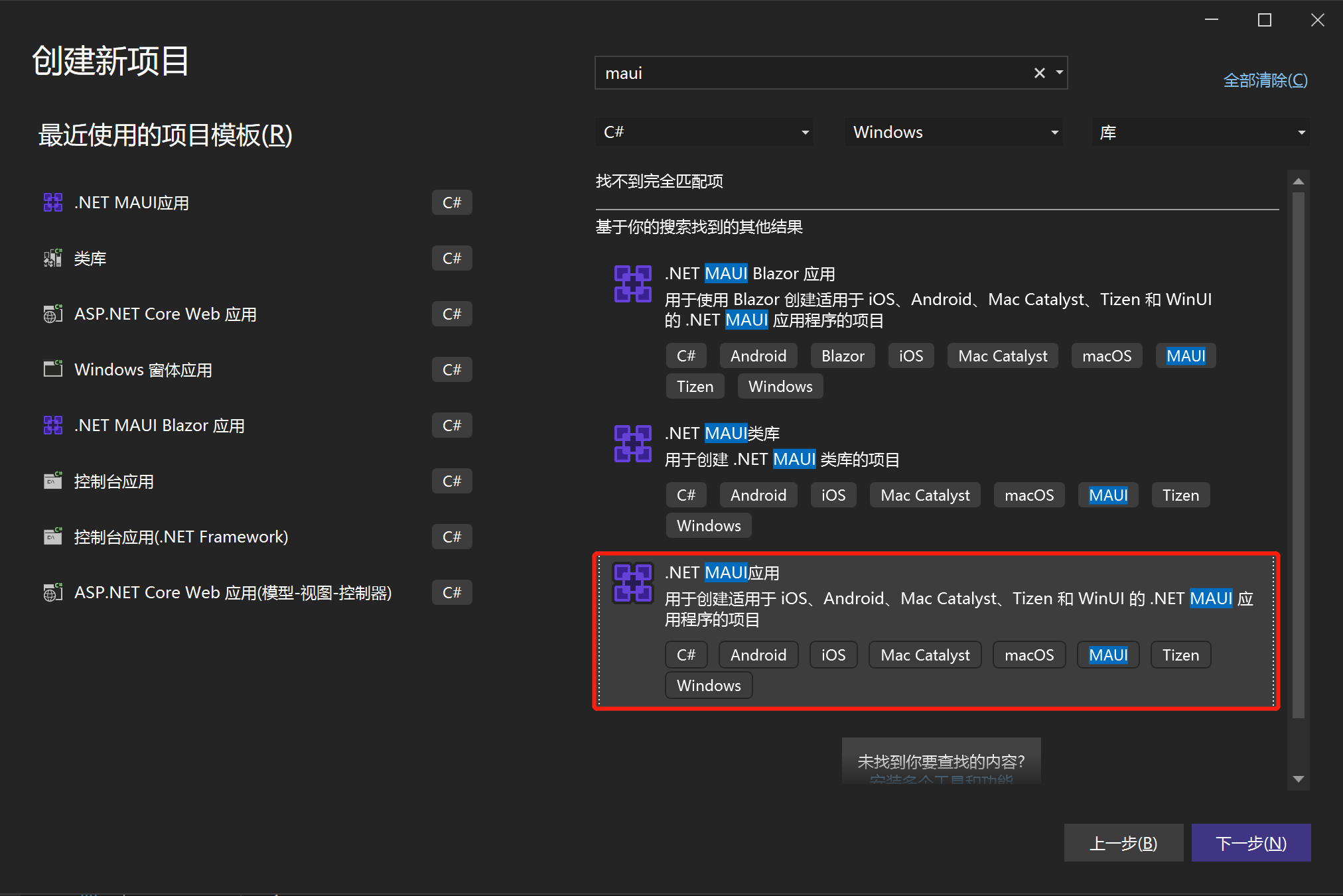
用 VS 新建MAUI模板项目,如下
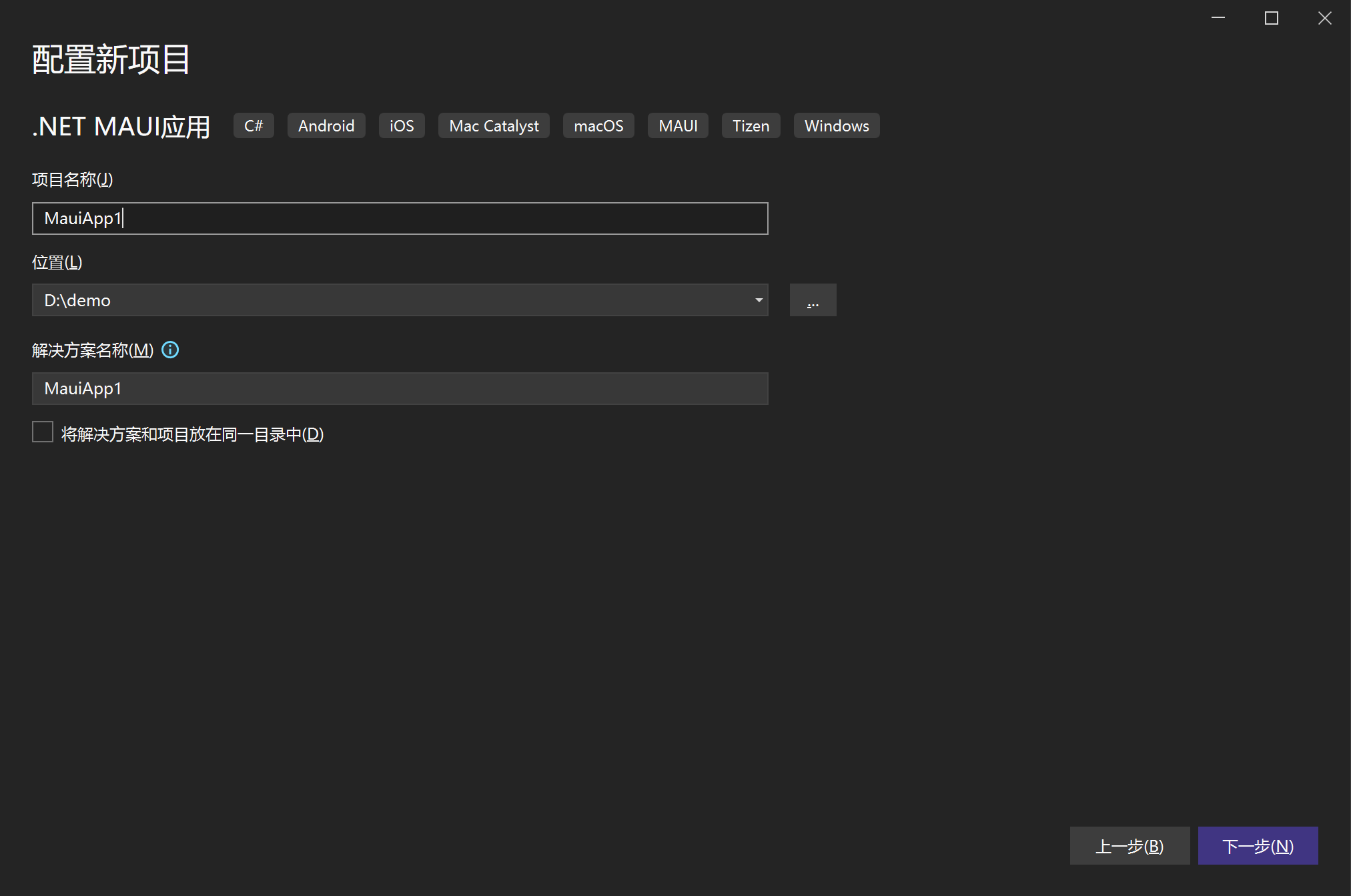
项目名也默认为MauiApp1
连接设备
- 通过 USB 连接目标安卓设备
- 目标设备开启开发者模式,然后开启 usb 调试(自行
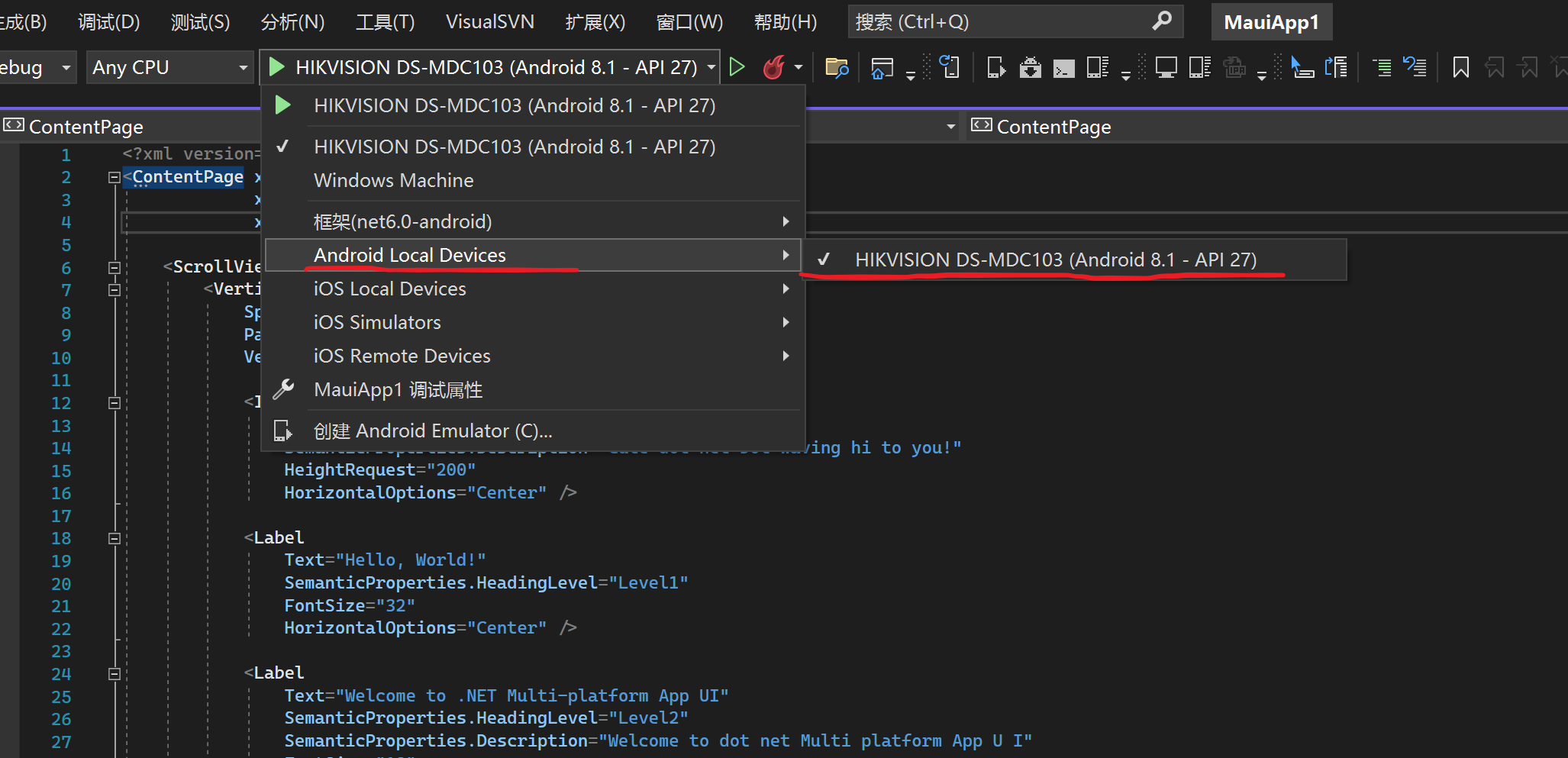
百度必应/谷歌) - 手机上切换 usb 调试的模式,一般会出现 仅充电,文件传输。。。,简单粗暴的切换各种选项,当 VS 列出了你的设备就可以了。
调试项目
完成上一步的设备连接,直接的 debug 模式下启动项目
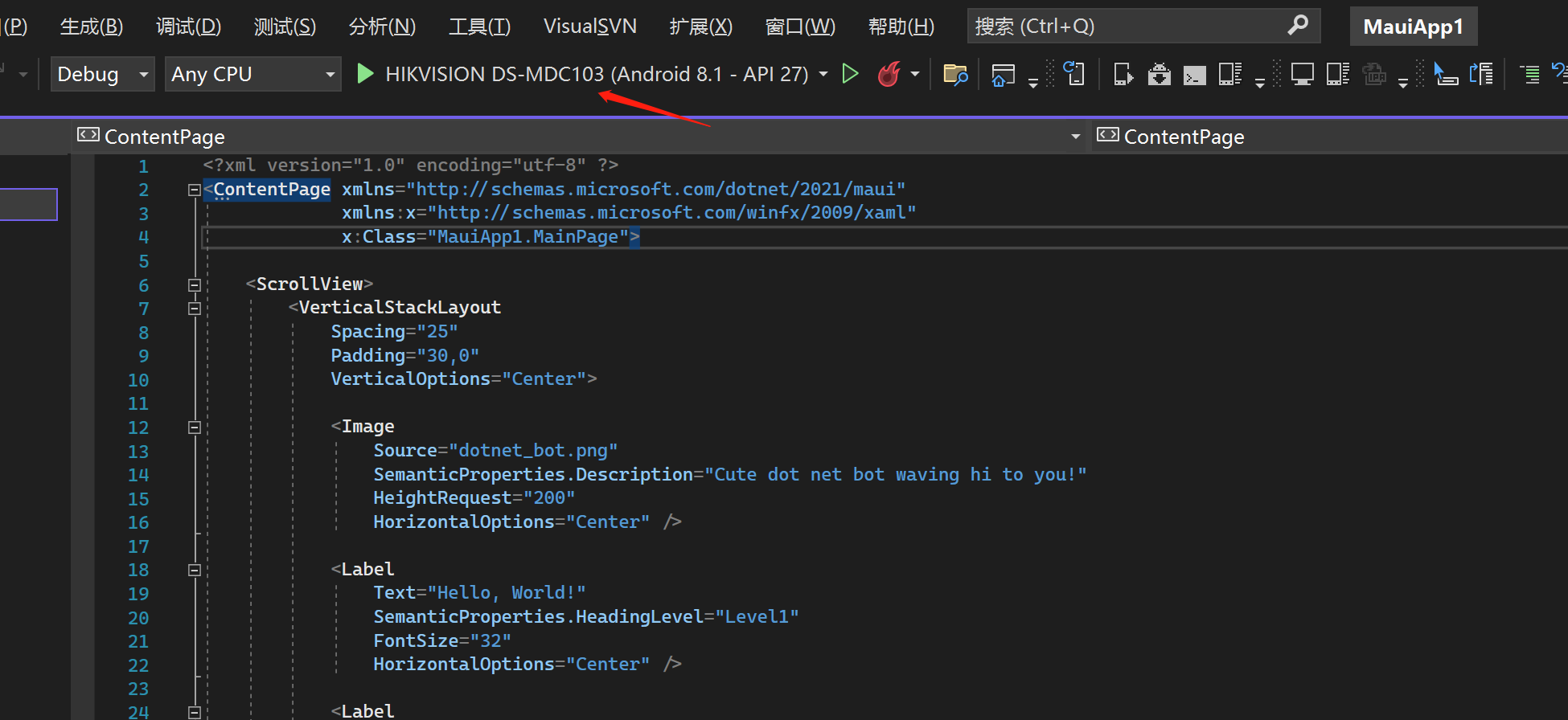
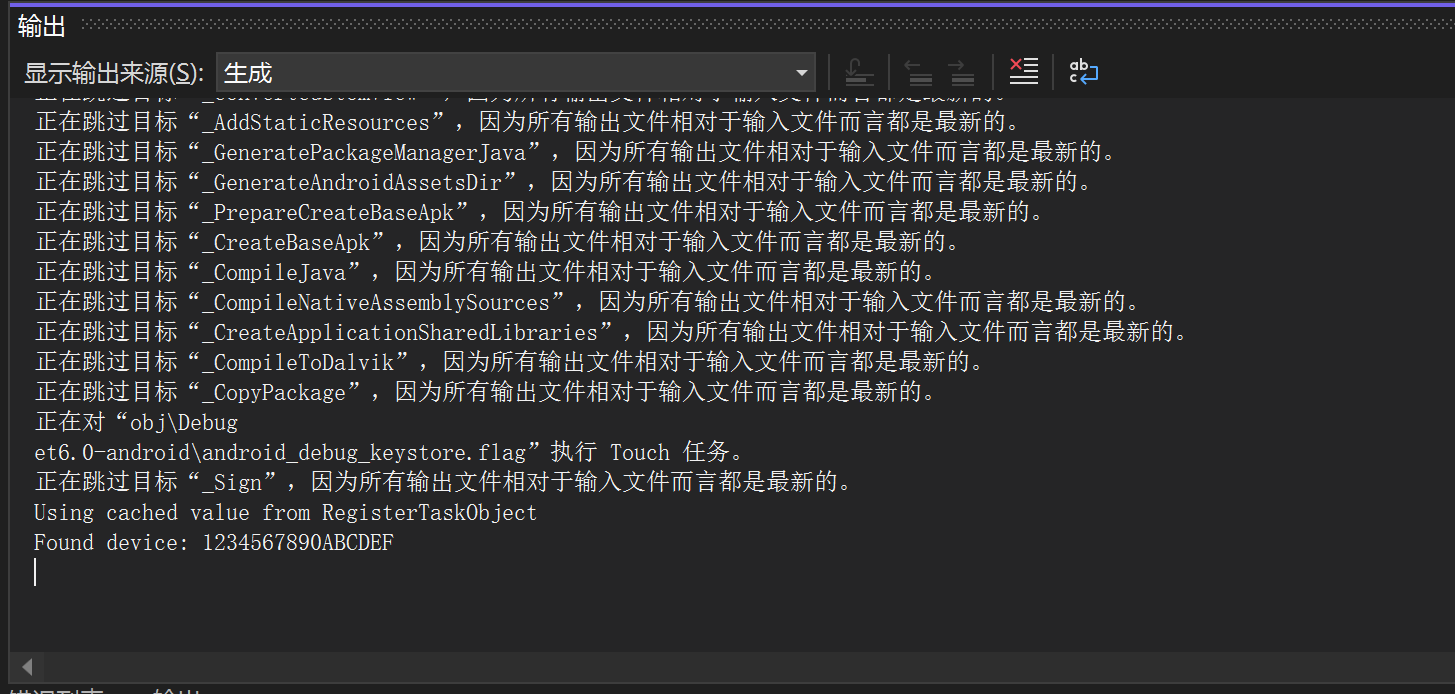
等待一会,可以在设备上看到应用已经安装了,按说应该会被自动打开,等了好久也没动静,VS 的输出窗口也不在有新的内容输出了
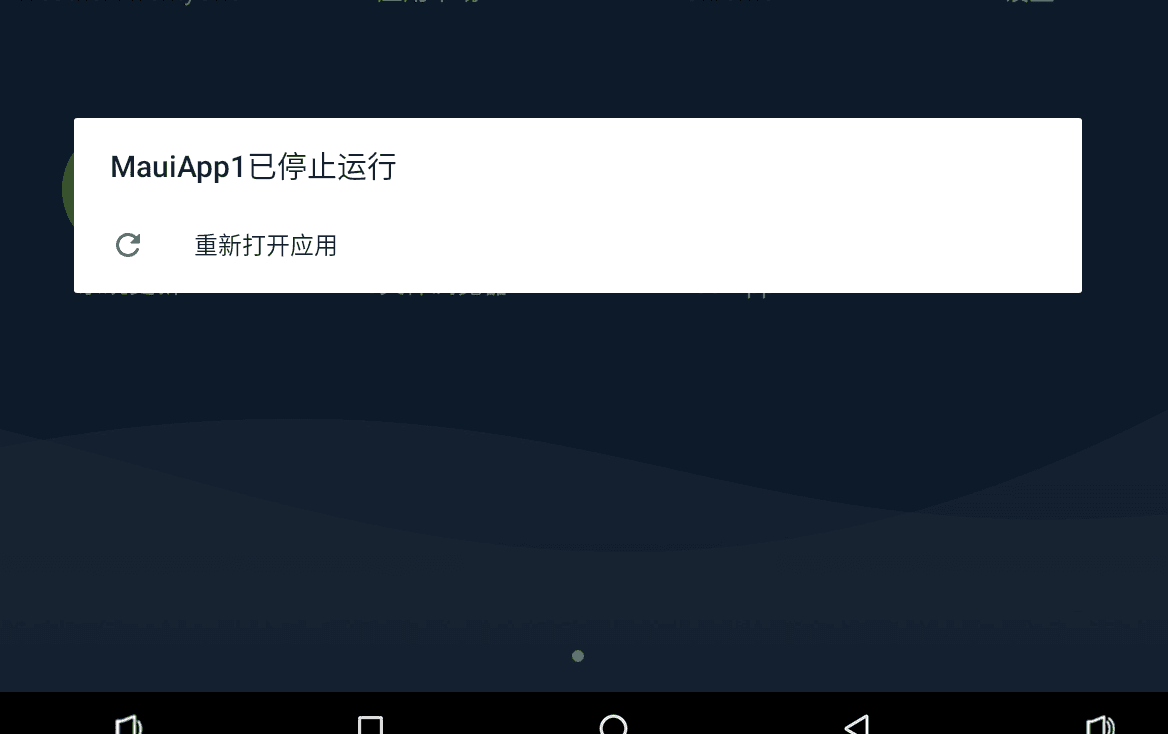
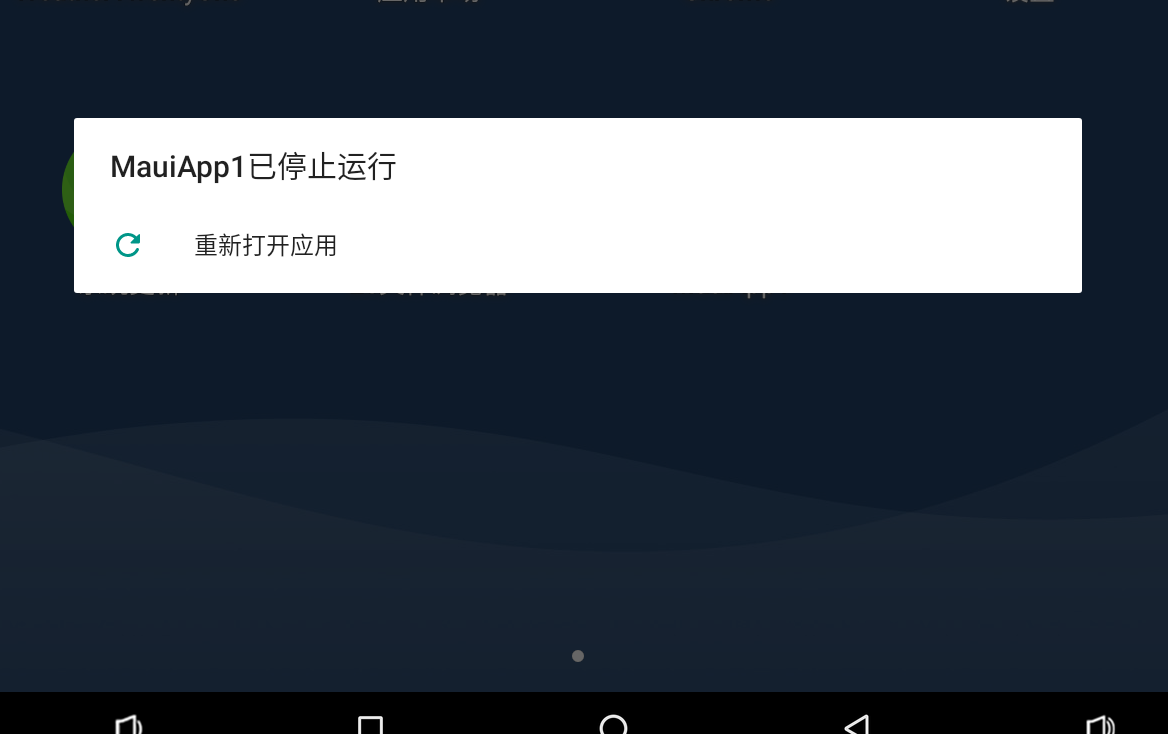
手动点击设备上的安装好的MauiApp1应用,然后刚看到启动页面一个大大的.NET 标志,随后来了个 Maui1已停止运行
解决闪退问题
以前也做过使用android studio开发过原生安卓应用,一般这种问题都能在 IDE 有错误输出,可以通过错误信息找到闪退原因。
回顾刚才这个问题,不知道去哪里查看日志,这该怎么去看闪退的原因呢,要是VS能像android studio那样可以查看详细的日志就好了,目前我还不知道是否有地方能看详细的 debug 日志。我选择了一种比较通用的排查错误的方式:adb工具。
有关adb不做介绍,读者如有疑问自行百度必应/谷歌,你只需要知道他是用来调试安卓应用的一个强大工具即可。
下面的流程需要你将adb目录添加到环境变量 PATH 中,方可全局使用adb命令。
常用命令
adb 命令查看列出手机装的所有 app 的包名:
adb shell pm list packages
列出系统应用的所有包名:
adb shell pm list packages -s
列出除了系统应用的第三方应用包名:
adb shell pm list packages -3
推测一个包中可能带有的关键字:
adb shell dumpsys activity | findstr mFocusedActivity
清除应用数据与缓存
adb shell pm clear 应用包名
查看日志
adb logcat
- V:详细(最低优先级)
- D:调试
- I:信息
- W:警告
- E:错误
- F:严重
- S:静默(最高优先级,未曾输出过任何内容)
找到我们要看的日志
确认 adb 能识别到你的设备
$ adb devices
List of devices attached
1234567890ABCDEF        device
找出我们的包名
$ adb shell pm list packages -3
....
package:com.landi.print.service
package:com.companyname.mauiapp1
....
包名为:com.companyname.mauiapp1
- 使用
logcat
直接运行adb logcat能看到设备的所有日志,会对我们的排查造成干扰,我们只需要查看package:com.companyname.mauiapp1的日志,可以使用grep进行过滤,这个在windows的命令行工具都不支持,我使用的是GitBash的shell命令行工具,可以使用这一功能。
adb logcat | grep com.companyname.mauiapp1
这样就只会输出mauiapp1的日志了。
执行上面的命令后,点击mauiapp1应用图标启动应用,得到我们应用启动到崩溃的所有日志如下:
06-16 10:21:11.953  1424  1424 D Launcher2.2.10: flow not clicked com.companyname.mauiapp1crc64e632a077a20c694c.MainActivity
06-16 10:21:11.953  1424  1424 D Launcher2.2.10: flow click desktop com.companyname.mauiapp1crc64e632a077a20c694c.MainActivity
06-16 10:21:11.953   424   466 I ActivityManager: START u0 {act=android.intent.action.MAIN flg=0x10200000 cmp=com.companyname.mauiapp1/crc64e632a077a20c694c.MainActivity} from uid 10072
06-16 10:21:11.958   424   466 E ActivityManager: getPackageFerformanceMode--ComponentInfo{com.companyname.mauiapp1/crc64e632a077a20c694c.MainActivity}----com.companyname.mauiapp1
06-16 10:21:11.967   424  1456 E ActivityManager: getPackageFerformanceMode--ComponentInfo{com.companyname.mauiapp1/crc64e632a077a20c694c.MainActivity}----com.companyname.mauiapp1
06-16 10:21:11.987   424  1456 I ActivityManager: Start proc 19415:com.companyname.mauiapp1/u0a97 for activity com.companyname.mauiapp1/crc64e632a077a20c694c.MainActivity
06-16 10:21:12.173 19415 19415 D debug-app-helper: Checking if libmonodroid was unpacked to /data/app/com.companyname.mauiapp1-Wpq5srmqUiNM5498jRmH8Q==/lib/arm/libmonodroid.so
06-16 10:21:12.173 19415 19415 D debug-app-helper: Native libs extracted to /data/app/com.companyname.mauiapp1-Wpq5srmqUiNM5498jRmH8Q==/lib/arm, assuming application/android:extractNativeLibs == true
06-16 10:21:12.173 19415 19415 D debug-app-helper: Added filesystem DSO lookup location: /data/app/com.companyname.mauiapp1-Wpq5srmqUiNM5498jRmH8Q==/lib/arm
06-16 10:21:12.173 19415 19415 W debug-app-helper: Using runtime path: /data/app/com.companyname.mauiapp1-Wpq5srmqUiNM5498jRmH8Q==/lib/arm
06-16 10:21:12.173 19415 19415 W debug-app-helper: checking directory: `/data/user/0/com.companyname.mauiapp1/files/.__override__/lib`
06-16 10:21:12.173 19415 19415 W debug-app-helper: directory does not exist: `/data/user/0/com.companyname.mauiapp1/files/.__override__/lib`
06-16 10:21:12.173 19415 19415 W debug-app-helper: Checking whether Mono runtime exists at: /data/user/0/com.companyname.mauiapp1/files/.__override__/libmonosgen-2.0.so
06-16 10:21:12.173 19415 19415 W debug-app-helper: Checking whether Mono runtime exists at: /data/app/com.companyname.mauiapp1-Wpq5srmqUiNM5498jRmH8Q==/lib/arm/libmonosgen-2.0.so
06-16 10:21:12.173 19415 19415 I debug-app-helper: Mono runtime found at: /data/app/com.companyname.mauiapp1-Wpq5srmqUiNM5498jRmH8Q==/lib/arm/libmonosgen-2.0.so
06-16 10:21:12.192 19415 19415 W monodroid: Creating public update directory: `/data/user/0/com.companyname.mauiapp1/files/.__override__`
06-16 10:21:12.198 19415 19415 F monodroid: No assemblies found in '/data/user/0/com.companyname.mauiapp1/files/.__override__' or '<unavailable>'. Assuming this is part of Fast Deployment. Exiting...
06-16 10:21:12.275 19433 19433 F DEBUG   : pid: 19415, tid: 19415, name: nyname.mauiapp1  >>> com.companyname.mauiapp1 <<<
06-16 10:21:12.284 19433 19433 F DEBUG   : Abort message: 'No assemblies found in '/data/user/0/com.companyname.mauiapp1/files/.__override__' or '<unavailable>'. Assuming this is part of Fast Deployment. Exiting...'
06-16 10:21:12.288 19433 19433 F DEBUG   :     #01 pc 0001b08b  /data/app/com.companyname.mauiapp1-Wpq5srmqUiNM5498jRmH8Q==/lib/arm/libmonodroid.so (xamarin::android::internal::MonodroidRuntime::create_domain(_JNIEnv*, xamarin::android::jstring_array_wrapper&, bool, bool)+282)
06-16 10:21:12.288 19433 19433 F DEBUG   :     #02 pc 0001c08f  /data/app/com.companyname.mauiapp1-Wpq5srmqUiNM5498jRmH8Q==/lib/arm/libmonodroid.so (xamarin::android::internal::MonodroidRuntime::create_and_initialize_domain(_JNIEnv*, _jclass*, xamarin::android::jstring_array_wrapper&, xamarin::android::jstring_array_wrapper&, _jobjectArray*, xamarin::android::jstring_array_wrapper&, _jobject*, bool, bool, bool)+26)
06-16 10:21:12.288 19433 19433 F DEBUG   :     #03 pc 0001d2c5  /data/app/com.companyname.mauiapp1-Wpq5srmqUiNM5498jRmH8Q==/lib/arm/libmonodroid.so (xamarin::android::internal::MonodroidRuntime::Java_mono_android_Runtime_initInternal(_JNIEnv*, _jclass*, _jstring*, _jobjectArray*, _jstring*, _jobjectArray*, _jobject*, _jobjectArray*, int, unsigned char, unsigned char)+4020)
06-16 10:21:12.288 19433 19433 F DEBUG   :     #04 pc 0001d55f  /data/app/com.companyname.mauiapp1-Wpq5srmqUiNM5498jRmH8Q==/lib/arm/libmonodroid.so (Java_mono_android_Runtime_initInternal+50)
06-16 10:21:12.288 19433 19433 F DEBUG   :     #05 pc 0005282f  /data/app/com.companyname.mauiapp1-Wpq5srmqUiNM5498jRmH8Q==/oat/arm/base.odex (offset 0x2e000)
06-16 10:21:12.905   424 19434 W ActivityManager:   Force finishing activity com.companyname.mauiapp1/crc64e632a077a20c694c.MainActivity
06-16 10:21:12.916   424   451 I ActivityManager: Showing crash dialog for package com.companyname.mauiapp1 u0
06-16 10:21:12.976   424   877 I ActivityManager: Process com.companyname.mauiapp1 (pid 19415) has died: fore TOP
我们只关注日志级别为F,E的即可:
下面错误信息说明了程序挂掉的原因
06-16 10:21:12.198 19415 19415 F monodroid: No assemblies found in '/data/user/0/com.companyname.mauiapp1/files/.__override__' or '<unavailable>'. Assuming this is part of Fast Deployment. Exiting...
06-16 10:21:12.275 19433 19433 F DEBUG   : pid: 19415, tid: 19415, name: nyname.mauiapp1  >>> com.companyname.mauiapp1 <<<
06-16 10:21:12.284 19433 19433 F DEBUG   : Abort message: 'No assemblies found in '/data/user/0/com.companyname.mauiapp1/files/.__override__' or '<unavailable>'. Assuming this is part of Fast Deployment. Exiting...'
接下来就可以发挥我们程序员的重要技能之一:百度谷歌,能不能搜索正确的答案就看造化了。
看来笔者有点东西,谷歌到了一个类似的案例:https://stackoverflow.com/questions/42336546/xamarin-android-application-crashed-after-clear-data-in-settings
有兴趣的去深究下,这里xamarin的解决办法是关闭 Use Fast Deployment
修改项目配置
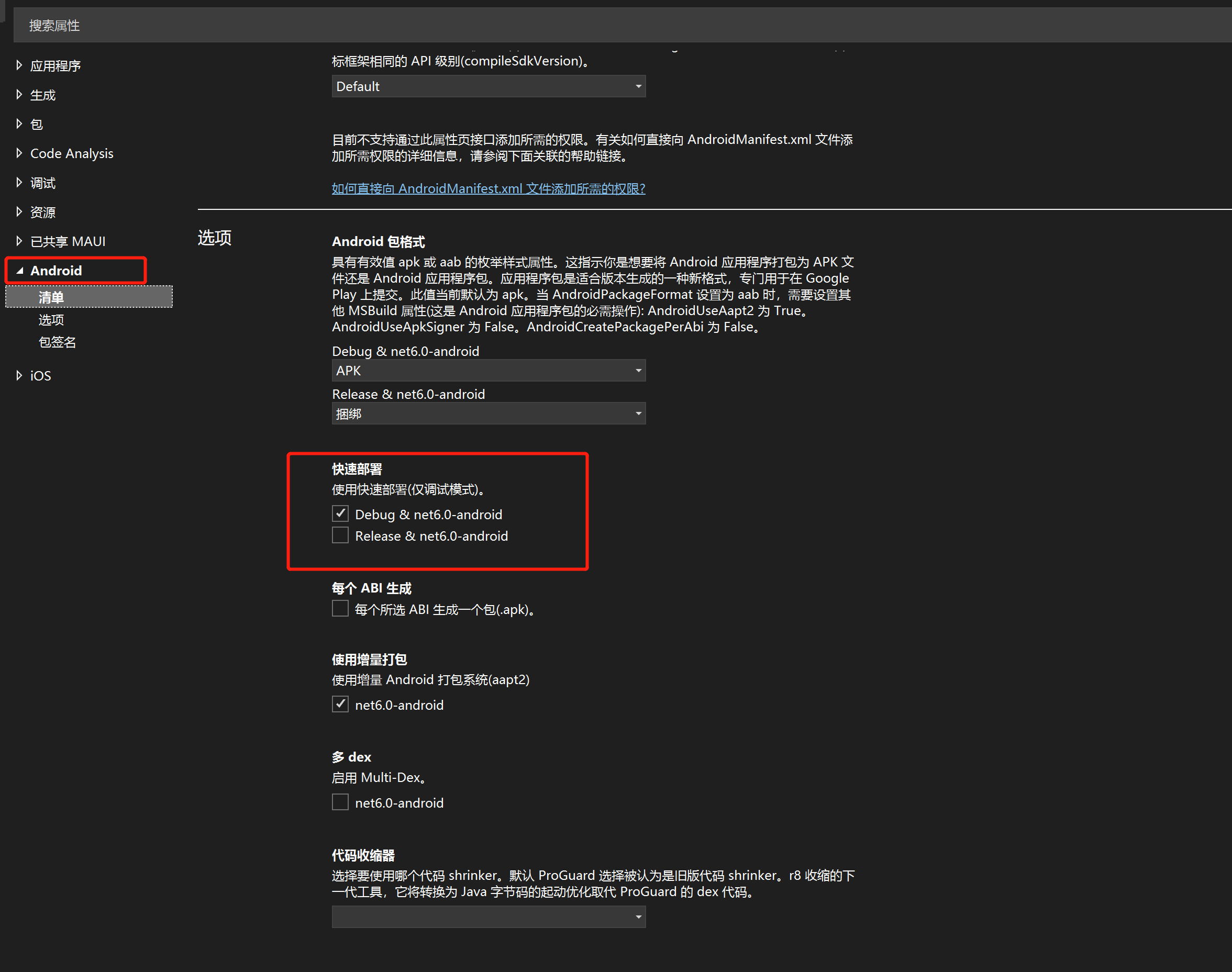
经过仔细查看属性配置文件,找到这个配置与stackoverflow上说的关闭 Use Fast Deployment极其相似,应该就是它了,关闭它再次使用VS以 debug 模式启动项目。
这次经过稍微漫长的过程,也执行到Found device: 1234567890ABCDEF不动了
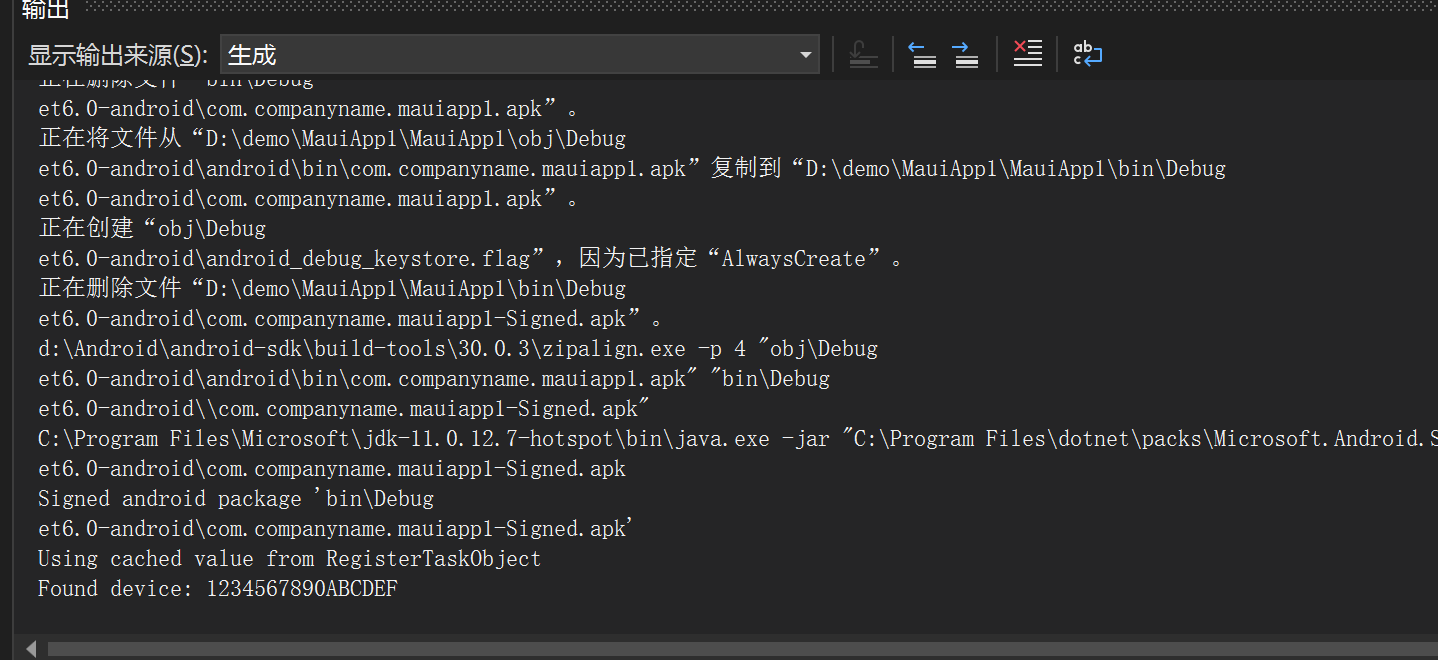
手动打开 App,没任何效果。
卸载Mauiapp1重试
虽然上一步改了没效果,但我坚信应该就是这样,所以卸载 app 再试试,排除干扰因素。
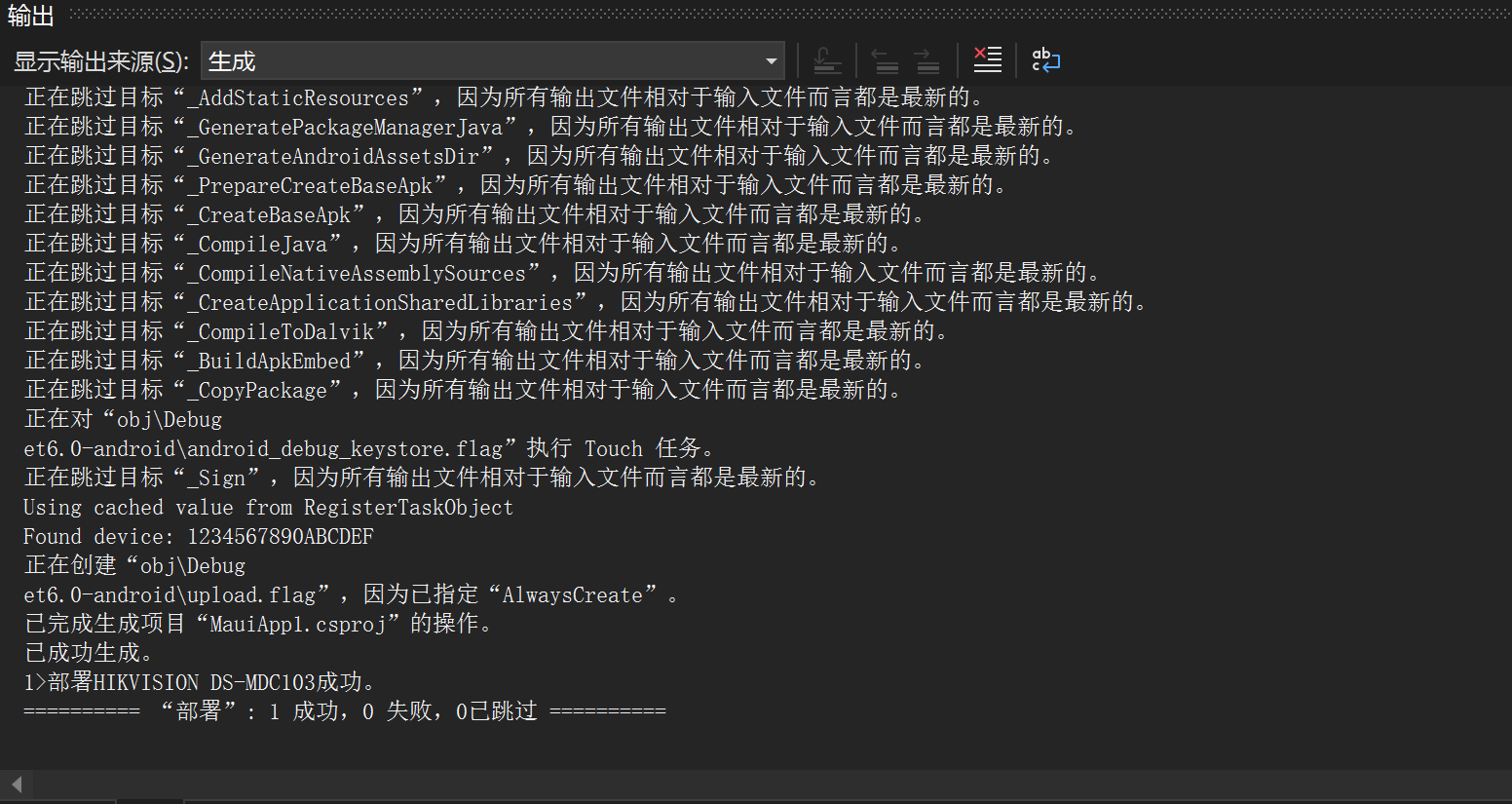
Found device: 1234567890ABCDEF之后不在卡住不动了,随后我的设备上也安装并自动打开了Mauiapp1,并且没有闪退!