想了很久我决定发一个Maui介绍作为开篇,虽然这是老生常谈的话题,但是不能没有这样的探讨(请容我水一篇)。
What is. NET Maui
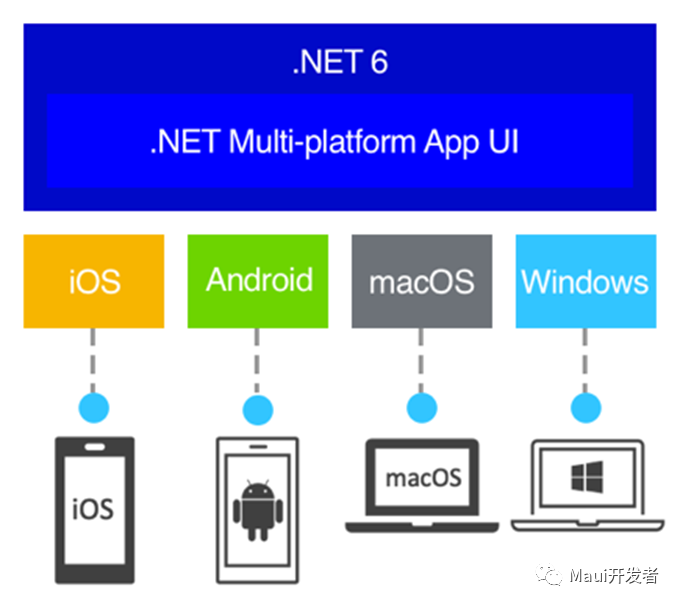
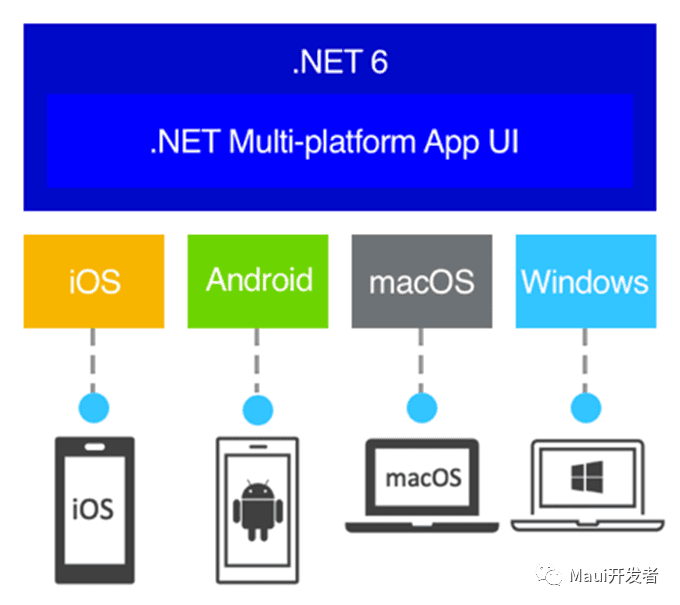
NET Maui is a cross-platform framework from Microsoft based on the. Net Multi-Platform Application UI (. NET MAUI). It uses C#and XAML to create native mobile and desktop applications. Using. NET MAUI, you can develop applications that can run on Android, iOS, macOS and Windows from a single shared code base.
NET Maui was born out of Xamarin. Forms. If you have experience with Xamarin. Forms, the use of Maui will become very handy. With. NET MAUI, you can create multi-platform applications using a single project, but if necessary, you can add platform-specific source code and resources. The main goal of NET MAUI is to achieve as much application logic and UI layout as possible in a single code base.

Platforms supported by. NET Maui
- Android 5.0 or later (API 21)
- iOS 10 or later (UIKit)
- macOS 10.13 or later (Mac Catalyst UIKit)
- Windows 11 and Windows 10 (1809) or later (WinUI 3 WindowsAppSdk)
- Tizen, supported by Samsung (currently integrated into engineering templates)
- Linux, community supported
How. NET Maui works
NET MAUI unifies the Android, iOS, macOS, and Windows APIs into a single API that allows any developer experience that is written once and runs once, while providing in-depth access to all aspects of each native platform.
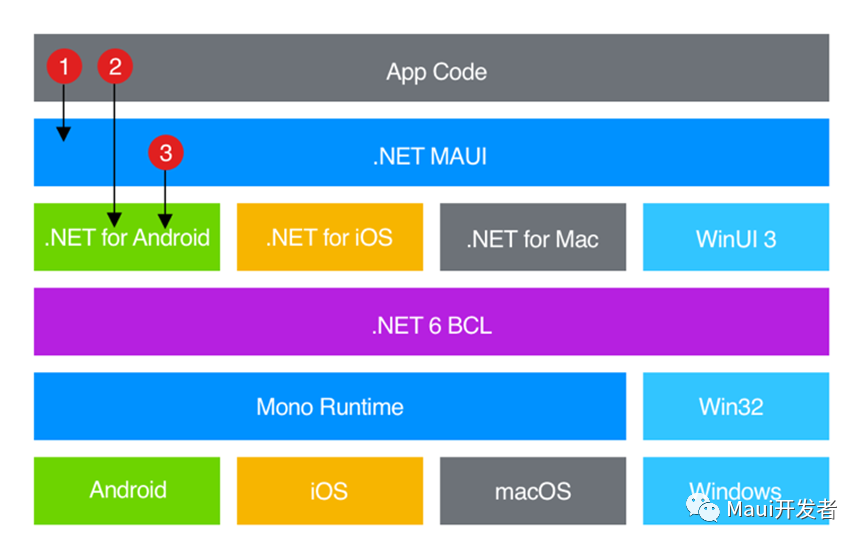
NET 6 provides a range of platform-specific frameworks to create apps: . NET for Android,. NET for iOS,. NET for macOS, and the Windows UI 3 (WinUI 3) libraries. These frameworks all have access to the same. NET 6 Base Class Library (BCL). This library abstracts the details of the underlying platform from the code. BCL relies on the. NET runtime to provide an execution environment for code.
For Android, iOS and macOS, the environment is implemented by Mono, which is an implementation of the. NET runtime. On Windows, Win32 provides an execution environment.
Although BCL enables applications running on different platforms to share common business logic, various platforms have different ways of defining user interfaces for applications, and they provide different models for specifying how user interface elements communicate and interoperate. You can use. Net for Android, iOS, macOS, WinUI 3 to create UIs individually for each platform, but this approach requires maintaining a code base for each individual device family. NET MAUI provides a framework for building UIs for mobile and desktop applications.
The following figure shows a high-level view of the architecture of a. NET MAUI application:

In a. NET MAUI application, you write code that mainly interacts with the. NET MAUI API, which directly uses the native platform API. In addition, application code can also directly use platform APIs as needed.
NET MAUI applications can be written on Window PC or Mac (currently required to use vs 2022 preview) and compiled into native application packages:
- Android apps compiled using. NET MAUI are compiled from C#to intermediate language (IL) and then compiled to native assemblies at application startup (JIT).
- iOS apps compiled using. NET MAUI are fully natively compiled (AOT compiled from C#to native ARM assembly code).
- MacOS apps compiled using. NET MAUI use Mac Catalyst, a solution provided by Apple that brings iOS apps generated using UIKit to the desktop and expands them with other AppKits and platform APIs as needed.
- Applications built by Windows using. NET MAUI use the Windows UI 3 (WinUI 3) library to create native applications for the Windows desktop.
Other ways to use. NET Maui
- Although. NET Maui already provides encapsulation of controls native to each platform, you can still use the self-drawing engine provided by Maui to draw controls that meet your needs (Microsoft.Maui.Graphics)
- You can also create a. NET MAUI Blazor application to achieve the same user experience as a web page. The. NET MAUI Blazor application also requires updated platform-specific WebView controls. Currently supported platforms are as follows:
- Android 7.0 (API 24) or later (Chrome)
- iOS 14 or later (Safari)
- Mac Catalyst macOS 11 or later (Safari)
- Windows 11, Windows 10 (1809) or later (Edge webview 2)
- Tizen (unknown)
- Linux (unknown)
Technical knowledge you need to learn for. NET Maui development:
- Fundamentals:
- .NET
- C#
- Xaml
- Maui
- Expand:
- WinUI 3 api and Windows Platform api (Windows)
- Android api (Android)(usually not needed if you need to call some hardware)
- UIKit, the iOS platform api (iOS)(usually not needed if you need to call some hardware)
- UIKit,Appkit, MacOS api(Mac)
- Blazor (not required)
Advantages and disadvantages of. NET Maui
Advantages:
Development using C#+.Net makes it easy to get started and upgrade easily. The working efficiency of working with the universe's No. 1 IDE is incomparable.
Basically all Microsoft technologies have similarities (you can easily switch to WPF)
Dachang guarantees
Use the platform's own controls on different platforms to ensure native performance
Working with Blazor, you can achieve a consistent experience with the web
Disadvantages:
Don't support win7, even choose the win10 version
Although it is officially released, it is still not stable enough
Because it is C#, it may not be as easy to find satisfying jobs as the java department or the front-end (large factories generally use java)
Microsoft likes to chop, chop
Although it is guaranteed to be native, this means that you need to adapt to different platforms (not self-drawing)
Although it is guaranteed to be native, this also means that you need to learn platform-related knowledge (the behavior of some controls is also different)(of course, this is something that all cross-platform applications need to learn)
Similar cross-platform development frameworks:
- QT (Using C++, I personally think it is truly cross-platform in the current sense, and even supports embedded)(Self-drawn)
- Flutter (Google's cross-platform framework, using Dart language)(self-drawn)
- Uno platform (C#implementation is similar to Maui)
- Avalonia (C #type WPF)(self-drawn)
- CPF (C #domestic cross-platform UI development framework, supporting Loongson)(self-drawn)
- Electron (web technology stack direction)
Related learning links:
- Maui:.NET 多平台应用 UI 文档 - .NET MAUI | Microsoft Docs
- C#平台调用:平台调用 (P/Invoke) | Microsoft Docs
- Windows Api: pinvoke.net: memcpy (msvcrt)
- WinUI3: 创建第一个 WinUI 3(Windows 应用 SDK)项目 - Windows apps | Microsoft Docs
- UIKIT:UIKit Namespace | Microsoft Docs
- AppKit: AppKit Namespace | Microsoft Docs
- Community ToolKit:使用 .NET 多平台应用 UI (.NET MAUI) Community Toolkit 入门 - .NET Community Toolkit | Microsoft Docs