
1. 前言
大家好,我是沙漠尽头的狼。
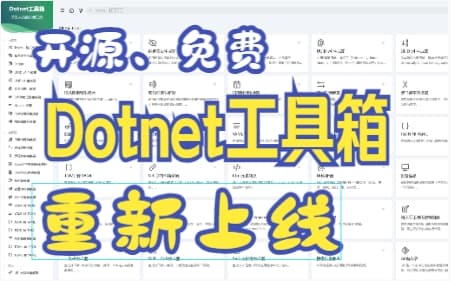
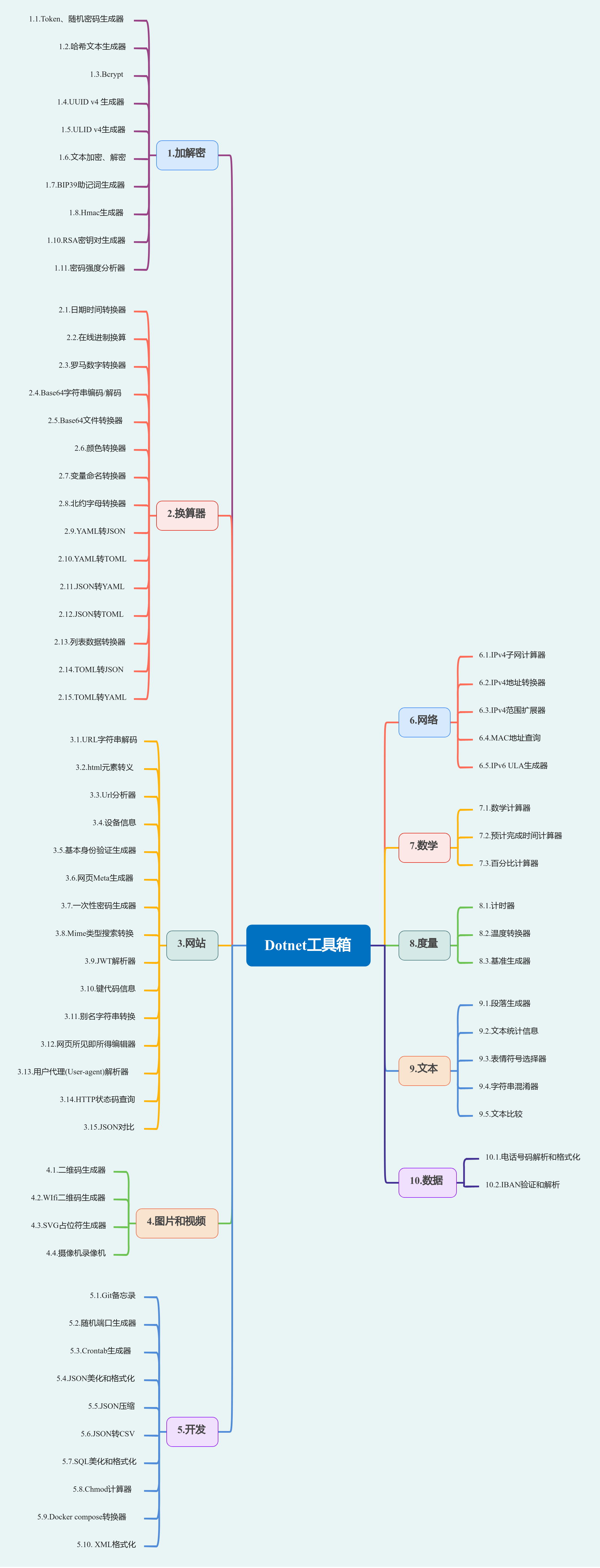
Dotnet工具箱是一个纯前端的、开源和免费的工具网站,周末我参考了开源项目it-tools,对网站界面文字进行了汉化,并重新部署了网站。该网站共有10大工具分类,提供了73个实时在线小工具。使用Vue3开发的Dotnet工具箱具有独特的特色,本文详细介绍了其中一些特色工具,并简单分享了如何部署自己的工具网站。如果你对工具网站感兴趣,不妨来了解一下Dotnet工具箱吧!
Dotnet工具箱已有工具如下:
关于Dotnet工具箱和it-tools项目
Dotnet工具箱仓库(基于it-tools):https://github.com/dotnet9/Dotnet9/tree/develop/src/Dotnetools
it-tools仓库:https://github.com/CorentinTh/it-tools
it-tools开源协议:GPL-3.0 license
it-tools在线工具:https://it-tools.tech/
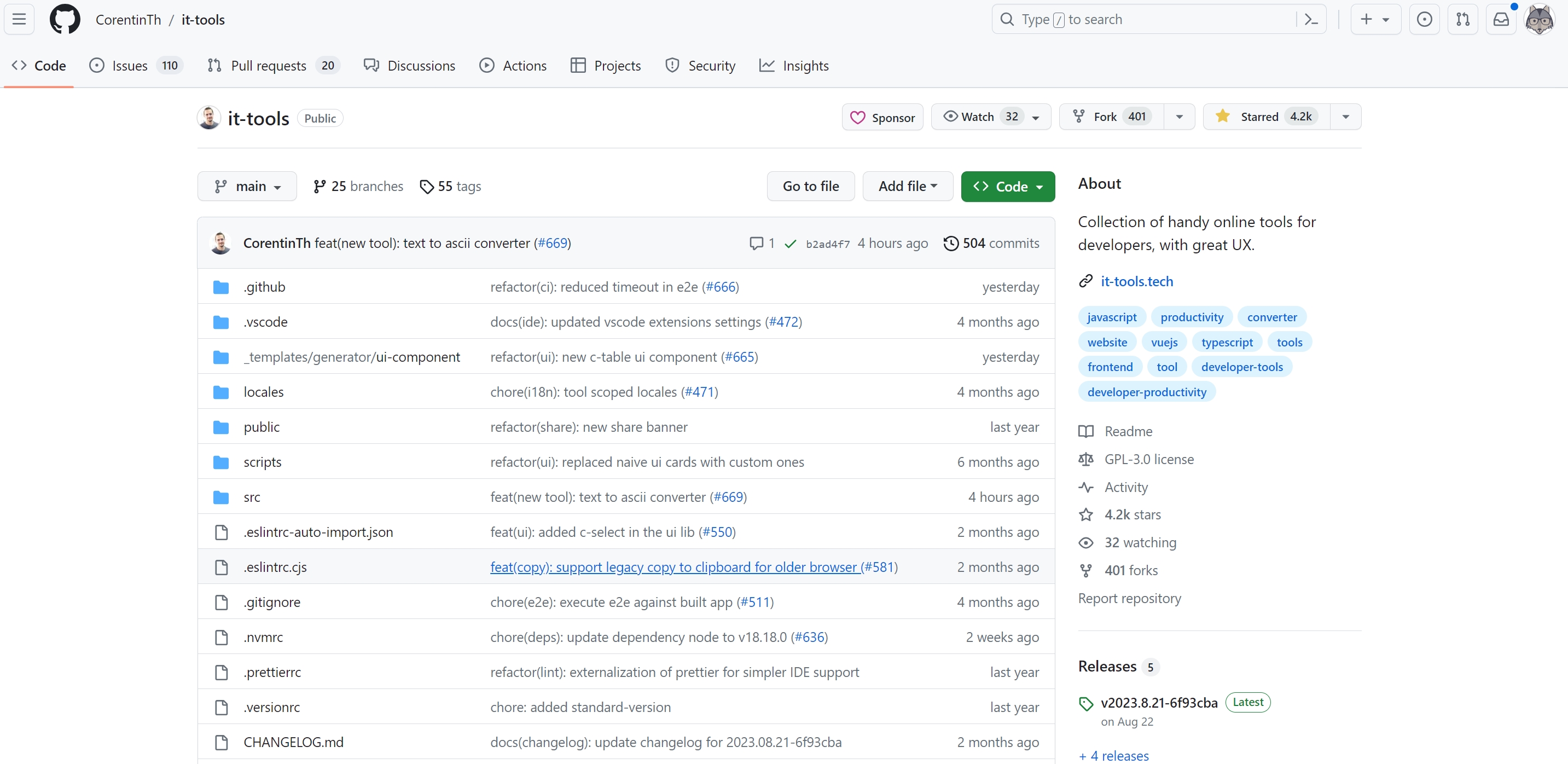
截至本文编写时,Dotnet工具箱只是对it-tools项目进行了界面文字汉化,后续打算如果自己有需求会根据该项目规范进行扩展开发,大家有兴趣可以:
参与it-tools开发:https://github.com/CorentinTh/it-tools
参与Dotnet工具箱开发:https://github.com/dotnet9/Dotnet9/tree/develop/src/Dotnetools
纠正Dotnet工具箱中文翻译、提Issue、提PR都请访问:https://github.com/dotnet9/Dotnet9
2. 工具介绍
选择10大工具分类部分介绍,每个大类介绍部分。
2.1. 加解密
加解密共有11个小工具。
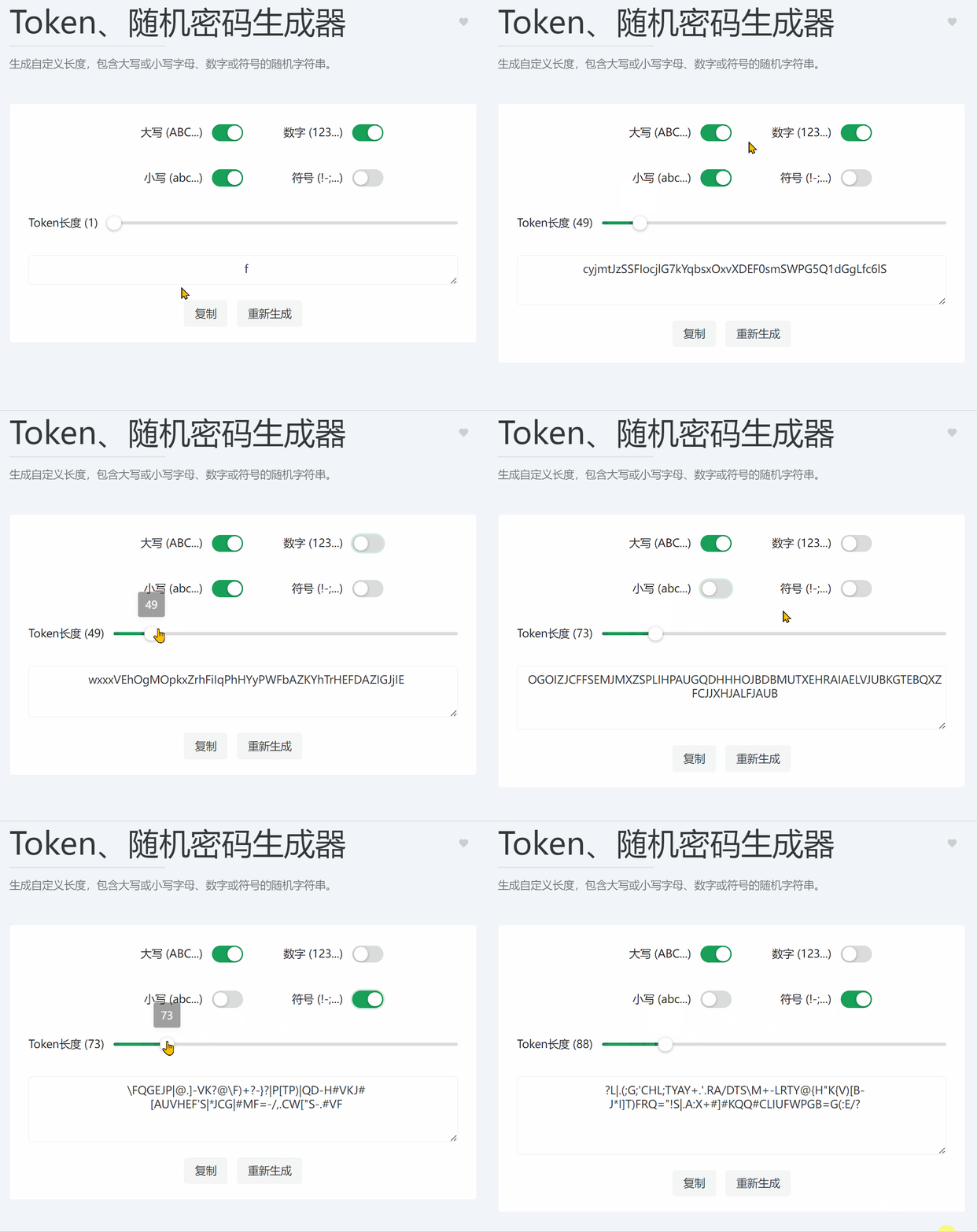
2.1.1. Token、随机密码生成器
在线工具访问地址:https://dotnetools.com/token-generator
生成自定义长度,包含大写或小写字母、数字或符号的随机字符串。
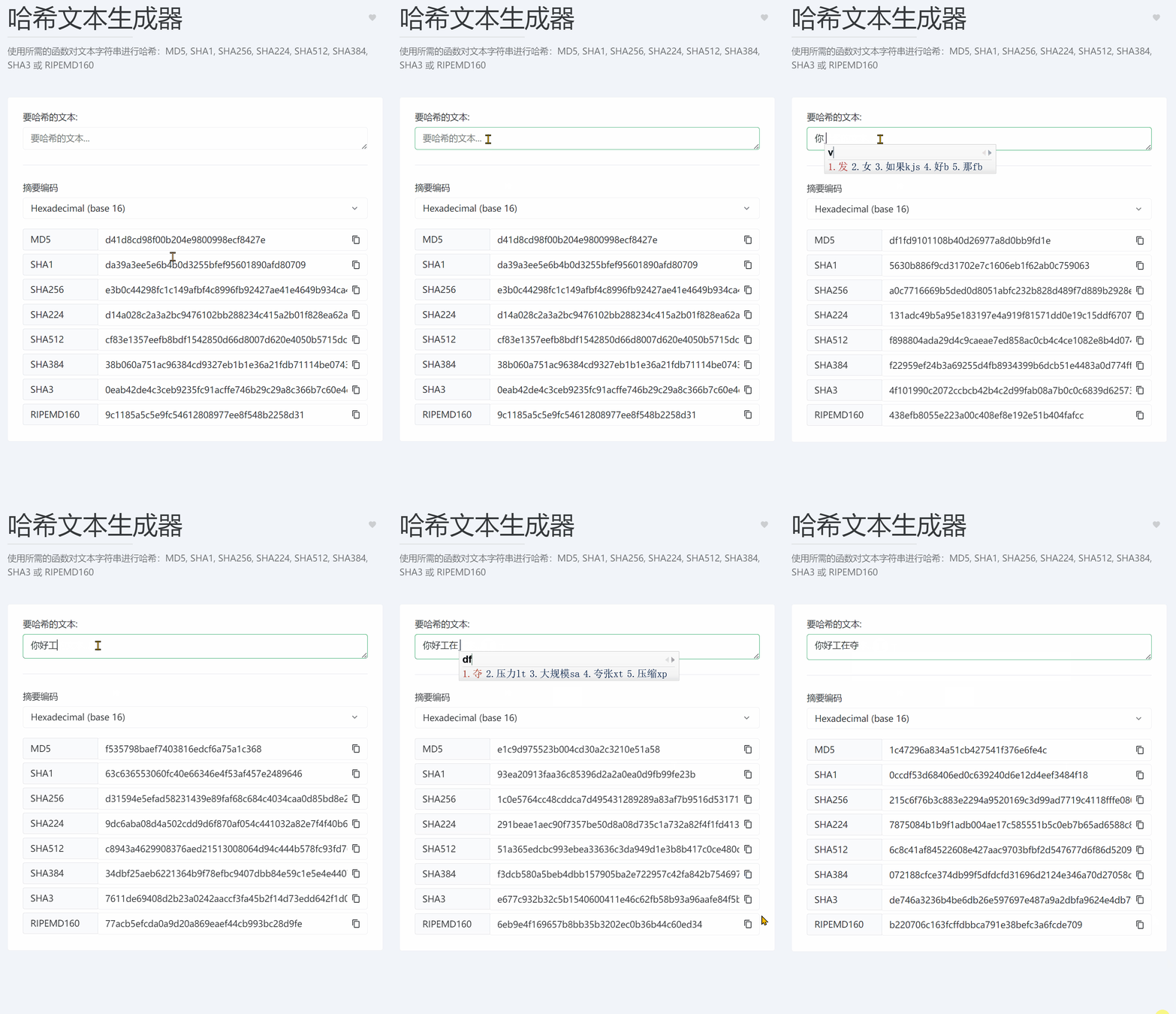
2.1.2. 哈希文本生成器
在线工具访问地址:https://dotnetools.com/hash-text
使用所需的函数对文本字符串进行哈希:MD5, SHA1, SHA256, SHA224, SHA512, SHA384, SHA3 或 RIPEMD160
2.1.3. 文本加密、解密
在线工具访问地址:https://dotnetools.com/encryption
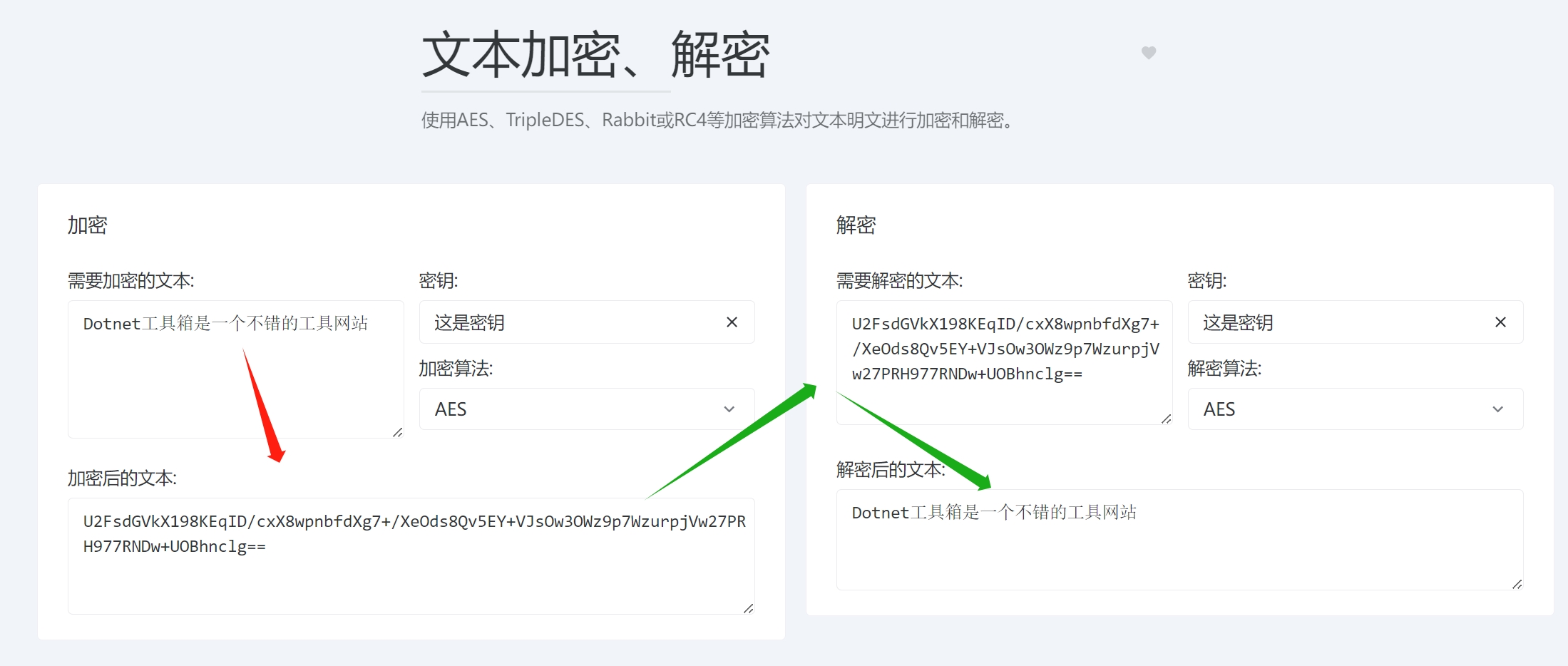
使用AES、TripleDES、Rabbit或RC4等加密算法对文本明文进行加密和解密。
2.1.4. RSA密钥对生成器
在线工具访问地址:https://dotnetools.com/rsa-key-pair-generator
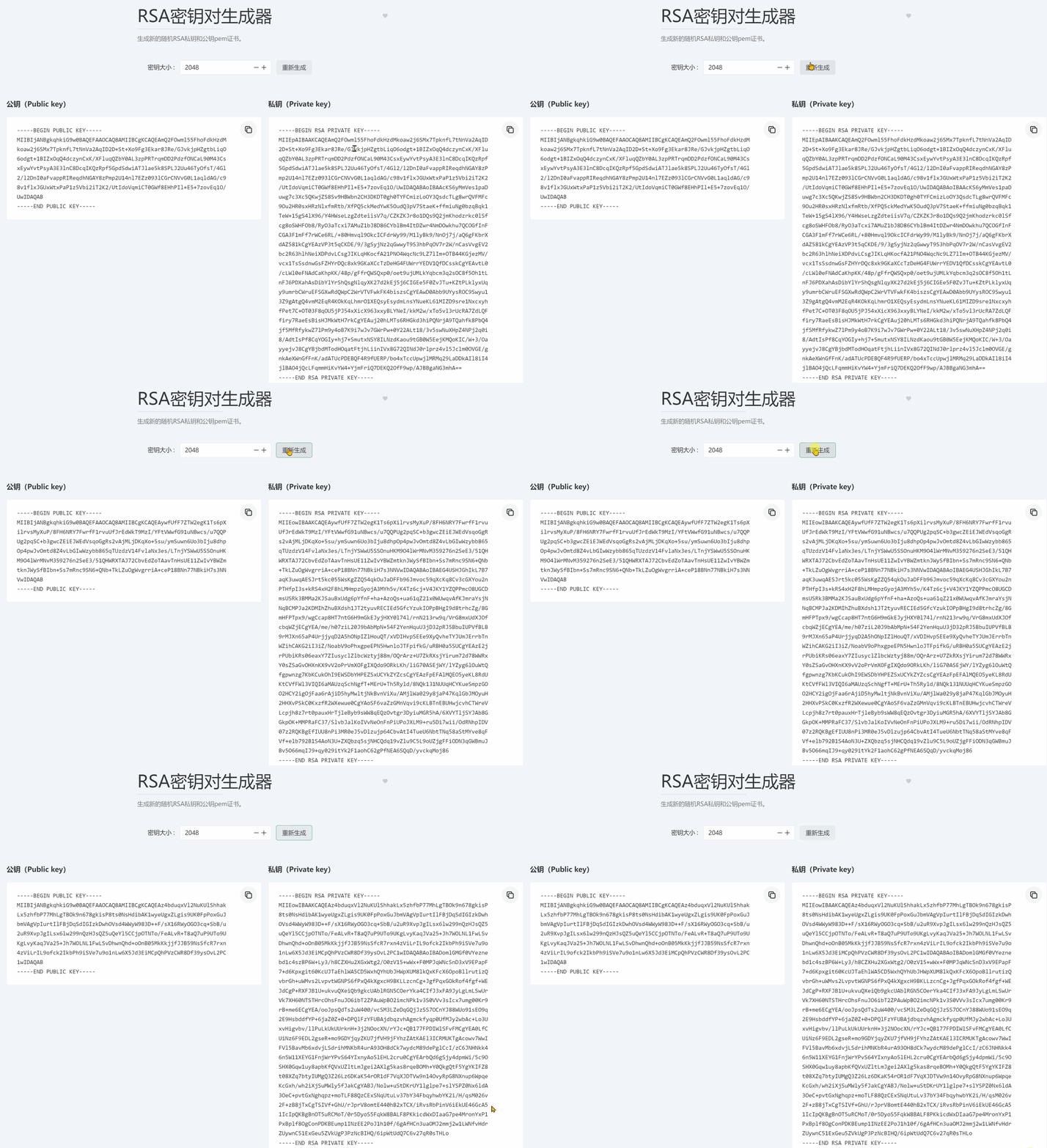
生成新的随机RSA私钥和公钥pem证书。
2.1.5. 密码强度分析器
在线工具访问地址:https://dotnetools.com/password-strength-analyser
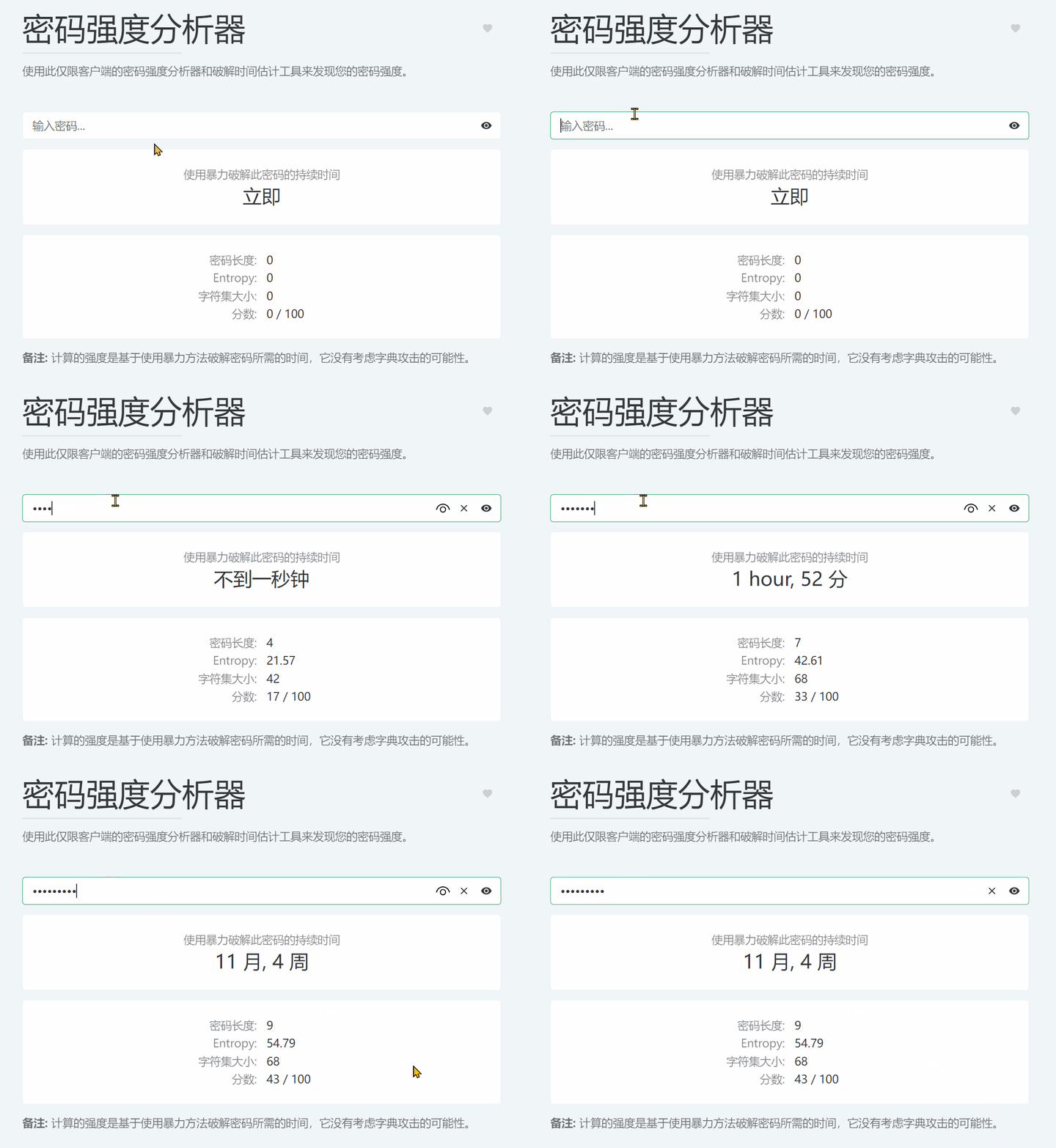
使用此仅限客户端的密码强度分析器和破解时间估计工具来发现您的密码强度。
2.2. 换算器
换算器共有15个小工具。
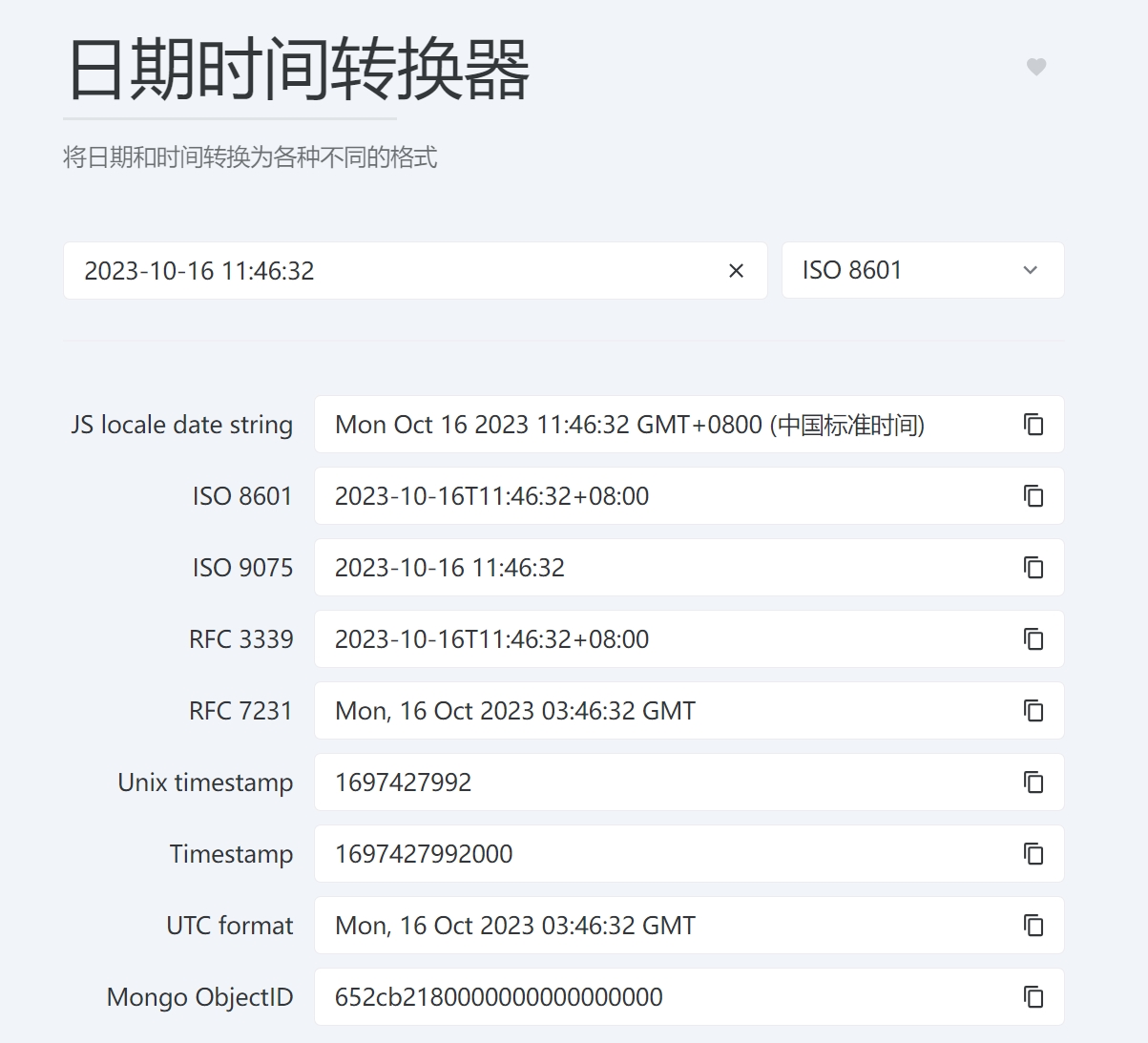
2.2.1. 日期时间转换器
在线工具访问地址:https://dotnetools.com/date-converter
将日期和时间转换为各种不同的格式
2.2.2. 在线进制换算
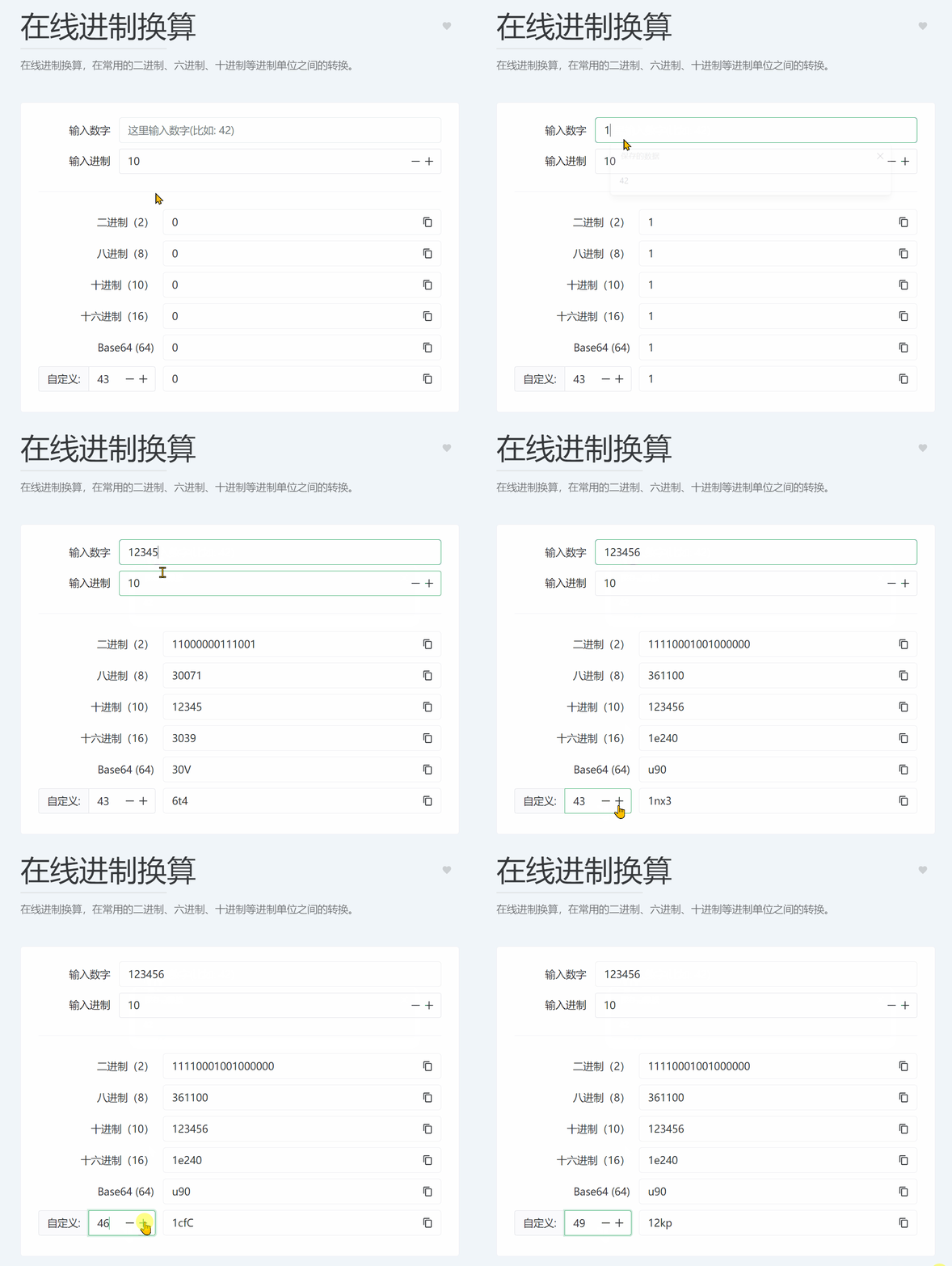
在线工具访问地址:https://dotnetools.com/base-converter
在线进制换算,在常用的二进制、六进制、十进制等进制单位之间的转换,还能自定义转换其他进制单位,比如50进制、100进制...。
2.2.3. Base64字符串编码/解码
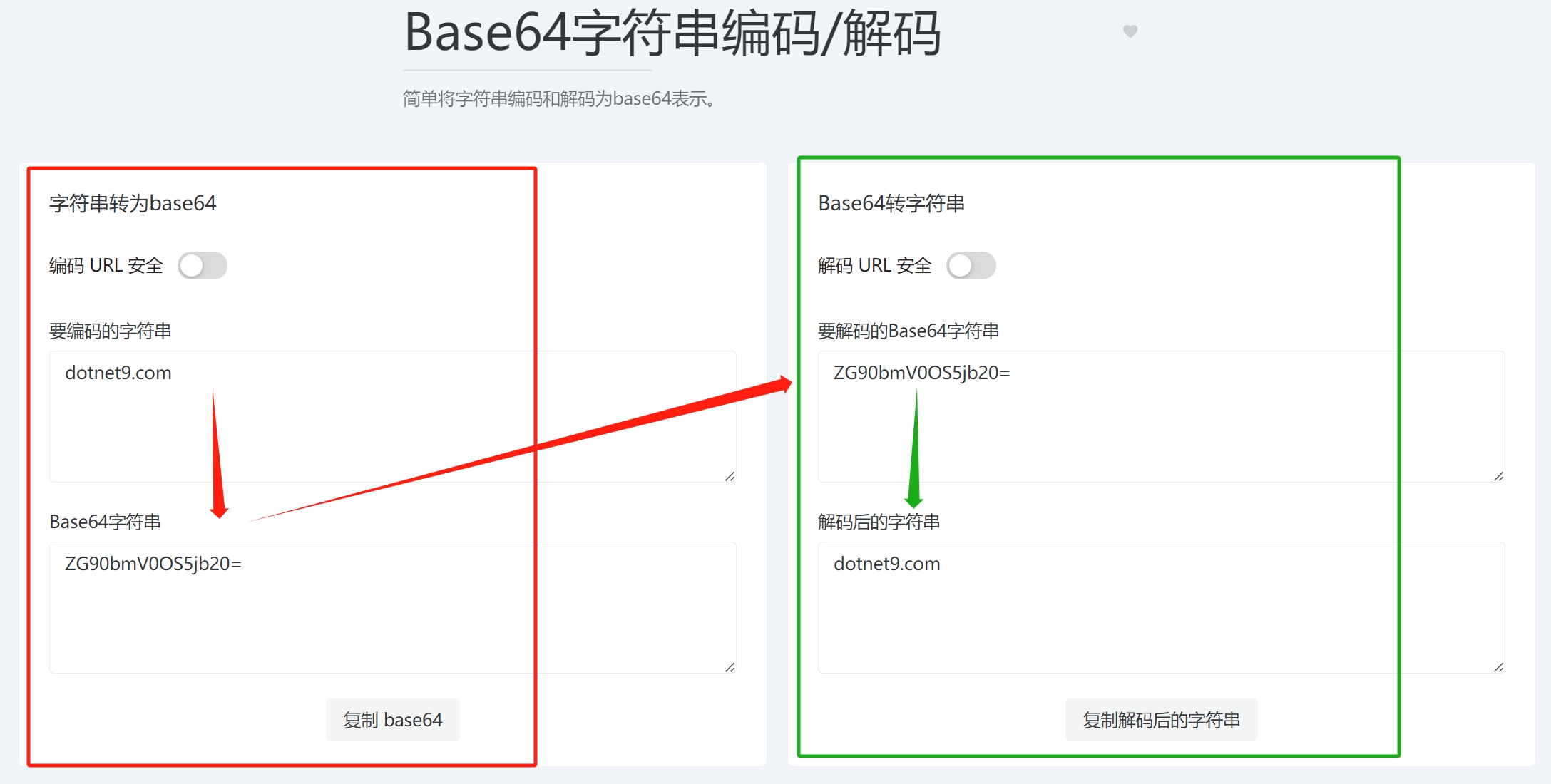
在线工具访问地址:https://dotnetools.com/base64-string-converter
简单将字符串编码和解码为base64表示。
2.2.4. Base64文件转换器
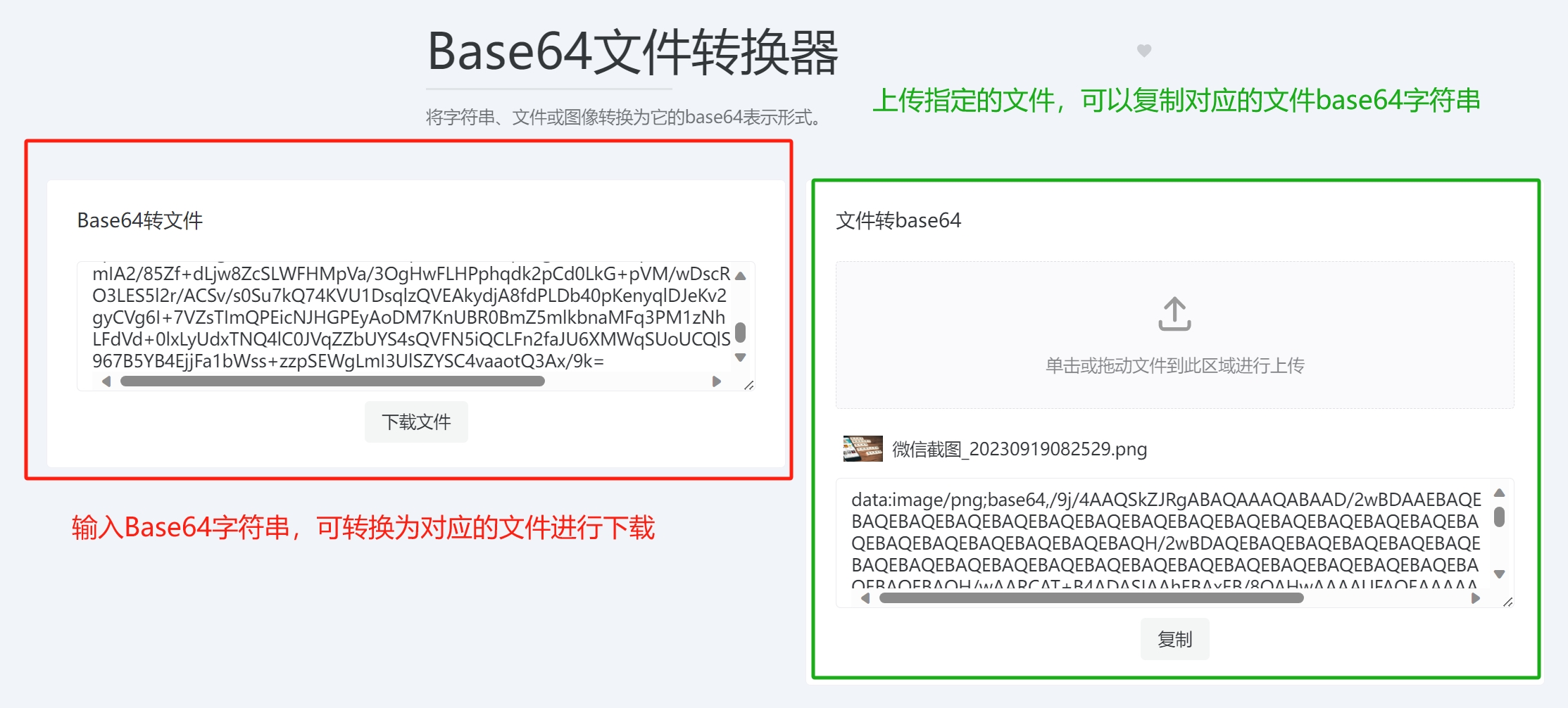
在线工具访问地址:https://dotnetools.com/base64-file-converter
将字符串、文件或图像转换为它的base64表示形式。
- 粘贴对应的文件base64字符串转换为文件下载
- 上传文件转换为base64字符串进行复制
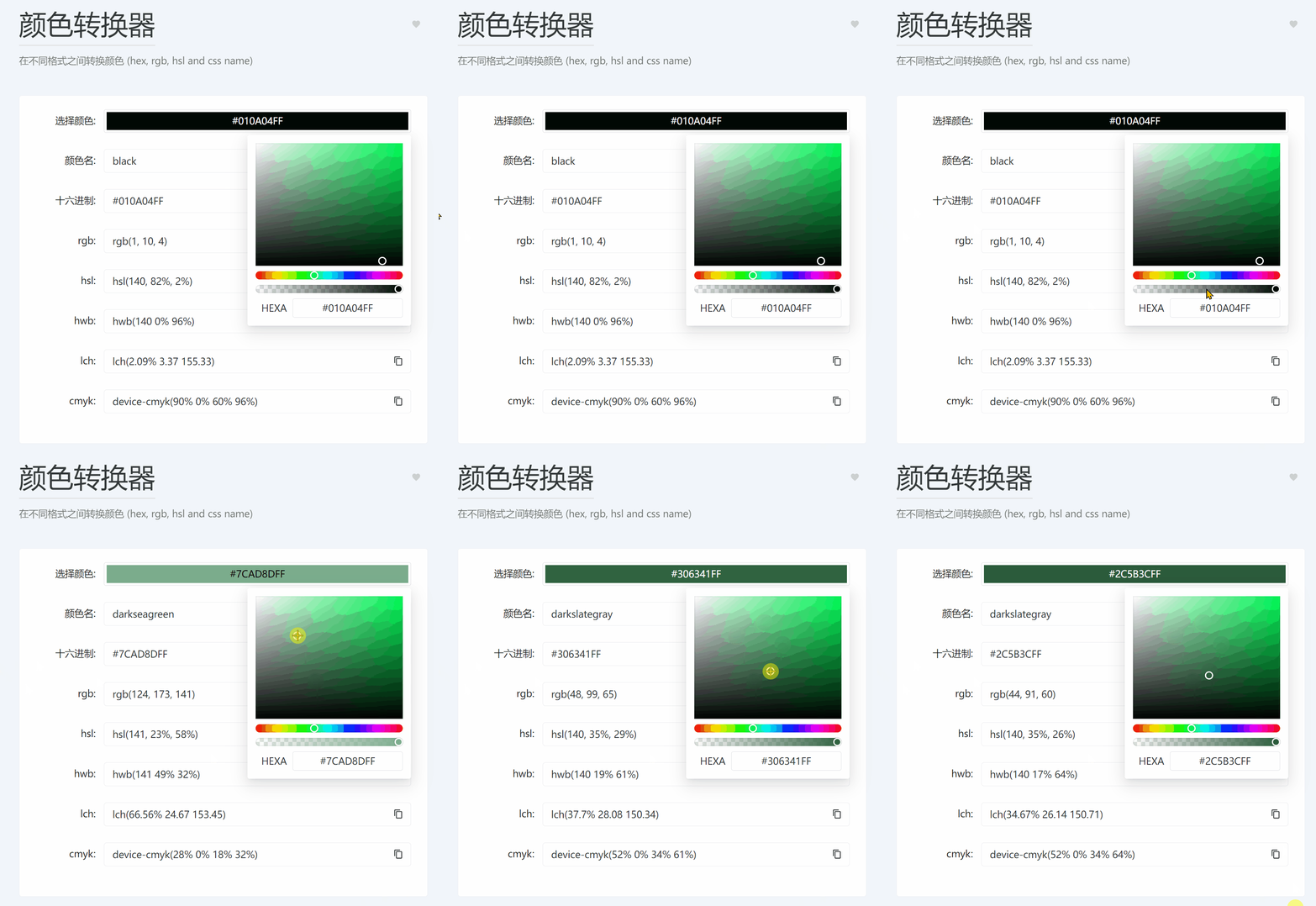
2.2.5. 颜色转换器
在线工具访问地址:https://dotnetools.com/color-converter
在不同格式之间转换颜色 (hex, rgb, hsl and css name),常用于前端开发(比如Web、桌面软件、移动端)
2.2.6. JSON 转 YAML
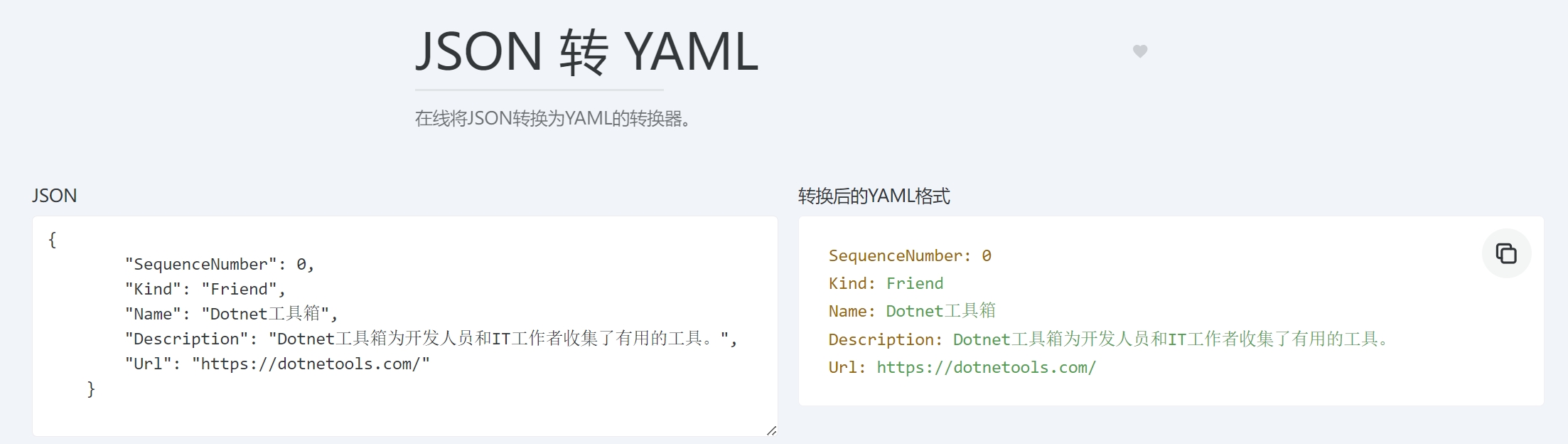
在线工具访问地址:https://dotnetools.com/json-to-yaml-converter
在线将JSON转换为YAML的转换器,类似的还有YAML转JSON、YAML转TOML、JSON转TOML、列表数据转换器、TOML转JSON、TOML转YAML。
2.3. 网站
网站分类有15个小工具。
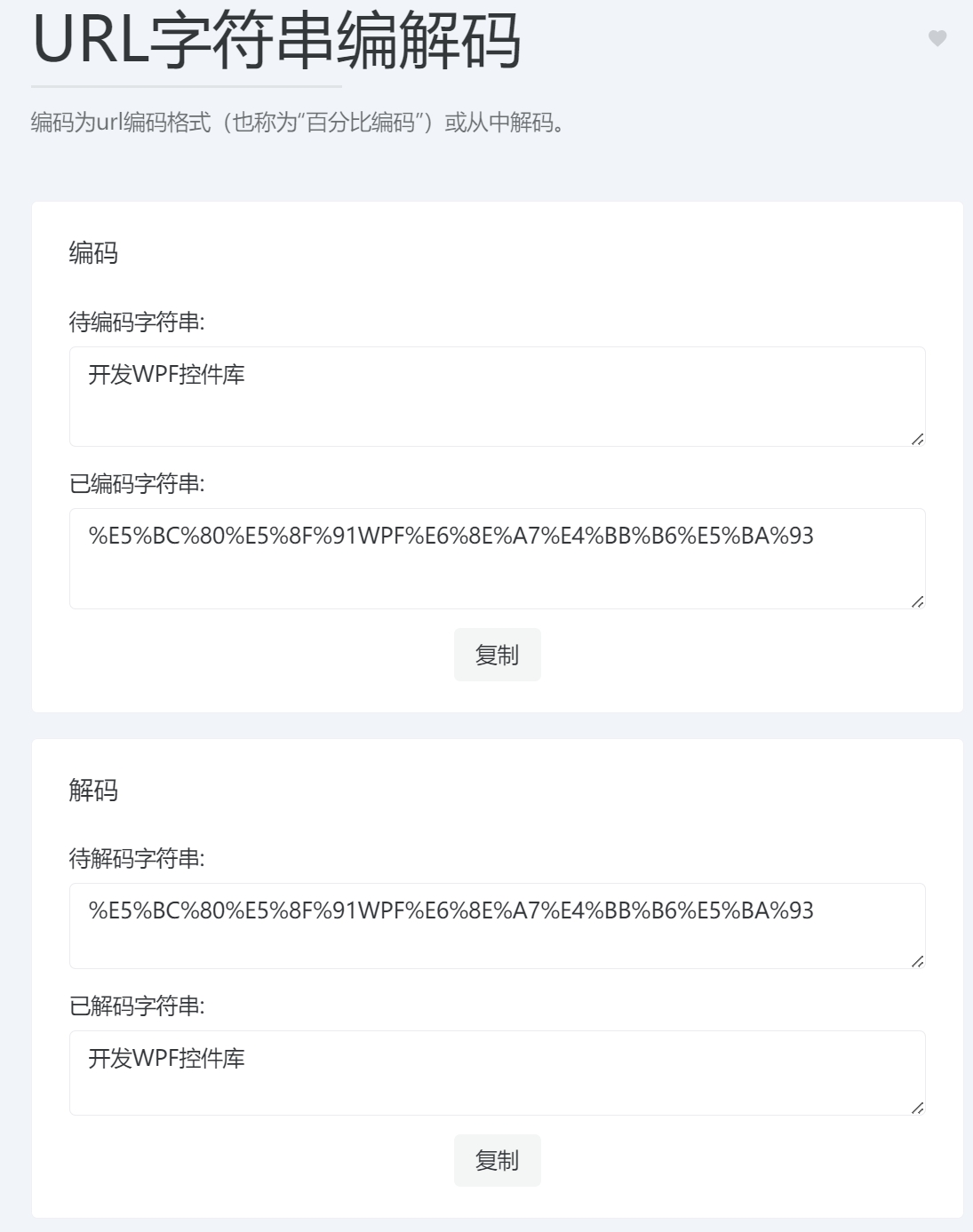
2.3.1. URL字符串编解码
在线工具访问地址:https://dotnetools.com/url-encoder
编码为url编码格式(也称为“百分比编码”)或从中解码。
2.3.2. html元素转义
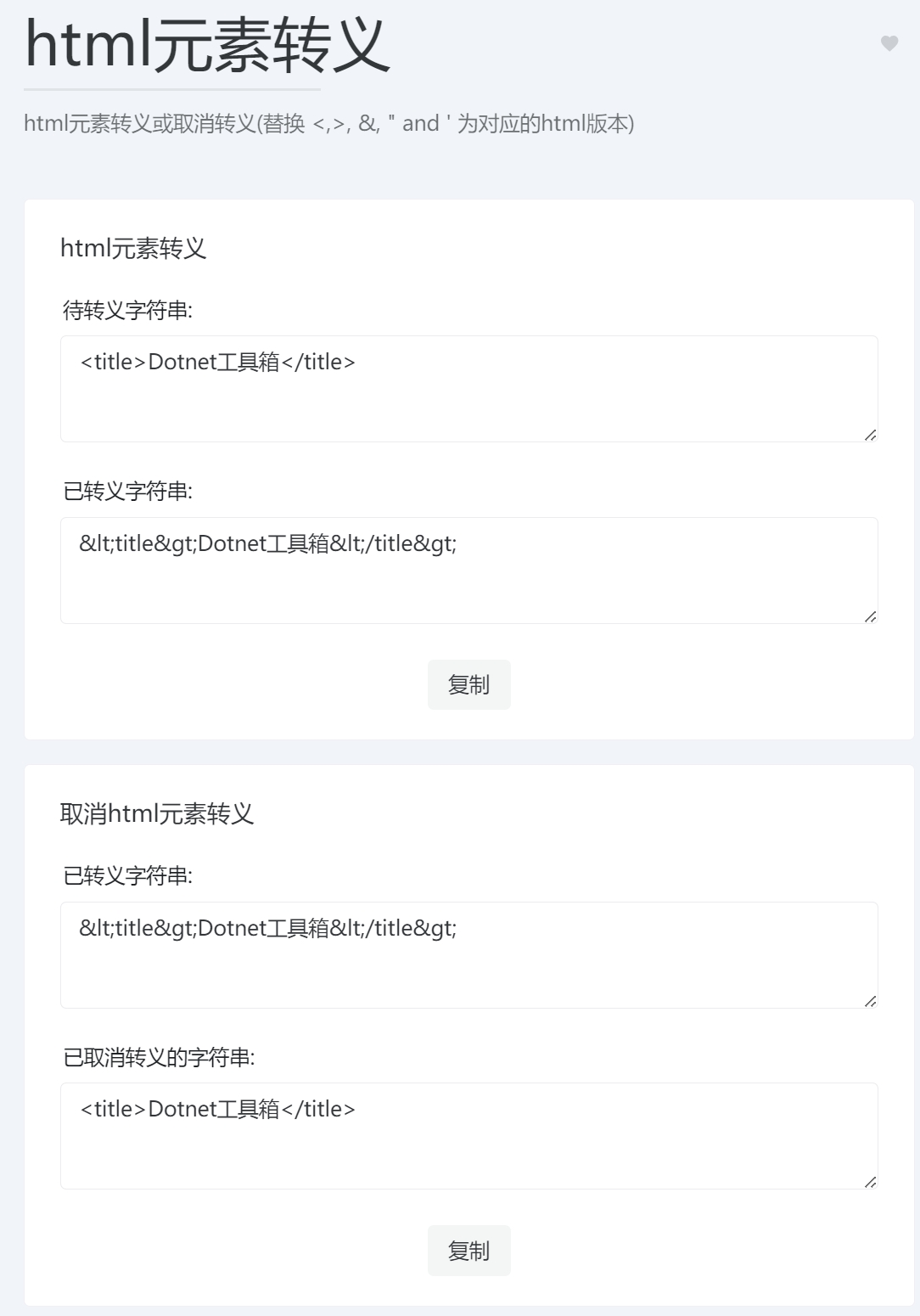
在线工具访问地址:https://dotnetools.com/html-entities
html元素转义或取消转义(替换 <,>, &, " and ' 为对应的html版本),这可能主要用于后端给前端的网页内容时使用,特殊符号需要转义后才能正常使用
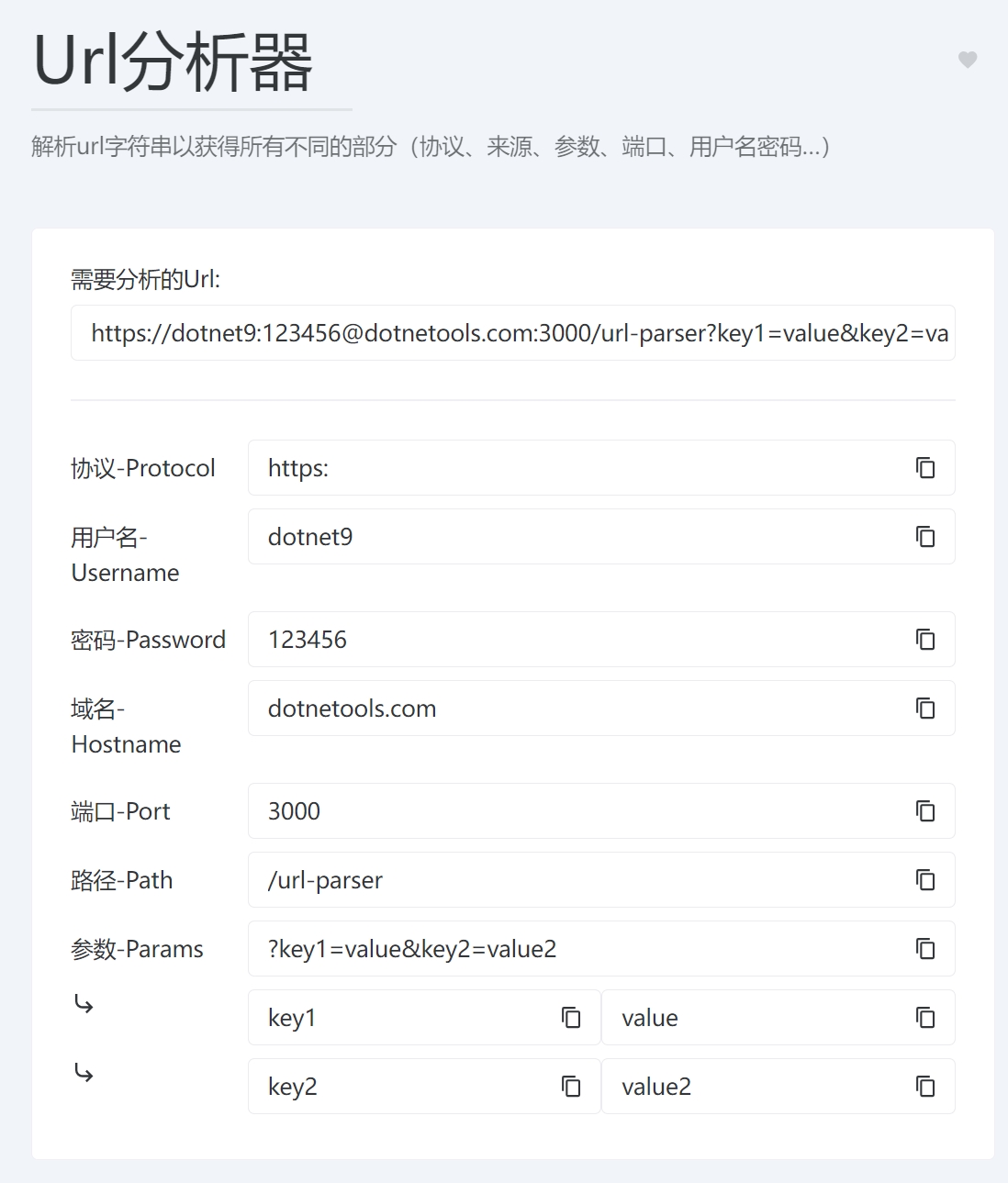
2.3.3. Url分析器
在线工具访问地址:https://dotnetools.com/url-parser
解析url字符串以获得所有不同的部分(协议、来源、参数、端口、用户名密码…)
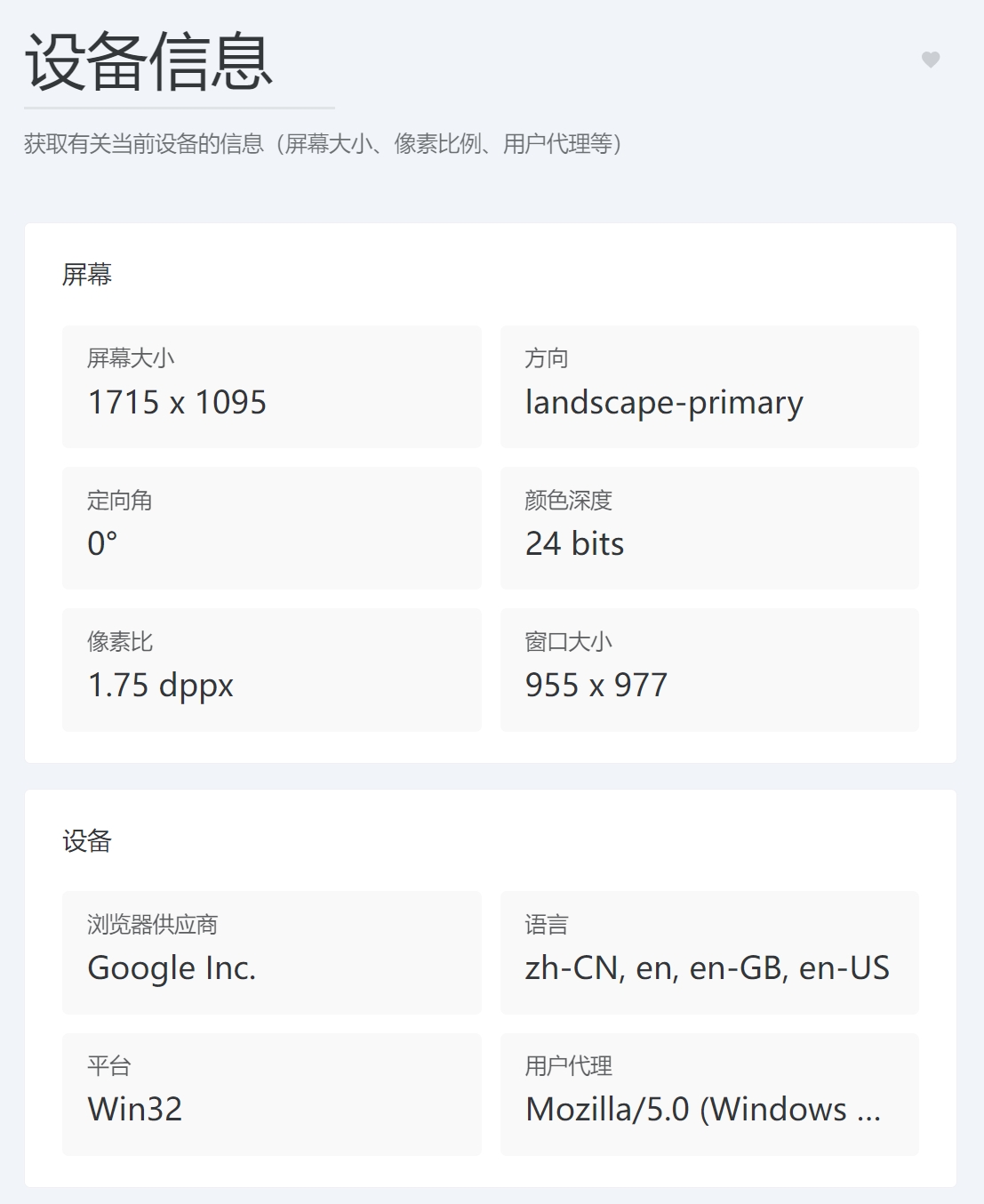
2.3.4. 设备信息
在线工具访问地址:https://dotnetools.com/device-information
获取有关当前设备的信息(屏幕大小、像素比例、用户代理等)
2.3.5. 别名字符串
工具介绍:使字符串 URL、文件名和 id 安全。
这是一篇关于别名的介绍什么是URL slug 及其对 SEO 的重要性:
slug 对于关键字 SEO 来说非常强大。如果用户要在 Google 搜索“什么是 slug”,则内容 URL 结构中的关键字有助于向 Google 发出信号,表明内容应该包含在 SERP 中。如果一个好的 slug 清楚地说明了网页的内容,它可以改善用户的体验。
本文也使用了别名字符串工具,截图如下:
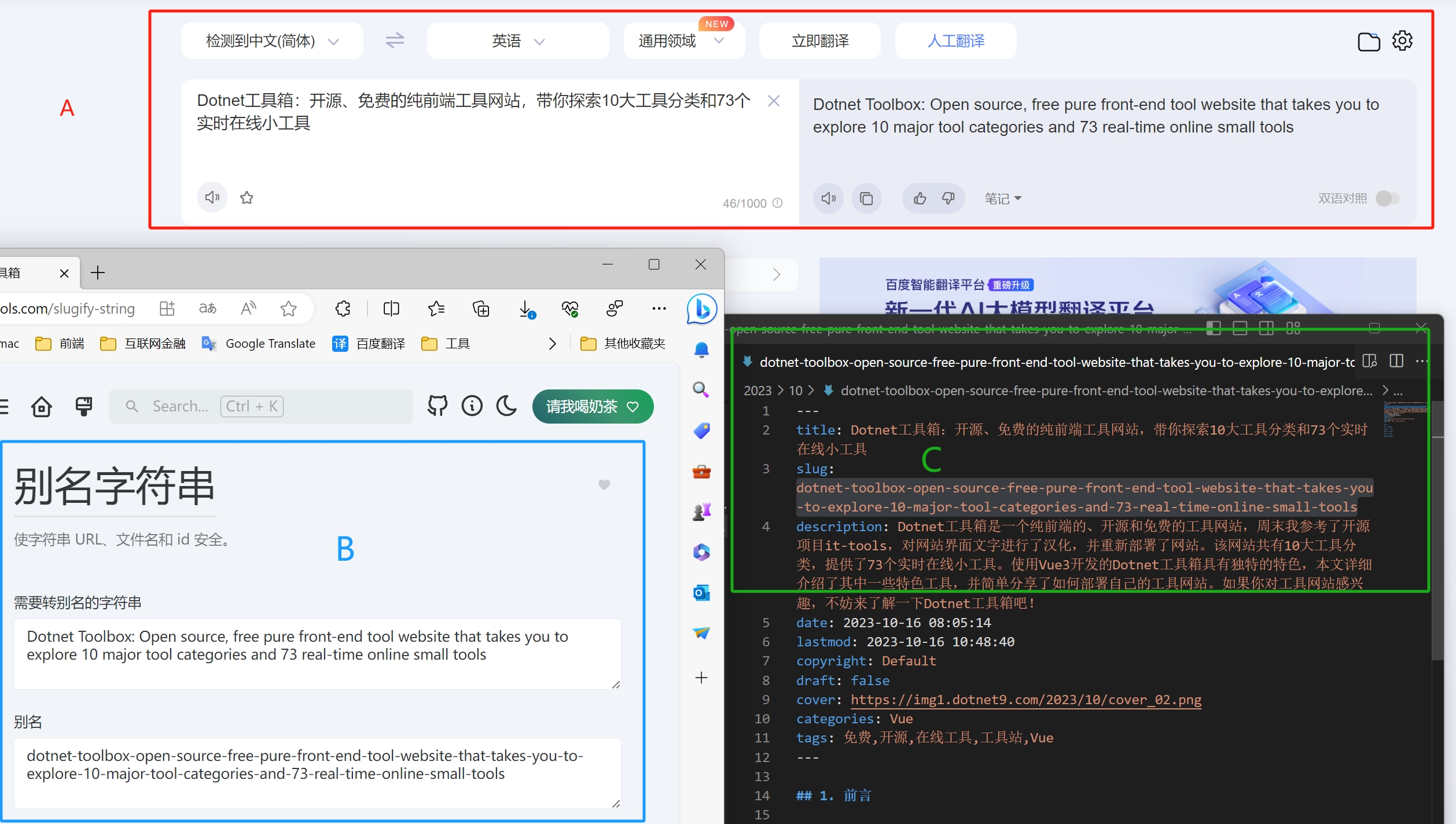
步骤是:
- 在百度翻译中翻译文章标题“Dotnet工具箱:开源、免费的纯前端工具网站,带你探索10大工具分类和73个实时在线小工具”;
- 将得到的英文标题“Dotnet Toolbox: Open source, free pure front-end tool website that takes you to explore 10 major tool categories and 73 real-time online small tools”复制到别名字符串工具【需要转别名的字符串】输入框;
- 点击【复制别名】将【别名】输入框中转换的别名字符串粘贴到本文Markdown文件内,文件也以转换的【[别名].md】命名;
- 使用别名访问本文:https://dotnet9.com/2023/10/dotnet-toolbox-open-source-free-pure-front-end-tool-website-that-takes-you-to-explore-10-major-tool-categories-and-73-real-time-online-small-tools9
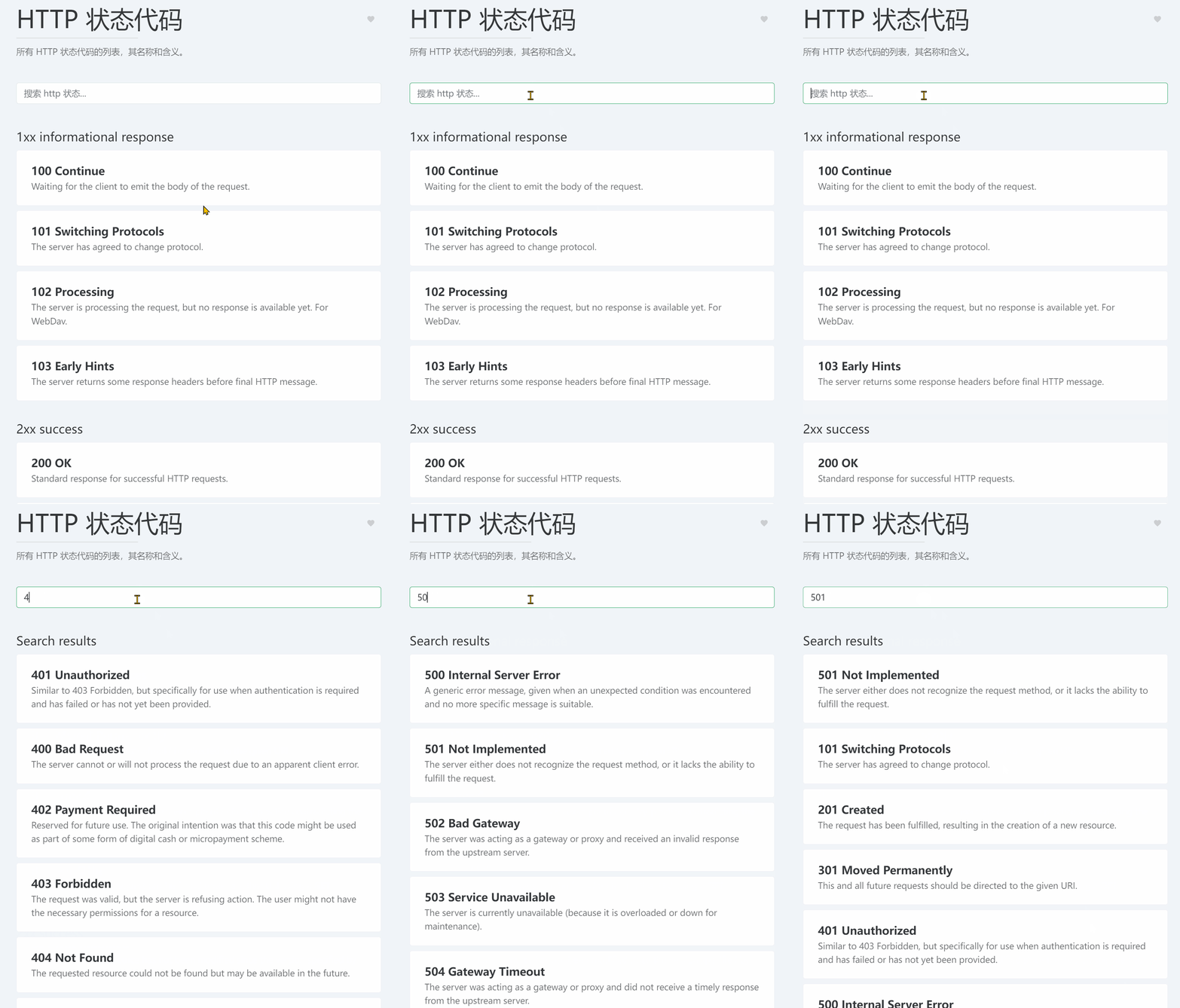
2.3.6. HTTP 状态代码
在线工具访问地址:https://dotnetools.com/http-status-codes
所有 HTTP 状态代码的列表,其名称和含义。
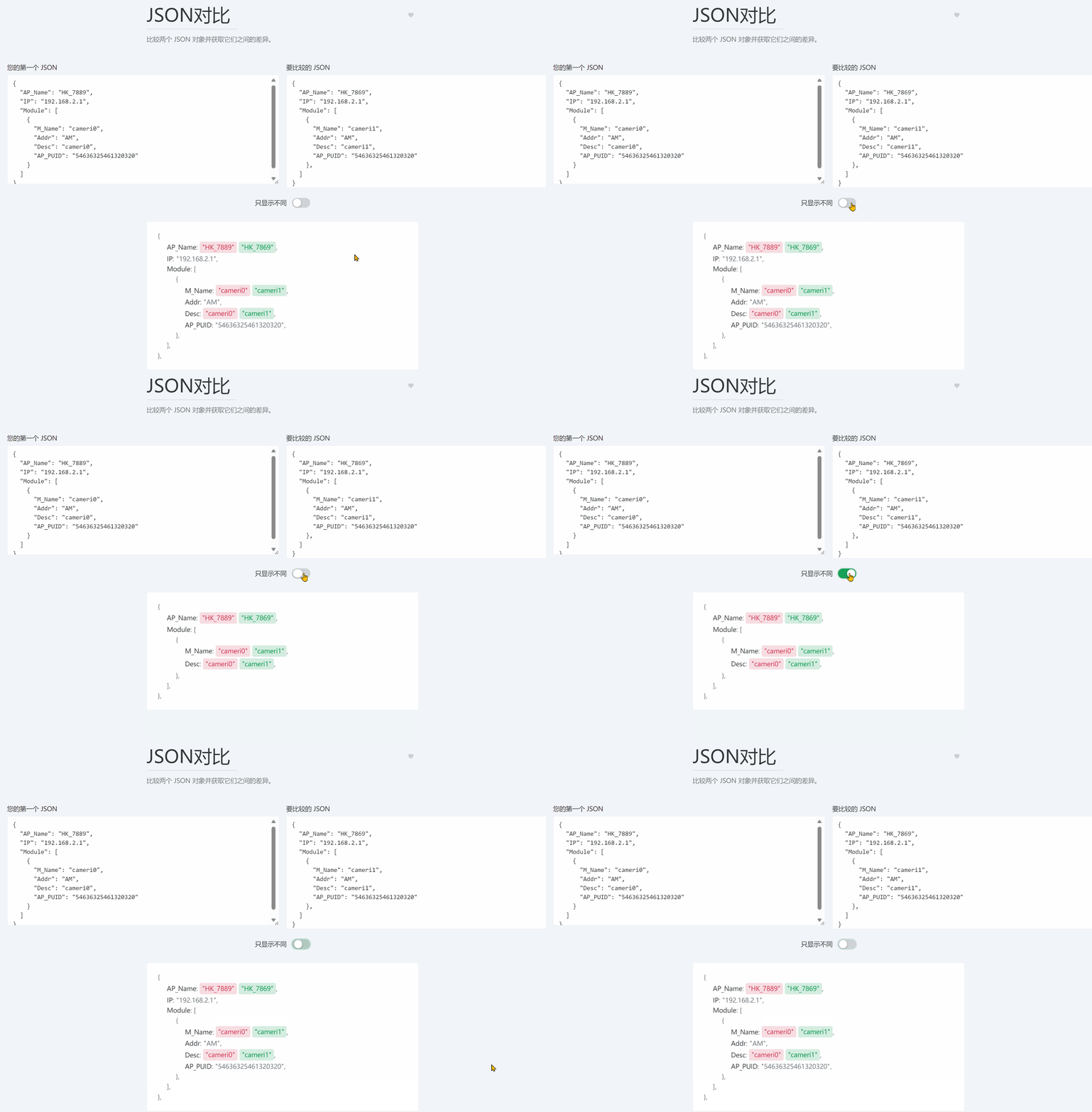
2.3.7. JSON对比
在线工具访问地址:https://dotnetools.com/json-diff
比较两个 JSON 对象并获取它们之间的差异。
2.4. 图片和视频
有4个小工具。
2.4.1. 二维码生成器
在线工具访问地址:https://dotnetools.com/qrcode-generator
生成并下载 url 或仅文本的二维码,并自定义背景和前景色。
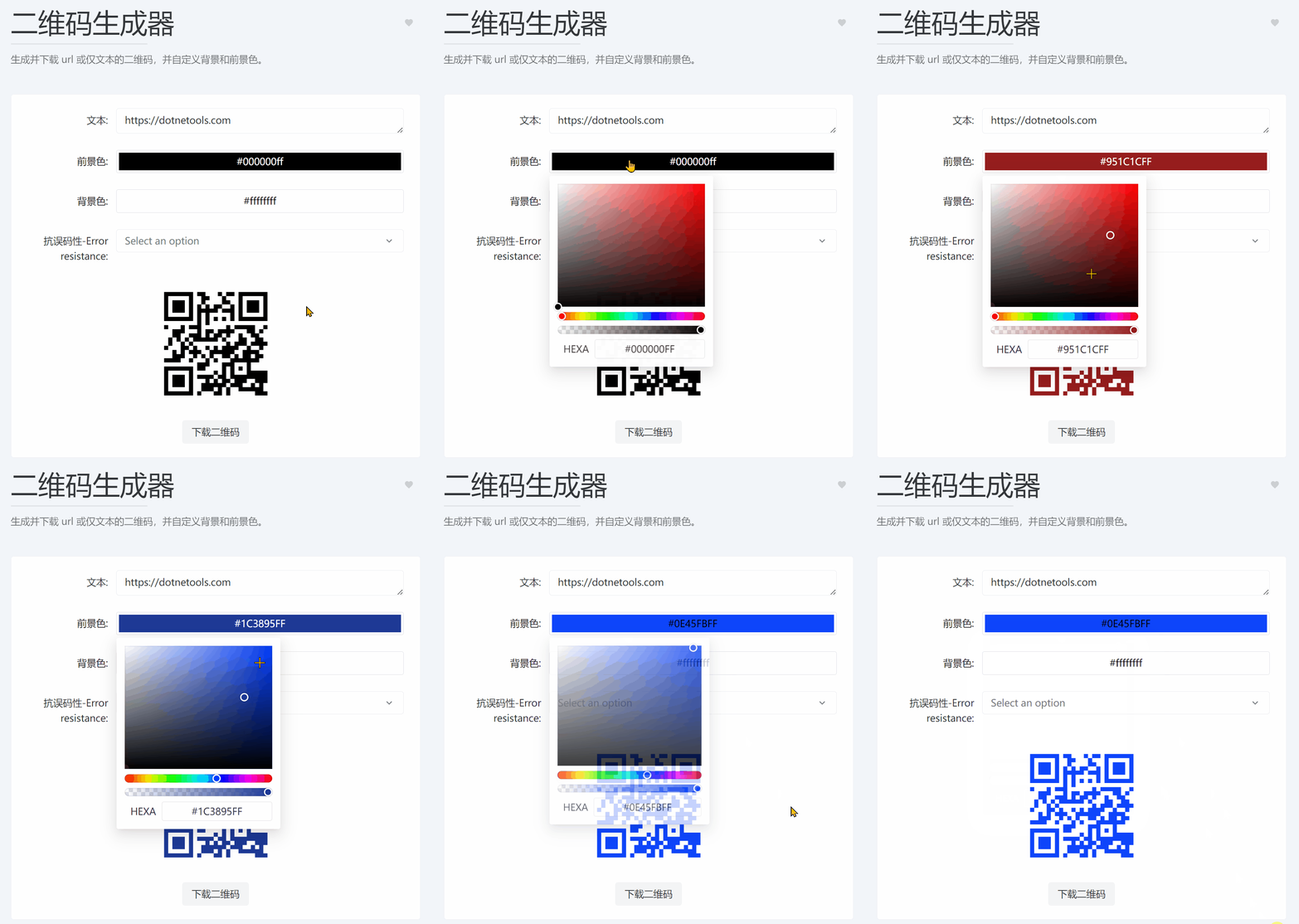
下面是上面的操作生成的二维码,微信扫码可打开Dotnet工具箱网站:

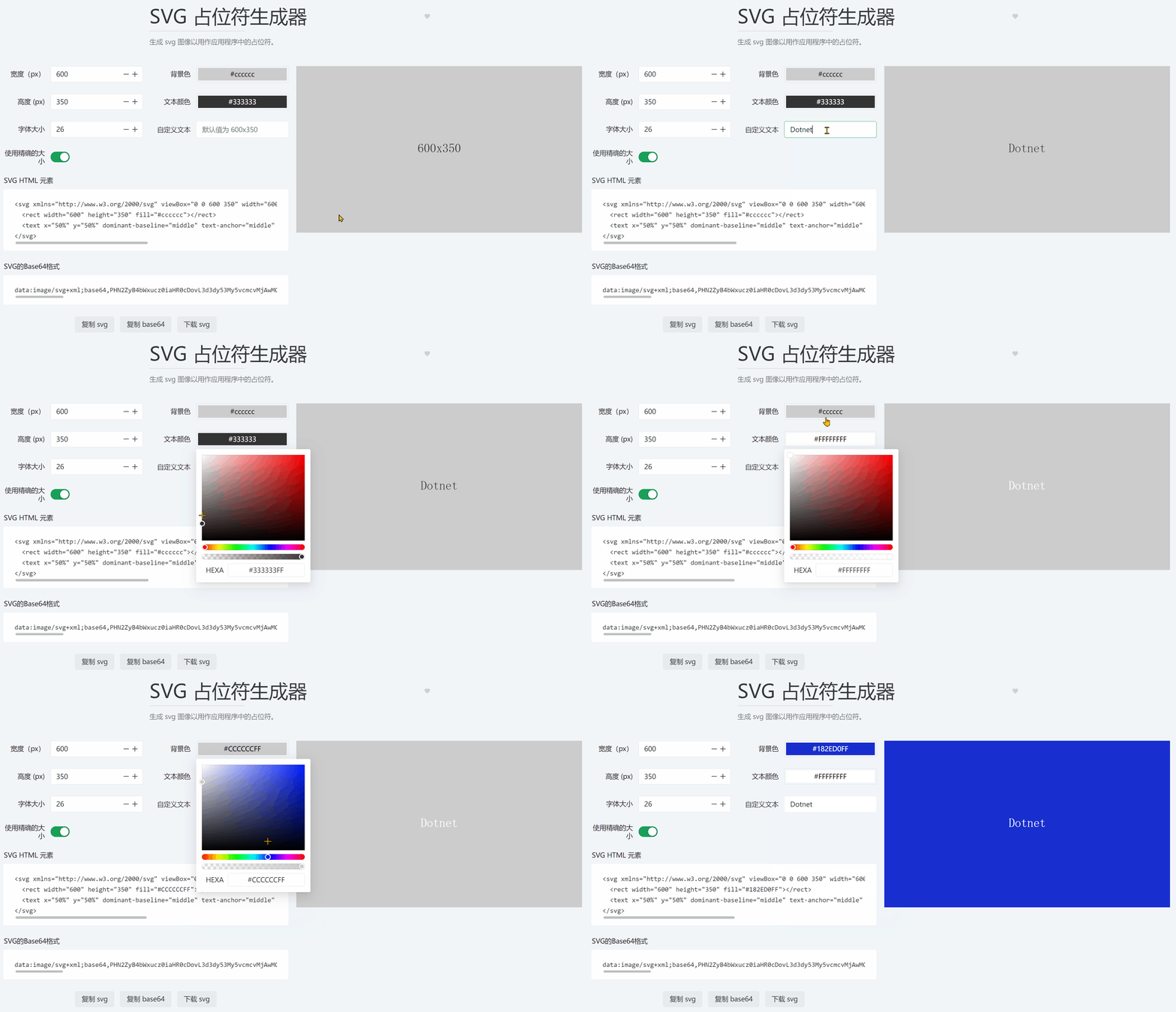
2.4.2. SVG 占位符生成器
在线工具访问地址:https://dotnetools.com/svg-placeholder-generator
生成 svg 图像以用作应用程序中的占位符,主要用于网站图片未加载完成时的占位图片。
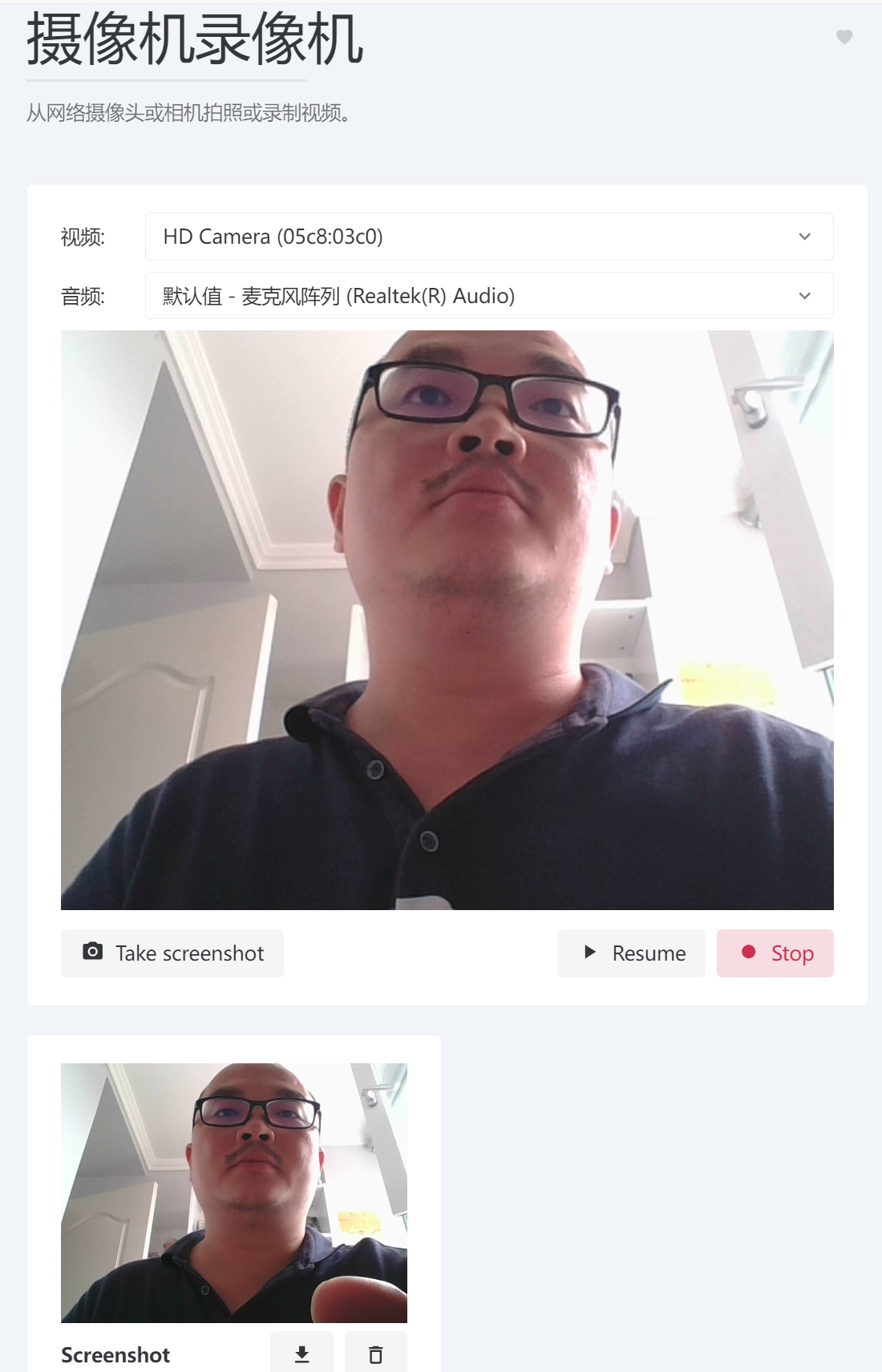
2.4.3. 摄像机录像机
在线工具访问地址:https://dotnetools.com/camera-recorder
从网络摄像头或相机拍照或录制视频。
2.5. 开发
开发分类共有10个小工具。
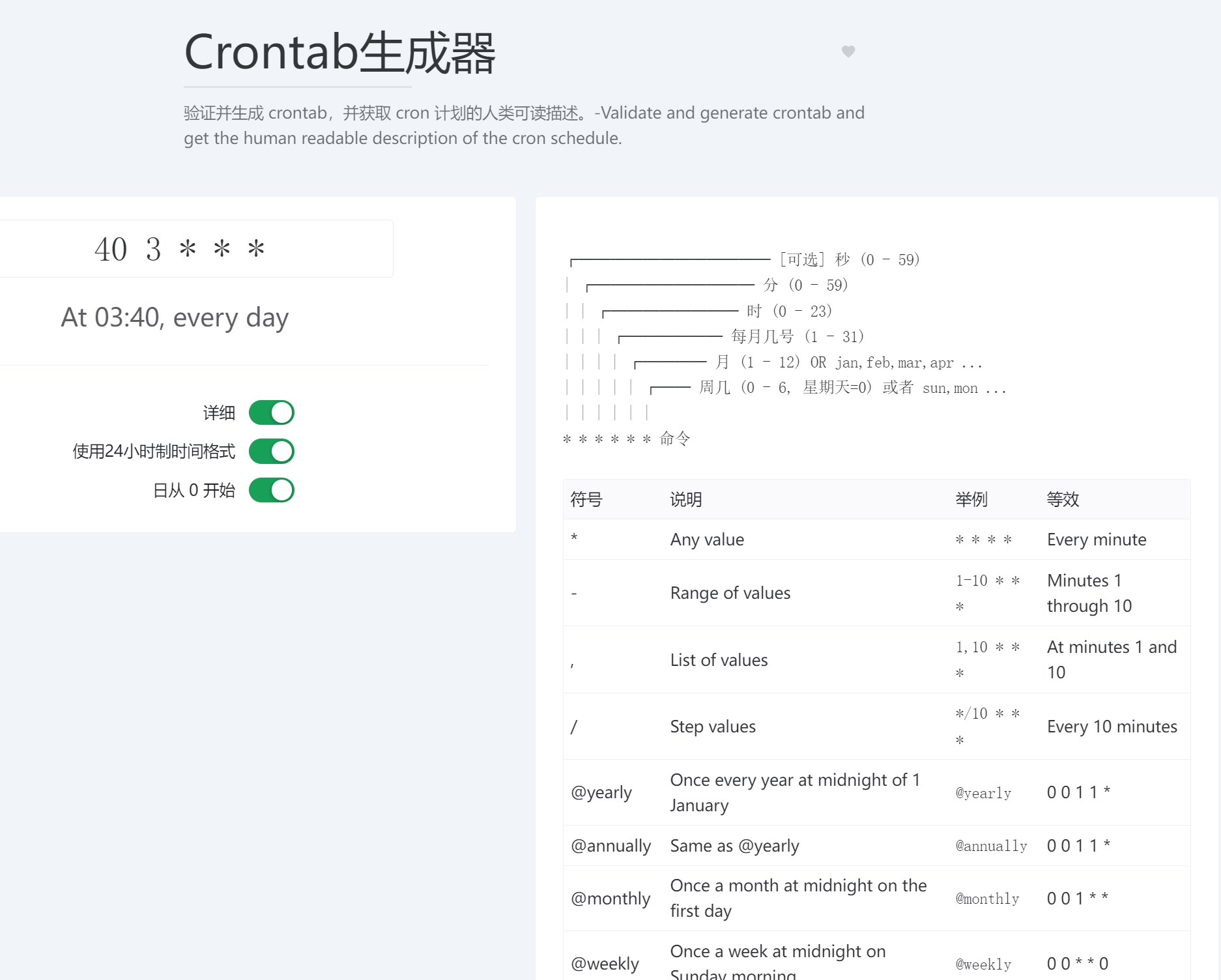
2.5.1. Crontab生成器
在线工具访问地址:https://dotnetools.com/crontab-generator
验证并生成 crontab,并获取 cron 计划的人类可读描述。
2.5.2. JSON 美化和格式化
在线工具访问地址:https://dotnetools.com/json-prettify
将 JSON 字符串美化为人类友好的可读格式,对应的就有JSON压缩工具。

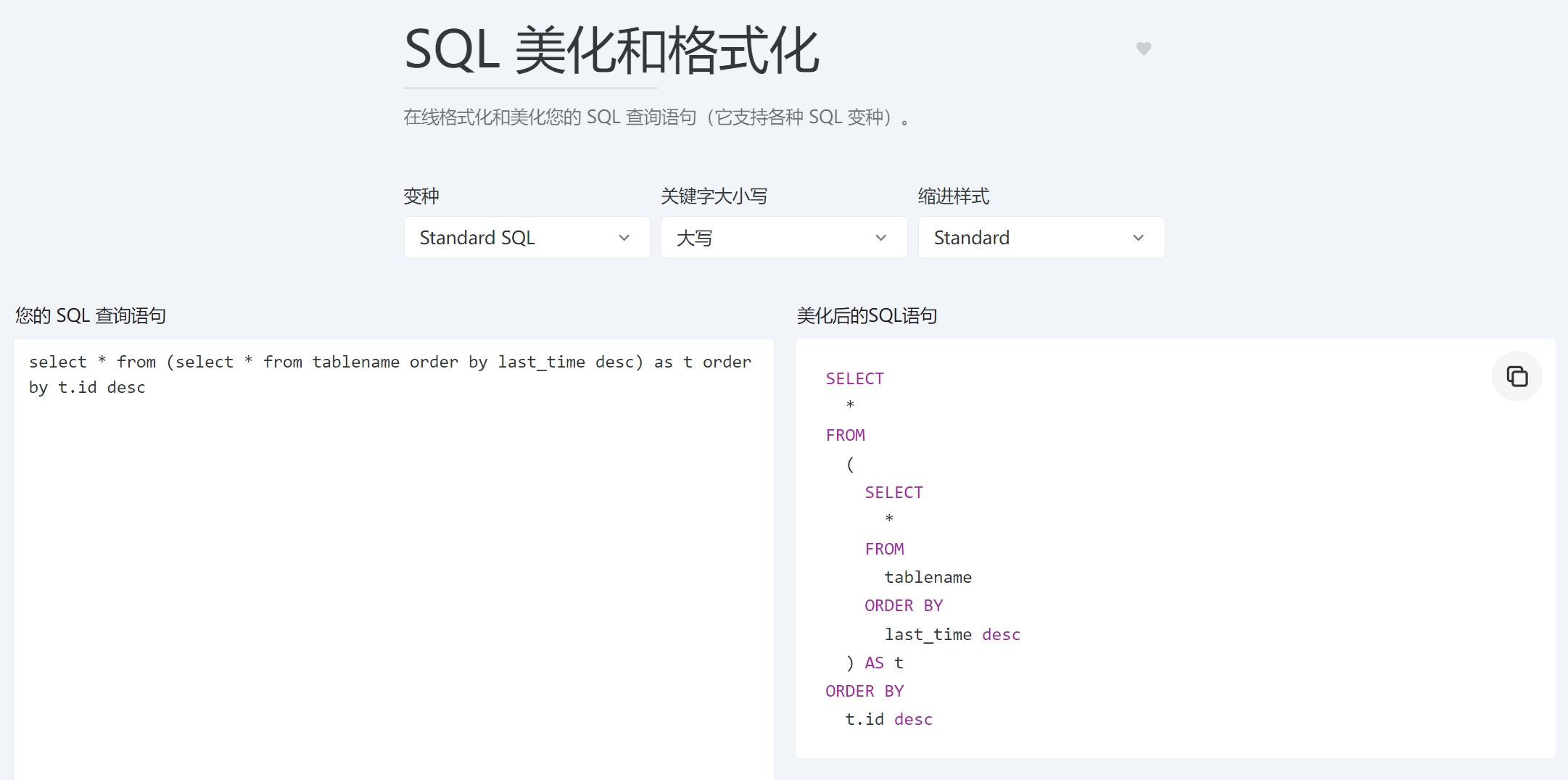
2.5.3. SQL 美化和格式化
在线工具访问地址:https://dotnetools.com/sql-prettify
在线格式化和美化您的 SQL 查询语句(它支持各种 SQL 变种)。
2.5.4. Docker compose转换器
在线工具访问地址:https://dotnetools.com/docker-run-to-docker-compose-converter
将docker运行命令转换为docker-compose文件!

2.5.5. XML 格式化
在线工具访问地址:https://dotnetools.com/xml-formatter
将 XML 字符串美化为人类友好的可读格式。

2.x. 其他分类
小工具太多,逐一介绍太占篇幅,有兴趣可访问Dotnet工具箱-为开发人员提供方便的在线工具 (dotnetools.com)探索使用。
3. 开发部署自己的工具站
it-tools是一个开源项目,站长基于它开发部署了自己的Dotnet工具站,当然您也可以基于it-tools或Dotnet工具站开发部署自己的工具网站,让我们动起手来试试吧。
3.1. 简单部署
it-tools项目readme说明有比较详细的项目相关说明、Docker网站部署步骤,下面是站长Dotnet工具箱的打包、部署简单说明:
- 克隆项目:https://github.com/dotnet9/Dotnet9
- 定位到Dotnet工具箱目录:
./src/Dotnetools - 安装前端开发必要环境:Node.js
- 终端安装依赖:
npm install - 终端打包:
npm run build - 复制发布目录到服务器即可。
3.2. 修改或扩展自己的工具
每个小工具源码在./src/Dotnetools/src/tools/下:
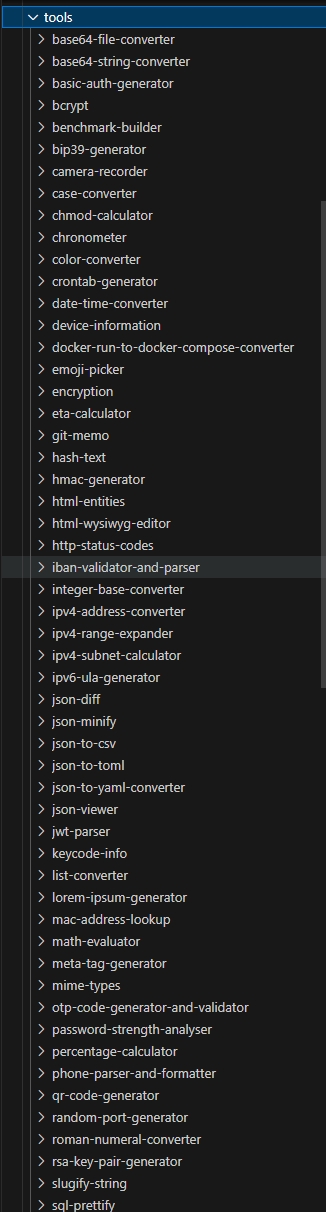
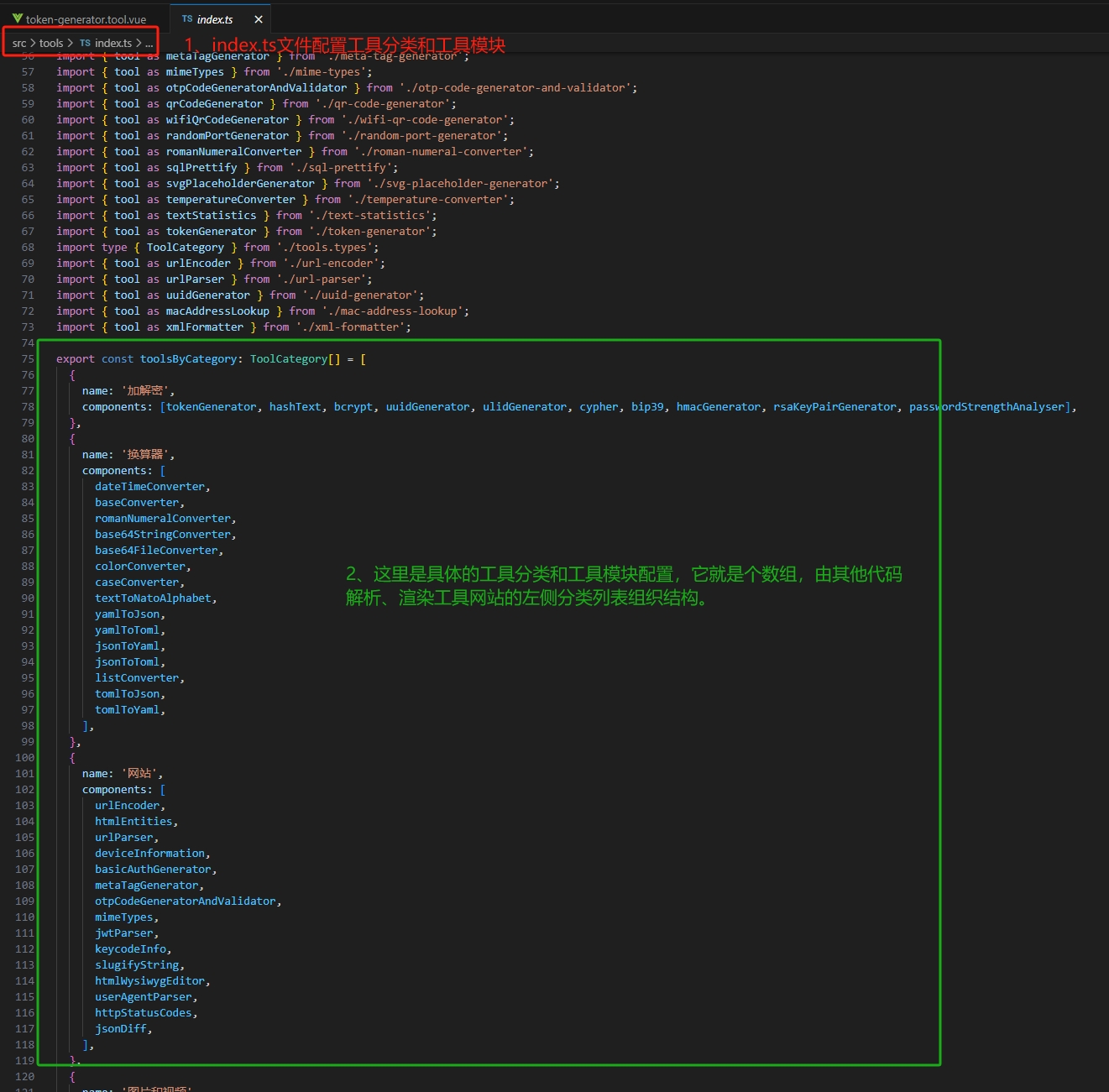
在tools目录下增加或删除小工具目录后,需要改src\tools\index.ts文件,这里组织工具目录列表:
3.3. 关于翻译
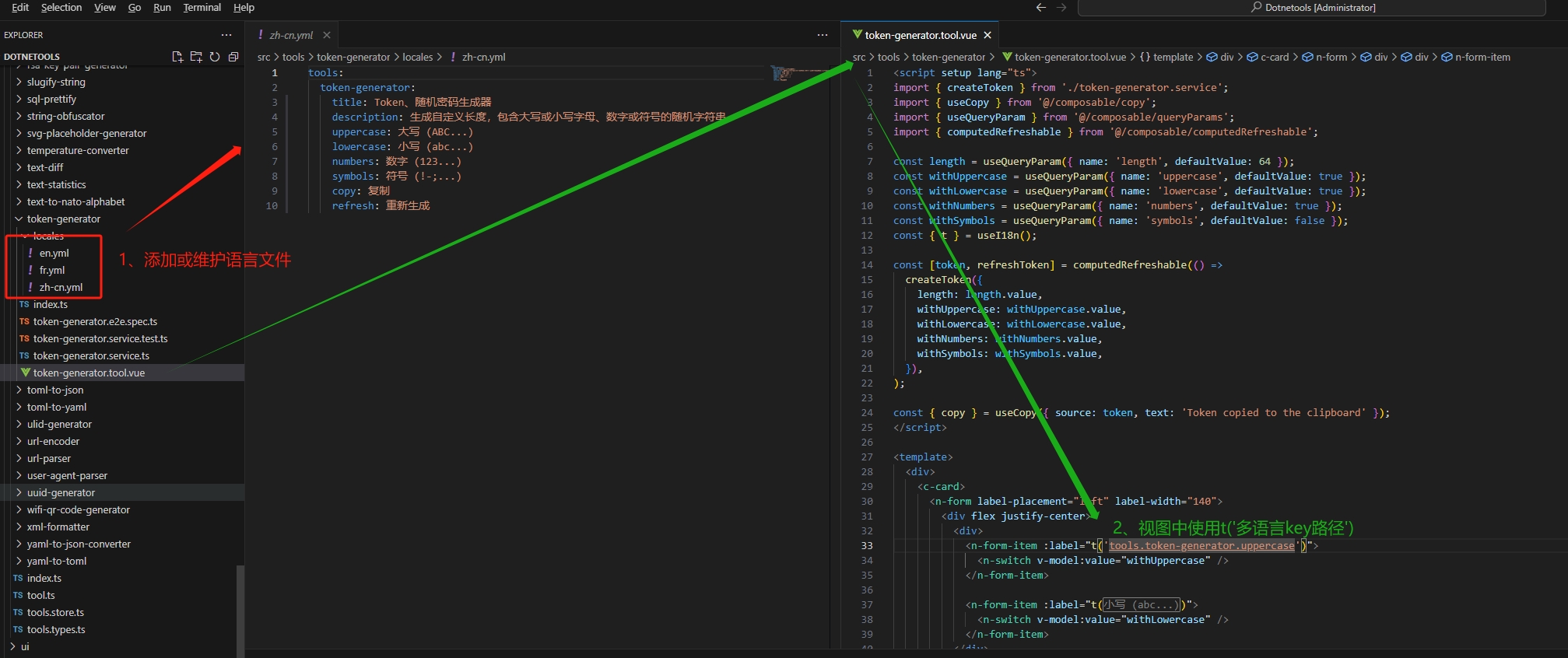
部分小工具支持多语言本地化,可在下图中src\tools\token-generator添加或维护语言:
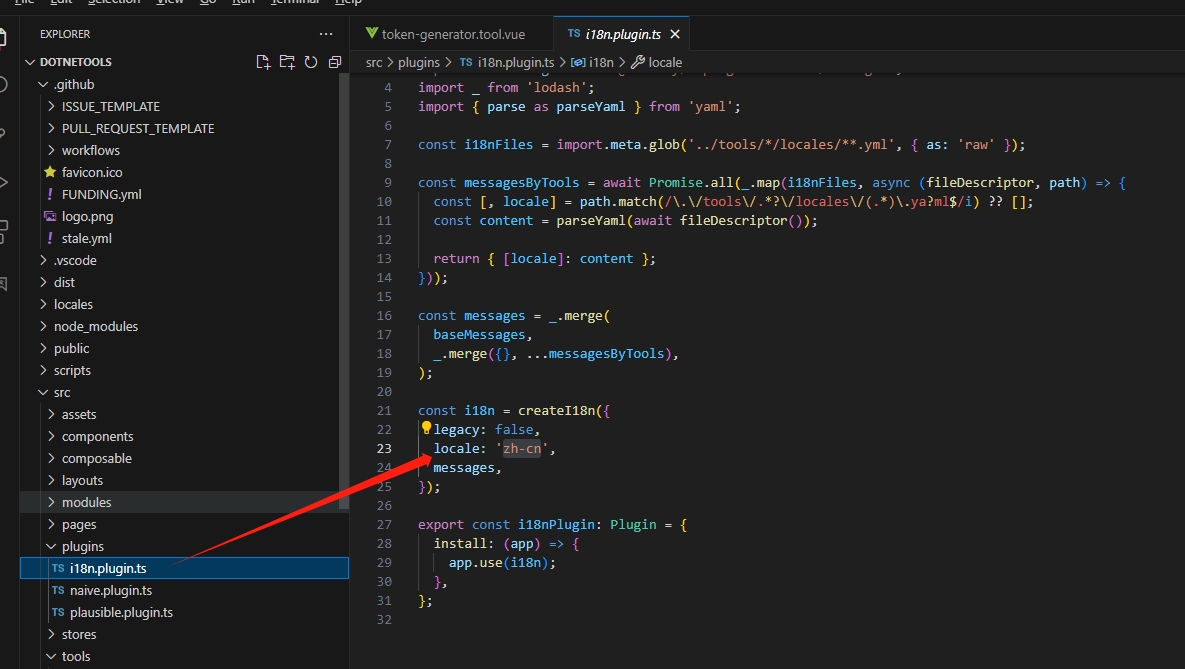
src\plugins\i18n.plugin.ts配置本地化使用的语言:
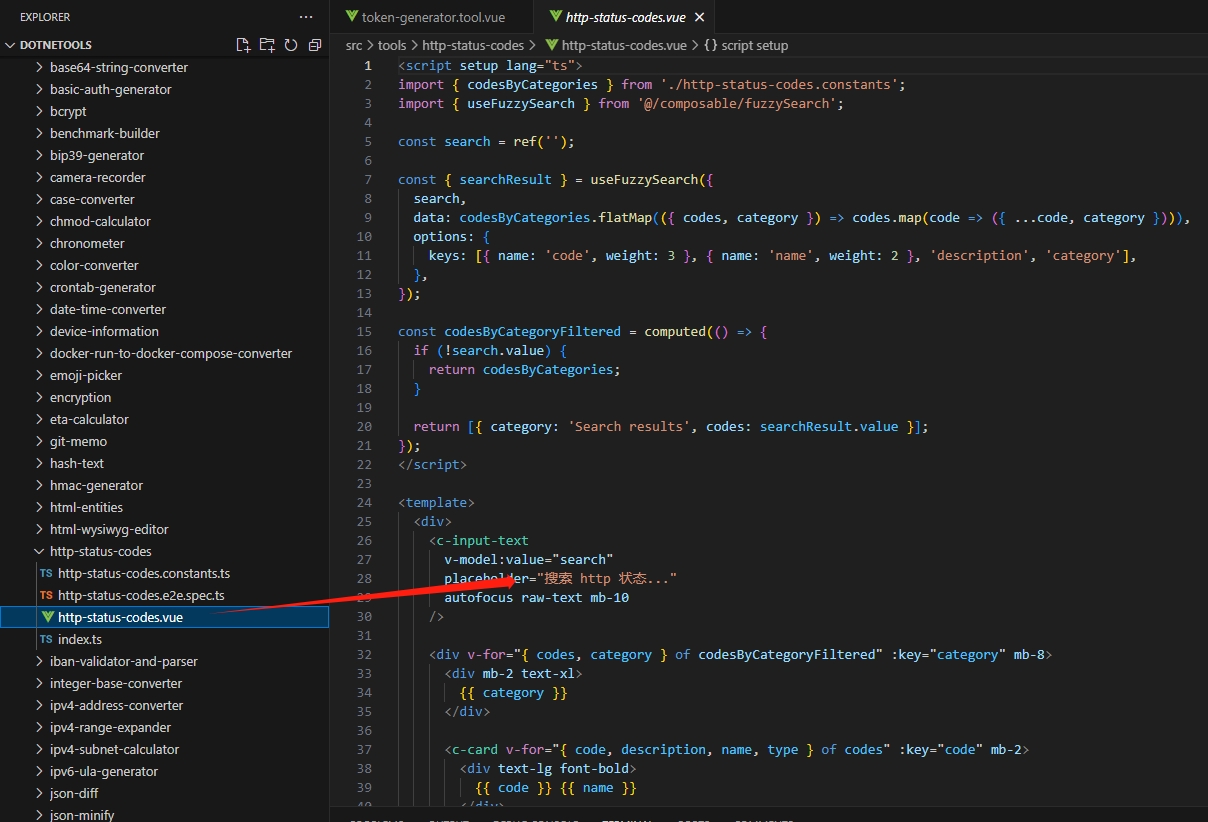
但大部分工具是未支持多语言的,可直接在xx.vue或xxx.ts中直接修改语言(比如:src\tools\http-status-codes\http-status-codes.vue):
Dotnet工具站部分视图翻译肯定是存在问题的,欢迎大家提PR纠正。
4. 总结
这些工具站长每个都做了测试,请放心使用,不放心看源码提PR,哈哈。
因为在家待业时间较多,但难免部分翻译不正确,欢迎大家参与维护:
参与it-tools开发:https://github.com/CorentinTh/it-tools
参与Dotnet工具箱开发:https://github.com/dotnet9/Dotnet9/tree/develop/src/Dotnetools
纠正Dotnet工具箱中文翻译、提Issue、提PR都请访问:https://github.com/dotnet9/Dotnet9
技术交流加群请添加站长微信号:codewf