

大家好,我是沙漠尽头的狼。今天,我要向大家介绍一个非常实用的工具,码坊。
码坊是站长新开发的一个开源项目,提供网页在线工具,同时提供跨平台桌面和手机 App 版本。我们的目标是为你带来更高效、更便捷的在线工具使用体验。今天,我非常荣幸地推出“文章标题 URL 别名生成器”,这个工具可以帮助你轻松创建文章标题的 URL 别名,提升 SEO 效果和用户体验。
这是什么工具?
你是否曾经遇到过这样的问题:你写了一篇很好的文章,但却因为标题过长或者包含特殊字符而导致 URL 看起来不美观,甚至影响 SEO 效果?现在,有了“文章标题 URL 别名生成器”,这些问题都将得到解决。
这个工具提供了三大功能:
- 中英互译:将中文标题翻译成英文,或将英文标题翻译成中文。
- 英文转 URL 别名:将英文标题转换为简洁的 URL 别名,方便在网站上使用。
- 中文转 URL 别名:将中文标题转换为简洁的 URL 别名,方便在网站上使用。
特别适合文章取好中文标题后,需要在网站发布取文章访问链接生成使用。比如将本文标题《码坊“文章标题URL别名生成器”上线》在工具中转换为code-world-workshop-article-title-url-alias-generator-launched,转换效果如下:
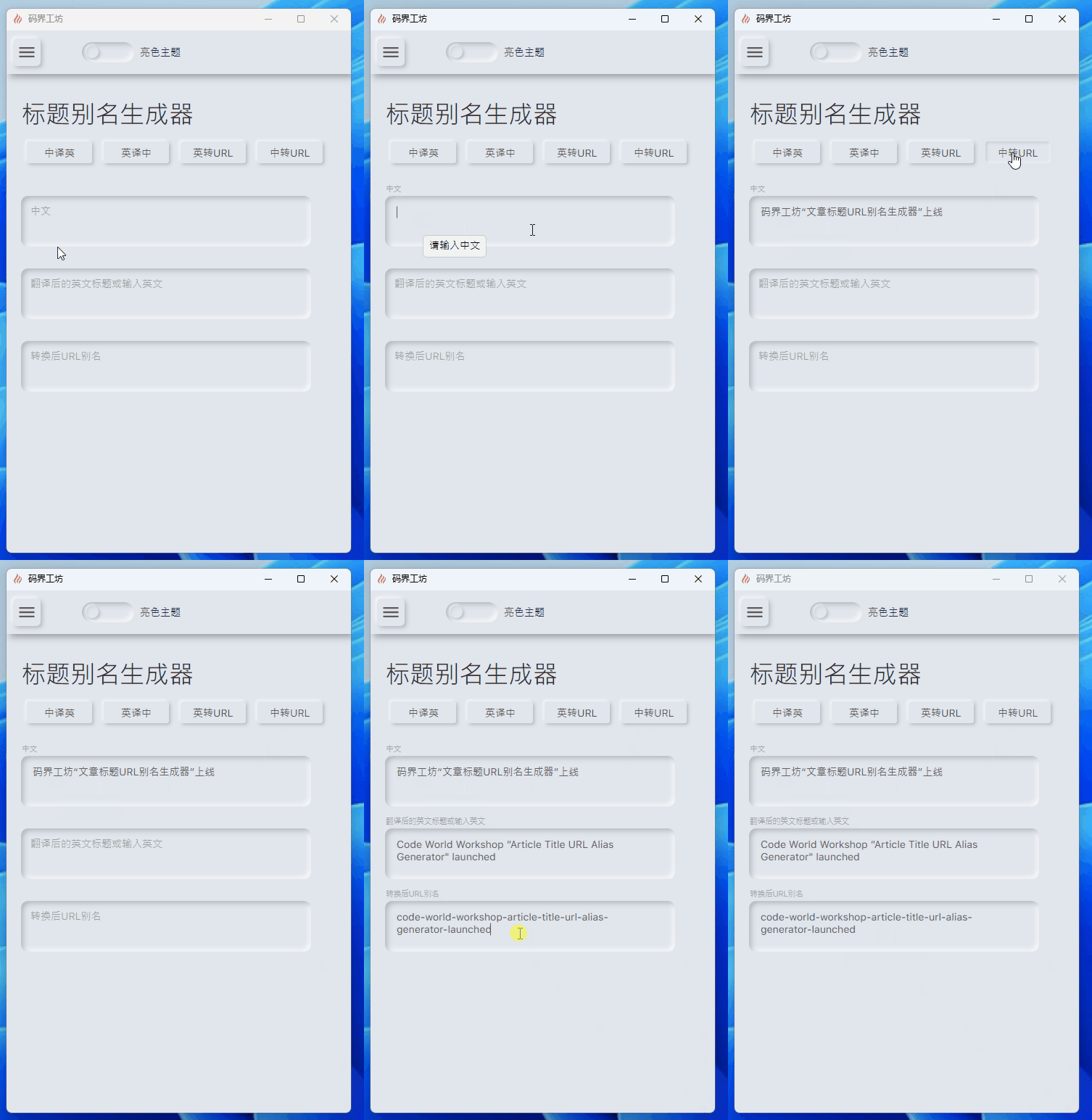
使用该工具在Dotnet9网站发布后,在网站上的访问地址是https://dotnet9.com/2024/01/code-world-workshop-article-title-url-alias-generator-launched。
中英互译、别名转换实现
这个工具的实现原理很简单。我们使用了GTranslate包的YandexTranslator类来进行中英互译,因为它使用了神经网络机器翻译技术,可以提供更高质量的翻译结果。对于 URL 别名的转换,我们使用了Slugify.Core包,用法简单,转换效果也很好。
来看看实现代码吧,我们先定义转换接口:
namespace CodeWF.Core;

/// <summary>
/// 文章标题翻译
/// </summary>
public interface ITranslationService
{
	/// <summary>
	/// 中英文翻译
	/// </summary>
	/// <param name="chineseText"></param>
	/// <returns></returns>
	public Task<string> ChineseToEnglishAsync(string? chineseText);

	/// <summary>
	/// 英中文翻译
	/// </summary>
	/// <param name="englishText"></param>
	/// <returns></returns>
	public Task<string> EnglishToChineseAsync(string? englishText);

	/// <summary>
	/// 英文与URL别名转换
	/// </summary>
	/// <param name="englishText"></param>
	/// <returns></returns>
	public string EnglishToUrlSlug(string? englishText);
}
实现转换接口:
namespace CodeWF.Core;

/// <summary>
/// 中英互译使用Yandex Translation,Yandex使用了神经网络机器翻译技术(NMT),
/// 以提供更高质量的翻译结果。Yandex Translation 支持多种语言对,包括一些
/// 较少见的语言,并且特别擅长处理欧洲语言之间的翻译。
/// </summary>
public class TranslationService : ITranslationService
{
    private readonly YandexTranslator _translator = new();
    private readonly SlugHelper _slugHelper = new();

    /// <summary>
    /// 中英文翻译
    /// </summary>
    /// <param name="chineseText"></param>
    /// <returns></returns>
    public async Task<string> ChineseToEnglishAsync(string? chineseText)
    {
        return string.IsNullOrWhiteSpace(chineseText)
            ? string.Empty
            : (await _translator.TranslateAsync(chineseText, "en")).Translation;
    }

    /// <summary>
    /// 英中文翻译
    /// </summary>
    /// <param name="englishText"></param>
    /// <returns></returns>
    public async Task<string> EnglishToChineseAsync(string? englishText)
    {
        return string.IsNullOrWhiteSpace(englishText)
            ? string.Empty
            : (await _translator.TranslateAsync(englishText, "zh-CN")).Translation;
    }

    /// <summary>
    /// 英文与URL别名转换
    /// </summary>
    /// <param name="englishText"></param>
    /// <returns></returns>
    public string EnglishToUrlSlug(string? englishText)
    {
        return string.IsNullOrWhiteSpace(englishText) ? string.Empty : _slugHelper.GenerateSlug(englishText);
    }
}
来个单元测试验证:
namespace CodeWF.Core.Test;

[TestClass]
public class TranslationServiceUnitTest
{
	private readonly ITranslationService _translationService = new TranslationService();

	[TestMethod]
	public async Task Test_ChineseToEnglishAsync_SUCCESS()
	{
		const string chineseText = "码坊";

		var englishText = await _translationService.ChineseToEnglishAsync(chineseText);

		Assert.AreEqual(englishText, "Code World Workshop");
	}

	[TestMethod]
	public async Task Test_EnglishToChineseAsync_SUCCESS()
	{
		const string englishText = "Code World Workshop";

		var chineseText = await _translationService.EnglishToChineseAsync(englishText);

		Assert.AreEqual(chineseText, "代码世界工作坊");
	}

	[TestMethod]
	public void Test_EnglishToSlug_SUCCESS()
	{
		const string englishText = "Code World Workshop";

		var urlSlug = _translationService.EnglishToUrlSlug(englishText);

		Assert.AreEqual(urlSlug, "code-world-workshop");
	}

	[TestMethod]
	public async Task Test_ChineseToSlugAsync_SUCCESS()
	{
		const string chineseText = "码坊";

		var englishText = await _translationService.ChineseToEnglishAsync(chineseText);

		var urlSlug = _translationService.EnglishToUrlSlug(englishText);

		Assert.AreEqual(urlSlug, "code-world-workshop");
	}
}
最后的话
文中截图是跨平台桌面版本,采用Avalonia UI和控件库Neumorphism.Avalonia开发,待功能开发到一定程度,站长会介绍工具框架的搭建,下面是工具效果图:
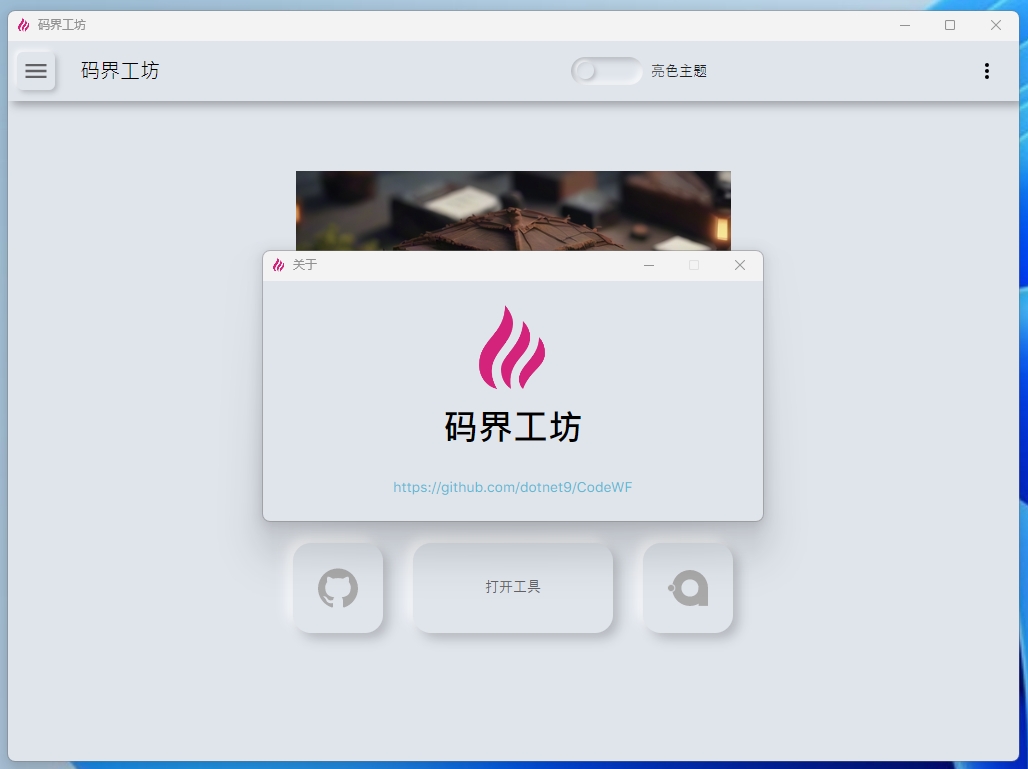
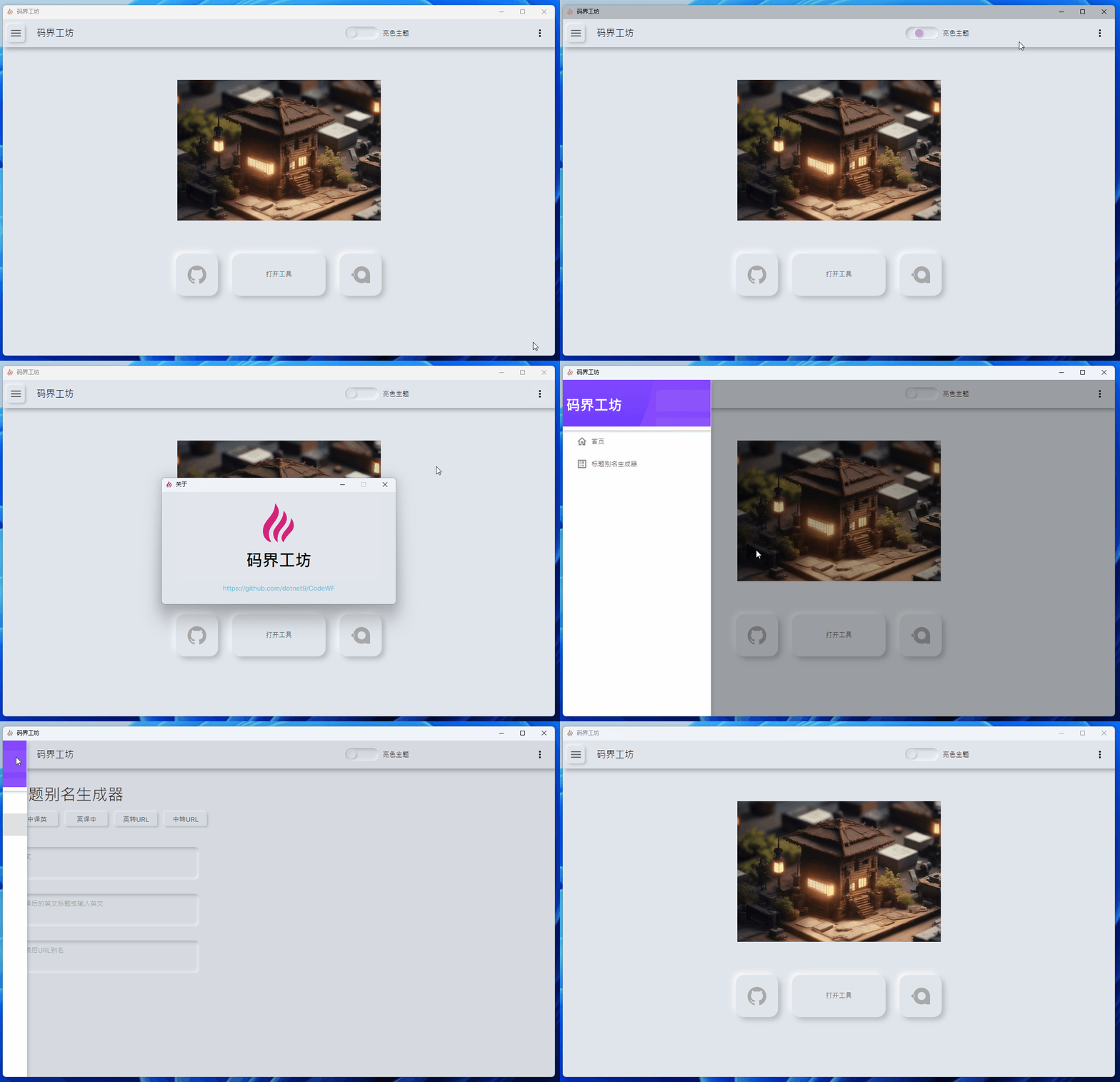
如果你对这个工具感兴趣,可以访问码坊官网https://codewf.com,查看更多实用工具。码坊的源码也在GitHub开源,欢迎大家关注和贡献。
感谢大家的支持,是你们的支持和鼓励让我不断前进。如果你有任何问题或建议,欢迎随时联系我们。让我们一起打造更美好的码坊!