Self-developed Hot-pluggable WPF Plugin System (MSF)

Self-developed Hot-pluggable WPF Plugin System (MSF)

The need for plug-in architecture mainly stems from the pursuit of flexibility in software architecture, especially when developing large, complex, or constantly evolving software systems. Pluginization enhances scalability, customizability, isolation, security, maintainability, modularity, ease of upgrade and update, and third-party development capabilities, thereby meeting ever-changing business requirements and technical challenges.

Last updated 5/7/2024 11:15 PM
趋时软件
12 min read
Category
WPF
Tags
.NET WPF Architecture Design Security Plugin System

The demand for plugin-based architecture primarily stems from the pursuit of software architecture flexibility, especially when developing large, complex, or continuously updated software systems. Plugins can enhance a software system's scalability, customizability, isolation, security, maintainability, modularity, ease of upgrading and updating, and support for third-party development, thereby meeting evolving business requirements and technical challenges.

1. Plugin Exploration

In WPF, when developing a plugin-based program, we typically have two choices: MEF and MAF. Each has its own strengths and weaknesses, which we will analyze below.

1.1. MEF (Managed Extensibility Framework)

1.1.1. Advantages

  1. Easy to get started: Relatively simple to use. Developers can define and export components with simple attribute markings without writing extensive complex code.

  2. Lightweight: MEF is a lightweight framework with low performance overhead.

  3. Low coupling: By splitting an application into multiple independent plugins, each responsible for specific functionality, coupling between modules is reduced. This makes the code easier to understand and maintain, and lowers the risk of unintended side effects when modifying one module.

  4. Parallel development: With MEF, different development teams can work on different plugins in parallel without worrying about interdependencies. Each team can focus on its own functionality without waiting for others to finish, significantly improving development efficiency.

  5. Easy to test and maintain: Since each plugin is an independent unit, testing and maintenance can be performed separately. This reduces complexity and enables faster problem localization and resolution.

  6. Easy to extend with new features: Adding new functionality only requires developing a new plugin and adding it to the application, avoiding major modifications or recompilation of the entire application, thus shortening the development cycle and reducing costs.

1.1.2. Disadvantages

  1. Plugin isolation: Does not support plugin isolation. If one plugin fails, it can affect the entire application. It also does not support hot-swapping; plugins cannot be dynamically updated at runtime.

  2. Lifecycle: Does not support plugin lifecycle management, so fine-grained control over starting/stopping plugins is not possible.

1.2. MAF (Managed AddIn Framework)

Like MEF plugins, MAF also offers advantages such as low coupling, parallel development, ease of testing and maintenance, and ease of extending new features. It also has additional benefits.

1.2.1. Advantages

  1. Plugin isolation: MAF supports plugin isolation at the application domain and process levels. An abnormal plugin does not crash the entire application, and updating a plugin does not require restarting the whole application.

  2. Lifecycle: MAF provides comprehensive lifecycle management, allowing control over starting, stopping, and unloading plugins.

  3. Plugin versioning: MAF can run multiple versions of a plugin simultaneously, enabling dynamic rollback. If a new plugin fails, it can instantly revert to the old version.

1.2.2. Disadvantages

  1. Complexity: MAF is relatively complex to use and configure. Developers need to understand concepts like application domains, plugin activation, and sandbox execution, and write code to manage plugin loading and unloading.

  2. Performance overhead: Since each plugin runs in its own application domain, additional performance overhead may occur. This is especially noticeable when loading many plugins or frequently loading plugins, potentially impacting application performance.

1.3. Summary

After comparison, we have a basic understanding of plugin systems. If plugin isolation is not required, MEF is a good choice—it is simple, does not require understanding complex theories, and can be quickly adopted in projects by following sample code. If we need to build applications with higher security and better performance, MAF is more suitable. However, MAF has significant issues: even implementing a simple function requires following a fixed project structure, resulting in poor flexibility, extreme complexity, and a high barrier to entry. For larger applications, its loading speed can become a problem. These drawbacks mean that very few people choose it in actual project development.

Based on the above, we need a plugin system that combines the characteristics of MEF and MAF. It should be a lightweight framework with good performance, ease of use, strong extensibility, safety, and reliability. That is the topic of today.

2. System Design

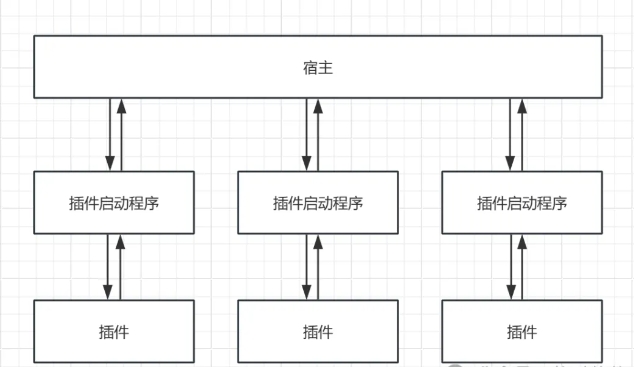
2.1. System Architecture

Image

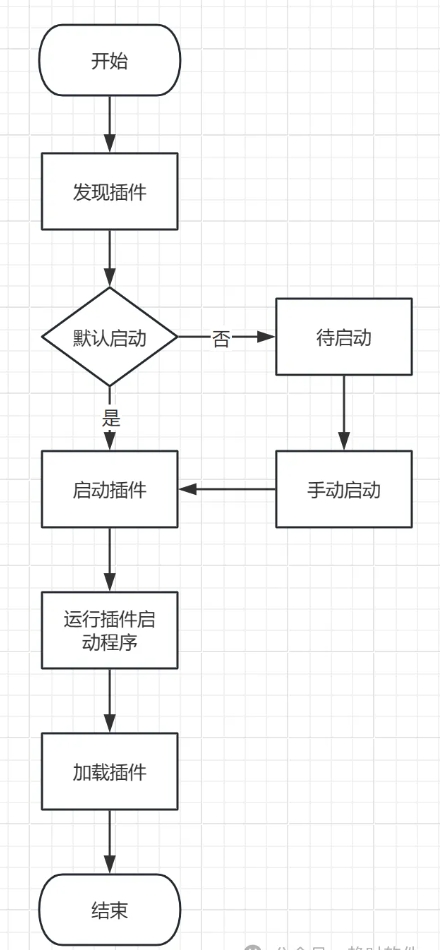
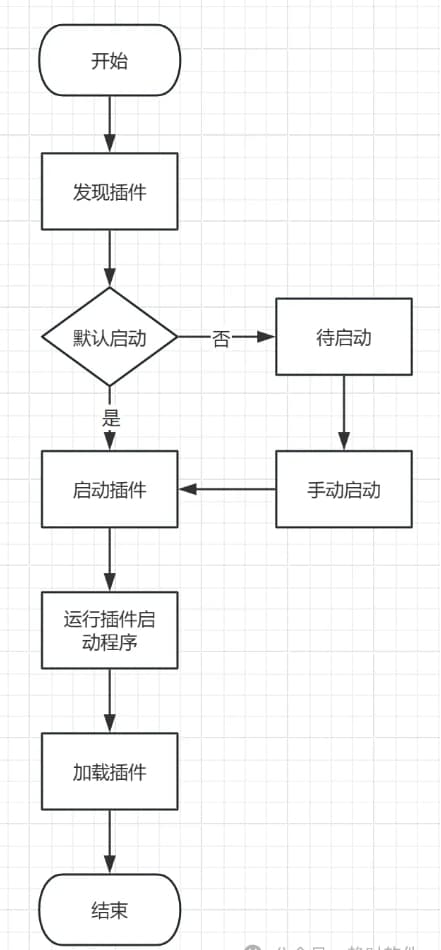
2.2. Startup Process

Image

2.3. Detailed Design

2.3.1. Container

The container is the core of the plugin system. It provides services such as plugin discovery, plugin loading, cross-process communication, error reporting, message forwarding, and plugin lifecycle management.

2.3.2. Plugin Startup Program

This is a console application responsible for running plugins. It handles loading plugin configuration files, reporting plugin error information to the container, and hot-swapping plugins.

2.3.3. Plugin

A plugin is a DLL assembly or EXE program. This assembly or EXE must have a class that inherits from the Plugin abstract class so that the container can identify it during plugin discovery. Within the plugin class, you can define your own UI (any FrameworkElement) or services for the container to invoke.

3. Case Study

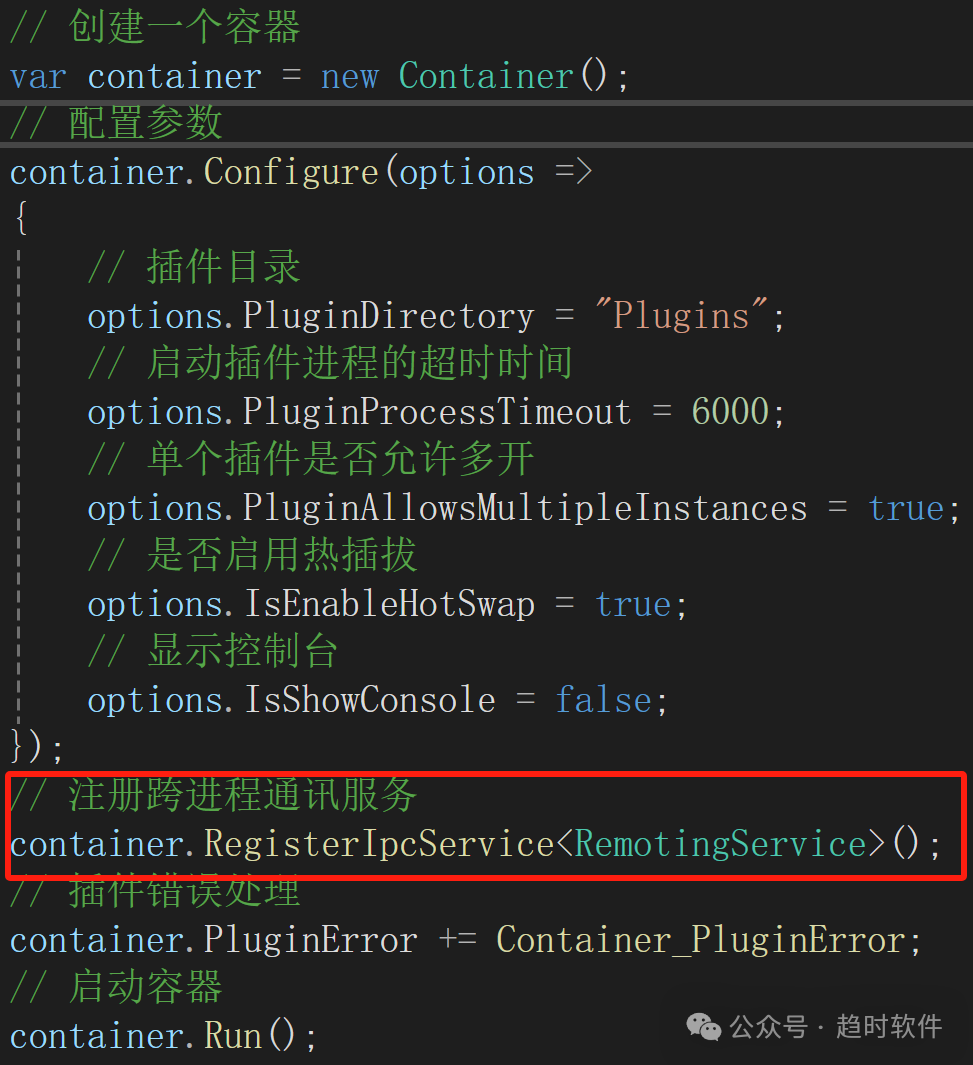
3.1. Container Creation and Configuration

// Create a container
var container = new Container();
// Configure parameters
container.Configure(options =>
{
    // Plugin directory
    options.PluginDirectory = "Plugins";
    // Timeout for starting a plugin process
    options.PluginProcessTimeout = 6000;
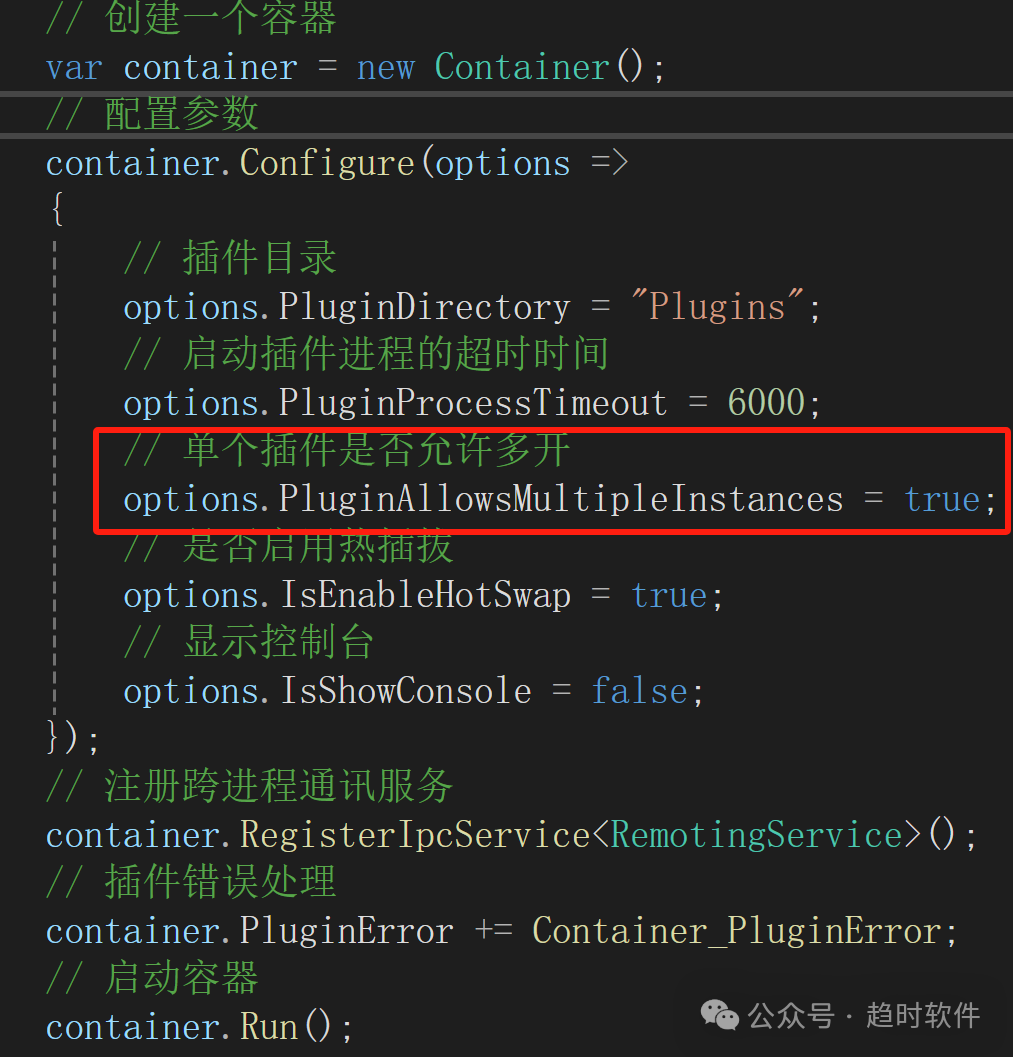
    // Whether multiple instances of a single plugin are allowed
    options.PluginAllowsMultipleInstances = false;
    // Whether hot-swapping is enabled
    options.IsEnableHotSwap = true;
    // Show console
    options.IsShowConsole = false;
});
// Register cross-process communication service
container.RegisterIpcService<RemotingService>();
// Plugin error handling
container.PluginError += Container_PluginError;
// Start container
container.Run();

3.2. Plugin Running Result

Image

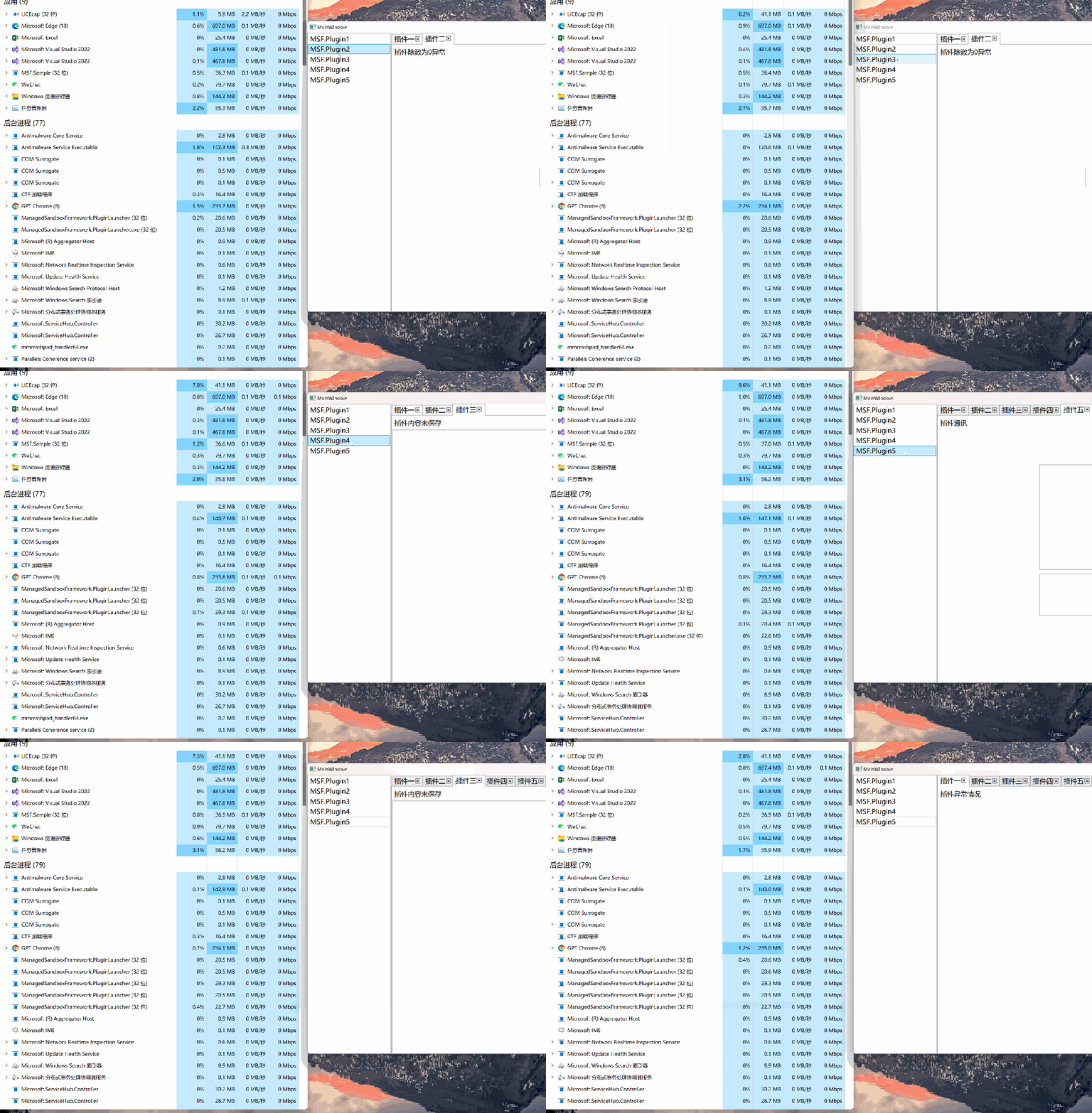
3.3. Multi-Plugin Isolation

Each plugin runs as an independent EXE process, so they do not affect each other.

Image

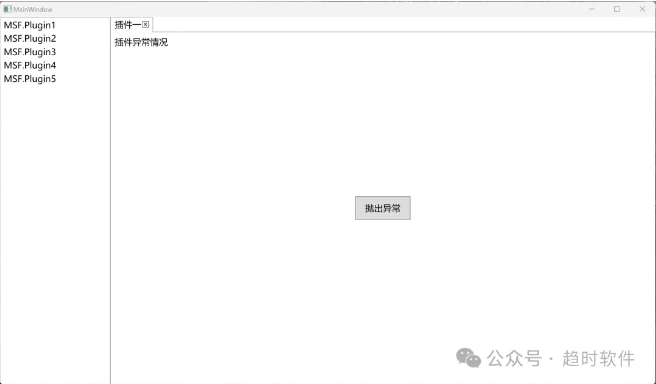
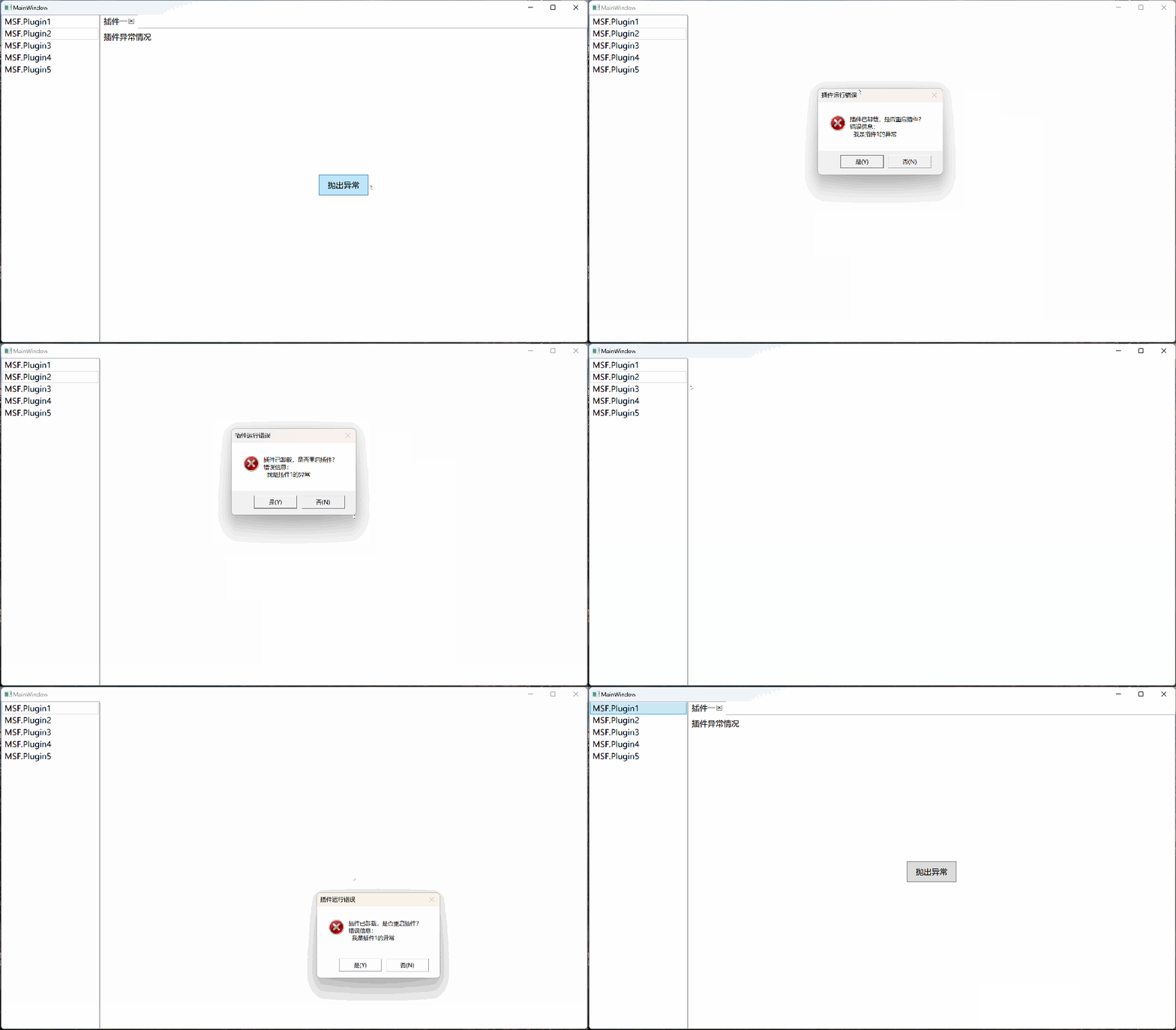
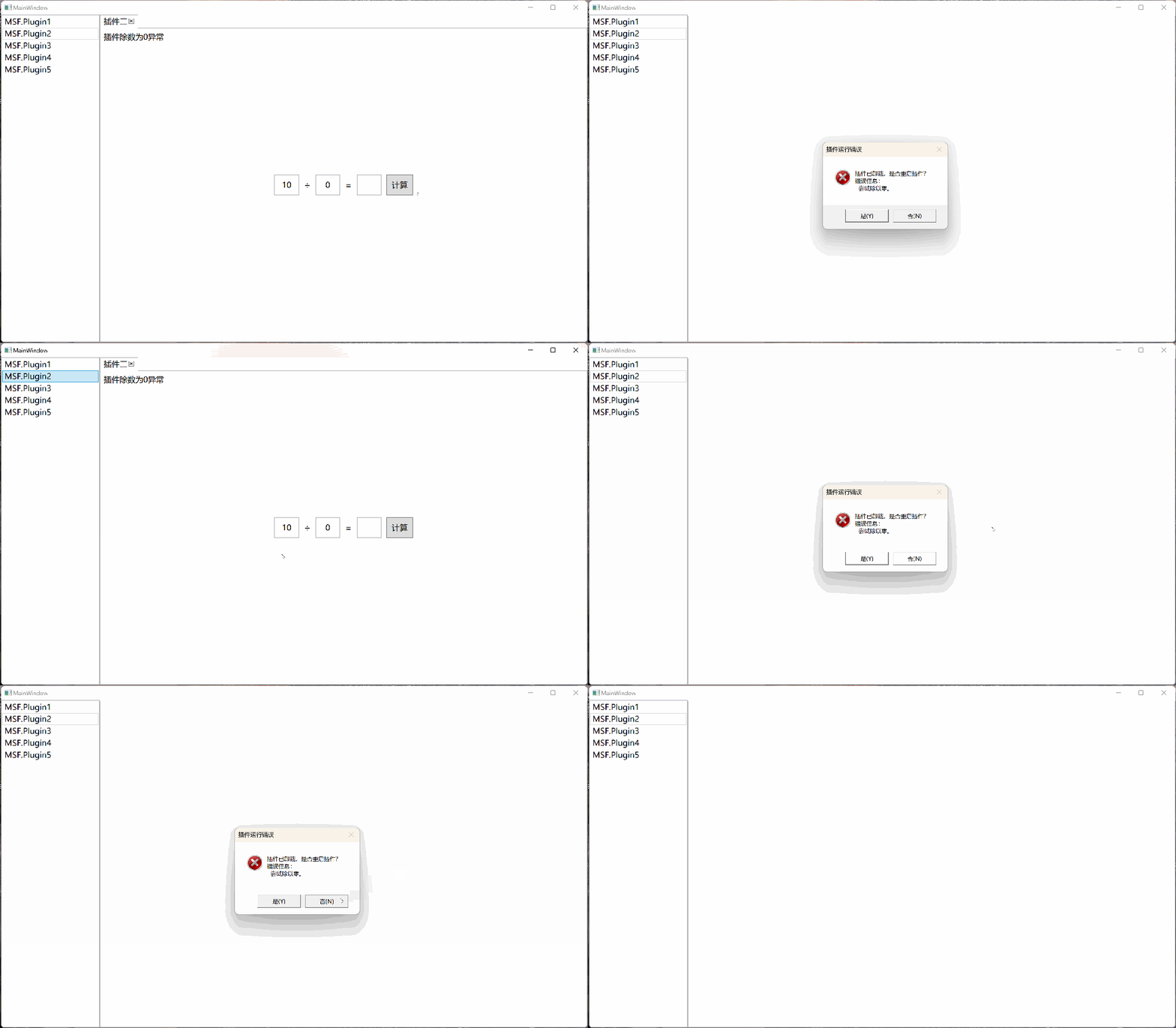
3.4. Plugin Exceptions

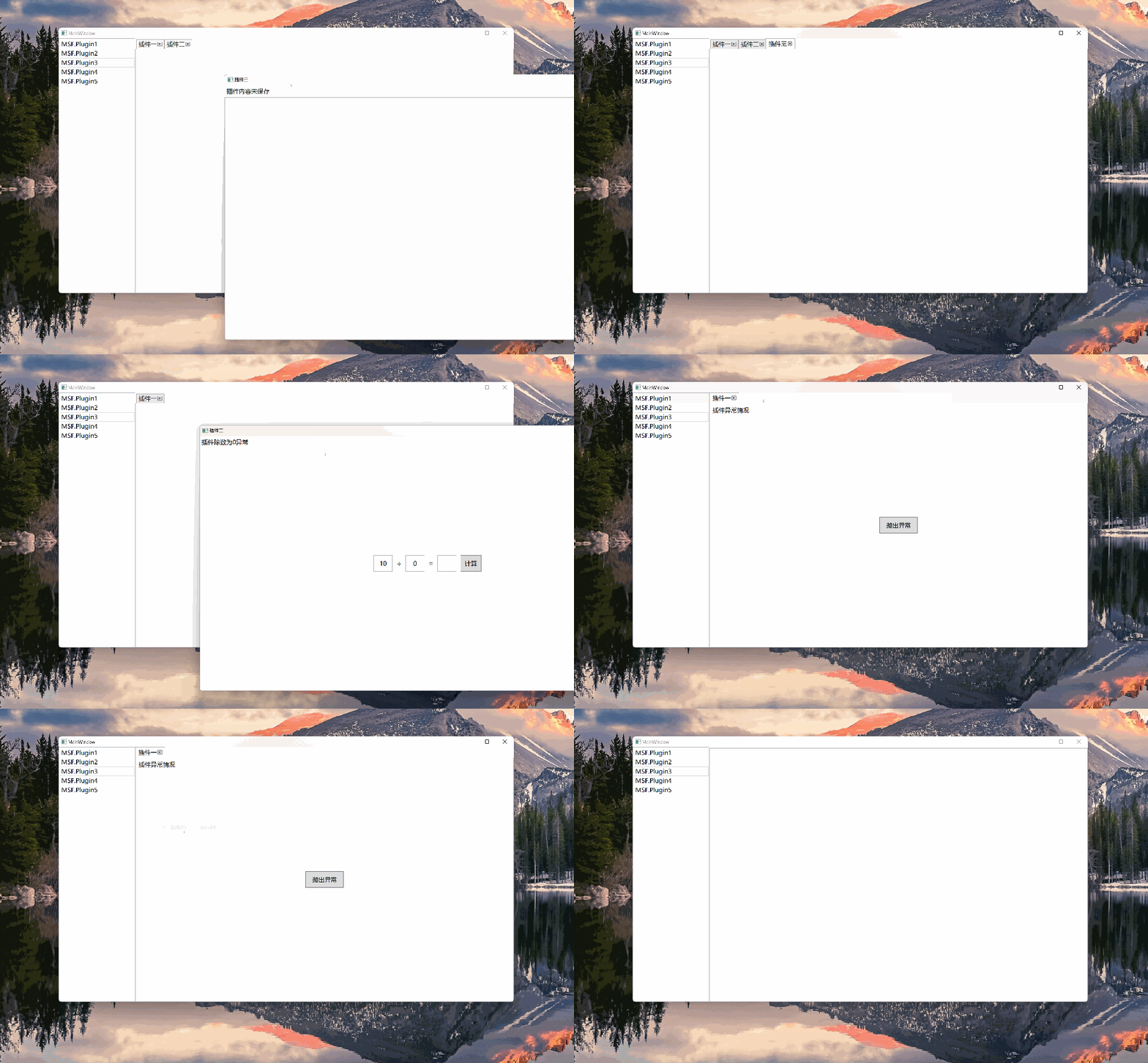
When a plugin encounters an exception, the plugin startup process reports the error to the container. The container then unloads the plugin and gives the host program the choice of whether to restart it.

3.4.1. Manually Throwing an Exception

Image

3.4.2. Division by Zero Exception

Image

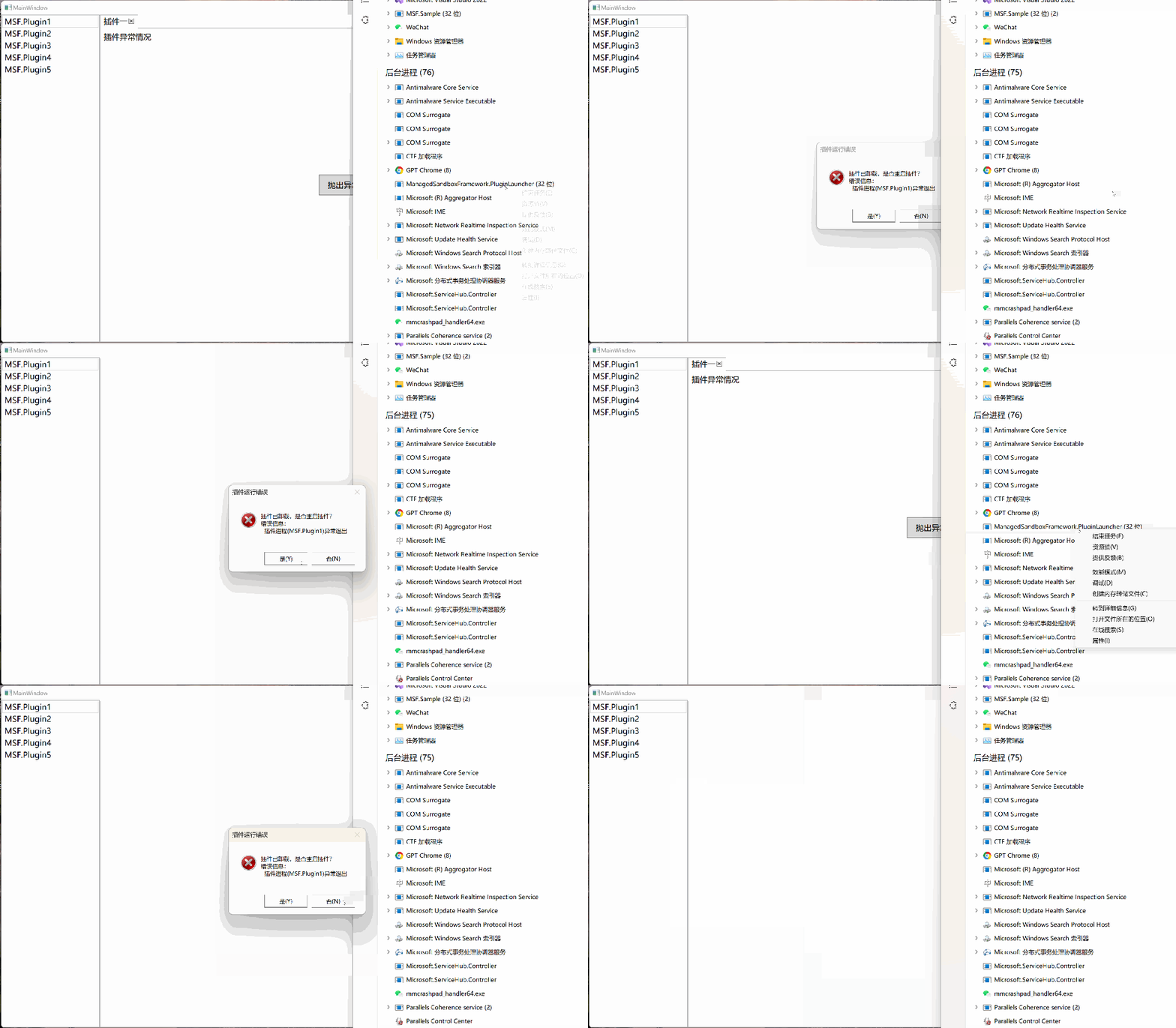
3.5. Unexpected Plugin Process Exit

The container continuously monitors the plugin's running status. If a plugin process is unexpectedly terminated, the container reports this to the host program, which decides whether to restart the plugin.

Image

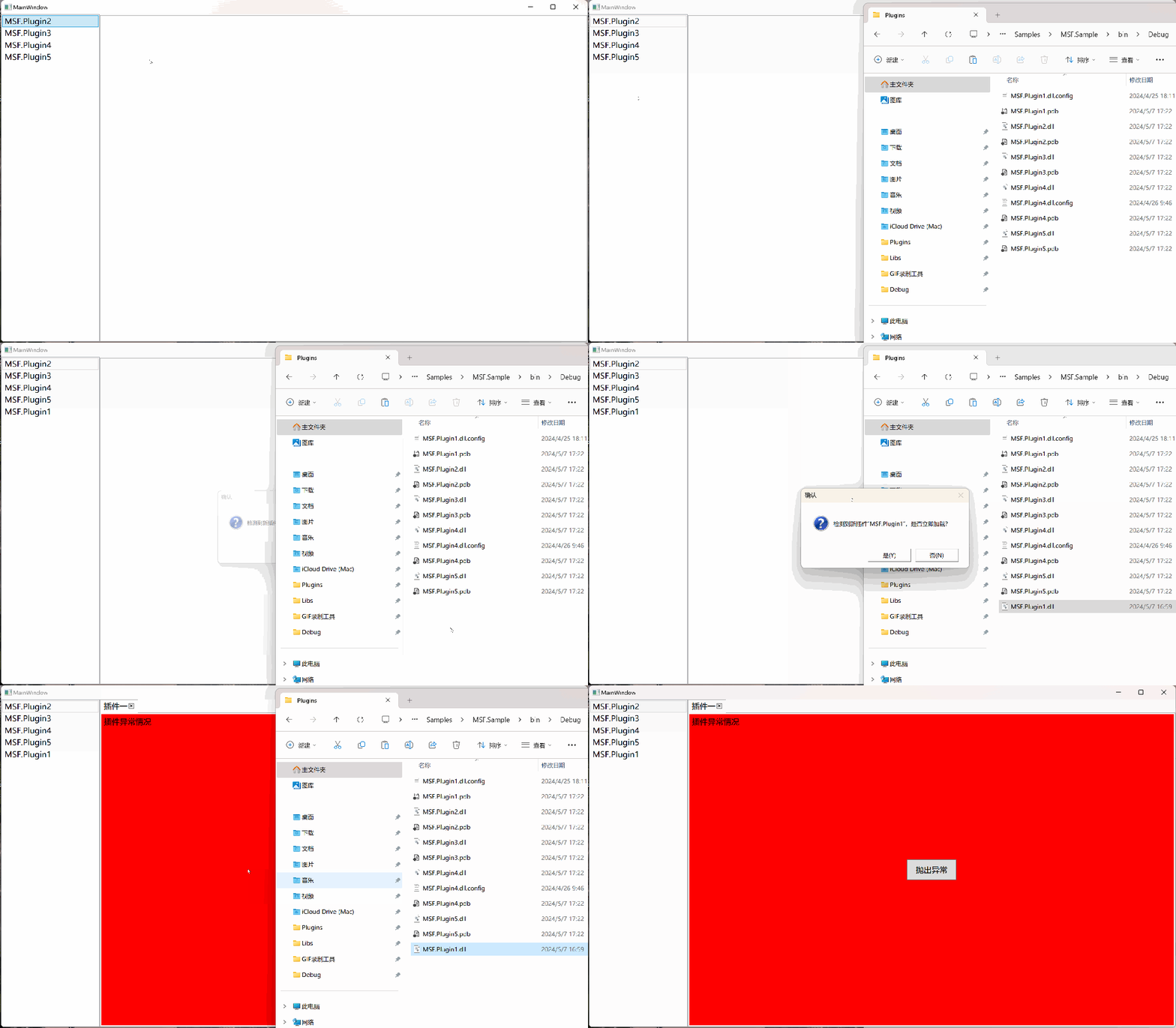
3.6. Plugin Hot-Swapping

3.6.1. Detecting New Plugins at Runtime

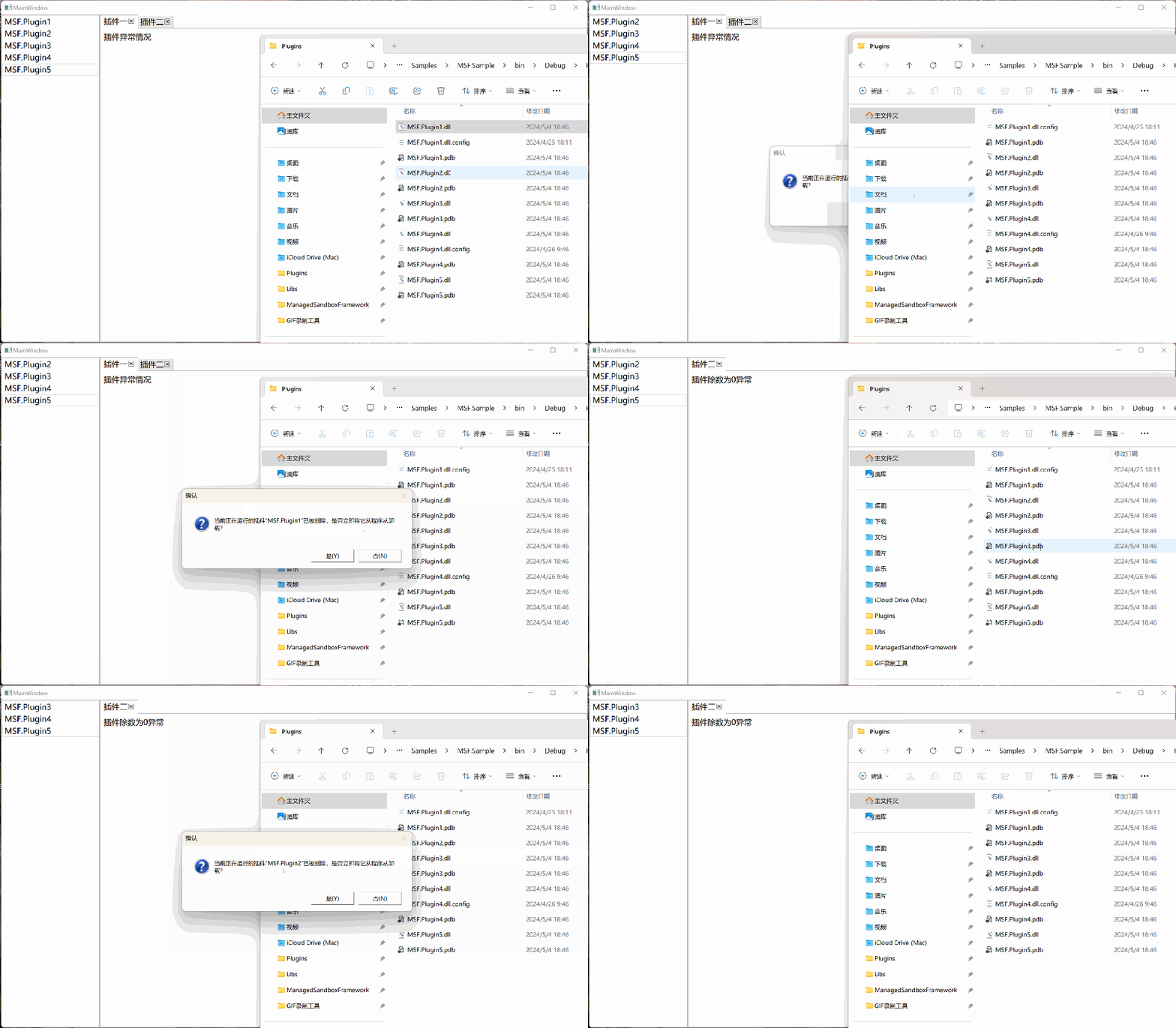
By default, only 4 plugins are recognized. When a plugin DLL file is copied from another folder into the plugin directory, the container notifies the host program that a new plugin has been discovered, and the host can decide whether to load it.

Image

3.6.2. Deleting Plugins at Runtime

When a plugin file is deleted, the container receives a notification but does not immediately unload the plugin. Instead, it hands the decision to the host program. If the host does not want to unload the deleted plugin, it can continue running without interruption.

Image

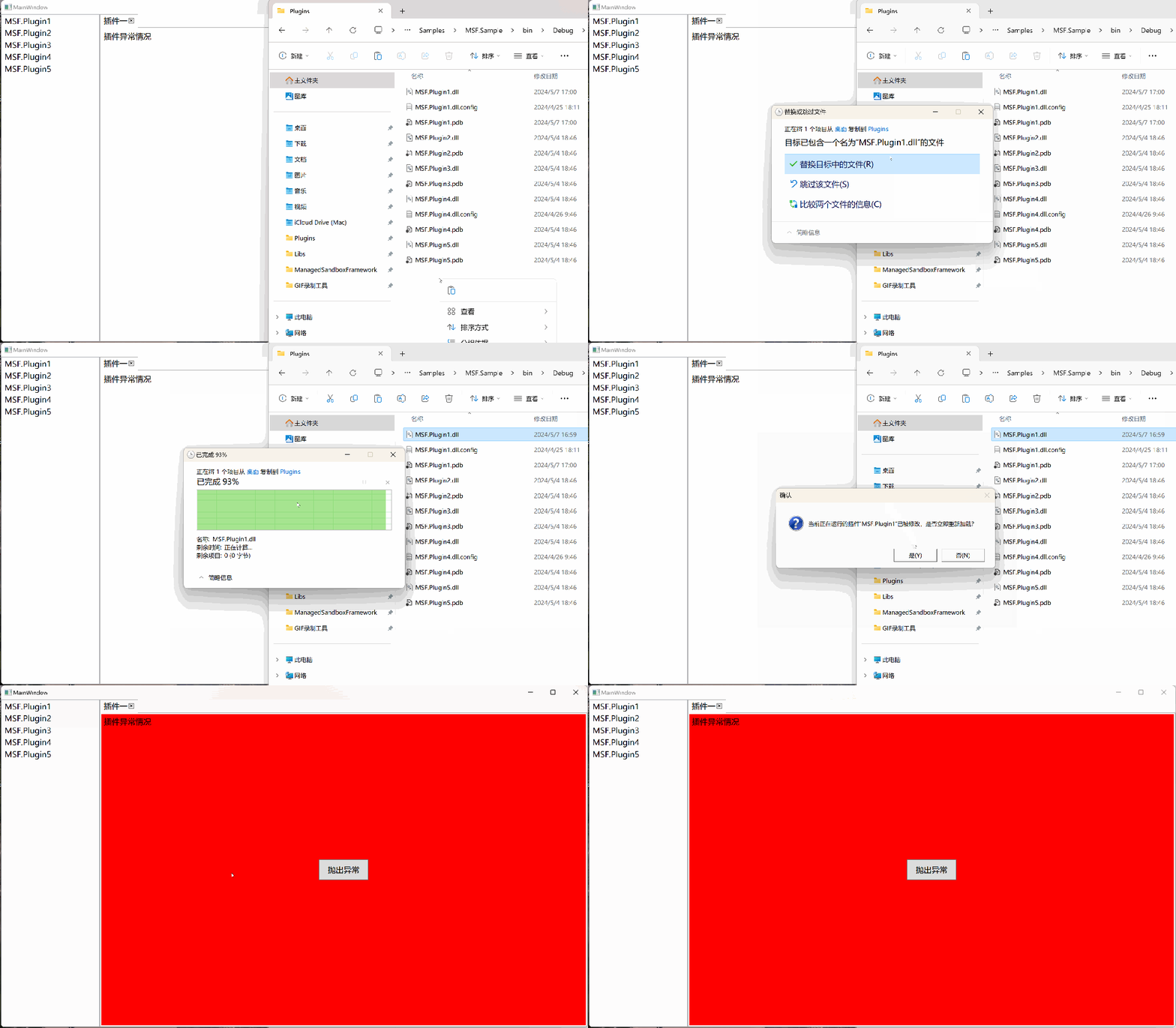
3.6.3. Updating Plugins at Runtime

Plugin 1 has a white background, and the new version of Plugin 1 has a red background. When the old version is replaced with the new one, the container sends a notification to the host asking whether to replace the plugin.

Image

3.7. Inter-Plugin Communication

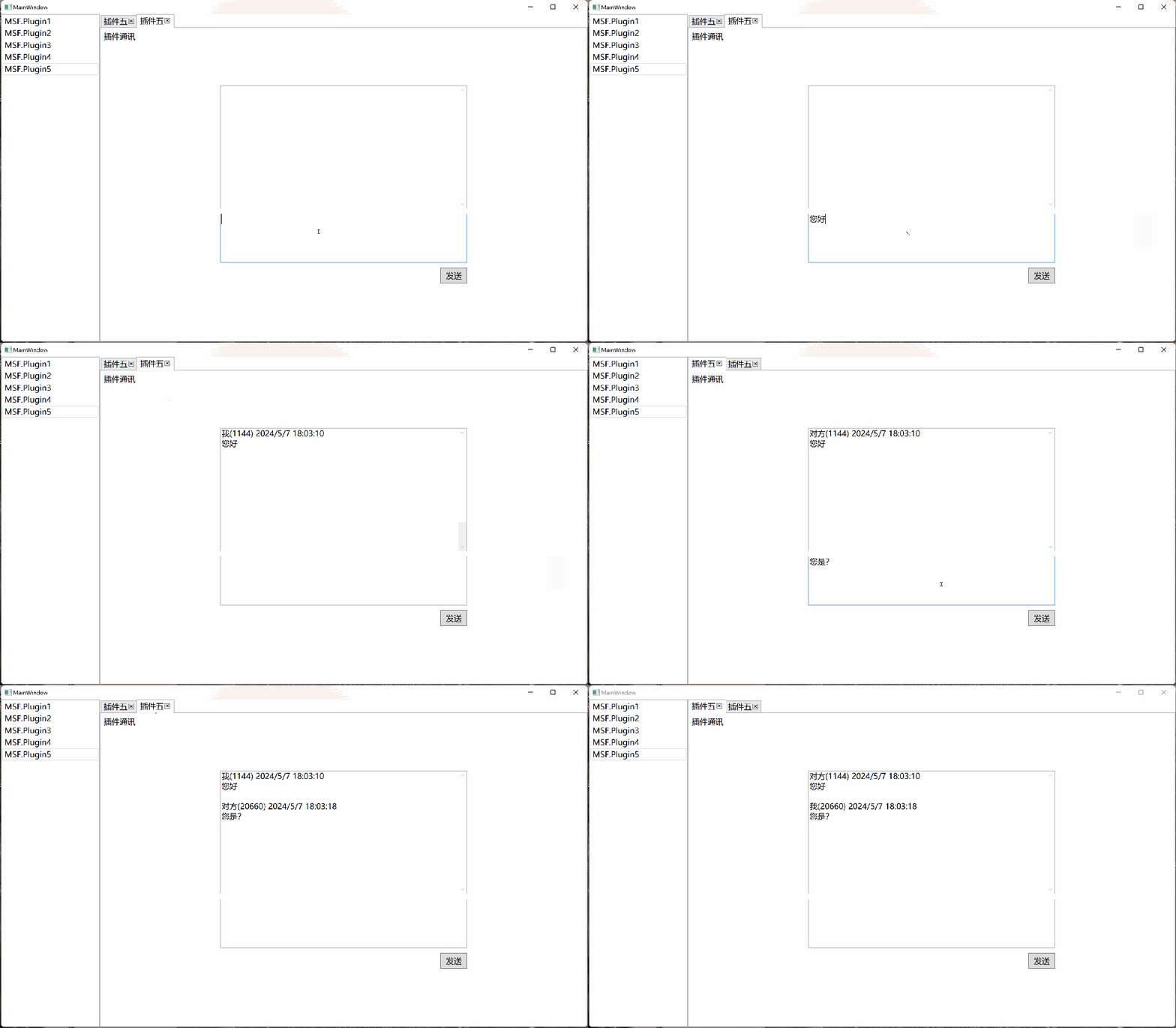
Plugin communication includes registering messages, receiving messages, and sending messages. Receiving and sending messages only requires focusing on the message type, not on the sender or receiver. As long as a message type is registered, any message of that type will trigger a notification. Plugins can communicate with each other as well as with the host.

3.7.1. Registering a Message

The following code registers a message of type Notice and passes a callback method named ReceiveMessages to handle incoming messages.

plugin.ReregisterMessage<Notice>(ReceiveMessages);

3.7.2. Receiving a Message

private void ReceiveMessages(Notice notice)
{
}

3.7.3. Sending a Message

plugin.SendMessage(notice);

3.7.4. Demo

Image

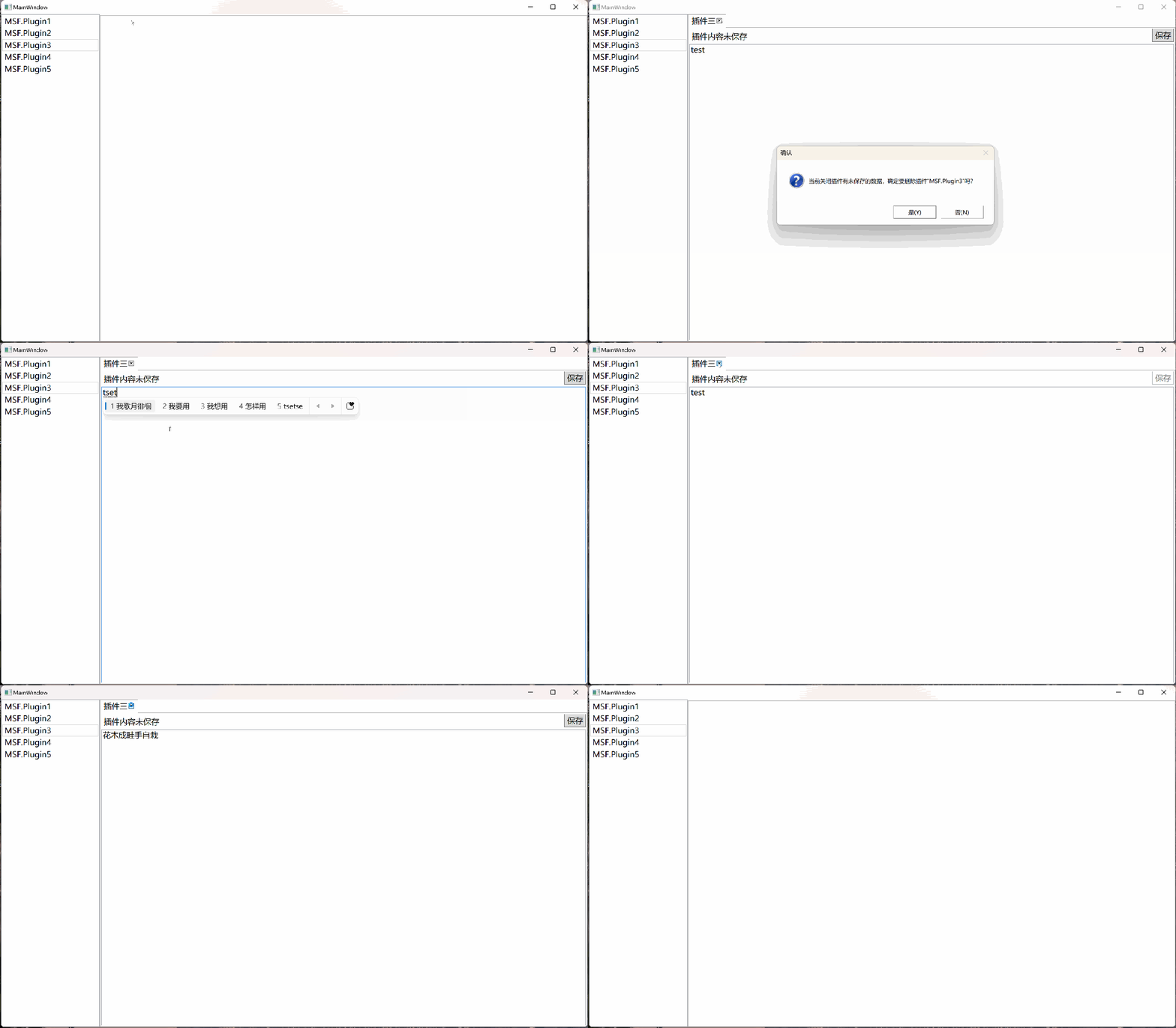
3.8. Plugin Unsaved Work Prompt

Before closing a plugin, the host can determine whether the plugin can be closed based on its state. If there is unsaved work, the plugin can notify the host to cancel the closure.

Image

3.9. Plugin Using Its Own App.config File

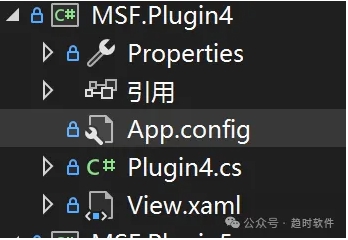
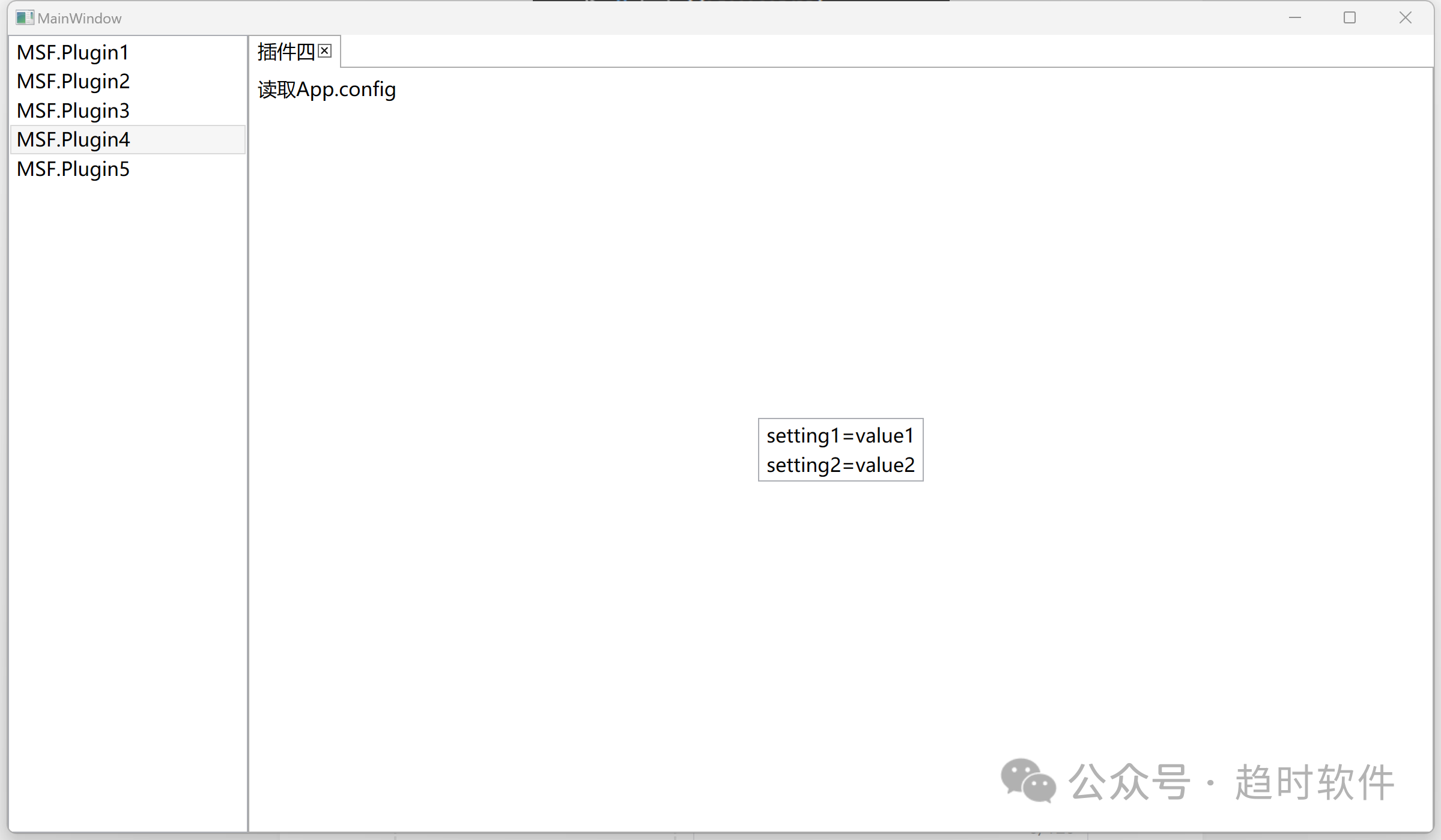
By default, each application can only load one configuration file with the same name as the application. Plugins can create their own application configuration file.

Image

App.config

<?xml version="1.0" encoding="utf-8" ?>
<configuration>
  <appSettings>
    <add key="setting1" value="value1" />
    <add key="setting2" value="value2" />
  </appSettings>
</configuration>

Running Result

Image

3.10. Multiple Instances of a Plugin

A single plugin can be allowed to run multiple instances simultaneously by configuring the container parameters.

Image

3.11. Running Outside the Host Window

Image

3.12. Cross-Process Communication Service Extension

By default, the plugin system uses Remoting's IpcChannel for cross-process communication. However, for extensibility, the IPC service is not hard-coded into the container. It adopts an open design, so if you don't want to use IpcChannel, you can register your own IPC service after creating the container.

Image

4. Project Practice

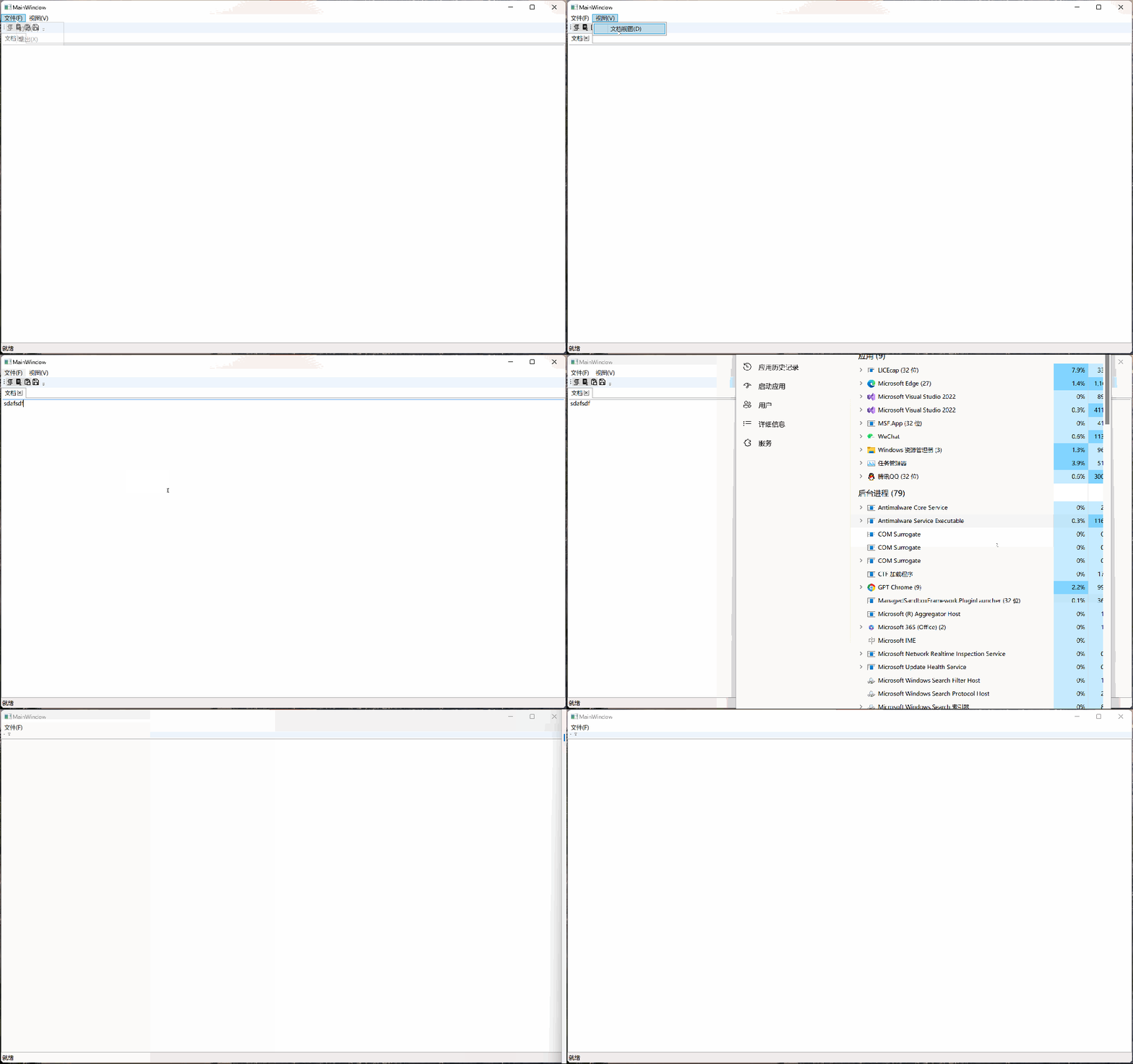
The following example demonstrates the plugin system in a typical application with menus, toolbars, and documents. When a plugin loads, its menus, toolbars, and documents are loaded into the host program. When the plugin is unexpectedly terminated or manually closed, those menus, toolbars, and documents are automatically unloaded.

Image

Two commands are added in the plugin: an "Open" menu under the File menu, and a "Document View" menu under the View menu. Clicking a menu forwards the command to the plugin for execution.

private MSFCommand[] CreateCommands()
{
    var openCommand = new MSFCommand(() => MessageBox.Show("Menu"), () => true)
    {
        Id = Guid.NewGuid().ToString(),
        Name = "Open",
        Type = "Menu",
        Target = "MainWindow",
        Location = "File(_F).Open(_O)",
        Order = 0
    };

    var editorViewCommand = new MSFCommand(() => MessageBox.Show("Document View"))
    {
        Id = Guid.NewGuid().ToString(),
        Name = "Document View",
        Type = "Menu",
        Target = "MainWindow",
        Location = "View(_V).Document View(_D)",
        Order = 0
    };

    return new MSFCommand[]
    {
        openCommand,
        editorViewCommand
    };
}

4.2. Toolbar

Given the complexity of toolbars (which may include many types of controls), commands are not used here. Instead, a Button is passed to the host program.

internal class CopyButtonWrapper : IWrapper
{
    private PluginContractElement contractElement;

    public CopyButtonWrapper(DocumentViewModel documentViewModel)
    {
        var button = new Button()
        {
            Content = new Image { Width = 16, Height = 16, Source = new BitmapImage(new Uri("pack://application:,,,/EditorPlugin;component/Images/copy.png")) },
            BorderThickness = new System.Windows.Thickness(0),
            BorderBrush = Brushes.Transparent,
            Command = documentViewModel.CopyCommand
        };
        contractElement = new PluginContractElement()
        {
            Id = Guid.NewGuid().ToString(),
            Name = "Copy",
            Type = "ToolBar",
            Order = 2,
            Location = "MainWindow.ToolBar.Copy",
            Description = "Copy",
            UIContract = new NativeHandleContractInsulator(button)
        };
    }

    public PluginContractElement PluginContractElement => contractElement;
}

4.3. Document View

A document passes a UserControl to the host program.

internal class DocumentViewWrapper : IWrapper
{
    private PluginContractElement documentContractElement;

    public DocumentViewWrapper(DocumentView documentView)
    {
        documentContractElement = new PluginContractElement()
        {
            Id = Guid.NewGuid().ToString(),
            Name = "Document",
            Type="Document",
            Location = "MainWindow.Document",
            Description = "This is a document",
            UIContract = new NativeHandleContractInsulator(documentView)
        };
    }

    public PluginContractElement PluginContractElement => documentContractElement;
}

4.4. Dependency Injection

In real projects, we often use frameworks like Prism that provide dependency injection. Therefore, compatibility was fully considered in the design. Both the host and plugins can use frameworks like Prism.

public class EditorPlugin : PluginBase
{
    private readonly DryIoc.Container container;
    private readonly PluginContractElement[] _elements;
    private readonly IMSFCommand[] _commands;
    public EditorPlugin()
    {
        container = new DryIoc.Container();

        RegisterTypes();
        RegisterInstances();

        _commands = CreateCommands();
        _elements = CreateUIElement();
    }

    private void RegisterTypes()
    {
        container.Register<DocumentViewModel>();
        container.Register<DocumentView>();
        container.Register<PluginContractElementBuilder>();
        container.Register<DocumentViewWrapper>();
        container.Register<CopyButtonWrapper>();
        container.Register<CutButtonWrapper>();
        container.Register<PasteButtonWrapper>();
        container.Register<SaveButtonWrapper>();
    }

    ...........
}

5. Conclusion

This plugin system allows us to use advanced features such as sandbox execution, exception isolation, and process communication at a low cost. By leveraging these advanced features, we can solve some stubborn problems in software development (such as memory usage, multi-core utilization, and crashes caused by unknown issues). At the same time, it gives us unlimited imagination, enabling us to build even more powerful software based on this foundation.

Keep Exploring

Related Reading

More Articles
Same category / Same tag 9/13/2025

Migration Series from WPF to Avalonia: Why I Must Migrate My WPF Application to Avalonia

In the past few years, our host computer software has mainly been developed using WPF and WinForm . These technologies work well on the Windows platform and have accompanied us from small-scale trial production to the current stage of large-scale delivery. However, with business development and changes in customer requirements, the single Windows technology stack has gradually become a hurdle we must overcome.

Continue Reading
Same category / Same tag 1/26/2025

Implementing Internationalization in WPF Using Custom XML Files

This article details the method of implementing internationalization in WPF applications using custom XML files, including installing the necessary NuGet packages, dynamically retrieving the language list, dynamically switching languages, using translated strings in code and XAML interfaces, and provides a source code link to help developers easily achieve internationalization in WPF applications.

Continue Reading