
问题现象
在 Windows 7 系统中使用 Avalonia 实现自定义标题栏时,可能会遇到原生标题栏无法隐藏的兼容性问题,导致界面显示异常:
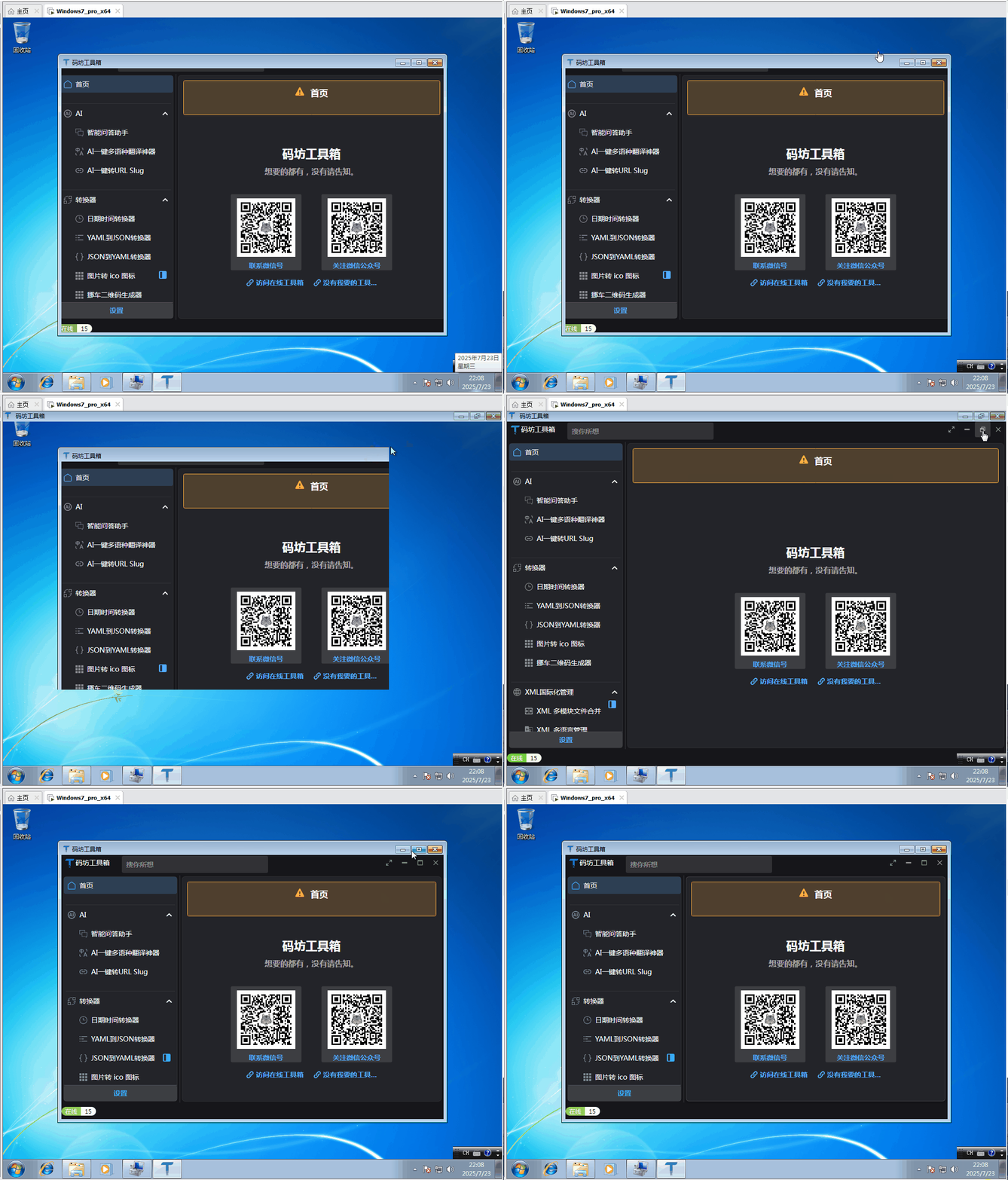
图 1:Win7 环境下标题栏异常显示效果
技术分析
这里感谢微信 【Avalonia 开发交流群】 群友的助力:
图 2:微信群技术交流
Avalonia 框架在不同 Windows 版本中对窗口装饰的处理机制存在差异:
- Windows 10/11:默认支持现代窗口样式,自定义标题栏可正常隐藏原生标题栏
- Windows 7:由于系统 compositor 限制,需要显式禁用系统装饰
SystemDecorations属性控制窗口边框和标题栏的显示行为,其枚举值包括:
Full:完整系统装饰(默认值)BorderOnly:仅显示边框None:完全禁用系统装饰ResizeBorder:仅保留可调整大小的边框
解决方案
通过在窗口初始化代码中显式设置SystemDecorations属性为None,可强制隐藏原生标题栏:
public partial class MainWindow : Window
{
    public MainWindow()
    {
        InitializeComponent();

        // 关键设置:禁用系统装饰以支持自定义标题栏
        // 在Windows 7环境下必须显式设置,Win10+可省略
        if (OperatingSystem.IsWindows() && !OperatingSystem.IsWindowsVersionAtLeast(6, 2)) // Windows 7及以下
        {
            SystemDecorations = SystemDecorations.None;
        }
    }
}
设置后效果如下,原生标题栏已成功隐藏,自定义标题栏正常显示:
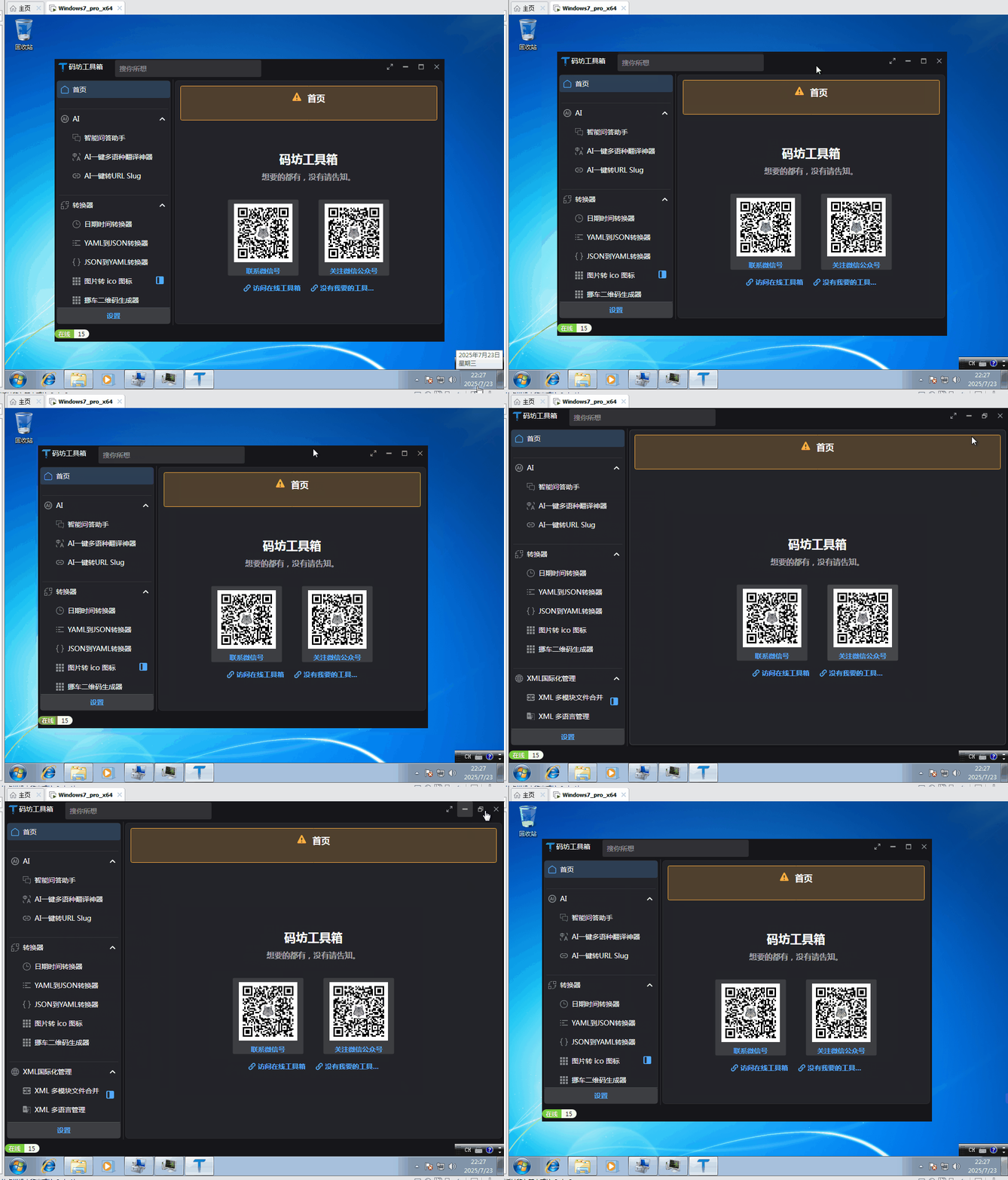
图 3:应用修复后的标题栏显示效果
对了,要支持 Win7 AOT 运行,不要忘了添加 NuGet 包:
<PackageReference Include="YY-Thunks" Version="1.1.8-Beta4" />