

记录下最近基于 Avalonia 开发桌面应用时遇到并解决的两个典型问题,希望能给遇到同类问题的开发者提供参考。
1. 剪贴板复制异常(AOT 崩溃 / 调试抛 COM 异常)
问题现象
项目中对TextBox或SelectedTextBlock控件的文本执行Ctrl+C复制操作时,出现两种异常表现:
- AOT发布运行程序直接崩溃,查看应用程序事件:
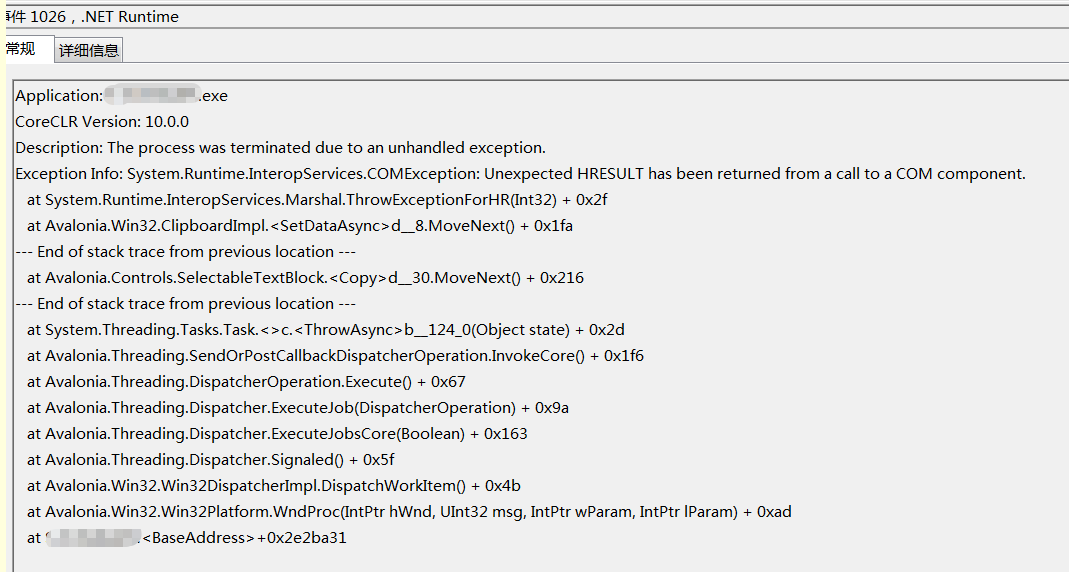
- Debug调试模式下,未捕获全局异常,
Program的Main函数会抛出明确的COM异常:
System.Runtime.InteropServices.COMException:“尚未调用 CoInitialize。 (0x800401F0 (CO_E_NOTINITIALIZED))”
根因定位
排查代码后发现核心问题出在Program.cs的Main函数定义上——将入口函数声明为async Task类型,而非Avalonia要求的同步:
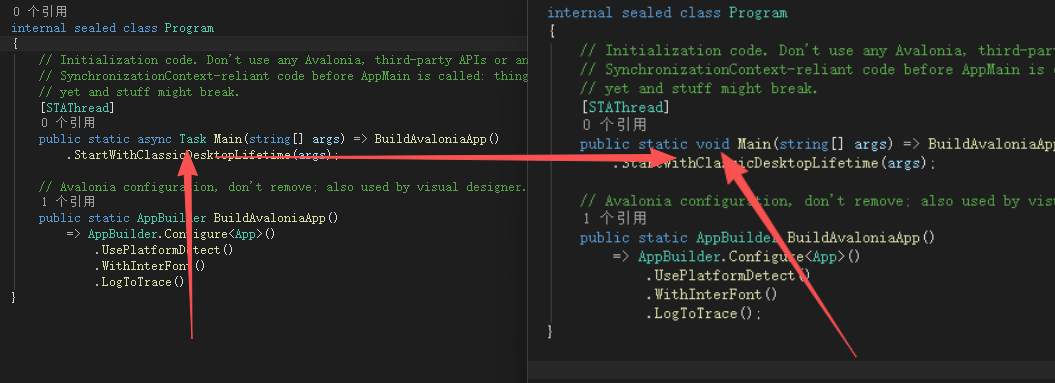
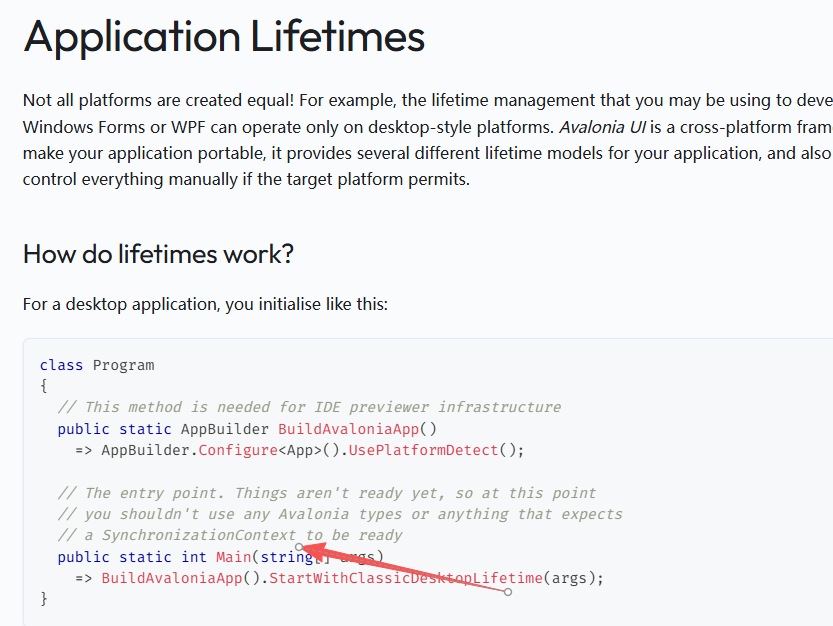
将async Task改为void修复,Avalonia 文档:Application Lifetimes 其实有说明:
原理分析
Avalonia作为桌面UI框架,对主线程的SynchronizationContext(同步上下文)有强依赖,剪贴板、窗口消息循环等系统级操作均需基于稳定的主线程上下文执行。
async Task Main会让CLR以异步方式管理主线程生命周期,破坏Avalonia初始化的同步上下文,导致剪贴板操作时触发CoInitialize未调用的COM异常;- Avalonia官方文档明确说明:应用入口阶段(Main函数)不应依赖未就绪的
SynchronizationContext,因此入口函数必须为同步。
2. Tab切换DataGrid卡顿
问题场景
项目使用Dock控件(VS风格布局,Document等价于TabControl的TabItem),在Document中嵌入DataGrid展示数据:
- 数据量极小(仅几十条、8-9个字段);
- 运行环境为Win7/Windows Server 2019,Win10同事反馈也卡;
- 现象:Debug模式切换Tab卡顿2秒左右,AOT发布后卡顿加剧至3-4秒;
- 对比:单窗口直接展示
DataGrid加载几十万条数据(15个字段)时,实时刷新很流畅。
排查过程
- 初期怀疑
DataGrid使用方式问题:优化列绑定(仅单向绑定)、移除复杂样式/动画,卡顿无明显改善; - 怀疑Dock控件性能问题:更新Dock控件版本、切换旧版本,问题依旧;
- 排除Dock控件影响:改用原生
TabControl测试,卡顿问题复现; - 社区求助:在Avalonia交流群反馈后,群友提示尝试
TreeDataGrid替代DataGrid,替换后卡顿问题完全解决。
DataGrid是早期移植的WPF(链接指Silverlight)风格组件,“Cell级控件+被动虚拟化”的设计在小数据量+Tab切换重建时,控件实例化/布局开销被Win7/AOT环境放大;而TreeDataGrid是Avalonia团队重构的新组件,“行级渲染+强制虚拟化”的设计从根源上降低了切换开销,且官方已明确推荐使用TreeDataGrid替代DataGrid,讨论请点击链接。
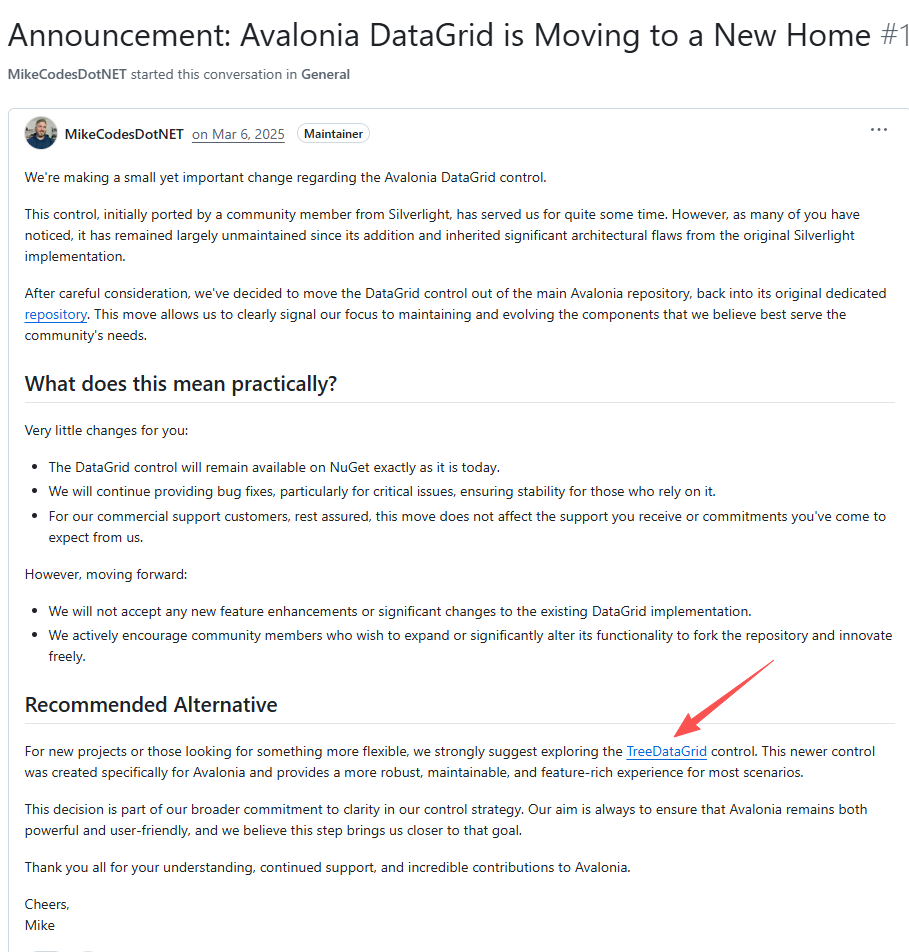
这里要明确,TreeDataGrid已被Avalonia放入商用套件中

使用免费版,必然会有新发现Bug得不到修复的情况(官方把旧版维护推给了开源社区分支),Avalonia.Controls.TreeDataGrid免费版可使用11.1.1及以前版本:
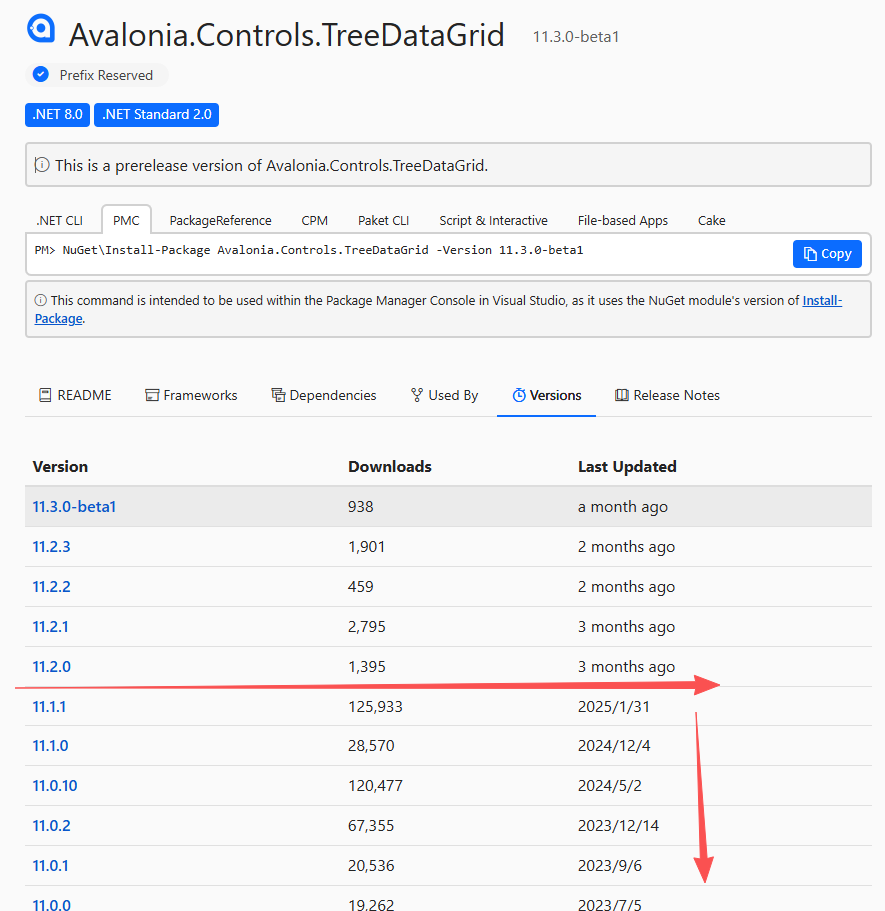
Semi提供的配套主题库对应版本为11.1.1.1
总结
- Avalonia入口函数
Main必须声明为同步,async Task会破坏同步上下文,导致剪贴板等系统级操作异常; DataGrid在Tab切换场景下存在性能短板,优先使用官方推荐的TreeDataGrid可解决卡顿问题;- Avalonia的老组件(如DataGrid)在老系统(Win7/Server)+AOT发布环境下易暴露性能问题,优先选择官方新组件可减少踩坑,切记:及时更新最新控件库。
最后感谢Avalonia交流群的群友提供的解决方案,开源社区的交流总能快速定位这类“反直觉”的问题~