

WPF 国际化实现方式很多:
- 可使用 xaml 资源文件(*.xaml)存储各语言展示的内容,本人另一号有过介绍:
- 也可使用通用的资源文件(*.resx),该方式不受限于项目模板,可适用于其他项目类型,C/S、B/S、App(Xamarin)等皆可使用。
本文不是要介绍怎样实现项目国际化,主要是介绍一款VS扩展程序,可方便的管理通用的资源文件(*.resx),比如下面这样:
使用 ResX Manager 管理多资源文件
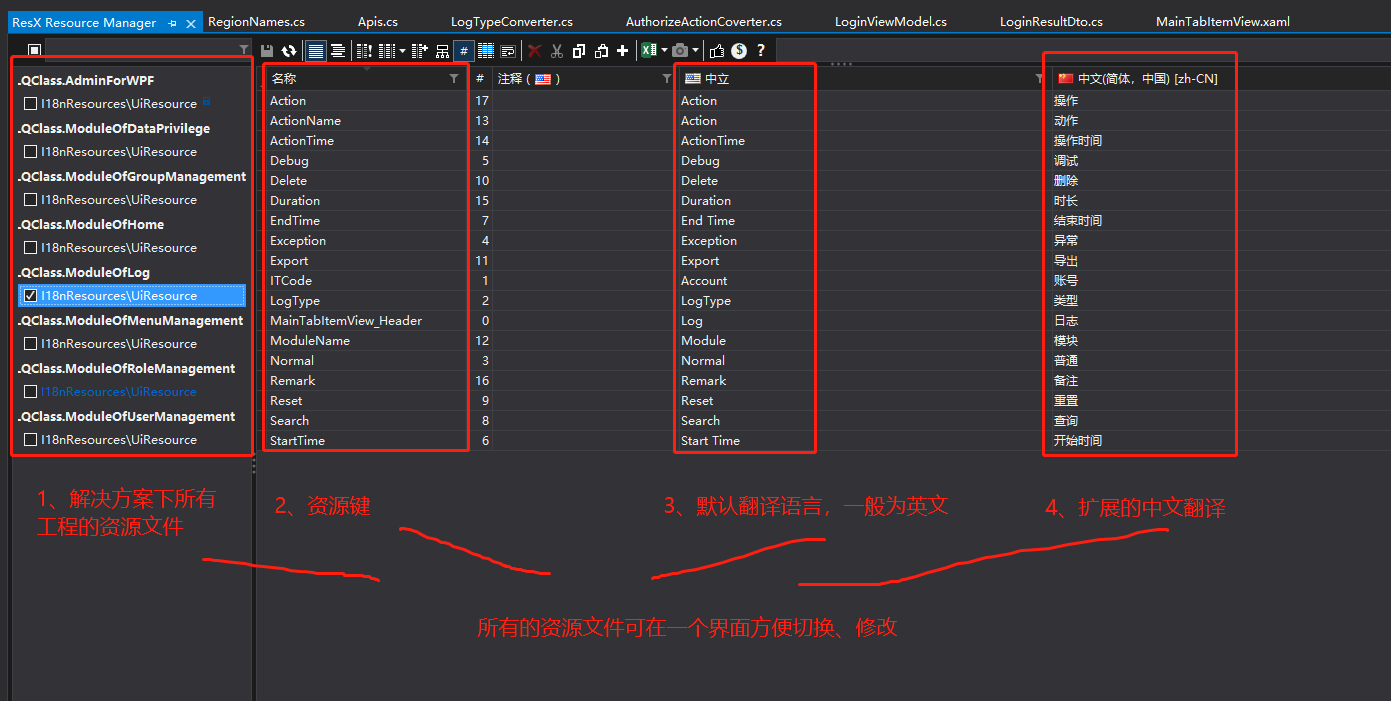
方便的地方在于:
- 一个界面列出整个解决方案所有的资源文件
- 同一工程国际化资源文件一个界面比照着即可管理
按多语言资源文件命名规则,相同前缀的资源文件,后缀(.resx 前的一小部分)区分不同语言,比如UiResource.zh-CN.resx为简体中文,UiResource.resx为默认语言,其他语言扩展只需要增加一个资源文件,修改后缀即可。
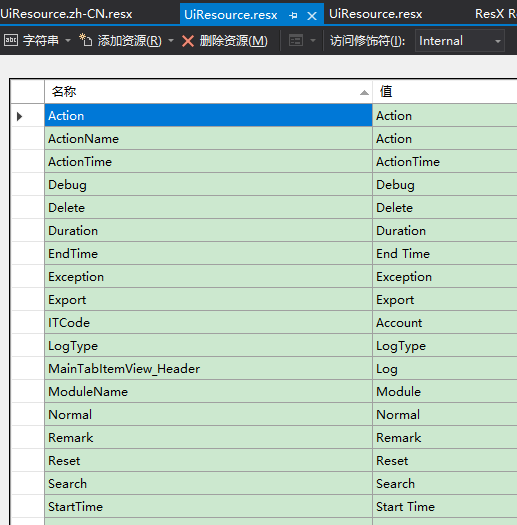
对比直接打开资源文件效果:
默认语言资源文件
简体中文资源文件
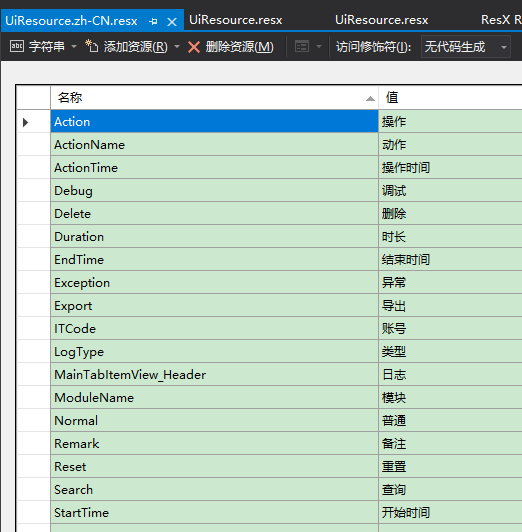
上面只是两个文件,支持更多国际化语言,每增加一条翻译、或者修改,就要双击全部资源文件,那要多累呀。
简单做了铺垫,下面说说怎么安装该插件及使用方式。
1 安装
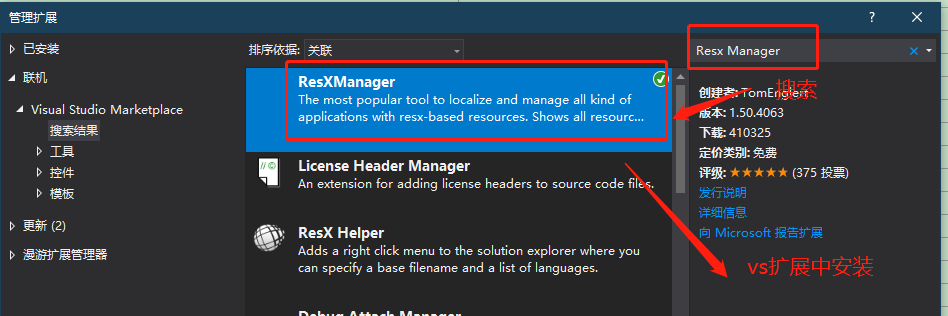
请到 ResXManager 发布地址下载安装:
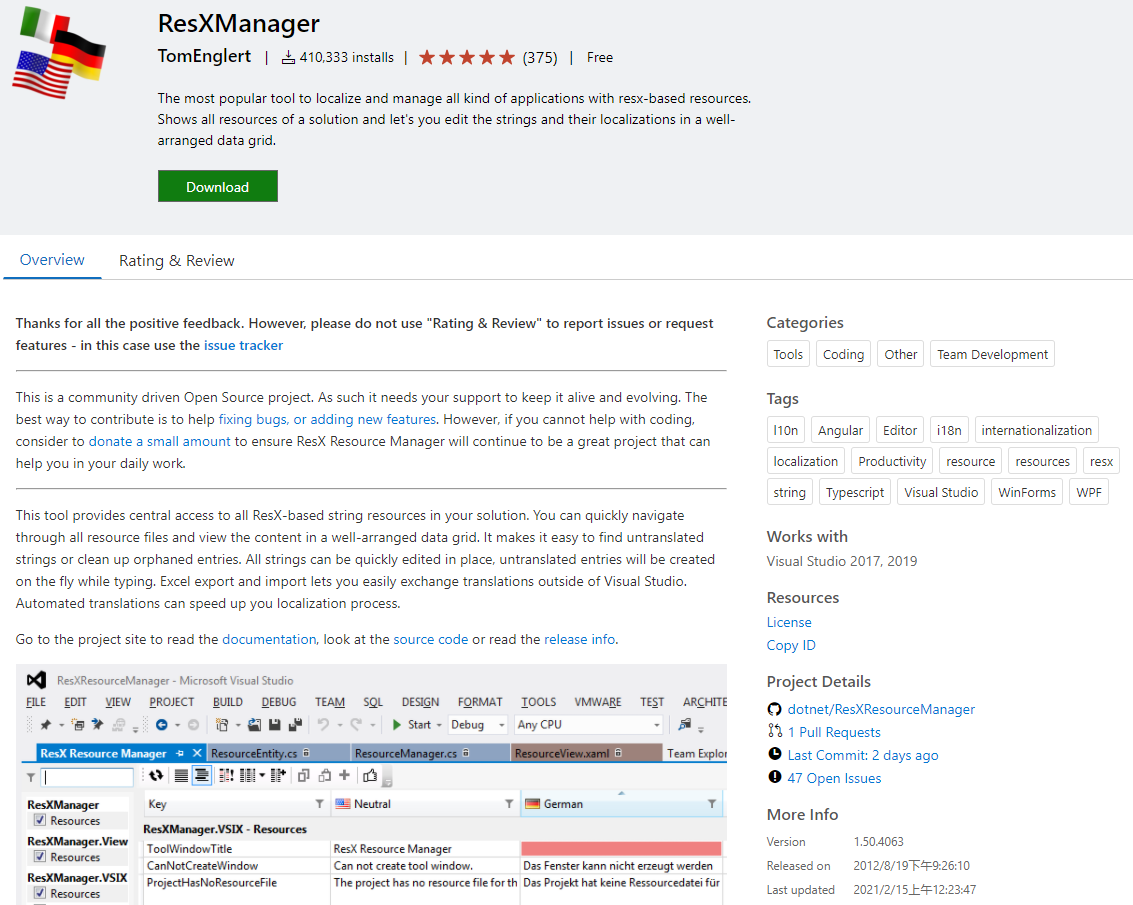
或者VS扩展中搜索ResX Manager安装:
2 功能说明
2.1 统一管理和修改各资源文件
见本文第一张图(来自乐趣课堂 WPF 项目资源文件),左侧展示解决方案中所有工程的资源文件结构、位置,选择某资源文件后,右侧展示资源文件中的键及键对应的各语言翻译文字,同一名命名规则的资源文件可同时进行编辑。
2.2 查漏
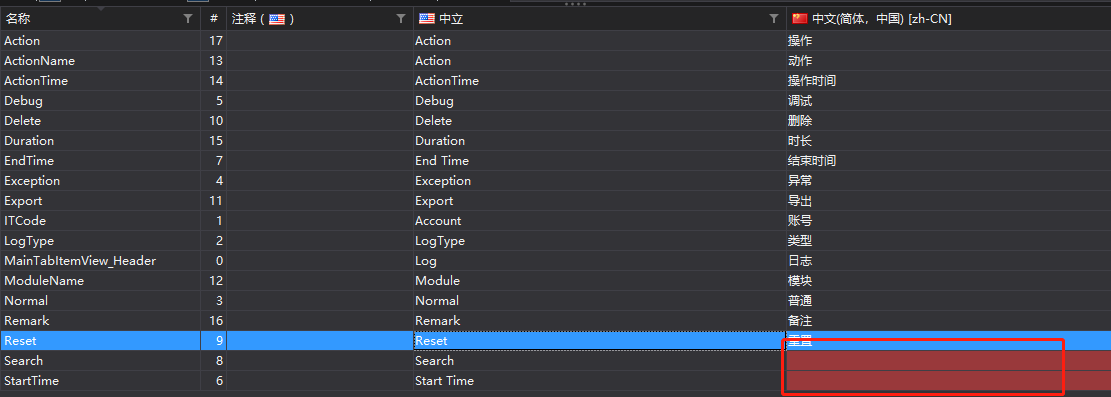
如下图,Search和StartTime键对应的中文缺少翻译,输入框有红色背景提示,此时可直接进行即时输入翻译。
漏翻译标识
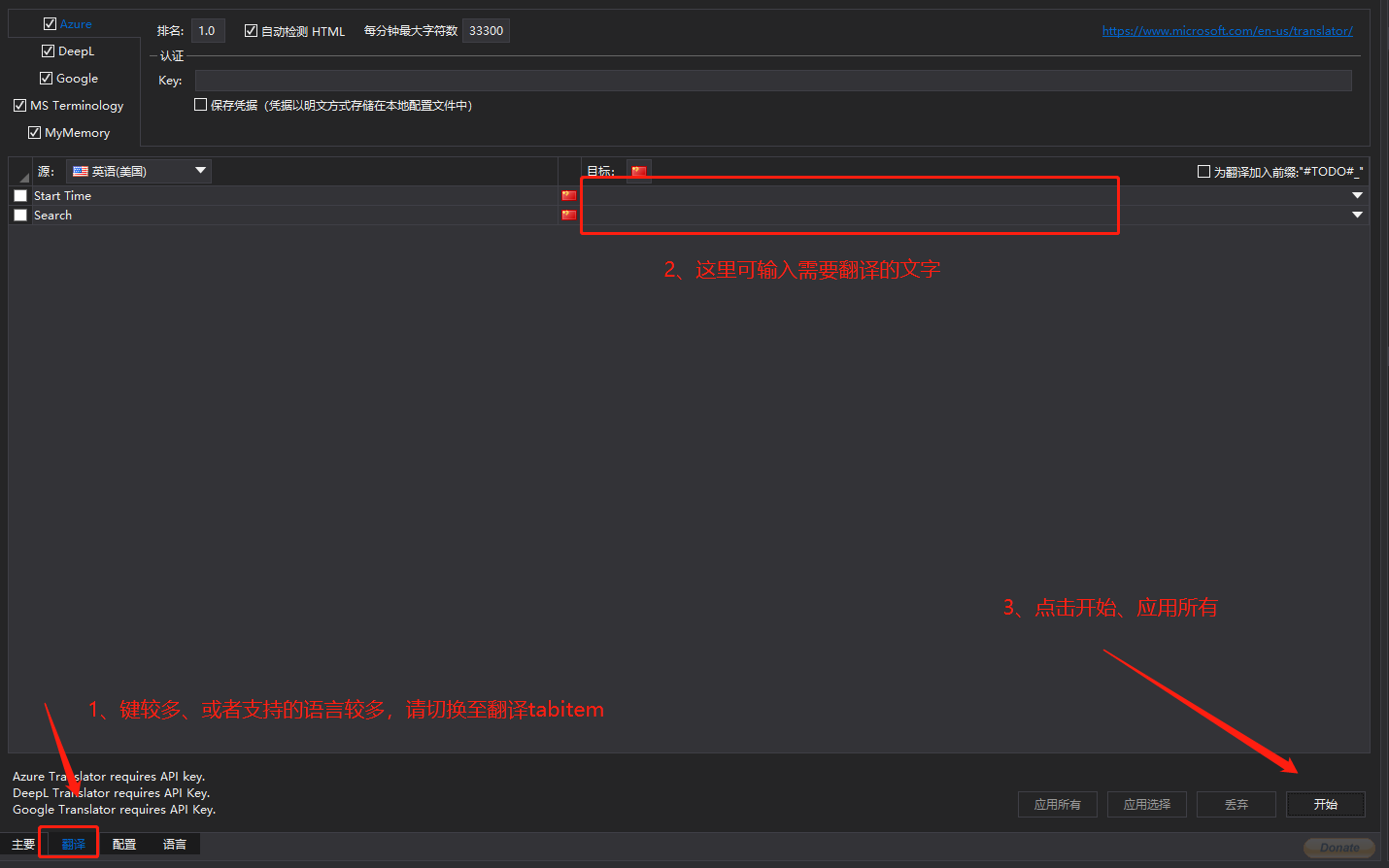
如果键较多,或者支持的语言较多,可点击下面的翻译切换,一般我在上面这里就直接修改了,下面的这个界面我很少操作:
- 切换
翻译Tab - 输入未翻译的语言
- 点击开始、应用所有,使所修改的翻译应用于对应的资源文件
清晰显示待翻译的语言
2.3 导出和导入 Excel 文件
当多语言翻译工作量较大,或者某一语言需要专业人士协助,让别人使用Visual Studio来编辑资源文件是不太合理的,这时使用导出功能将指定的资源文件导出为 Excel 格式,直接填写缺漏部分,再将完善的 Excel 文件导入自动更新各资源文件。
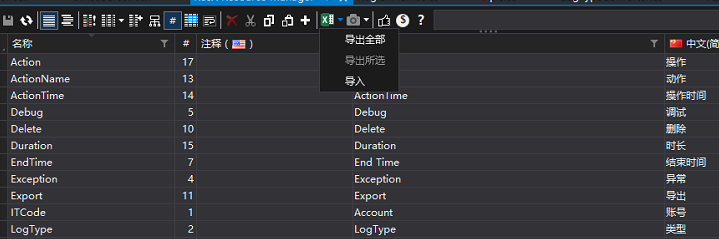
也可以选择需要翻译的资源文件对应的键,选择导出所选,导出文件如下,红框处为刚输入的简体中文翻译文。

如上图,完善翻译后,再选择导入即可。
该扩展程序是不是很方便?欢迎留言交流。