Interactive .Net

Interactive .Net

Interactive means that after entering code, you can run it directly, and then continue to input and run code.

Last updated 5/9/2022 6:25 AM
Erik Xu 跬步之巅
3 min read
Category
.NET
Tags
.NET C#

1. Glossary

  1. Interactive

Interactive means that after entering code, you can directly run the code, and then continuously input and run code.

  1. Interactive .NET

.NET is a compiled language, unlike script languages such as Python, which can run results as you type code. Fortunately, Microsoft has launched the interactive project, making interactive .NET possible.

  1. Role of Interactive .NET

Interactive .NET can parse markdown, execute local commands (e.g., PowerShell), and execute .NET code. Therefore, it is very suitable for writing lesson plans or recording key code. The generated ipynb file can be uploaded to platforms like GitHub, making it very convenient for reference.

2. Installation Setup

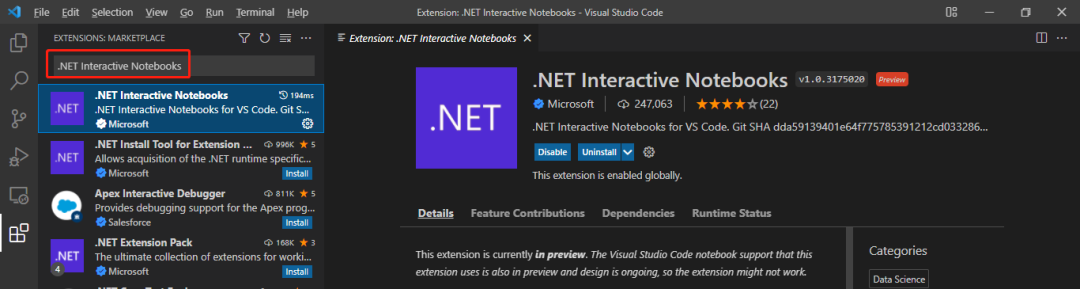
You need to install Visual Studio Code and .NET 5 or later first. Then, install the .NET Interactive Notebooks extension in Visual Studio Code. You can search for .NET Interactive Notebooks in Visual Studio Code to install it:

3. Usage Guide

  1. Create a New Notebook

Use the hotkey Ctrl+Shift+P, then select .NET Interactive: Create new blank notebook

Or directly use the hotkey Ctrl+Shift+Alt+N, then select Create as '.ipynb'

Select C# as the language

  1. Parse Markdown

Enter a piece of markdown content, and select Markdown in the bottom right corner

Use the hotkey Alt+Enter to view the result

  1. Execute C# Code

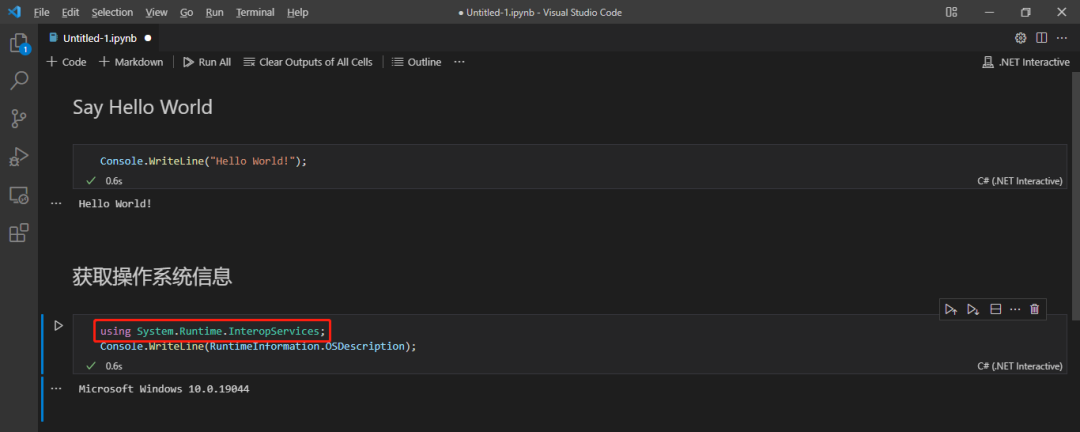
Enter a piece of C# code, and select C# in the bottom right corner

Use the hotkey Alt+Enter or click the "Run" button on the left to view the output

You can reference related dependencies using the using keyword

  1. Execute Local Commands

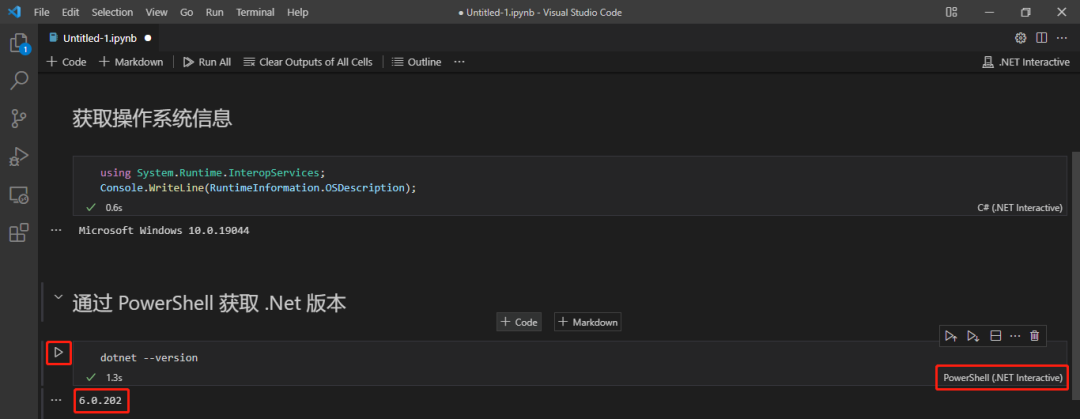
Enter a local command, and select PowerShell in the bottom right corner. Use the hotkey Alt+Enter or click the "Run" button on the left to view the output

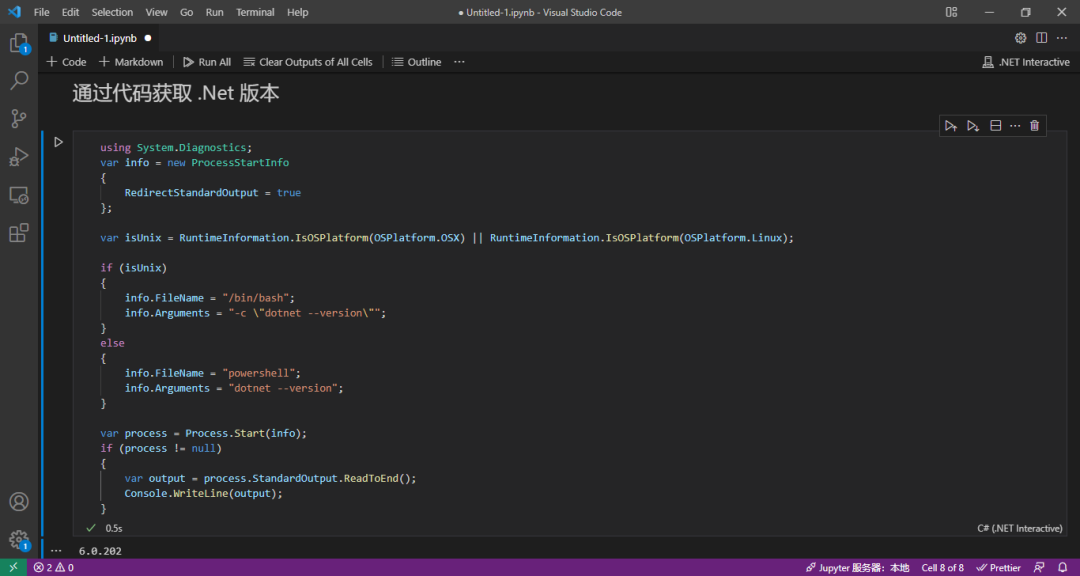
  1. Get .NET Version via Code

  1. Save ipynb File and Upload to GitHub

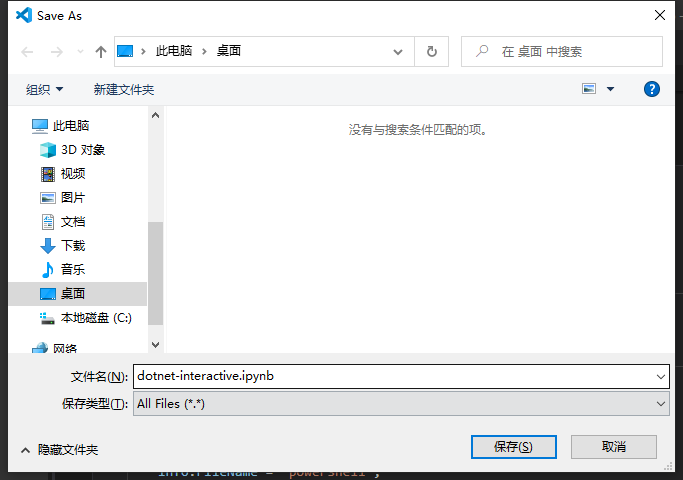
Use the hotkey Ctrl+S to save the ipynb file locally. Later, you can open it with Visual Studio Code to view and re-run the code

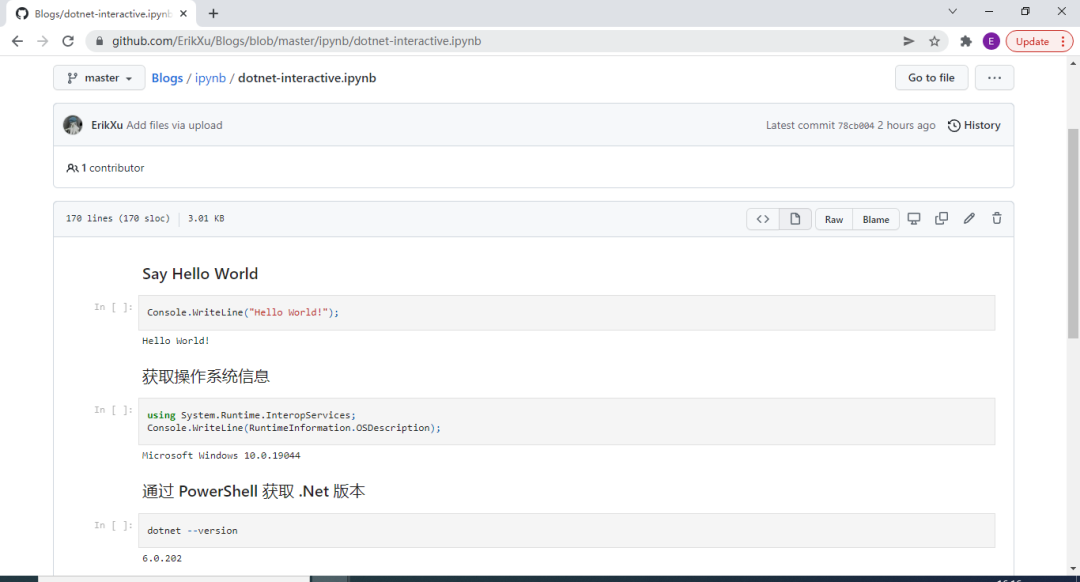
Then upload the ipynb file to GitHub

You can view an example at https://github.com/ErikXu/Blogs/blob/master/ipynb/dotnet-interactive.ipynb

4. Reference Summary

The above is what this article intends to share. The interactive GitHub repository is at: https://github.com/dotnet/interactive

If you have any questions, feel free to leave a message in the official account - 跬步之巅 (Kuibu Zhidian).

Keep Exploring

Related Reading

More Articles