causes
最近在研究ServiceScope的内一些内在运行逻辑,发现相关资料非常少,只有讲IOC相关的文章有说Core时代的官方依赖注入怎么使用。。遂决定还是要去看源代码。这部分源代码在Microsoft.Extensions.DependencyInjection库中,源代码位置在src/libraries下。阅读了一点,发现内部解析服务的时候会来回倒腾,那看代码的方式去梳理就非常难受了。。
Is there any possibility that C#can debug source code very smoothly like Java?
effect
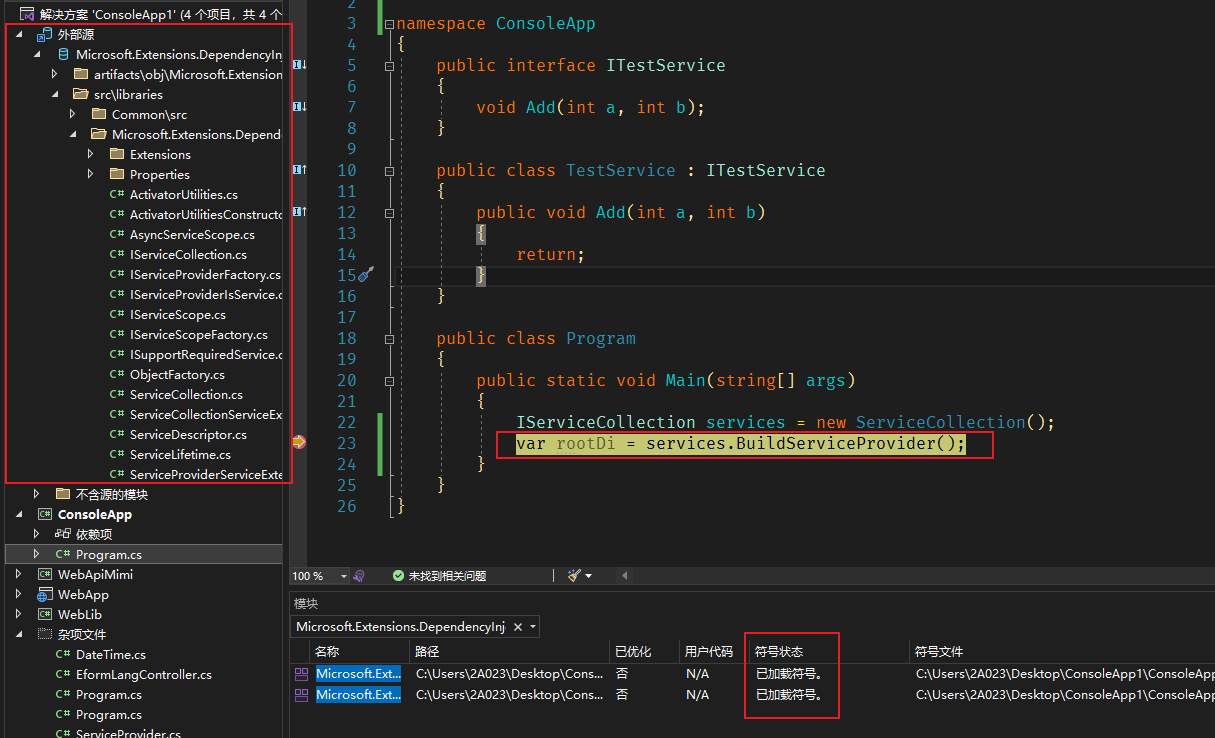
There really is! Without saying much, look at the picture:


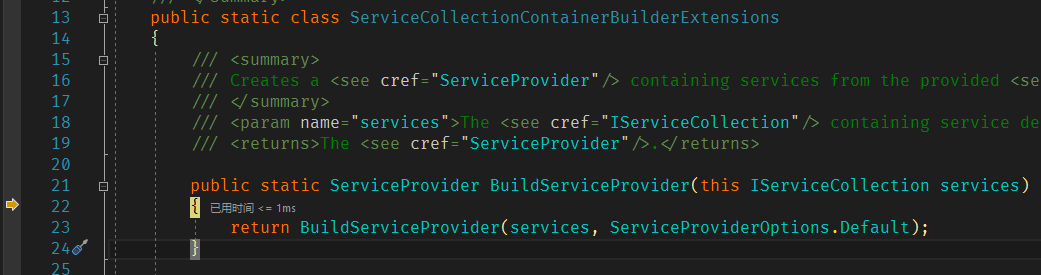
Very fast, just like debugging local code.. I don't know how much better the fluency is than decompiled!
不知道官方的项目用了什么黑魔法,这里能直接拉到源代码(图里的外部源),而自己开发的项目做不到这一点。
concrete steps
There is actually an official explanation for this piece, but I missed a few key points, which caused me to be stuck for a long time. I will be explained in detail below:
PS1: Windows VS is the main focus, other platforms should be similar
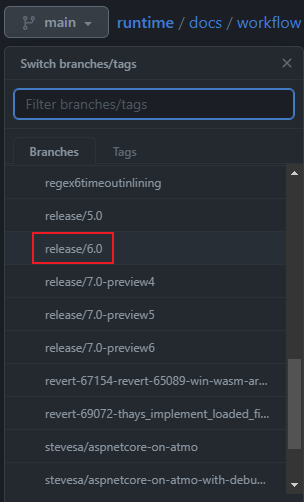
PS2: I mainly check the DI's building logic. This is not much different in different versions, so I directly obtained 6.0.
1. Open the official warehouse
Then you pull the branch code you want to see to the local area, and I mainly read it.

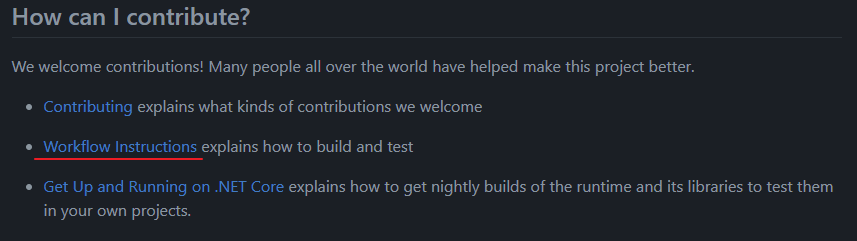
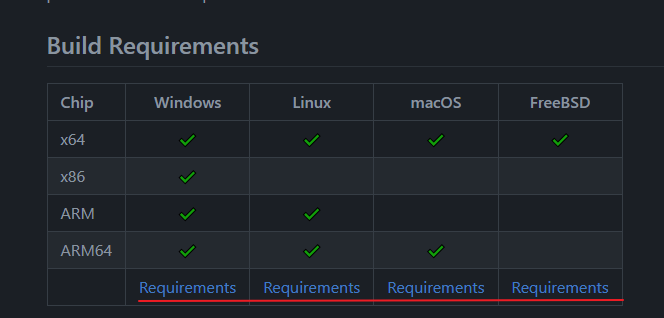
2. Find their construction instructions

3. Install the basic environment of the corresponding platform

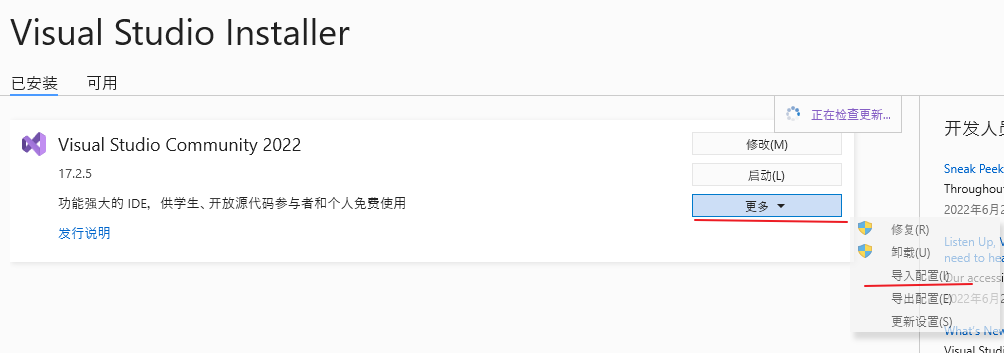
The Windows VS platform is installed like this:


然后点击查看详细信息,弹出的提示(无法安装XXXXX)可以忽略, 然后点修改即可。
At this step, the official statement is that you only need to install a higher version of the SDK, and you don't have to match one by one. Under normal circumstances, the. NET Framework and several. NET SDKs will be installed on computers developed, and there are usually all. I myself install the SDK for. NET Framework 4.0 Target Pack +4.7.2 and Target Pack +NET 6.0.
[Focus]4. Restore corresponding library
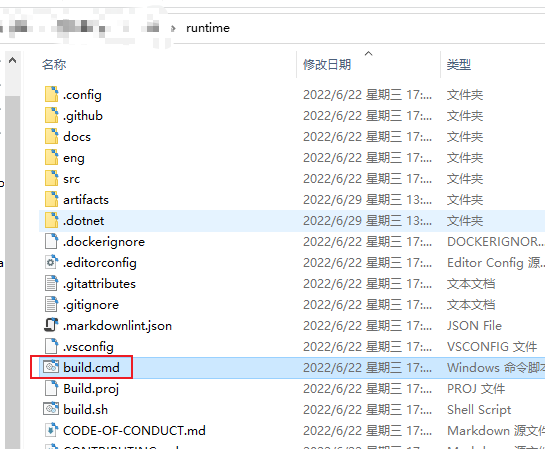
资源浏览器定位到runtime的根目录,记住这个build.cmd

Right-click on the command line or pwd and execute like this:

脚本会下载一个ps1文件然后自动执行,我们等待即可,他会自动还原我们需要的库,并且把依赖的基础包也一并还原好。
The nuget configuration and output directory have been made in the official code structure, so we no longer need additional configuration, and we will compile it in the next step.
5. Generate dll files corresponding to the library
Open the code file for the corresponding library:

Right-click on the command line or pwd and execute like this:

Wait for the compilation to finish and go to this directory to find something

每个库都会生成到artifacts下面,然后不同架构对应一个文件夹, 此时你就可以在你的测试项目中直接引用这个dll了, 愉快的调试吧。
[Optional]6. Generate dependent library files
我这里是想调试Microsoft.Extensions.DependencyInjection,在 NuGet 上就能看到他还依赖一个抽象定义包Microsoft.Extensions.DependencyInjection.Abstractions,为了不在调试中卡壳,我把这个包一并如法炮制。
other
- When I checked the data, I found that I could actually compile directly using VS, but I needed to configure something. I used this method without understanding it. I didn't need to compile everything.
VS Code也可以,但我主要用 VS 就略过这部分了build.cmd脚本不加参数似乎是编译所有包, 我不需要就跳过这个了