
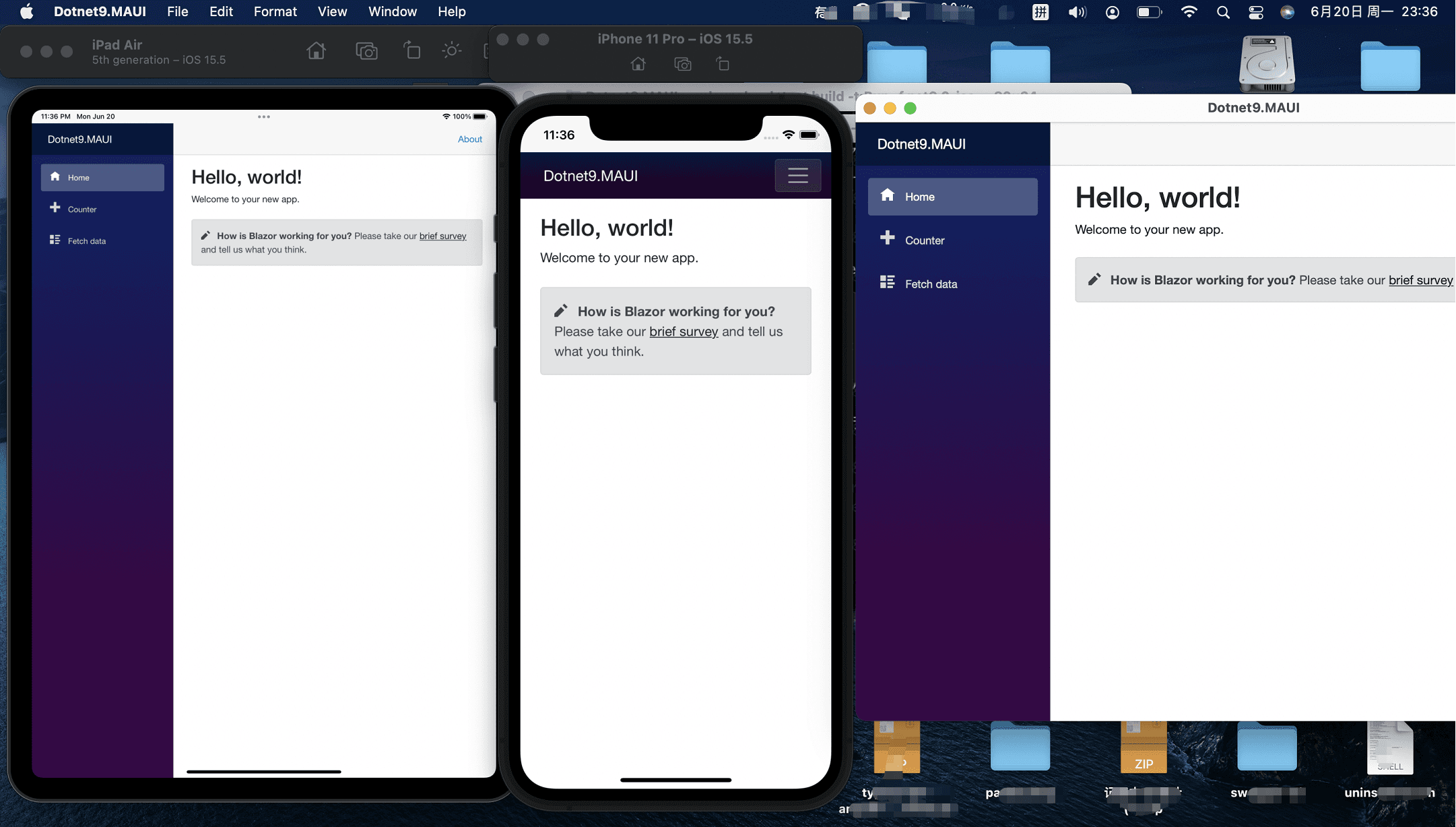
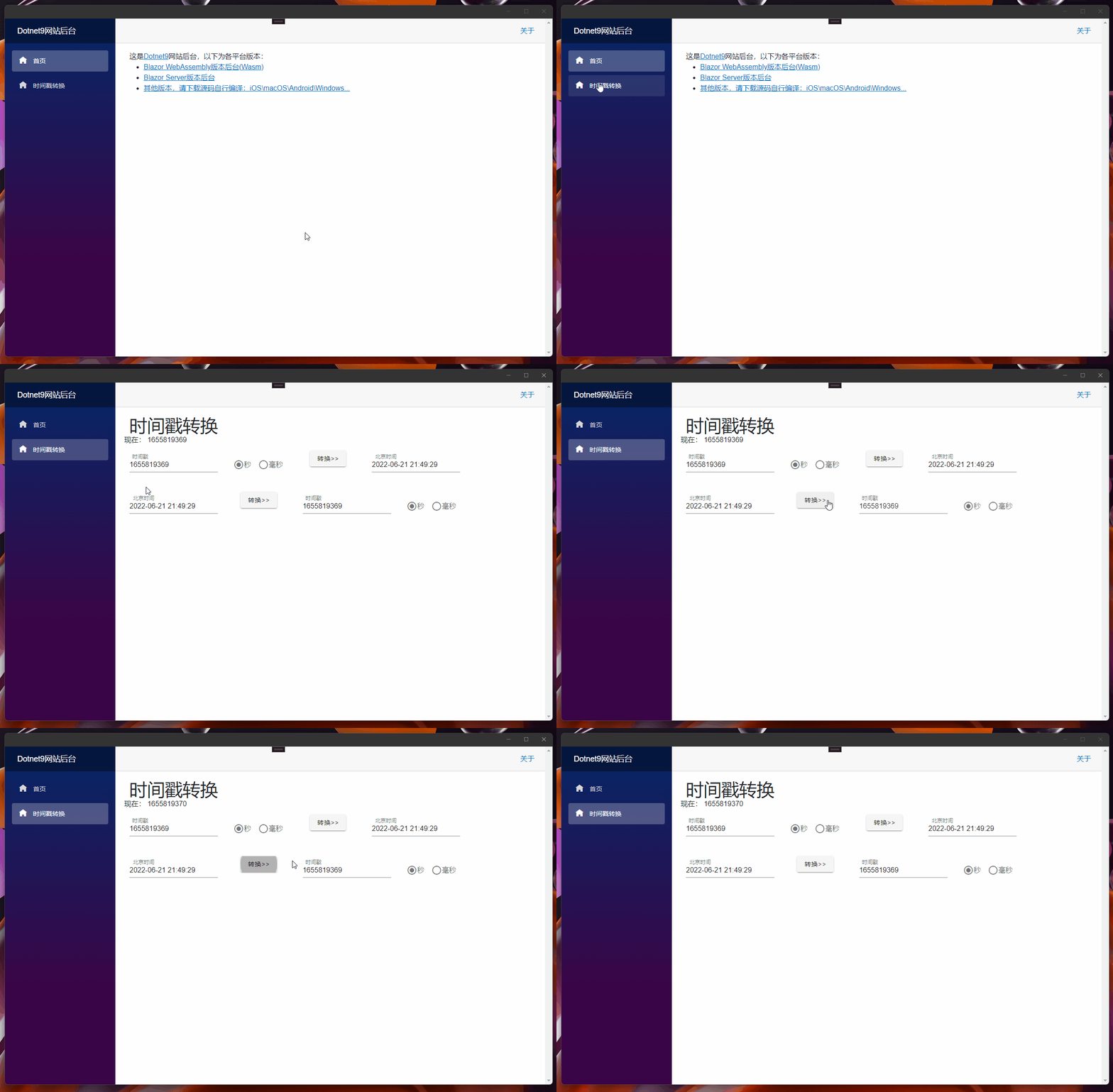
上一篇(点击阅读)我们实现了 UI 在 Web 端(Blazor Server/Wasm)和客户端(Windows/macOS/Android/iOS)共享,这篇我加上 Masa Blazor组件库的引用,并把前几个月写的时间戳转换工具加上。
1. 前置知识
关于 Masa Blazor 请点击Masa Blazor 官网了解:
MASA Blazor
基于 Material Design 和 BlazorComponent 的交互能力提供标准的基础组件库。提供如布局、弹框标准、Loading、全局异常处理等标准场景的预置组件。
2. 组件库的引用
组件库的添加参考Masa 官网,这里写下Dotnet9 后台添加记录:
2.1 UI 共享库的修改-Dotnet9.WebApp
- UI 共享库
Dotnet9.WebApp添加Maas.Blazor包,刚好今天(21 号)Masa 发布了0.5.0-preview.3版本,我们下载使用:
Install-Package Masa.Blazor -Version 0.5.0-preview.3

- 封装
Maas.Blazor组件引用
添加文件./MasaExtensions/MasaSetup.cs,代码如下:
using Microsoft.Extensions.DependencyInjection;

namespace Dotnet9.WebApp.MasaExtensions;

public static class MasaSetup
{
    public static void AddMasaSetup(this IServiceCollection services)
    {
        if (services == null) throw new ArgumentNullException(nameof(services));

        services.AddMasaBlazor();   // 这句关键代码
    }
}
关键代码只有一行services.AddMasaBlazor();,添加扩展类是为了功能扩展,为了其他项目方便使用...
_Imports.razor引入Masa.Blazor命名空间
@using Masa.Blazor
就这 3 步对 Dotnet9.WebApp的修改。
2.2 跨平台项目修改-Dotnet9.MAUI
- 修改
MauiProgram.cs文件,添加上面封装的扩展方法AddMasaSetup():
using Dotnet9.WebApp.MasaExtensions;    // 第1处:添加这个命名空间

namespace Dotnet9.MAUI;

public static class MauiProgram
{
    public static MauiApp CreateMauiApp()
    {
        var builder = MauiApp.CreateBuilder();
        builder
            .UseMauiApp<App>()
            .ConfigureFonts(fonts => { fonts.AddFont("OpenSans-Regular.ttf", "OpenSansRegular"); });

        builder.Services.AddMauiBlazorWebView();
#if DEBUG
        builder.Services.AddBlazorWebViewDeveloperTools();
#endif
        builder.Services.AddMasaSetup();    // 第2外:添加扩展方法引入Masa Blazor

        return builder.Build();
    }
}
- 添加
Masa.Blazor资源文件
修改wwwwroot/index.html文件,添加以下样式(直接复制 Masa.Blazor Blazor WebAssembly使用的资源文件)
<link href="_content/Masa.Blazor/css/masa-blazor.css" rel="stylesheet" />
<link href="_content/Masa.Blazor/css/masa-extend-blazor.css" rel="stylesheet" />

<link
  href="https://cdn.masastack.com/npm/@mdi/font@5.x/css/materialdesignicons.min.css"
  rel="stylesheet"
/>
<link
  href="https://cdn.masastack.com/npm/materialicons/materialicons.css"
  rel="stylesheet"
/>
<link
  href="https://cdn.masastack.com/npm/fontawesome/v5.0.13/css/all.css"
  rel="stylesheet"
/>

<script src="_content/BlazorComponent/js/blazor-component.js"></script>
2.3 Blazor WebAssembly 项目修改-Dotnet9.Wasm
- 修改
Program.cs文件,添加上面封装的扩展方法AddMasaSetup():
using Dotnet9.WebApp;
using Dotnet9.WebApp.MasaExtensions;        // 第1处:添加这个命名空间
using Microsoft.AspNetCore.Components.Web;
using Microsoft.AspNetCore.Components.WebAssembly.Hosting;

var builder = WebAssemblyHostBuilder.CreateDefault(args);
builder.RootComponents.Add<Main>("#app");
builder.RootComponents.Add<HeadOutlet>("head::after");

builder.Services.AddMasaSetup();            // 第2外:添加扩展方法引入Masa Blazor
builder.Services.AddScoped(sp => new HttpClient { BaseAddress = new Uri(builder.HostEnvironment.BaseAddress) });

await builder.Build().RunAsync();
- 添加
Masa.Blazor资源文件
同Dotnet9.MAUI
2.4 Blazor Server 项目修改-Dotnet9.Server
- 修改
Program.cs文件,添加上面封装的扩展方法AddMasaSetup():
using Dotnet9.WebApp.MasaExtensions;        // 第1处:添加这个命名空间

var builder = WebApplication.CreateBuilder(args);

// Add services to the container.
builder.Services.AddRazorPages();
builder.Services.AddServerSideBlazor();
builder.Services.AddMasaSetup();            // 第2外:添加扩展方法引入Masa Blazor

var app = builder.Build();

// Configure the HTTP request pipeline.
if (!app.Environment.IsDevelopment())
{
    app.UseExceptionHandler("/Error");
    // The default HSTS value is 30 days. You may want to change this for production scenarios, see https://aka.ms/aspnetcore-hsts.
    app.UseHsts();
}

app.UseHttpsRedirection();

app.UseStaticFiles();

app.UseRouting();

app.MapBlazorHub();
app.MapFallbackToPage("/_Host");

app.Run();
- 添加
Masa.Blazor资源文件
修改Pages/_Layout.cshtml文件,添加以下样式(复制 Masa.Blazor Blazor Server使用的资源文件)
<!-- masa blazor css style -->
<link href="_content/Masa.Blazor/css/masa-blazor.css" rel="stylesheet" />
<link href="_content/Masa.Blazor/css/masa-extend-blazor.css" rel="stylesheet" />

<!--icon file,import need to use-->
<link
href="https://cdn.masastack.com/npm/@("@mdi")/font@5.x/css/materialdesignicons.min.css"
rel="stylesheet">
<link
  href="https://cdn.masastack.com/npm/materialicons/materialicons.css"
  rel="stylesheet"
/>
<link
  href="https://cdn.masastack.com/npm/fontawesome/v5.0.13/css/all.css"
  rel="stylesheet"
/>

<!--js(should lay the end of file)-->
<script src="_content/BlazorComponent/js/blazor-component.js"></script>
注意:MAUI Blazor 和 Blazor WebAssembly 两个项目引入 Masa Blazor 资源文件的代码一样,Blazor Server 和前两者主要区别是materialdesignicons.min.css文件:

这里关于Masa.Blazor的引入就介绍完了,总结下关键三步:
- 添加
Masa.BlazorNuGet 包:Install-Package Masa.Blazor; Masa.Blazor组件注册使用:services.AddMasaBlazor();;- 添加
Masa.Blazor资源文件:Wasm 是wwwwroot/index.html, blazor server 是_Layout.cshtml,注意两者添加资源文件的区别。
3. 时间戳功能的添加
在做 Blazor Server 版本网站时,有过一次时间戳功能开发的介绍(点击阅读),代码很简单,这里不再细说,不能再水了....
4. 总结
Masa.Blazor组件库已经添加,并恢复了时间戳功能,下一步,就是继续搭建网站后台了,使用Masa.Blazor搭建框架喽。
- 本文 Blazor Server 站点预览:https://server.dotnet9.com/
- 本文 Blazor Wasm 站点预览:https://wasm.dotnet9.com/
- MAUI(Android\Windows\macOS\iOS)预览:https://github.com/dotnet9/Dotnet9/tree/develop/src/Dotnet9.MAUI(未做发布文件,需要您源码自行编译)