背景
一直以来,程序部署都是非常麻烦且无聊的事情,在公司一般都会有 devops 方案,整个 ci/cd 过程涉及的工具还是挺多的,搭建起来比较麻烦。那么对于一些自己的小型项目,又不想搭建一套这样的环境,怎么办呢。。。前段时间尝试了一下 阿里云效 pipeline + gitee + ecs ,还是挺方便的,主要是免费^ ^,服务器也可以用自建的或者其他的,下面就分享一下如何使用。
代码准备
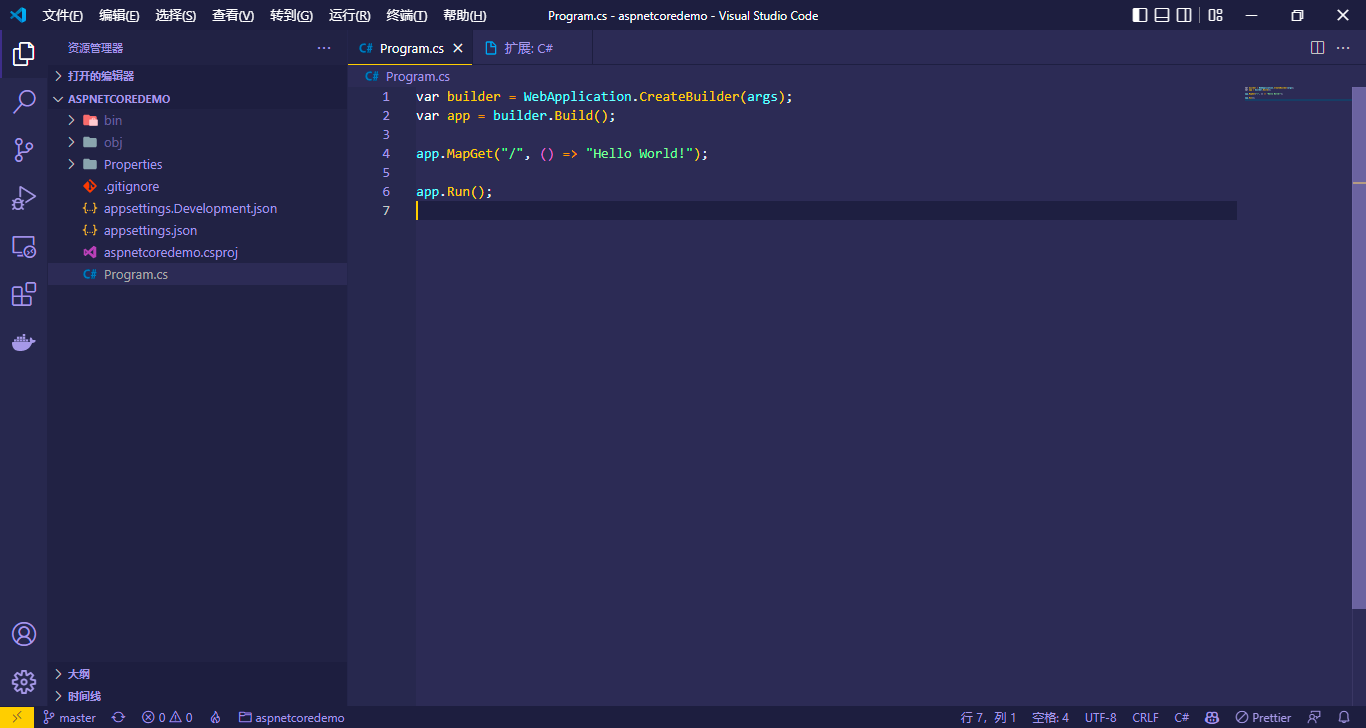
随便准备个 demo 项目,并提交到 gitee
## 创建aspnetcore web项目
dotnet new web -o aspnetcoredemo
服务器环境
首先去服务器安装下 dotnet 运行时,我这里是用 centos。
参考官方文档 在 CentOS 上安装 .NET - .NET | Microsoft Docs
## 安装 .NET 之前,请运行以下命令,将 Microsoft 包签名密钥添加到受信任密钥列表,并添加 Microsoft 包存储库。 打开终端并运行以下命令:
sudo rpm -Uvh https://packages.microsoft.com/config/centos/7/packages-microsoft-prod.rpm

## 通过 ASP.NET Core 运行时,可以运行使用 .NET 开发且未提供运行时的应用。 以下命令将安装 ASP.NET Core 运行时,这是与 .NET 最兼容的运行时。 在终端中,运行以下命令:
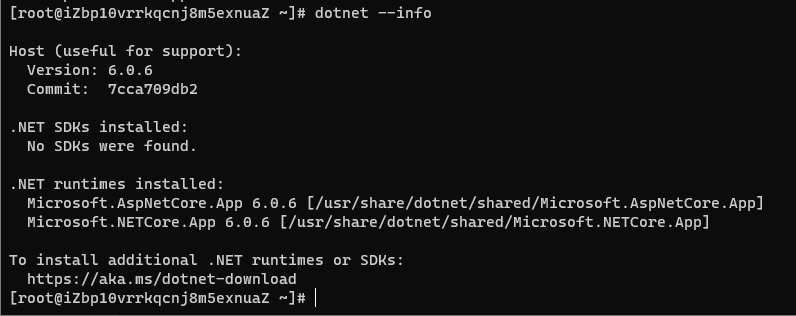
sudo yum install aspnetcore-runtime-6.0
安装完成:
自动部署
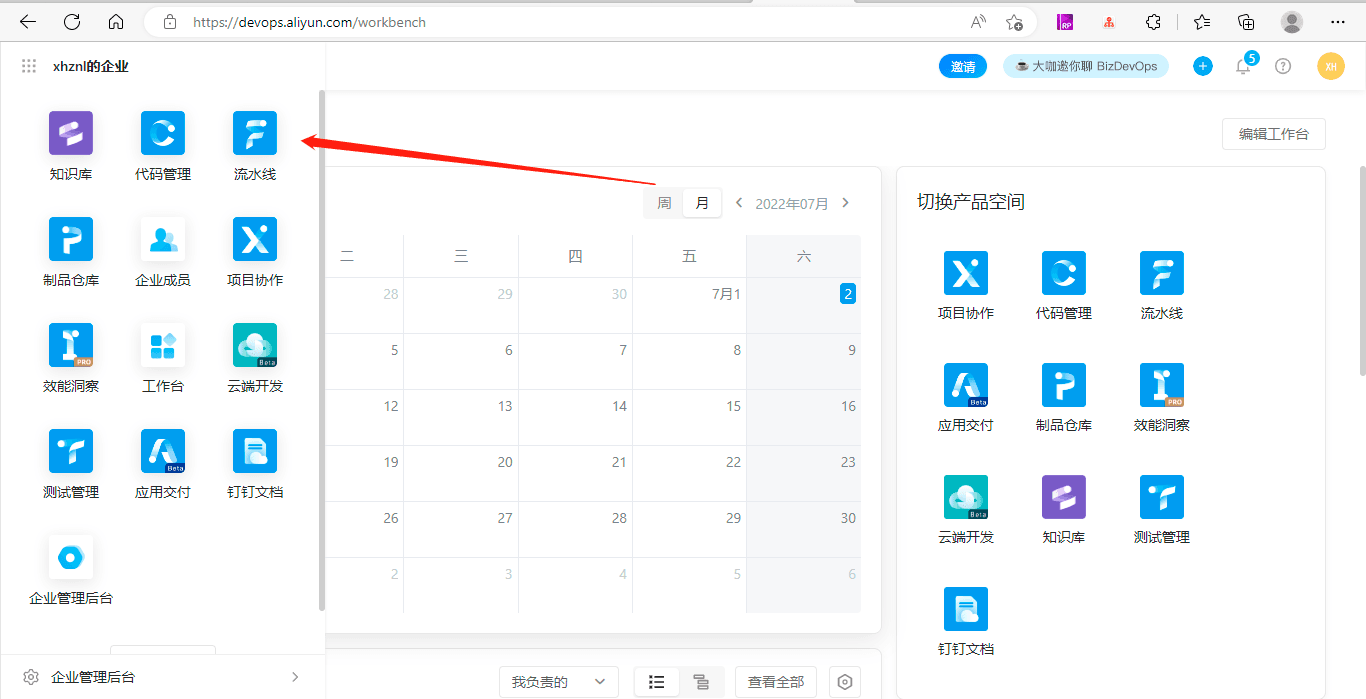
进入云效平台流水线
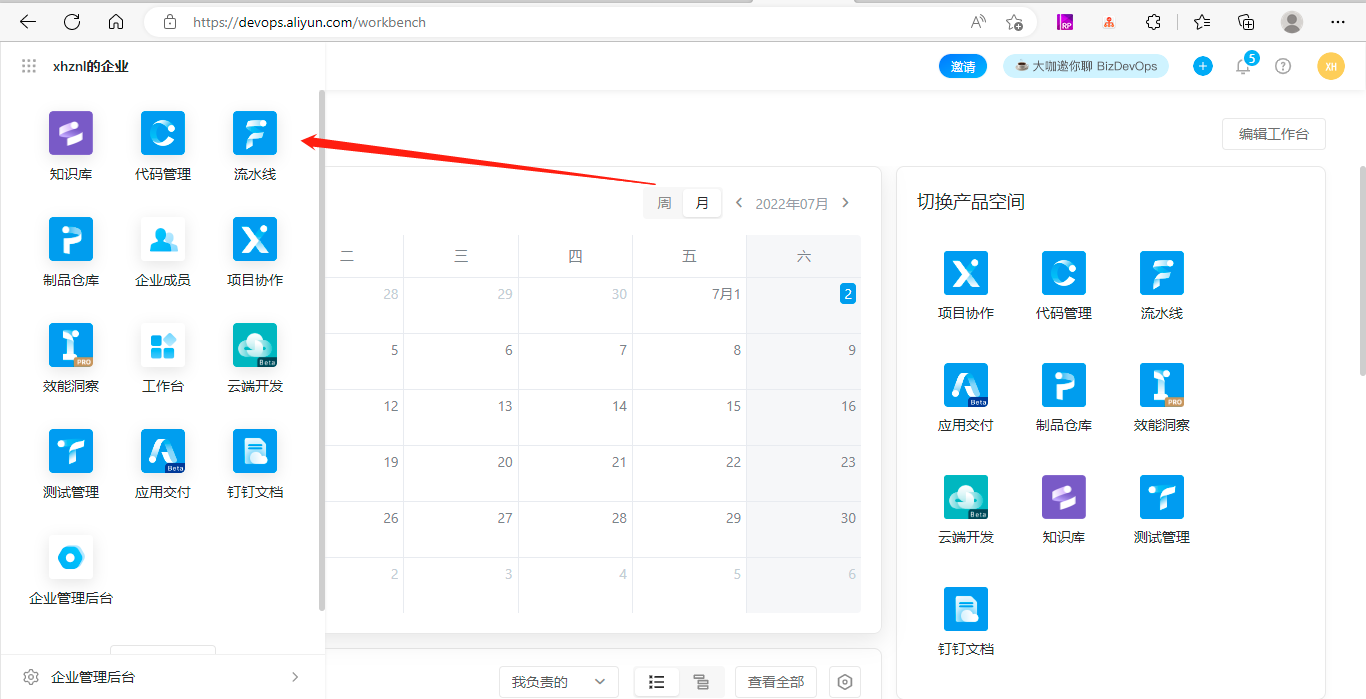
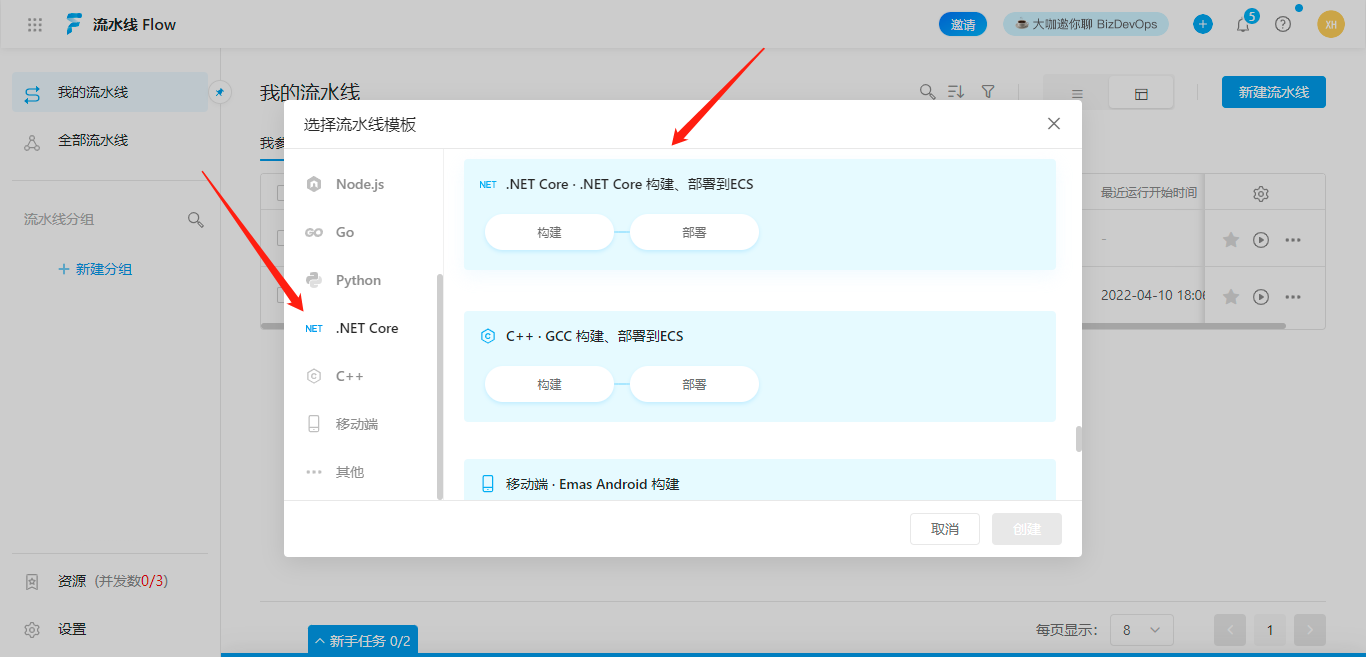
选择 .NET Core 流水线模板,创建
配置流水线
- 第一步是配置流水线源
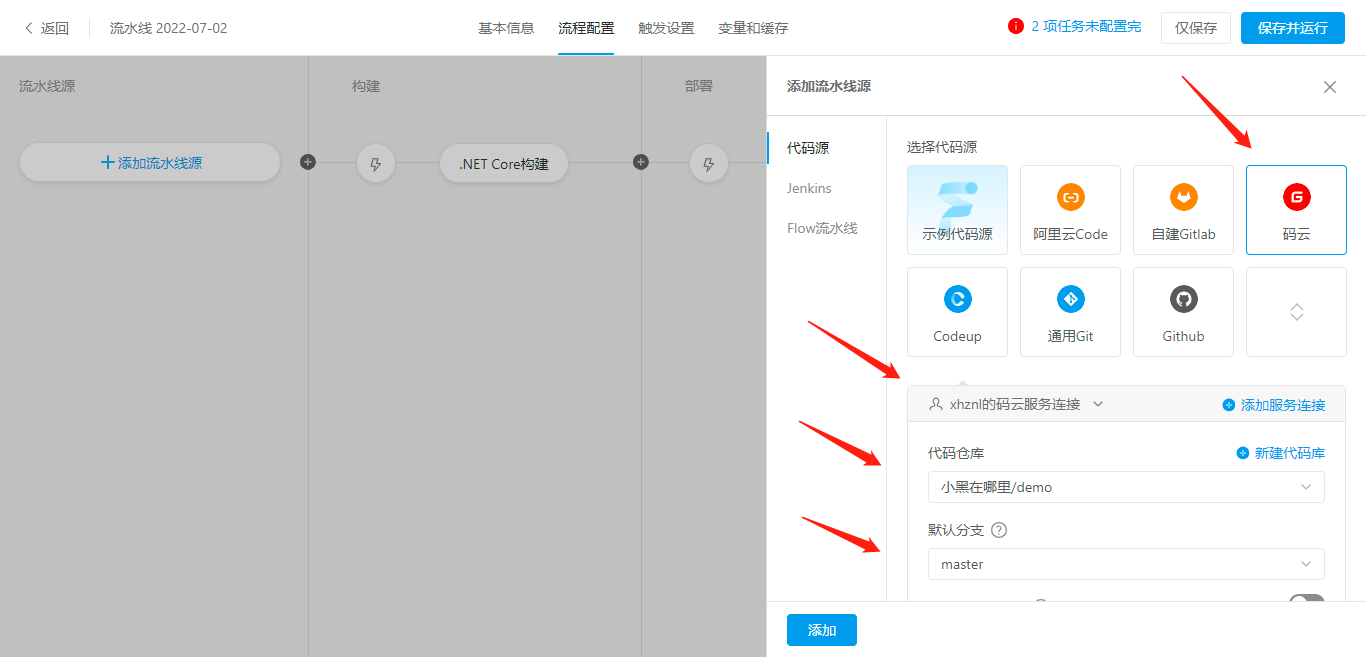
选择代码源:码云(当然你也可以选别的,github,自建 git 之类的)
授权一下,然后选择你的代码仓库,默认分支名。下面的工作目录随便写一个,比如:demo
- 第二步配置构建
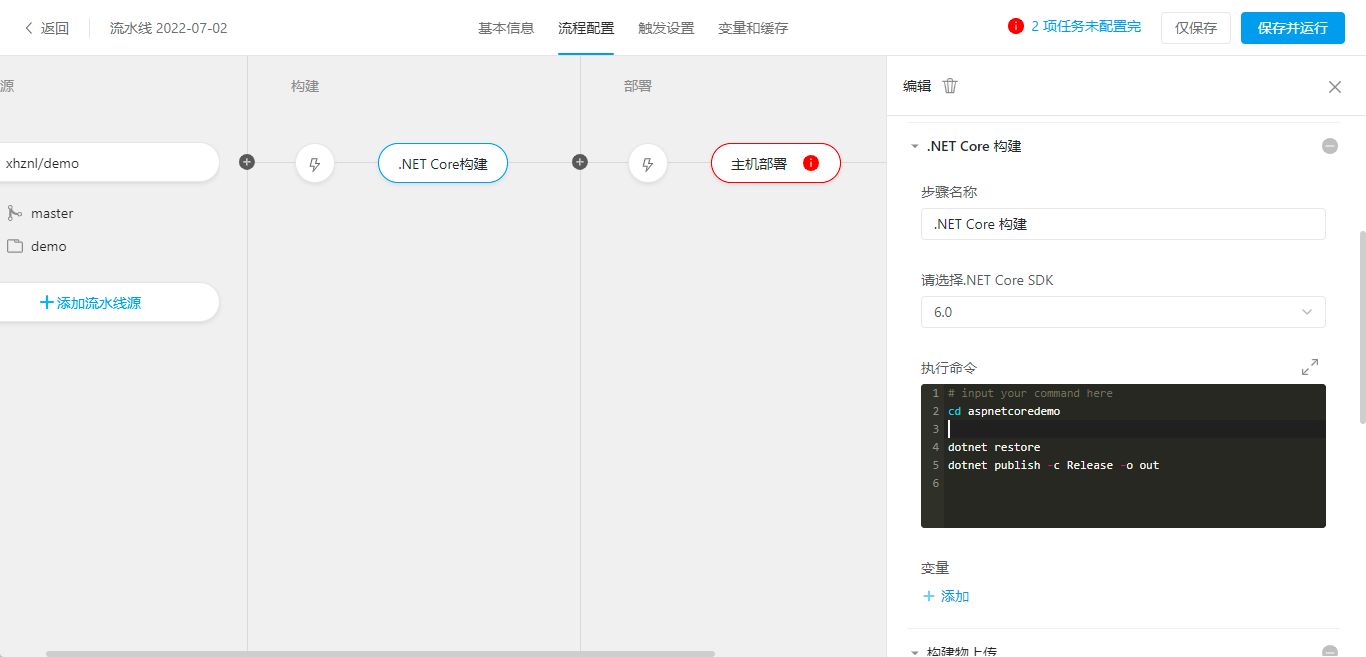
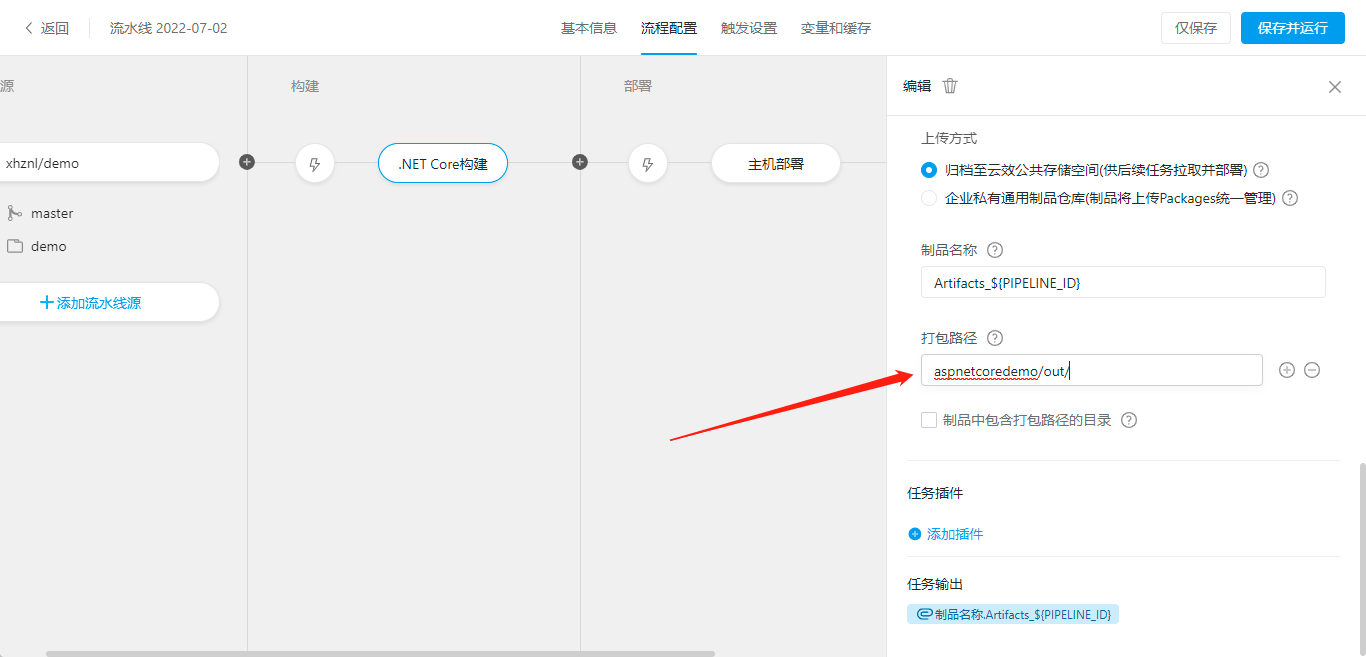
主要是执行命令,和打包路径 注意下,其他的选项默认就行
## cd到项目目录
cd aspnetcoredemo

## 还原项目
dotnet restore
## 发布项目
dotnet publish -c Release -o out
- 第三步配置部署
主机组我这里选 阿里云 ecs (你也可以选其他非阿里云的主机,要装插件)
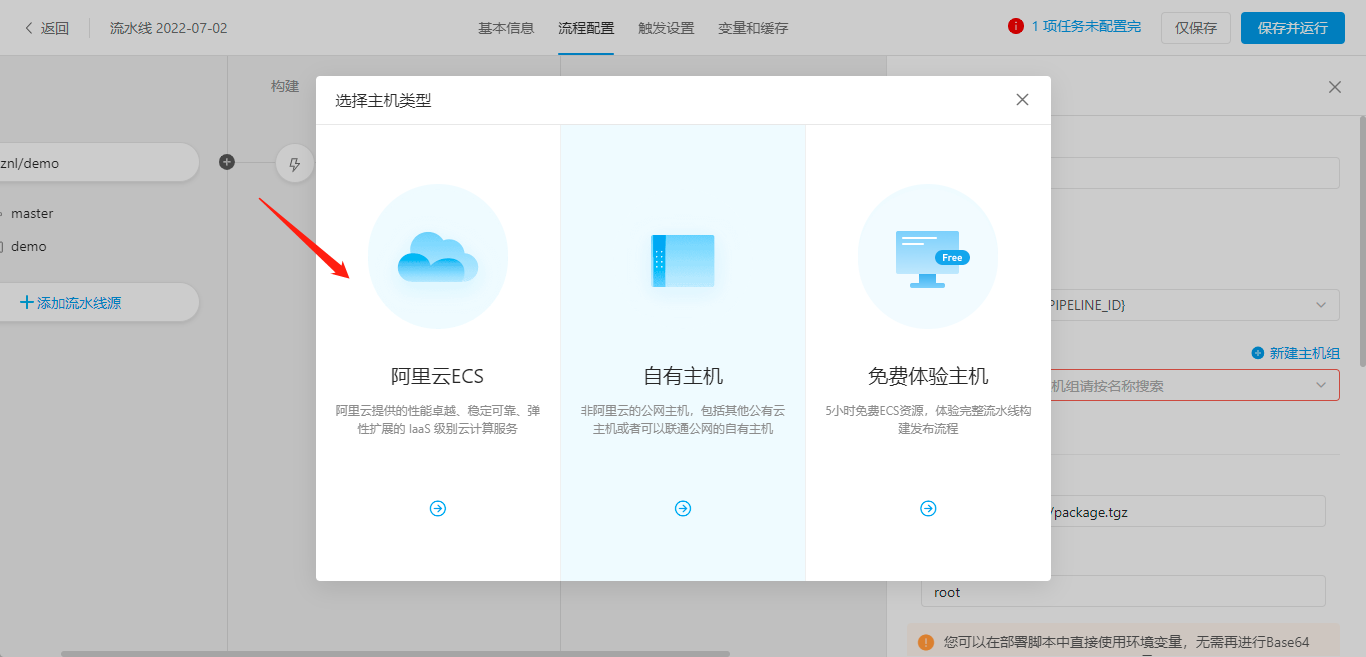
添加服务器连接,授权创建即可
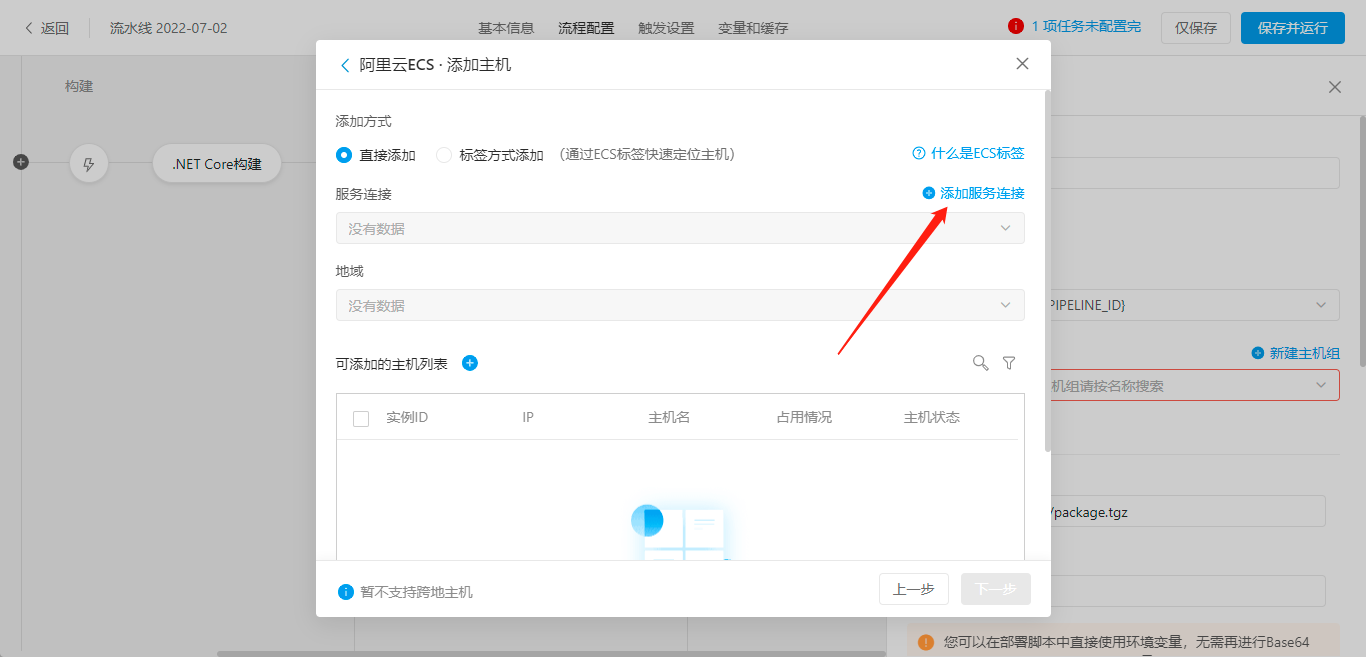
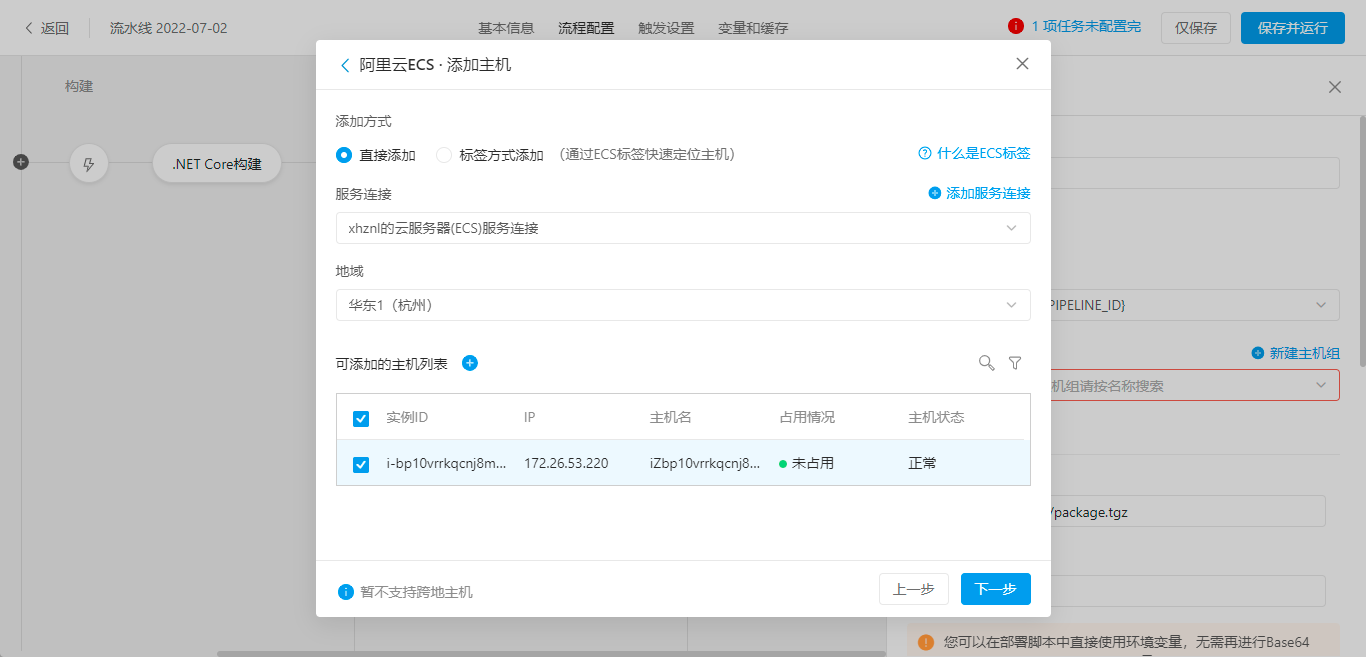
选择主机,下一步,保存(我这里就一台机器,也可以多台机器部署)
部署脚本:
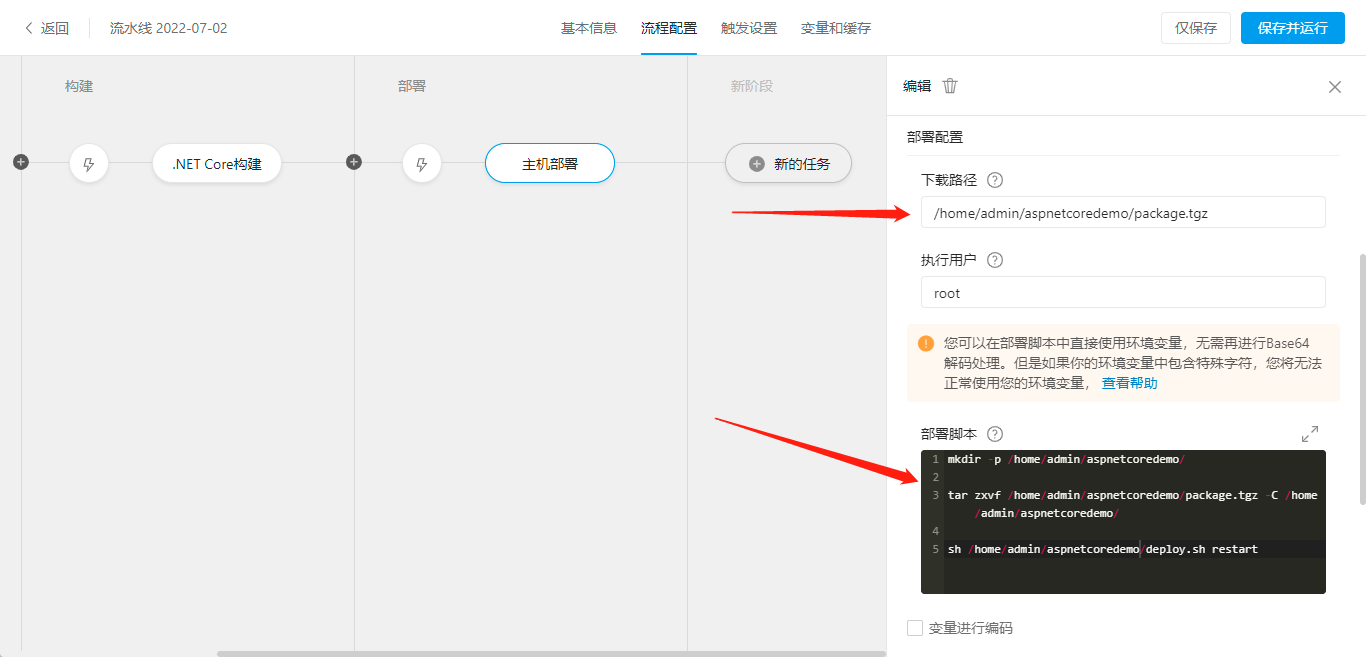
## 创建目录

mkdir -p /home/admin/aspnetcoredemo/

## 解压文件到 /home/admin/aspnetcoredemo/ 目录
tar zxvf /home/admin/aspnetcoredemo/package.tgz -C /home/admin/aspnetcoredemo/

## 执行部署脚本
sh /home/admin/aspnetcoredemo/deploy.sh restart
部署脚本
这个 deploy.sh 加到项目代码中,这个脚本的大概内容就是 杀死进程->重新启动程序->健康检查->部署完成
内容如下:
#!/bin/bash

# 修改APP_NAME为云效上的应用名
APP_NAME=aspnetcoredemo


PROG_NAME=$0
ACTION=$1
APP_START_TIMEOUT=20    # 等待应用启动的时间
APP_PORT=5000          # 应用端口
HEALTH_CHECK_URL=http://127.0.0.1:${APP_PORT}/HealthChecks  # 应用健康检查URL
HEALTH_CHECK_FILE_DIR=/home/admin/status   # 脚本会在这个目录下生成nginx-status文件
APP_HOME=/home/admin/${APP_NAME} # 从package.tgz中解压出来的dll放到这个目录下
DLL_NAME=${APP_HOME}/${APP_NAME}.dll # dll的名字
DLL_OUT=${APP_HOME}/logs/start.log  #应用的启动日志

# 创建出相关目录
mkdir -p ${HEALTH_CHECK_FILE_DIR}
mkdir -p ${APP_HOME}
mkdir -p ${APP_HOME}/logs
usage() {
    echo "Usage: $PROG_NAME {start|stop|restart}"
    exit 2
}

health_check() {
    exptime=0
    echo "checking ${HEALTH_CHECK_URL}"
    while true
        do
            status_code=`/usr/bin/curl -L -o /dev/null --connect-timeout 5 -s -w %{http_code}  ${HEALTH_CHECK_URL}`
            if [ "$?" != "0" ]; then
               echo -n -e "\rapplication not started"
            else
                echo "code is $status_code"
                if [ "$status_code" == "200" ];then
                    break
                fi
            fi
            sleep 1
            ((exptime++))

            echo -e "\rWait app to pass health check: $exptime..."

            if [ $exptime -gt ${APP_START_TIMEOUT} ]; then
                echo 'app start failed'
               exit 1
            fi
        done
    echo "check ${HEALTH_CHECK_URL} success"
}
start_application() {
    echo "starting dotnet process"
    # chmod +x ${DLL_NAME}
    # chmod +x ${APP_HOME}/appsettings.json
    # nohup dotnet ${DLL_NAME} Urls=http://*:${APP_PORT} > ${DLL_OUT} 2>&1 &
    cd ${APP_HOME}
    nohup dotnet ${APP_NAME}.dll Urls=http://*:${APP_PORT} > ${DLL_OUT} 2>&1 &
    echo "started dotnet process"
}

stop_application() {
   checkdotnetpid=`ps -ef | grep dotnet | grep ${APP_NAME} | grep -v grep |grep -v 'deploy.sh'| awk '{print$2}'`

   if [[ ! $checkdotnetpid ]];then
      echo -e "\rno dotnet process"
      return
   fi

   echo "stop dotnet process"
   times=60
   for e in $(seq 60)
   do
        sleep 1
        COSTTIME=$(($times - $e ))
        checkdotnetpid=`ps -ef | grep dotnet | grep ${APP_NAME} | grep -v grep |grep -v 'deploy.sh'| awk '{print$2}'`
        if [[ $checkdotnetpid ]];then
            kill -9 $checkdotnetpid
            echo -e  "\r        -- stopping dotnet lasts `expr $COSTTIME` seconds."
        else
            echo -e "\rdotnet process has exited"
            break;
        fi
   done
   echo ""
}
start() {
    start_application
    health_check
}
stop() {
    stop_application
}
case "$ACTION" in
    start)
        start
    ;;
    stop)
        stop
    ;;
    restart)
        stop
        start
    ;;
    *)
        usage
    ;;
esac
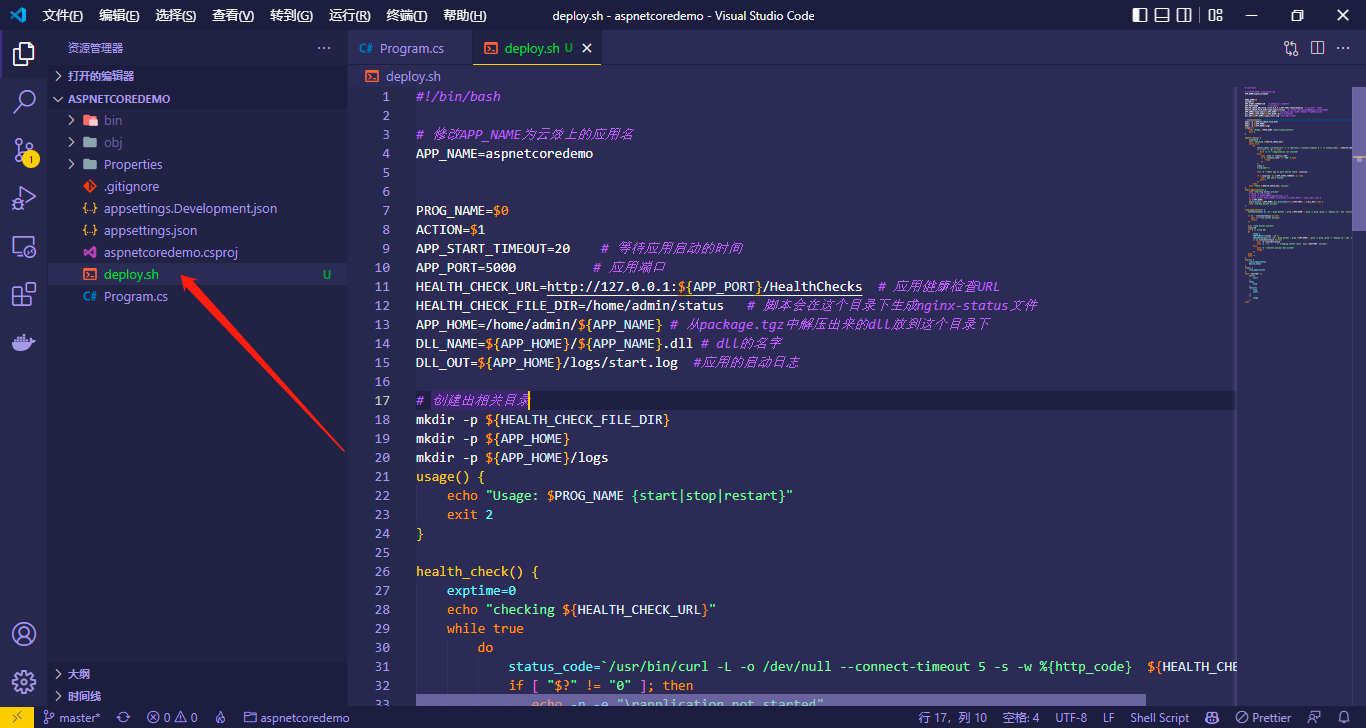
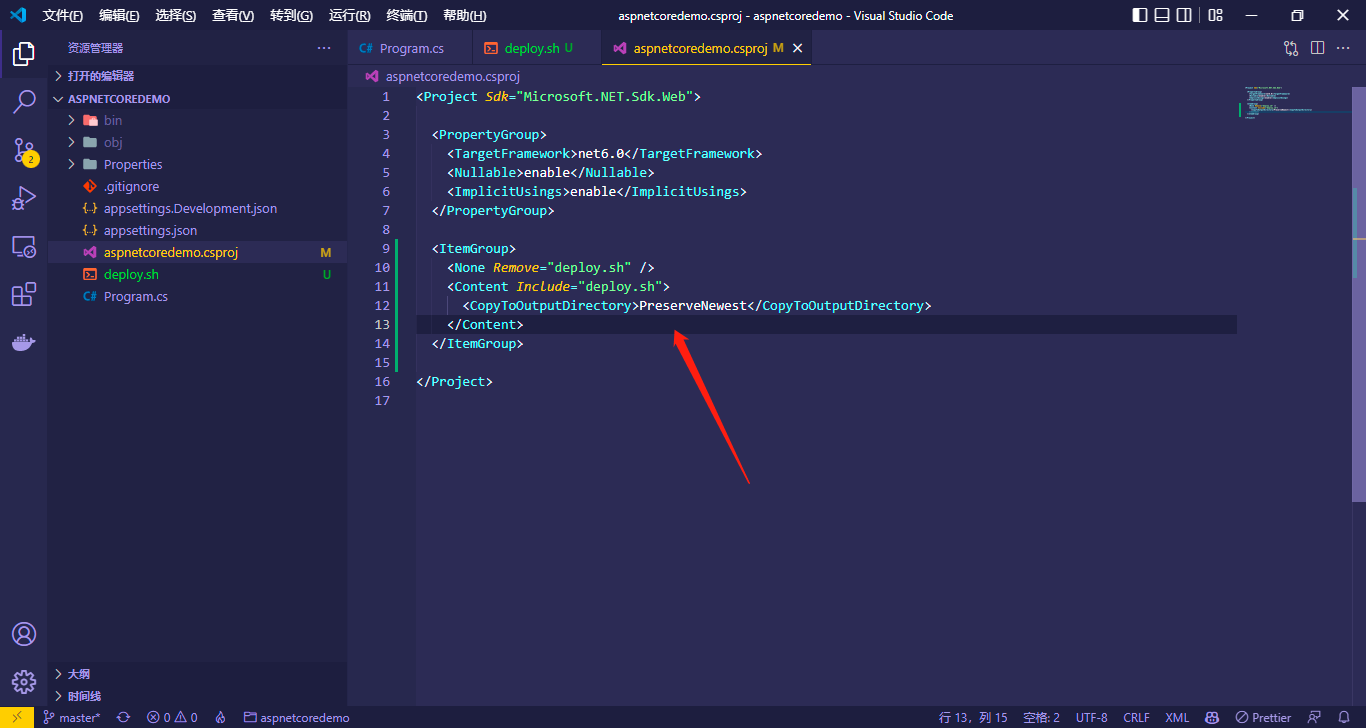
记得复制到输出目录:
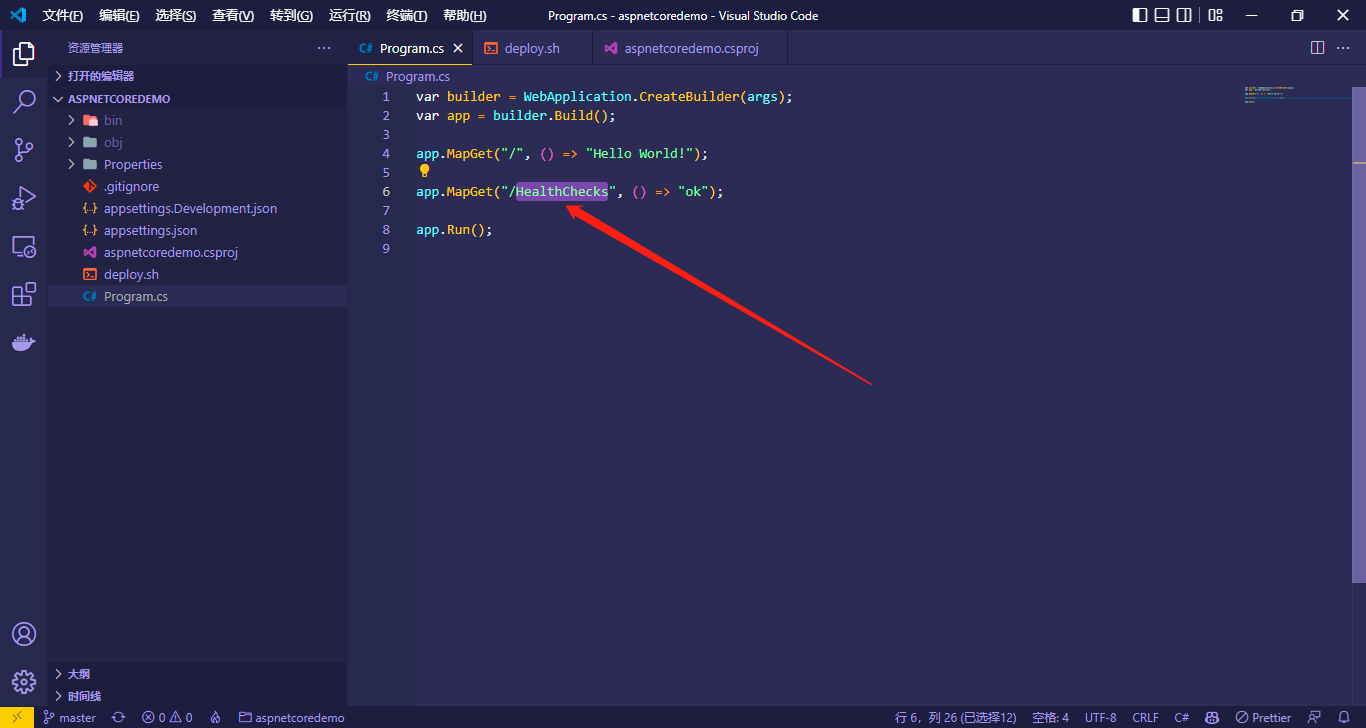
增加一个 HealthChecks 接口用于部署脚本的健康检查:
手动构建
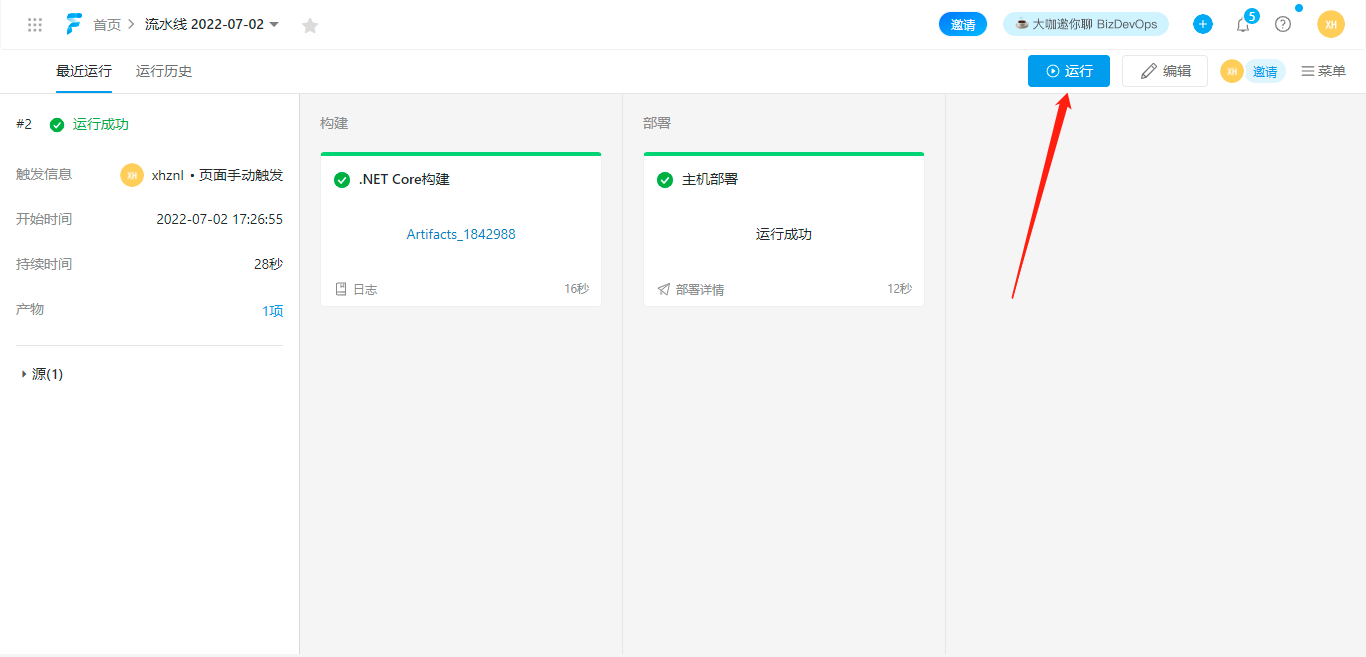
流水线 点击运行,如果前面配置没有问题的话,可以看到构建部署成功。
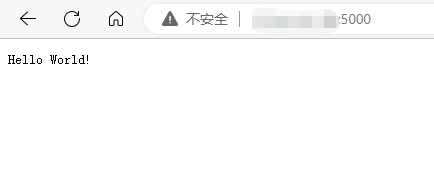
访问一下,ok:
自动构建
下面通过 webhook 配置,实现提交代码,自动构建部署
流水线,选择触发配置,打开 webhook 触发:
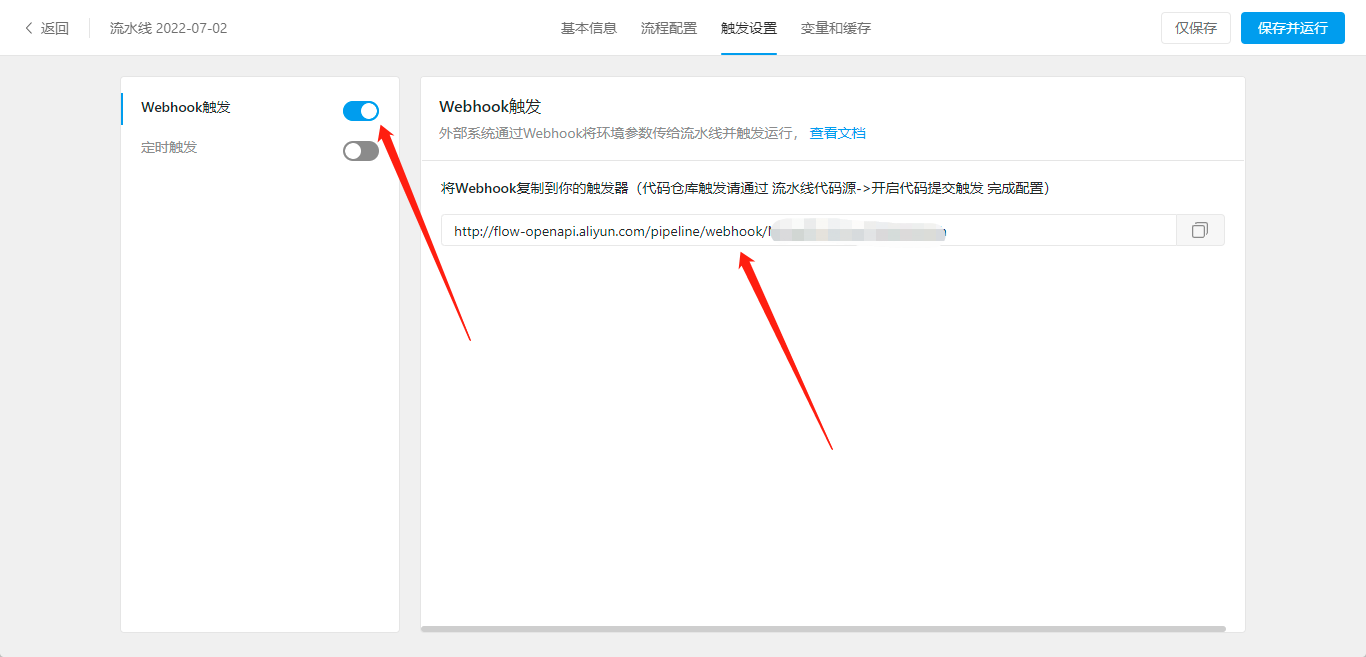
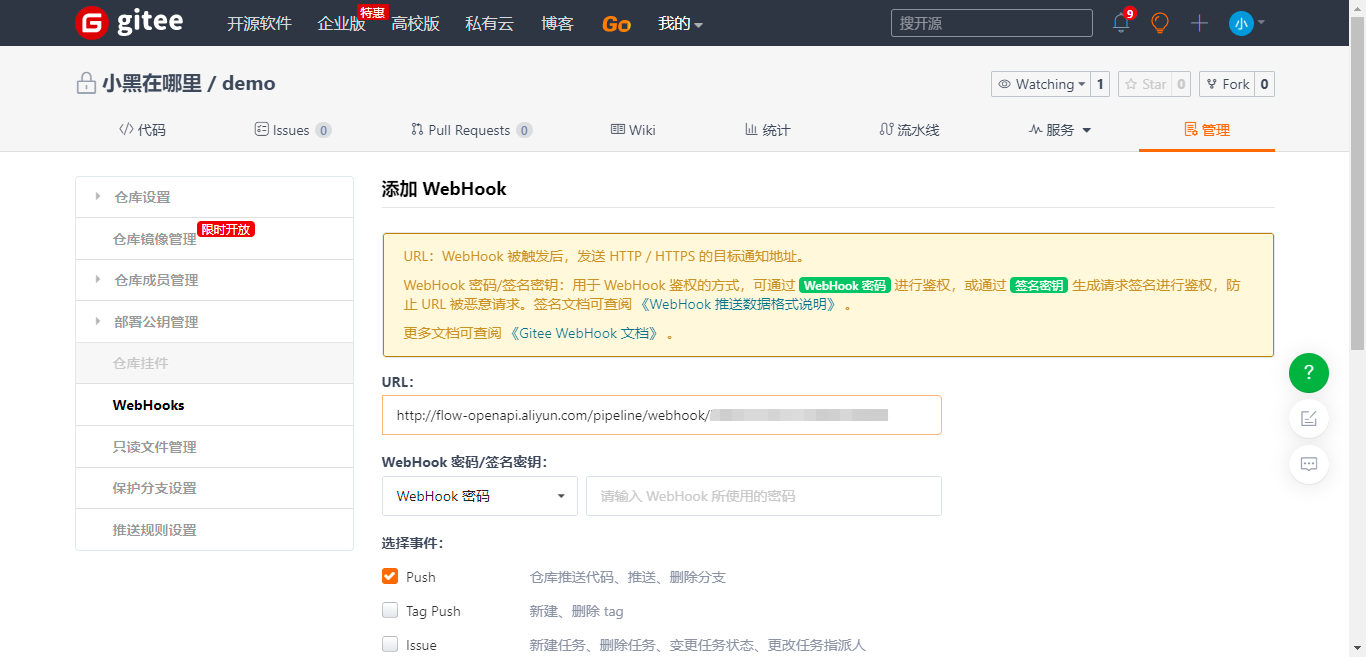
将这个 webhook 地址复制,配置到你的 gitee 仓库中,保存:
接下来随便修改下代码,测试下:
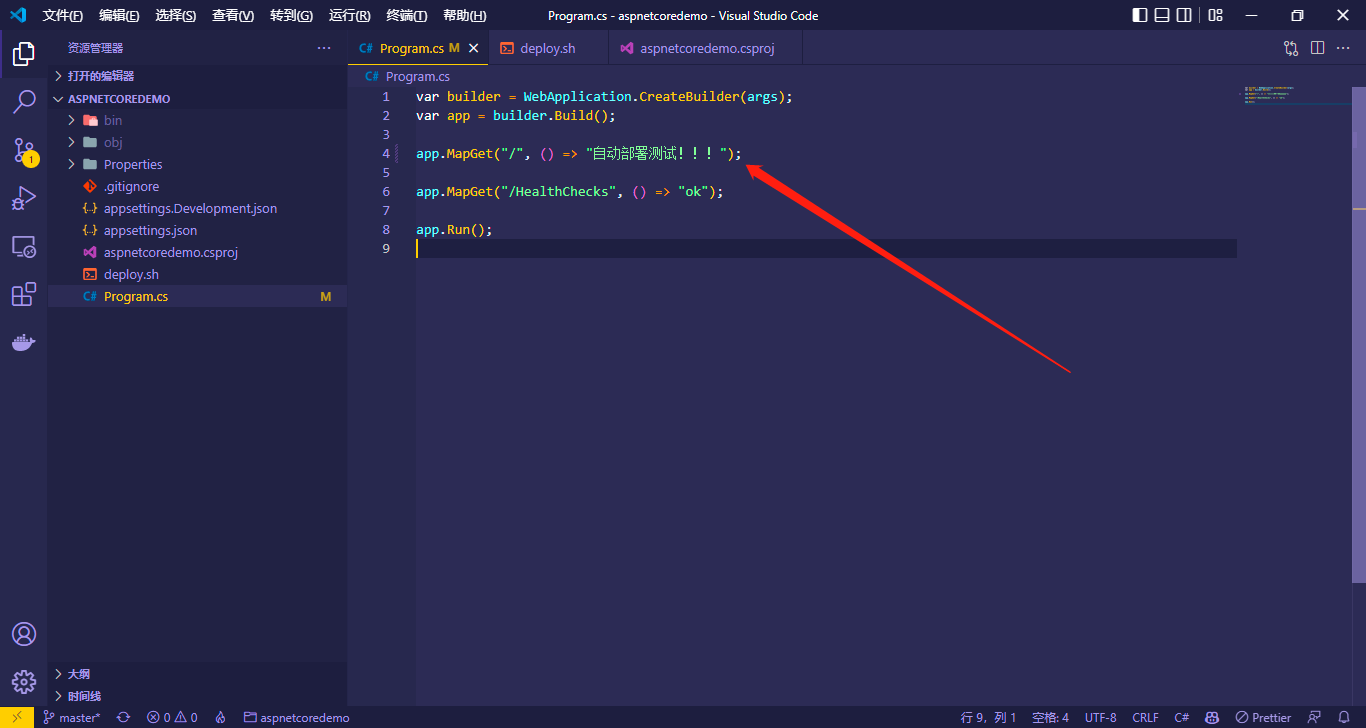
提交代码后自动触发了流水线构建部署:
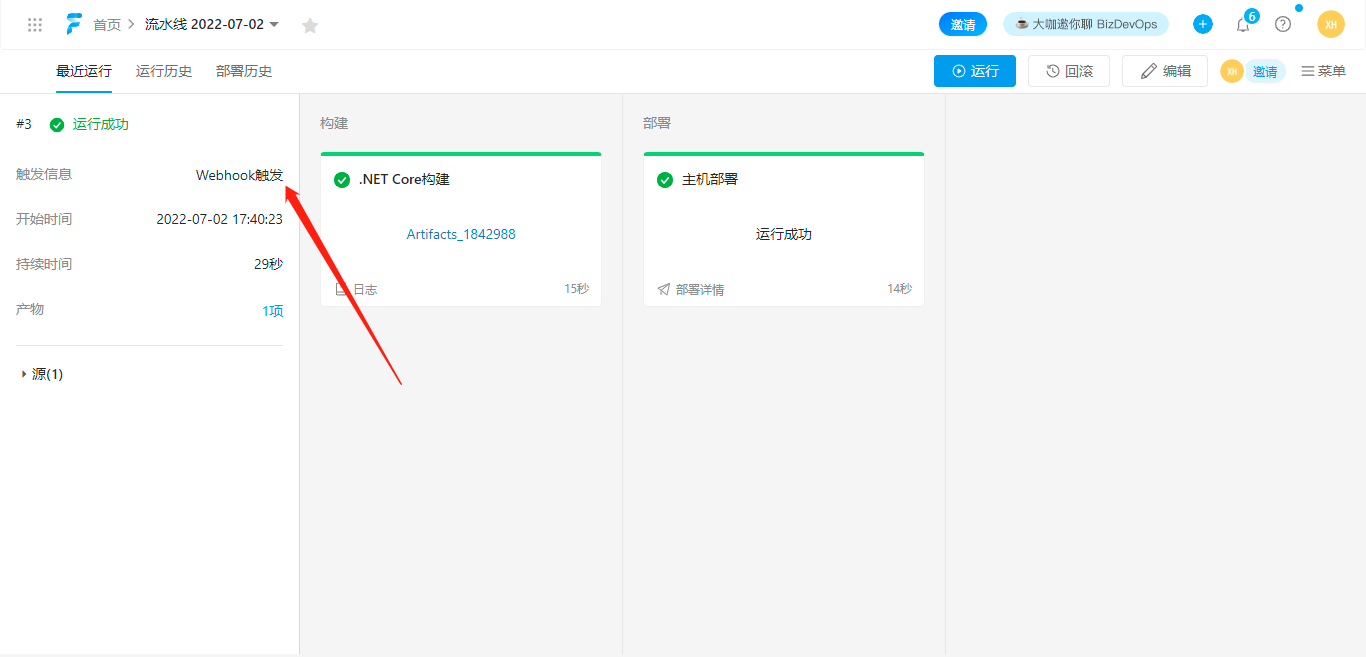
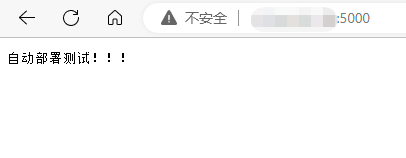
ok:
结束
Happy coding ...
——本文使用【Typora】+【EasyBlogImageForTypora】编辑
欢迎关注我的公众号,一起学习。
如果本文对您有所帮助,您可以点击右下方的【推荐】按钮支持一下;文中如有不妥之处,还望指正,非常感谢!!!