
前言
在项目中我们会经常遇到对象的映射,比如像 Model 和 Dto 之间的映射,或者是对象的深拷贝,这些都是需要我们自己实现的。此时,项目中会出现很多初始化对象的代码,这些代码写起来相当的枯燥乏味,那么有没有什么办法减轻我们的工作量,使得我们可以把时间花费到业务功能上呢?
目前.Net 中的对象映射框架,功能强大且性能极佳的对象映射框架已经存在,其中使用最多的有:
说到对象映射框架,大家想到的最多的是AutoMapper,可能很多人连Mapster都没听过,但不可否认的是Mapster确实是一个很好的对象映射框架,但由于中文文档的缺失,导致在国内知名度不是很高,今天我们就来介绍一下Mapster提供了哪些功能,如何在项目中使用它,Masa提供的Mapster又做了什么?
Mapster 简介
Mapster是一个使用简单,功能强大的对象映射框架,自 2014 年开源到现在已经过去 8 个年头,截止到现在,github 上已经拥有 2.6k 的 star,并保持着每年 3 次的发版频率,其功能与 AutoMapper 类似,提供对象到对象的映射、并支持 IQueryable 到对象的映射,与AutoMapper相比,在速度和内存占用方面表现的更加优秀,可以在只使用 1/3 内存的情况下获得 4 倍的性能提升,那我们下面就来看看Mapster如何使用?
准备工作
新建一个控制台项目Assignment.Mapster,并安装Mapster
dotnet add package Mapster --version 7.3.0
###映射到新对象
- 新建类
UserDto
public class UserDto
{
    public int Id { get; set; }

    public string Name { get; set; }

    public uint Gender { get; set; }

    public DateTime BirthDay { get; set; }
}
- 新建一个匿名对象,作为待转换的对象源
var user = new
{
    Id = 1,
    Name = "Tom",
    Gender = 1,
    BirthDay = DateTime.Parse("2002-01-01")
};
- 将 user 源对象映射到目标对象 (UserDto)
var userDto = user.Adapt<UserDto>();
Console.WriteLine($"映射到新对象,Name: {userDto.Name}");
运行控制台程序验证转换成功:

数据类型
除了提供对象到对象的映射,还支持数据类型的转换,如:
基本类型
- 提供类型映射的功能,类似 Convert.ChangeType()
string res = "123";
decimal i = res.Adapt<decimal>(); //equal to (decimal)123;
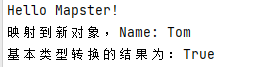
Console.WriteLine($"结果为:{i == int.Parse(res)}");
运行控制台程序:
枚举类型
- 把枚举映射到数字类型,同样也支持字符串到枚举和枚举到字符串的映射,比.NET 的默认实现快两倍
var fileMode = "Create, Open".Adapt<FileMode>();//等于 FileMode.Create | FileMode.Open
Console.WriteLine($"枚举类型转换的结果为:{fileMode == (FileMode.Create | FileMode.Open)}");
运行控制台程序验证转换成功:

Queryable 扩展
Mapster 提供了 Queryable 的扩展,用于实现 DbContext 的按需查找,例如:
- 新建类
UserDbContext
using Assignment.Mapster.Domain;
using Microsoft.EntityFrameworkCore;

namespace Assignment.Mapster.Infrastructure;

public class UserDbContext : DbContext
{
    public DbSet<User> User { get; set; }

    protected override void OnConfiguring(DbContextOptionsBuilder optionsBuilder)
    {
        var dataBaseName = Guid.NewGuid().ToString();
        optionsBuilder.UseInMemoryDatabase(dataBaseName);//使用内存数据库,方便测试
    }
}
- 新建类
User
public class User
{
    public int Id { get; set; }

    public string Name { get; set; }

    public uint Gender { get; set; }

    public DateTime BirthDay { get; set; }

    public DateTime CreationTime { get; set; }

    public User()
    {
        CreationTime = DateTime.Now;
    }
}
- 使用基于 Queryable 的扩展方法
ProjectToType
using (var dbContext = new UserDbContext())
{
    dbContext.Database.EnsureCreated();

    dbContext.User.Add(new User()
    {
        Id = 1,
        Name = "Tom",
        Gender = 1,
        BirthDay = DateTime.Parse("2002-01-01")
    });
    dbContext.SaveChanges();

    var userItemList = dbContext.User.ProjectToType<UserDto>().ToList();
}
运行控制台程序验证转换成功:

除此之外,Mapster还提供了映射前/后处理,拷贝与合并以及映射配置嵌套支持,详细可查看文档,既然Mapster已经如此强大,那我直接使用它就可以了,为什么还要使用Masa提供的 Mapper 呢?
什么是 Masa.Contrib.Data.Mapping.Mapster?
Masa.Contrib.Data.Mapping.Mapster是基于Mapster的一个对象到对象的映射器,并在原来Mapster的基础上增加自动获取并使用最佳构造函数映射,支持嵌套映射,减轻映射的工作量。
映射规则
目标对象没有构造函数时:使用空构造函数,映射到字段和属性。
目标对象存在多个构造函数:获取最佳构造函数映射
最佳构造函数: 目标对象构造函数参数数量从大到小降序查找,参数名称一致(不区分大小写)且参数类型与源对象属性一致
准备工作
新建一个控制台项目Assignment.Masa.Mapster,并安装Masa.Contrib.Data.Mapping.Mapster,Microsoft.Extensions.DependencyInjection
dotnet add package Masa.Contrib.Data.Mapping.Mapster --version 0.4.0-rc.4
dotnet add package Microsoft.Extensions.DependencyInjection --version 6.0.0
- 新建类
OrderItem
public class OrderItem
{
    public string Name { get; set; }

    public decimal Price { get; set; }

    public int Number { get; set; }

    public OrderItem(string name, decimal price) : this(name, price, 1)
    {

    }

    public OrderItem(string name, decimal price, int number)
    {
        Name = name;
        Price = price;
        Number = number;
    }
}
- 新建类
Order
public class Order
{
    public string Name { get; set; }

    public decimal TotalPrice { get; set; }

    public List<OrderItem> OrderItems { get; set; }

    public Order(string name)
    {
        Name = name;
    }

    public Order(string name, OrderItem orderItem) : this(name)
    {
        OrderItems = new List<OrderItem> { orderItem };
        TotalPrice = OrderItems.Sum(item => item.Price * item.Number);
    }
}
- 修改类
Program
using Assignment.Masa.Mapster.Domain.Aggregate;
using Masa.BuildingBlocks.Data.Mapping;
using Masa.Contrib.Data.Mapping.Mapster;
using Microsoft.Extensions.DependencyInjection;

Console.WriteLine("Hello Masa Mapster!");

IServiceCollection services = new ServiceCollection();
services.AddMapping();

var request = new
{
    Name = "Teach you to learn Dapr ……",
    OrderItem = new OrderItem("Teach you to learn Dapr hand by hand", 49.9m)
};
var serviceProvider = services.BuildServiceProvider();
var mapper = serviceProvider.GetRequiredService<IMapper>();
var order = mapper.Map<Order>(request);

Console.WriteLine($"{nameof(Order.TotalPrice)} is {order.TotalPrice}");//控制台输出49.9

Console.ReadKey();
如果转换成功,TotalPrice 的值应该是 49.9,那么我们运行控制台程序来验证转换是否成功:

如何实现
上面我们提到了Masa.Contrib.Data.Mapping.Mapster可以自动获取并使用最佳构造函数映射,进而完成对象到对象的映射,那么它是如何实现的呢?会不会对性能有什么影响呢?
做到自动获取并使用最佳构造函数映射是使用的Mapster提供的构造函数映射的功能,通过指定构造函数,完成对象到对象的映射。
查看文档
总结
目前Masa.Contrib.Data.Mapping.Mapster的功能相对较弱,当前版本与Mapster的相比仅仅增加了一个自动获取并使用最佳构造函数的功能,让我们在面对无空构造函数且拥有多个构造函数的类时也能轻松的完成映射,不需要额外多写一行代码。
但我觉得Masa版的 Mapping 最大的好处是项目依赖的是BuildingBlocks下的IMapper,而不是Mapster,这也就使得我们的项目与具体的映射器实现脱离,如果我们被要求项目必须要使用AutoMapper,只需要实现AutoMapper版的IMapper即可,无需更改太多的业务代码,仅需要更换一下引用的包即可,这也是BuildingBlocks的魅力所在
本章源码
Assignment04:https://github.com/zhenlei520/MasaFramework.Practice
开源地址
MASA.BuildingBlocks:https://github.com/masastack/MASA.BuildingBlocks
MASA.Contrib:https://github.com/masastack/MASA.Contrib
MASA.Utils:https://github.com/masastack/MASA.Utils
MASA.EShop:https://github.com/masalabs/MASA.EShop
MASA.Blazor:https://github.com/BlazorComponent/MASA.Blazor
如果你对我们的 MASA Framework 感兴趣,无论是代码贡献、使用、提 Issue,欢迎联系我们
