

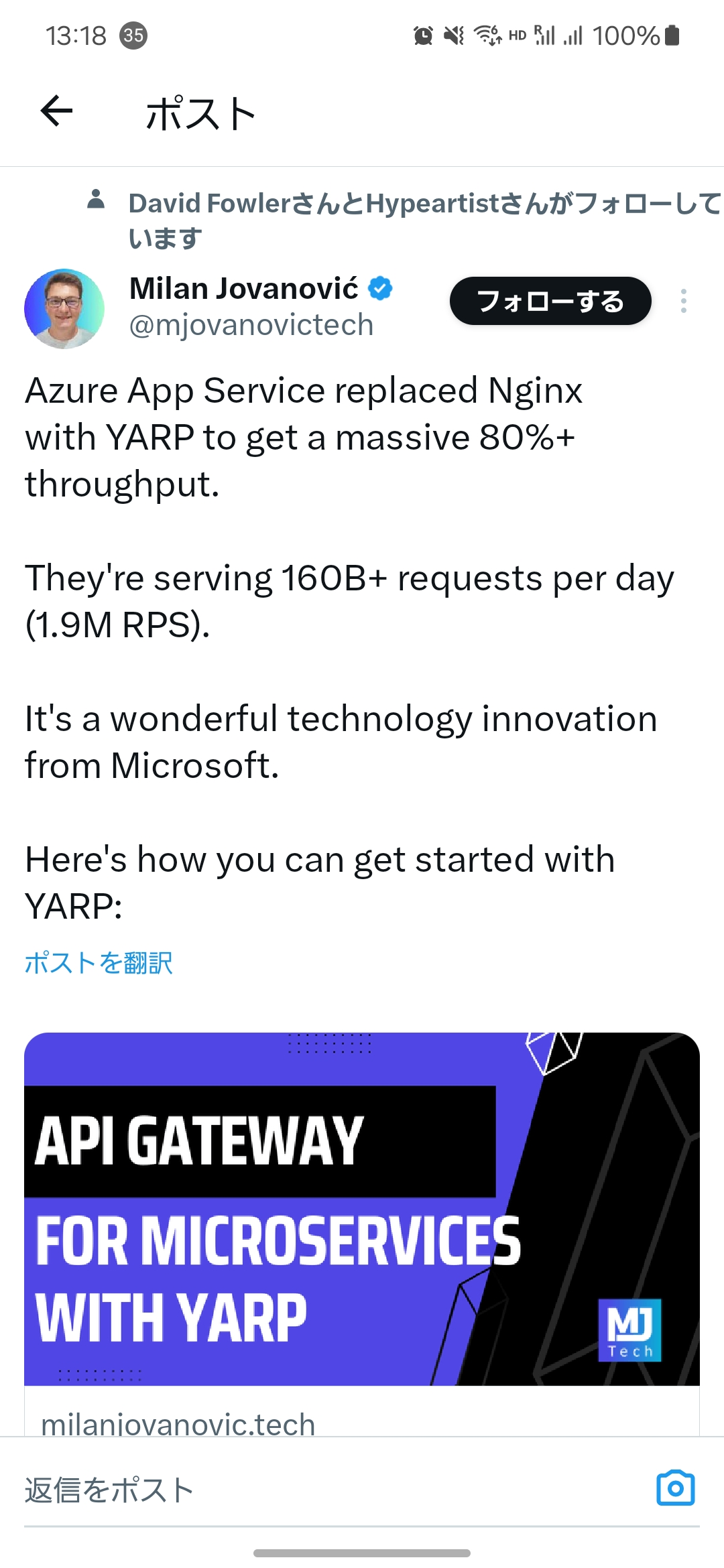
Azure 应用服务用 YARP 取代了 Nginx,获得了 80%以上的吞吐量。他们每天处理 160B 多个请求(1.9 m RPS)。这是微软的一项了不起的技术创新。
首先我们来介绍一下什么是 Yarp
Yarp 是什么?
YARP(Yet Another Reverse Proxy)是一个开源的、高性能的反向代理库,由 Microsoft 开发,使用 C#语言编写。它旨在作为.NET 平台上构建反向代理服务器的基础。YARP 主要针对.NET 5 及以上版本,允许开发者在.NET 应用程序中轻松地实现反向代理的功能。
YARP 的主要特点和功能:
- 模块化和可扩展性: YARP 设计成高度模块化的,这意味着可以根据需要替换或扩展内部组件,如 HTTP 请求路由、负载均衡、健康检查等。
- 性能: YARP 针对高性能进行了优化,利用了.NET 的异步编程模型和高效的 IO 操作,以处理大量并发连接。
- 配置驱动: YARP 的行为可以通过配置来控制,支持从文件、数据库或其他来源动态加载配置。
- 路由: 可以基于各种参数(如路径、头部、查询参数)配置请求路由规则。
- 负载均衡: 内置多种负载均衡策略,如轮询、最少连接、随机选择等,并且可以自定义负载均衡策略。
- 健康检查: 支持后端服务的健康检查,以确保请求只会被转发到健康的后端服务实例。
- 转换器: 允许对请求和响应进行转换,如修改头部、路径或查询参数。
- 会话亲和性: 支持会话亲和性(Session Affinity),确保来自同一客户端的请求被发送到相同的后端服务实例。
使用 YARP 的一些场景:
- 反向代理: 在客户端和后端服务之间提供一个中间层,用于请求转发和负载均衡。
- API 网关: 作为微服务架构中的 API 网关,提供路由、鉴权、监控等功能。
- 边缘服务: 在应用程序和外部世界之间提供安全层,处理 SSL 终止、请求限制等任务。
Yarp 简单的使用
创建一个 WebApi 的项目
安装NuGet包
<ItemGroup>
 <PackageReference Include="Yarp.ReverseProxy" Version="2.0.0" />
</ItemGroup>
打开appsettings.json
{
  "Logging": {
    "LogLevel": {
      "Default": "Information",
      "Microsoft": "Warning",
      "Microsoft.Hosting.Lifetime": "Information"
    }
  },
  "AllowedHosts": "*",
  "ReverseProxy": {
    "Routes": {
      "route1": {
        "ClusterId": "cluster1",
        "Match": {
          "Path": "{**catch-all}"
        }
      }
    },
    "Clusters": {
      "cluster1": {
        "Destinations": {
          "destination1": {
            "Address": "https://cn.bing.com/"
          }
        }
      }
    }
  }
}
打开Program.cs
var builder = WebApplication.CreateBuilder(args);
builder.Services.AddReverseProxy()
    .LoadFromConfig(builder.Configuration.GetSection("ReverseProxy"));
var app = builder.Build();
app.MapReverseProxy();
app.Run();
然后启动项目,访问我们的 api 就会被代理转发到bing上
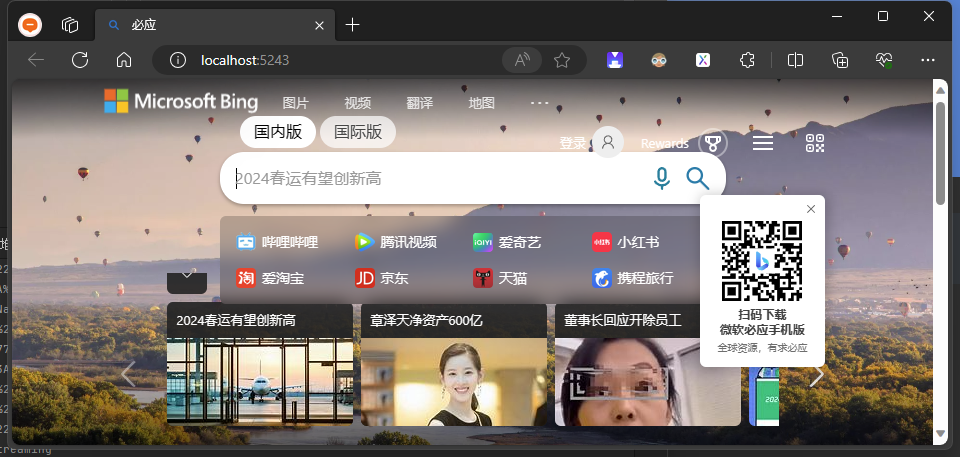
Yarp 工具代理使用
下面我们在提供一个在中间件使用 yarp 的方式
我们需要用到IHttpForwarder
先修改Program.cs 在这里我们注入了HttpForwarder,然后提供一个 Run 中间件,在中间件中手动指定了端点的地址https://cn.bing.com/ 然后我们启动一下项目。
using Yarp.ReverseProxy.Forwarder;

var builder = WebApplication.CreateBuilder(args);
builder.Services.AddHttpForwarder(); // 注入IHttpForwarder
var app = builder.Build();

var httpMessage = new HttpMessageInvoker(new HttpClientHandler());

app.Run((async context =>
{
    var httpForwarder = context.RequestServices.GetRequiredService<IHttpForwarder>();
    var destinationPrefix = "https://cn.bing.com/";

    await httpForwarder.SendAsync(context, destinationPrefix, httpMessage);
}));

app.Run();
也是一样会被代理过去,但是与简单使用不一样的是我们是在代码层面控制代理的。

使用 yarp 修改 Bing 的响应内容
我们继续基于上面的代理使用进行修改 bing 的相应内容!
打开Program.cs
var builder = WebApplication.CreateBuilder(args);
builder.Services.AddHttpForwarder(); // 注入IHttpForwarder
var app = builder.Build();

var httpMessage = new HttpMessageInvoker(new HttpClientHandler()
{
    // 忽略https错误
    ServerCertificateCustomValidationCallback = (_, _, _, _) => true,
    AllowAutoRedirect = false,
    AutomaticDecompression = DecompressionMethods.GZip,
    UseCookies = false,
    UseProxy = false,
    UseDefaultCredentials = true,
});
var destinationPrefix = "https://cn.bing.com/";

var bingTransformer = new BingTransformer();

app.Run((async context =>
{
    var httpForwarder = context.RequestServices.GetRequiredService<IHttpForwarder>();
    await httpForwarder.SendAsync(context, destinationPrefix, httpMessage, new ForwarderRequestConfig(),
        bingTransformer);
}));

app.Run();
创建BingTransformer.cs
public class BingTransformer : HttpTransformer
{
    public override async ValueTask TransformRequestAsync(HttpContext httpContext, HttpRequestMessage proxyRequest,
        string destinationPrefix,
        CancellationToken cancellationToken)
    {
        var uri = RequestUtilities.MakeDestinationAddress(destinationPrefix, httpContext.Request.Path,
            httpContext.Request.QueryString);
        proxyRequest.RequestUri = uri;
        proxyRequest.Headers.Host = uri.Host;
        await base.TransformRequestAsync(httpContext, proxyRequest, destinationPrefix, cancellationToken);
    }

    public override async ValueTask<bool> TransformResponseAsync(HttpContext httpContext,
        HttpResponseMessage? proxyResponse,
        CancellationToken cancellationToken)
    {
        await base.TransformResponseAsync(httpContext, proxyResponse, cancellationToken);

        if (httpContext.Request.Method == "GET" &&
            httpContext.Response.Headers["Content-Type"].Any(x => x.StartsWith("text/html")))
        {
            var encoding = proxyResponse.Content.Headers.FirstOrDefault(x => x.Key == "Content-Encoding").Value;
            if (encoding?.FirstOrDefault() == "gzip")
            {
                var content = proxyResponse?.Content.ReadAsByteArrayAsync(cancellationToken).Result;
                if (content != null)
                {
                    var result = Encoding.UTF8.GetString(GZipDecompressByte(content));
                    result = result.Replace("国内版", "Token Bing 搜索 - 国内版");
                    proxyResponse.Content = new StringContent(GZipDecompressString(result));
                }
            }
            else if (encoding.FirstOrDefault() == "br")
            {
                var content = proxyResponse?.Content.ReadAsByteArrayAsync(cancellationToken).Result;
                if (content != null)
                {
                    var result = Encoding.UTF8.GetString(BrDecompress(content));
                    result = result.Replace("国内版", "Token Bing 搜索 - 国内版");
                    proxyResponse.Content = new ByteArrayContent(BrCompress(result));
                }
            }
            else
            {
                var content = proxyResponse?.Content.ReadAsStringAsync(cancellationToken).Result;
                if (content != null)
                {
                    content = content.Replace("国内版", "Token Bing 搜索 - 国内版");
                    proxyResponse.Content = new StringContent(content);
                }
            }
        }

        return true;
    }

    /// <summary>
    /// 解压GZip
    /// </summary>
    /// <param name="bytes"></param>
    /// <returns></returns>
    public static byte[] GZipDecompressByte(byte[] bytes)
    {
        using var targetStream = new MemoryStream();
        using var compressStream = new MemoryStream(bytes);
        using var zipStream = new GZipStream(compressStream, CompressionMode.Decompress);
        using (var decompressionStream = new GZipStream(compressStream, CompressionMode.Decompress))
        {
            decompressionStream.CopyTo(targetStream);
        }

        return targetStream.ToArray();
    }

    /// <summary>
    /// 解压GZip
    /// </summary>
    /// <param name="str"></param>
    /// <returns></returns>
    public static string GZipDecompressString(string str)
    {
        using var compressStream = new MemoryStream(Encoding.UTF8.GetBytes(str));
        using var zipStream = new GZipStream(compressStream, CompressionMode.Decompress);
        using var resultStream = new StreamReader(new MemoryStream(compressStream.ToArray()));
        return resultStream.ReadToEnd();
    }

    /// <summary>
    /// Br压缩
    /// </summary>
    /// <param name="input"></param>
    /// <returns></returns>
    public static byte[] BrCompress(string str)
    {
        using var outputStream = new MemoryStream();
        using (var compressionStream = new BrotliStream(outputStream, CompressionMode.Compress))
        {
            compressionStream.Write(Encoding.UTF8.GetBytes(str));
        }

        return outputStream.ToArray();
    }

    /// <summary>
    /// Br解压
    /// </summary>
    /// <param name="input"></param>
    /// <returns></returns>
    public static byte[] BrDecompress(byte[] input)
    {
        using (var inputStream = new MemoryStream(input))
        using (var outputStream = new MemoryStream())
        using (var decompressionStream = new BrotliStream(inputStream, CompressionMode.Decompress))
        {
            decompressionStream.CopyTo(outputStream);
            return outputStream.ToArray();
        }
    }
}
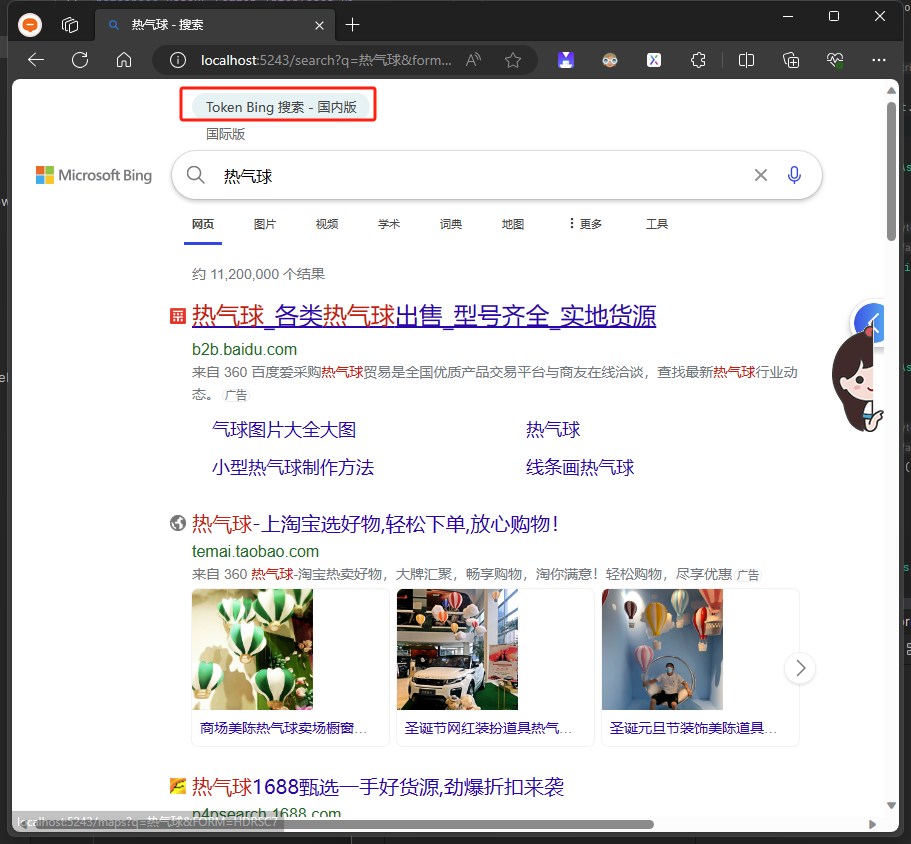
得到的效果我们将国内版修改成了Token Bing 搜索 - 国内版
Yarp 相关资料
技术交流群:737776595
官方文档:https://microsoft.github.io/reverse-proxy/articles/getting-started.html
来着 token 的分享