

NuGet Next是一款基于BaGet的一款私有化NuGet管理平台,我们对BaGet进行了扩展,并且提供了更多的功能。
NuGet 最新版开源私有化包管理,我们基于BaGet的基础之上增加了更多的功能,并且对中国市场做更多兼容,比如国产化支持。
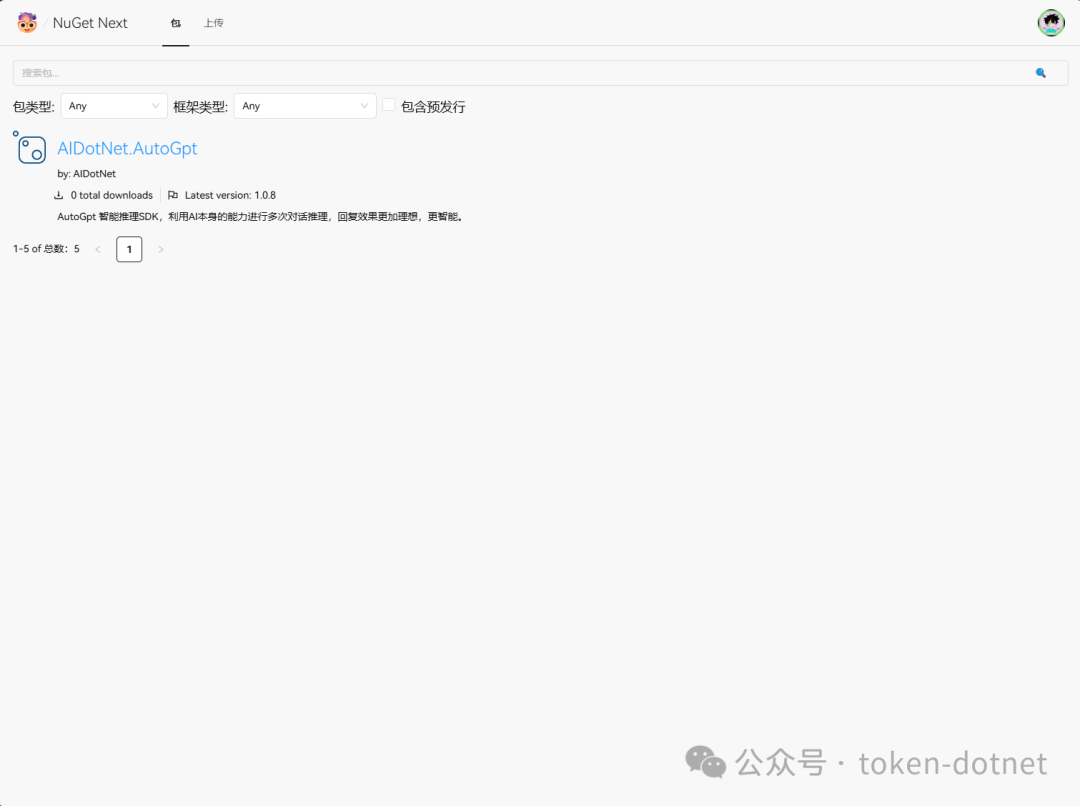
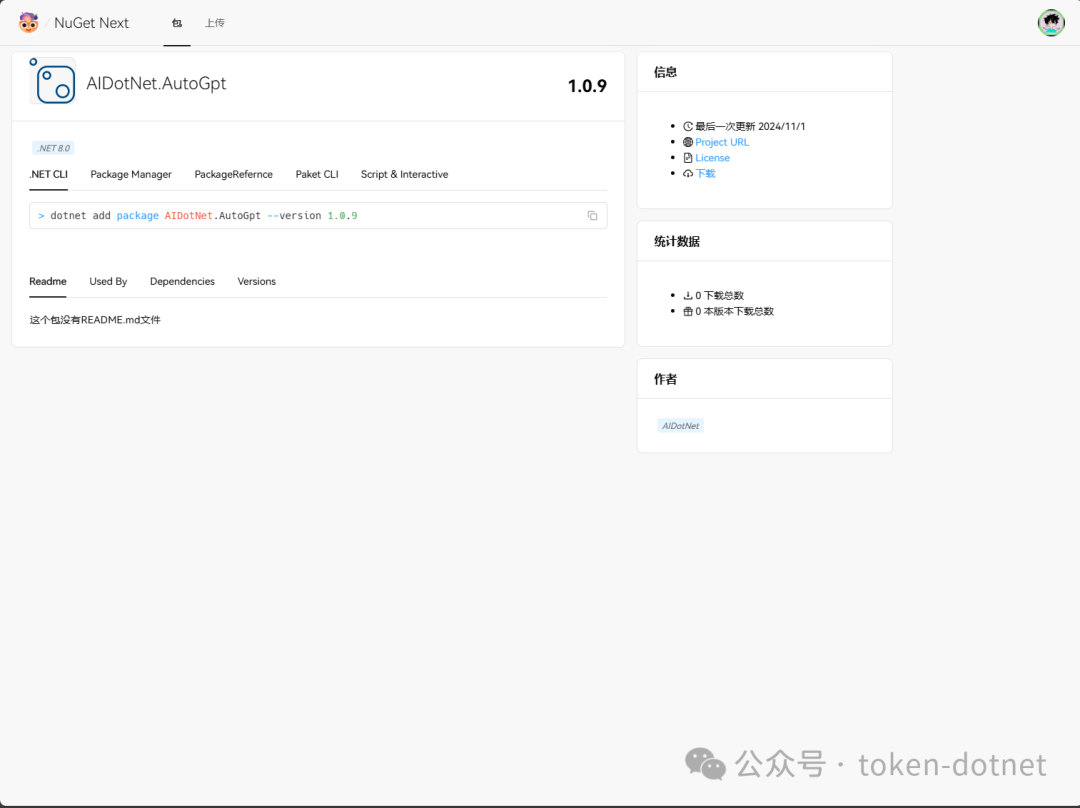
功能介绍
- 支持用户管理
- 支持包管理溯源
- 支持包管理
- 用户支持自定义Key
- 支持SqlServer数据库
- 支持PostgreSql数据库
- 支持MySql数据库
- 支持DM(达梦)数据库
快速部署
使用docker compose快速部署
version: '3.8'
services:
  nuget.next:
    image: registry.token-ai.cn/ai-dotnet/nuget-next
    build:
      context: .
      dockerfile: src/NuGet.Next/Dockerfile
    container_name: nuget-next
    ports:
      - "5000:8080"
    volumes:
      - ./nuget:/app/data # 请注意手动创建data目录,负责在Linux下可能出现权限问题导致无法写入
    environment:
      - Database:Type=SqLite
      - Database:ConnectionString=Data Source=/app/data/nuget.db # 数据库连接字符串
      - Mirror:Enabled=true # 是否启用镜像源
      - Mirror:PackageSource=https://api.nuget.org/v3/index.json # 镜像源,如果本地没有会自动从镜像源拉取
      - RunMigrationsAtStartup:true # 是否在启动时运行迁移,如果是第一次启动请设置为true
docker-compose up -d
国产化支持
version: '3.8'
services:
  nuget.next:
    image: registry.token-ai.cn/ai-dotnet/nuget-next
    build:
      context: .
      dockerfile: src/NuGet.Next/Dockerfile
    container_name: nuget-next
    ports:
      - "5000:8080"
    volumes:
      - ./nuget:/app/data # 请注意手动创建data目录,负责在Linux下可能出现权限问题导致无法写入
    environment:
      - Database:Type=DM # 达梦数据库
      - Database:ConnectionString=Server=localhost;User id=SYSDBA;PWD=SYSDBA;DATABASE=NUGET # 数据库连接字符串
      - Mirror:Enabled=true # 是否启用镜像源
      - Mirror:PackageSource=https://api.nuget.org/v3/index.json # 镜像源,如果本地没有会自动从镜像源拉取
      - RunMigrationsAtStartup:true # 是否在启动时运行迁移,如果是第一次启动请设置为true
docker-compose up -d
PostgreSql数据库
version: '3.8'
services:
  nuget.next:
    image: registry.token-ai.cn/ai-dotnet/nuget-next
    build:
      context: .
      dockerfile: src/NuGet.Next/Dockerfile
    container_name: nuget-next
    ports:
      - "5000:8080"
    volumes:
      - ./nuget:/app/data # 请注意手动创建data目录,负责在Linux下可能出现权限问题导致无法写入
    environment:
      - Database:Type=PostgreSql
      - Database:ConnectionString=Host=postgres;Port=5432;Database=nuget-next;Username=token;Password=dd666666;
      - Mirror:Enabled=true # 是否启用镜像源
      - Mirror:PackageSource=https://api.nuget.org/v3/index.json # 镜像源,如果本地没有会自动从镜像源拉取
      - RunMigrationsAtStartup:true # 是否在启动时运行迁移,如果是第一次启动请设置为true
docker-compose up -d
MySql数据库
version: '3.8'
services:
  nuget.next:
    image: registry.token-ai.cn/ai-dotnet/nuget-next
    build:
      context: .
      dockerfile: src/NuGet.Next/Dockerfile
    container_name: nuget-next
    ports:
      - "5000:8080"
    volumes:
      - ./nuget:/app/data # 请注意手动创建data目录,负责在Linux下可能出现权限问题导致无法写入
    environment:
      - Database:Type=MySql
      - Database:ConnectionString=Server=mysql;Port=3306;Database=nuget-next;Uid=root;Pwd=dd666666;
      - Mirror:Enabled=true # 是否启用镜像源
      - Mirror:PackageSource=https://api.nuget.org/v3/index.json # 镜像源,如果本地没有会自动从镜像源拉取
      - RunMigrationsAtStartup:true # 是否在启动时运行迁移,如果是第一次启动请设置为true
docker-compose up -d
SqlServer数据库
version: '3.8'
services:
  nuget.next:
    image: registry.token-ai.cn/ai-dotnet/nuget-next
    build:
      context: .
      dockerfile: src/NuGet.Next/Dockerfile
    container_name: nuget-next
    ports:
      - "5000:8080"
    volumes:
      - ./nuget:/app/data # 请注意手动创建data目录,负责在Linux下可能出现权限问题导致无法写入
    environment:
      - Database:Type=SqlServer
      - Database:ConnectionString=Server=sqlserver;Database=nuget-next;User Id=sa;Password=dd666666;
      - Mirror:Enabled=true # 是否启用镜像源
      - Mirror:PackageSource=https://api.nuget.org/v3/index.json # 镜像源,如果本地没有会自动从镜像源拉取
      - RunMigrationsAtStartup:true # 是否在启动时运行迁移,如果是第一次启动请设置为true
docker-compose up -d
使用说明
- 默认用户名:admin
- 默认密码:Aa123456.
联系我们
- 官方网站
- GitHub
- Gitee
- 邮箱
- QQ群
GitHub: https://github.com/AIDotNet/NuGet.Next
Gitee: https://gitee.com/aidotnet/NuGet.Next
示例网站: https://nuget.token-ai.cn/
