

虽然 Blazor 不需要用到 JavaScript,但某些已有的 js 库 还是很方便,不能因为不想用 JavaScript 就全部舍弃,Blazor 就提供了调用 JavaScript 的方法,这种情况称为 JavaScript interoperability(简称 JavaScript interop)。这篇就来实现 Delete 按钮的提醒窗口,因为删除是很重要的功能,不能让使用者轻轻一按就轻易删除。
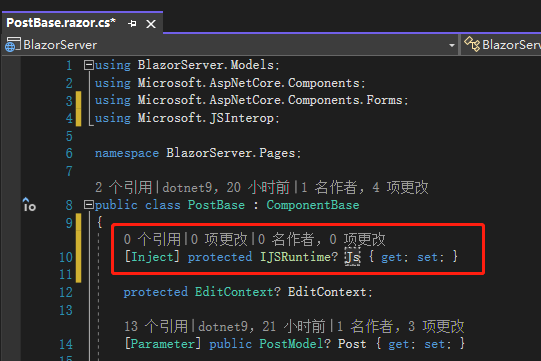
Day 07 有说过,Blazor 有内置的 JavaScript Service,所以我们不用去 Program.cs 依赖注入,在想使用的页面注入即可。如果想在 razor 组件注入,只要输入@inject IJSRuntime js即可。
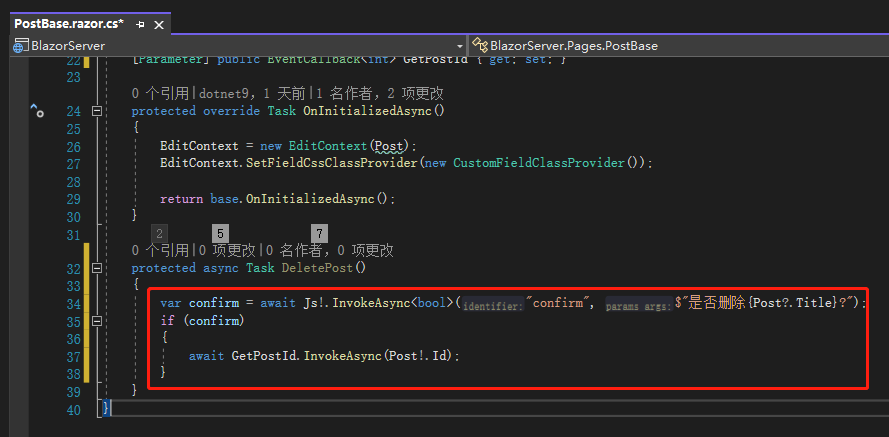
接着将原本的ReturnPostId()改名为DeletePost(),类型改为Task,里面的逻辑稍作修改,可以看到JavaScript 也是用EventCallback 的方式,除了会回传值的InvokeAsync,还有不回传值的InvokeVoidAsync可以用。第一个参数放的是JS方法 的名字,如果该JS方法有要求参数,就依序放在后面即可。
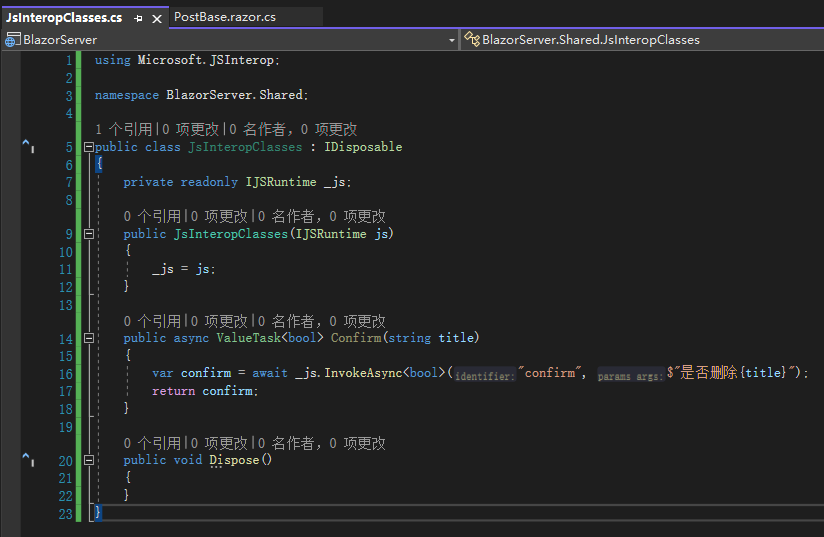
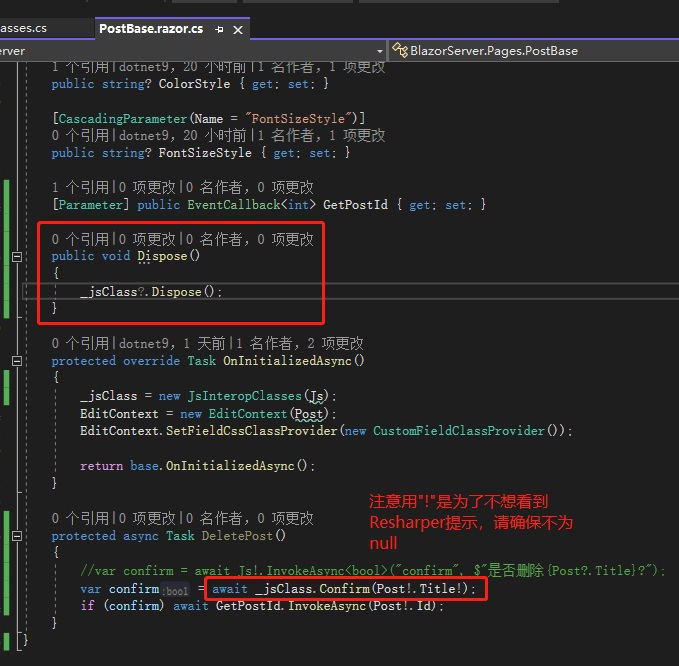
那如果想要自己写 C# 类把这段程序封装起来,好享受强类型的优势呢?Blazor 也提供了做法。首先在Shared文件夹新增JsInteropClasses.cs,里面只有做三件事,依赖注入、原本的 confirm 方法以及Dispose。
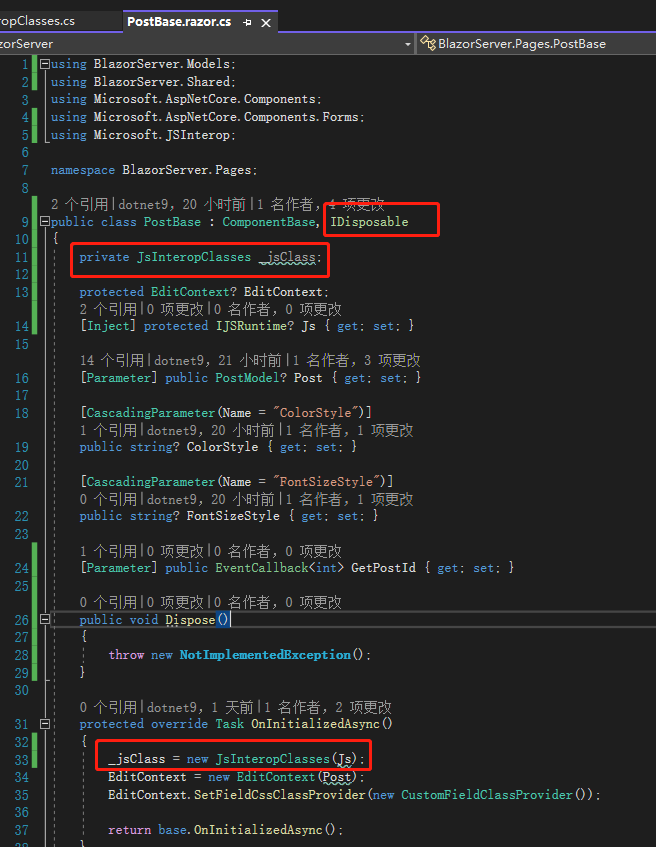
接着在PostBase.razor.cs一开始将 JS 注入进JsInteropClasses且继承IDisposable。
然后将原本的方法改成刚刚封装好的_jsClass.Confirm()方法,最后再重写Dispose方法。
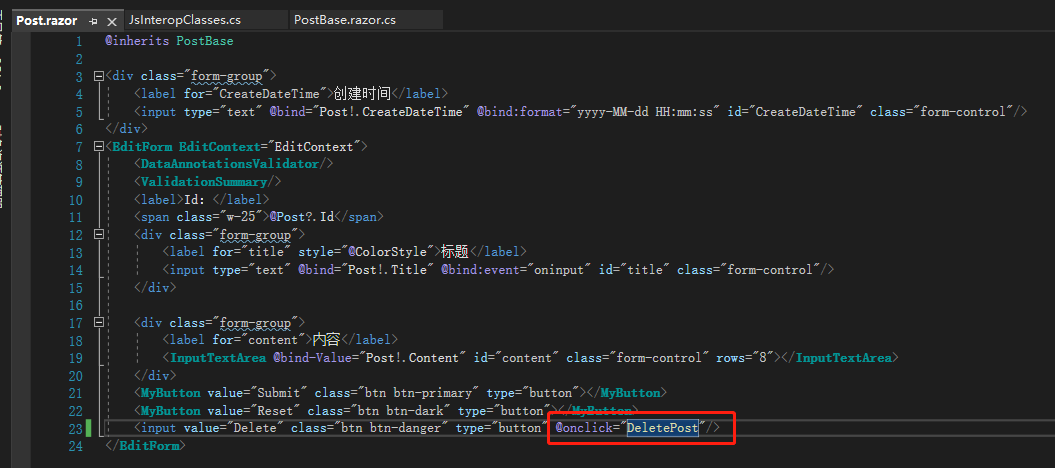
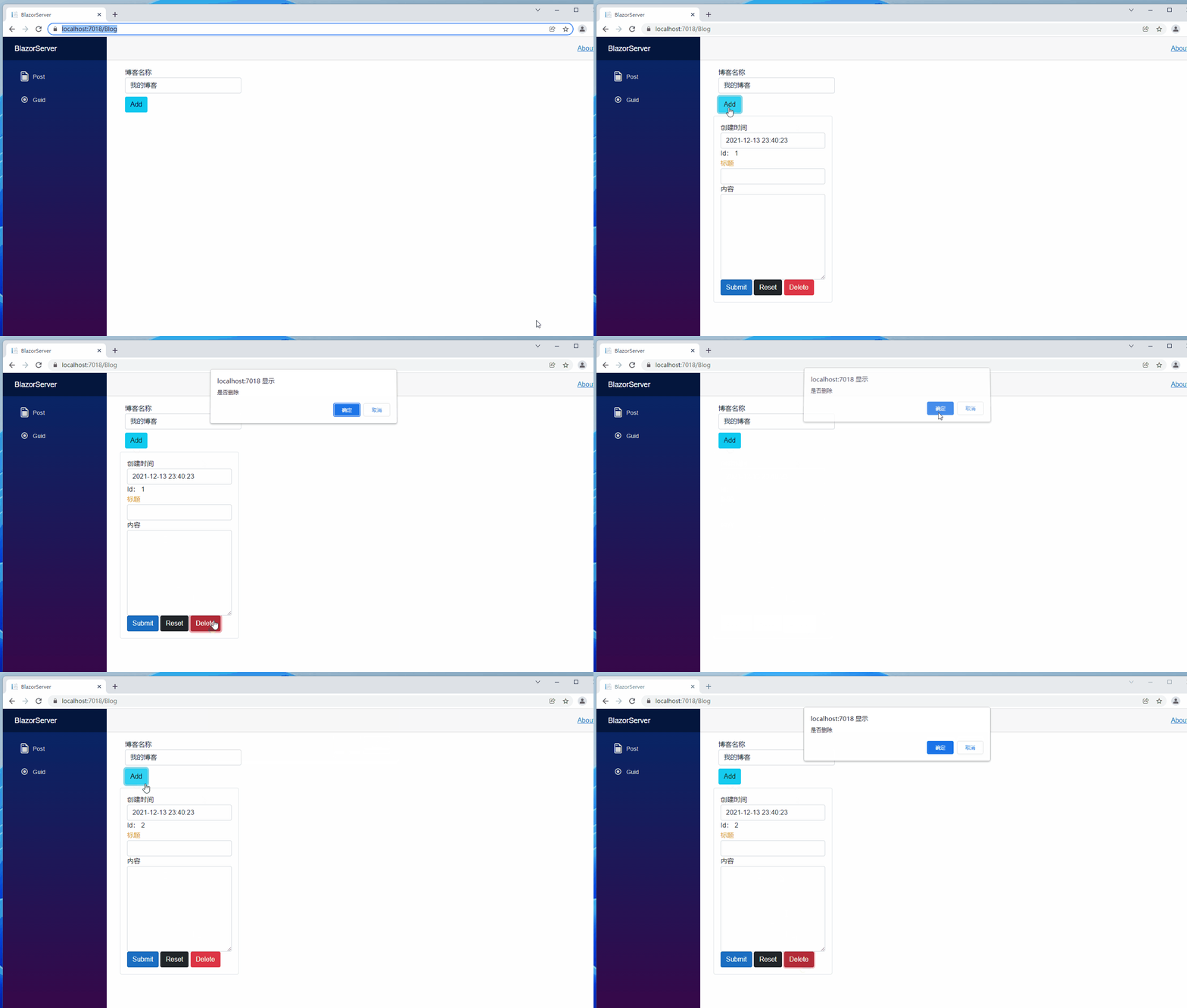
可以看到跟原本直接在PostBase.razor.cs调用 JS 的confirm是一样的结果,差点忘了在Post.razor里修改 Delete 按钮的点击事件回调方法为DeletePost。
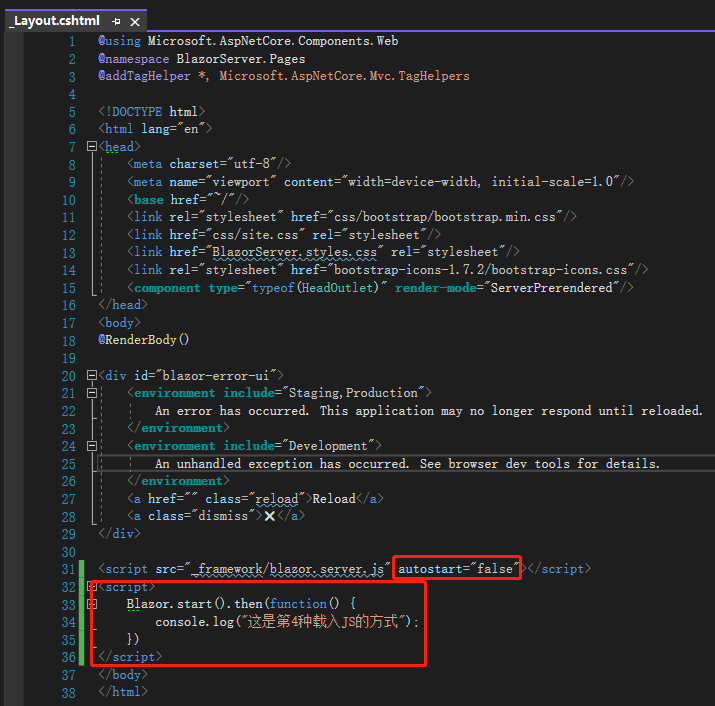
在 Blazor 有 4 个地方可以载入 JS 文件,分别为:<head>、<body>、外部JS script 以及在 Blazor 启动后载入,都是将需要的<script>置于_Layout.cshtml(Blazor Server)或是index.html(Blazor WebAssembly),比较特别的是最后一种,所以这边说明一下。
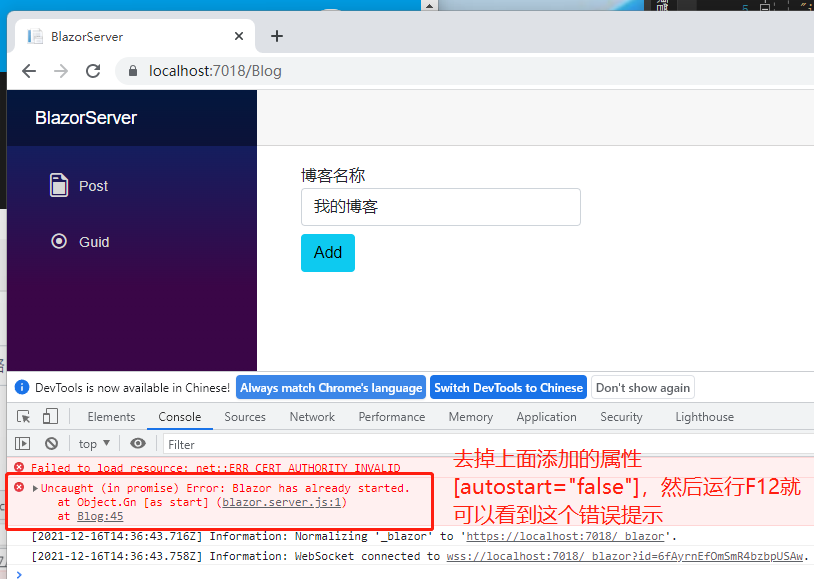
我们在_Layout.cshtml原本的_framework/blazor.server.js底下加入自己的 script,里面做的事情很简单只有console.log文字,要特别注意的是原本的 script 要加入一个 attribute autostart="false",这是告诉 Blazor 不要自动启动程序,如果不加这个 attribute,就会得到这样的错误讯息。
不过目前的删除窗口太难看了,我们来换个套件,笔者看许多人使用了SweetAlert2,所以也来试试看。
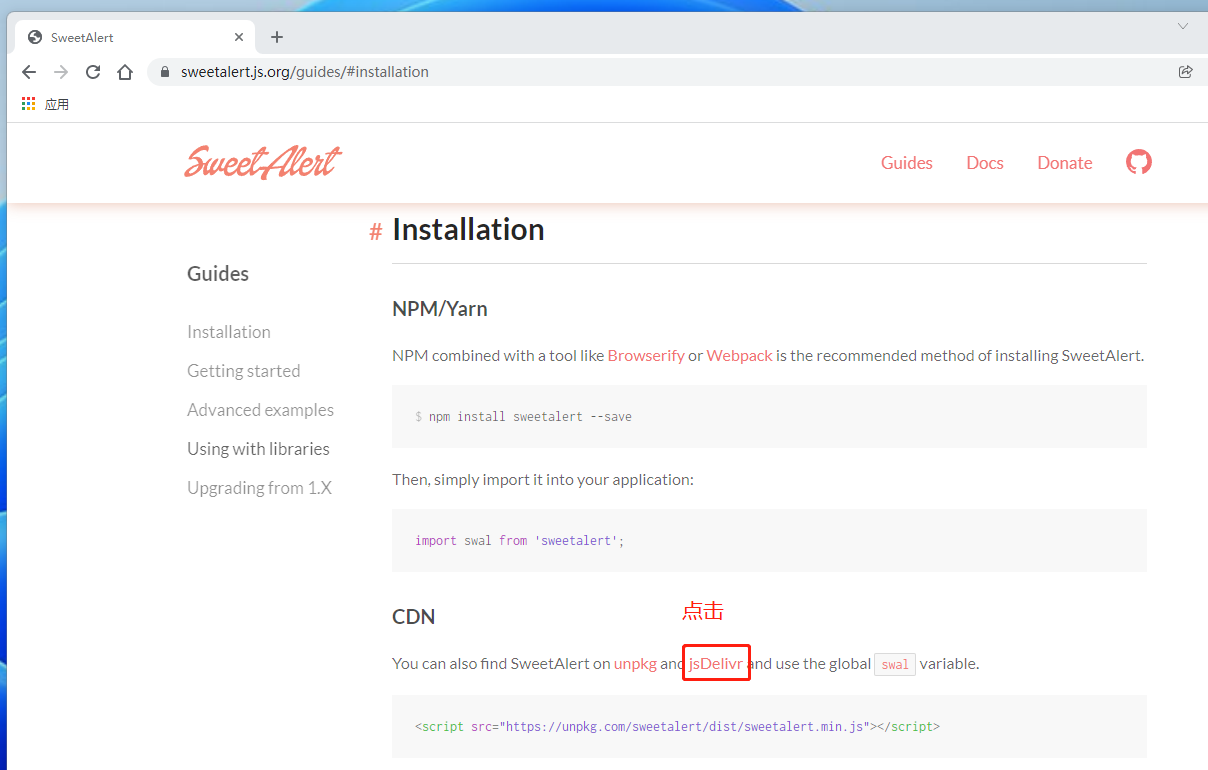
首先去SweetAlert2 官网下载文件,接着将sweetalert.js放在<head>,然后把原本的第 4 种Blazor.start()移除,记得_framework/blazor.server.js的autostart="false"也要移除;或是直接写在 Blazor.start()里面也可以。

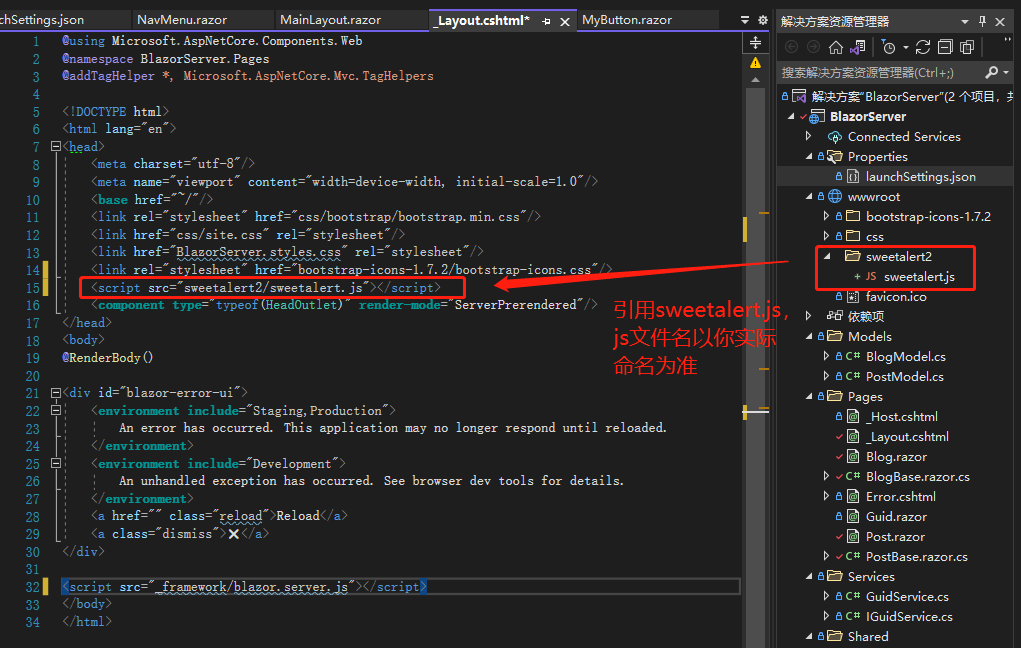
再加入自己的<script>,这边比较特别的是用了Promise,Promise 是用来让异步更好用的语法,resolve的意思是执行成功后会回传的内容(这边执行成功的意思是没有异常,也就是不论按下确定还是取消都会回传)。
Confirm 方法则改成调用刚定义好的SweetConfirm()。
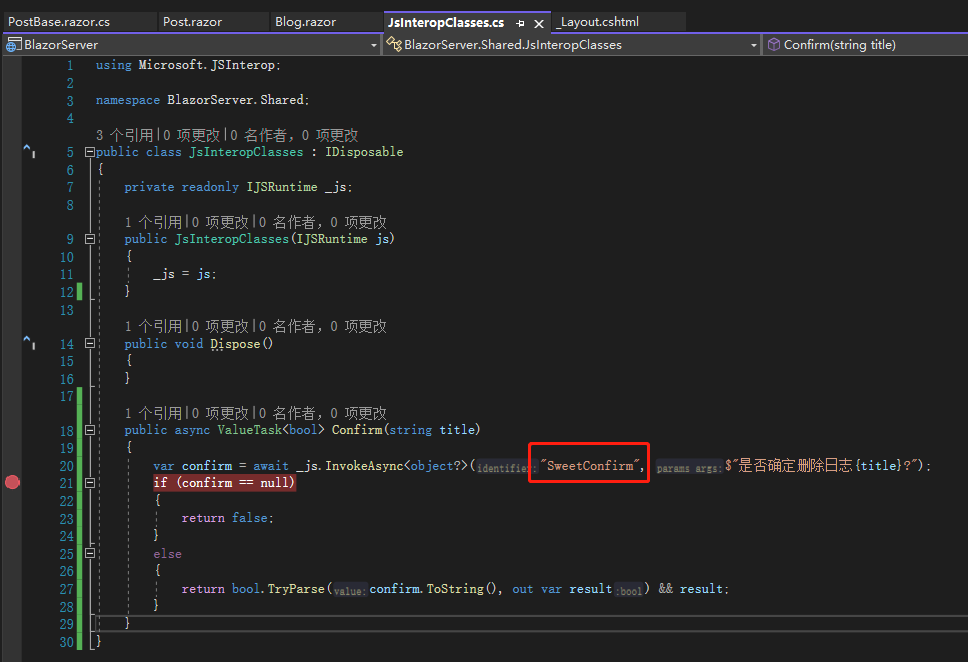
点击 Delete 按钮,按下确定,willDelete为 true,于是resolve就将willDelete 传回去,JsInteropClasses 的Confirm 成功收到了true(这里有点小问题,点击确定后,先弹出了删除成功,JsInteropClasses才收到的true,后面有机会站长再优化)。
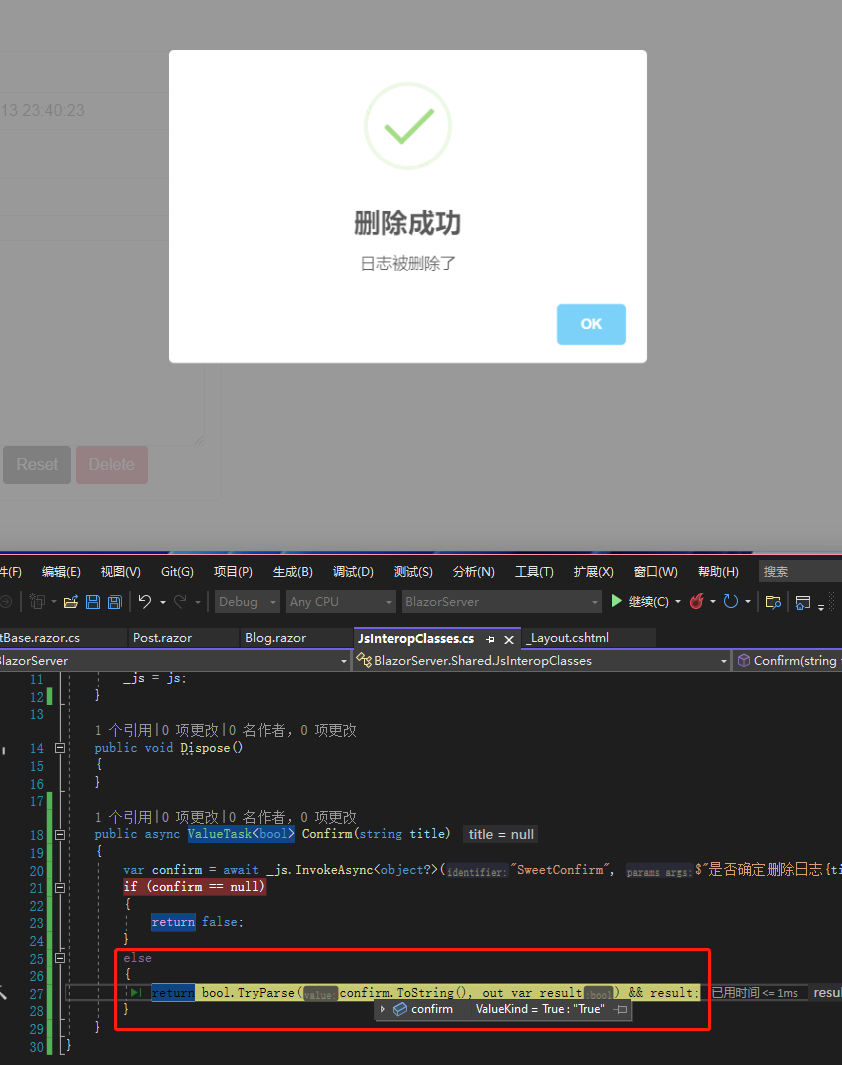
如果点击取消,willDelete 是 null。

Promise 是前端避不掉的语法,有兴趣的人可以看笔者附上的链接,笔者原本打算用 Observable 跟 subscribe 语法,不过 SweetAlert2 尚未实现。
另外 SweetAlert2 目前也有Blazor 版本可以使用,方法大同小异,如果真的不想碰 JS 的人可以试试看。
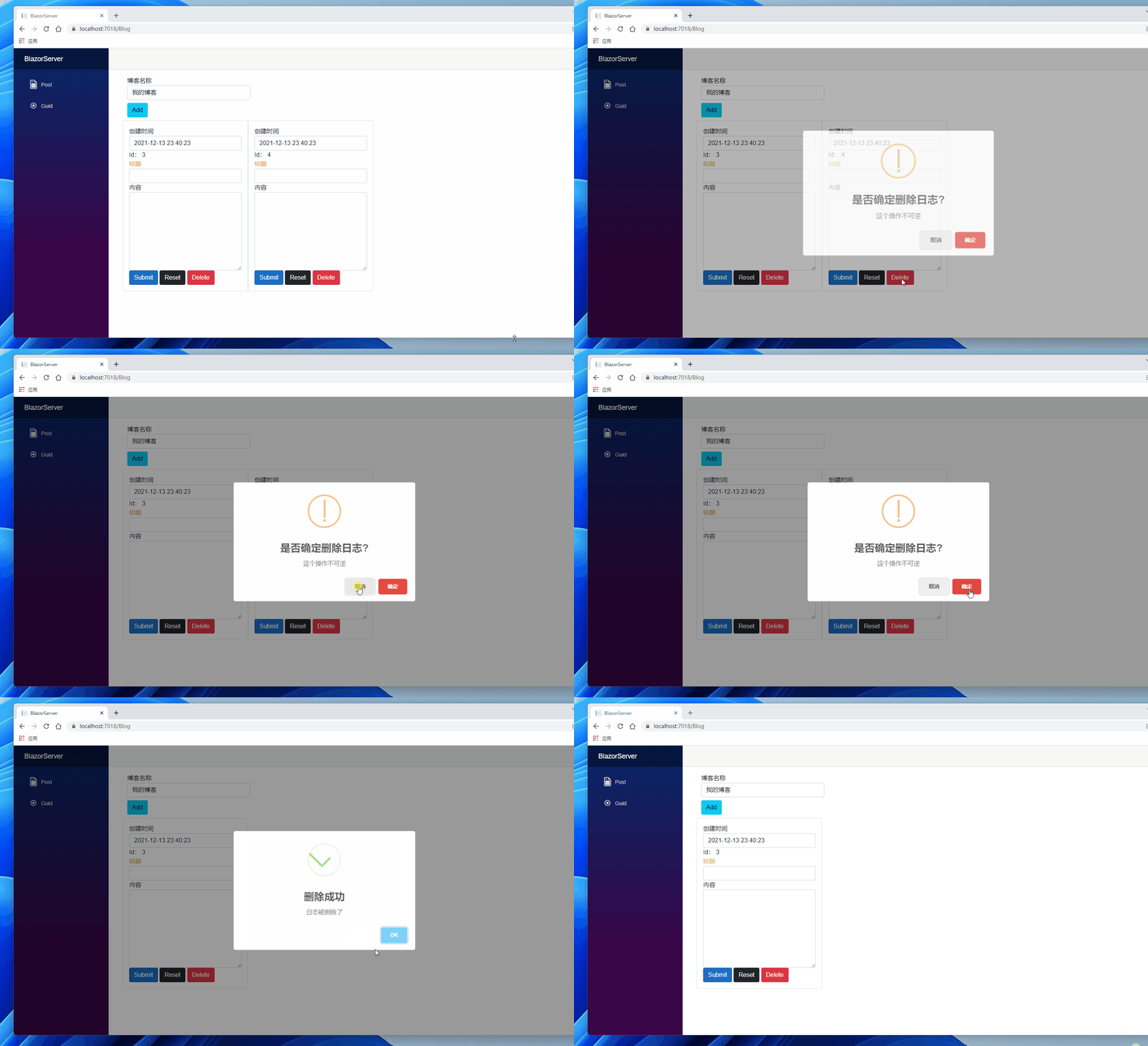
最后来个本文效果动图,结束本文:
引用:
- Blazor JavaScript interoperability (JS interop)
- Call JavaScript functions from .NET methods in ASP.NET Core Blazor
- HANDLING BUTTONS (CONFIRM, DENY, CANCEL)
- Day 20:JavaScript interop
- JavaScript Promise 全介绍
- Support ObservableLike #1982
- Blazor - Making a Promise in JS - SweetAlert2 Confirmation Dialog
- SweetAlert - upgrading-from-1x
注:本文代码通过 .NET 6 + Visual Studio 2022 重构,SweetAlert 使用的 2.0 版本,和原文出入较大,可点击原文链接与重构后代码比较学习,谢谢阅读。