(15/30)Learning Blazor Together: CSS Isolation

(15/30)Learning Blazor Together: CSS Isolation

Sometimes we want to apply individual styles to different components. But if we write all CSS classes in `wwwroot/css/site.css`, or modify styles for a specific element, it may cause a change to affect all components. This kind of global conflict must be avoided, but how should we do it?

Last updated 12/18/2021 10:35 PM
StrayaWorker
4 min read
Category
Blazor
Topic
Learning Blazor Together Series
Tags
.NET C# ASP.NET Core Blazor

Introduction to CSS isolation

Sometimes you may want to apply specific styles to different components, but if you write all classes in wwwroot/css/site.css or modify styles for a specific element, it could affect all components when changed. This kind of global conflict must be avoided, but how should it be done?

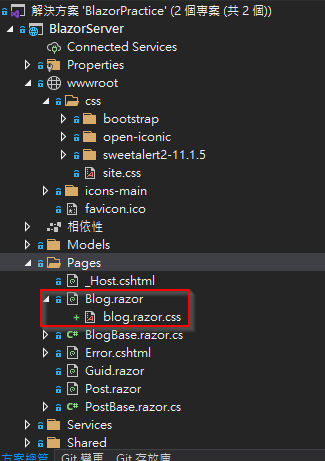
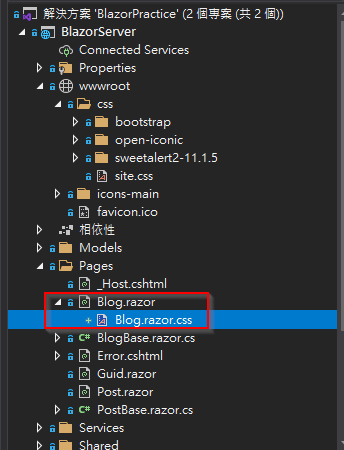
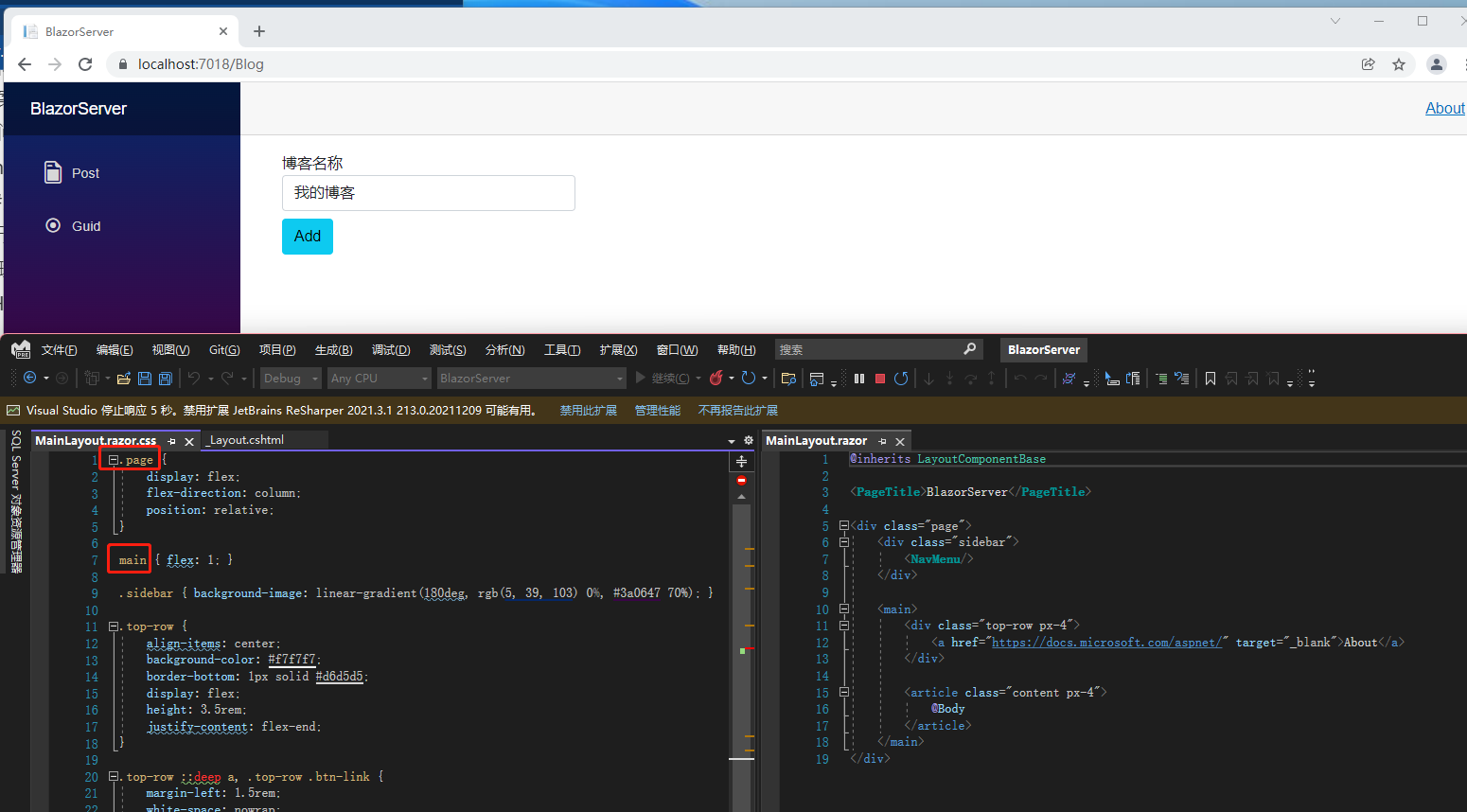
.NET 5 introduced CSS isolation, which allows you to create individual CSS files for components. The naming convention is {Component name}.razor.css, and the file is automatically merged with {Component name}.razor. The naming is case-insensitive. As shown in the image below, whether it is Blog.razor.css or blog.razor.css, both are treated as the same group with Blog.razor.

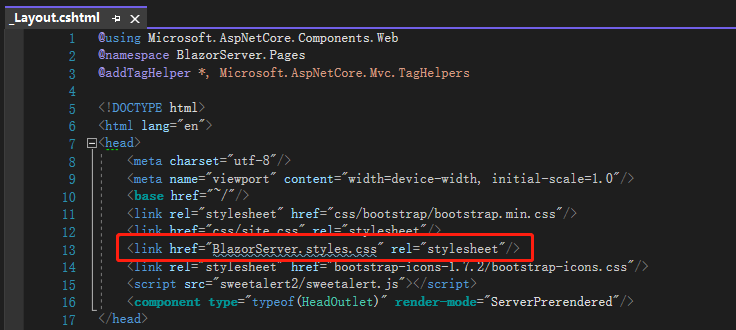
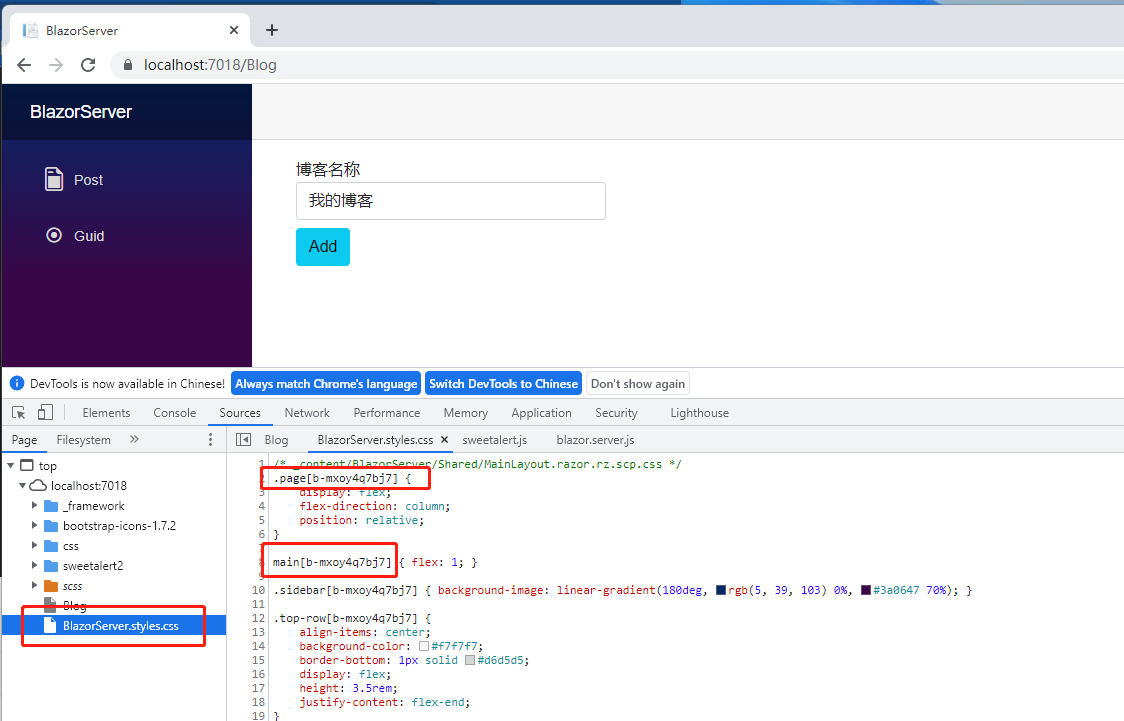
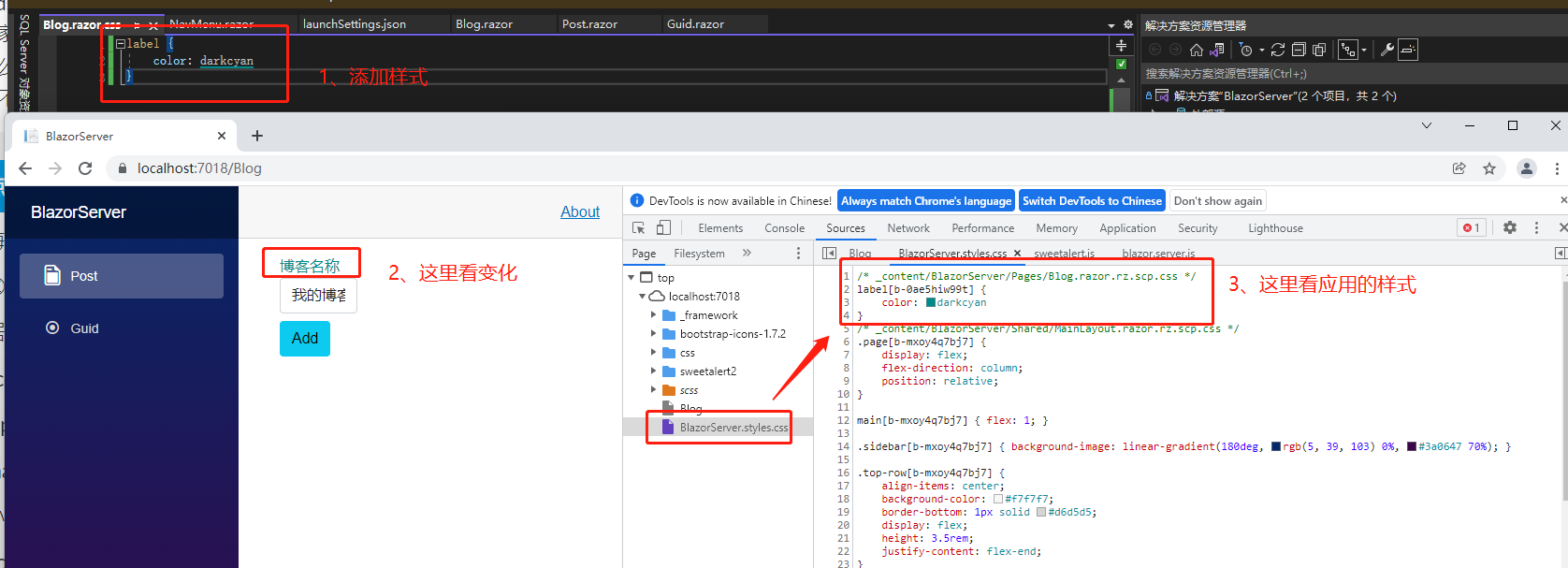
CSS isolation is processed during build. Blazor rewrites the CSS selectors and generates a {Project name}.style.css file. You can find the reference path in the <head> tag of wwwroot/index.html (Blazor WebAssembly) or Pages/_Layout.cshtml (Blazor Server). Since this file is generated at build time, it is not visible in the project. Open the browser's Dev tools and switch to the Sources tab to see this file.

Some might notice unfamiliar content appended after the class names, such as .page[b-mxoy4q7bj7] or .main[b-mxoy4q7bj7]. This is the scope identifier that Blazor uses to recognize which component the CSS selector applies to. The format is b- followed by 10 alphanumeric characters. Each component has a unique scope identifier. So we know that the .main and .page classes here only apply to the component corresponding to [b-mxoy4q7bj7]. The comment reads /* _content/BlazorServer/Shared/MainLayout.razor.rz.scp.css */. Opening Shared/MainLayout.razor.css confirms the .main and .page classes. The rz.scp.css extension is used to identify which component the CSS selector belongs to.

We add a style modification for label in Blog.razor.css, press Ctrl + Shift + B to build the project, and then view the web page – the text color changes. In BlazorServer.style.css, you can also see that a new rule label[b-0ae5hiw99t] has been added under the Blog.razor.rz.scp.css style block.

Applying Styles to Child Components

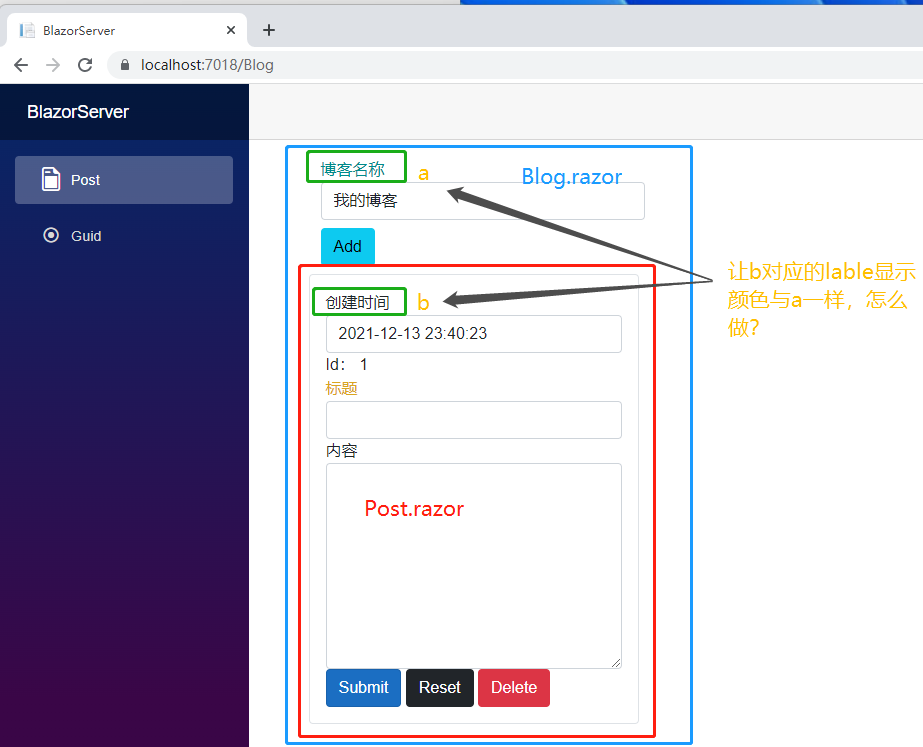
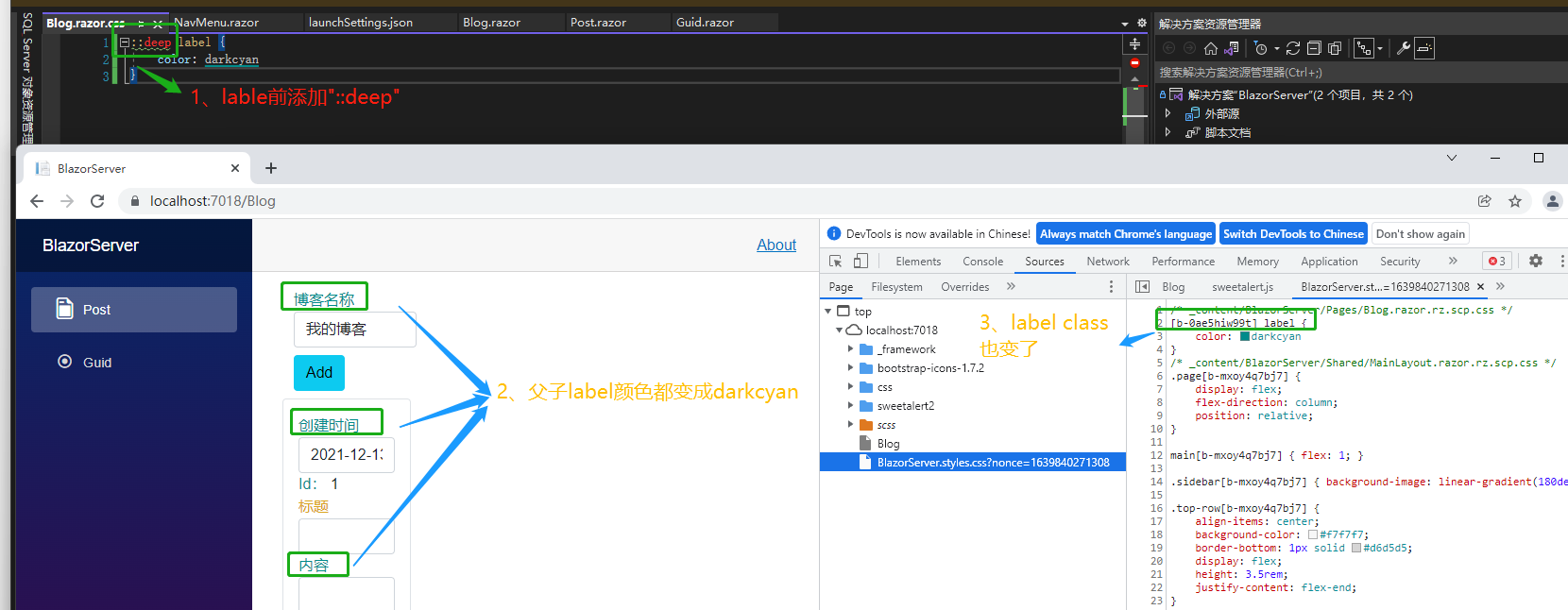
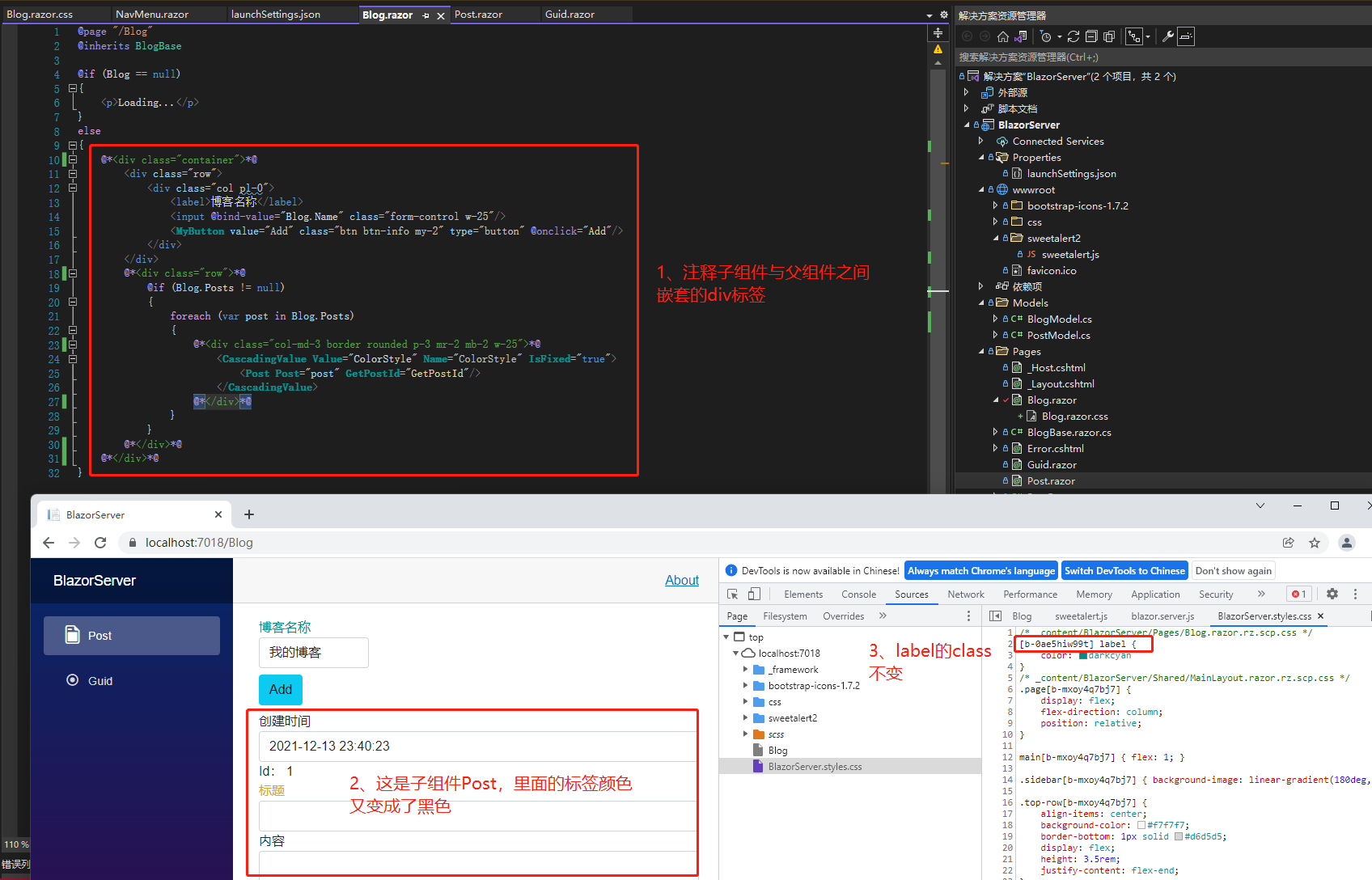
What if you want to apply the same style to the label element of a Post component without creating a separate .razor.css file? Blazor provides a convenient approach: simply prefix the CSS selector with ::deep. We add ::deep before label in Blog.razor.css, and then the label elements in Post change color. The class in BlazorServer.style.css also changes from label[b-0ae5hiw99t] to [b-0ae5hiw99t] label.

However, note that ::deep only works if there is a parent-child relationship. The scope identifier of the parent component only applies to the <div> tag. If the child component is not wrapped in a <div> tag, it will not take effect. We comment out the <div> tags wrapping the Post component in Blog.razor, save, and then check the page – the <label> text color changes back to black, but the class in BlazorServer.style.css remains [b-0ae5hiw99t] label.

References:

  1. ASP.NET Core Blazor CSS isolation

Note: The code in this article has been refactored using .NET 6 + Visual Studio 2022. You can compare the original article link with the refactored code for further learning. Thank you for reading and supporting the original author.

Keep Exploring

Related Reading

More Articles
Same category / Same tag 12/25/2021

(29/30)Learn Blazor Together: Blazor Unit Testing

The most boring part of developing a system is probably fixing bugs, especially errors like trying to access a null object (`Object reference not set to an instance of an object.`), which is the most common problem most people encounter when they first step into programming. To break free from the tedious bug-fixing process, this article introduces `unit testing`.

Continue Reading
Same category / Same tag 12/25/2021

(28/30) Learning Blazor Together: Policy-based Authorization

It was mentioned earlier that `ASP.NET Core Identity` uses `Claim`-based authentication. In fact, `ASP.NET Core Identity` has different types of authorization methods, the simplest being `Login Authorization`, `Role Authorization`, and `Claim Authorization`. However, all of the above are implemented in one way: Policy-based Authorization.

Continue Reading