

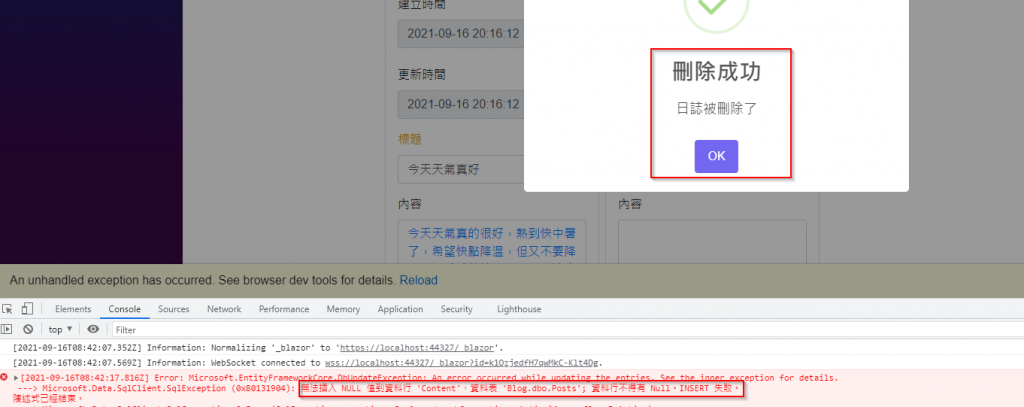
假设今天有个状况是这样:有一条日志,新增第二条但还没提交前,想将第一条删除,这时会发生什么事呢?
竟然出错了!明明只是将要删除的Post.Id提交后端去,为什么会有这样的错误信息?
这就要说到 C# 的特性了,C# 是面向对象(Object-Oriented Programming, OOP)语言,也就是说任何东西包括数据、方法都能变成对象,Blog、Post就是一个个对象,除了对象这种引用类型,也有单纯的int、bool等基础类型。
(注:string分类上是引用类型,但语法上却是基础类型,这是为了避免无数的 string 撑满内存。)
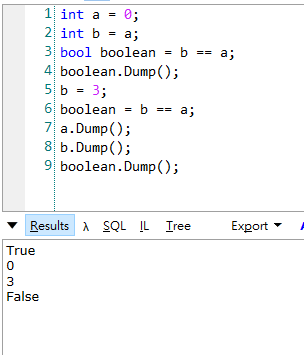
基础类型的意思是:两个基础类型之间的修改不会影响彼此。定义一个变量int a = 0;,再定义int b = a;,b等于 0 这没问题,这时候如果再赋值b = 3;,a跟b就不相等了,彼此间不会影响对方。下图用 LINQPad 示范,Dump()的意思是将该变量显示在下方Results区块,可以看到即便中间修改b的值,a也不受影响。
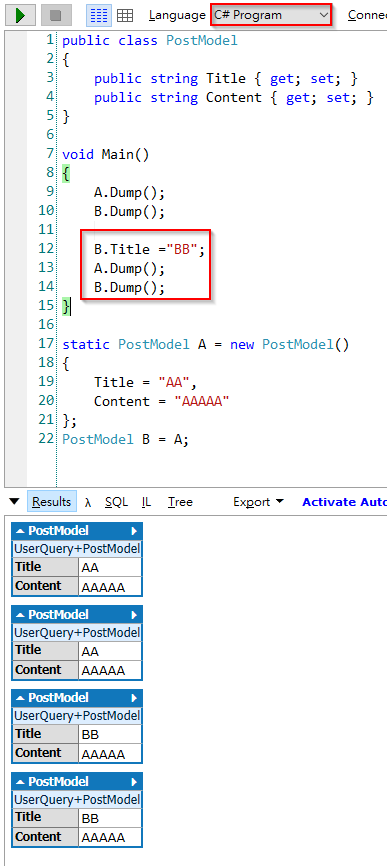
引用类型则是:B 对象如果来自 A 对象,不论哪个对象修改,另一个就会跟着修改。可以看到下图在 12 行将B对象的Title改为"BB",结果A对象的Title也跟着变了。
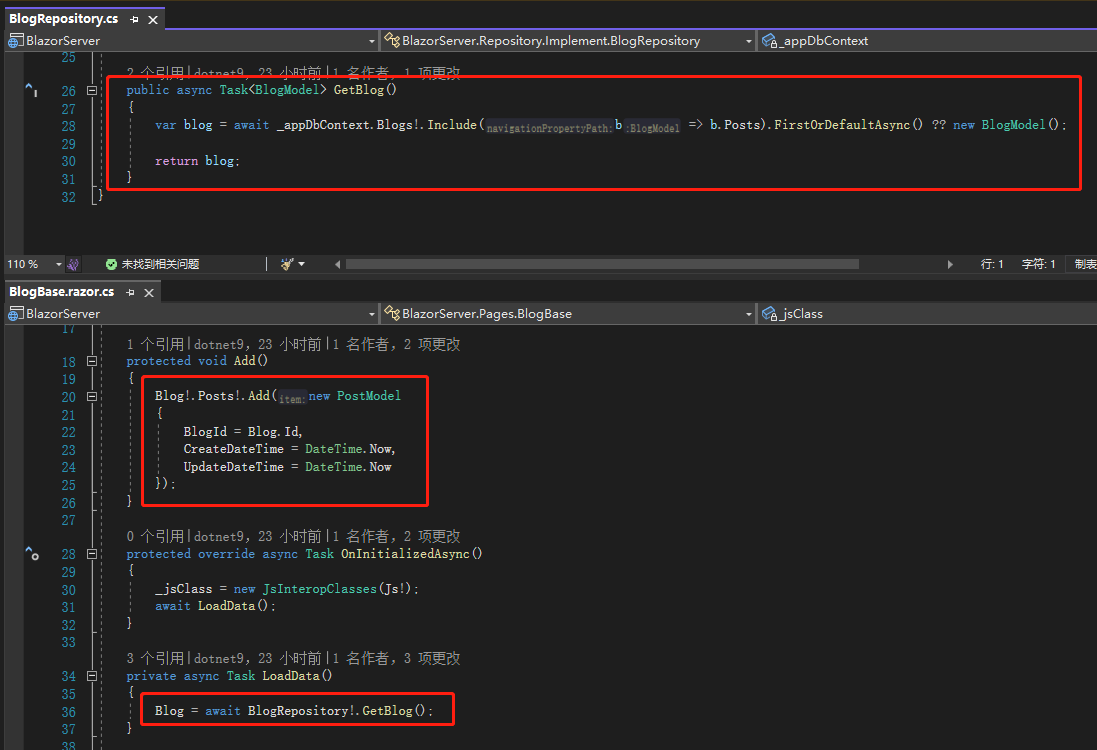
那这些跟Blog有什么关系呢?我们看后端BlogRepository.cs的GetBlog(),可以看到这边将blog回传,前端BlogBase.razor.cs这边接起来后,一旦触发Add()就会在Blog.Posts新增一条PostModel。
前端点击Delete按钮后,后端PostRepository.cs的DeletePost()这边会触发SaveChanges(),这时候的Blog.Posts会有一条没有Blog、Title跟Content的PostModel,这条根本还没点击Submit按钮经由后端存到数据库,是只存在于前端的数据,但是触发SaveChanges()的时候却试图将这条数据存进数据库,Title跟Content是不能为null的,自然就出错了。
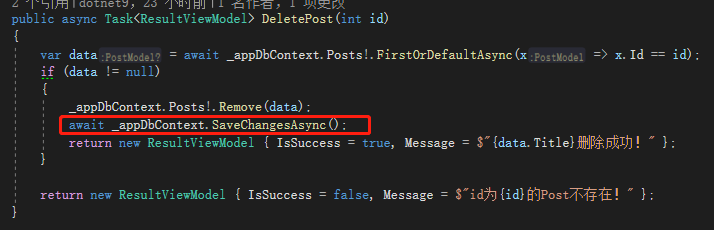
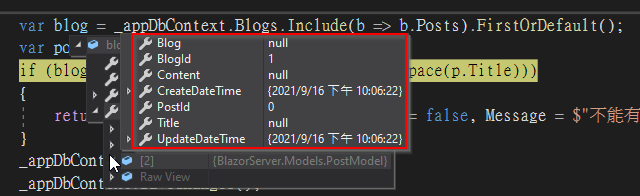
另外如果单纯将数据库的Posts取出来,是看不到那一条数据的,因为那是跟着Blog的PostModel。
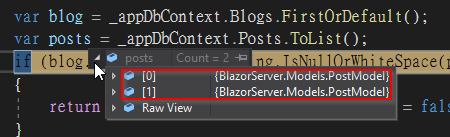
要解决这问题有几种方法,第一种是将Blog跟Post完全拆开,两者各有自己的前端页面,不过如果现实情况的项目遇到这种坑(没错,这是笔者给自己挖的坑…),往往不会有时间做这种重构。
第二种方法是当后端PostRepository.cs收到没有Title的PostModel时,回传提示信息。
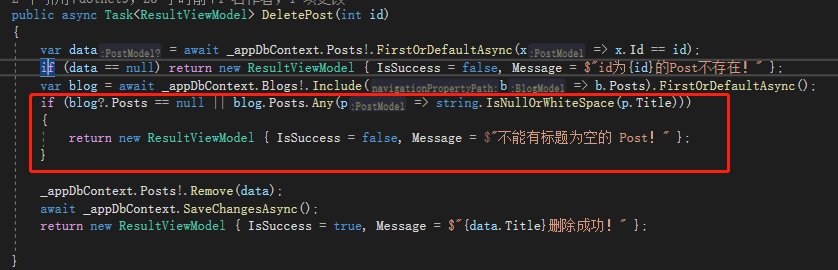
前端PostBase.razor.cs修改为以deleted.IsSuccess判断,删除成功则将Post!.Id传给Blog将该条Post从页面删除,失败的话提示失败的原因。
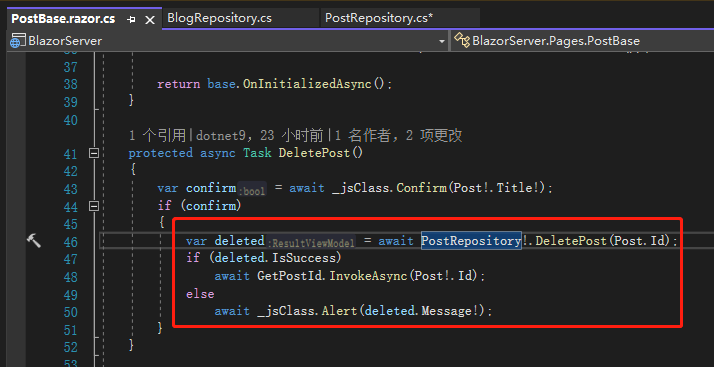
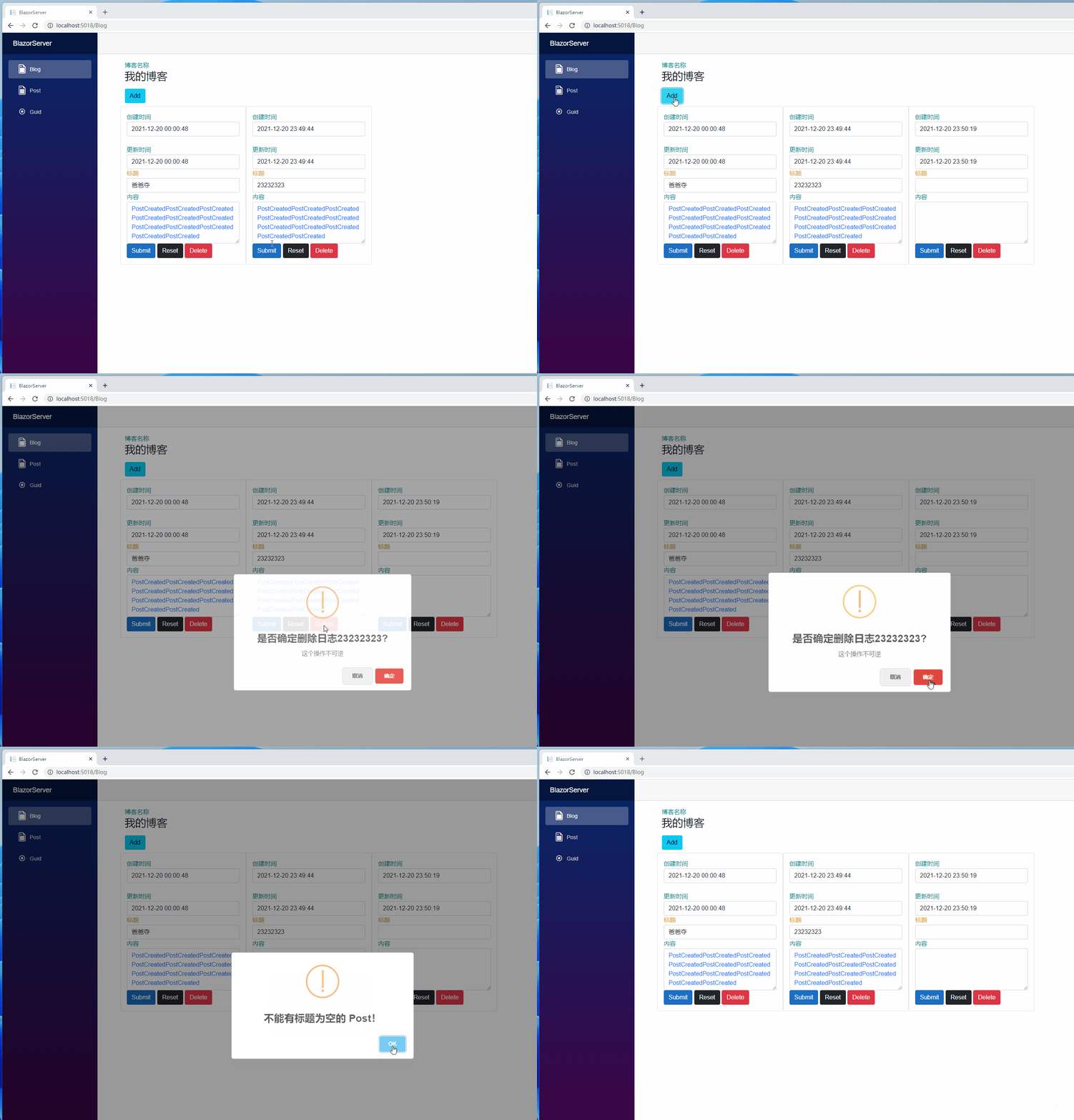
虽然以工程师的角度来看这样避免了错误,但以UX (User Experience) 角度来看根本就是莫名其妙,为什么删除一条日志还要限制不能有空的日志?所以就要用第三种方法。
第三种是建立ViewModel,页面的CRUD都针对ViewModel 处理,之后才一一Mapping 回去Model。
所谓的ViewModel 是指不存在于数据库但又希望呈现在页面上的字段,例如有张 tableEmployee里面有两个字段FirstName跟LastName,存进数据库时分开存,但显示时希望动些手脚(例如要组合起来且全大写),可以把两个字段都丢到前端后再处理,由使用者的浏览器处理,也可以先在后端处理好再用ViewModel 承接丢到前端。
另一个例子是信用卡,tableCreditCard存有使用者的信用卡号、三位数认证码、出生年月日,大家应该常常网购,刷卡时会让使用者看到信用卡末四码,这种机密隐私数据总不可能 16 码都丢到前端处理吧?这时就需要在后端处理后再由ViewModel 传到前端了。
我们先建立 BlogViewModel 跟PostViewModel,因为是ViewModel 所以不需要用跟数据库相关的[Key]attribute,有使用到Model的地方都改成ViewModel。
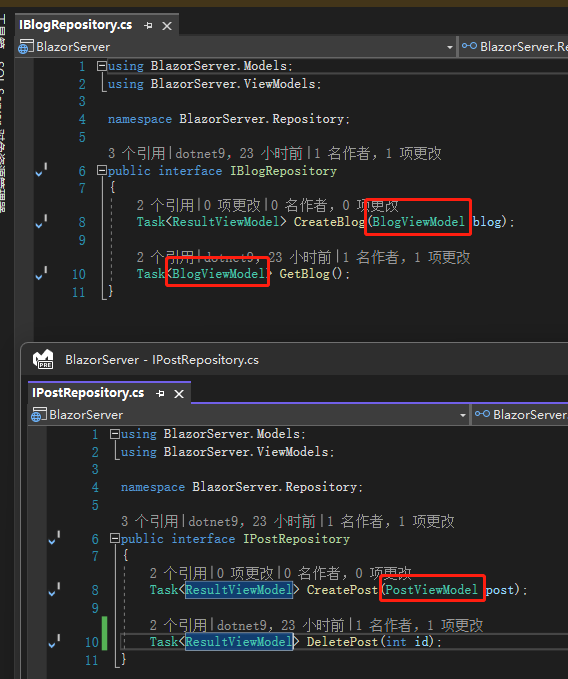
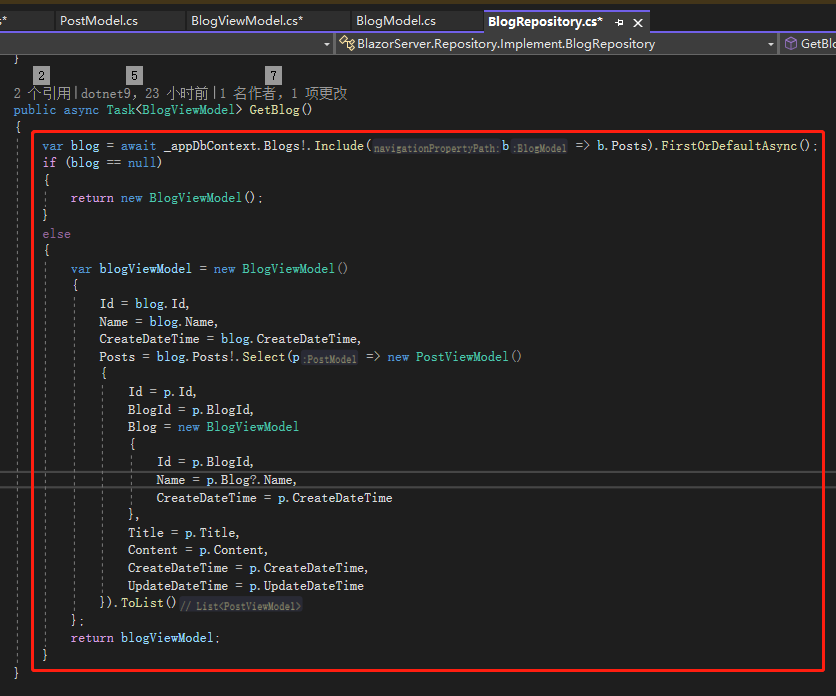
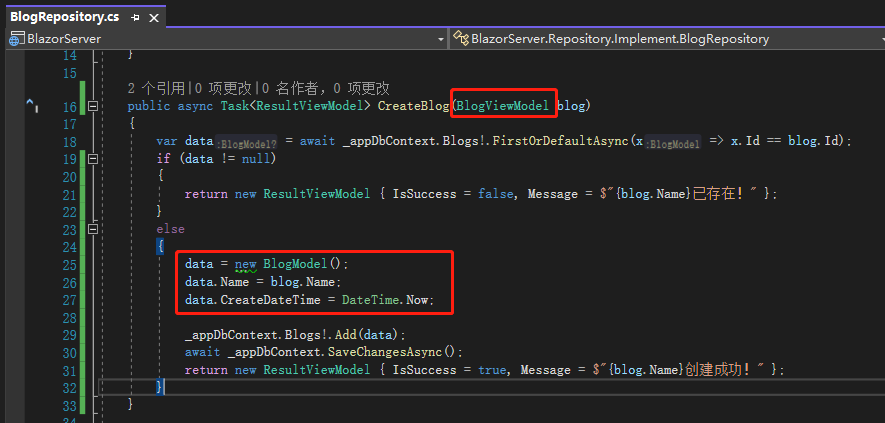
接着修改后端BlogRepository.cs,页面呈现改成ViewModel,数据存取沿用Model,可以看到 36 到 56 行手动做 Mapping。
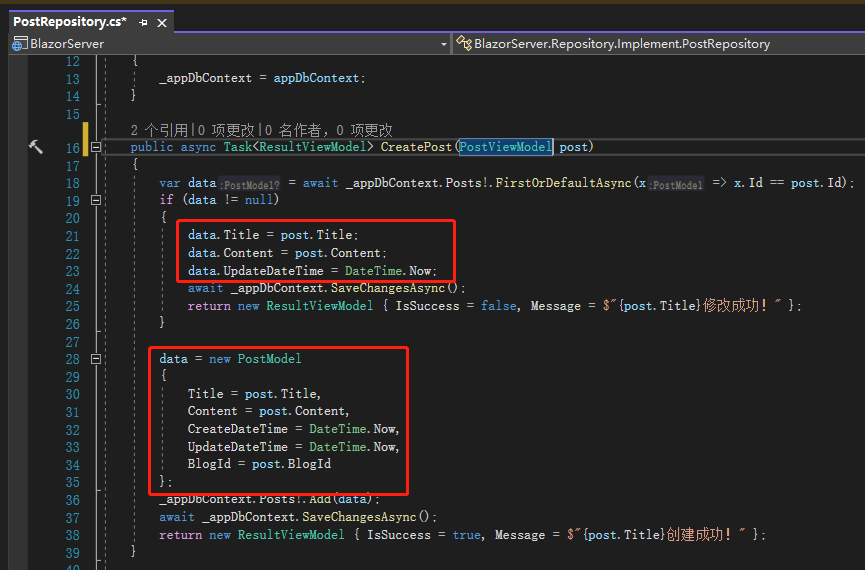
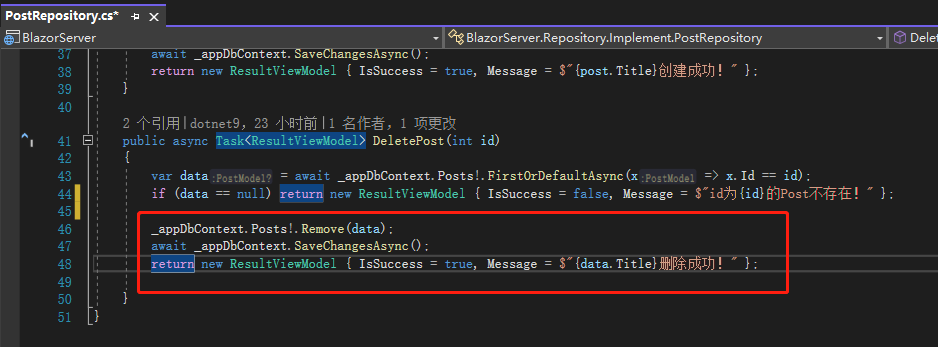
PostRepository.cs的CreatePost()也是一样,DeletePost()则把原本的 else 区块对Blog.Posts的判断移除。
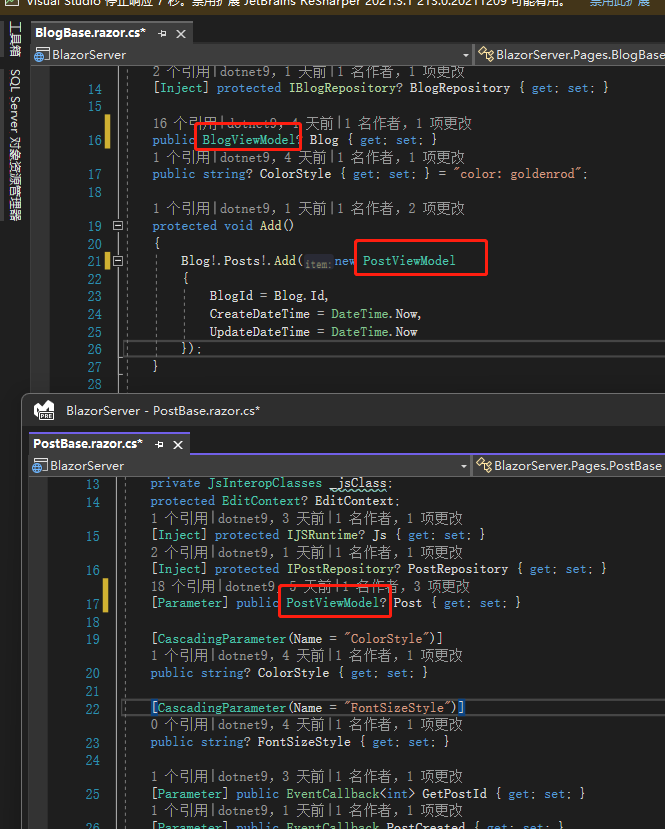
BlogBase.razor.cs跟PostBase.razor.cs把原本用到的Model 改成ViewModel。
这时候来建立新数据,不过建立第二条后紧接着要删除第二条,却发生找不到 Post 的问题,这是为什么?
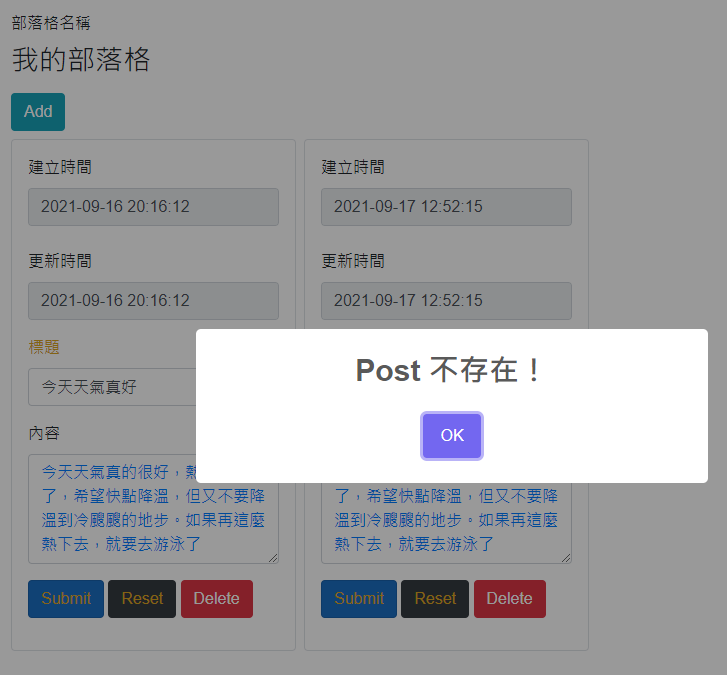
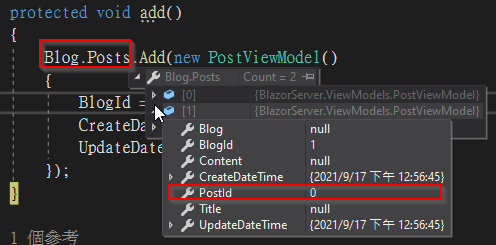
原来第二条虽然进入数据库了,但我们没有重新将数据取回来,页面的 Blog.Posts 第二条的 Post.Id 仍然是 0。
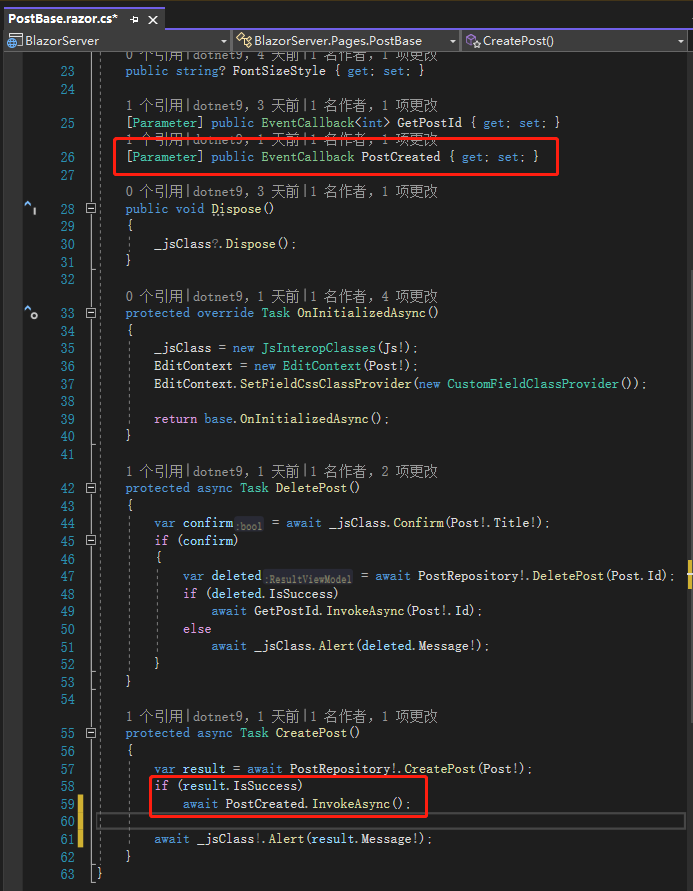
为了让Blog.Posts知道要重取数据库,我们要在PostBase.razor.cs新增EventCallback,告知BlogBase.razor.cs再执行一次LoadData(),因为是告知而已,就不用传<TValue>。
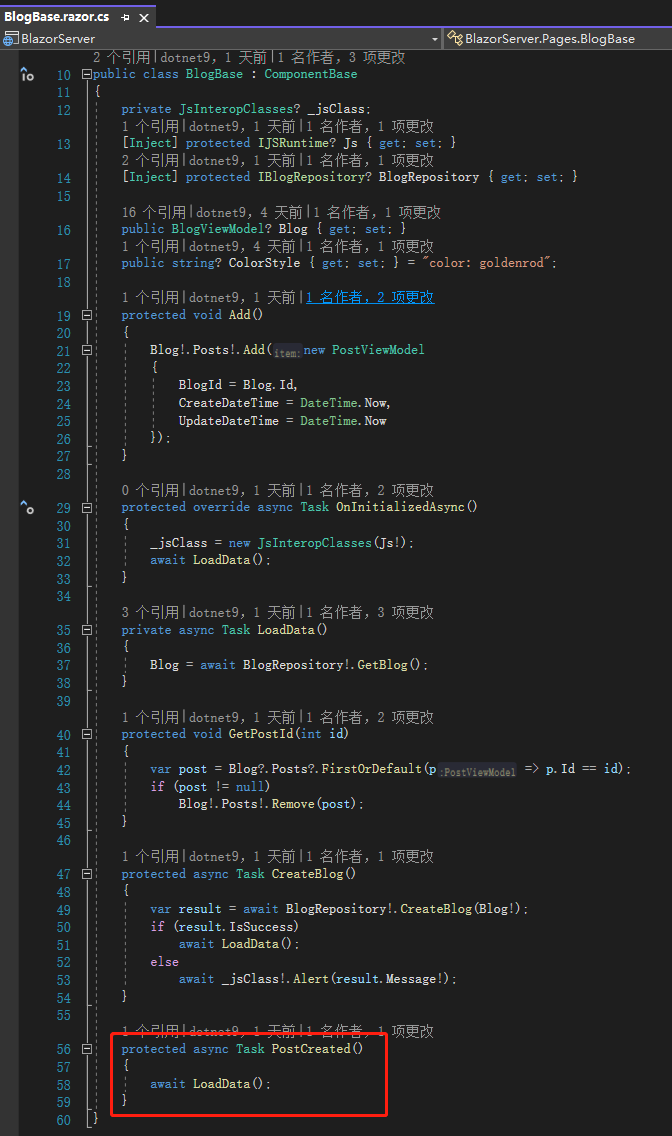
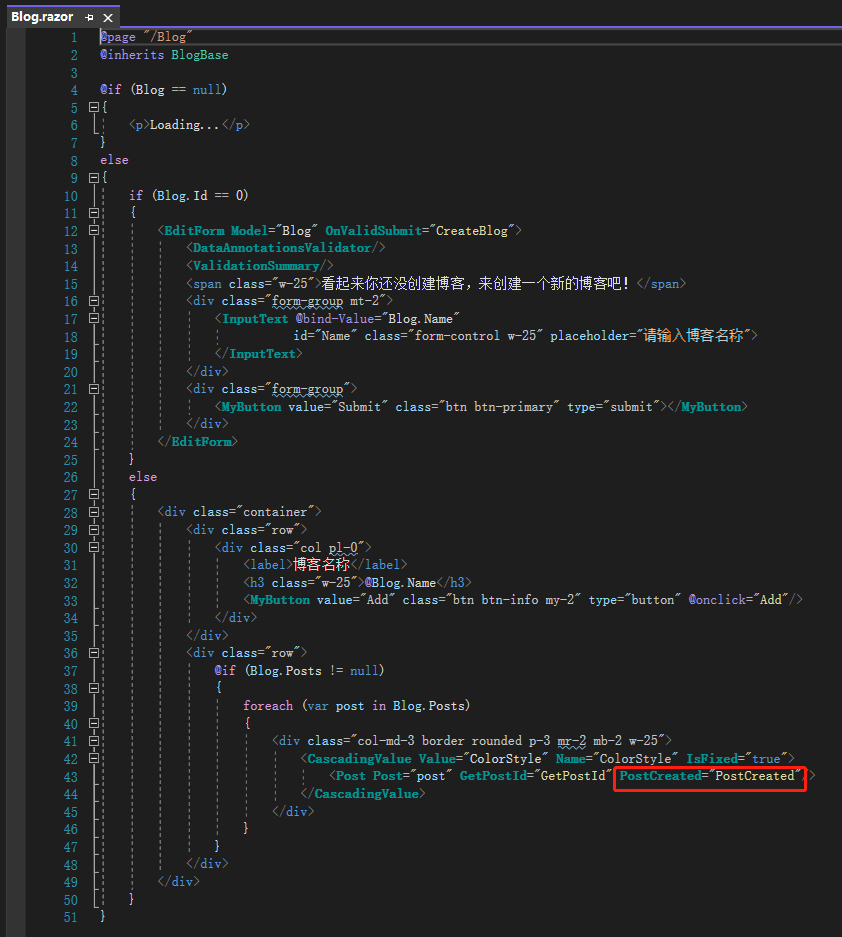
然后在新增第二条之后立刻删除,就会正常了。新增第二条后再新增第三条,删除第二条也会正常。
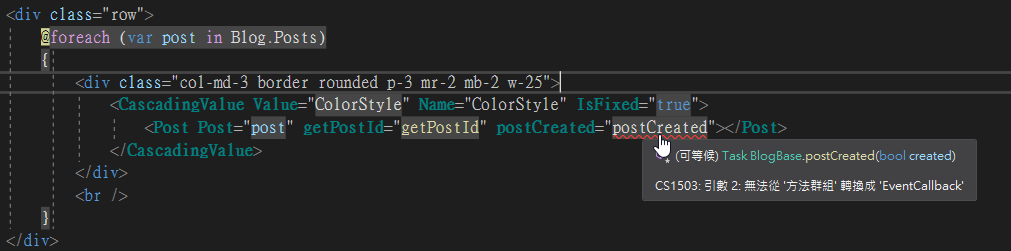
(注:如果看到下图的错误信息,有可能是Visual Studio 的问题,先试试重启 Visual Studio。)
引用:
- .NET Stack and Heap
- In C#, why is String a reference type that behaves like a value type?
- What is ViewModel in MVC?
- Understanding ViewModel in ASP.NET MVC
注:本文代码通过 .NET 6 + Visual Studio 2022 重构,可点击原文链接与重构后代码比较学习,谢谢阅读,支持原作者