

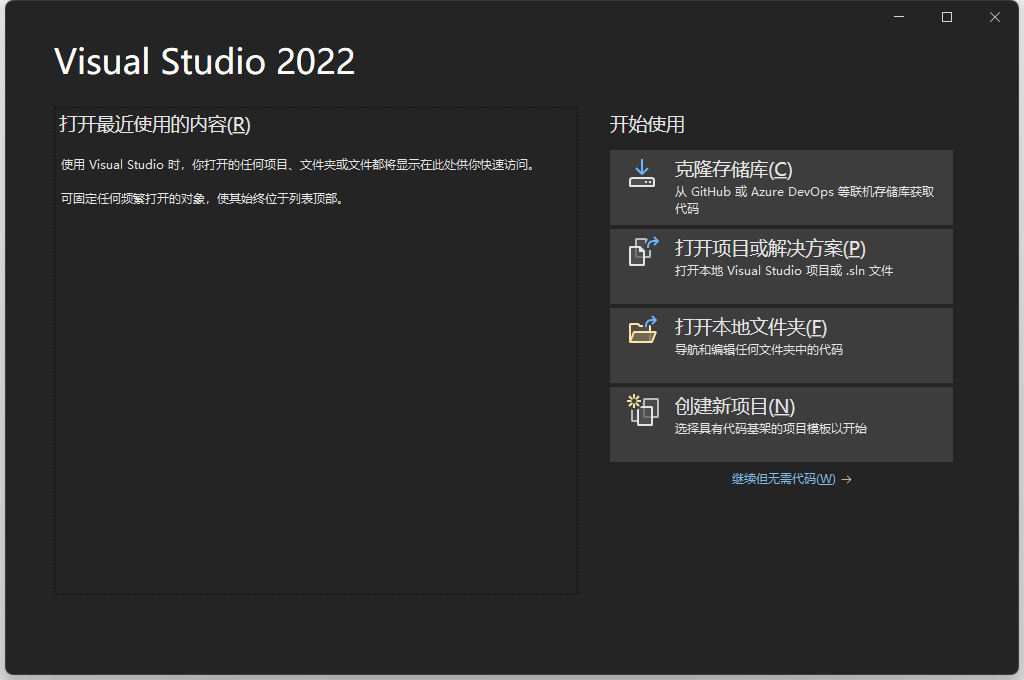
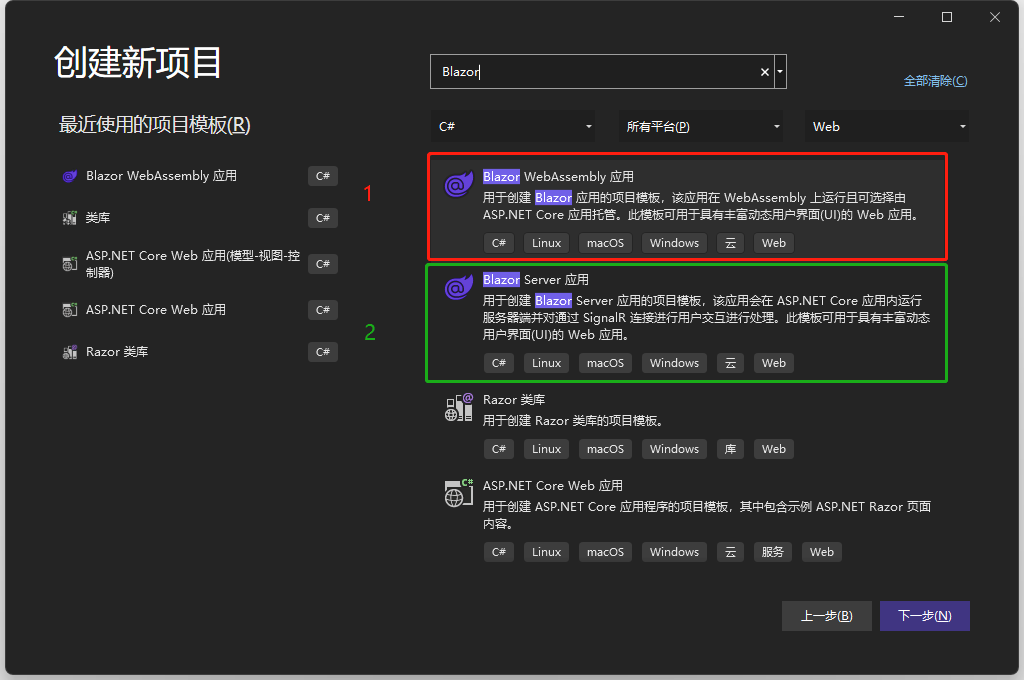
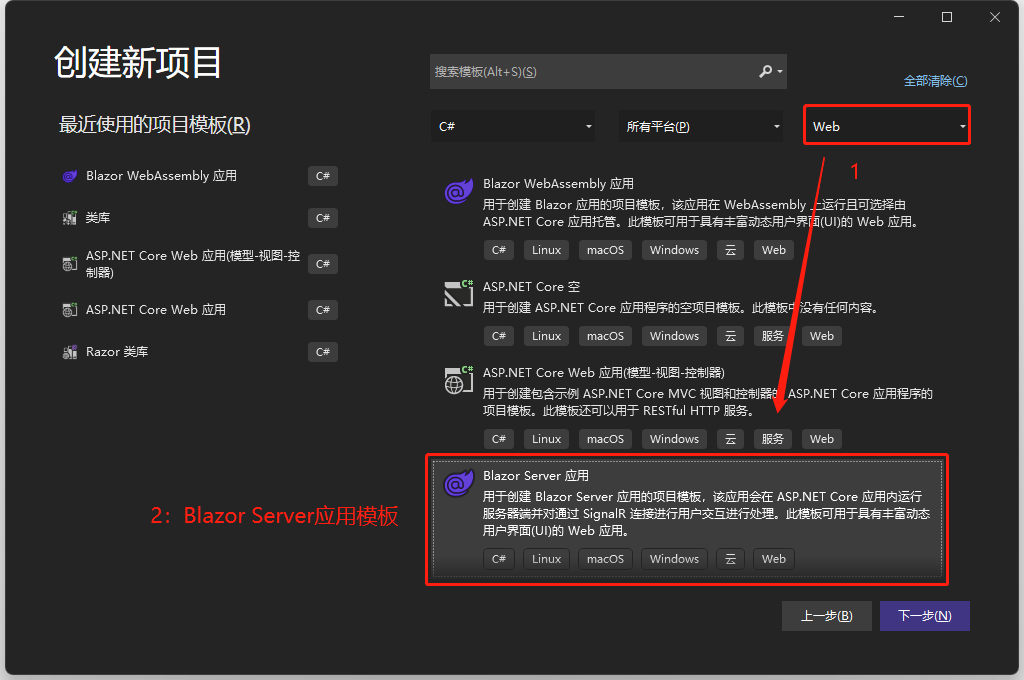
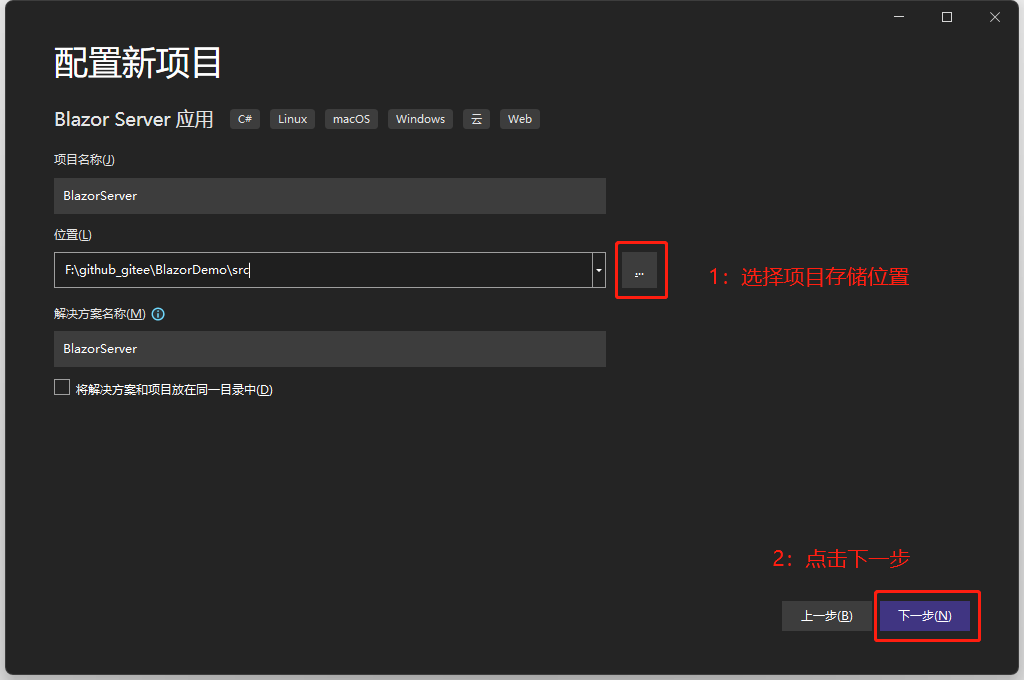
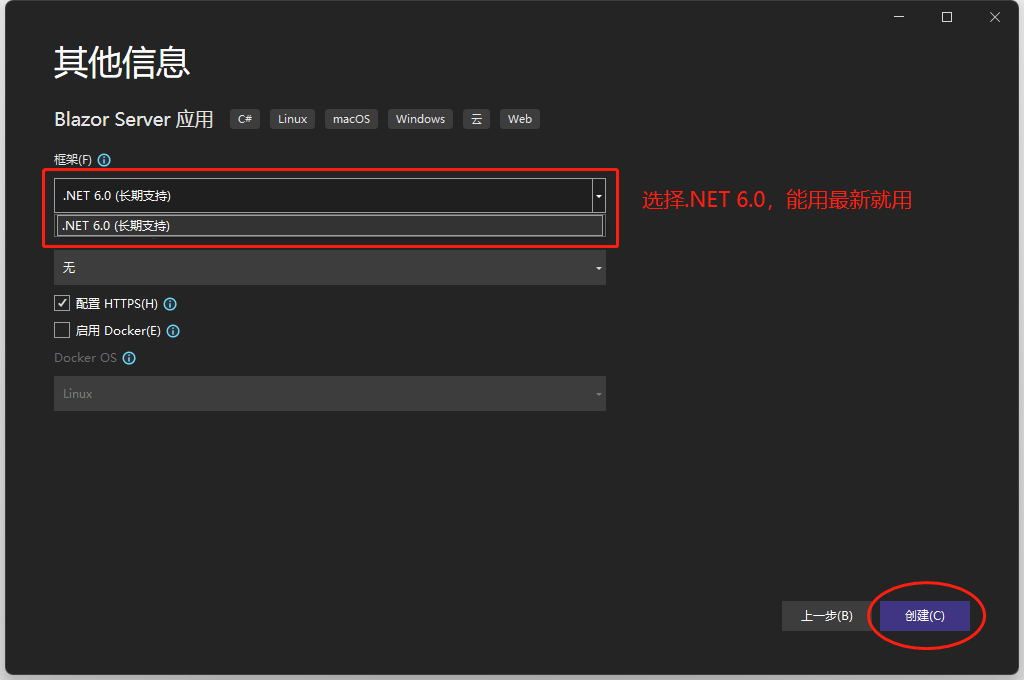
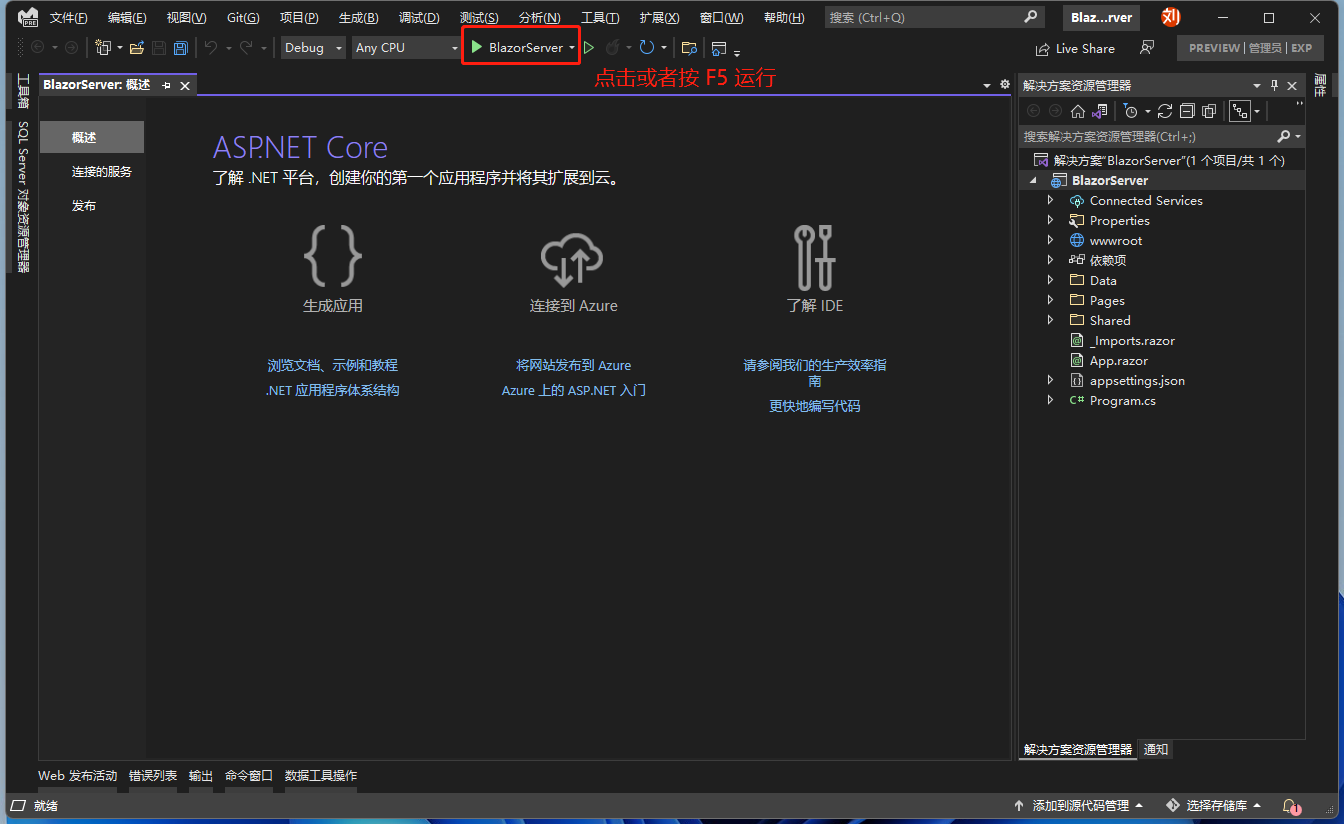
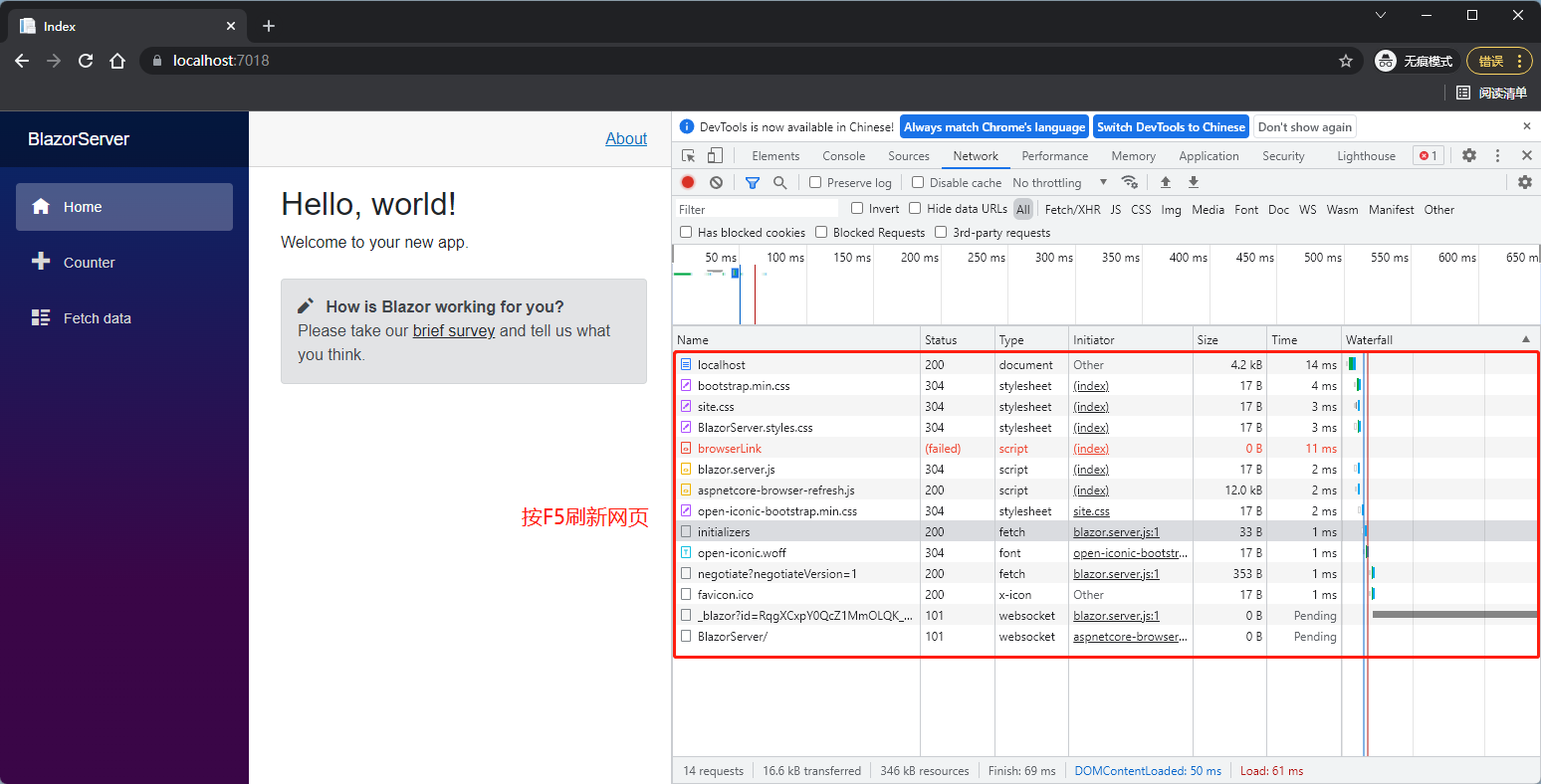
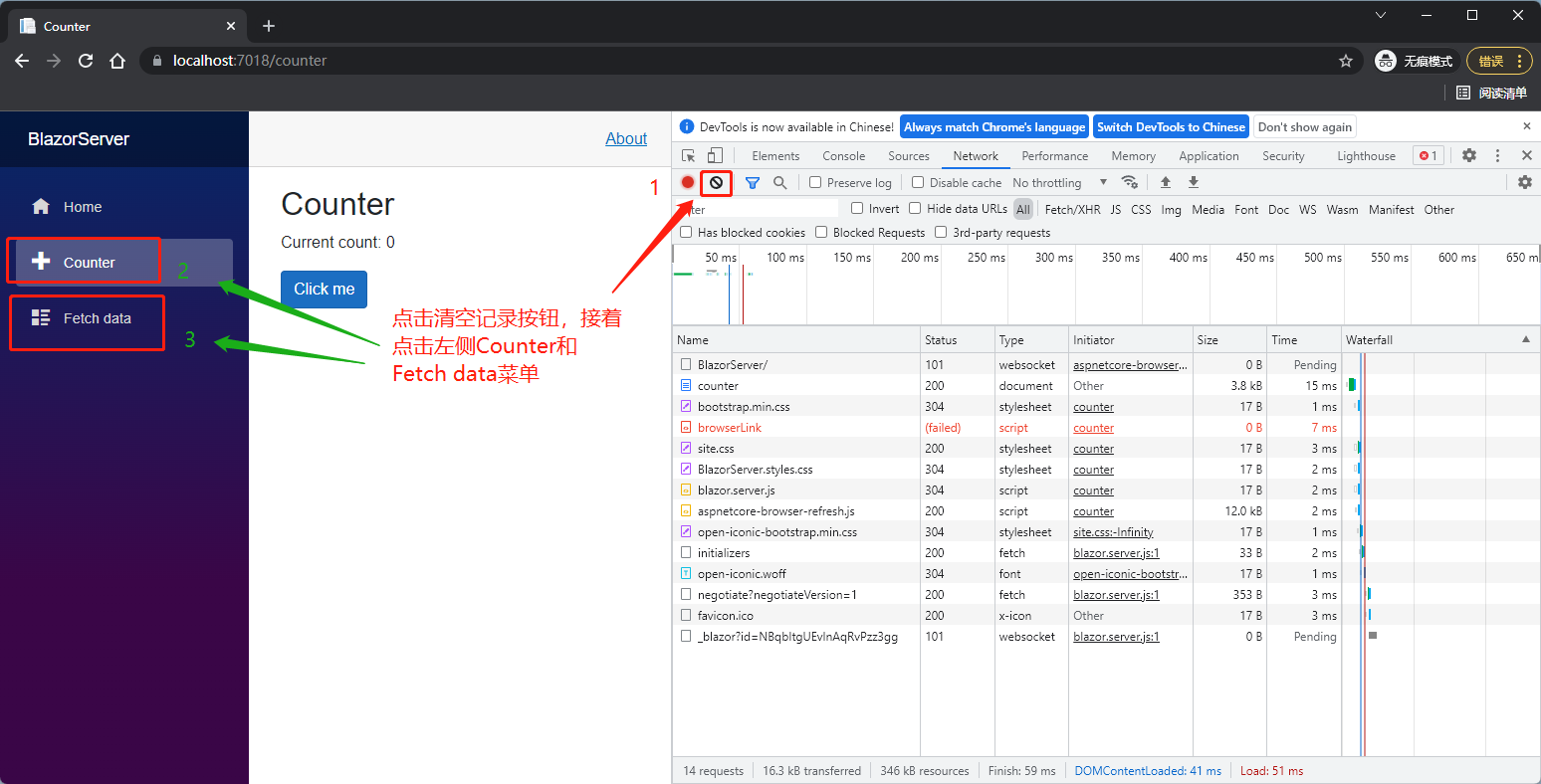
下载 Visual Studio 后首先建立一个 Blazor 解决方案,里面建立 Blazor Server 项目,方案位置可以自己选择(注:新版 Visual Studio 将 Blazor Server 跟 Blazor WebAssembly 的新建项目模板拆分了,较为直观),先不管里面的程序,按下 F5 执行后在网页按下 F12 或是 Ctrl+Shift+I 开启开发人员工具(Dev tool),切换到 Network 页签后重新加载网页,可以看到几个文件,其中 blazor.server.js 就是在服务器跟浏览器之间通过 SingalR 建立 WebSocket 通道的文件。

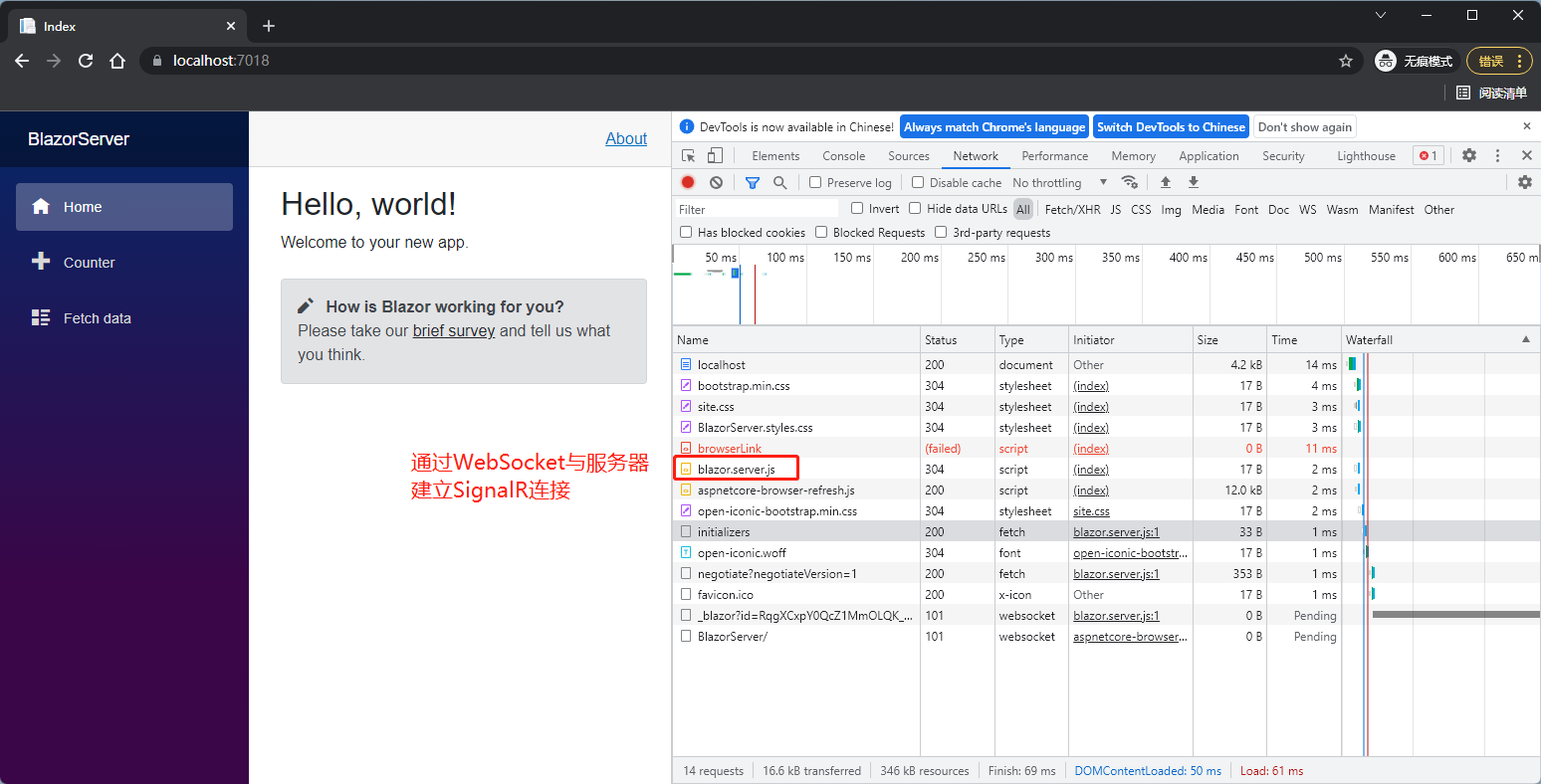
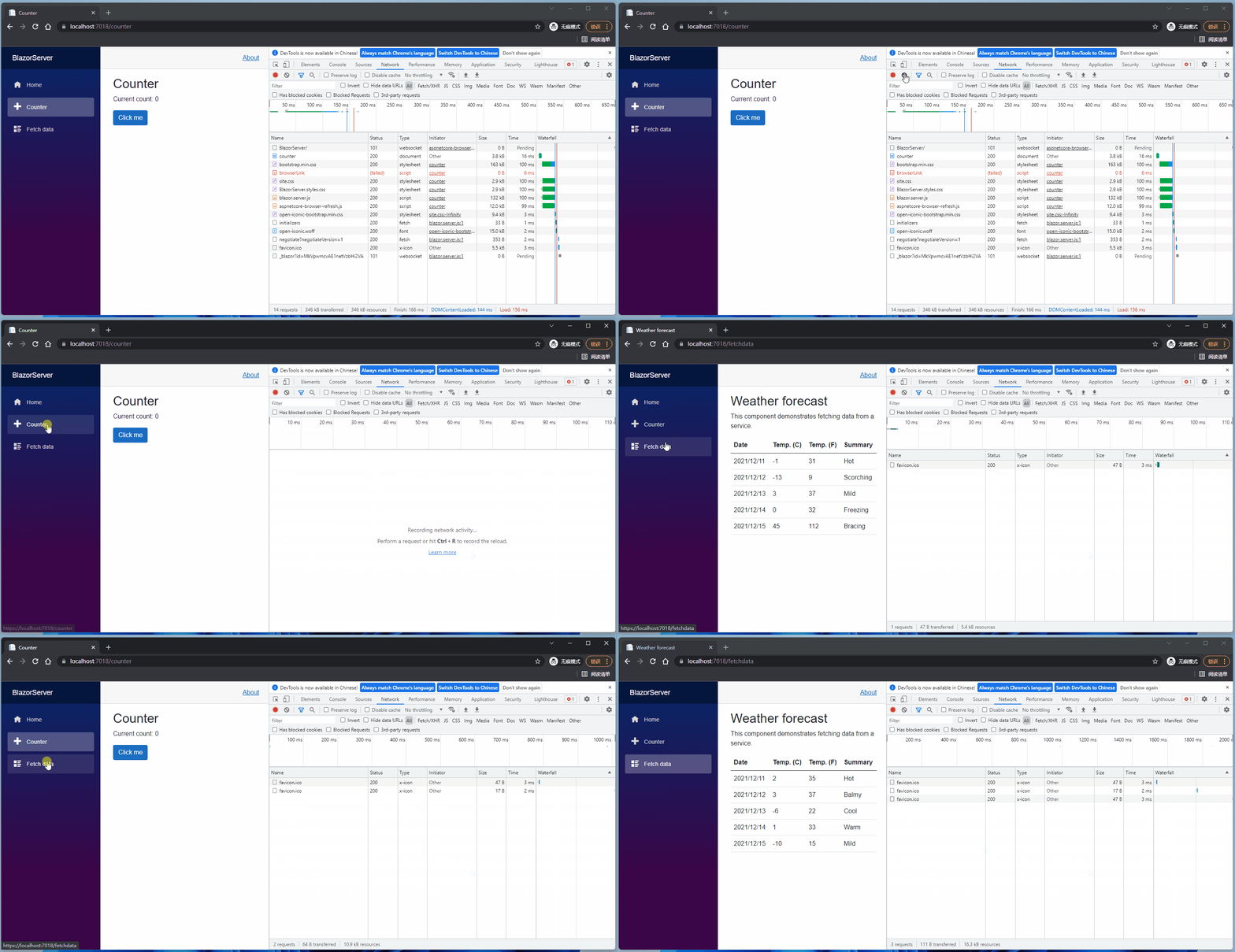
接着清空下载到浏览器的文件,再点击 Counter 和 Fetch data 页面,在以前的网站中这是刷新网页操作,会重新下载该网页所需文件,但是可以看到这两页都没有下载东西(有 favicon.ico 下载,聪明的你知道什么原因吗?),因为第一次建立连接后,之后的文件传递都是通过 SingalR。
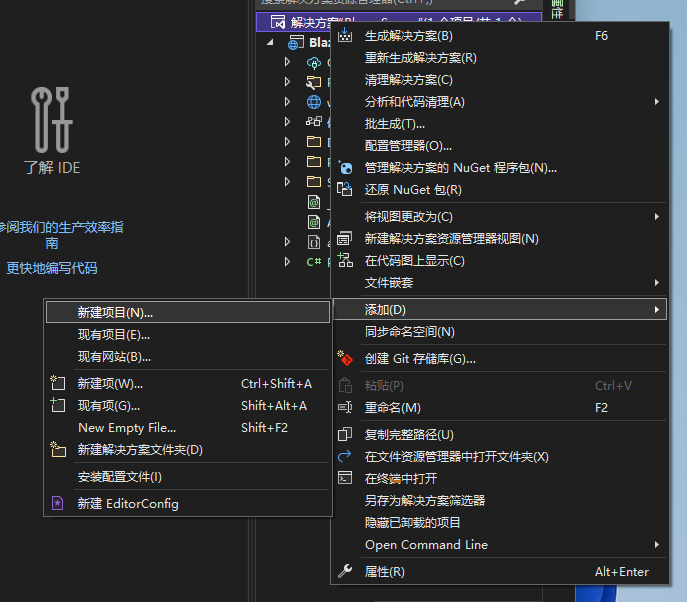
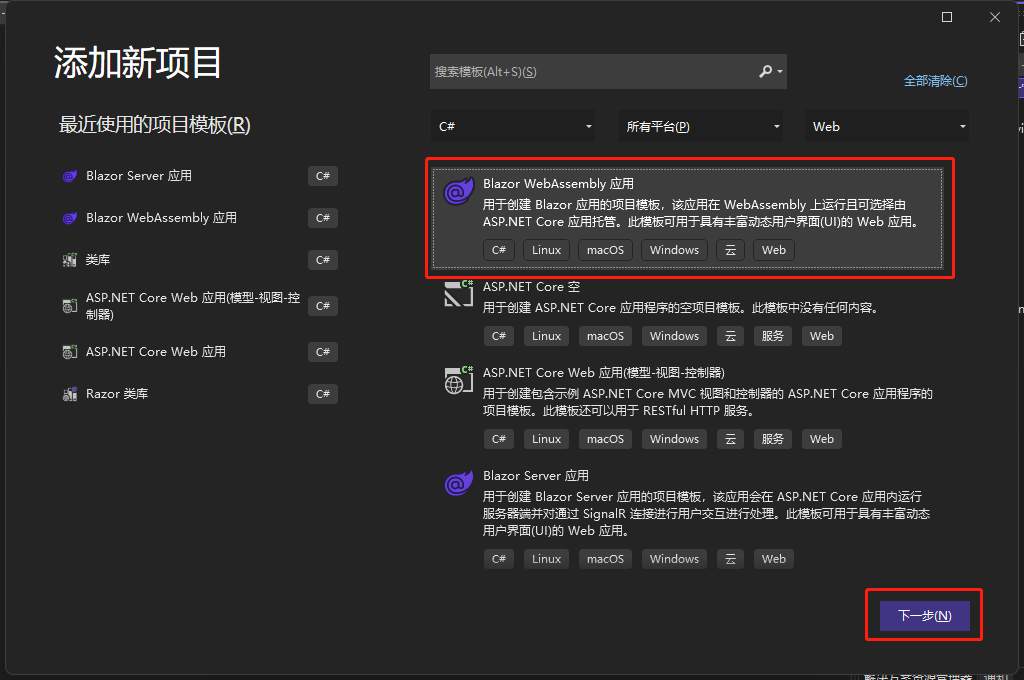
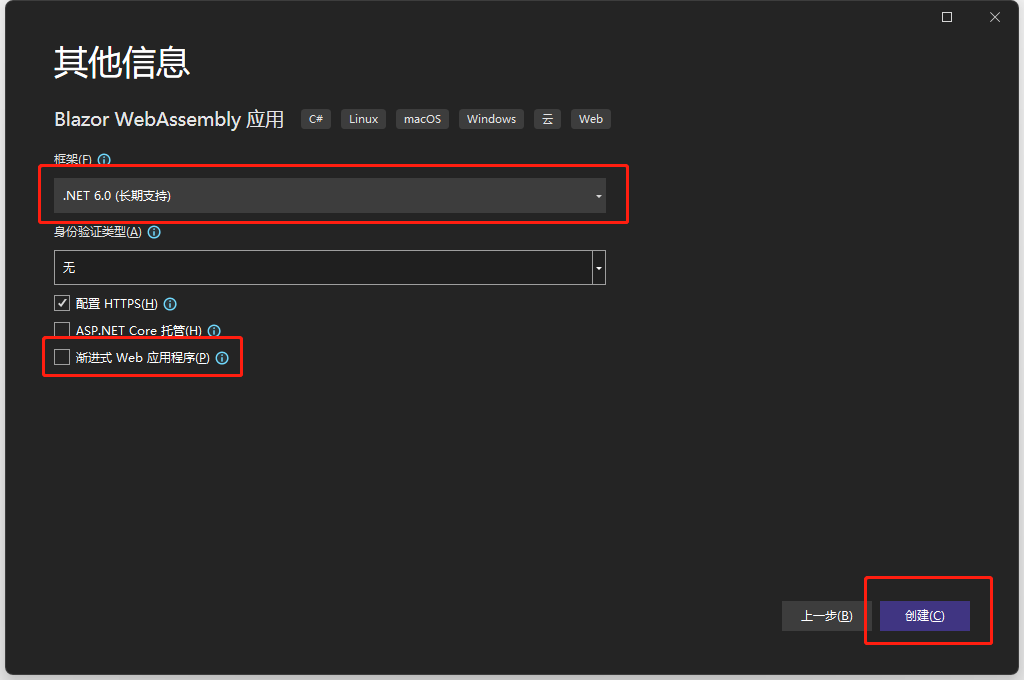
接着在同一个解决方案建立一个 Blazor WebAssembly 项目,可以看到这里有 渐进式 Web 应用程序 选项,如果选了,这个网站就可以在电脑下载下来。
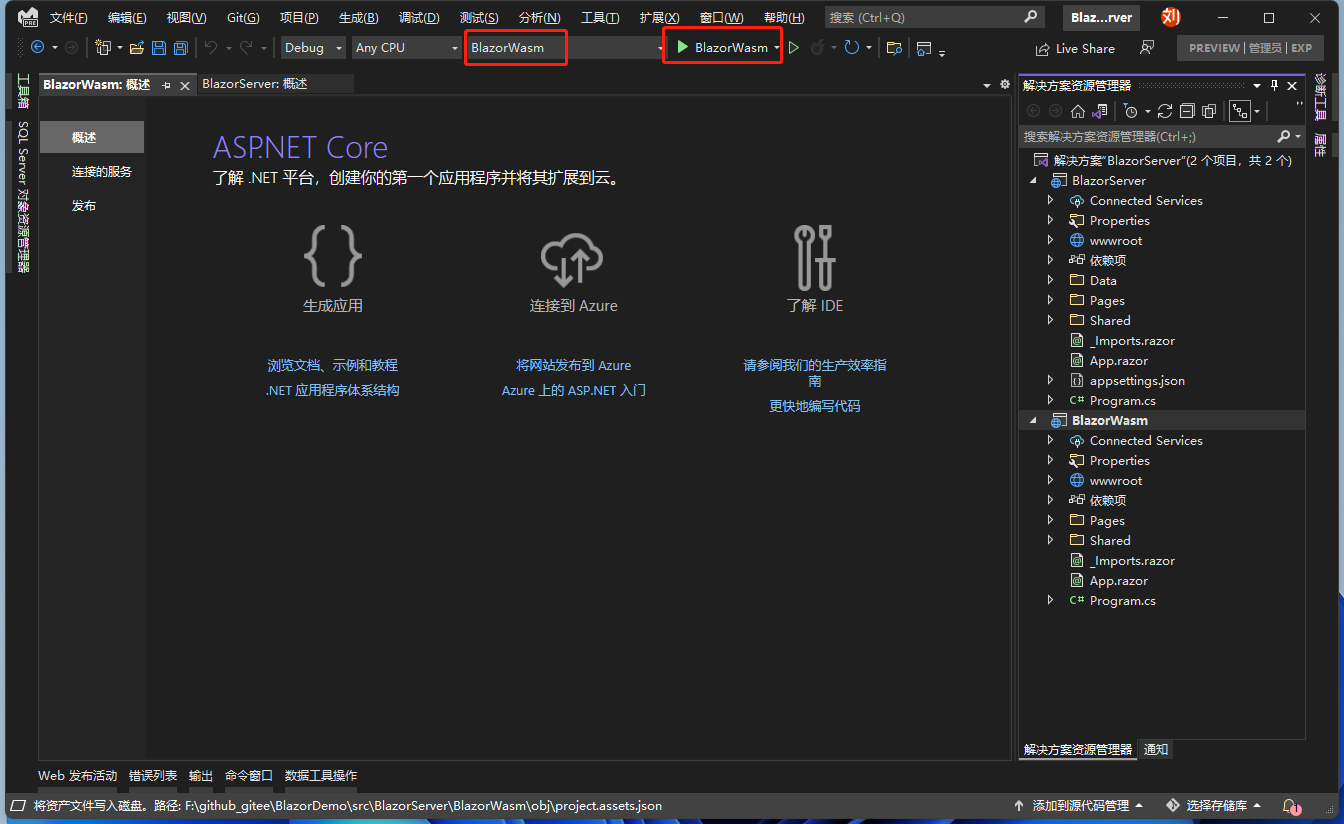
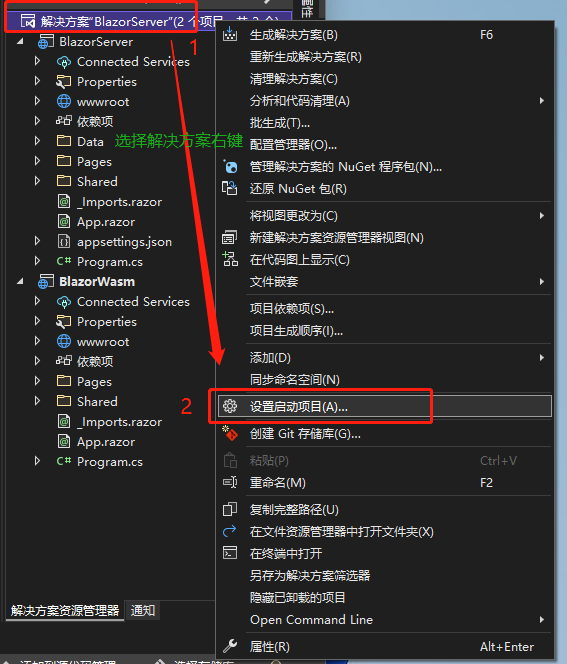
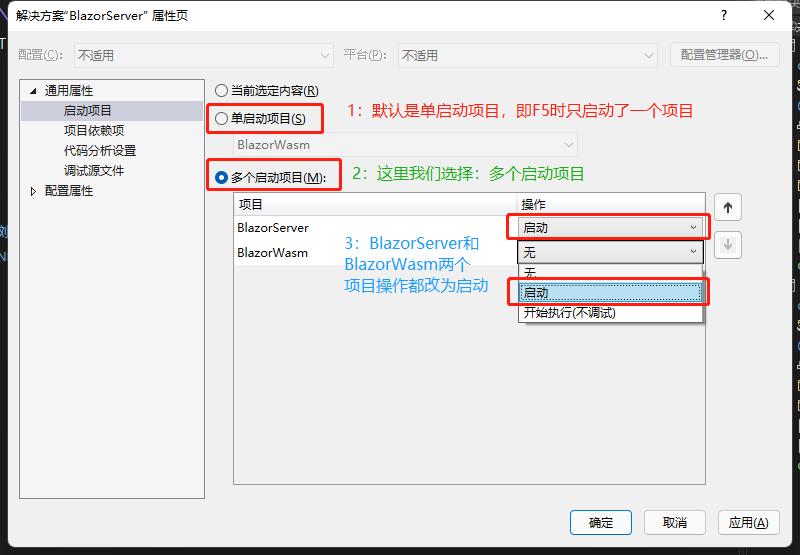
项目建好后可以直接启动项目,但如果想同时看到 Blazor Server 跟 Blazor WebAssembly 都启动呢?可以将两个项目都设定为启动项目,接着按下 F5 启动项目。
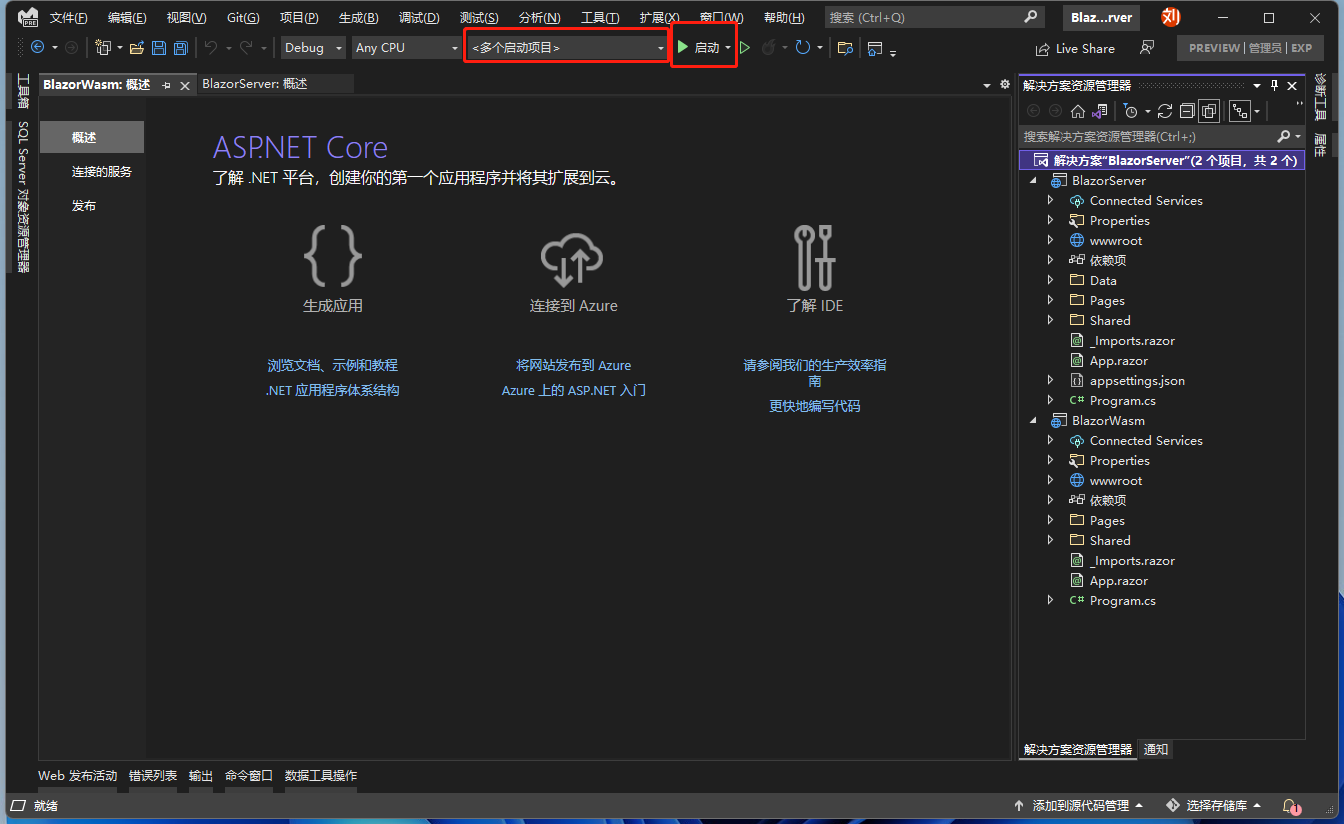
笔者几个月前开发时还可以看到下载了许多 dll 文件,但可以看到现在 Blazor WebAssembly 送到浏览器的文件跟 Blazor Server 相差不大,因为微软改变了 Blazor WebAssembly 下载 dll 的规则,改为只有 Component 发送请求时才会下载到浏览器,大大减轻浏览器的负担。

接着来看项目结构,为求方便我将两者对等的文件用相同颜色框起来,并标上数字。先看 5 号,可以看到 Blazor Server 和 Blazor WebAssembly 有 Program.cs,两者的程序进入点都是 Program.cs。
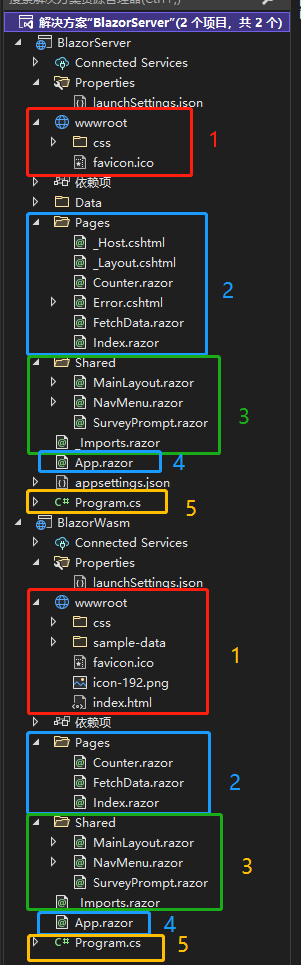
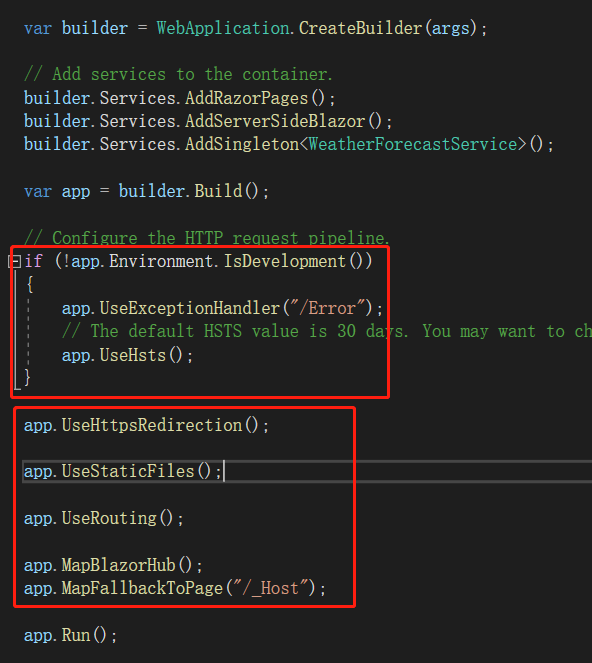
Blazor Server 的 Program.cs 文件:

Blazor Wasm 的 Program.cs 文件:
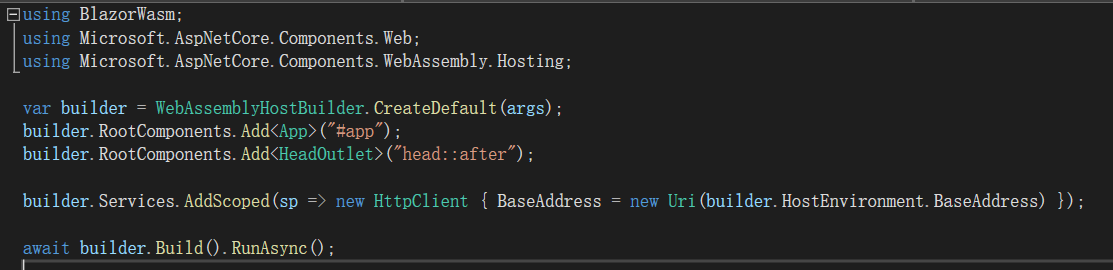
两种项目都是通过 builder.Services 注入服务。在 .NET 6 预览版或者之前的版本,是多了 Startup.cs 文件,在 ConfigureServices 方法中「配置服务」(若有相关 Service 需要使用,就需要在这里使用依赖(DI, Dependency Injection)注入,依赖注入的好处后续会说明。),两者的作用是一样的,.NET 6 看起来是不是清爽很多?
通过var app = builder.Build();得到的 app 实例,和原来 Startup.cs 中的 Configure 方法作用也是类似的。用于处理 request 或是注册 middleware 的地方,举例来说,如果想使用别人写的身分验证套件,就必须在这里注册。定义路由也是在这里做的,MapBlazorHub()是建立 Server 跟浏览器间 SingalR 连接的方法,MapFallbackToPage("/_Host")代表网页入口是_Host,Controller 跟 razor page 之外的 request(也就是第一次连接、或是连接出错时)是从这里进入,之后的 Component 触发都是经由 6 号框的 App.razor 更动。

接着看 2 号框,可以看到 Blazor Server 多了_Host.cshtml、_Layout.cshtml 及 Error.cshtml,_Host.cshtml 之前说过了,_Layout.cshtml(Blazor Server)和 index.html(Blazor Wasm)类似,是网站主页面,Error.cshtml 则是连接出错时会导向的页面。其他 razor 文件名的文件就是一个个组件(Component)。
3 号框则是两个项目都相同,MainLayout.razor, NavMenu.razor 分别为网页布局及菜单,一个网站如果每个网页都用相同 Sidebar、Menu,每更新一次(如更改公司 Logo、添加联系方式)就必须全部网页都处理,未免太没效率,于是 Blazor 将这些页面抽出来,只需要改一个地方即可套用全部网页。SurveyPrompt.razor 则是 Blazor 提供的简单范例。_Imports.razor 则是将用到的 namespace 放在这里,例如@using System;,这样一来每个 razor 页面就不用各自引用 namespace 了,若想要区分不同 Component 的 namespace,也可以在不同文件夹建立独立_Imports.razor 文件,不同文件夹的_Imports.razor 只会作用于文件夹内的 Component。
最后是 1 号框的 wwwroot 文件夹,Blazor WebAssembly 多了一个 sample-data 目录、icon-192.png 及 index.html,sample-data 目录是下载到浏览器的天气数据,icon-192.png 貌似没地方用到?index.html 则是相当于 Blazor Server 中_Host.cshtml 的文件(上一段文字有提到)。
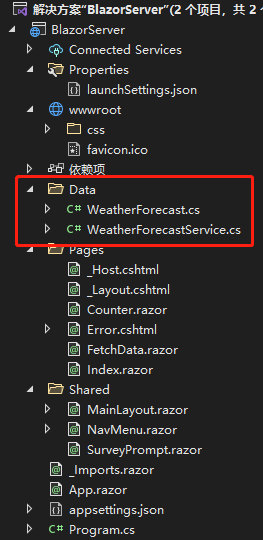
而 Blazor Server 中有个没说到的 Data 文件夹,里面又是什么呢?其实就是 Server 传到浏览器的天气数据,WeatherForecastService 请各位记住这个字眼,后面的依赖注入就是靠它了。
最后是 Blazor Server 的 appsettings.json,这就是一份 JSON 格式的文件,可以将需要经常修改的数据放在这里,例如跟数据库连接使用的连接字符串,如果写在程序里面,每次一改都要将程序重新编译,放在 appsettings.json 中灵活性就比较大。
- 引用: Lazy load assemblies in ASP.NET Core Blazor WebAssembly
- 引用: ASP NET Core blazor project structure
注:本文代码通过 .NET 6 + Visual Studio 2022 重构,可点击原文链接与重构后代码比较学习,谢谢阅读,支持原作者