(4/30) Everyone learns Blazor together: Introduction to Component and Routing

(4/30) Everyone learns Blazor together: Introduction to Component and Routing

Since I originally used ASP.NET Core API + Blazor Server, I will use Blazor Server to demonstrate it. I will make up for my experience after studying Blazor WebAssembly in the future.

最后更新 12/10/2021 11:01 PM
StrayaWorker
预计阅读 6 分钟
分类
Blazor
专题
Learn the Blazor series together
标签
.NET C# ASP.NET Core Blazor

Since I originally used ASP.NET Core API + Blazor Server, I will use Blazor Server to demonstrate it. I will make up for my experience after studying Blazor WebAssembly in the future.

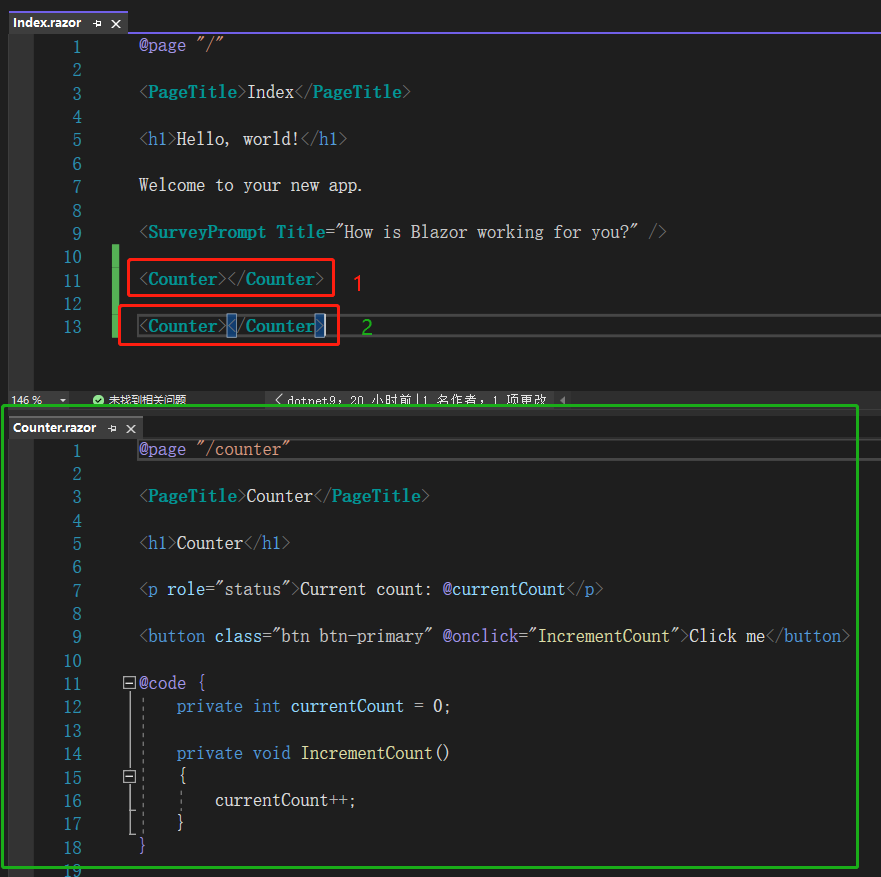
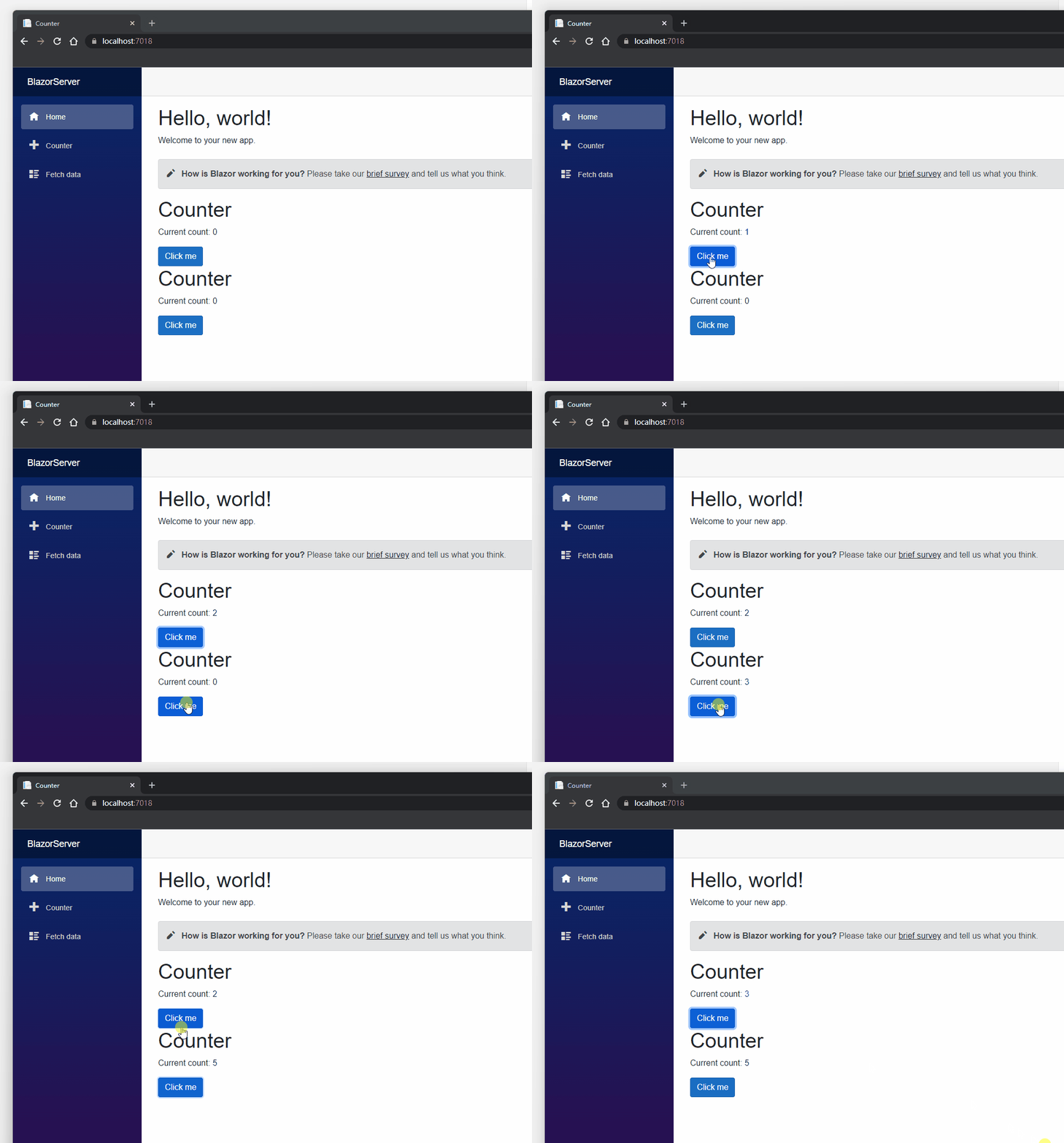
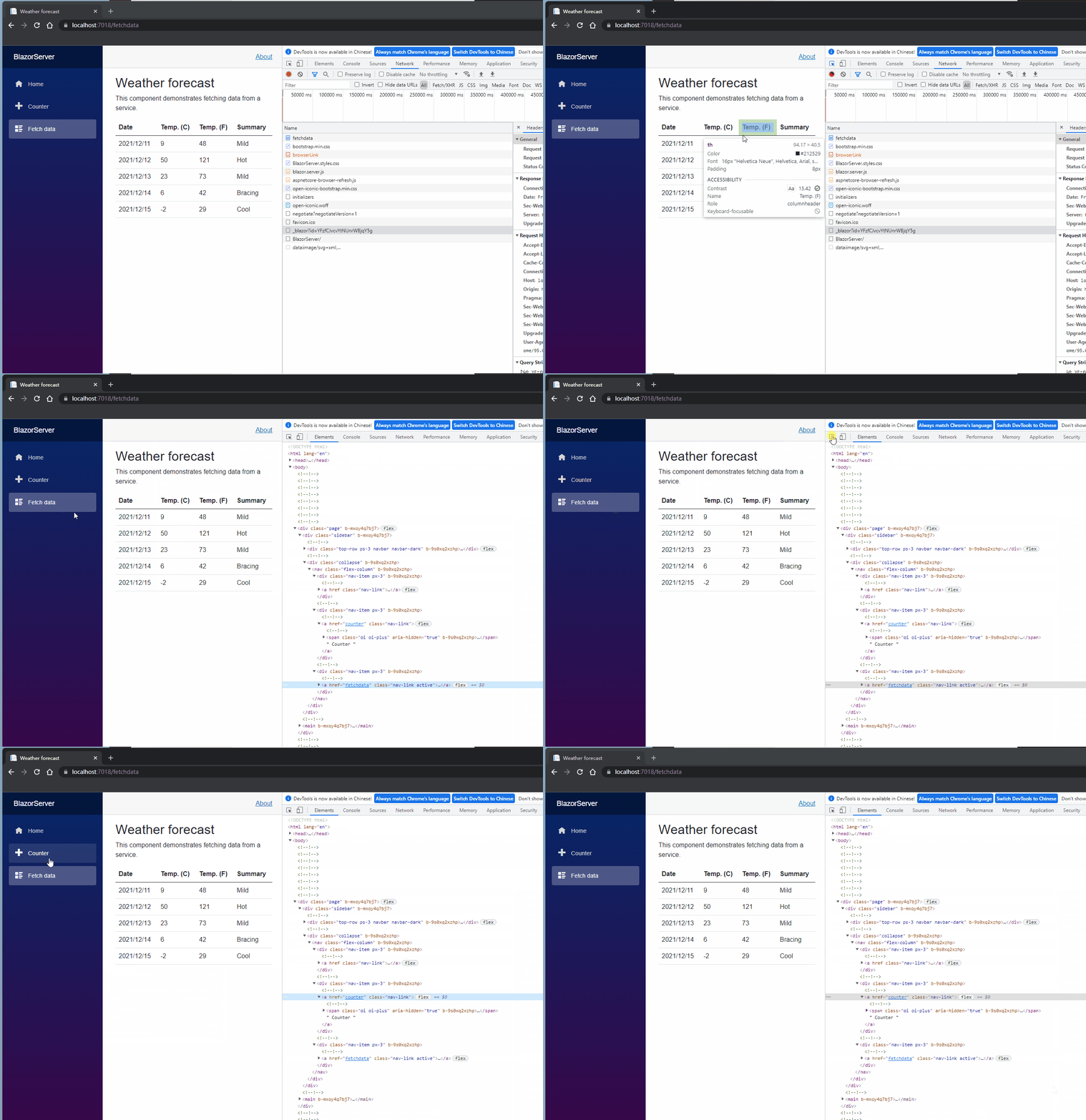
First of all, since Components can be reused, we put two Counters in Index.razor to start the project (If you don't want to debug completely, you can press ctrl+F5 to start the non-debugging mode. The startup speed is relatively fast. Every time a file is saved, Blazor will detect that the new program can be loaded when the web page is reloaded.), The two counters on the browser have their own Click me buttons. After clicking them respectively, you can see the numbers increase respectively, representing different Components. Where are these numbers defined?

Open Counter.razor, and the @page indicator is at the top. We will talk about this later. Then there are html and some C#programs, and finally the @code block. This is the wonder of Blazor.@code is equivalent to what ordinary web page JS does, such as defining variables, implementation methods, sending requests to the backend or API. However, Blazor is written in C#, which defines a private variable currentCount, and also has a method IncrementCount(). This method is called by the Click me button, which will cause currentCount+1 every time you click the button. The rendering result is within the p-element.

Index.razor和Counter.razor

两个Counter独立

The definition method of currentCount and page rendering are a type of model binding, which means that data is bound to the page. The same is true for @model or @Viewbag of View in the. NET Framework, and Angular's [(ngModel)]. They both want to ensure that after the data flows to the page, operations on the page can affect the behavior of the data.

我们来定义另一个变量 myClass,给这变量一些 bootstrap 的 class,再把变量放在 button 的 class 里面,记住在 html 里面用到 C#的程序必须以@开头,不然 Blazor 不知道要编译。重新加载页面可以看到按钮的样式变了,Blazor 帮我们把 myClass 的值 text-primary bg-warning 放进 button 的 class。
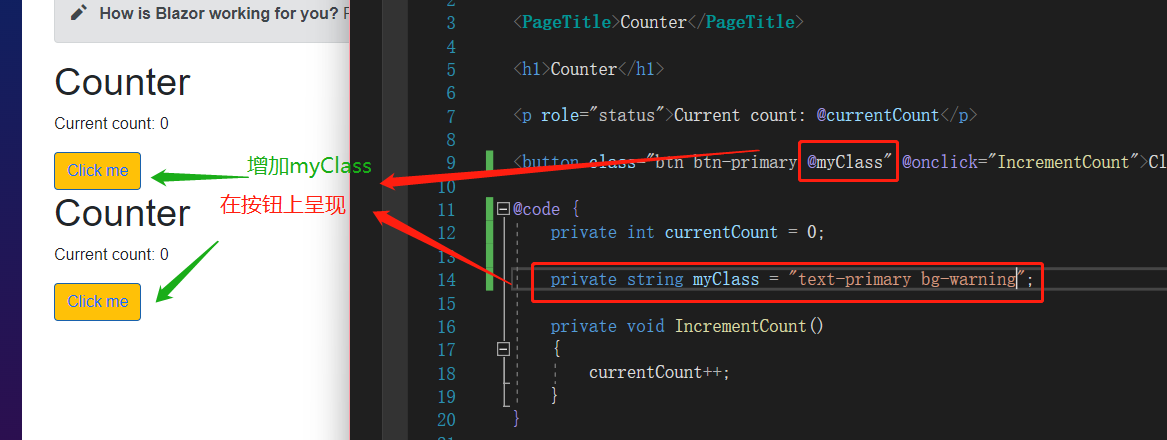
添加myClass到Counter按钮

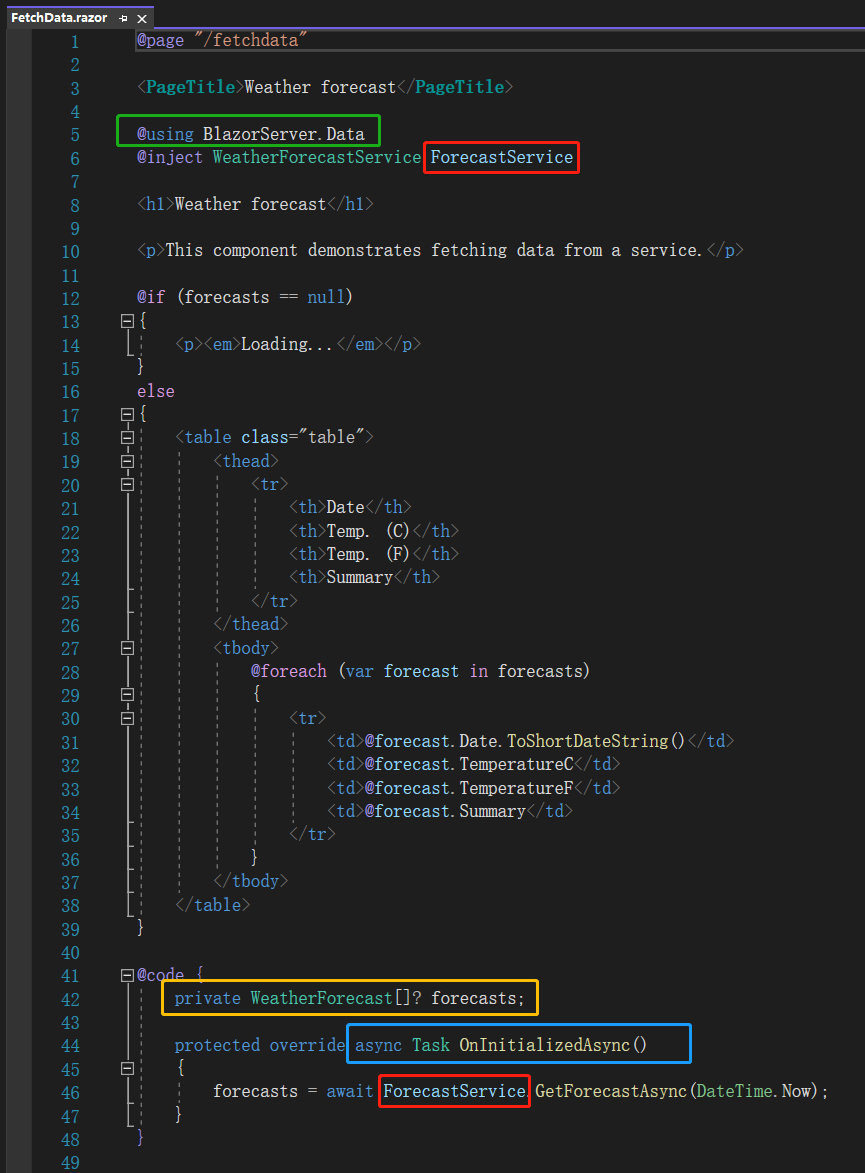
Then we look at FetchData.razor, and here we see @using BlazorServer.Data. We can put this using into_import.razor later, so what is @inject WeatherForecastService ForecastService? Let's first look at the @code block and see that the variable forecasts of the WeatherForecast array type is defined here, and the asynchronous method OnInitializedAsync is used to call ForecastService.GetForecastAsync(DateTime.Now), and the result is returned to the forecasts. Anyone with sharp eyes should have noticed that the top ForecastService is exactly the same as the ForecastService of the @code block.

FetchData.razor

We click the GetForecastAsync() method and press F12. You can see that this method returns five randomly generated weather data arrays. The html determines whether the forecasts are null. If not, a table is generated, and it uses foreach to present the date, Celsius, Fahrenheit and weather status of the forecasts one by one.

Service生成数据及渲染

As mentioned earlier, Blazor only has one web page, and other content is composed of components. Every time an event is triggered, Server or WebAssemlby will present the corresponding Component on the browser, but how does Blazor know which Component to present now?

原因就是@page 指示词,这个指示词相当于传统的路由,可以看到 Index.razor 的@page 为"/",表示这是首页,Counter.razor 及 FetchData.razor 也有相应的@page 指示词。一个页面可以有多个@page 指示词,不过开头一定要有斜线且用双引号包起来,笔者曾想过建立 enum 集中管理不同 Component 的@page,可惜目前 Blazor 不支持这种做法。另外若两个 Component 用了相同的@page,编译阶段就会出现错误提示,所以也不用担心若有重复路由 Blazor 会怎么处理。
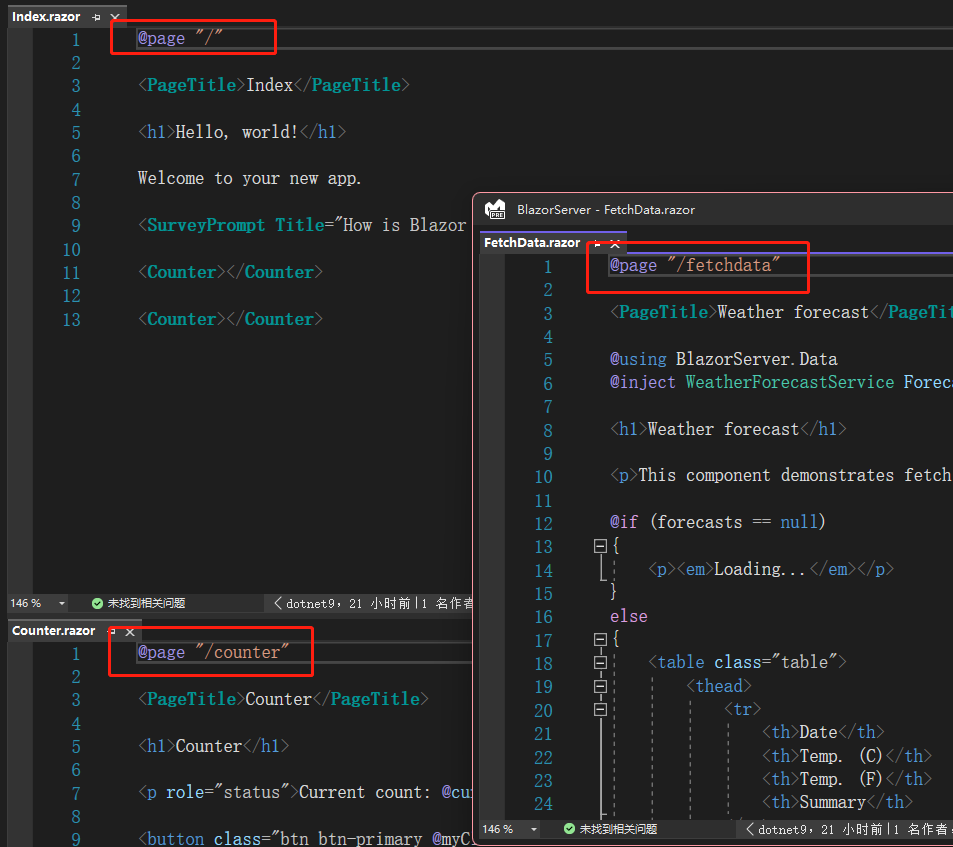
@page指示词

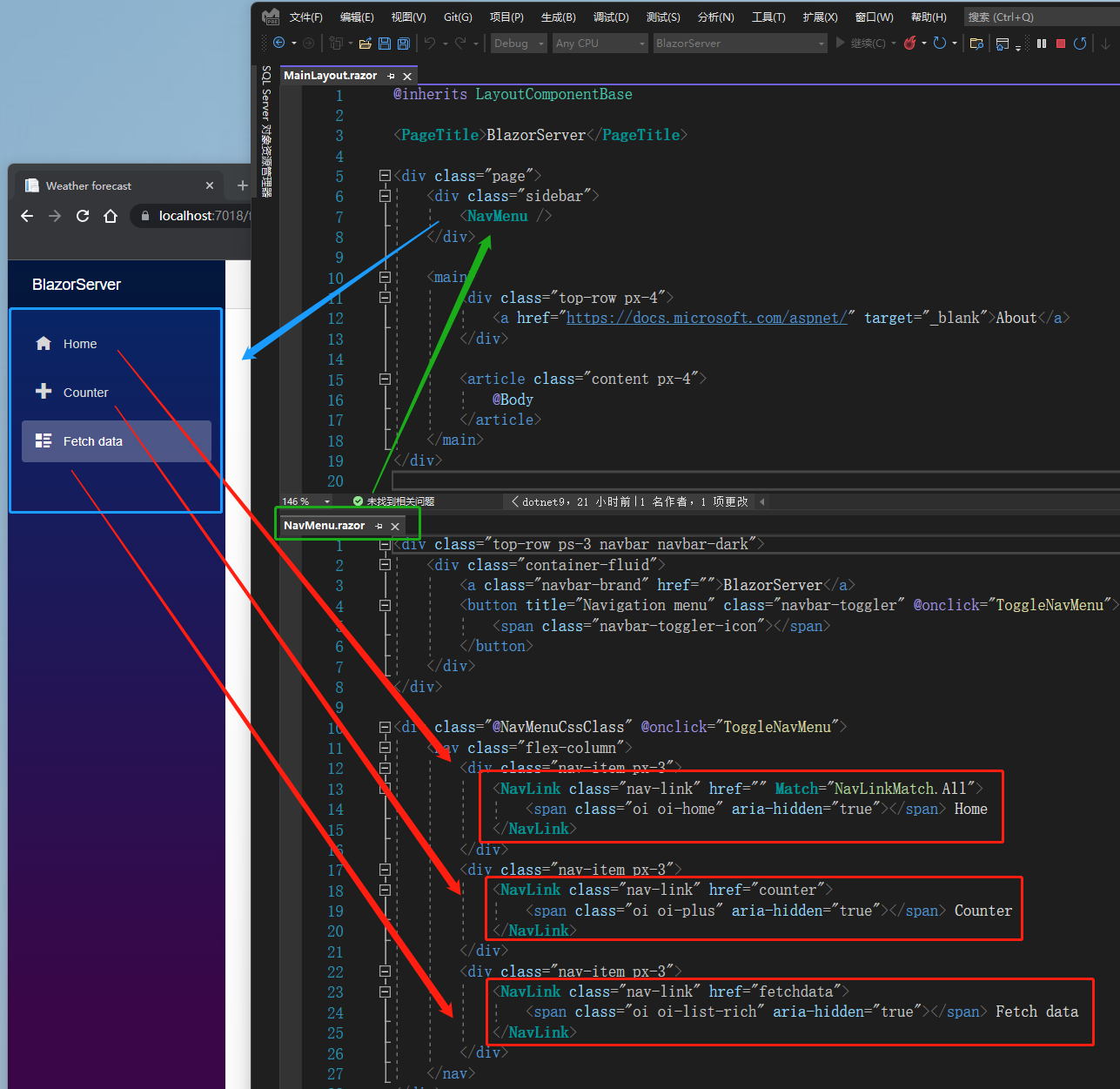
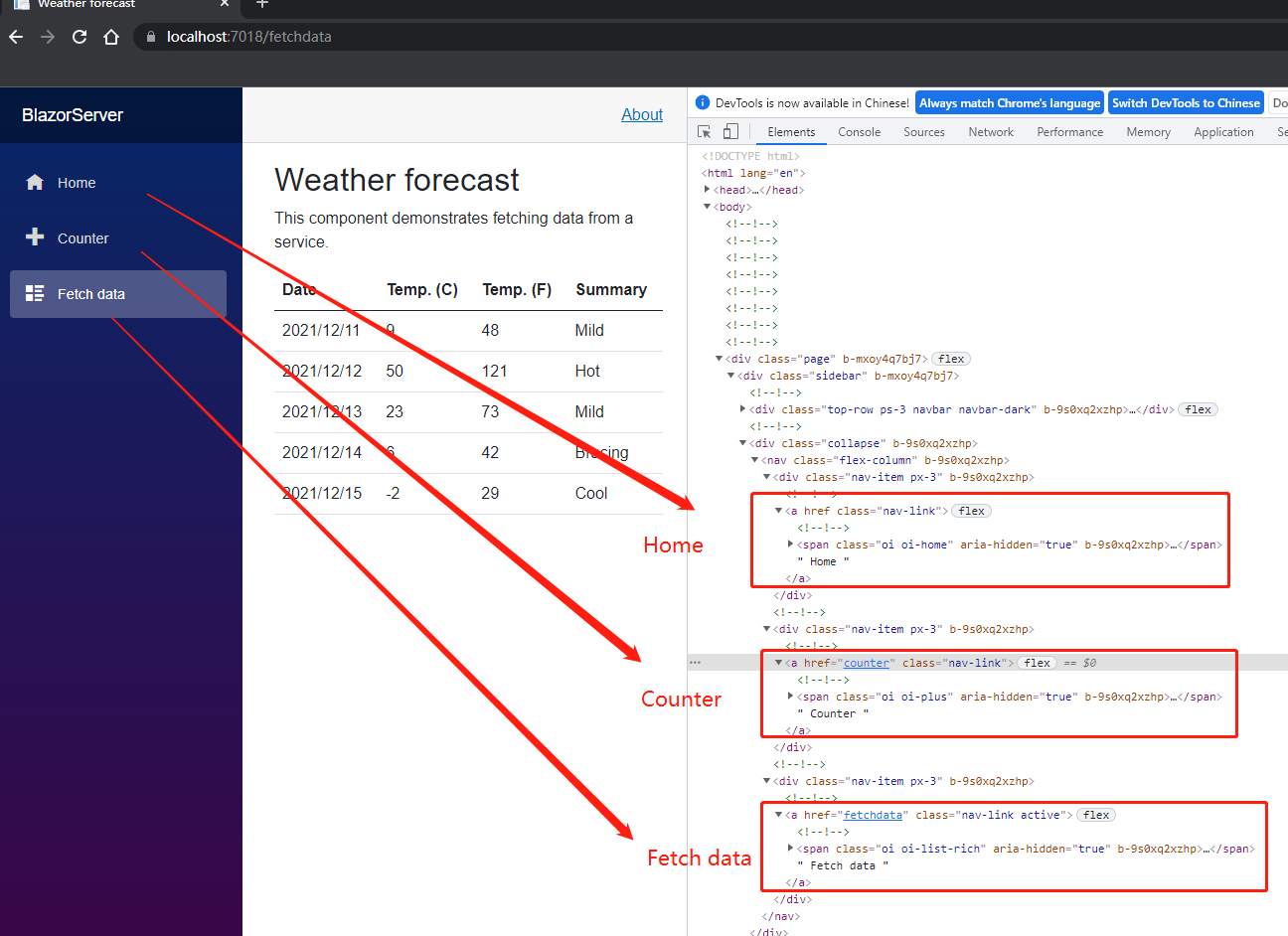
So where are the Home, Counter, Fetch data pages on the left menu defined? Open MainLayout.razor, you can see the NavMenu element, and then open NavMenu.razor, you can see three NavLink Components. These Components will be translated by the Server into the a-element recognized by the browser, so even if we open Dev tool, we will only see the a-element.

左侧菜单

左侧菜单在html呈现为a标签1

左侧菜单在html呈现为a标签2

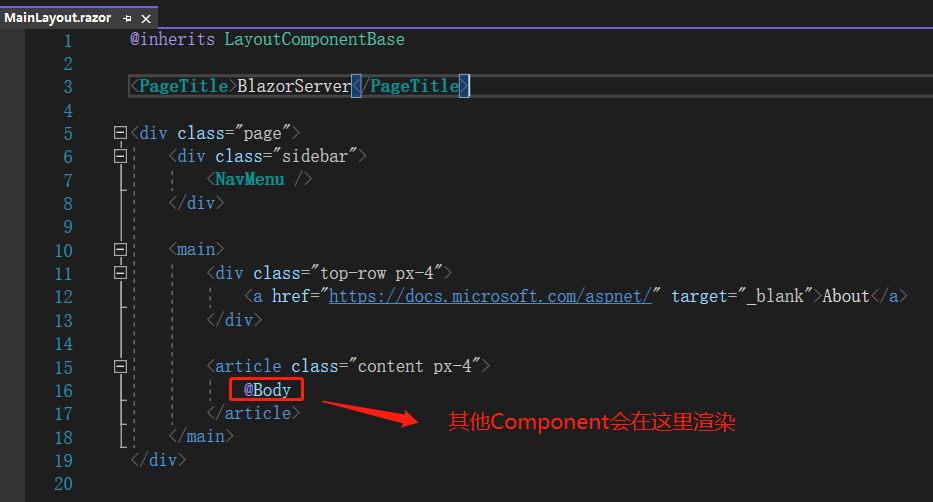
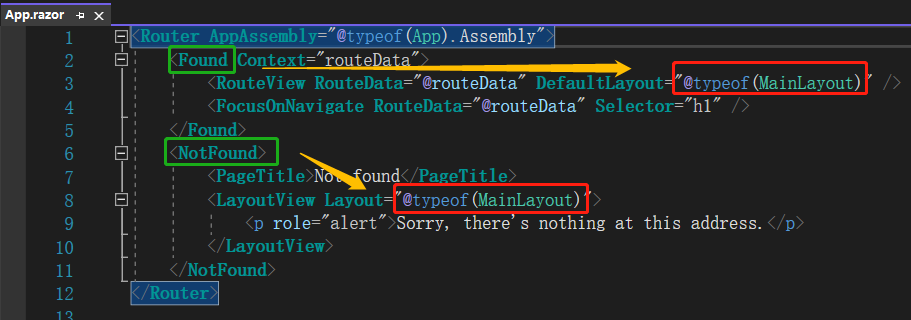
Back to MainLayout.razor, you can see the @Body indicator, which is where other Components will be placed. It can be said to be a kind of placeholder. Then look at App.razor, there are two Components, Found and NotFound. Literally, the former is entered here when a matching Component is found in the entered URL, and the latter is that no matching Component can be found. You can see that both use MainLayout. In addition, if there are different pages that need different layouts, you can also define your own.

@body

Speaking of this, let's review how Blazor Server works. We can see that it is similar to Angular, which is layer by layer, making it easier to manage. The index.html and_Layout.cshtml of Blazor WebAssemlby and Blazor Server are roughly equal to_Layout.cshtml, and the appsettings.json file is missing. Usually, the connection string required by the program to connect to the database is placed in this file. It can be proved that Blazor WebAssemlby is indeed only passively receiving data and cannot actively connect to the database. I tried to quote EF Core here, but I couldn't let Blazor WebAssemlby contact the database. In the world of the. NET Framework, web.config is used in XML format, while in the. NET Core, appsettings.json is used in JSON format.

引用: ASP NET Core blazor project structure

** Note: The code in this article is refactored through. NET 6 + Visual Studio 2022. You can click on the original link to compare and learn the refactored code. Thank you for reading and support the original author **

Keep Exploring

延伸阅读

更多文章
同分类 / 同标签 12/25/2021

(29/30) Everyone learn Blazor together: Blazor unit testing

Probably the most boring process of developing a system is to solve bugs, especially the error of trying to value null objects (`Object reference not set to an instance of an object.`). This should be the most common problem that most people encounter when they first step into the programming field. In order to relieve themselves from the boring process of solving bugs, this article introduces 'unit testing'.

继续阅读
同分类 / 同标签 12/25/2021

(28/30) Everyone learns Blazor together: Policy-based authorization

It was mentioned before that 'ASP.NET Core Identity' uses 'Claim' based authentication. In fact,'ASP.NET Core Identity' has different types of authorization methods, the simplest are 'login authorization','role authorization', and 'Claim authorization', but all of the above are implemented in one way: 'Policy-based authorization'.

继续阅读