(9/30) Everyone learns Blazor together: Parameters

(9/30) Everyone learns Blazor together: Parameters

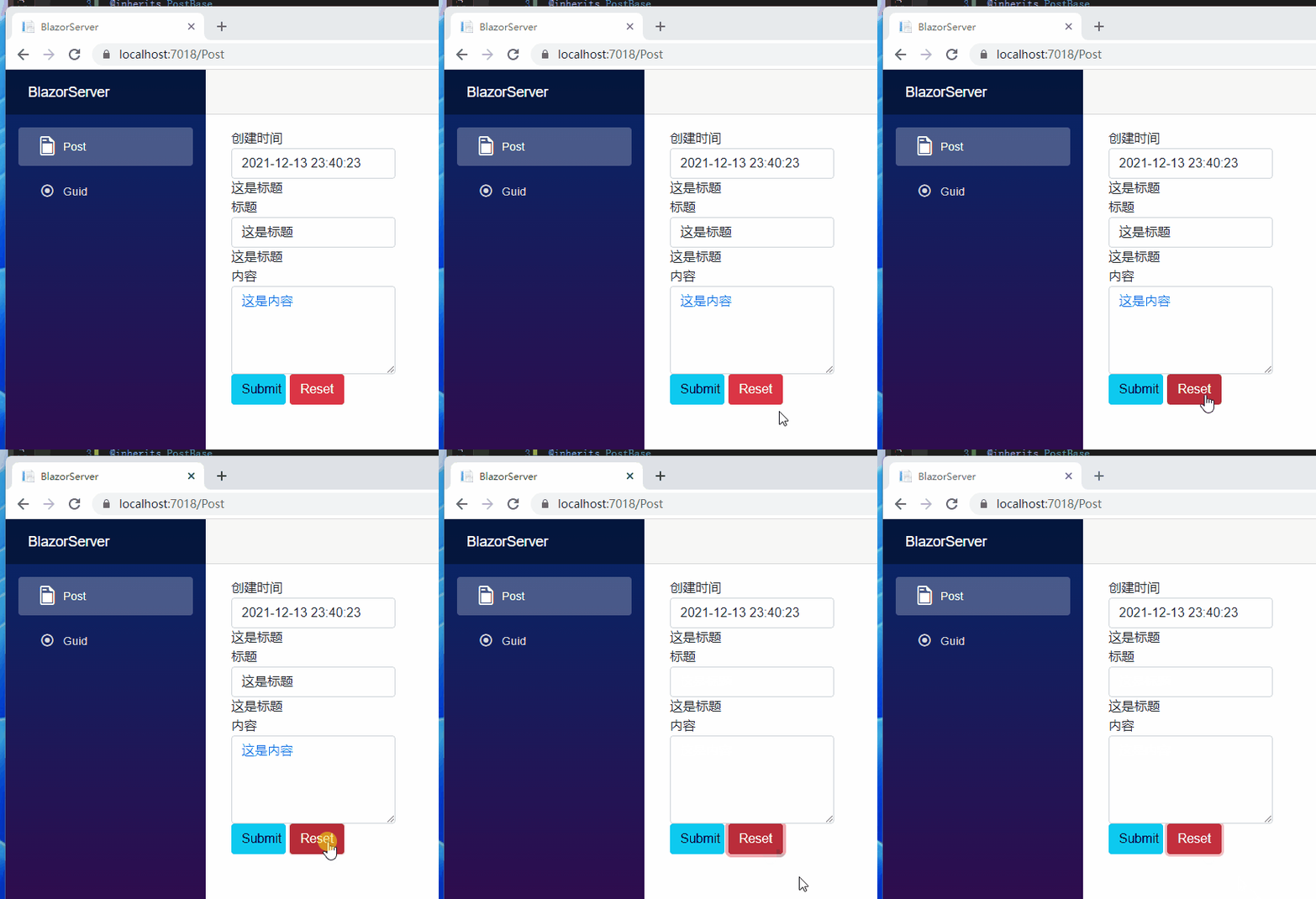
If we want to add a button to clear the data of the form, the fastest way is to add a button with the name "reset". At this time, two buttons will be used, and we can use Blazor's core concept: component encapsulation.

最后更新 12/14/2021 10:18 PM
StrayaWorker
预计阅读 3 分钟
分类
Blazor
专题
Learn the Blazor series together
标签
.NET C# ASP.NET Core Blazor

假如我们想增加的按钮用来清除form(表单)的数据,最快的方式是增加一个type=”reset”的按钮,这时候就用到两个按钮了,可以用到 Blazor 的核心概念:组件封装。

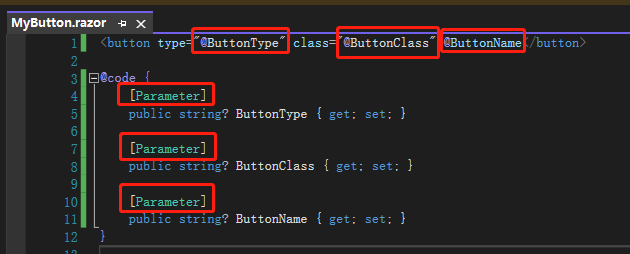
我们先在 Shared 文件夹新增一个 Razor 组件名为MyButton,定义 3 个变量分别代表按钮类型、按钮样式、按钮名称,注意要在属性上面加上[Parameter],这是告诉 Blazor 这些属性的值来自调用这个组件的父组件。
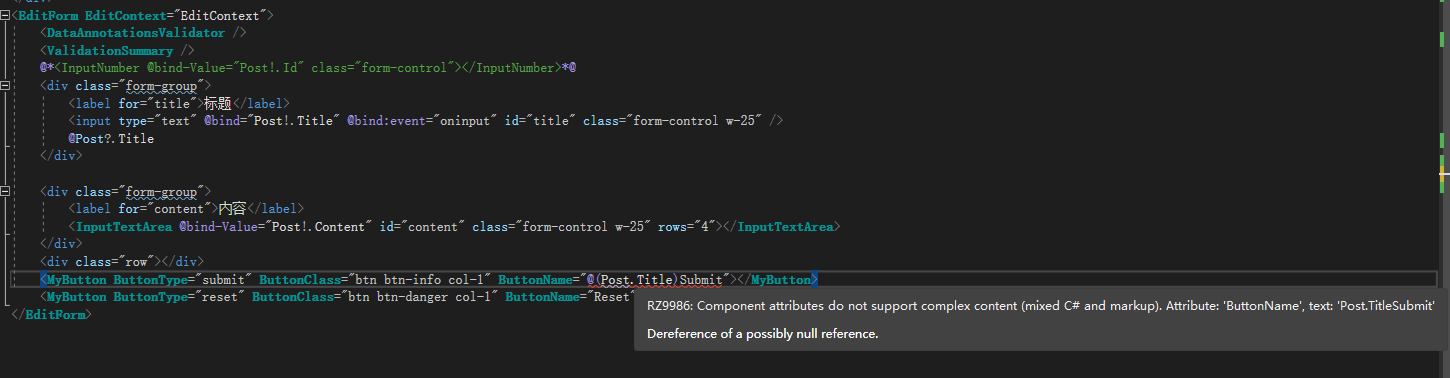
接着移除标题的单向绑定,再将更新时间的 div 移到<EditForm>外面,因为 reset 按钮会清除整个 form,我们不希望更新时间也被清除。最后在最下面使用两个<MyButton>组件,再输入我们要的按钮类型、按钮样式、按钮名称,这边 Blazor 会告诉你还有哪些 Parameter 没有被使用,如果有重复的 Parameter 也会有提示,所以不用担心。
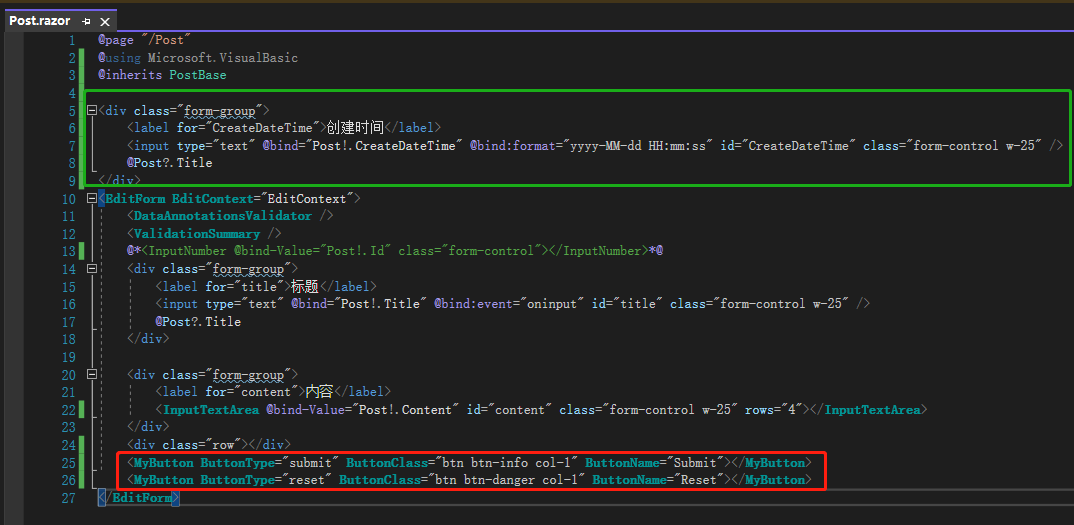
Press the Reset button to see that the title and content have been cleared.

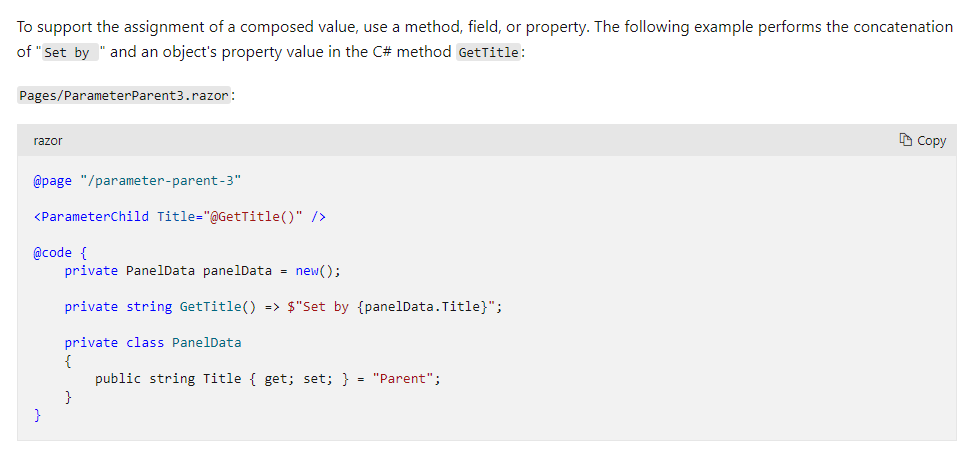
要注意的是 Parameter 不支援混合 razor 及 html 字符串的写法,如果想这么做建议用fieldproperty或是string方法回调组合好的字符串。

Parameter 还有一点要避免,当父组件传值到子组件时,父组件若有StateHasChanged相关动作,会将父组件及子组件重新渲染,除非在子组件用一个变量保存父组件传来的值。

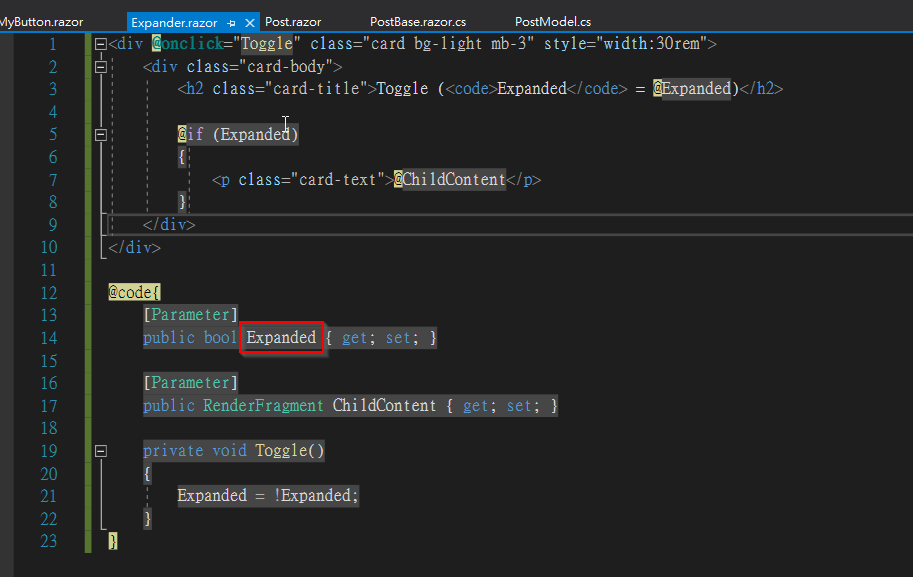
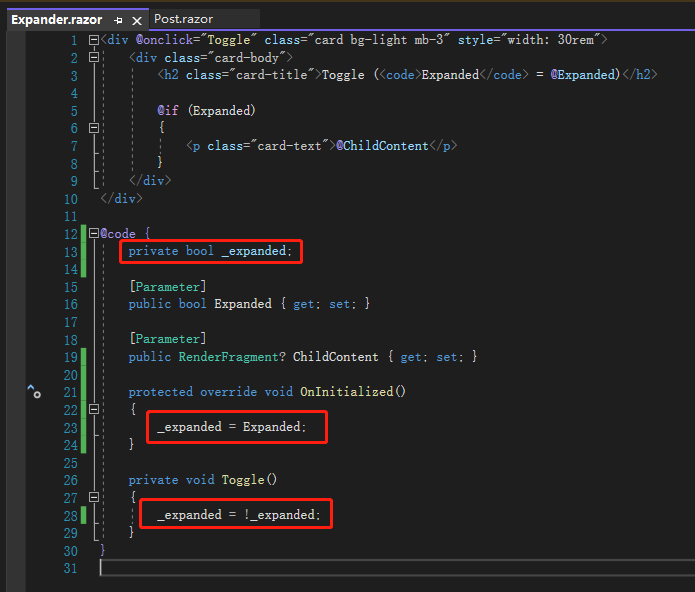
上面的文字说明似乎没看懂,我们来看微软给的例子,先建立一个扩展组件,里面做的事情很简单,只要点击<div>就会收缩或是展开内容。还有一个类型为RenderFragmentChildContent,这是让使用该组件的外部组件决定内容模板。

接着在 Post.razor 调用两个Expander,第一个有用到ChildContent并放入<p>元素,最后看到一个 button 带有@onclick="StateHasChanged"的事件,模拟父组件的StateHasChanged事件。
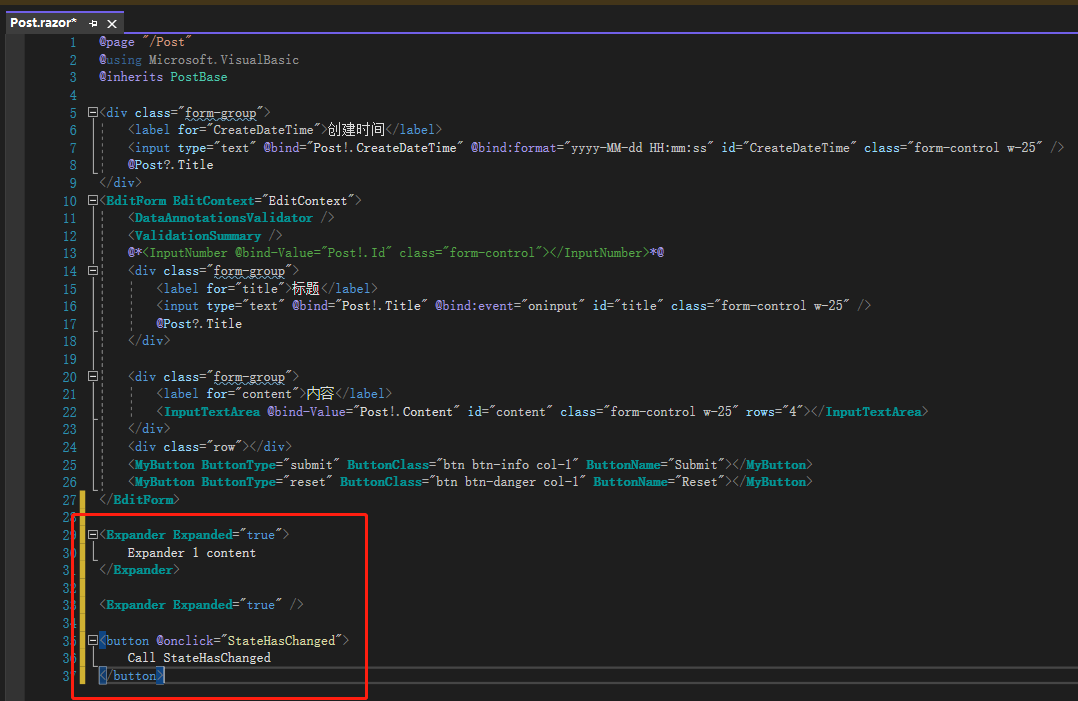
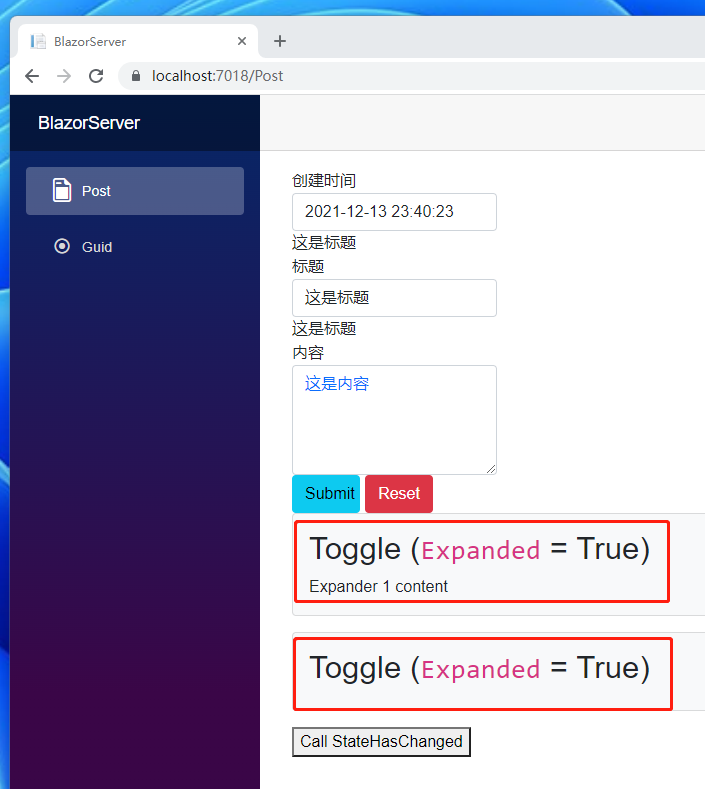
打开网页可以看到两个ExpanderExpanded皆为 True

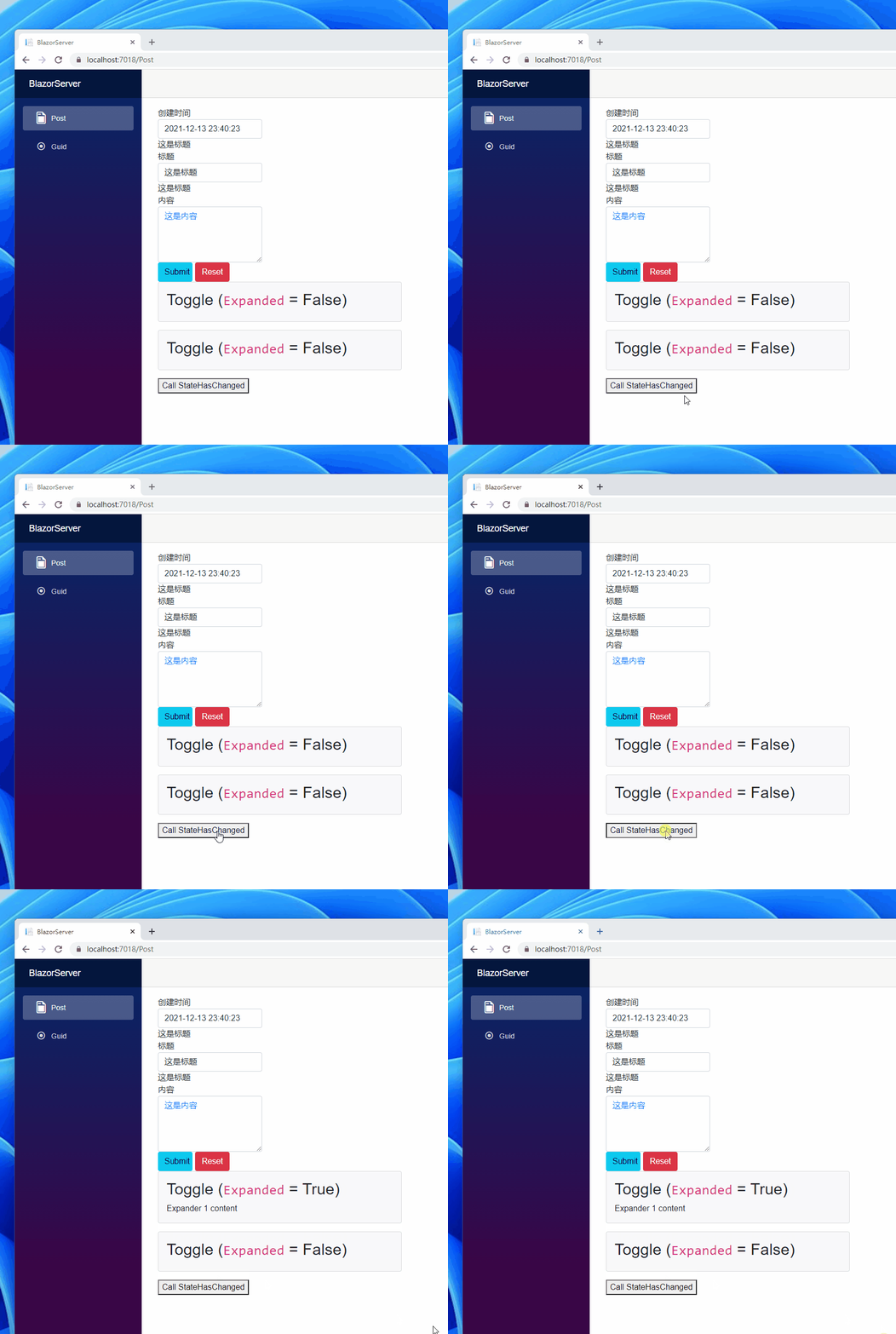
接着两个 Expander 都点一下,可以看到Expanded都变 False 了

However, if you click the button at the bottom at this time, you will find that only the Expanded button above becomes True. Why?

原因就在于父组件的状态(state)跟ChildContent这个属性,因为父组件的 state 改变了会重新渲染(render)并将新数据传给第一个 Child,所以Expanded被重置为 true,第二个 Child 因为没有接收ChildContent所以不会重新渲染。

为了避免这问题,可以定义一个私有字段(field)名为_expanded,当组件初始化时保存父组件传来的Expanded,之后的逻辑都根据_expanded处理。
** Quotes: **

  1. Component parameters
  2. ComponentBase.StateHasChanged Method

** Note: The code in this article is refactored through. NET 6 + Visual Studio 2022. You can click on the original link to compare and learn the refactored code. Thank you for reading and support the original author **

Keep Exploring

延伸阅读

更多文章
同分类 / 同标签 12/25/2021

(29/30) Everyone learn Blazor together: Blazor unit testing

Probably the most boring process of developing a system is to solve bugs, especially the error of trying to value null objects (`Object reference not set to an instance of an object.`). This should be the most common problem that most people encounter when they first step into the programming field. In order to relieve themselves from the boring process of solving bugs, this article introduces 'unit testing'.

继续阅读
同分类 / 同标签 12/25/2021

(28/30) Everyone learns Blazor together: Policy-based authorization

It was mentioned before that 'ASP.NET Core Identity' uses 'Claim' based authentication. In fact,'ASP.NET Core Identity' has different types of authorization methods, the simplest are 'login authorization','role authorization', and 'Claim authorization', but all of the above are implemented in one way: 'Policy-based authorization'.

继续阅读