(8/30) Everyone learns Blazor together: Details on CSS style modifications and data binding

(8/30) Everyone learns Blazor together: Details on CSS style modifications and data binding

Now every time you start a project, the default path will be '/', but we currently don't have a Component to apply this route. It's a bit troublesome to switch to 'Post' yourself. In addition, the pattern of the Menu does not match the name. Let's adjust it.

最后更新 12/13/2021 10:36 PM
StrayaWorker
预计阅读 4 分钟
分类
Blazor
专题
Learn the Blazor series together
标签
.NET C# ASP.NET Core Blazor

现在每次启动项目,预设路径都会是/,但我们目前没有 Component 套用这个路由,要自己切换到Post实在有些麻烦,另外 Menu 的图案也跟名称不符,我们来调整一下。

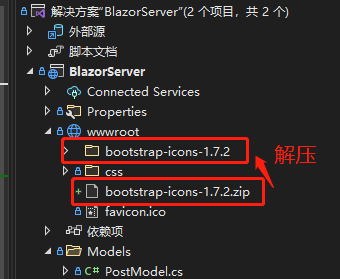
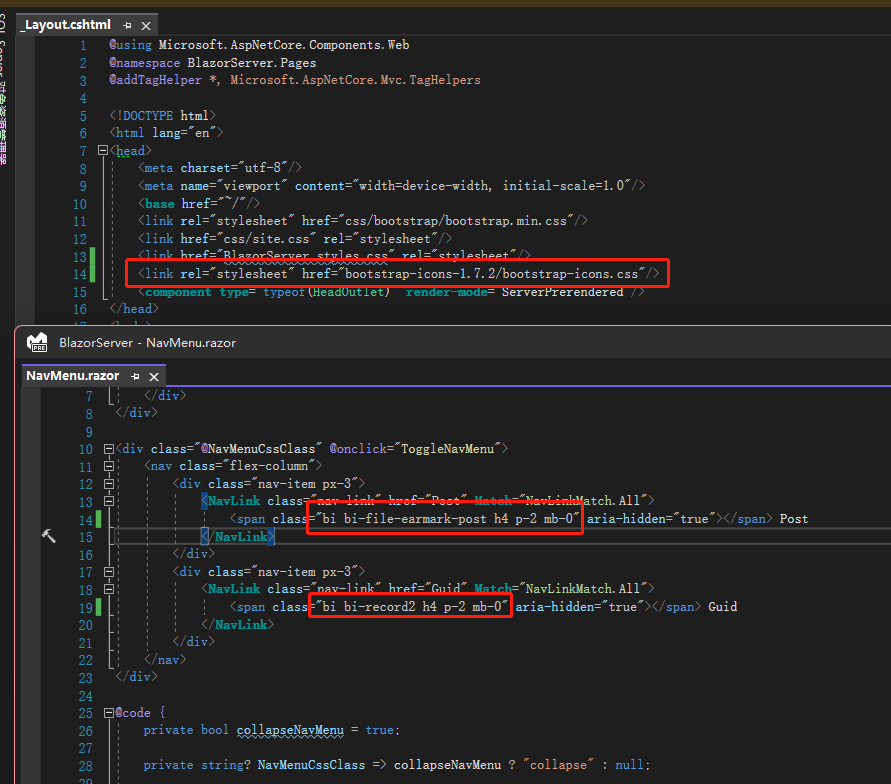
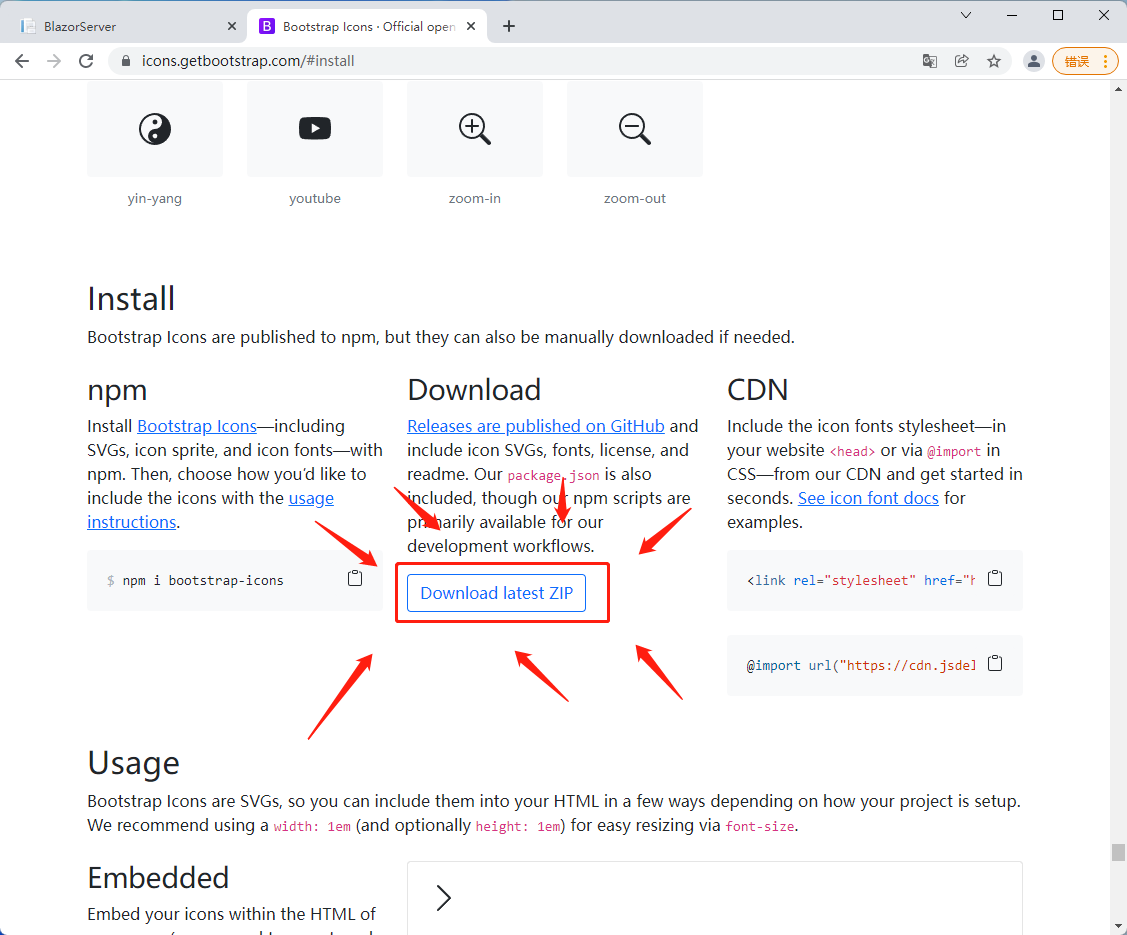
我们先来改 icon,由于font-awesome目前已用会员制,必须登录才能产生一套免费的 icon 集合,因此笔者使用bootstrapicon。首先去bootstrapicon页面下载zip文件(不想下载文件的人可以直接引用 CDN),将文件解压存放在wwwroot,在_Layout.cshtml引用bootstrap-icons.css,在官网搜寻自己喜欢的 icon 套用即可,笔者这边还做了些样式调整。
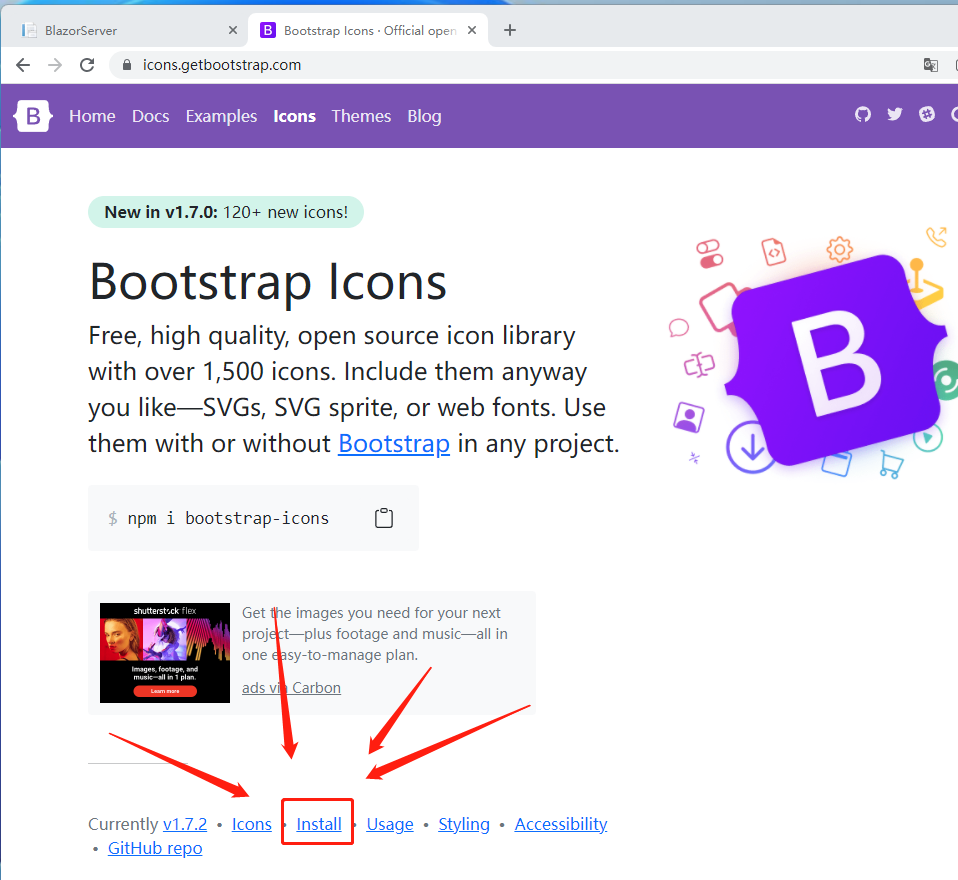
bootstrap下载icon页面1

bootstrap下载icon页面2

bootstrap下载icon页面2

bootstrap下载icon页面3

修改bootstrap类

bootstrap图标

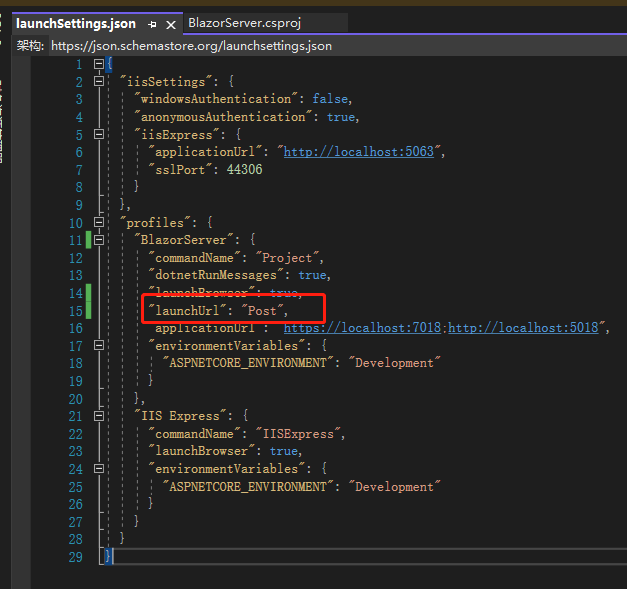
接着打开 Blazor Server 项目的launchSettings.json文件,在 profiles 内的 BlazorServer 输入这行"launchUrl": "Post"。
Day06 有说到绑定,不过只有稍微带过,因为当时的目的只是展示form,现在来细说一下。

Blazor 的数据绑定有分为单向绑定(one way binding)跟双向绑定(two way binding),单向绑定就是在页面上输入@variable,有什么数据就显示什么。
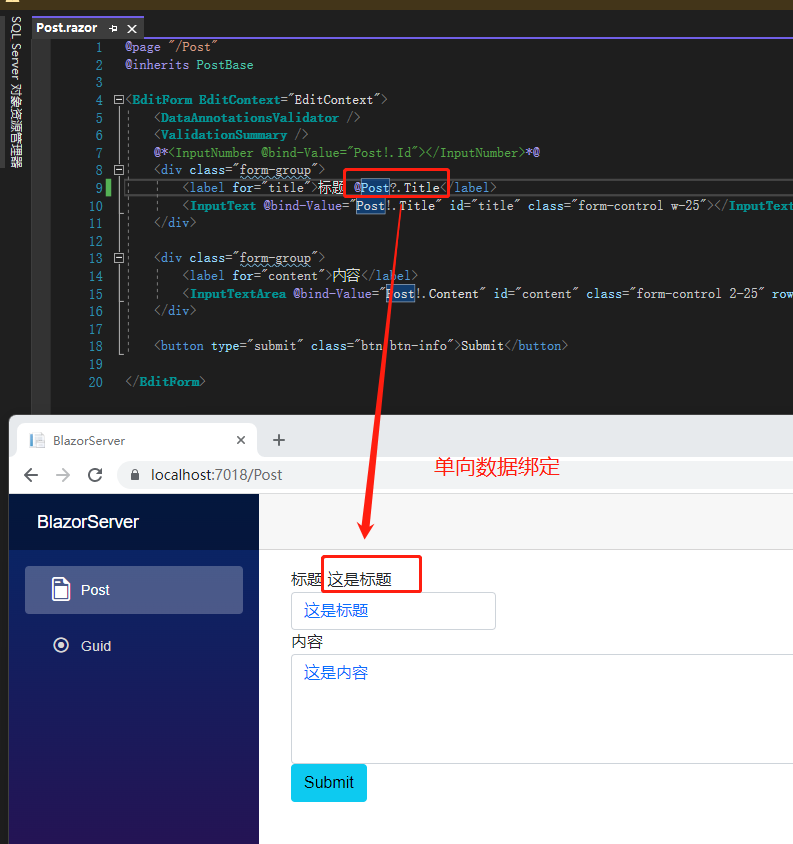
单向绑定

双向绑定则要用@bind-value将 input 内的数据跟页面绑在一起,页面输入的内容也会反向影响数据。
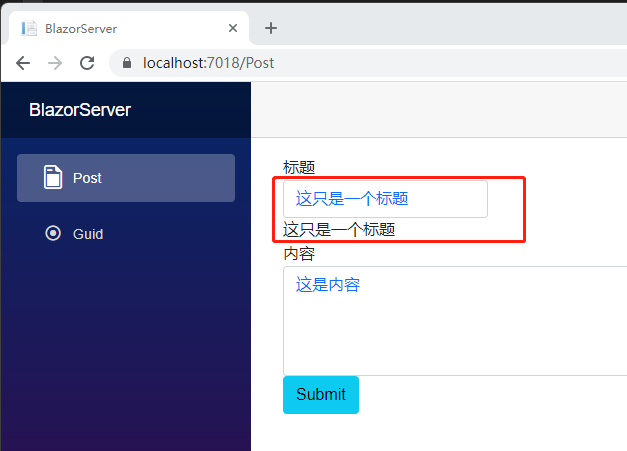
双向绑定

If you have learned Angular, you should be familiar with it, which is the use of [ngModel] and [(ngModel)], but the name is changed.

那 Blazor 有像 Angular 的(click)事件绑定吗?也是有的,不过若用<InputText>Component 会说到较为复杂如EventCallBack的内容,所以笔者这边先用单纯的<input>元素,之后讲到EventCallBack再回来说明。

先把<InputText>换成<input>,接着将@bind-Value改成@bind,再加入@bind:event,值为html的事件名,如onchangeoninput等等,这些事件在 MDN 都可以查到。接着在网页的输入框输入内容,就可以看到底下的字即时变换了,可以看到我的焦点虽然仍在 input 元素上,底下的内容已经改变了。

事件绑定

不过oninputonchange的使用时机最好再拿捏一下,如果使用oninput绑定number类型的数据,当使用者输入 1.5 的瞬间,就会被改为 1,这会让使用者困惑,若用onchange,则是在使用者移开焦点后才会将 1.5 改为 1。若非得用oninput的话,可以将绑定数据改为nullable或是字符串,再使用 getter,setter 自己做逻辑处理不合法数据。

那 Blazor 有类似 Angular 的pipe去改变网页的数据格式如 number、datetime 吗?目前有提供@bind:format绑定可以改变日期格式,我们先在PostModel加入一个CreateDateTime,接着复制一组标题的div贴上,将label@bind的绑定数据改一下,再把@bind:event改成@bind:format,就可以看到显示成指定的日期格式。
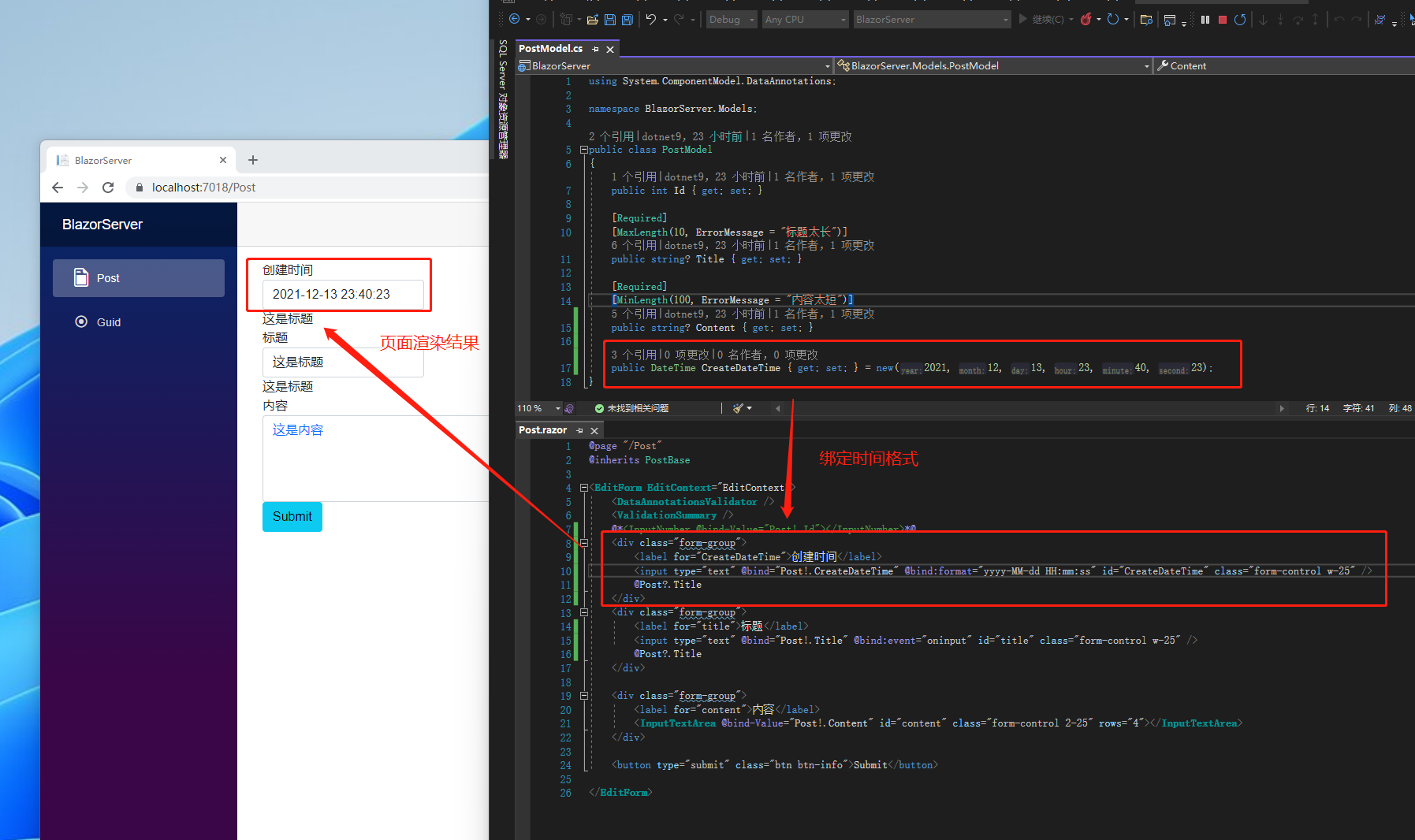
格式绑定

要注意的是 Blazor 并没有对应<select>的 Component,因为 HTML 的attribute不能有null,最接近null的概念是移除value这个attribute,但如果选到一个没有value<option>,浏览器会将该<option>的文字当成value

** This article quoted: **

** Note: The code in this article is refactored through. NET 6 + Visual Studio 2022. You can click on the original link to compare and learn the refactored code. Thank you for reading and support the original author **

Keep Exploring

延伸阅读

更多文章
同分类 / 同标签 12/25/2021

(29/30) Everyone learn Blazor together: Blazor unit testing

Probably the most boring process of developing a system is to solve bugs, especially the error of trying to value null objects (`Object reference not set to an instance of an object.`). This should be the most common problem that most people encounter when they first step into the programming field. In order to relieve themselves from the boring process of solving bugs, this article introduces 'unit testing'.

继续阅读
同分类 / 同标签 12/25/2021

(28/30) Everyone learns Blazor together: Policy-based authorization

It was mentioned before that 'ASP.NET Core Identity' uses 'Claim' based authentication. In fact,'ASP.NET Core Identity' has different types of authorization methods, the simplest are 'login authorization','role authorization', and 'Claim authorization', but all of the above are implemented in one way: 'Policy-based authorization'.

继续阅读