

前面说过自己建立的 Service 都必须在Program.cs注册,但有些基本 Service 就不用自己做了。
目前 Blazor 提供内建的 Service 有三个,分别为:
HttpClient:处理 http 请求,生命周期为 Scoped(注意:只有 Blazor WebAssembly 有提供,Blazor Server 必须自己注册)IJSRuntime:提供 JavaScript runtime 组件处理 JS 功能,Blazor WebAssembly 生命周期为Singleton,Blazor Server 生命周期为ScopedNavigationManager:处理路由导向和状态,Blazor WebAssembly 生命周期为Singleton,Blazor Server 生命周期为Scoped
生命周期指的就是 Component 存活的时间,除了Singleton跟Scoped,还有一种Transient。
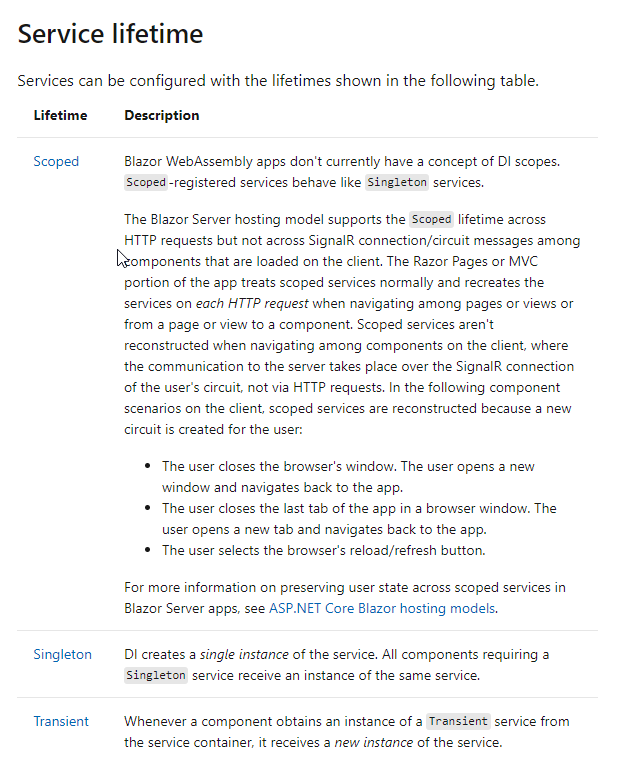
Singleton是指从程序启动到结束都只会有一个实例,所有 Component 共用一个实例。Transient则是每次使用该 Component 时,都会产生一个新实例。Scoped较为特别,Blazor Server 跟 Blazor WebAssembly 模式不相同,Blazor Server 的Scoped是指每次 HTTP 请求都会产生一个新的实例,但 Component 之间通过 SingalR 传递不会产生,微软文档说明「Blazor WebAssembly 目前没有 DI 的概念,Scoped相当于Singleton」。
不过笔者当初看了上述说明也是很蒙,直到看了一个视频用 GUID 示范后才有所明白,我们就来试试看。
首先建立一个接口IGuidService,里面只有一个类型为 string 的属性UId,接着建立类GuidService并在构造函数中初始化属性 UId 为 GUID 字符串,再去Program.cs使用AddTransient注册。
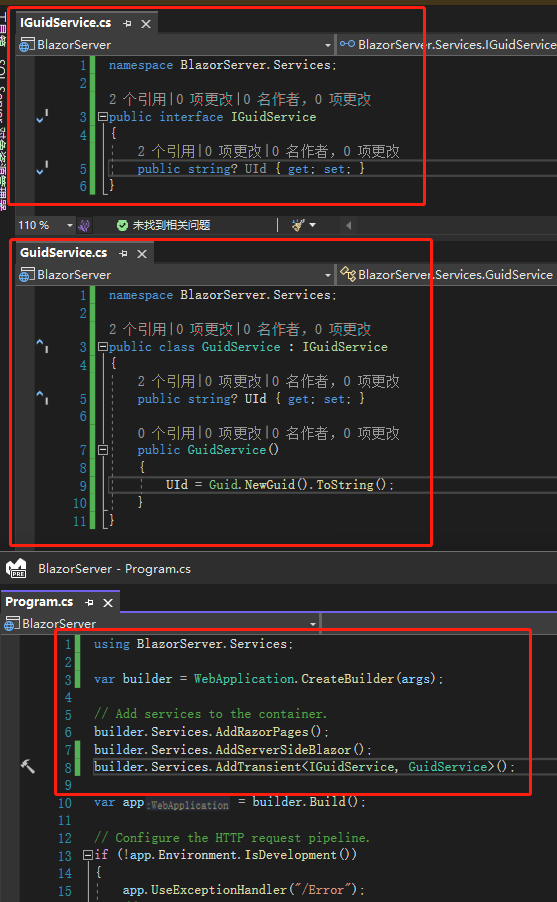
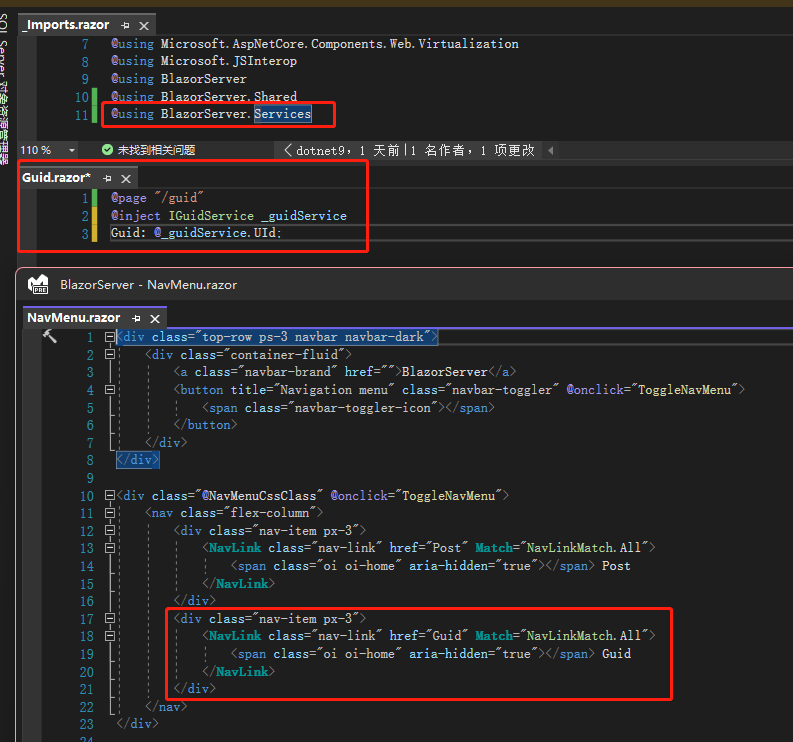
然后建立一个Guid.razorComponent,里面只有三行分别定义路由、注入服务以及显示 GUID 字符串,因为这案例很简单所以没用到 ComponentBase,所以需要在_Import.razor加入@using BlazorServer.Services,最后为了切换方便,在NavMenu.razor定义一组 NavLink 指向刚才建立的Guid.razor。
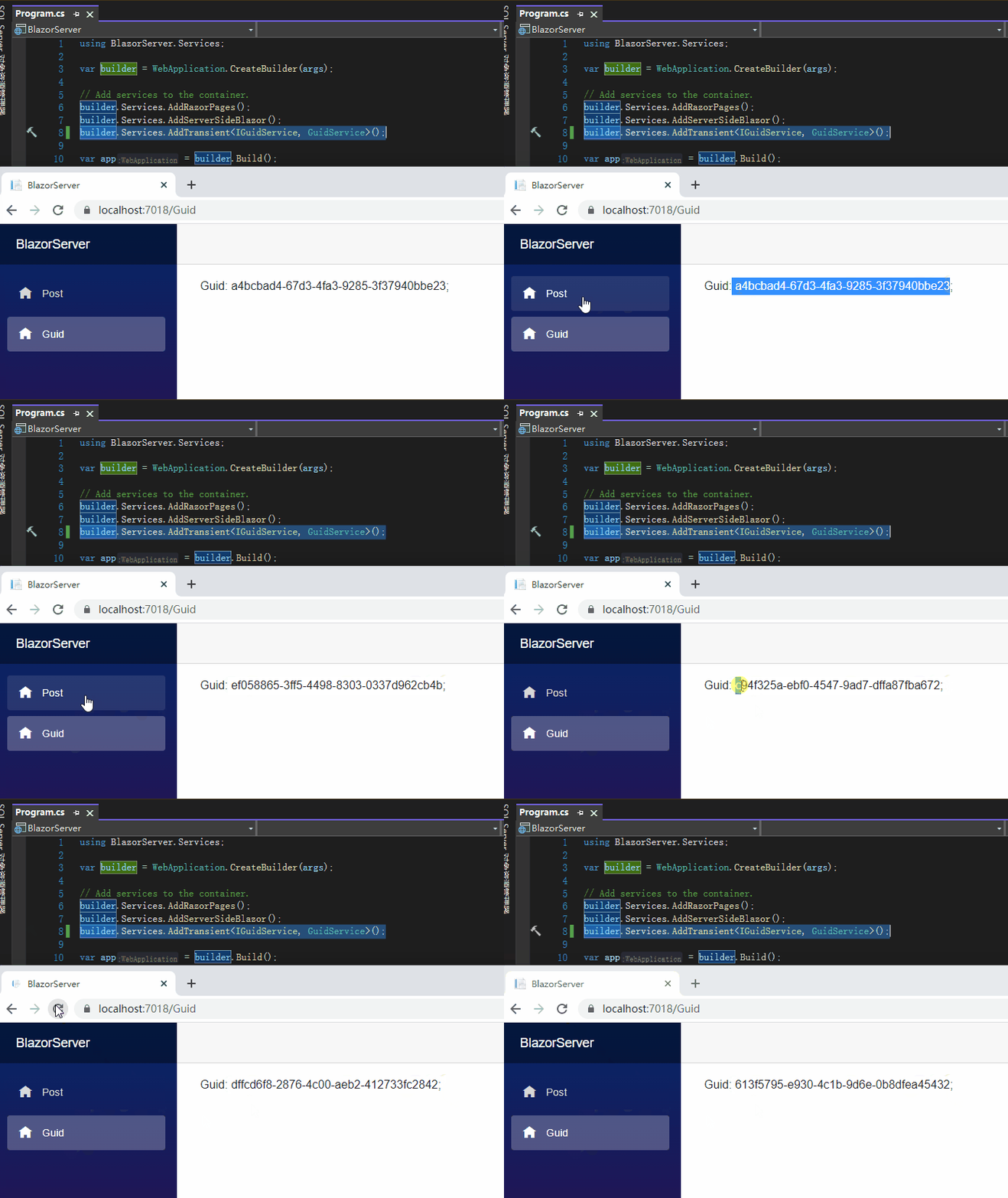
启动后不论在 Post 及 Guid 页面切换,或是重新加载页面,都可以看到生成全新的一组 GUID,这就是Transient的特性:每次切换都产生新的实例。
接着将注册方式改为Singleton,可以看到就算重新加载网页,也都是同一组 GUID,这就是 Singleton 的特性:程序启动到结束都只会有一个实例。

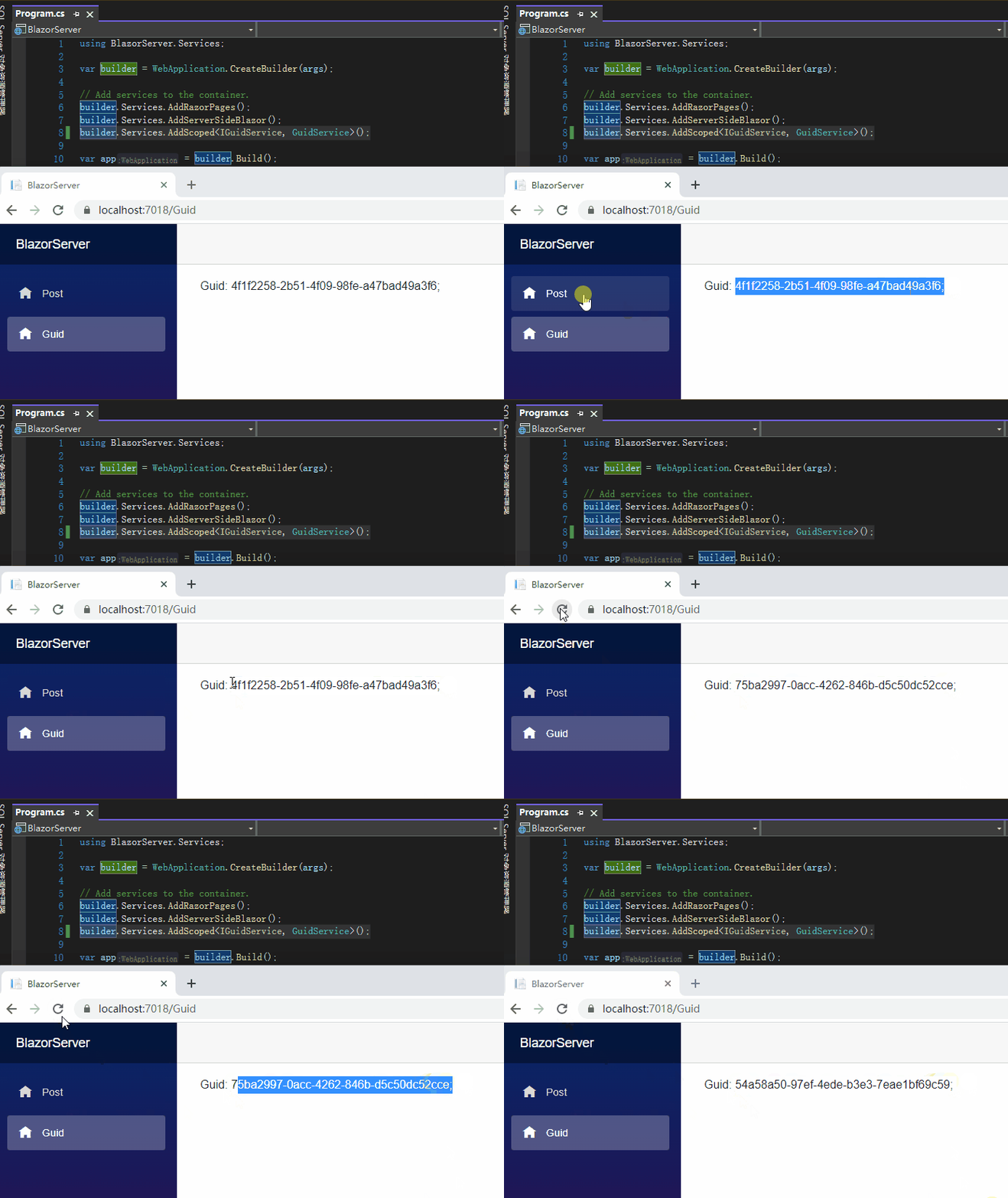
最后将注册方式改为Scoped,切换到 Post 页面再切回来,还是同一组 GUID,但重新加载页面时就会产生新的一组,这就是Scoped的特性:每次产生 HTTP 请求都会有新的实例,Component 之间则不会产生新实例。
上述的例子是以 Blazor Server 进行,若以 Blazor WebAssembly 进行,则Singleton会产生跟 Blazor Server 不同的情况,原因就是 Blazor WebAssembly 没有服务端,每次重新加载网页都会将程序下载到浏览器,这是一个全新的 HTTP 请求,所以Singleton跟Scoped都是只要一重新加载网页就会产生新的实例。

注:笔者为了方便省略视频中某些内容,有兴趣的人可以再研究
引用:
- Blazor Course-Use ASP.NET Core to Build Full-Stack C# Web Apps
- ASP.NET Core Blazor dependency injection
注:本文代码通过 .NET 6 + Visual Studio 2022 重构,可点击原文链接与重构后代码比较学习,谢谢阅读,支持原作者