
介绍
- TCP 组件是基于 TCP 协议的最基础组件,其基础功能和 Socket 一致,只是经过 RRQM 封装后,将高连接、高并发,数据处理等一系列基础功能打包,让使用者不再关心基础架构建设,专心于业务。
- 理论上 TCP 组件可用于任何基于 TCP 协议的产品,例如:HTTP、FTP、WebSocket、Telnet、PLC 通信、上位机通信等。
产品特点
- 简单易用。
- 多线程。
- 内存池
- 高性能(服务器每秒可接收 200w 条信息,接收数据流量可达 2.5GB/s)
- 多种数据接收模式(IOCP,BIO,Select)。
- 多地址监听(可以一次性监听多个 IP 及端口)
- 适配器预处理,一键式解决分包、粘包、对象解析(如 HTTP,Json)等。
- 超简单的同步发送、异步发送、接收等操作。
- 基于事件驱动,让每一步操作尽在掌握。
产品应用场景
- TCP 基础使用场景:可跨平台、跨语言使用。
- 自定义协议解析场景:可解析任意数据格式的 TCP 数据报文。
下面演示我们的系统 :
创建 TcpService
TcpService 是 TCP 系服务器基类,但是不参与实际的数据交互,实际的数据交互由 SocketClient 完成,所以 TcpService 的功能只是配置、激活、管理、注销、
重建 SocketClient 类实例,所以在 TcpService 中,须指定其 SocketClient 派生的泛型类型,然后必须实现 HandleReceivedData 方法,该方法指示如何处理已接收数据或经过适配器转换的对象。
所以具体创建过程如下。
TcpService service = new TcpService();
service.Connecting += (client, e) =>{};//有客户端正在连接
service.Connected += (client, e) =>{};//有客户端连接
service.Disconnected += (client, e) =>{};//有客户端断开连接
service.Received += (client, byteBlock ,requestInfo) =>
{
    //从客户端收到信息
    string mes = Encoding.UTF8.GetString(byteBlock.Buffer, 0, byteBlock.Len);
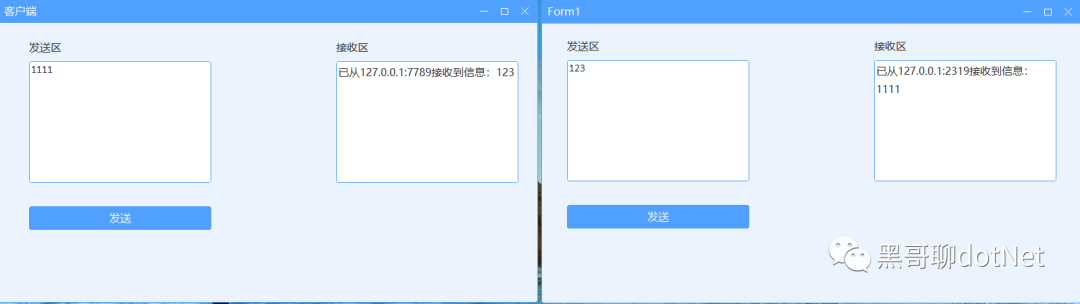
    Console.WriteLine($"已从{client.Name}接收到信息:{mes}");//Name即IP+Port
};
//声明配置
var config = new TcpServiceConfig();
config.ListenIPHosts = new IPHost[] { new IPHost("127.0.0.1:7789"), new IPHost(7790) };//同时监听两个地址
//载入配置
service.Setup(config);
service.Start();
创建 TcpClient
TcpClient 是 TCP 客户端的基类,为抽象类,不可创建实例,须通过继承实现 HandleReceivedData 方法,该方法指示如何处理接收到的数据。
SimpleTcpClient tcpClient = new SimpleTcpClient();
tcpClient.Connected += (client, e) =>{};//成功连接到服务器
tcpClient.Disconnected += (client, e) =>{};//从服务器断开连接,当连接不成功时不会触发。
tcpClient.Received += (client, byteBlock ,requestInfo) =>
{
    //从服务器收到信息
    string mes = Encoding.UTF8.GetString(byteBlock.Buffer, 0, byteBlock.Len);
    Console.WriteLine($"接收到信息:{mes}");
};
//载入配置
tcpClient.Setup("127.0.0.1:7789");
tcpClient.Connect();
tcpClient.Send(Encoding.UTF8.GetBytes("RRQM"));
客户端 服务端发送都是封装了 send 方法,TcpClient 和 TcpService 已经内置了多种发送方法,直接调用就可以发送。如果发送失败,则会立即抛出异常。
service.Send(“”);
最后大家如果喜欢我的文章,还麻烦给个关注, 希望 net 生态圈越来越好!