
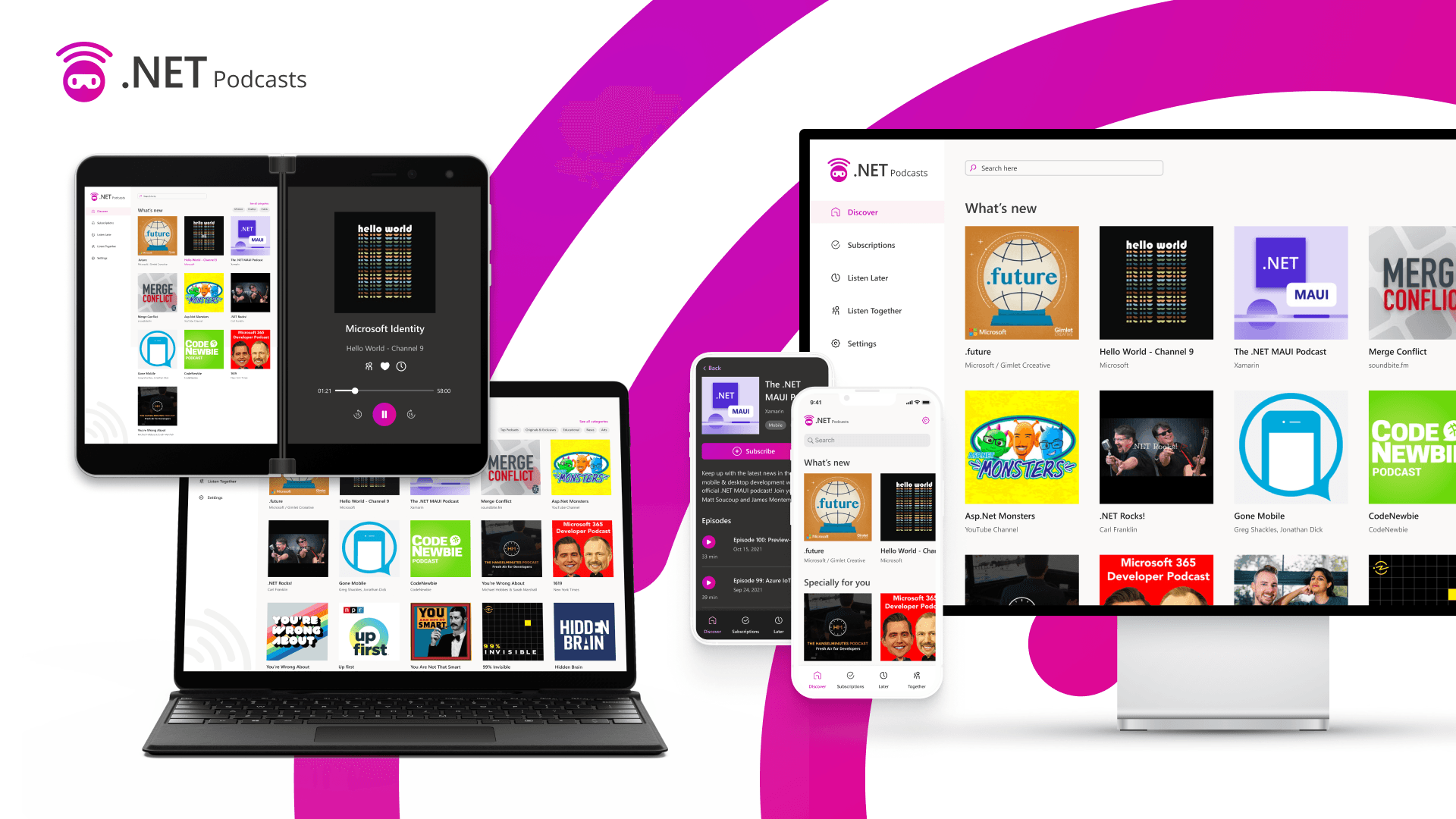
欢迎使用 .NET 多平台应用 UI。此版本标志着我们统一 .NET 平台的多年旅程中的新里程碑。现在,您和超过 500 万其他 .NET 开发人员拥有了针对 Android、iOS、macOS 和 Windows 的一流跨平台 UI 堆栈,以补充 .NET 工具链 (SDK) 和基类库 (BCL)。您可以使用 .NET 构建任何内容。
加入我们的 Microsoft Build 2022,我们将为你介绍使用 .NET 和 Visual Studio 为任何设备构建原生应用的所有更新。» 了解更多。
这只是我们创建让 .NET 开发人员满意的桌面和移动应用体验之旅的开始。对于下一阶段,现在已经为更广泛的.NET 生态系统奠定了基础,将.NET Framework 和旧项目系统中的插件,库和服务引入.NET 6 和 SDK 样式的项目。目前可用的产品包括:

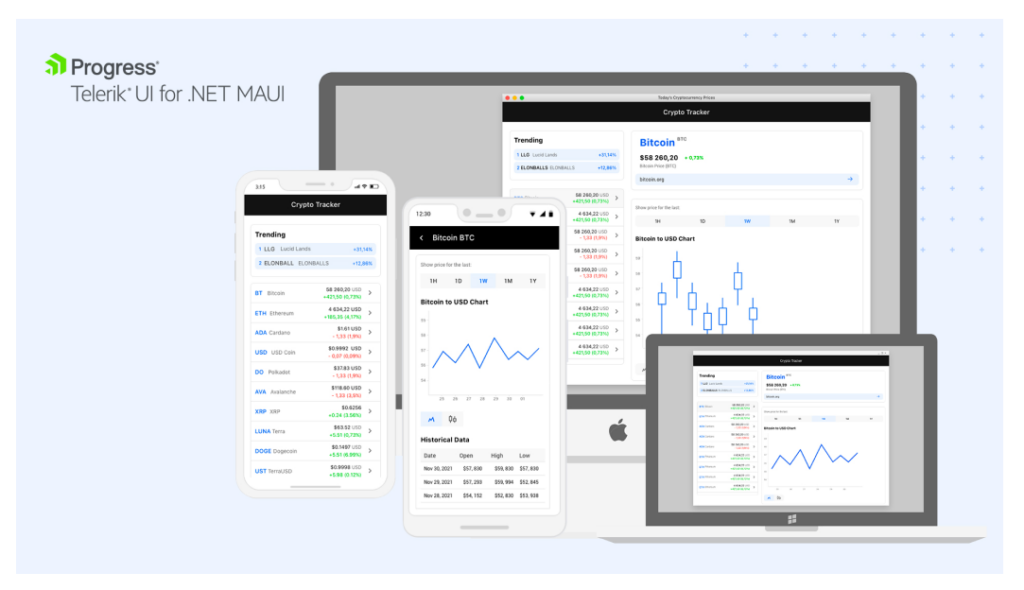
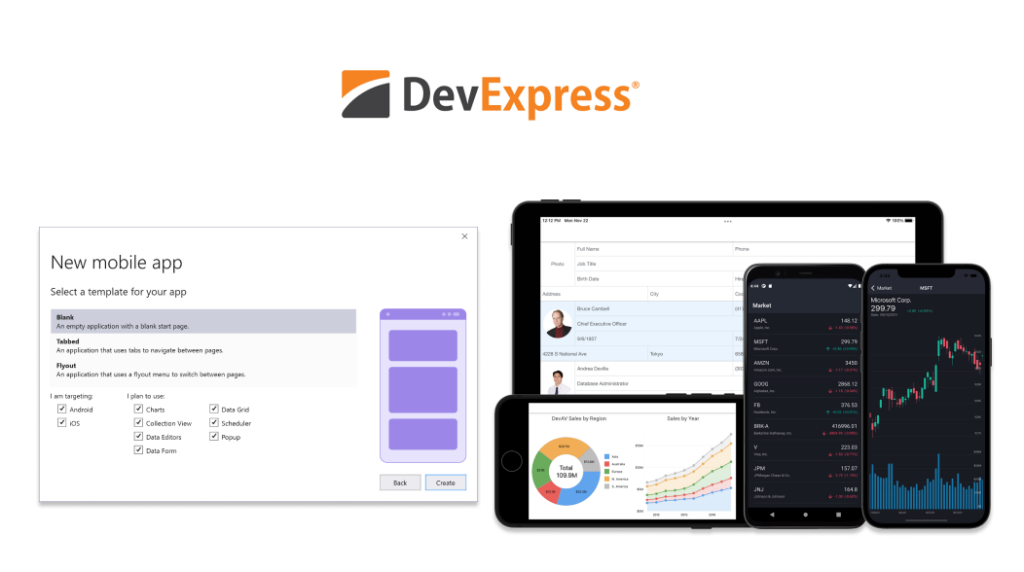

下面是一些链接截图,链接较多直接截图,有兴趣点击原文查看:

有关将库迁移到 .NET 6 的帮助,请查看最近的客座博客文章,其中详细介绍了从 Michael Rumpler (MR.Gestures)和Luis Matos(Plugin.ValidationRules)。
在 18 个月的当前发布计划下,.NET MAUI 工作负载完全受支持,并将以与 .NET 相同的月度数提供服务。我们对 .NET MAUI 的持续关注点仍然是质量,根据您的反馈解决已知问题并确定问题的优先级。这还包括我们提供的工作负载,用于构建专门针对 Android,Android Wear,CarPlay,iOS,macOS 和 tvOS 的应用程序,直接使用.NET 的原生工具包,以及支持库 AndroidX,Facebook,Firebase,Google Play Services 和 SkiaSharp。
借助 .NET MAUI,您可以实现不折不扣的用户体验,同时共享比以往更多的代码。.NET MAUI 通过每个平台提供的顶级应用工具包、现代开发人员的工作效率和我们迄今为止最快的移动平台使用原生 UI。
原生 UI,不妥协
.NET MAUI 的主要目标是使您能够提供由每个平台(Android、iOS、macOS 和 Windows)专门设计的最佳应用体验,同时使您能够通过丰富的样式和图形打造一致的品牌体验。开箱即用,每个平台的外观和行为都符合其应有的方式,而无需任何其他小部件或样式来模仿。例如,Windows 上的 .NET MAUI 由 WinUI 3 提供支持,WinUI 3 是 Windows 应用 SDK 附带的首屈一指的原生 UI 组件。
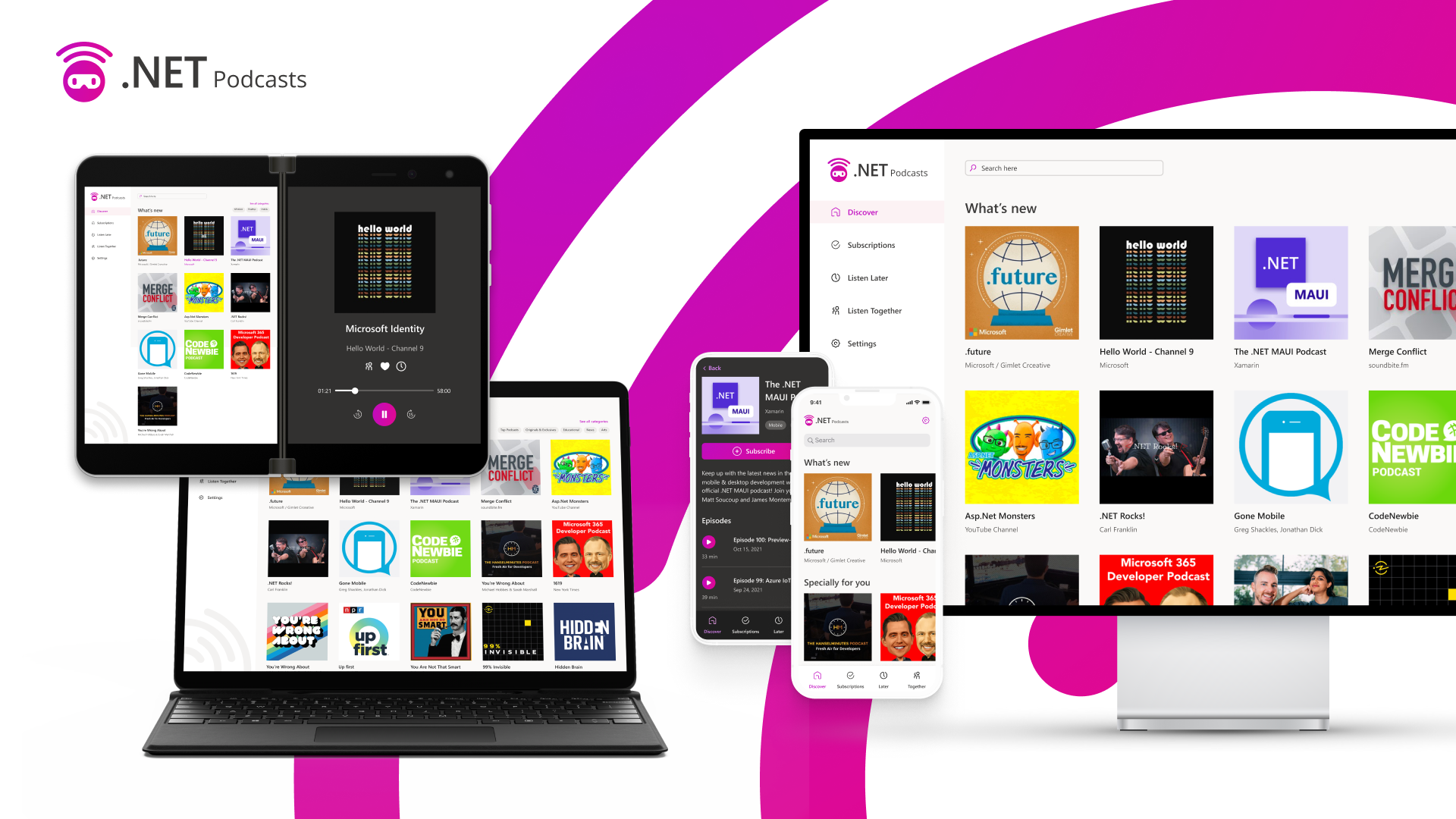
使用 C# 和 XAML 从包含 40 多个控件、布局和页面的丰富工具包生成应用。在移动控件的 Xamarin 肩膀上,.NET MAUI 添加了对多窗口桌面应用程序、菜单栏和新的动画功能、边框、角、阴影、图形等的支持。哦,还有我将在下面重点介绍的新内容:BlazorWebView。
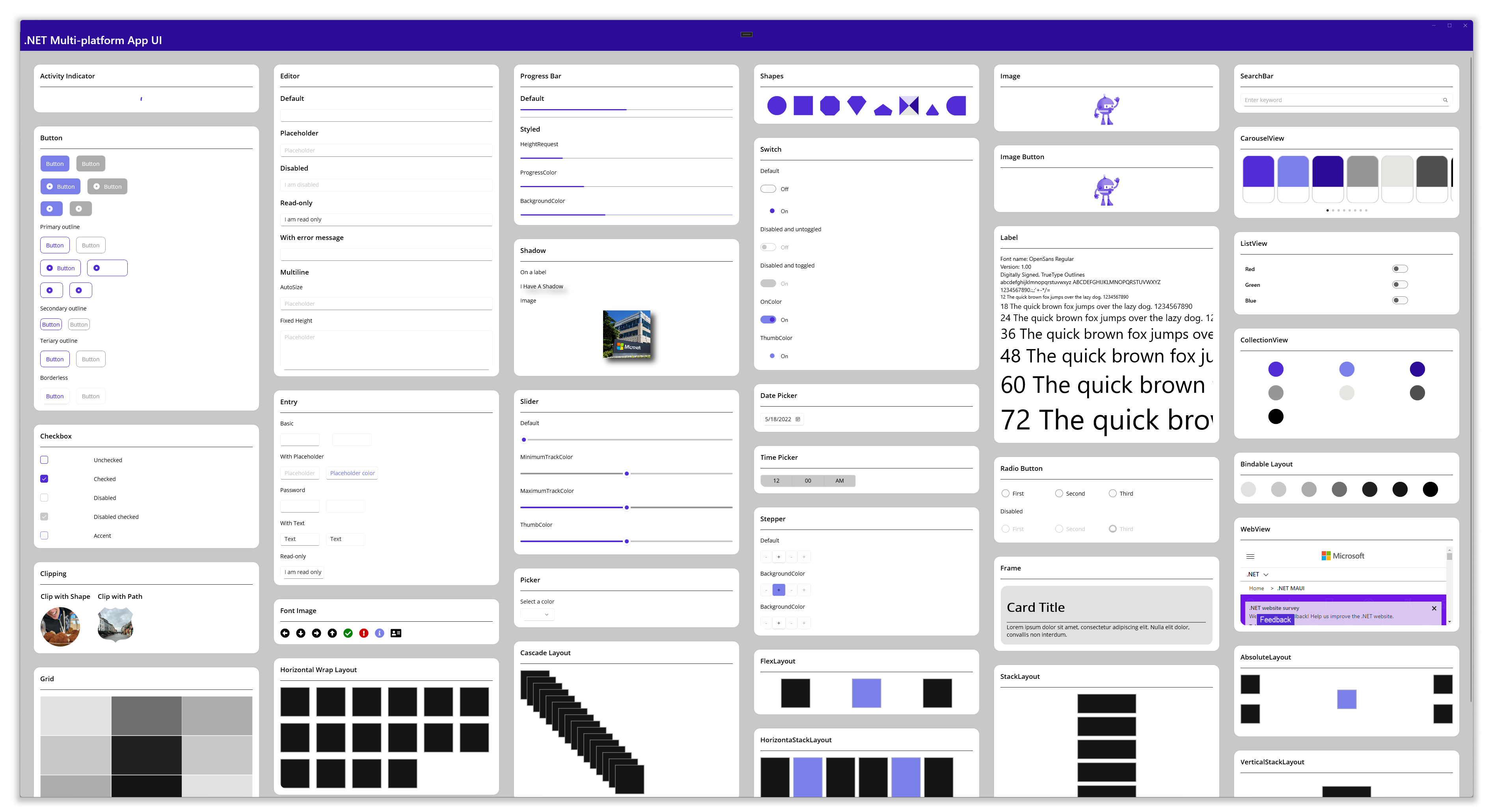
阅读 .NET MAUI 文档中有关控件:页面、布局和视图的详细信息。
可访问性优先
使用原生 UI 的一个主要优点是继承的辅助功能支持,我们可以在语义服务的基础上构建这些支持,以便比以往更轻松地创建高度可访问的应用程序。我们与客户密切合作,重新设计了我们的无障碍开发方式。通过这些对话,我们设计了 .NET MAUI 语义服务来控制:
- 描述、提示和标题级别等属性
- 重点
- 屏幕阅读器
- 自动化属性
阅读 .NET MAUI 文档中有关辅助功能语义服务的详细信息。
超越用户界面
.NET MAUI 提供了简单的 API 来访问每个平台的服务和功能,例如加速计、应用操作、文件系统、通知等。在此示例中,我们配置了app actions,用于向每个平台上的应用图标添加菜单选项:
AppActions.SetAsync(
    new AppAction("current_info", "Check Current Weather", icon: "current_info"),
    new AppAction("add_location", "Add a Location", icon: "add_location")
);
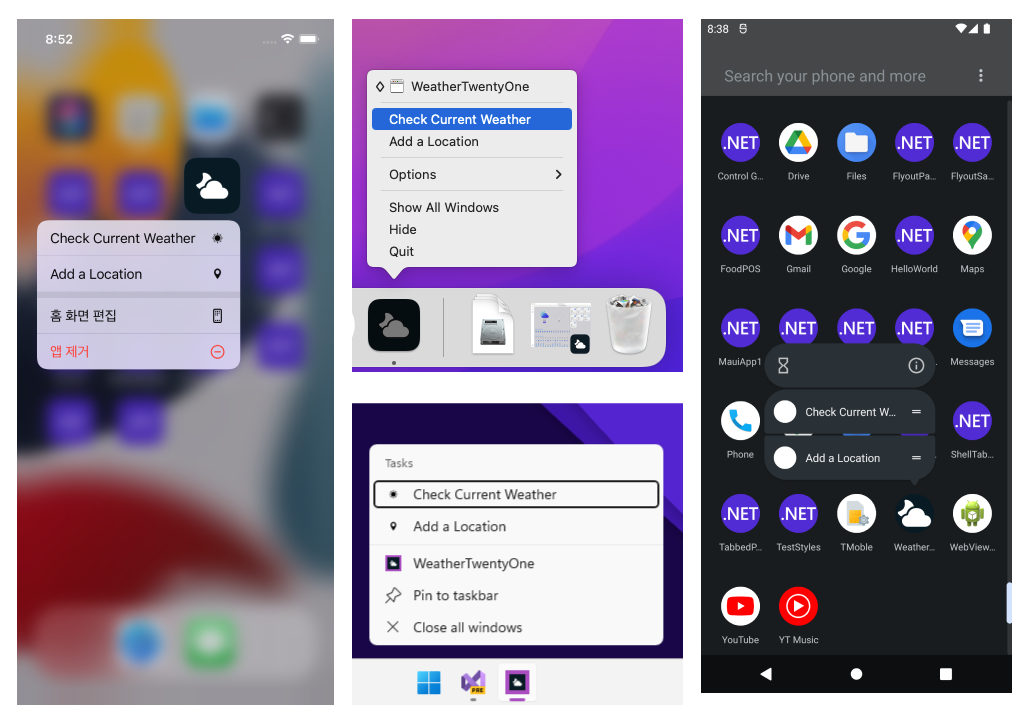
阅读 .NET MAUI 文档中有关访问平台服务和功能的详细信息。
轻松定制
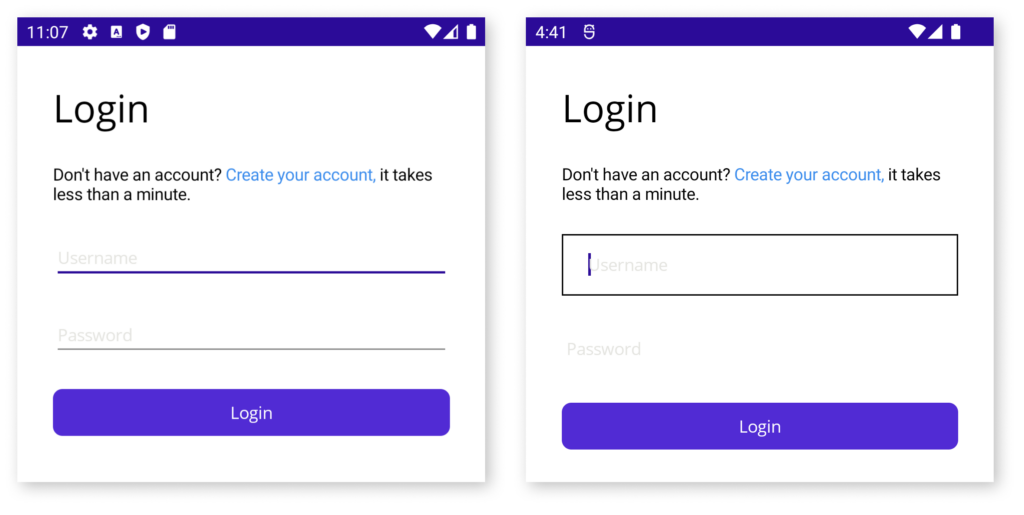
无论您是在扩展 .NET MAUI 控件的功能,还是在建立新的平台功能,.NET MAUI 都是针对可扩展性而设计的,因此您绝不会碰壁。以控件为例,控件是在一个平台上以不同方式呈现的控件的规范示例。Android 会在文本字段下方绘制一条下划线,开发人员通常希望删除该下划线。使用 .NET MAUI,只需几行代码即可自定义整个项目中的一切:Entry
#if ANDROID
Microsoft.Maui.Handlers.EntryHandler.Mapper.ModifyMapping("NoUnderline", (h, v) =>
{
    h.PlatformView.BackgroundTintList = ColorStateList.ValueOf(Colors.Transparent.ToPlatform());
});
#endif
以下是最近由 Cayas Software 创建新的 Map 平台控件的一个很好的例子。这篇博客文章演示如何为控件创建处理程序,为每个平台实现,然后通过在 .NET MAUI 中注册控件来使其可用。
.ConfigureMauiHandlers(handlers =>
{
    handlers.AddHandler(typeof(MapHandlerDemo.Maps.Map),typeof(MapHandler));
})
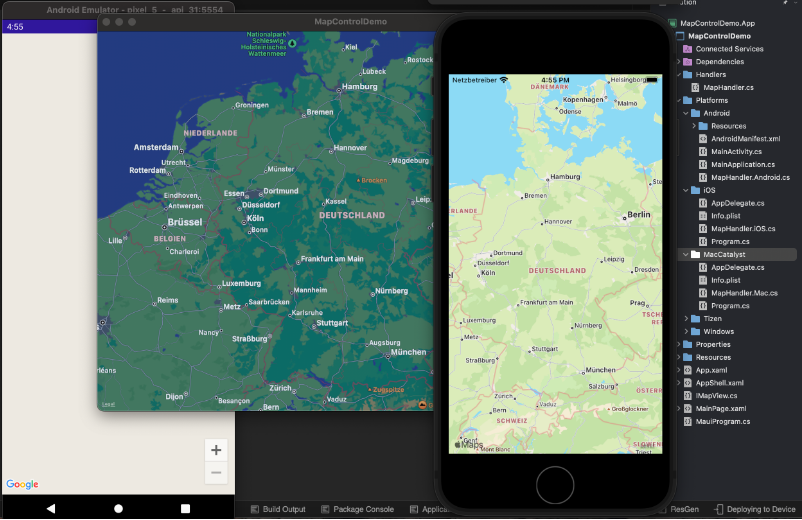
在 .NET MAUI 文档中阅读有关使用处理程序自定义控件的详细信息
现代化的开发生产力
作为一项可以构建任何东西的技术,我们希望 .NET 还能够使用通用语言功能、模式和实践以及工具来提高您的工作效率。
.NET MAUI 使用 .NET 6 中引入的新的 C# 10 功能,包括全局使用语句和文件范围的命名空间,非常适合减少文件中的混乱和脏乱。.NET MAUI 将多目标定位提升到一个新的水平,我们只需要专注于"单项目"。
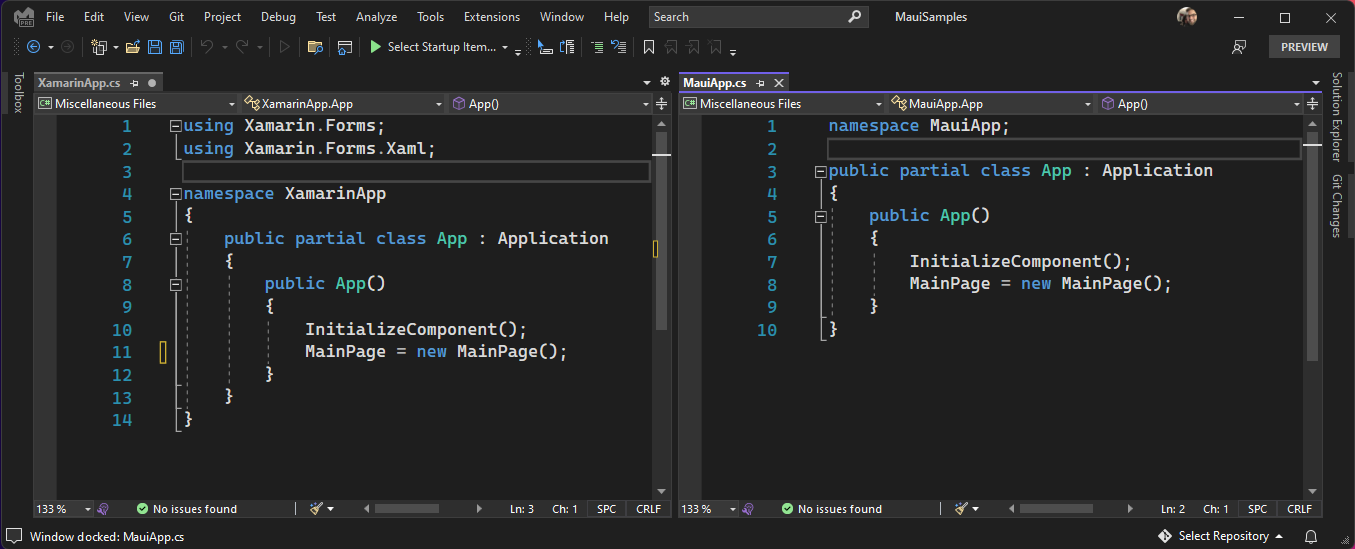
在新的 .NET MAUI 项目中,平台位于一个子文件夹中,将重点放在您花费大部分精力的应用程序上。在项目的“资源”文件夹中,你只需一个位置即可管理应用的字体、图像、应用图标、初始屏幕、原始资源和样式。.NET MAUI 将针对每个平台的独特需求进行优化。
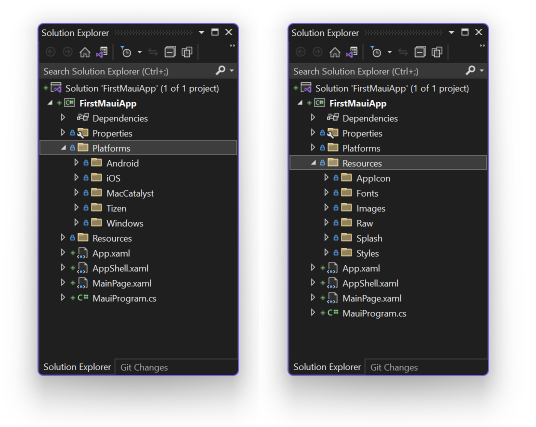
多项目 vs 单个项目 仍然支持为每个平台使用单独的项目来构建您的解决方案,因此您可以选择单项目方法何时适合您的应用程序。
.NET MAUI 在 ASP.NET 和 Blazor 应用程序中使用Microsoft.Extensions库中流行的建造者模式作为初始化和配置应用的统一方式。在这里,您可以向 .NET MAUI 提供字体、利用特定于平台的生命周期事件、配置依赖项、启用特定功能、启用供应商控制工具包等。
public static class MauiProgram
{
    public static MauiApp CreateMauiApp()
    {
        var builder = MauiApp.CreateBuilder();
        builder
            .UseMauiApp<App>()
            .ConfigureServices()
            .ConfigureFonts(fonts =>
            {
                fonts.AddFont("Segoe-Ui-Bold.ttf", "SegoeUiBold");
                fonts.AddFont("Segoe-Ui-Regular.ttf", "SegoeUiRegular");
                fonts.AddFont("Segoe-Ui-Semibold.ttf", "SegoeUiSemibold");
                fonts.AddFont("Segoe-Ui-Semilight.ttf", "SegoeUiSemilight");
            });

        return builder.Build();
    }
}
public static class ServicesExtensions
{
    public static MauiAppBuilder ConfigureServices(this MauiAppBuilder builder)
    {
        builder.Services.AddMauiBlazorWebView();
        builder.Services.AddSingleton<SubscriptionsService>();
        builder.Services.AddSingleton<ShowsService>();
        builder.Services.AddSingleton<ListenLaterService>();
#if WINDOWS
        builder.Services.TryAddSingleton<SharedMauiLib.INativeAudioService, SharedMauiLib.Platforms.Windows.NativeAudioService>();
#elif ANDROID
        builder.Services.TryAddSingleton<SharedMauiLib.INativeAudioService, SharedMauiLib.Platforms.Android.NativeAudioService>();
#elif MACCATALYST
        builder.Services.TryAddSingleton<SharedMauiLib.INativeAudioService, SharedMauiLib.Platforms.MacCatalyst.NativeAudioService>();
        builder.Services.TryAddSingleton< Platforms.MacCatalyst.ConnectivityService>();
#elif IOS
        builder.Services.TryAddSingleton<SharedMauiLib.INativeAudioService, SharedMauiLib.Platforms.iOS.NativeAudioService>();
#endif

        builder.Services.TryAddTransient<WifiOptionsService>();
        builder.Services.TryAddSingleton<PlayerService>();

        builder.Services.AddScoped<ThemeInterop>();
        builder.Services.AddScoped<ClipboardInterop>();
        builder.Services.AddScoped<ListenTogetherHubClient>(_ =>
            new ListenTogetherHubClient(Config.ListenTogetherUrl));


        return builder;
    }
}
阅读更多有关.NET MAUI 的文档:app startup with MauiProgram和single project。
将 Blazor 引入桌面和移动设备
.NET MAUI 也非常适合希望通过原生客户端应用程序参与其中的 Web 开发人员。NET MAUI 与 Blazor 集成,因此您可以直接在原生移动和桌面应用程序中重用现有的 Blazor Web UI 组件。借助 .NET MAUI 和 Blazor,您可以重用 Web 开发技能来构建跨平台原生客户端应用程序,并构建 UI 一致的跨移动、桌面和 Web 的应用。
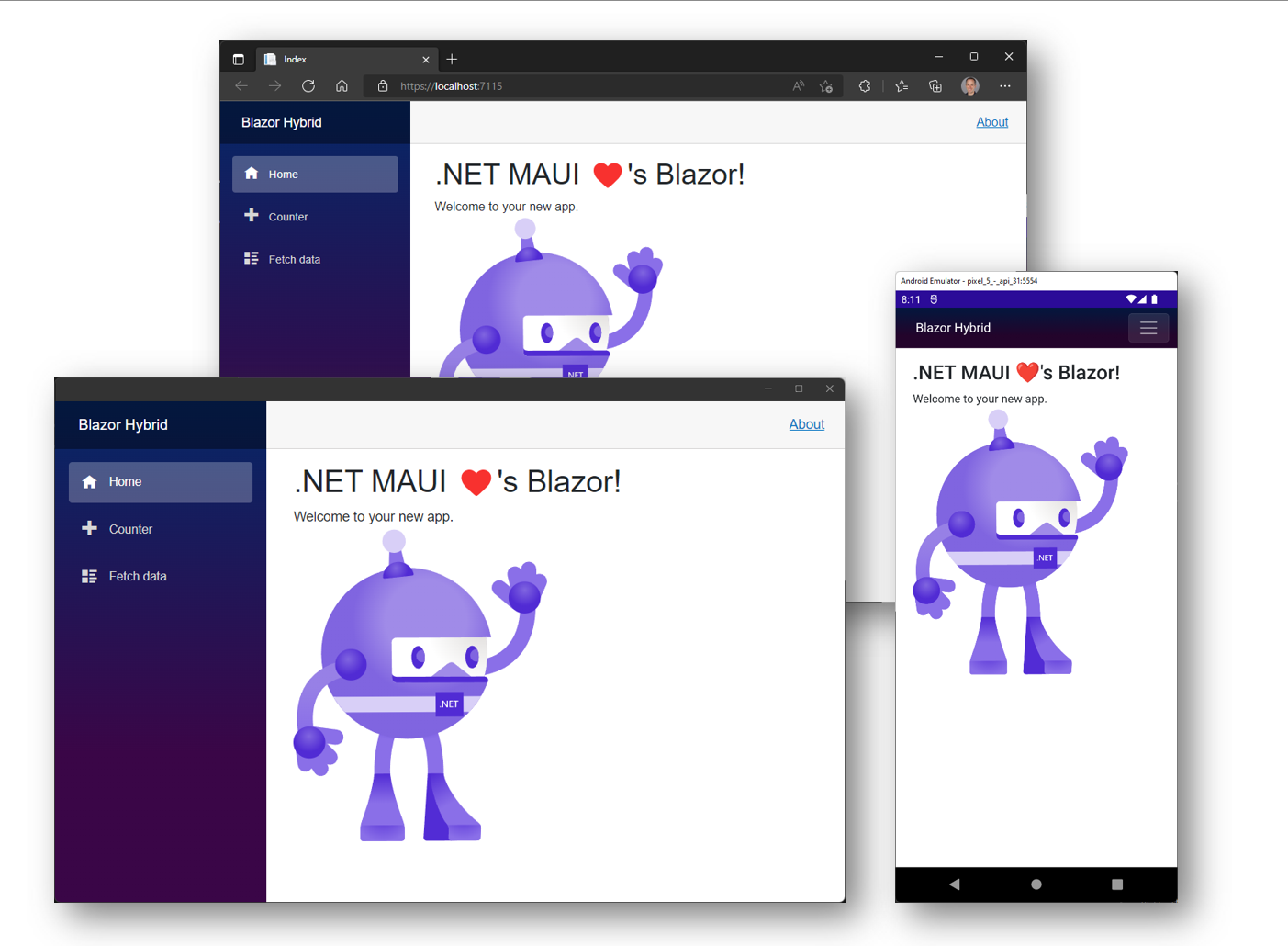
.NET MAUI 在设备上以原生方式执行 Blazor 组件(无需 WebAssembly),并将其呈现到嵌入式 Web 视图控件。由于 Blazor 组件在 .NET 进程中编译和执行,因此它们不局限于 Web 平台,还可以利用任何原生平台功能,如通知、蓝牙、地理位置和传感器、文件系统等。您甚至可以将原生 UI 控件添加到 Blazor Web UI 旁边。这是一个全新的混合应用程序:Blazor Hybrid!
开始使用 .NET MAUI 和 Blazor 非常简单:只需使用随附的 .NET MAUI Blazor App 项目模板即可。
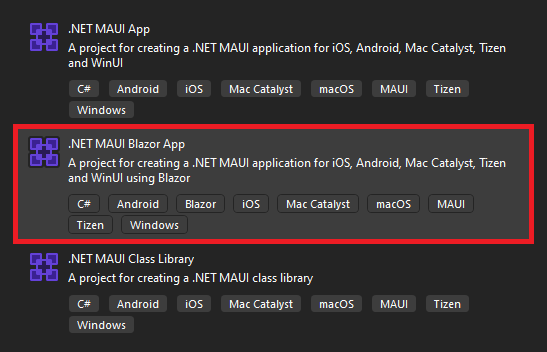
此模板已全部设置,因此您可以使用 HTML、CSS 和 C# 开始构建 .NET MAUI Blazor 应用。适用于 .NET MAUI 的 Blazor 混合教程将引导您完成构建和运行第一个 .NET MAUI Blazor 应用的过程。
或者,将 BlazorWebView 控件添加到现有的 .NET MAUI 应用中,无论你想要在何处开始使用 Blazor 组件:
<BlazorWebView HostPage="wwwroot/index.html">
    <BlazorWebView.RootComponents>
        <RootComponent Selector="#app" ComponentType="{x:Type my:Counter}" />
    </BlazorWebView.RootComponents>
</BlazorWebView>
Blazor 混合支持现在还可用于 WPF 和 Windows 窗体,因此您可以开始对现有桌面应用进行现代化改造,以便在 Web 上运行或使用 .NET MAUI 跨平台运行。WPF 和 Winfrom 的BlazorWebView控件在 NuGet 上可用。查看适用于 WPF 和 Winform 的 Blazor 混合教程,了解如何开始使用。
若要了解有关 Blazor Hybrid 对 .NET MAUI、WPF 和 Windows 窗体的支持的更多信息,请查看 Blazor Hybrid 文档。
针对速度进行了优化
.NET MAUI 专为提高性能而设计。您已经告诉我们,尽快启动您的应用程序是多么重要,尤其是在 Android 上。.NET MAUI 中的 UI 控件在本机平台控件上实现了精简的解耦处理程序映射器模式。这减少了 UI 呈现中的层数,并简化了控件自定义。
.NET MAUI 中的布局已设计为使用一致的管理器模式,该模式可优化度量值并排列循环,以便更快地呈现和更新 UI。除了 StackLayout 之外,我们还展示了针对特定场景进行预优化的布局,例如 HorizontalStackLayout 和 VerticalStackLayout。
从此旅程的一开始,我们就设定了一个目标,即在过渡到 .NET 6 时提高启动性能并保持或减小应用大小。在正式发布时,我们的 .NET MAUI 提高了 34.9%,Android 版 .NET 提高了 39.4%。这些收益也延伸到复杂的应用程序;.NET Podcast 示例应用程序开始时启动速度为 1299 毫秒,GA 的运行速度为 814.2 毫秒,自预览版 13 以来提高了 37.3%。
默认情况下,这些设置处于启用状态,以便为发布版本提供这些优化。
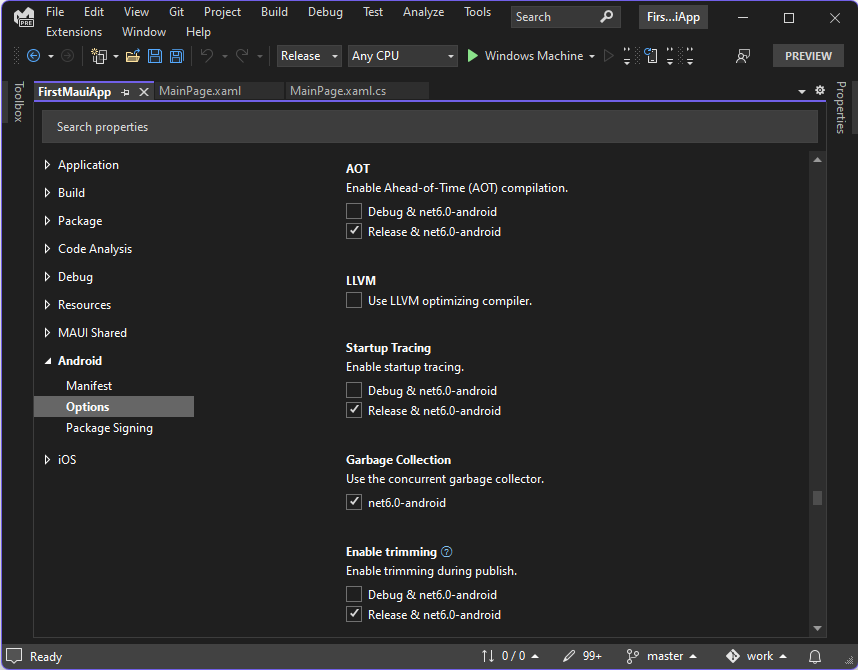
请继续关注一篇关于我们为实现这些结果所做的工作的深入博客文章。
从今天开始
若要开始在 Windows 上使用 .NET MAUI,请安装 Visual Studio 2022 Preview 或更新到版本 17.3 Preview 1.1。在安装程序中,选择工作负载“.NET 多平台应用 UI 开发”。
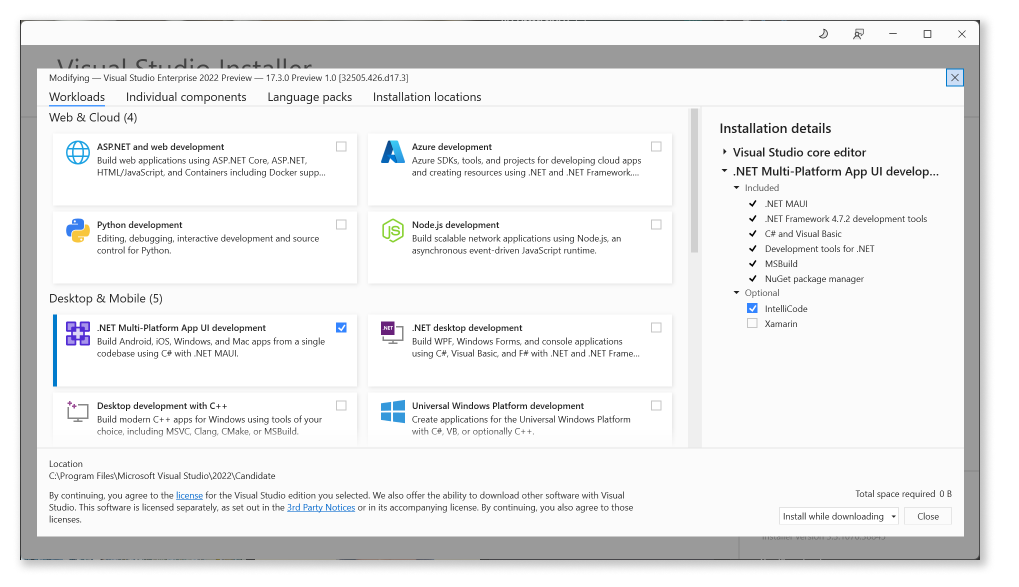
若要在 Mac 上使用 .NET MAUI,请安装新的 Visual Studio 2022 Preview for Mac (17.3 Preview 1)。
Visual Studio 2022 将在今年晚些时候发布 .NET MAUI 工具支持。在今天的 Windows 上,你可以使用 XAML 和 .NET Hot Reload,以及用于 XAML、C#、Razor 和 CSS 等功能强大的编辑器来加速开发循环。使用 XAML 实时预览和实时可视化树,可以在调试时预览、对齐、检查 UI 和编辑 UI。.NET MAUI 新的单项目体验现在包括项目属性页,以提供可视化编辑体验,以使用多平台定位配置应用。
在 Mac 上,您现在可以加载单个项目和多项目 .NET MAUI 解决方案,以使用美观、全新的本机 Visual Studio 2022 for Mac 体验进行调试。用于提高开发 .NET MAUI 应用程序的工作效率的其他功能将在后续预览版中提供。
我们建议您立即开始将库更新到 .NET MAUI 并创建新的 .NET MAUI 项目。在深入探讨将 Xamarin 项目转换为 .NET MAUI 之前,请查看依赖项、Visual Studio 对 .NET MAUI 的支持状态以及已发布的已知问题,以确定正确的转换时间。请记住,Xamarin 将继续受现代生命周期策略的支持,该策略声明自上一个主要版本起 2 年。
资源
- .NET MAUI – Workshop
- Building your first .NET MAUI app
- Documentation
- Known Issues
- Microsoft Learn Path
- Q&A Forums
- Release Notes
- Samples
- Support Policy – .NET MAUI
- Support Policy – Xamarin
我们需要您的反馈
我们很乐意听取您的意见!遇到任何问题时,请在 dotnet/maui 的 GitHub 上提交报告。
总结
借助 .NET MAUI,您可以从单个代码库构建适用于 Android、iOS、macOS 和 Windows 的本机应用程序,并使用与在 .NET 中实践的相同的生产力模式。.NET MAUI 的精简且解耦的 UI 和布局体系结构以及单个项目功能使您能够专注于一个应用程序,而不是同时处理多个平台的独特需求。借助 .NET 6,我们不仅为 Android 提供了性能改进,而且还为整个平台目标提供了性能改进。
更少的平台代码,更多的共享代码,一致的标准和模式,轻量级和高性能的架构,移动和桌面原生体验 - 这仅仅是个开始。我们期待在接下来的几个月里看到库和更广泛的生态系统与 .NET MAUI 一起为 .NET 开发人员定义一个跨平台应用程序开发的新时代,使您和您的组织能够实现更多目标。
转载自博客园
原文作者:https://www.cnblogs.com/springhgui/p/16304492.html
原文链接:gui.h
翻译原文地址:https://devblogs.microsoft.com/dotnet/introducing-dotnet-maui-one-codebase-many-platforms/