

.NET Core 3.1 已经用了很长一段时间,其实在 2022 年的年底微软已经不提供支持了,后面的一个 LTS 版本 .NET 6 也会在 2024 年 11 月终止支持,所以直接升级到 .NET 8 是最好的选择。
微软官方推出了升级工具:Upgrade Assistant 。
有了升级工具,升级就变得非常简单了,本文就介绍使用升级工具将 .NET Core 3.1 项目升级到 .NET 8 。
安装 Upgrade Assistant
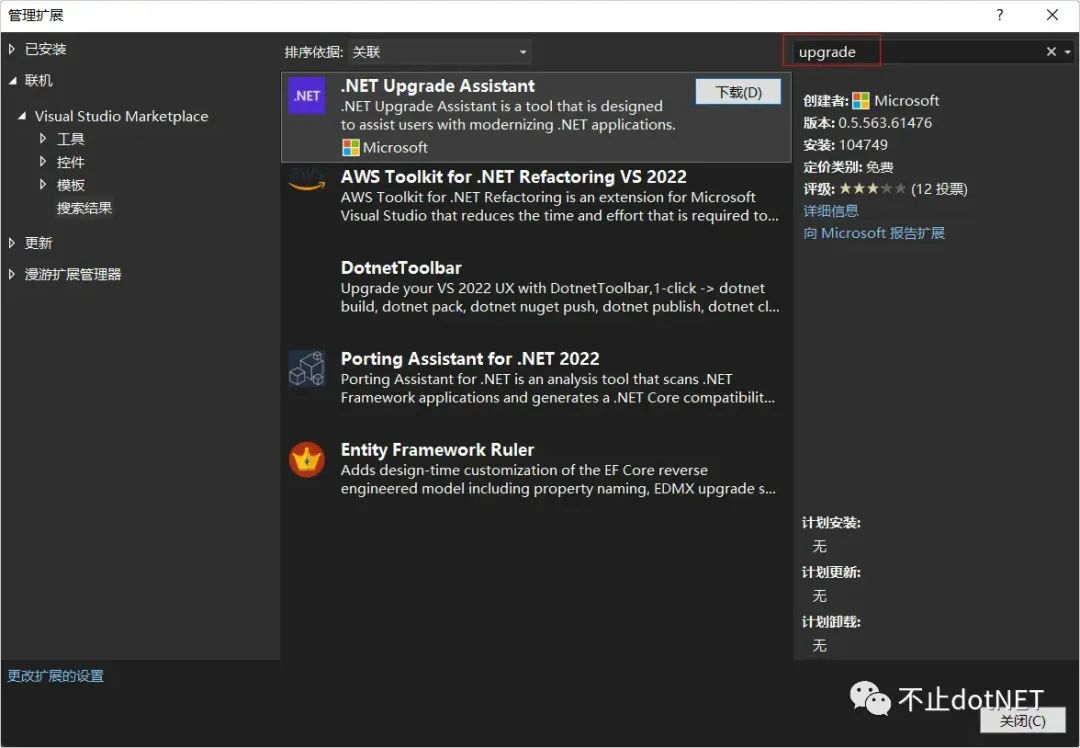
先确保 VS2022 已经升级到了 17.8 。然后在 VS2022 的扩展管理中安装扩展:.NET Upgrade Assistant ,需要特别注意的是,如果之前安装过升级工具扩展,需要卸载重新安装。
升级项目
.NET Core 3.1 的一个解决方案中,会有很多的项目,按照项目的依赖关系,从最底层的项目逐个往上进行升级。
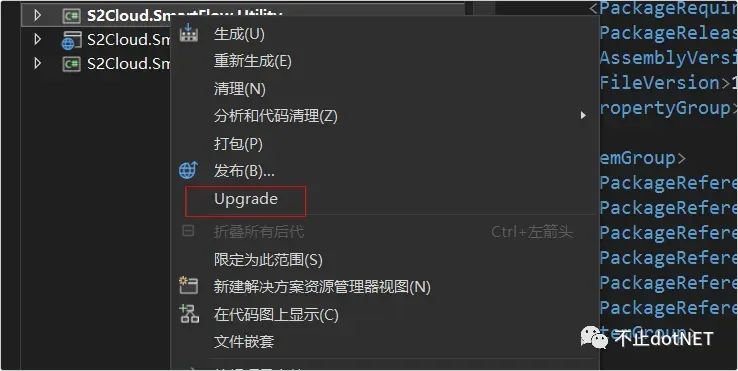
1、安装完升级工具后,在项目上点击右键就会出现 Upgrade 按钮:
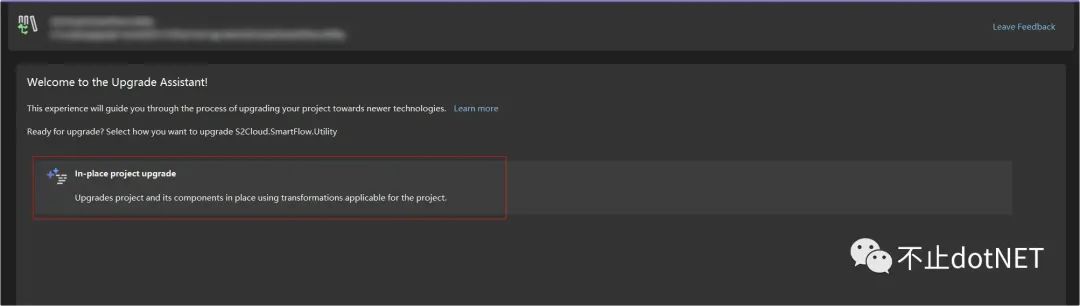
2、在弹窗中选择升级方式:
3、选择升级的目标版本,这里我选择 .NET 8 , 这是一个长线支持版本,最新版本的升级工具只支持升级到 7 和 8 了,如果有升级到 .NET 6 的需求,就需要使用老版本了:

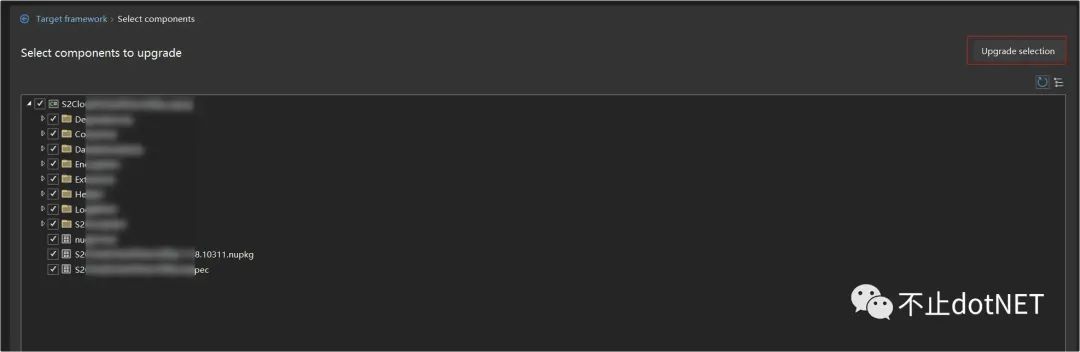
4、选择需要更新的内容,默认全选,点击「Upgrade selection」进行升级:
5、很快就可以看到升级成功的提示:

编译
我验证过好几个低版本的项目,使用工具升级的过程没有出现果任何错误,但升级完后进行代码编译就会出现各种问题了。
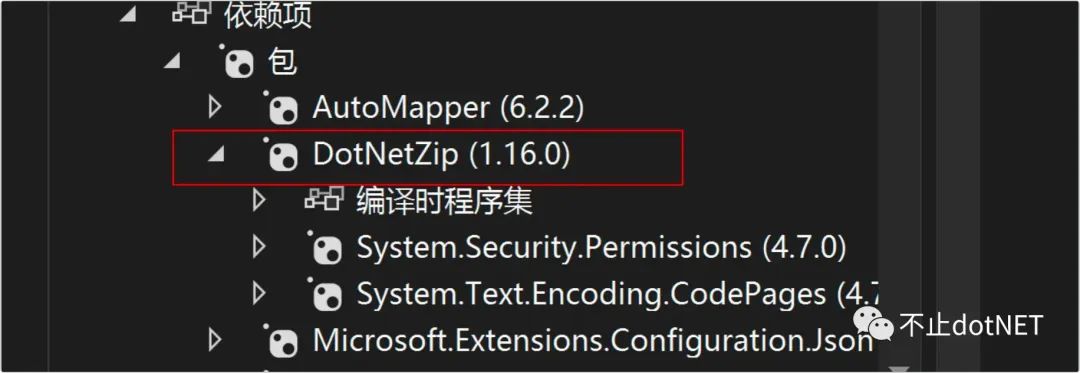
问题 1:Ionic.zip
在原来的版本中,项目中的 zip 压缩用到了 Ionic.zip ,现在 .NET8 已经不支持了,需要换成 DotNetZip :
问题 2:BinaryFormatter 已经过时
代码中有不少地方使用到了二进制的序列化,但 BinaryFormatter 在 .NET8 中已经弃用,有两种解决方式:
1、修改源代码,采用新的推荐的方式进行替换。
2、修改项目文件,忽略此问题,在项目文件种添加下面配置:
<Project Sdk="Microsoft.NET.Sdk">
  <PropertyGroup>
   ...
   <NoWarn>$(NoWarn);SYSLIB0011</NoWarn>
  </PropertyGroup>
</Project>
参考:https://learn.microsoft.com/zh-cn/dotnet/fundamentals/syslib-diagnostics/syslib0011
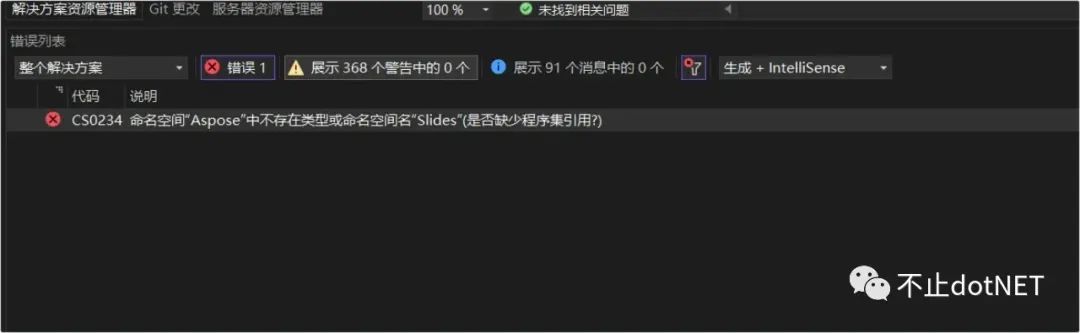
问题 3:Aspose 使用问题
项目中对 Office 文件的处理,使用了 Aspose 套件,升级后版本有兼容性问题,升级到对应的版本就行。
问题 4:方法二义性
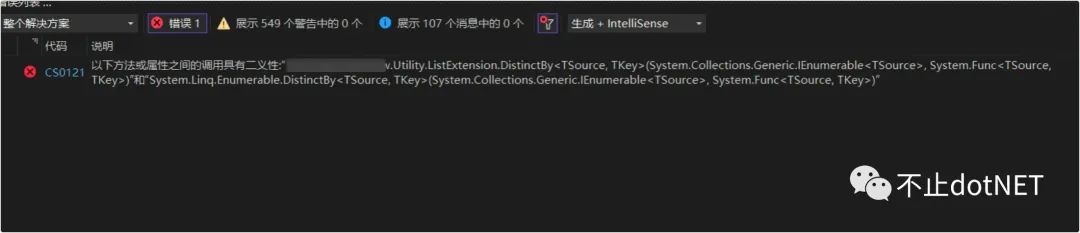
在之前的版本中,List 存储的如果是一个复杂类型,想要按照类型中的某个字段进行去重是没办法直接实现的:
List<UserInfo> list = new List<UserInfo>();
list.Add(new UserInfo() { Name="oec2003",Age=18});
list.Add(new UserInfo() { Name = "oec2003" ,Age=18});
list.Add(new UserInfo() { Name = "oec2004" ,Age=18});
list.Add(new UserInfo() { Name = "oec2004" ,Age=18});

var distnctList = list.DistinctBy(x=>x.Age);

foreach (var item in distnctList)
{
    Console.WriteLine(item.Name);
}

public class UserInfo
{
    public string Name { get; set; }
    public int Age { get; set; }
}
上面代码中的 DistinctBy 方法在 .NET Core 3.1 中是没有的,所以我们扩展了一个 DistinctBy 方法,没想到 .NET8 中已经默认提供了,会导致方法冲突,只需要将我们的扩展方法去掉,使用默认就好。
运行
解决了上面的几个编译问题后,程序就能正常启动运行了,整个过程还是非常快速的,不得不说,微软的技术向下兼容做的是非常不错的,再加上工具的加持,升级到新的版本没有什么压力和负担。
相比之下,其他有些技术虽然也在不停地更新迭代,但主流使用的还是某个特定的版本。