

在.NET项目开发中,随着项目复杂性的增加,依赖的dll文件也会逐渐增多。这往往导致输出目录混乱,不便于管理和部署。而NetBeauty2开源项目正是为了解决这一问题而生,它能够帮助开发者在独立发布.NET项目时,将.NET运行时和依赖的dll文件移动到指定的目录,从而让输出目录更加干净、清爽。
1. NetBeauty2简介
NetBeauty2是一个开源的.NET依赖库整理工具,它的主要作用是在.NET项目独立发布时,对输出目录进行整理和优化。通过NetBeauty2,开发者可以轻松地将.NET运行时和依赖的dll文件移动到指定的目录,使得项目的输出目录更加清晰、易于管理。
项目仓库地址:https://github.com/nulastudio/NetBeauty2
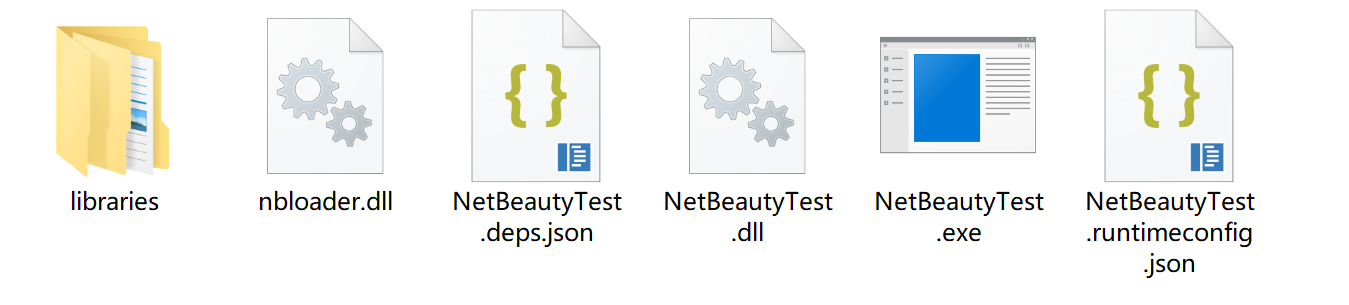
下图为优化后输出目录(.NET运行时及引用依赖库移到libraries目录,目录名可配置):
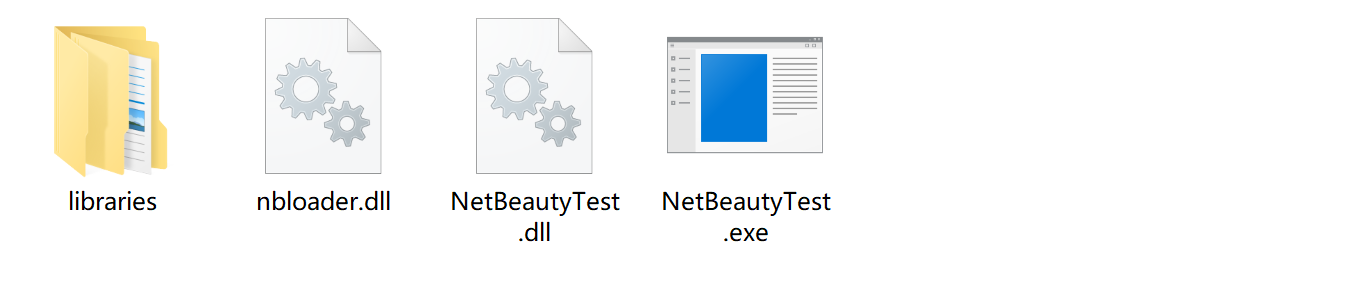
下图为极限优化后输出目录(查看 --hiddens 选项使用)
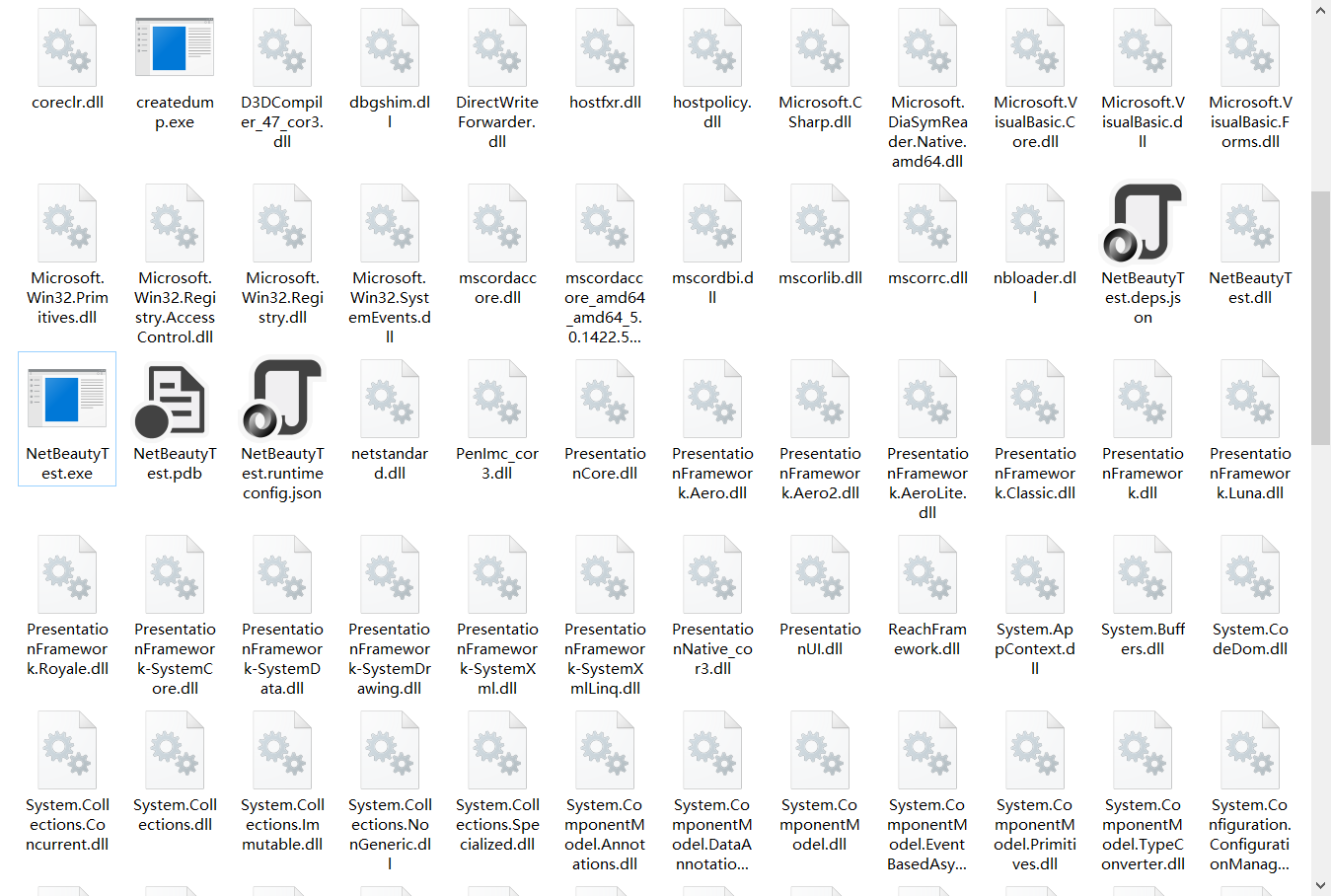
再来对比下未使用前输出目录(震撼吧!.NET运行时及相关依赖库全放在了根输出目录,.NET Framework可以配置privatePath,.NET Core可没那么方便):
2. 支持情况
| NetBeauty 2 | NetCoreBeauty | |
|---|---|---|
| 支持框架 | .NET Framework .NET Core 3.0+ |
.NET Core 2.0+ |
| 支持部署模式 | Framework-dependent deployment (FDD) Self-contained deployment (SCD) Framework-dependent executables (FDE) |
Self-contained deployment (SCD) |
| 支持操作系统 | All | win-x64 win-x86 win-arm64(.NET 6+) linux-x64 linux-arm linux-arm64 osx-x64 osx-arm64(.NET 6+) |
| Need Patched HostFXR | No Yes(if use patch) | Yes |
| Minimum Structure | ~20 Files ~8 Files(if use patch) | ~8 Files |
| How It Works | STARTUP_HOOKS AssemblyLoadContext.Resolving AssemblyLoadContext.ResolvingUnmanagedDll + patched libhostfxr(if use patch) additionalProbingPaths(if use patch) |
patched libhostfxr additionalProbingPaths |
| Shared Runtime | Yes | Possible If Using patched libhostfxr Alone |
3. 如何使用?
3.1. 准备工作
在你的.NET Core工程(需要发布的主工程)添加NuGet包:
dotnet add package nulastudio.NetBeauty
打开工程文件编辑(.csproj):
<Project Sdk="Microsoft.NET.Sdk">

  <PropertyGroup>
    <OutputType>Exe</OutputType>
    <TargetFramework>netcoreapp3.0</TargetFramework>
  </PropertyGroup>

  <PropertyGroup>
    <BeautySharedRuntimeMode>False</BeautySharedRuntimeMode>
    <!-- beauty into sub-directory, default is libs, quote with "" if contains space  -->
    <BeautyLibsDir Condition="$(BeautySharedRuntimeMode) == 'True'">../libraries</BeautyLibsDir>
    <BeautyLibsDir Condition="$(BeautySharedRuntimeMode) != 'True'">./libraries</BeautyLibsDir>
    <!-- dlls that you don't want to be moved or can not be moved -->
    <!-- <BeautyExcludes>dll1.dll;lib*;...</BeautyExcludes> -->
    <!-- dlls that end users never needed, so hide them -->
    <!-- <BeautyHiddens>hostfxr;hostpolicy;*.deps.json;*.runtimeconfig*.json</BeautyHiddens> -->
    <!-- set to True if you want to disable -->
    <DisableBeauty>False</DisableBeauty>
    <!-- set to False if you want to beauty on build -->
    <BeautyOnPublishOnly>False</BeautyOnPublishOnly>
    <!-- DO NOT TOUCH THIS OPTION -->
    <BeautyNoRuntimeInfo>False</BeautyNoRuntimeInfo>
    <!-- set to True if you want to allow 3rd debuggers(like dnSpy) debugs the app -->
    <BeautyEnableDebugging>False</BeautyEnableDebugging>
    <!-- the patch can reduce the file count -->
    <!-- set to False if you want to disable -->
    <!-- SCD Mode Feature Only -->
    <BeautyUsePatch>True</BeautyUsePatch>
    <!-- App Entry Dll = BeautyDir + BeautyAppHostDir + BeautyAppHostEntry -->
    <!-- see https://github.com/nulastudio/NetBeauty2#customize-apphost for more details -->
    <!-- relative path based on AppHostDir -->
    <!-- .NET Core Non Single-File Only -->
    <!-- <BeautyAppHostEntry>bin/MyApp.dll</BeautyAppHostEntry> -->
    <!-- relative path based on BeautyDir -->
    <!-- .NET Core Non Single-File Only -->
    <!-- <BeautyAppHostDir>..</BeautyAppHostDir> -->
    <!-- <BeautyAfterTasks></BeautyAfterTasks> -->
    <!-- valid values: Error|Detail|Info -->
    <BeautyLogLevel>Info</BeautyLogLevel>
    <!-- set to a repo mirror if you have troble in connecting github -->
    <!-- <BeautyGitCDN>https://gitee.com/liesauer/HostFXRPatcher</BeautyGitCDN> -->
    <!-- <BeautyGitTree>master</BeautyGitTree> -->
  </PropertyGroup>

  <ItemGroup>
    <PackageReference Include="nulastudio.NetBeauty" Version="2.1.4.4" />
  </ItemGroup>

</Project>
运行 dotnet build 或者 dotnet publish, 优化输出操作会自动完成。
3.2. 如果应用已经发布?
如果你的应用程序已经发布,可以这样使用(站长没试过,这可以作为发布后补偿措施):
Usage:
nbeauty2 [--loglevel=(Error|Detail|Info)] [--srmode] [--enabledebug] [--usepatch] [--hiddens=hiddenFiles] [--noruntimeinfo] [--roll-forward=<rollForward>] [--apphostentry=<appHostEntry>] [--apphostdir=<appHostDir>] <beautyDir> [<libsDir> [<excludes>]]
例如:
ncbeauty2 --usepatch --loglevel Detail --hiddens "hostfxr;hostpolicy;*.deps.json;*.runtimeconfig*.json" /path/to/publishDir libraries "dll1.dll;lib*;..."
3.3. 配置为.NET Core全局工具
dotnet tool install --global nulastudio.nbeauty
安装后在程序发布时会自动应用。
4. 各种项目使用示例
克隆仓库(https://github.com/nulastudio/NetBeauty2),里面有各种模版项目使用示例:
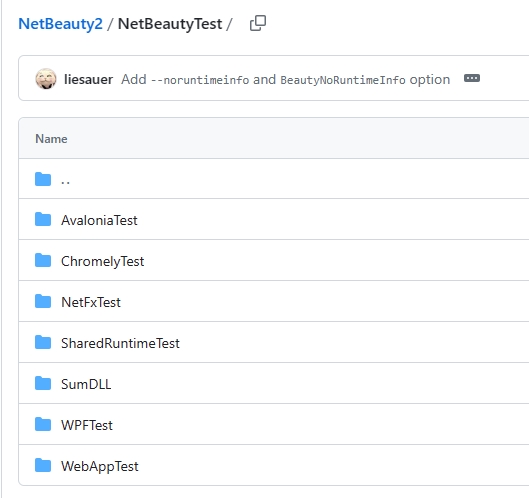
| 测试工程名 | 说明 |
|---|---|
| WPFTest | WPF项目(Winform类似),默认.NET 5 |
| WebAppTest | RazorPages项目,默认.NET 6 |
| NetFxTest | .NET Framework WPF项目(.NET 4.x,Winform类似) |
| ChromelyTest | 引用了Chromely的.NET项目 |
| AvaloniaTest | Avalonia UI项目,默认.NET 5 |
小知识1
Chromely NuGet包是一个用于创建跨平台桌面应用的库,它提供了一个基于Chromium的浏览器控件。通过Chromely,开发者可以使用Web技术(如HTML、CSS和JavaScript)来构建桌面应用的用户界面,同时保留对本地系统资源的访问。
Chromely NuGet包提供了一套完整的API和工具,使得开发者可以轻松地将Web应用程序转换为桌面应用程序,而无需进行大量的代码重写或修改。它还支持各种插件和扩展,以便开发者可以根据需要添加额外的功能或定制现有的功能。
此外,Chromely还支持多种编程语言和框架,如C#、.NET Core、ASP.NET Core等,这使得开发者可以选择他们最熟悉的技术栈来构建应用程序。
小知识2
Avalonia UI是一个跨平台的.NET UI框架,它允许开发者使用XAML和C#语言创建可在多个平台上运行的应用程序,包括Windows、Linux、macOS、iOS、Android以及WebAssembly。Avalonia UI旨在帮助开发者构建漂亮、现代的图形用户界面(GUI)。它兼容所有支持.NET Standard 2.0的平台,使开发者能够从单个代码库创建适用于多个操作系统的原生应用程序。通过使用Avalonia UI,开发者可以充分利用.NET生态系统的强大功能,同时实现跨平台兼容性,降低开发成本并提高开发效率。
5. 总结
林德熙大佬分享过类似的包NuGet Gallery | dotnetCampus.PublishFolderCleaner 3.11.1,但该库说明只在Windows发布支持,大家可以对比使用,原文链接:PublishFolderCleaner 让你的 dotnet 应用发布文件夹更加整洁 - lindexi - 博客园 (cnblogs.com),再次给出本文介绍库NetBeauty2开源地址:
项目仓库地址:https://github.com/nulastudio/NetBeauty2
参考: