WPF is an open source free, out-of-the-box translation and OCR tool

WPF is an open source free, out-of-the-box translation and OCR tool

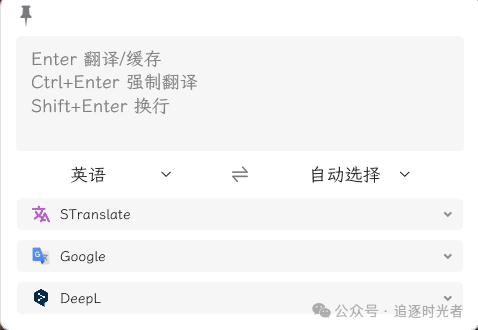
Let me share with you an open source, free (MIT License), ready-to-use, ready-to-go translation and OCR tool: STranslate.

最后更新 3/8/2024 5:19 AM
追逐时光者
预计阅读 2 分钟
分类
WPF
标签
.NET WPF open source translation OCR tool

** Preface **

Today, Dayao shares with you an open source, free (MIT License), ready-to-use, ready-to-go translation and OCR tool: STranslate.

** Introduction to WPF **

WPF is a powerful desktop application framework for building Windows applications with rich user interfaces. It provides flexible layout, data binding, styles and templates, animation effects and other features, allowing developers to create attractive and interactive applications.

** Tool shortcuts **

** Global shortcut **

Can be modified by yourself

  • Alt + A:打开软件界面,输入内容按回车翻译
  • Alt + D:复制当前鼠标选中内容并翻译
  • Alt + S:截图选中区域内容并翻译
  • Alt + G:打开主界面
  • Alt + Shift + D:打开监听鼠标划词,鼠标滑动选中文字立即翻译
  • Alt + Shift + S:完全离线文字识别(基于 PaddleOCR)
  • Alt + Shift + F:静默 OCR(OCR 后自动复制到剪贴板)

** Shortcuts in software **

cannot be modified

  • ESC 隐藏界面(含取消请求)
  • Ctrl + , 打开设置
  • Ctrl + Shift + A 隐藏/显示输入框
  • Ctrl + Shift + Q 退出程序
  • Ctrl + Shift + T 置顶/取消置顶
  • Ctrl + 滚轮上 放大文字
  • Ctrl + 滚轮下 缩小文字
  • Ctrl + ` 恢复默认文字大小
  • Ctrl + + 放大界面(宽度、最大高度)
  • Ctrl + - 缩小界面(宽度、最大高度)
  • Ctrl + 0 界面恢复配置大小(宽度、最大高度)
  • Ctrl + Alt + + 宽度增加
  • Ctrl + Alt + - 宽度减少
  • Ctrl + Shift + + 最大高度增加
  • Ctrl + Shift + - 最大高度减少
  • Ctrl + 1...8 按顺序复制翻译服务结果
  • Ctrl + 9 复制最后一个翻译服务结果

** Tool source code running **

设置STranslate为启动项目运行:

** Tool download **

** Download on GitHub **

**Gitee Download **

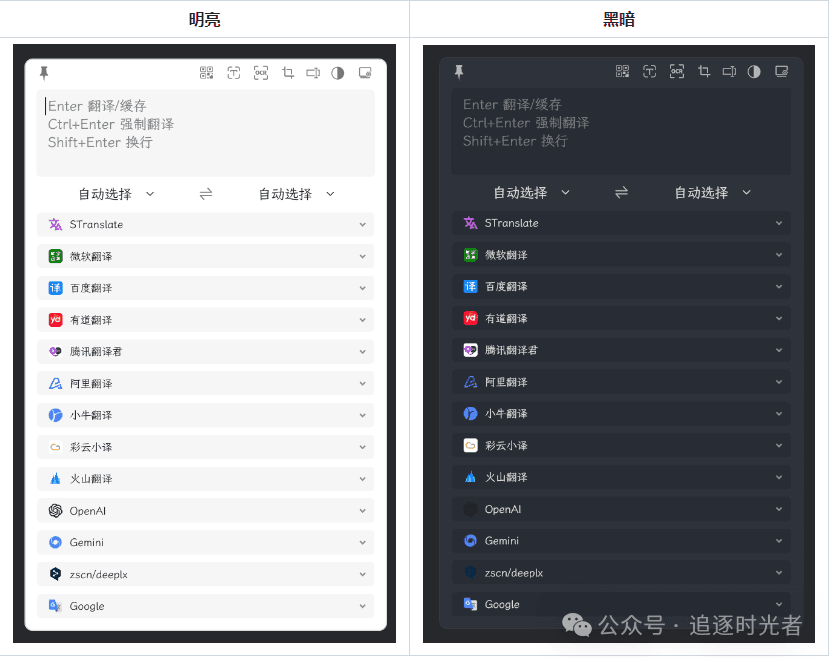
** Screenshots of some tool functions **

Project source code address

** For more practical functions and features of the project, please visit the project open source address. Don't forget to give the project a Star support. **💖👀

https://github.com/ZGGSONG/STranslate

Keep Exploring

延伸阅读

更多文章
同分类 / 同标签 9/13/2025

Migration from WPF to Avalonia series: Why I have to migrate WPF programs to Avalonia

In the past few years, our host computer software has been mainly developed using WPF and WinForm. These technologies are really easy to use on the Windows platform, and they have also accompanied us through the stage of small-scale trial production to today's large-scale delivery. However, with the development of business and changes in customer needs, the single Windows technology stack has gradually become a hurdle that we must overcome.

继续阅读
同分类 / 同标签 1/26/2025

WPF internationalizes with custom XML files

This article describes in detail the methods of using custom XML files to achieve internationalization in WPF programs, including installing the necessary NuGet package, dynamically obtaining language lists, dynamically switching languages, using translation strings in code and xaml interfaces, etc. It also provides source code links to help developers easily internationalize WPF applications.

继续阅读