What do git code submission specifications, feature, fix, and chore mean?

What do git code submission specifications, feature, fix, and chore mean?

I often see code records submitted by others that contain some features, fixes, chore, etc., but I don't distinguish anything when submitting. I just write down the submission information. Today, I'll take a look at what happened.

最后更新 6/2/2025 10:24 PM
JacksonChen_
预计阅读 3 分钟
分类
share
标签
code specification engineering practice Git

Write to the front

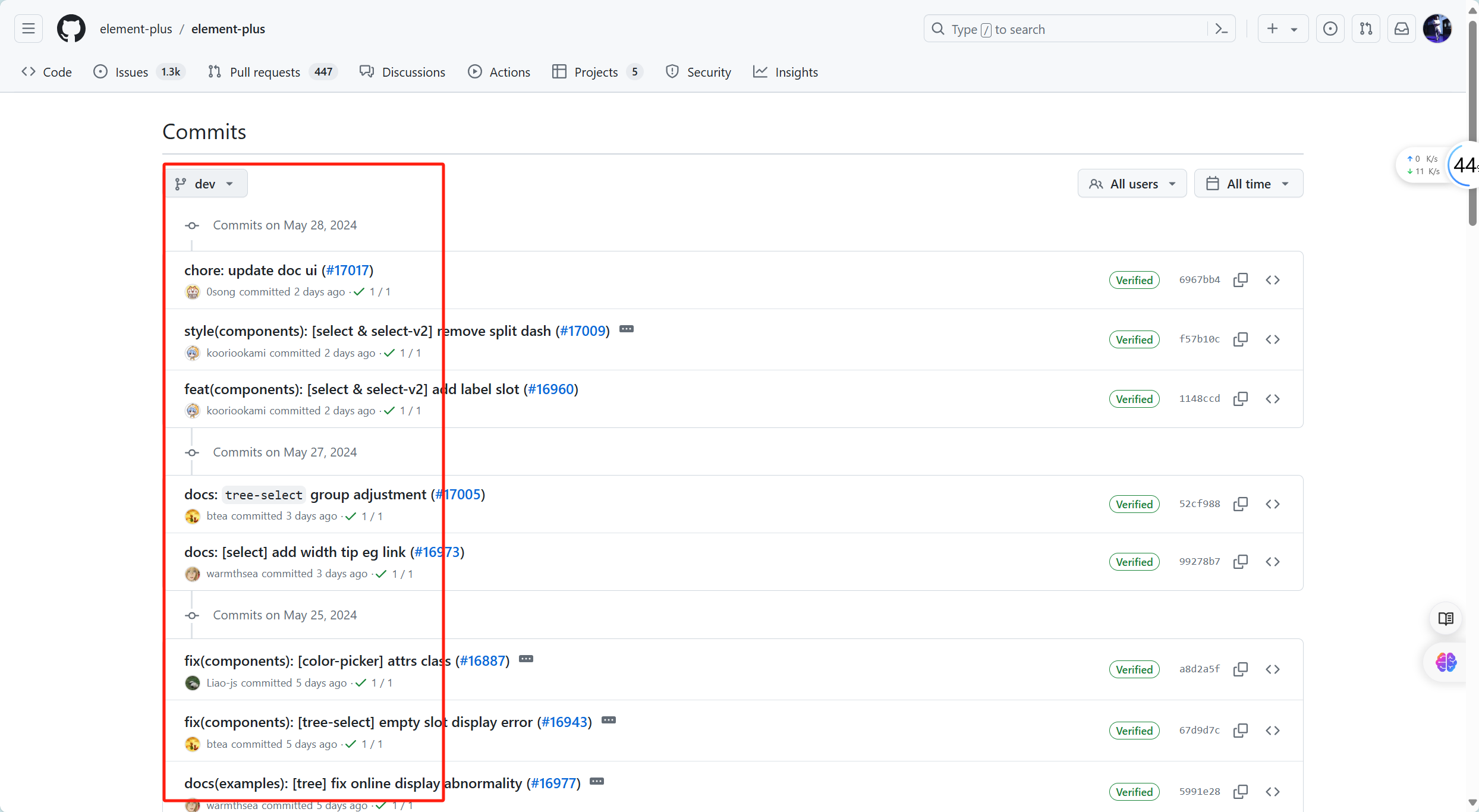
I often see code records submitted by others that contain some features, fixes, chore, etc., but I don't distinguish anything when submitting, and just write down the submission information. Today, I'll take a look at what's going on, taking element-plus as an example.

In fact, writing this is a code submission specification. Of course, it is not to show off its skills. The main purpose is to improve the readability and automated processing capabilities of submission records.

Of course, if the team doesn't require it, it's okay not to write it this way.

git submission specifications

commit message = subject +:+ space + message body

** For example: ** Feature: : Added user registration function

Common types of subjects and their meanings are as follows:

  1. feat: New features

Used to submit new features.

Example: Feature: Add user registration function

  1. fix: fix bug

Used to submit bug fixes.

For example: fix: fix the login page crash problem

  1. docs: Document changes

Used to submit only document-related modifications.

For example: docs: Update the README file

  1. style: Code style change (does not affect code logic)

Used to submit only changes such as formatting, punctuation, and white space that do not affect the operation of the code.

For example: style: Delete unnecessary blank lines

  1. refactor: Code refactor (neither a new feature nor a code change to fix a bug)

Used to commit code refactoring.

Example: refactor: Refactor user verification logic

  1. perf: Performance optimization

Used to commit code modifications that improve performance.

For example: perf: Optimize image loading speed

  1. test: Add or modify a test

Used to submit test-related content.

For example: test: Add unit tests for user modules

  1. chore: Miscellaneous (changes to build process or assistive tools)

Used to submit content modifications related to the construction process, auxiliary tools, etc.

For example: chore: Update dependency libraries

  1. build: Changes to build systems or external dependencies

Used to commit changes that affect the build system.

Example: build: Upgrade webpack to version 5

  1. ci: Continuous integration configuration changes

Used to submit modifications to CI configuration files and scripts.

Example: ci: Modify the GitHub Actions configuration file

  1. ** reverse:** rollback

Used for committing before rolling back.

For example: reverse: rollback feature: Add user registration

summary

Using standardized commit messages makes the project more modular, easy to maintain, and understand, while also making it easier for automated tools such as publishing tools or Changelog generators to parse and process commit records.

By writing commit messages that meet specifications, teams and collaborators can better understand the project's change history and version control, thereby improving code maintenance efficiency and quality.

Keep Exploring

延伸阅读

更多文章