preface
The excellent domestic WPF open source control library, an optimized version of Panuon.UI. A beautiful WPF UI control library that uses styles and additional attributes is worth recommending and learning to everyone.
Today, the webmaster (Dotnet9, webmaster website: https://www.example.com, Weixin Official Accounts: dotnet9_com) recommended another open source WPF control library (PanuonUI. Silver, github link: www.example.com), which was made by a young and promising domestic guy. It is very excellent and worth recommending to everyone.
本文介绍分两部分:第一部分,先介绍此控件库Case案例 Morin 魔音(http://www.huanghunxiao.com/) ,通过此案例,大家对此控件应该有个更深刻的印象;第二部分,详细介绍此控件库的特色控件,方便大家学习使用。
The text uses the recorded gif to show the relevant interface, and more vividly displays this control library and case to everyone, hoping that everyone can accept it.
I. Case: Morin Magic Sound
说一千道一万,先展示该控件库的Case案例:Morin 魔音。一款非常不错的音乐播放软件,C# WPF做的哦,网址: http://www.huanghunxiao.com/ 。
The following shows several features of the software page, you can download through the above URL to use Oh, really good, webmaster has used the software for a few days, the software author (another young and promising domestic IT star) is also constantly optimizing updates, I hope you support more.
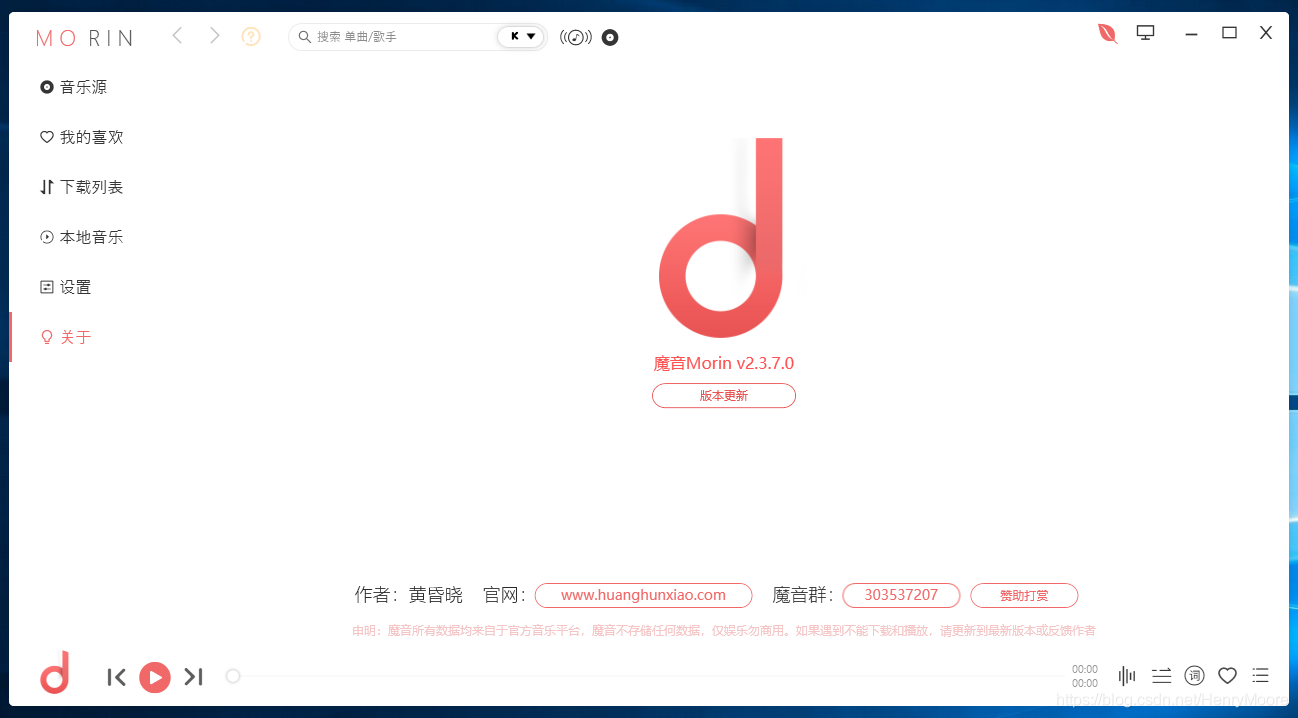
1.1 Morin Magic Sound About Page
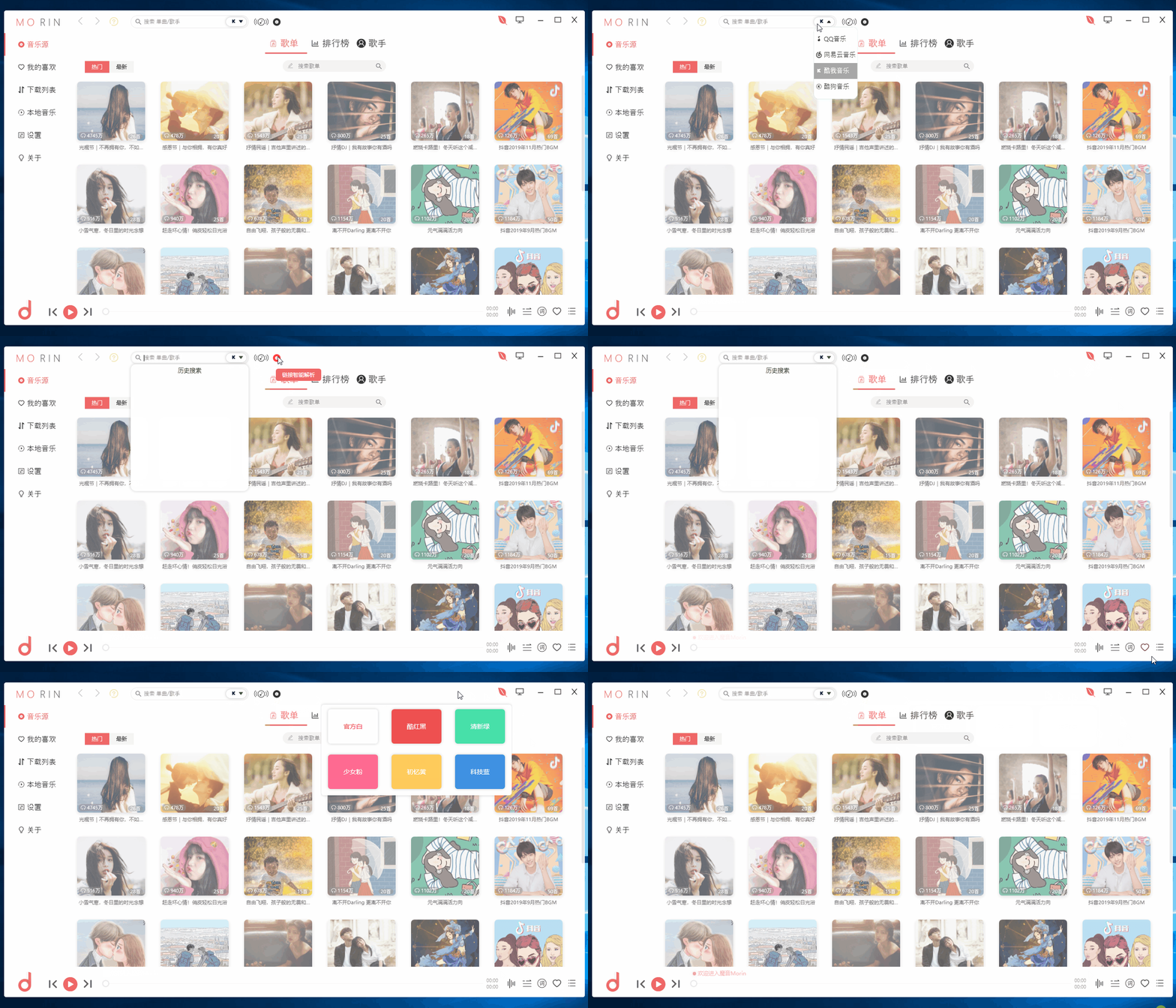
Magic Sound Morin v2.3.7.0, one software is enough to listen to songs. Isn't it very domineering?

1.2 Morin Magic Sound Default Page
The default page displays popular songs, pictures + text introductions, making it convenient for users to select and play. The current song library comes from QQ Music, Netease Cloud Music, Cool Me Music, Cool Dog Music, etc.

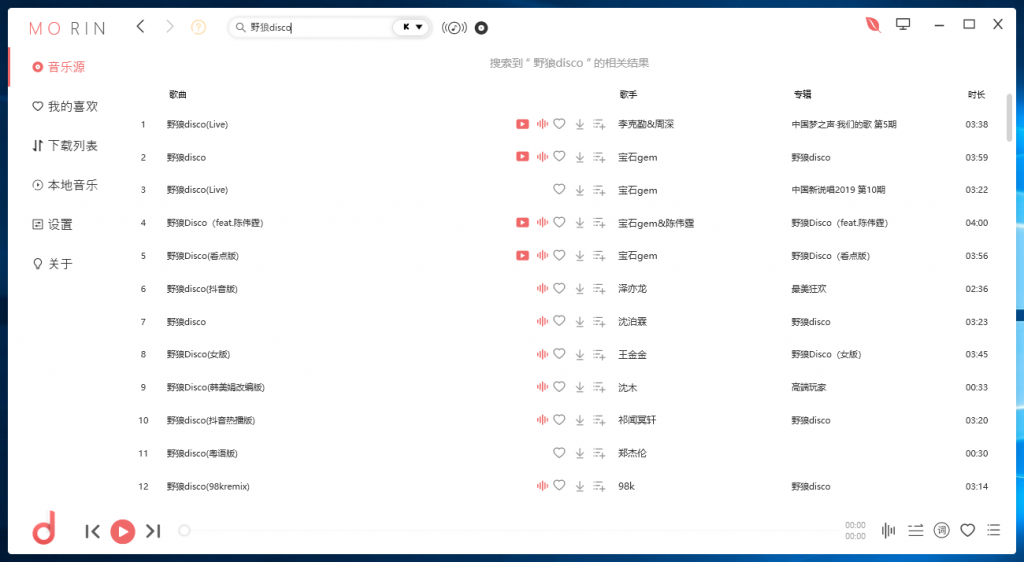
1.3 Morin Magic Song Search
Morin Magic Sound provides a convenient song search function. The webmaster tries to search for the recently popular one, Chen Weiting's "Wild Wolf disco". The relevant search results are listed below. There are lossless mp3 and mp4 MVs for playback and download.

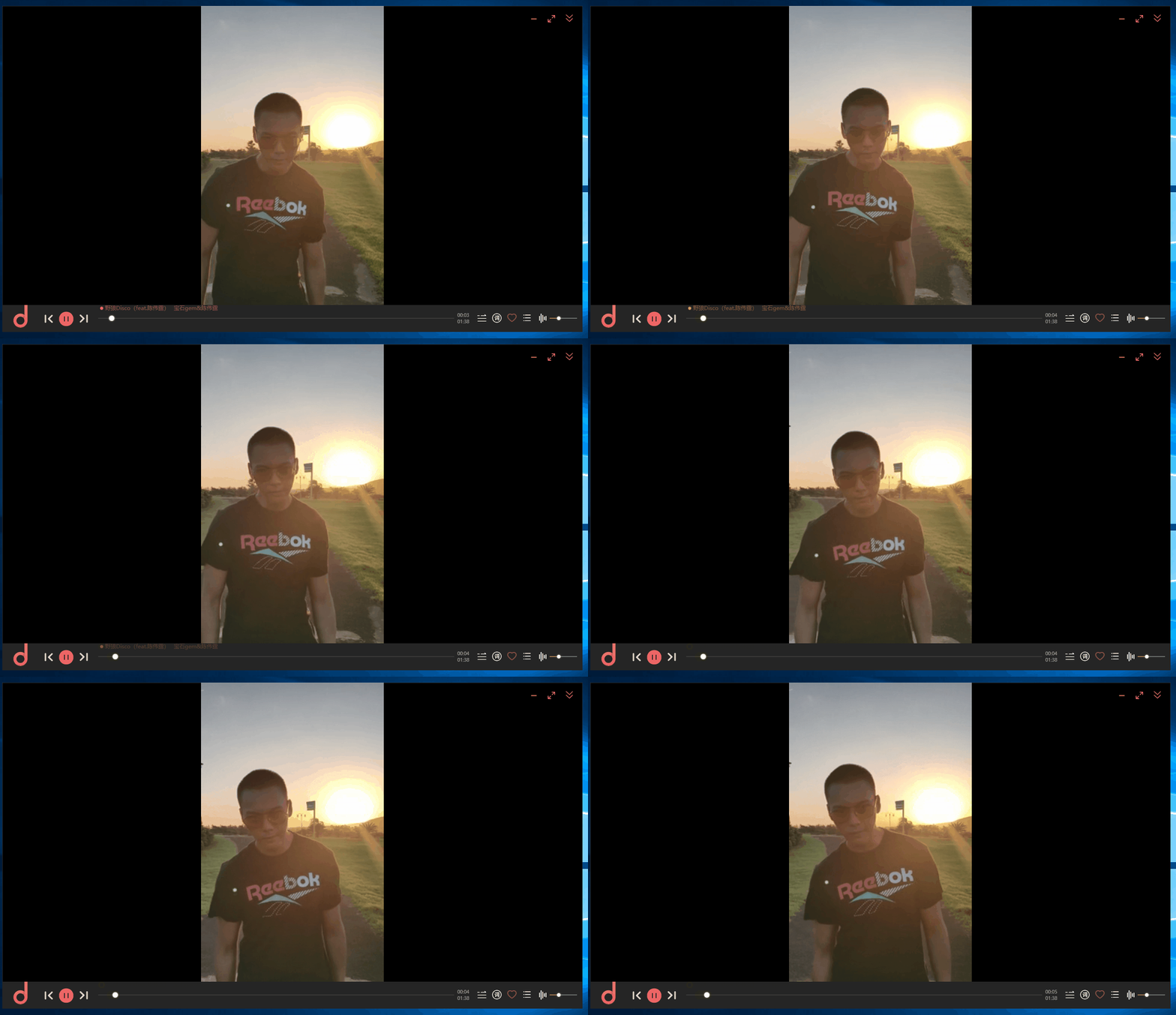
1.4 Morin Magic Music MV playback page
Morin Magic Music MV playback page, not bad.

II. Introduction to Panuon. UI. Silver's featured controls
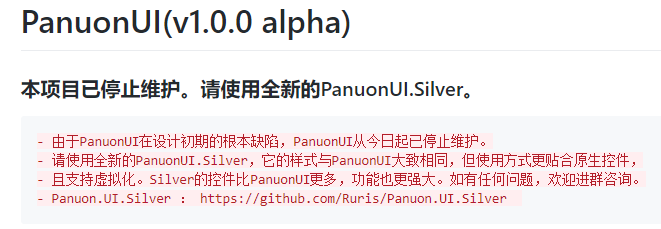
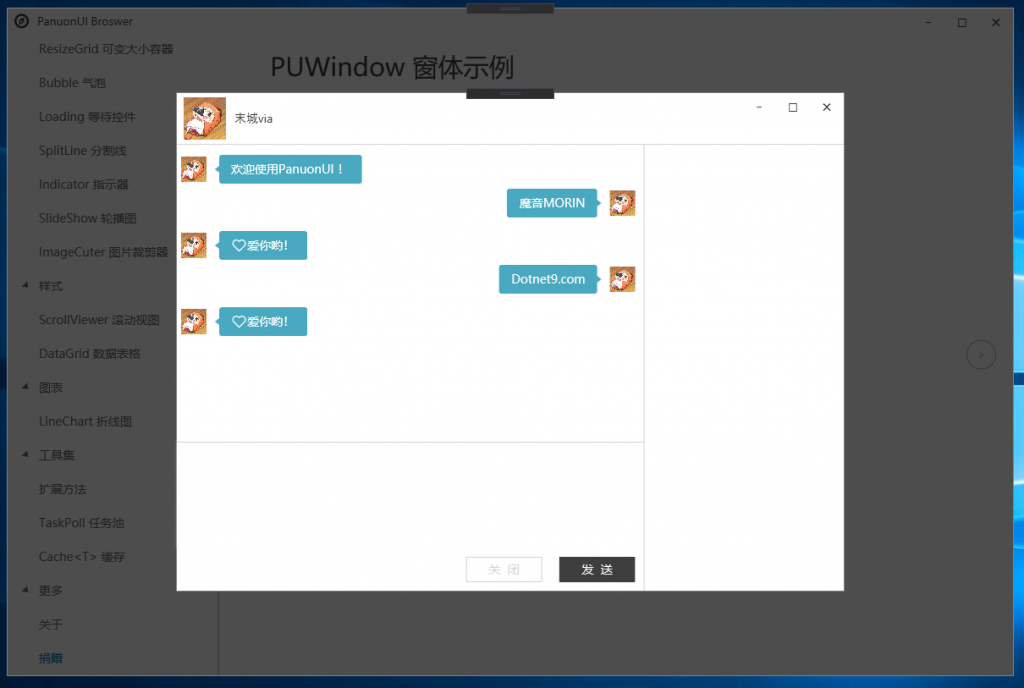
The predecessor of the Panuon.UI.Silver control library was Panuon.UI (a beautiful, sophisticated, open-source and unlimited WPF control library, github link: www.example.com). The author has stopped maintaining it. The picture below is the author's statement:

So this article mainly introduces the PanuonUI.Silver control library. There are nearly 20 screenshots below. Friends who use mobile phones should pay attention to traffic. I hope we won't waste everyone's traffic. Thank you for supporting the open source author: PanuonUI.Silver.
By the way, the project address is: https://github.com/Mochengvia/PanuonUI.Silver. Remember this address.
2.1 Overview of the control library
控件库概览,只展示部分控件,后面将对部分特色控件再详细说明,更多控件还请大家访问 PanuonUI.Silver。
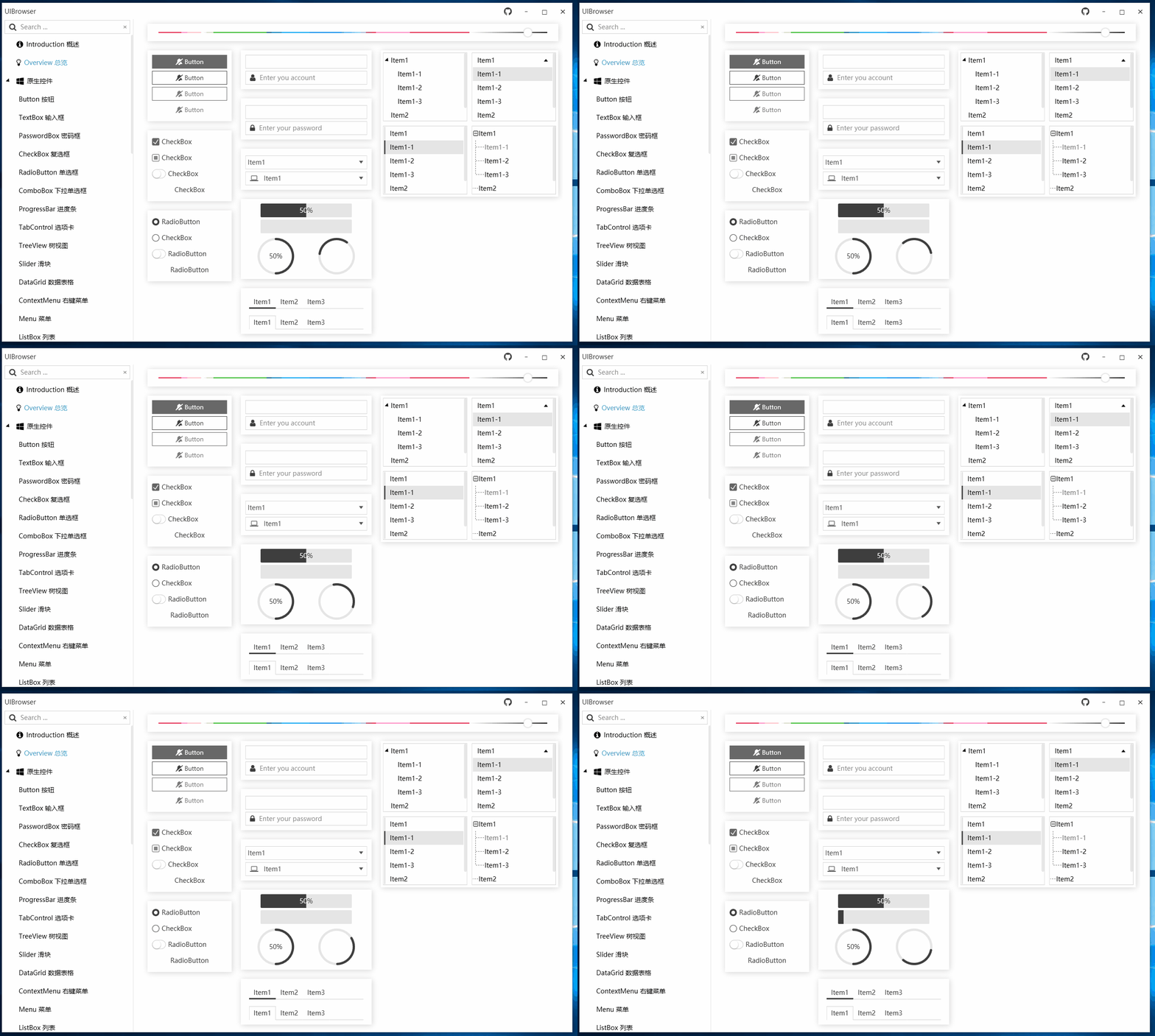
2.2 Button
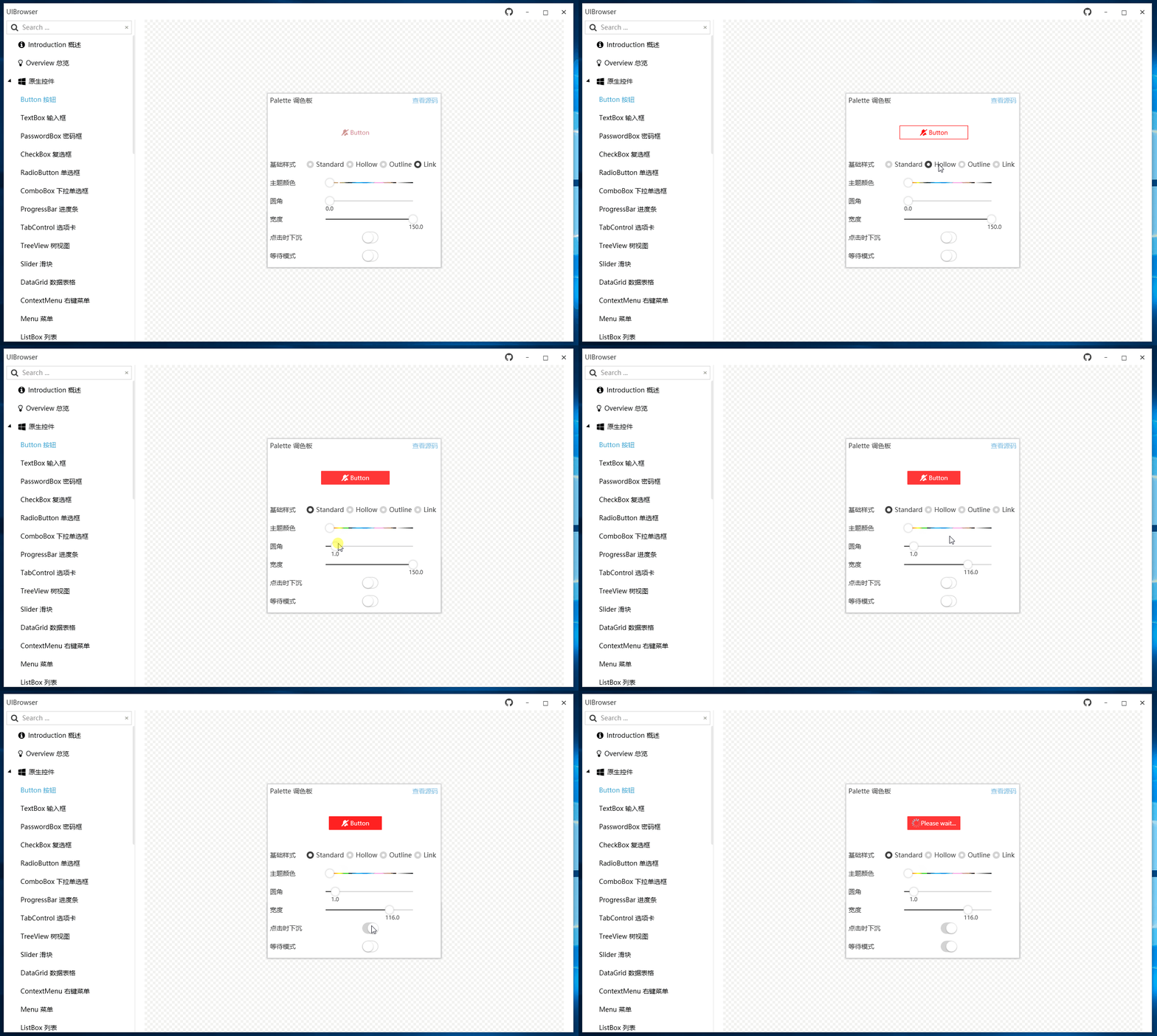
The cliché is that the buttons are first displayed in animations.

2.3 PasswordBox
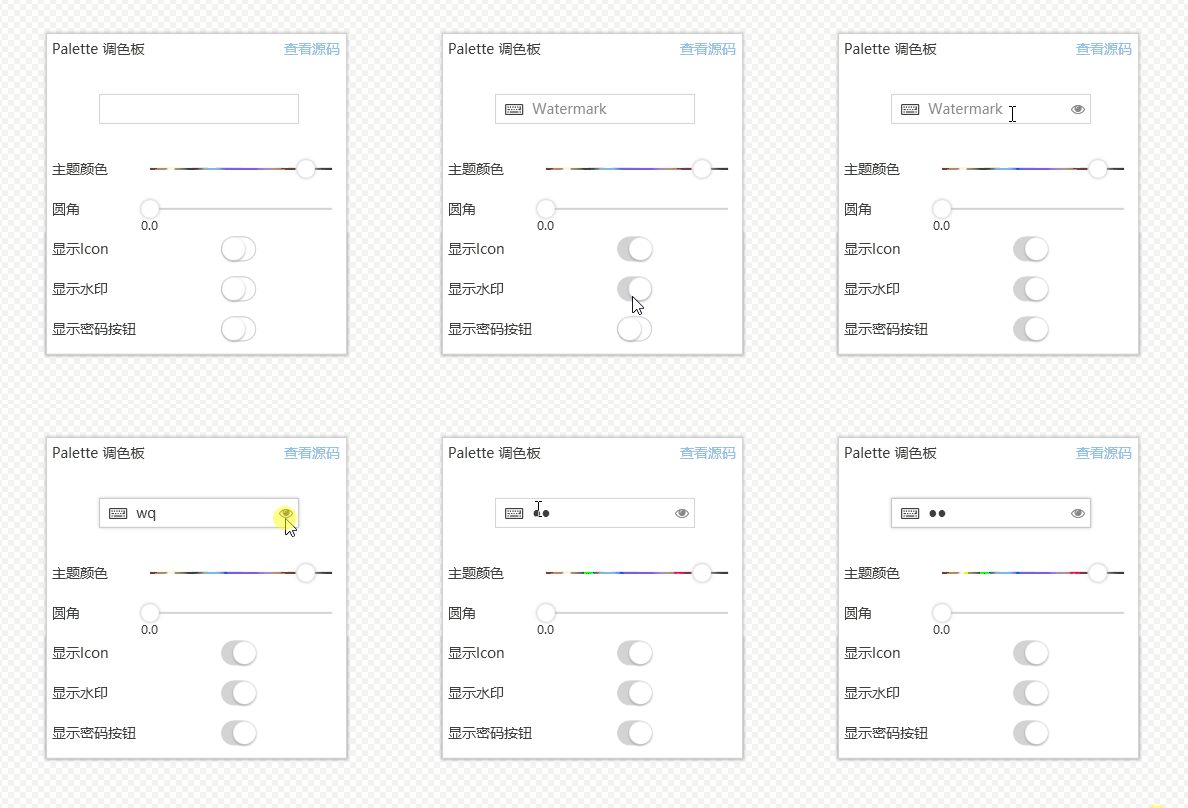
TextBox is similar to PasswordBox. The webmaster only records the password box PasswordBox, which supports viewing when entering, and has commonly used icons and watermarks.

2.4 CheckBox
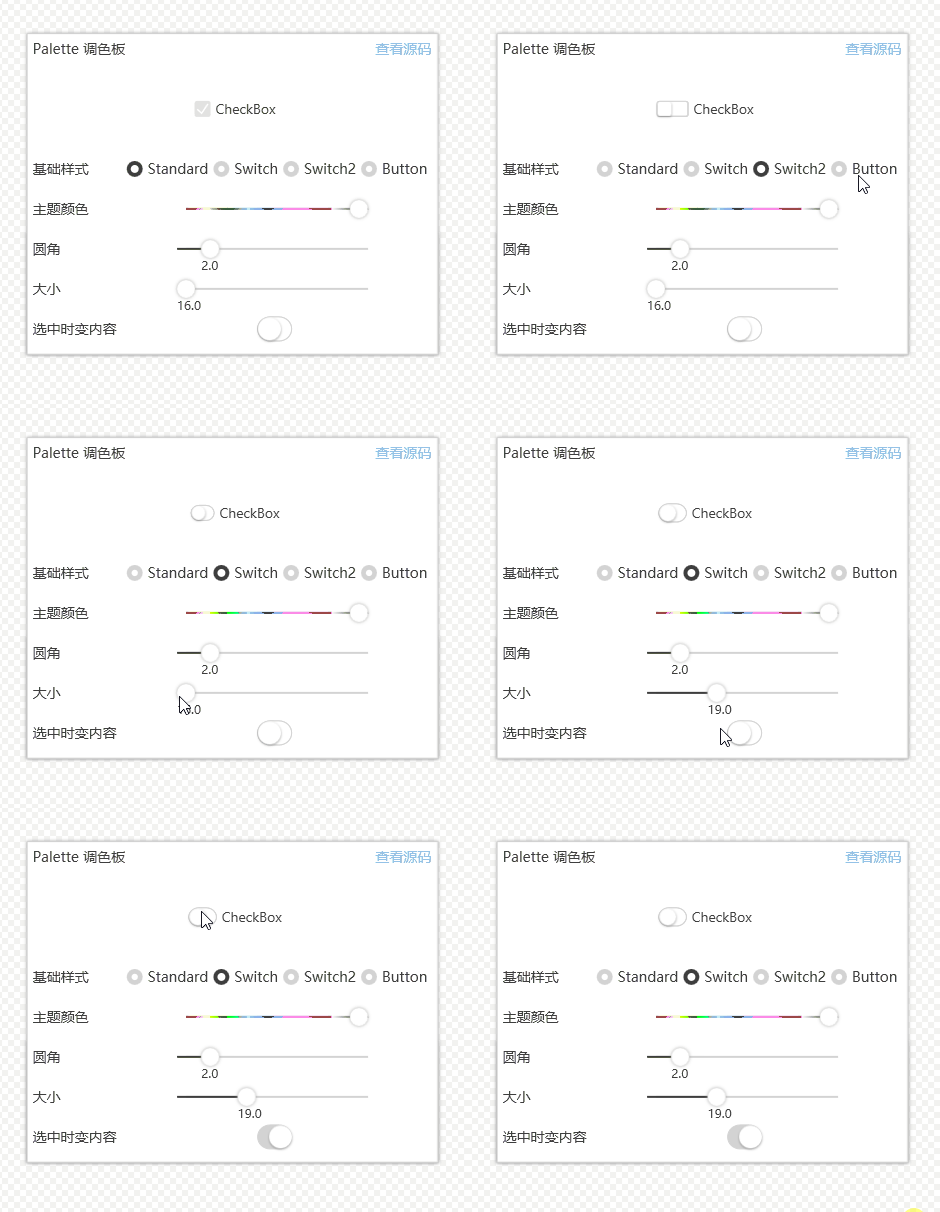
The checkbox CheckBox is similar to RadioBox. The animation display is more vivid. Switch in the basic style should be the style that everyone likes, and it is often used in webmaster projects.

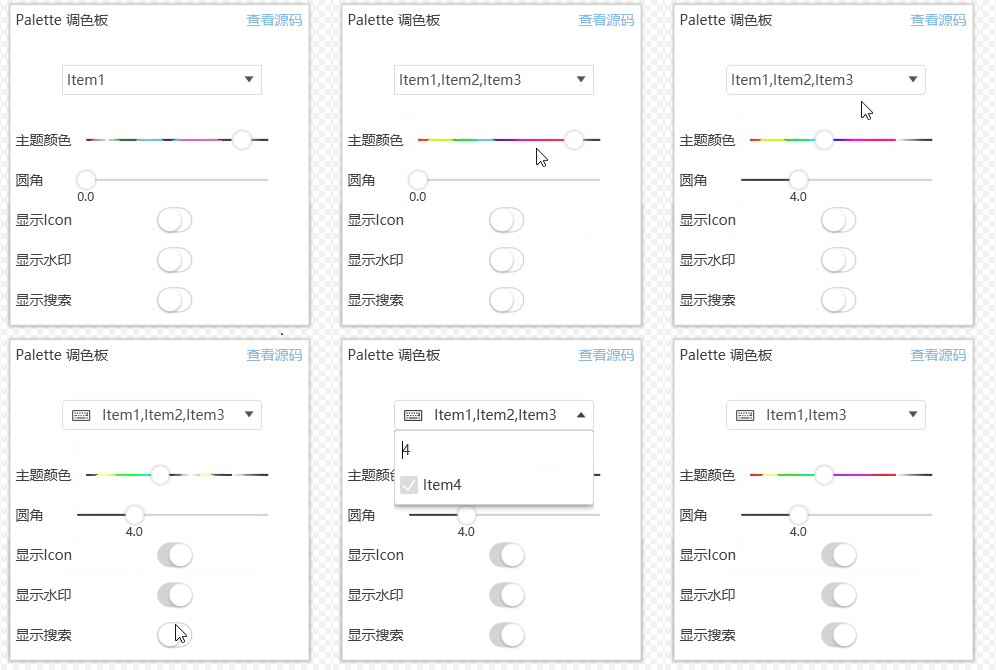
2.5 Drop-down box (ComboBox) and multi-selection drop-down box (MultiComboBox)
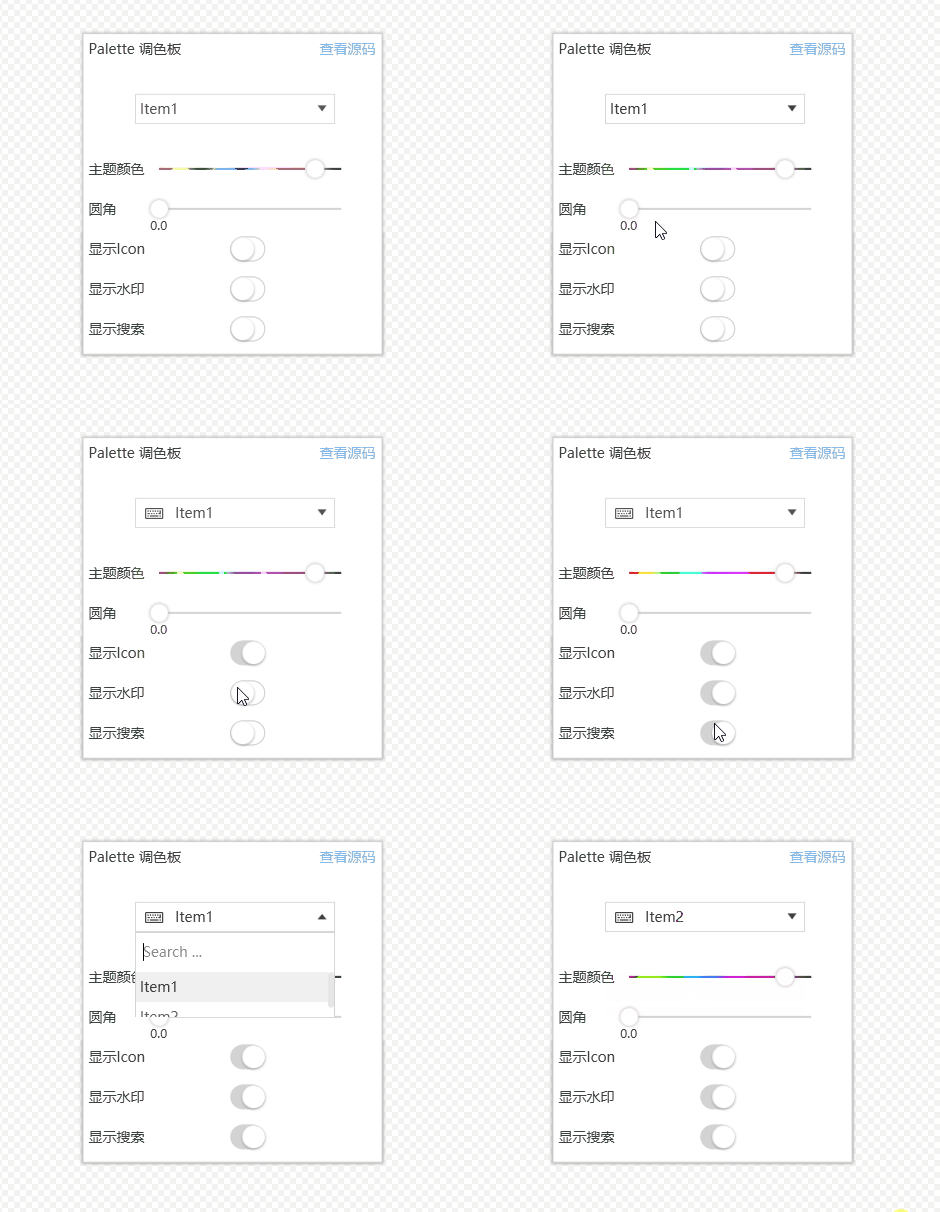
ComboBox, a drop-down box, supports icon and text searches, which is very convenient.

MultiComboBox is very useful in special business scenarios and is worth learning from.

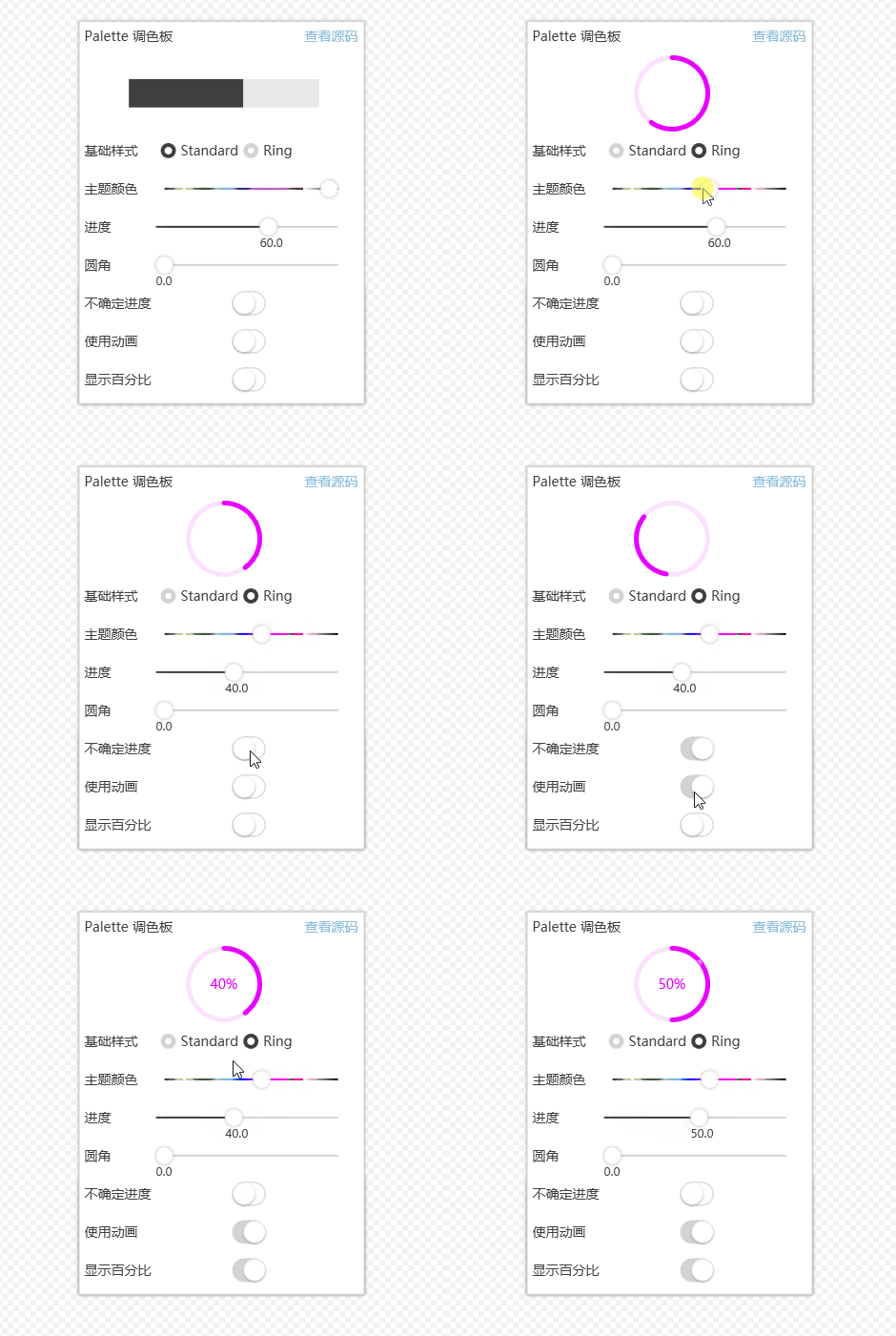
2.6 Progress Bar
Progress bar is available in two styles. The Ring style is very practical. Can the user experience be improved to a higher level?

2.7 Slider
Slider, it looks great, and the ruler is very vivid.

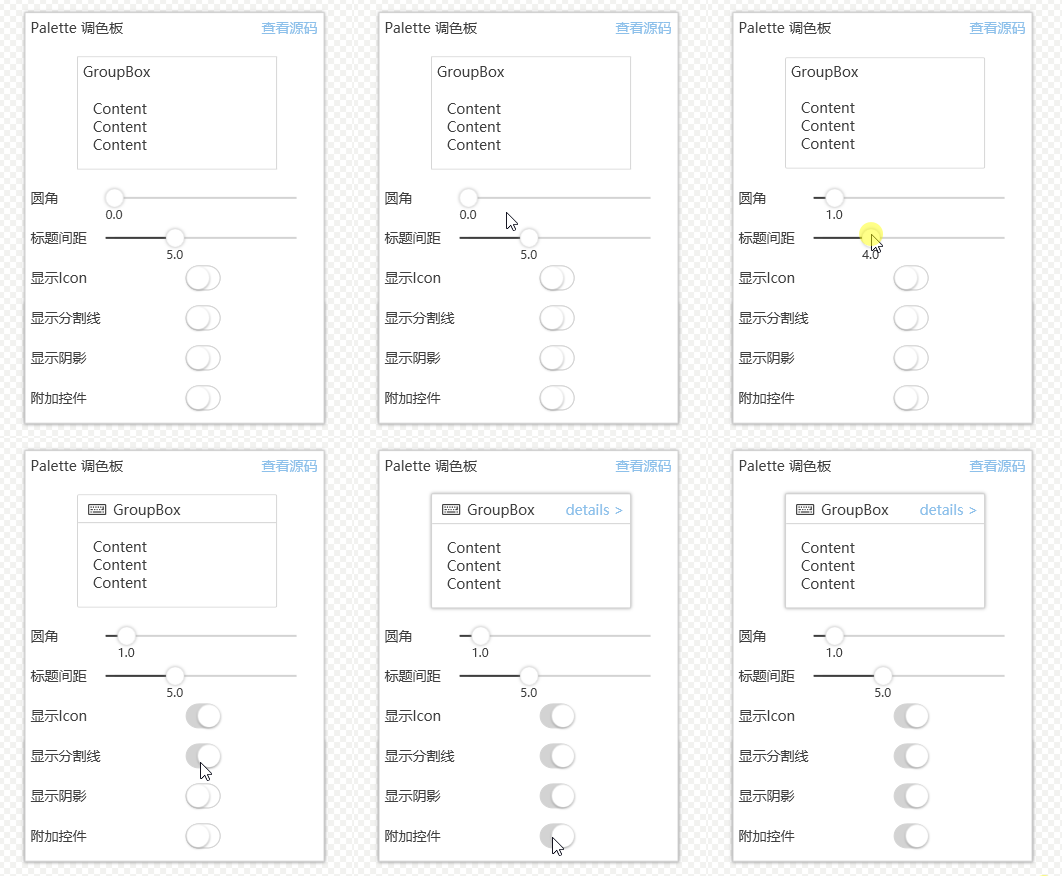
2.8 Group Box
Group Box, additional controls are common, which greatly reduces personal packaging.

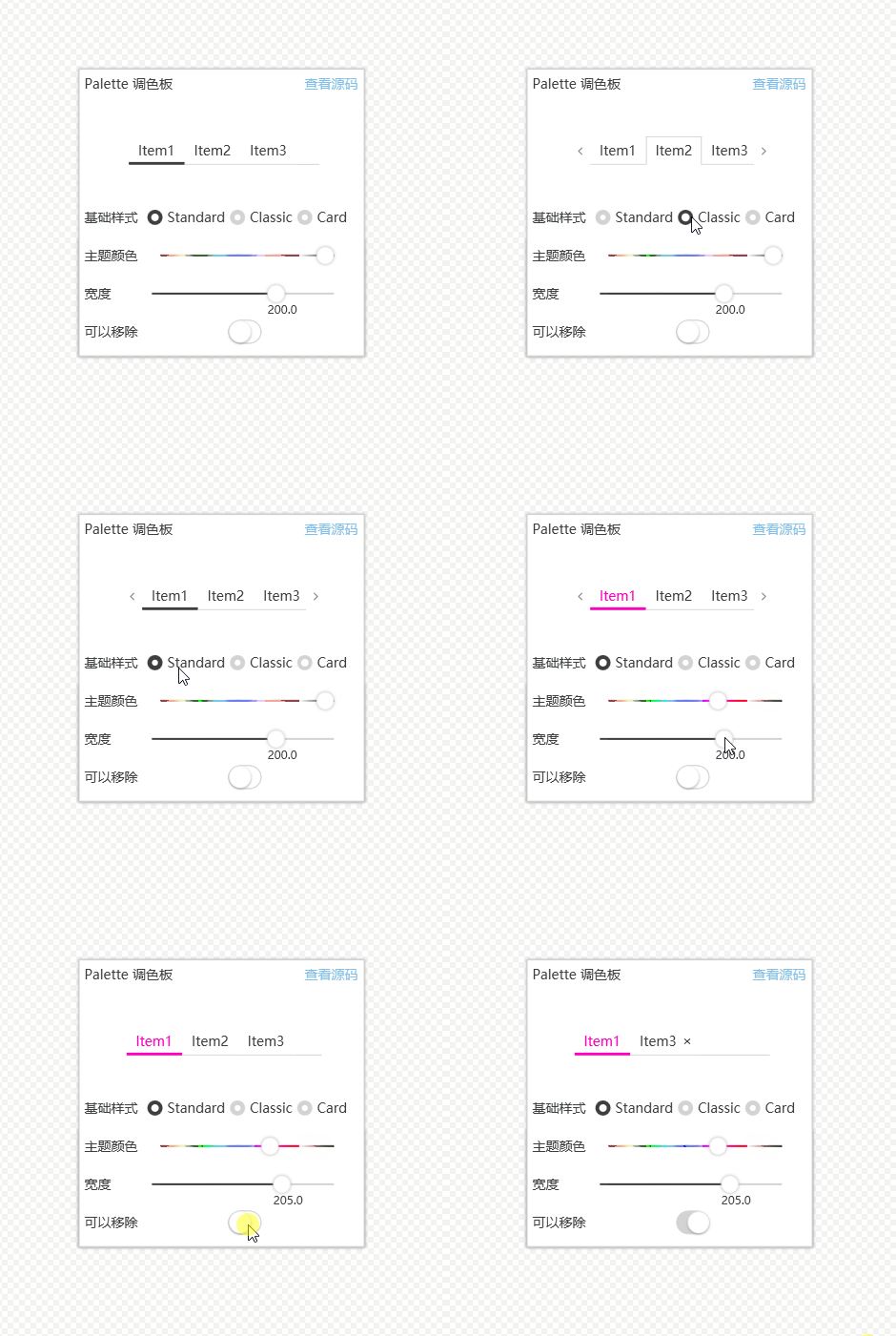
2.9 TabControl
TabControl provides three basic style options and is flexible in settings.

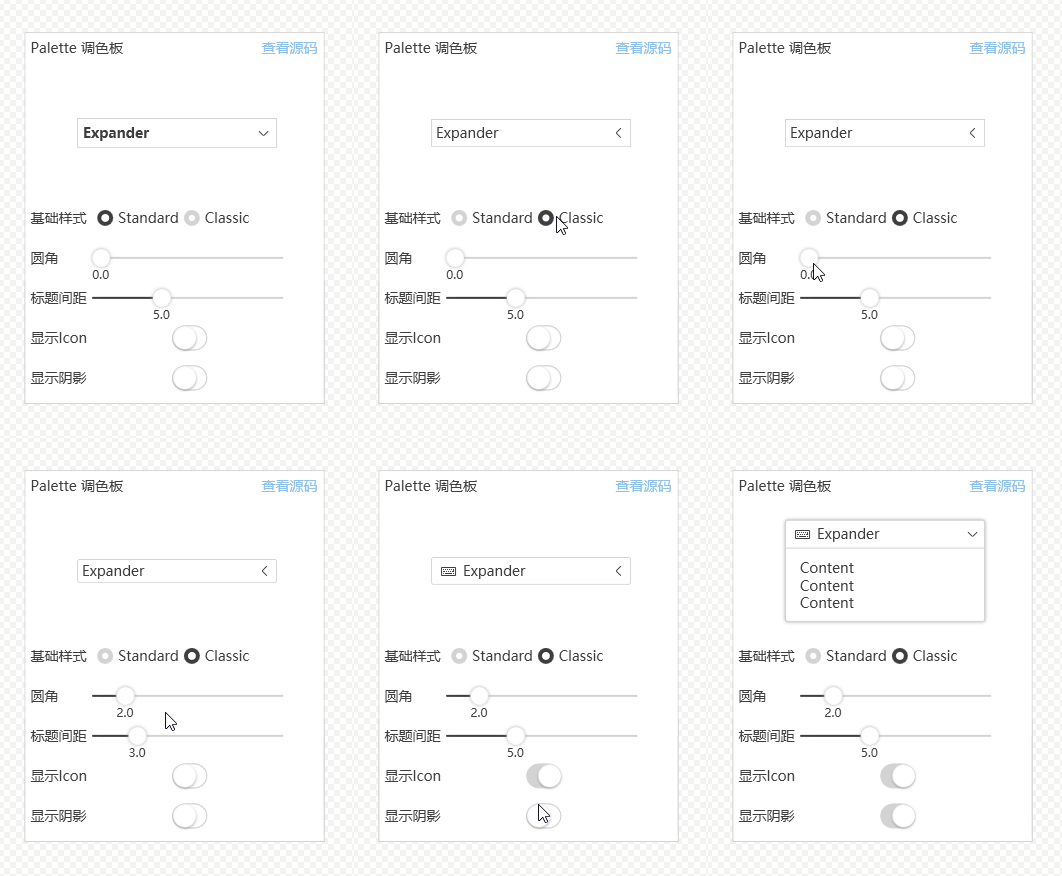
2.10 Expander
Expander, added icon extension.

2.11 Context Menu
ContextMenu, is it powerful? Native implementation is actually not difficult, but using this control library can greatly shorten the development time. With a little effort, you can realize the tray right-click menu style of 360 Security Guard. It's powerful, isn't it?

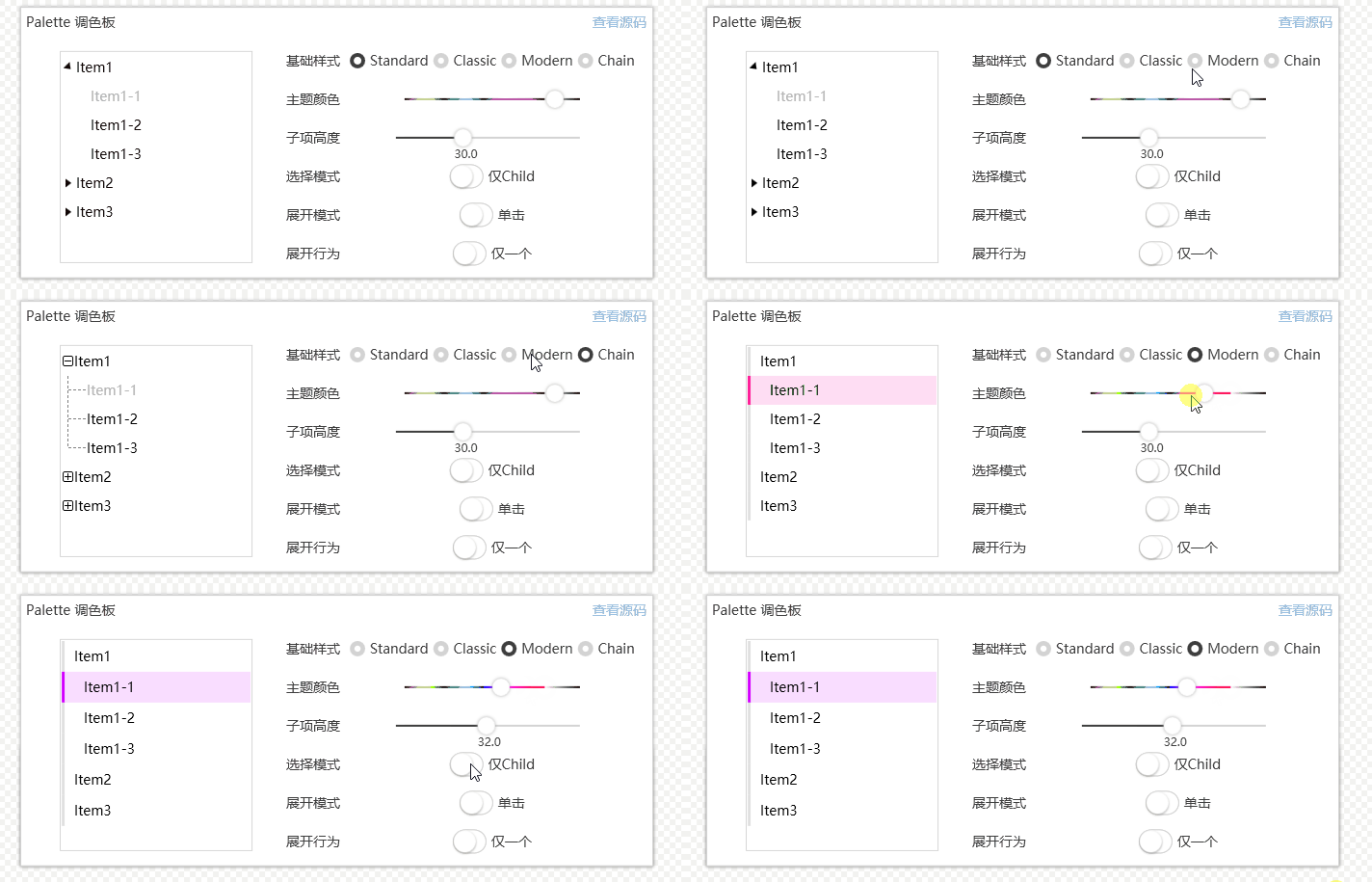
2.12 TreeView
The tree view TreeView is also a control commonly used in development. It provides 4 basic styles, which is also very good.

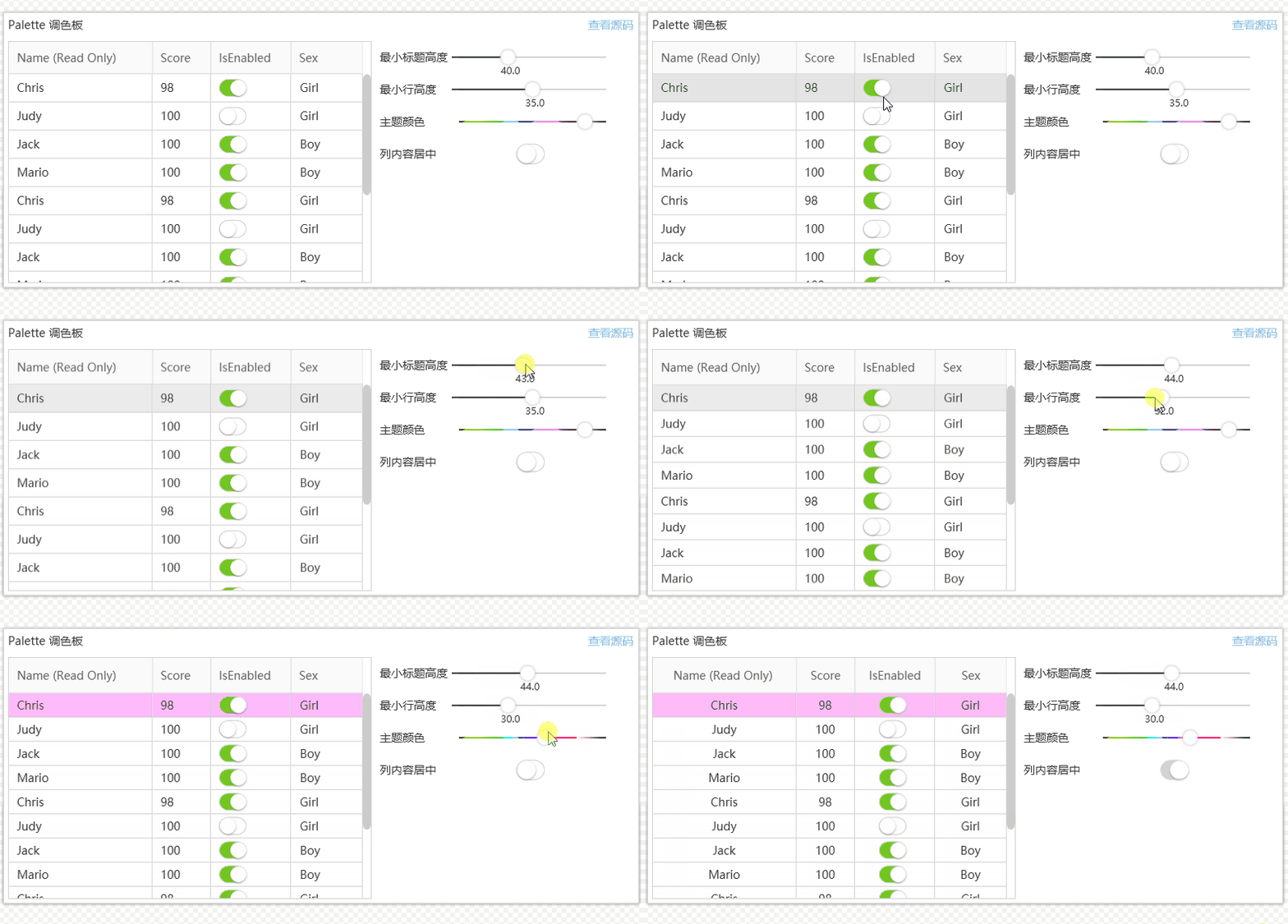
2.13 Table control (DataGrid)
The table control DataGrid provides simple adjustment functions and is enough for general data display.

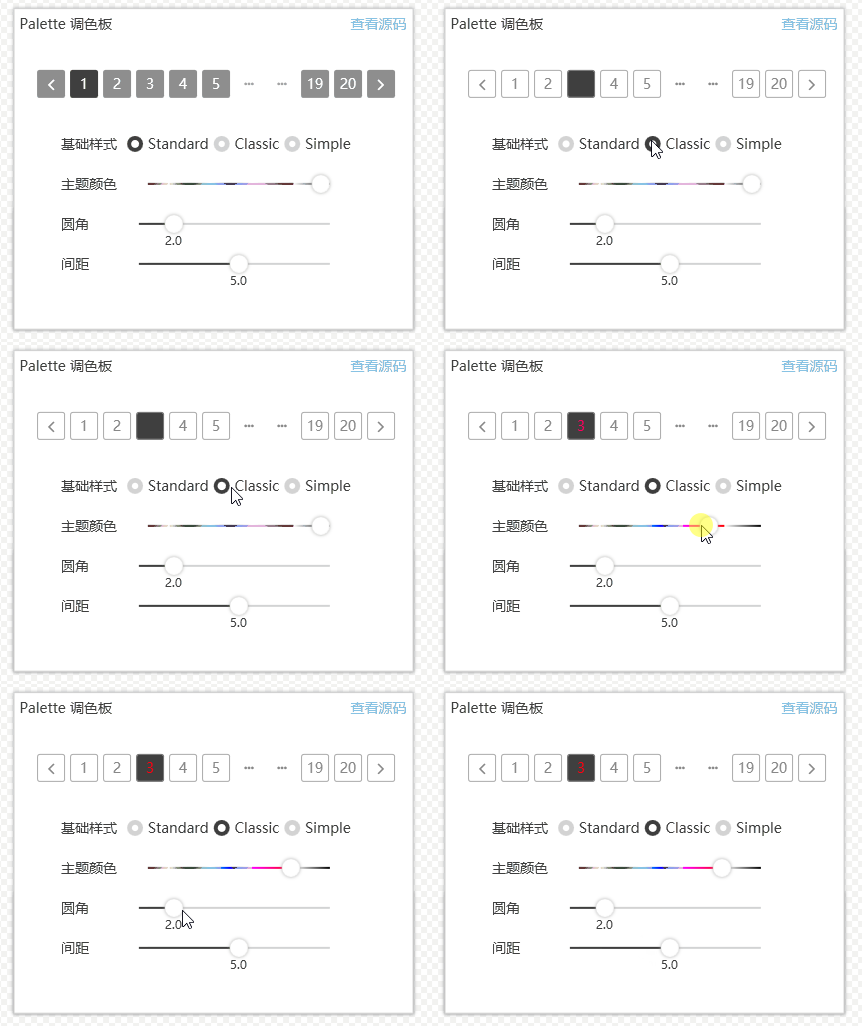
2.14 Pagination control
Pagination control is a commonly used paging control when using tables, but it is generally encapsulated by itself. This control is well encapsulated and also provides 3 basic style options, which is also very sufficient.

2.15 Waiting for the PendingBox
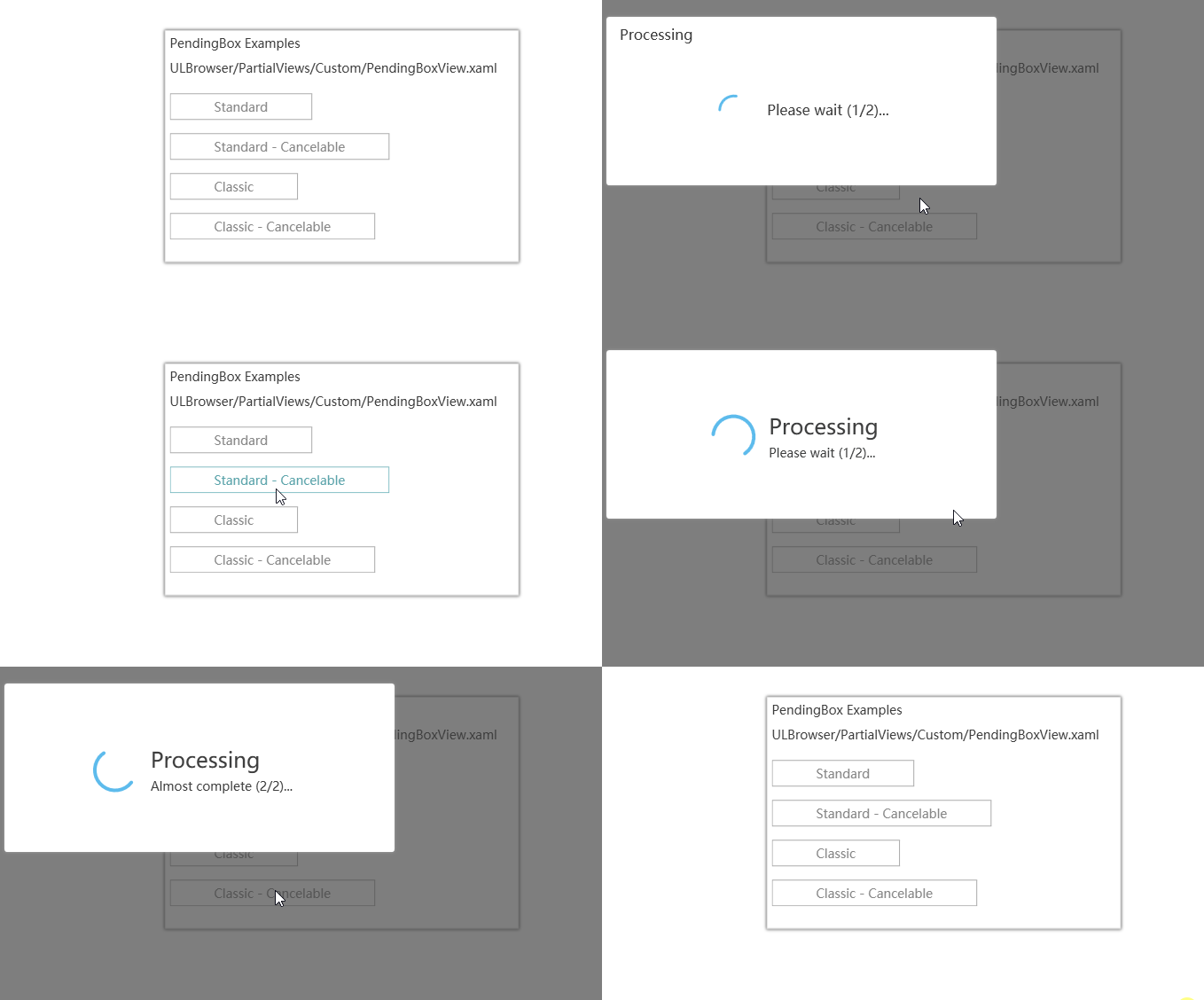
PendingBox, a time-consuming operation that is more practical and provides cancellation operations. It uses a mask. Isn't it cool? This effect is commonly used on websites, but it is not common on desktops. The webmaster has also used similar effects in his original projects, but it must be admitted that the author of this control does it smoother.

2.16 Message Box
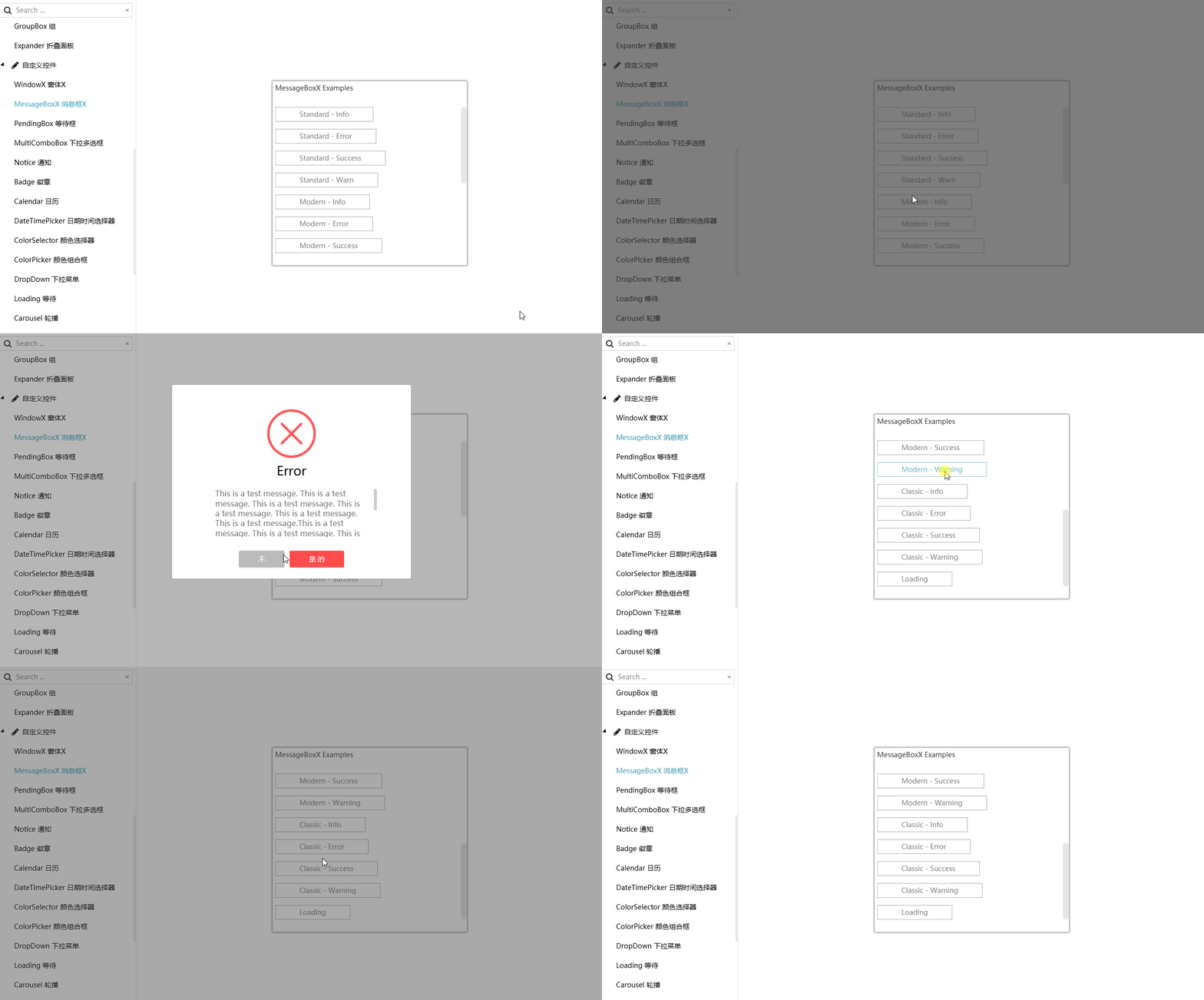
Message Box: The author provides many choices, including more than 10 types, which is enough. There are common Info, Error, Warning and other prompts.

2.17 Updated version of bubble notification box (Notice)
For the upgraded version of the bubble prompt box Notice, give up using the bubble prompt that comes with Windows. Even if it is the right-hand prompt box that comes with Windows 10, this method is recommended. This effect is also common in most software and is very popular.

2.18 AnimationHelper
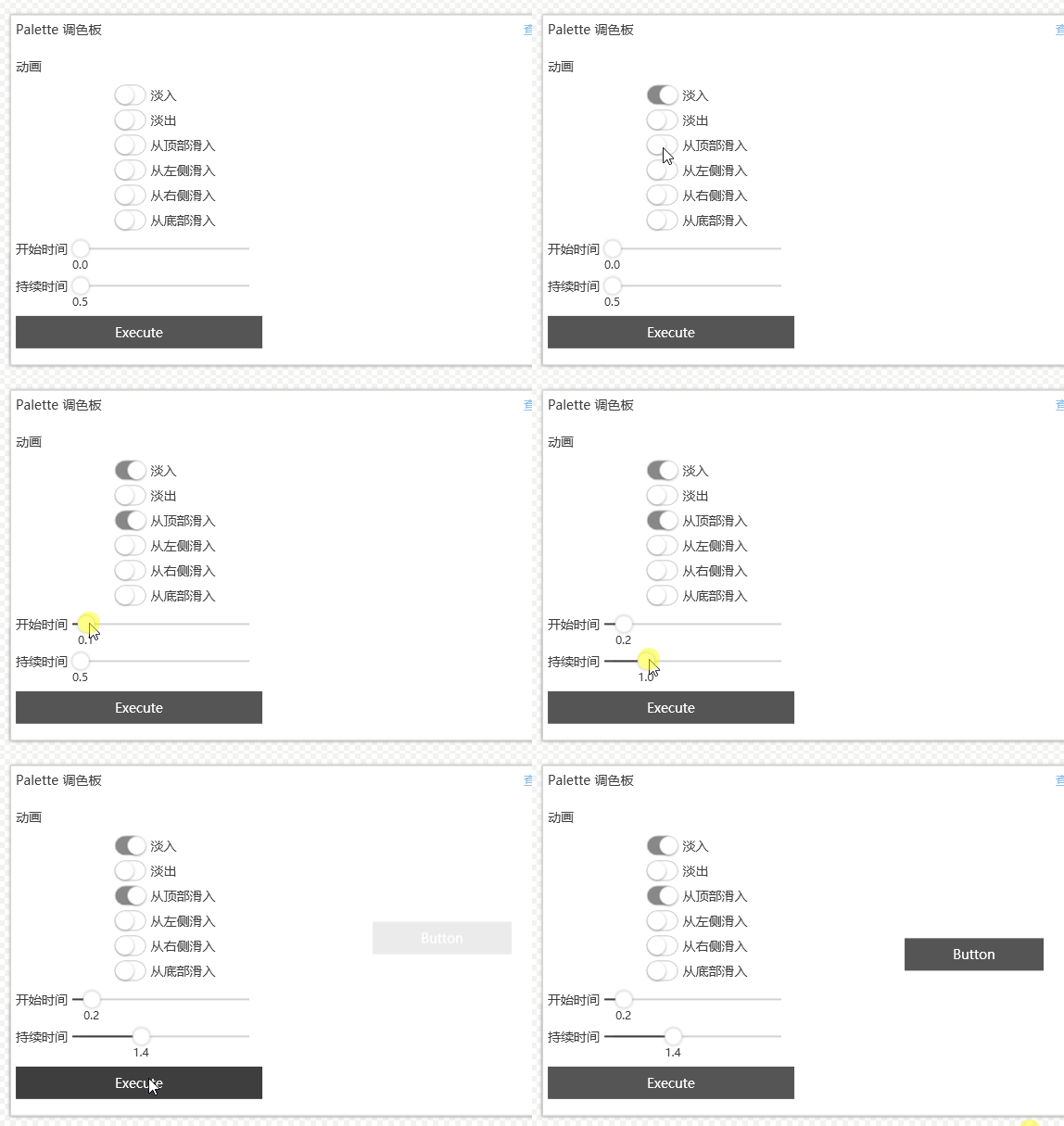
AnimationHelper, which should not be considered a control, but a help class for extending controls. It is very practical.

2.19 Carroll
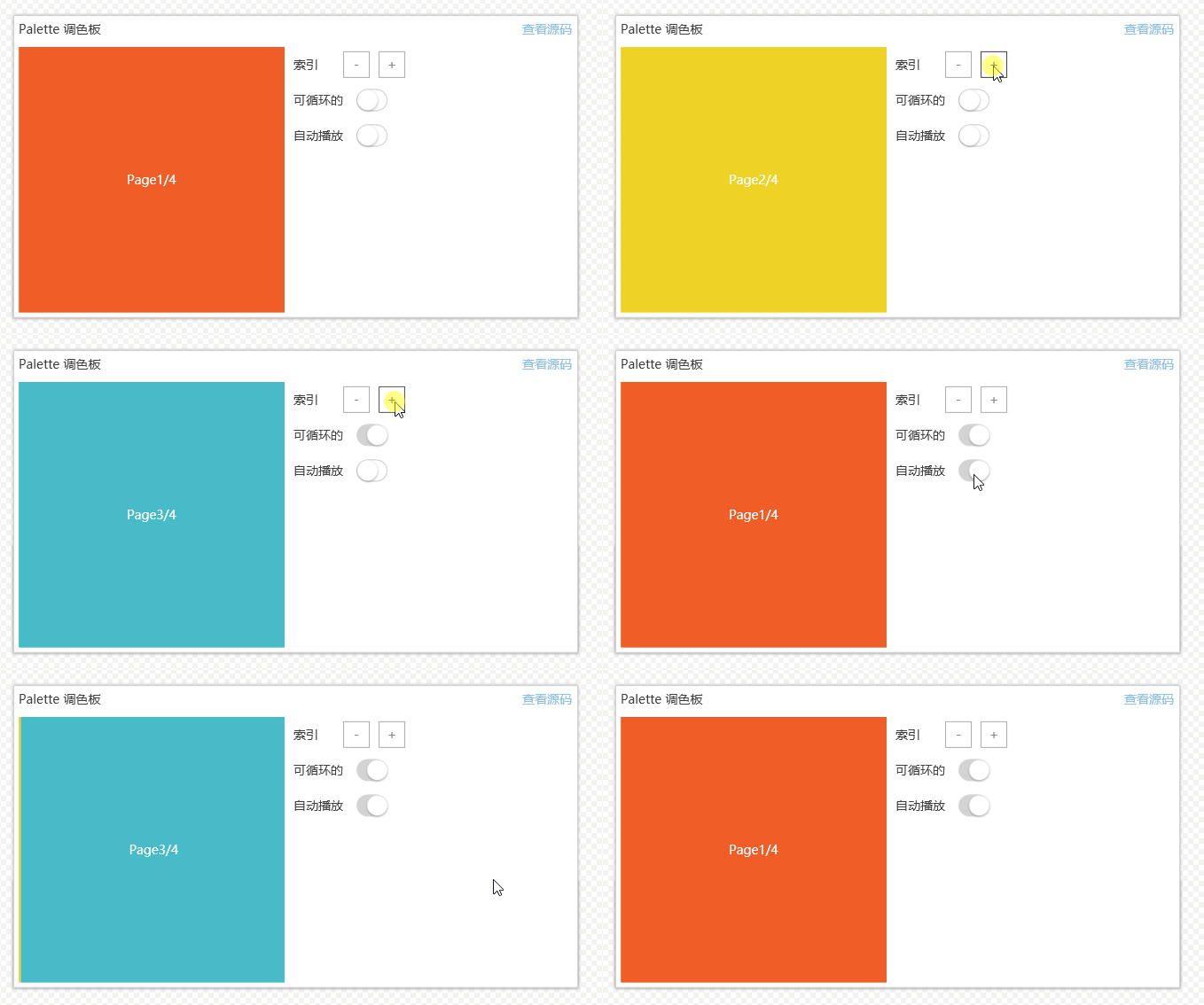
Carroll is used in this way for common website homepage Header themes. The webmaster homepage also has a similar effect. Friends can click to view (website homepage), which can be used for advertising display or data page switching. Automatic playback is very useful.

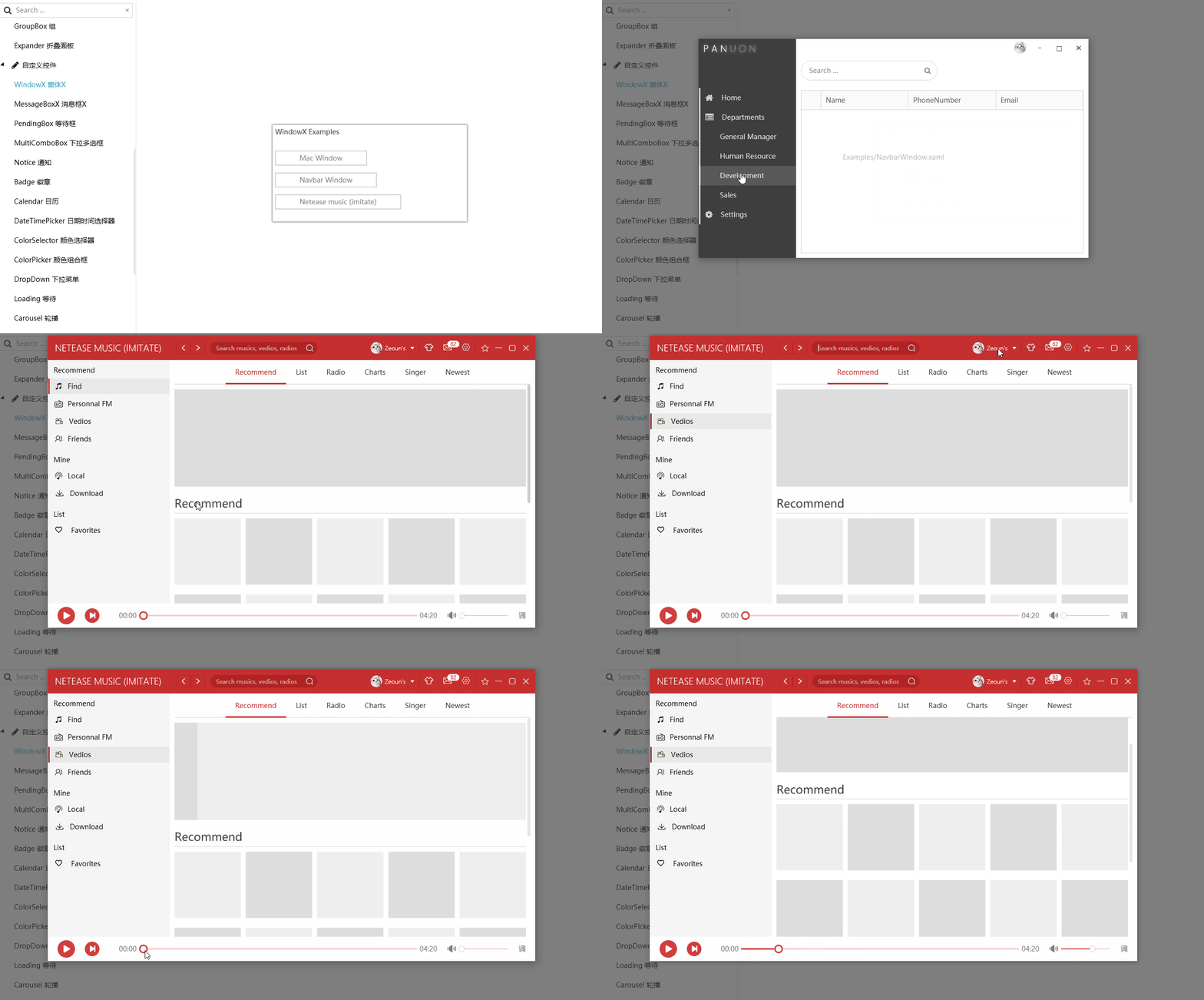
2.20 Custom Forms (WindowsX)
Customizing the Windows X form, the focus is on the last. Haha, does this directly upgrade the entire software to a higher level?
The author is also very attentive and the styles provided are all very cool, especially the interface of the last player. Is it very similar to the Magic Sound of the Case Case case MORIN?

3. Words written at the end
Thank you to the author for providing such an excellent control library.
Once again, I would like to recommend the projects of the two authors:
- PanuonUI.Silver, the control library of domestic open source authors, is developed using C#WPF, github address: www.example.com, and Panuon UI Exchange Group QQ Exchange Group: 718778191.
- Excellent cases of PanuonUI.Silver control library Magic Sound Morin official website address: www.example.com, Magic Sound Morin communication group: 303537207.
Thank you again to the two authors (PanuonUI.Silver, Magic Sound MORIN). I hope everyone will support you more. Go to github, the official website to download, add stars, and use them to promote the two young and promising IT stars.